


 비디오 컨버터 궁극
 스크린 레코더
 비디오 수리
 안전한 다운로드
도구, 단계 및 전체 세부 정보가 포함된 최신 M4B 레코더
M4B 형식은 Apple iTunes Store에서 다운로드한 오디오북을 저장하는 데 사용됩니다. 또한 녹음된 오디오에 북마크를 추가할 수 있고, 필요에 따라 일시 정지, 재생, 정지를 할 수 있습니다. 일부 오디오북은 길이가 1~2시간 정도 되는 경우가 많기 때문에 이러한 기능이 있으면 매우 유용합니다. 또 하나 뛰어난 점은 일반 책처럼 오디오북을 여러 챕터로 나눌 수 있다는 것입니다. 이런 점에서 사용자가 이 파일 형식에 대해 더 잘 알 수 있는 좋은 기회가 됩니다. 만약 M4B 레코더를 찾고 있다면, 이 글이 바로 당신을 위한 것입니다. 아래 목록에는 사용자로서의 요구 사항에 잘 맞는 최고의 오디오 레코더들이 정리되어 있으며, 앞으로는 고객으로서도 유용하게 사용할 수 있을 것입니다. 그럼 더 이상의 설명 없이 아래에서 어떤 도구들을 사용할 수 있는지 살펴보겠습니다.
1부. Windows 및 Mac용 최고의 M4B 레코더
FVC 무료 오디오 레코더

가장 뛰어난 온라인 녹음 도구 중 하나로, 사용자가 매우 깔끔하게 오디오 녹음을 할 수 있게 해 줍니다. FVC Free Audio Recorder는 사용할 수 있는 최고의 온라인 레코더입니다. 또한 다양한 플랫폼에서 사용할 수 있습니다. 이 도구의 성공률은 매우 높기 때문에 그에 걸맞은 결과를 기대해도 좋습니다. 최고의 온라인 오디오 레코더를 찾고 있다면 이 도구가 제격입니다. 그럼 더 이상의 설명은 생략하고 아래 단계로 진행해 보겠습니다. 아래 내용을 꼼꼼히 읽고 안내에 따라 사용하는 것이 중요합니다.
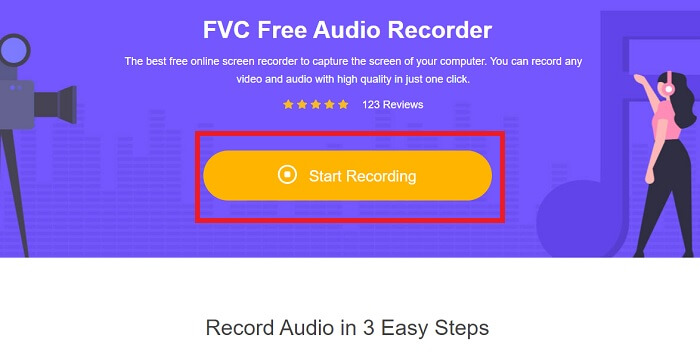
1단계. 웹페이지로 이동하려면 이 링크를 클릭합니다. 도구를 실행하려면 Start Recording을 클릭합니다.
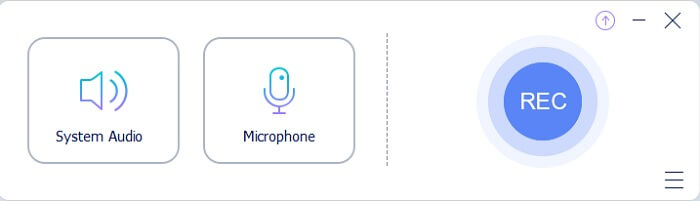
2단계. 다음과 같은 도구 모음이 화면에 표시됩니다.
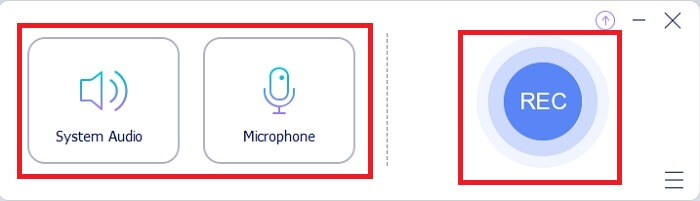
3단계. Speaker와 Microphone을 클릭해 시스템 소리와 목소리를 추가합니다.
4단계. 녹음을 시작하려면 동그란 버튼을 클릭합니다.
5단계. 녹음이 끝나면 네모 버튼을 클릭해 정지합니다. 그러면 자동으로 PC에 저장됩니다. 녹음 파일을 확인하려면 평행선 아이콘을 클릭하면 되며, 가장 위에 있는 항목이 최신 녹음입니다.
2부. Windows 및 Mac용 기타 4가지 권장 M4B 레코더
1. FVC 스크린 레코더
무료 도구가 마음에 들었다면, 이 FVC Screen Recorder는 당신이 꿈꾸던 최고의 결과물을 만들어 줄 것입니다. 이 도구는 사용자가 약간의 ‘마법’을 더해 더욱 창의적인 결과물을 만들 수 있도록 도와줍니다. Sony 디지털 레코더로 녹음한 파일을 M4B 형식으로 재생하고 싶다면 이 도구가 최선의 선택입니다. 아래 단계를 그대로 따라 하면 녹음 작업이 ‘식은 죽 먹기’처럼 느껴질 것입니다.
1단계. 현재 사용 중인 운영체제에 맞는 다운로드 버튼을 클릭합니다. 다운로드가 완료되면 프로그램을 설치합니다. 원하는 대로 Preference 설정을 변경한 뒤, 계속 진행하려면 Finish를 클릭합니다.
무료 다운로드Windows 7 이상용안전한 다운로드
무료 다운로드macOS 10.7 이상용안전한 다운로드
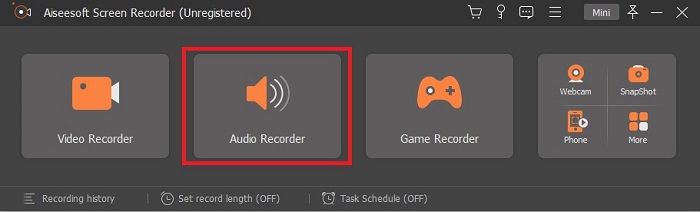
2단계. 화면에 이런 형태의 플로팅 도구 모음이 나타납니다. Audio Recorder를 클릭한 뒤 계속 진행합니다.
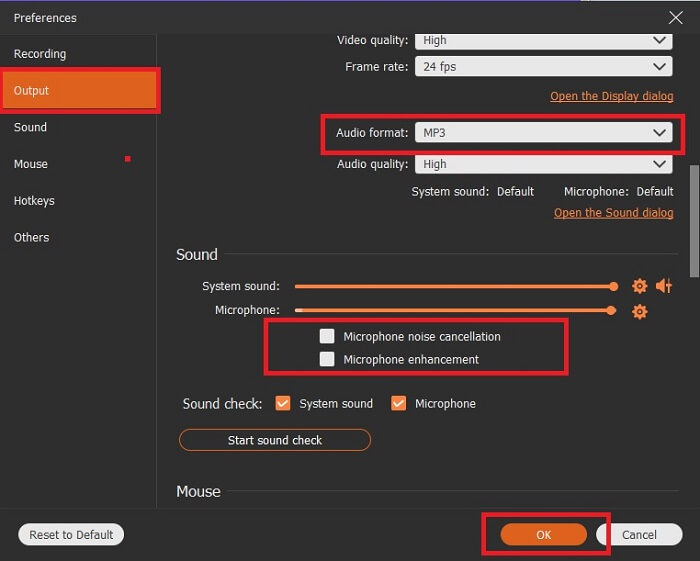
3단계. 도구 모음 상단 중앙 부근에 있는 톱니바퀴(cog) 아이콘을 클릭합니다. 그런 다음 필요에 맞게 Output 설정을 조정합니다. 저장하려면 OK를 클릭합니다.
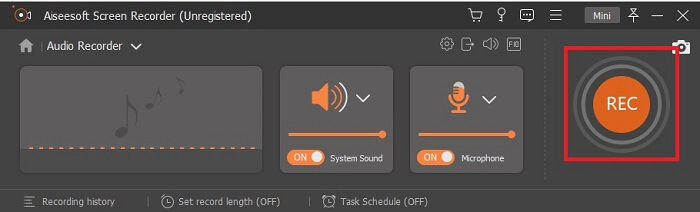
4단계. 시스템 소리를 추가하려면 Speaker 아이콘을, 목소리를 추가하려면 Mic 아이콘을 클릭합니다. 모든 설정이 완료되면 디스크 모양 아이콘을 클릭해 녹음을 시작합니다.
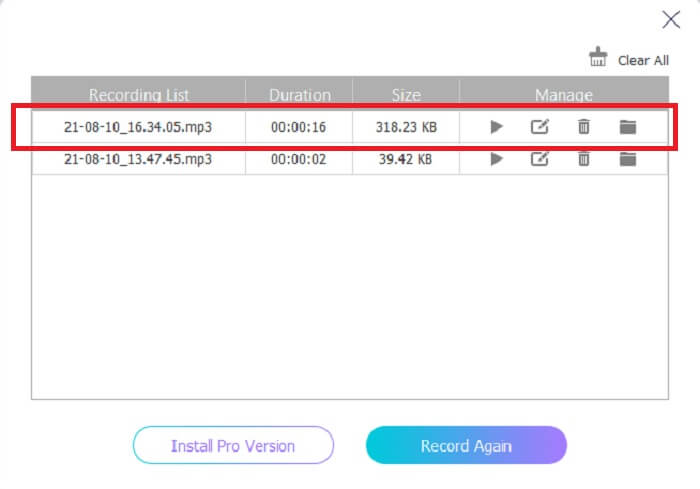
5단계. 녹음을 마치면 Square 버튼을 클릭해 정지합니다. 그런 다음 Save와 Next를 클릭해 계속 진행합니다. 이후 화면에 history list가 표시되며, 첫 번째 출력 파일을 클릭해 녹음을 재생할 수 있습니다.
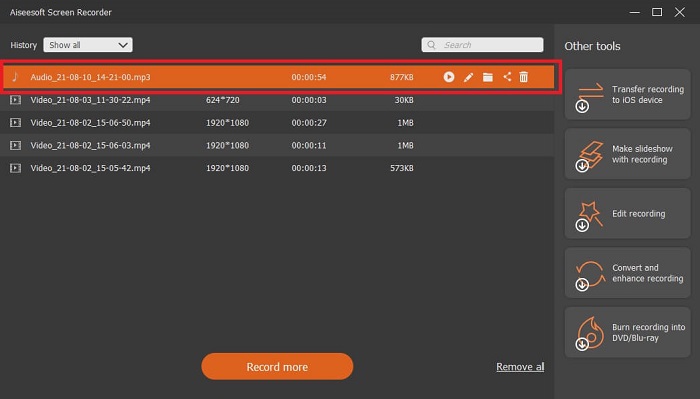
2. 오디오 부
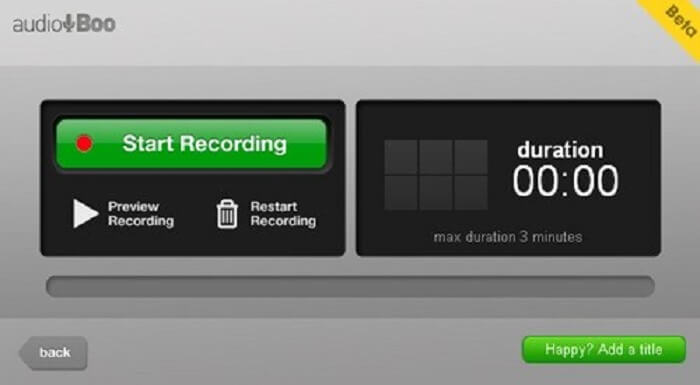
또 하나의 뛰어난 녹음 도구가 바로 Audio Boo입니다. 이 도구는 사용자가 필요에 따라 원하는 사양으로 오디오를 녹음할 수 있게 해 줍니다. 단, 녹음 시간에 제한이 있어 자동으로 녹음이 종료됩니다. 따라서 사랑하는 사람을 위한 짧은 노래 등을 녹음하고 싶다면 이 도구를 사용하는 것도 좋습니다.
3. 웨이브 패드
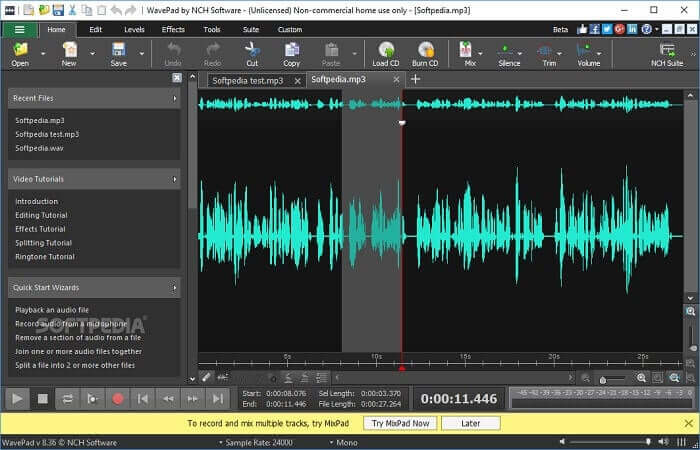
세련된 음악 녹음을 하고 싶을 때 사용할 수 있는 최고의 오디오 도구 중 하나입니다. Wavepad는 비교적 복잡한 오디오 녹음 작업에 자주 활용됩니다. 또한 상하로 팬(pan)을 조절하거나 템포를 변경하고 편집할 수 있습니다. 도구 모음에서 제공되는 튜토리얼도 함께 이용할 수 있습니다.
4. 로즈가든
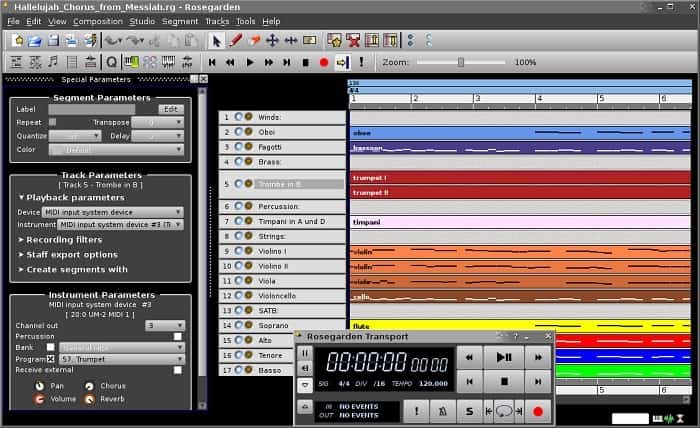
MIDI 및 편집 기능이 있는 디지털 오디오 레코더입니다. 이 도구는 오디오 녹음을 좋아하는 음악가라면 또 다른 선택입니다. 녹음 및 작곡에도 사용할 수 있는 간단한 도구입니다.
추가 읽을거리
3부. 비교 차트
| 도구 기능 | FVC 무료 오디오 레코더 | FVC 스크린 레코더 | 오디오 부 | 웨이브패드 | 장미 정원 |
| 오디오 녹음 |  | | | | |
| 노이즈 캔슬링 |  | | | | |
| 편집 도구 | | | | | |
| 마이크 향상 | | | | | |
| 사용 가능한 소프트웨어 | 모든 플랫폼 | 모든 플랫폼 | 아이폰, 아이팟 터치, 아이패드. | Mac, Windows, Android 및 iOS 기기 | 리눅스 |
| 사용 가능한 형식 | MP3 및 M4B | MP3, WMA, AAC, M4B, M4A FLAC, OGG, Opus 등. | MP3 | AAC, M4A, MP4, DCT | WAV, OGG, FLAC 및 MP3 |
| 가격 범위 | 무료 온라인 도구 | 1개월 동안: $25.00 1년 동안: $31.20 평생 라이센스: $55.20 | 무료로 다운로드 가능한 소프트웨어 | 사용자당 월 $3.88 사용자당 연간 $69.95 비상업적인 작업은 무료입니다. | 무료 디지털 소프트웨어 |
파트 4. M4B 레코더에 대한 FAQ
내 Android에서 M4B 파일을 재생할 수 없는 이유는 무엇입니까?
M4B 파일은 안드로이드 기기나 일부 PC 미디어 플레이어에서는 재생할 수 없습니다. 하지만 이 온라인 M4B 플레이어를 사용하면, M4B를 포함한 여러 가지 다른 형식을 지원하므로 재생이 가능합니다. 기본적으로 드래그 앤 드롭으로 파일을 올리거나, 파일 탐색기에서 찾아 추가하면 됩니다.
어떤게 더 좋아? MP3 또는 M4B?
둘 다 좋지만 M4B가 더 나은 품질의 사운드를 생성합니다. 소리 외에 정보, 챕터 표시, 이미지 및 하이퍼링크를 저장하지만 녹음에는 적합하지 않습니다.
오디오북이란? 그것의 목적은 무엇입니까?
오디오 북은 교과서의 음성 녹음입니다. 모든 단어를 조용히 읽는 대신 큰 소리로 읽습니다. 이렇게 하면 다른 사용자가 듣는 동안 다른 작업을 수행할 수 있습니다. 또한 적절한 발음, 유창함, 음소 인식 등이 포함됩니다.
결론
최종 분석에서 우리는 M4B 레코더가 무엇이며 이 형식이 무엇인지 이해합니다. 읽기에 지쳤고 훨씬 더 청각적인 학습자라면 이 유형의 파일 형식이 가장 적합합니다. 그들이 말했듯이 듣기는 오디오 출력 때문에 무언가를 배우는 가장 좋은 방법 중 하나입니다.
앞에서 설명했듯이 목록에 있는 모든 도구가 작업을 수행할 수 있지만, 그중에서도 특히 눈에 띄는 도구가 하나 있습니다. 힌트를 주자면, 이 도구는 다른 것들보다 상용화가 많이 되어 있고 유료 도구이지만 비싸지는 않습니다. 언제 어디서나 가장 손쉽게 녹음을 할 수 있는 도구입니다. 이 정도 힌트로 떠오르지 않는다면, 이제 정답을 말해 보겠습니다. 바로 FVC Screen Recorder입니다. 이 도구는 가능한 가장 좋은 방식으로 녹음을 할 수 있게 해 줄 뿐 아니라, 단계별 안내가 매우 명확해 초보자도 걱정할 필요가 없고, 여러 기능 덕분에 전문가가 사용하기에도 충분합니다.
-
 상위 4개 최고의 AMV 비디오 레코더 Windows/Mac 컴퓨터
 AMV 파일에 대해 자세히 알아보고 AMV 및 기타 비디오 형식으로 비디오를 녹화하는 가장 실용적인 방법에 대해 알아보십시오.
-
 AirShou를 사용하여 화면을 녹화하는 방법: 자세한 검토 및 Airshou 대안
 이 기사는 AirShou와 AirShou에서 얻을 수 있는 이점에 대한 자세한 검토입니다. 또한 읽으면서 Airshou에 대한 최상의 대안을 찾을 수 있습니다.
-
 Windows PC 및 Mac용 상위 5개 MOV 레코더
 iOS 장치와 호환되는 더 작은 파일 크기로 MOV 비디오를 녹화해야 하는 경우 기사를 계속 읽으십시오.
