


 비디오 컨버터 궁극
 스크린 레코더
 비디오 수리
제시된 쉬운 단계를 통해 ASF를 GIF 파일로 전송하는 방법 결정
Microsoft developed the format of ASF to be used on streaming audio and video including metadatas. However, the format doesn't have a specific codec to use. So, other platforms still don't support this format up to now. Because it is hard for the platforms to read the encoded data about the file. Moreover, the best way to share .asf is to change it into a new video format. As we proceed in this article we will know a lot about how to convert ASF into a GIF format with detailed steps you can follow on.

1 부. ASF를 GIF 오프라인으로 변환하는 경이로운 변환기로 알려져 있습니다.
The phenomenal converter is here to solve the unsolvable problem you encounter in converting. FVC Video Converter Ultimate has been used by millions of users worldwide. Unlike any other converter, the ultimate converter still gives the fastest conversion and compression with the touch of a pro. By editing the final output and enhancing it later on. Although the tool provides the conversion, editing, enhancing and more. Still the FVC provides more frequent updates to the software and also to become more user-friendly and still have the best output. As we speak more of this tool, let's now first proceed on how to transfer an ASF file to GIF with elaborated steps. And there is a bonus step after these steps indicated below.
FVC Video Converter Ultimate를 사용하여 ASF를 GIF로 변환하는 단계
Step 1. First and foremost, you must download the tool in your disk drive. Install the tool and change the set-up according to your wants. Then, click finish to automatically launch the tool on your screen.
Free DownloadFor Windows 7 or laterSecure Download
Free DownloadFor MacOS 10.7 or laterSecure Download
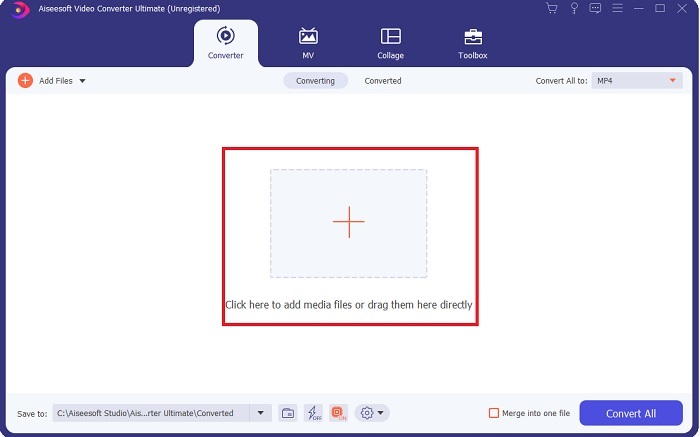
Step 2. After launching the tool, click the plus icon in the middle of the interface. Additional information, if your file is more than two then you can drag and drop the ASF files in the interface.
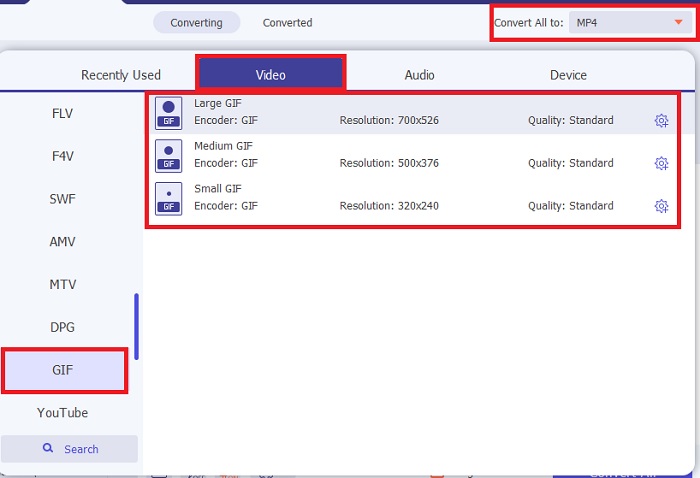
Step 3. After inserting the file, click the Convert All to and choose the GIF format or any other format from the submenu.
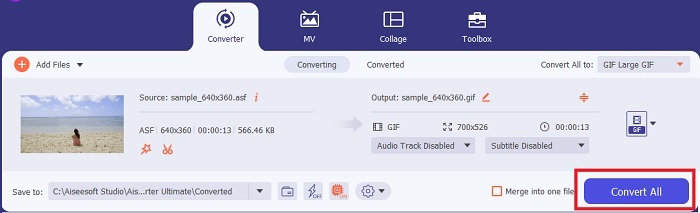
Step 4. Click the Convert All button to start the conversion process.
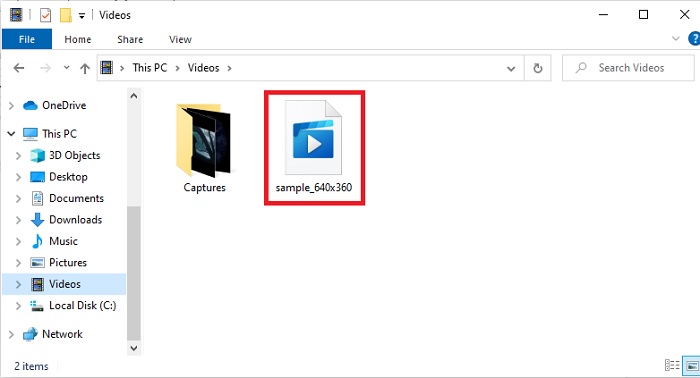
Step 5. To locate the file, you can check it out on the folder where it is saved. Click the first file and enjoy, if you convert ASF and it is a bit blurry. You must go to the Video Enhancer on the Toolbar to enhance the converted file.
FVC Video Converter Ultimate의 도움으로 비디오와 오디오를 동기화하는 보너스 기능
Most of the time, the video and audio aren't synced because the file or data has been damaged. But if you use the FVC Video Converter Ultimate you don't need to worry about this problem. As we assure you to have a secured and safe conversion if you did it here. So, if you have a media file that isn't in sync then let's fix it right here and right now. With the help of Audio Sync that you can only access in FVC Video Converter Ultimate.
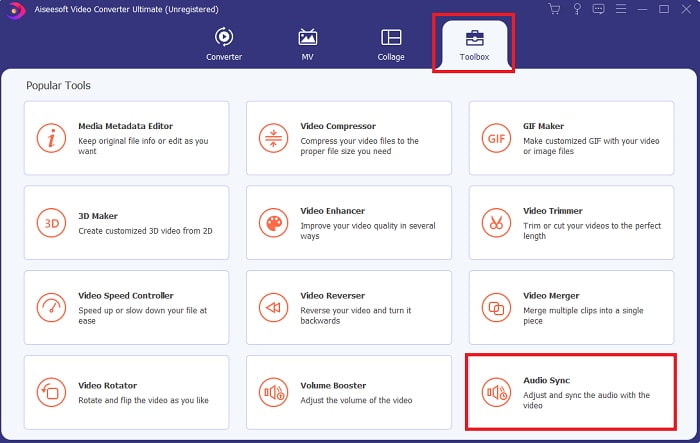
Step 1. Open the Toolbox and find the Audio Sync then click it right away.
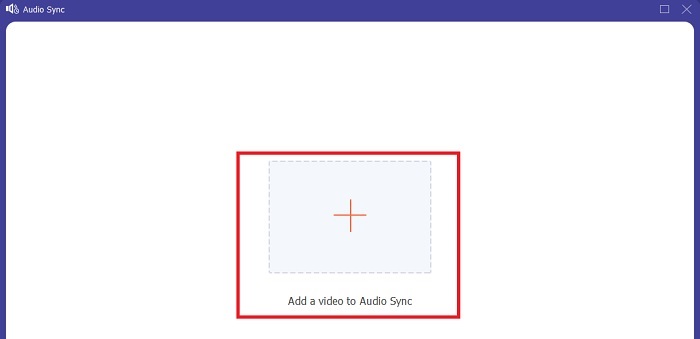
Step 2. To add the file you want to be in sync, click the plus sign. Then choose the file and click open to insert it.
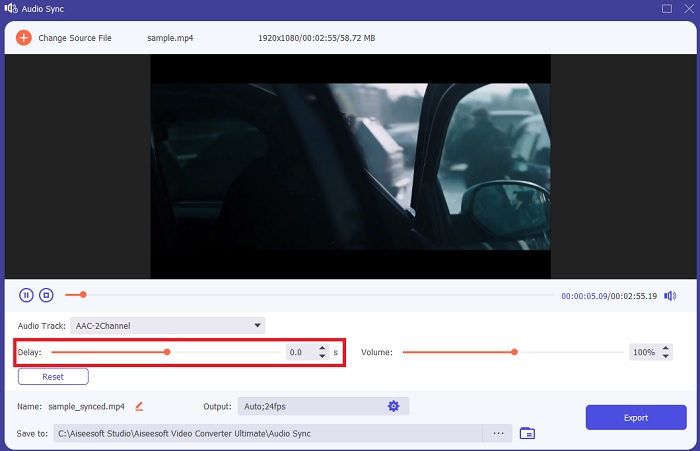
Step 3. On the interface, move the sliders to adjust the timing of the video and audio. You can also enhance the audio here by increasing the volume.
Step 4. If the modification has been finished, click the Export.
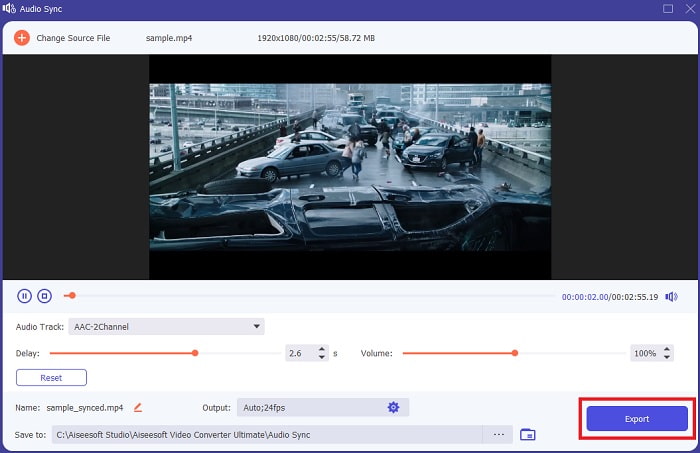
Step 5. The exporting of the file will be finished in a few seconds. When it is done, the synced audio and video file you did will show automatically to your screen. Click the file and enjoy the perfectly sync audio and video.
2부. 온라인 도구를 사용하여 ASF를 GIF로 변환
FVC 무료 비디오 변환기
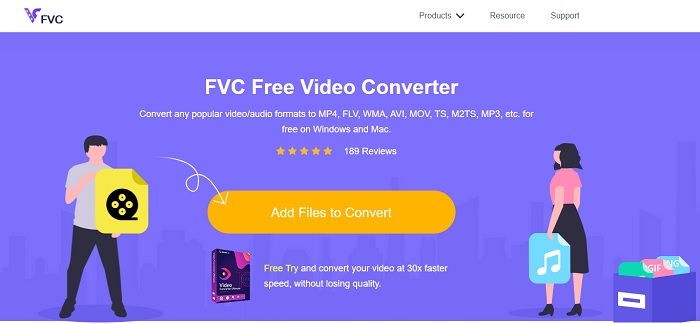
This online converter is one of the best on the web, FVC Free Video Converter. This tool is a free download version of the ultimate converter. Although it has some minor features to offer like the ultimate converter, still the first tool above is much better than any other tool. But if you don't want to download the tool then this is a must to try to experience converting at its finest. Follow the provided steps below and let's do the conversion.
Step 1. Click the link to proceed to the main website of the FVC converter.
Step 2. Press the Add Files to Convert and search the file on the folder then click the open.
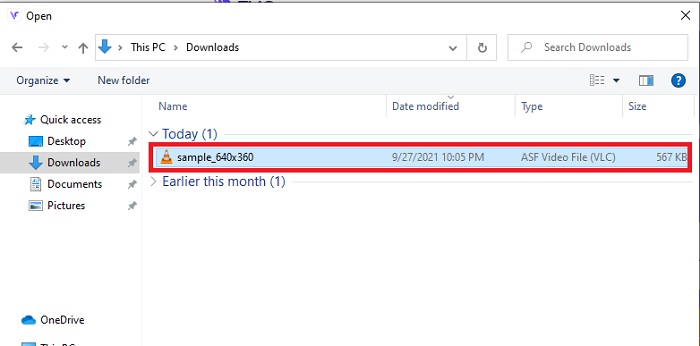
Step 3. After inserting the ASF file, you can now convert ASF to GIF or any other format you want the final output to be.
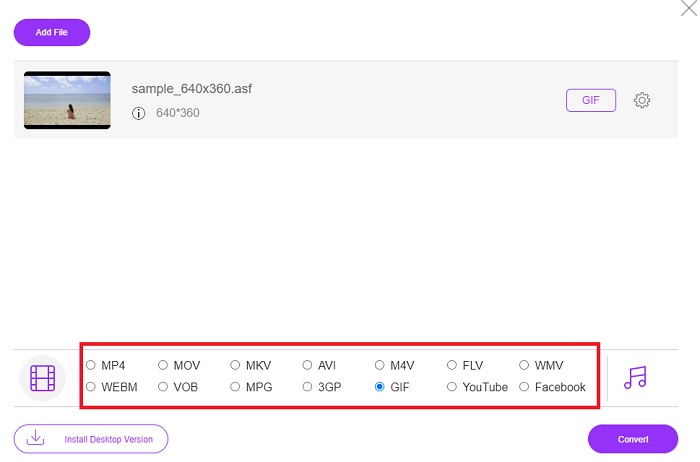
Step 4. Hit the Convert button to start the changing of the format.
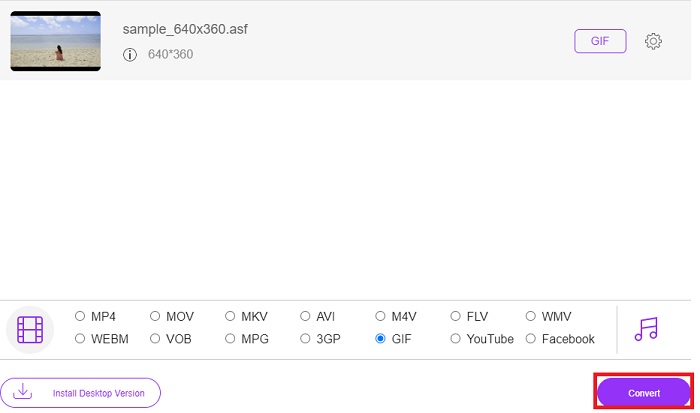
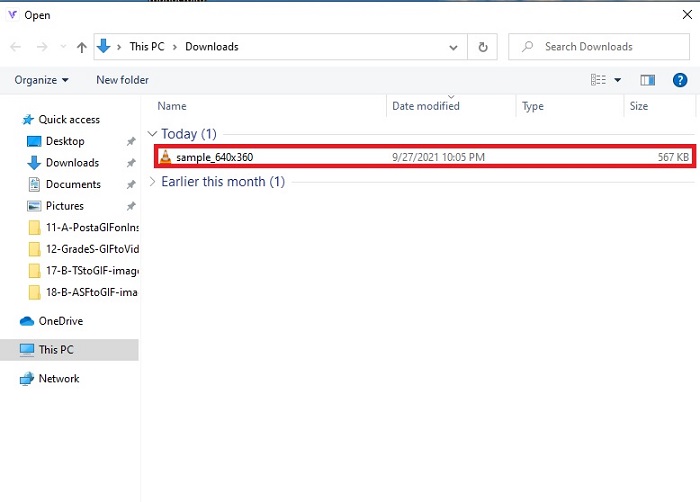
Step 5. Then to locate the file, click this folder shaped button to see where the file is located.
온라인변환무료
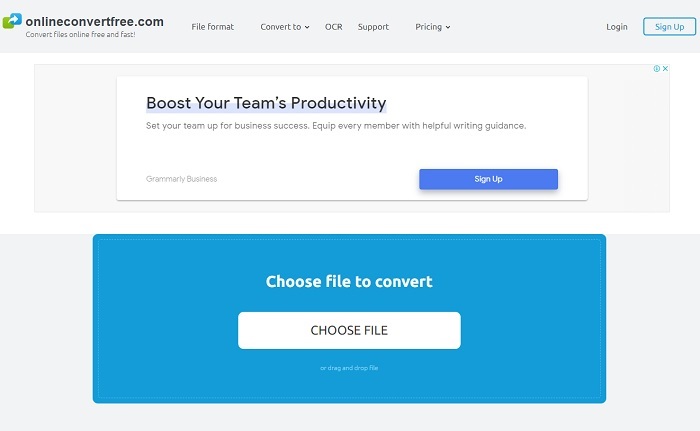
Convert your files online with the help of OnlineConvertFree. As the motto of the tool says, convert files online free and fast here. But even though the tool has a fast compression, still you can't change the bit rate, fps and resolution before you start the conversion. So, convert the file as it is in here, if you are only on converting then try this tool. In addition, the web tool has ads on it so be careful not to open them and relocate you to the other website.
Aconvert
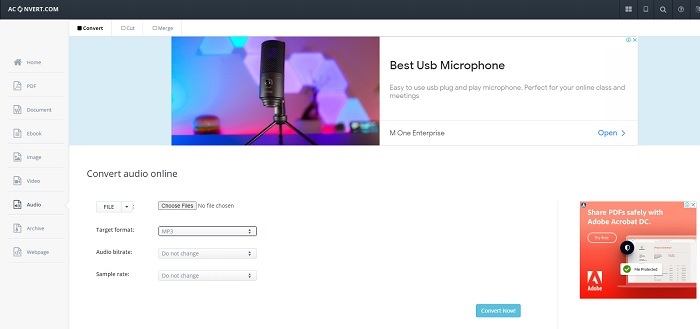
Aconvert this online program-based tool is developed to withstand any converting you want to do. Although the tool provides great conversion, the main web tool has a lot of pop up and pesky ads on it. Every click you do, there will be an ad after it. So, if you don't want to be irritated by any ads at all, then don't use this. But if you don't mind the ads then use this instead as it is more formal than the OnlineConvertFree.
3부. ASF에서 GIF로의 FAQ
AVI가 ASF 파일보다 나은가요?
AVI and ASF are both created by Microsoft and they both have great compression. But AVI has a lot of support coming from other platforms than ASF. Because of the high-quality media output, it produces better quality. But what is an AVI? To know more about the AVI then click this link as we focus on what is AVI.
내 ASF 파일을 어디에서 재생할 수 있습니까?
Most of the native media players can't play ASF files or even some third-party because of the complicated codec it has. But there is a tool the FVC produces to play any codecs easily and still have the best experience like watching an iMax. If you want to watch the .asf file then download this Blu-ray Player to watch and play. Download Blu-ray Player on PC Download Blu-ray Player on Mac
ASF를 변환하면 품질이 저하됩니까?
변환된 ASF의 대부분은 자연스러운 비디오 또는 오디오 파일의 품질을 잃습니다. 크기가 작아졌기 때문에 이 문제를 피하기 위해서는 궁극의 변환기를 사용해야 합니다.
결론
Although all of the converters show a great potential for converting, still there is one tool that overpasses the potential of all the converters. FVC Video Converter Ultimate, is the phenomenal converter that adds excitement to each conversion you do. Unlike any converters on this list, the ultimate converter doesn't need any internet connections and also it has editing features as well. So, don't settle for a simple conversion if you can bring the life to it with the help of the FVC Video Converter Ultimate.
-
 데스크탑 또는 온라인에서 MP4를 GIF로 변환하는 방법에 대한 단계별 가이드
 MP4 비디오를 애니메이션 GIF로 변환하는 가장 좋은 방법을 찾고 계십니까? 다음은 Photoshop, Windows Movie Maker, 온라인 비디오 변환기 등에서 수행하는 방법에 대한 자세한 가이드입니다.
-
 Windows / Mac에서 AVI 비디오를 애니메이션 GIF 파일로 변환하는 방법
 흥미로운 AVI 세그먼트를 선택하여 GIF 밈을 만들고 싶으십니까? 이 기사에서는 AVI 비디오를 자르고 AVI를 애니메이션 GIF 파일로 무료로 변환하는 2 가지 가장 좋은 방법에 대해 설명합니다.
-
 [해결됨] FLV 비디오를 무료로 애니메이션 GIF 파일로 변환하는 방법
 더 나은 전송을 위해 FLV 비디오 세그먼트에서 GIF를 만들려면 이 문서에서 FLV 비디오를 GIF 파일로 쉽게 변환하는 방법에 대해 자세히 알아볼 수 있습니다.
