


 비디오 컨버터 궁극
 스크린 레코더
 비디오 수리
 안전한 다운로드
iOS 및 Android에서 사진 해상도를 높이는 앱에 대한 전체 검토
스마트폰에 내장된 카메라로 우리는 한 번의 클릭만으로 원하는 모든 것을 찍을 수 있습니다. 누구나 휴대폰으로 사진을 찍을 수 있지만, 렌즈 결함 때문에 1080p 혹은 그 이상의 고해상도 사진을 찍지 못하는 경우도 많습니다. 그래서 휴대폰을 구매할 때, 사용자들은 와이드 렌즈, 초광각 렌즈, 매크로 렌즈, 망원 렌즈로 촬영할 수 있는 카메라를 찾는 경향이 있습니다. 하지만 이러한 렌즈를 탑재한 스마트폰은 대개 고가입니다. 비싼 고급 카메라를 새로 사지 않고도 사진 해상도를 높일 수 있는 방법을 찾는 사람들이 많은 이유이기도 합니다. 이 글에서는 빠르게 사진 해상도를 높여 주는 앱에 대해 정확한 정보를 파악하고 공유할 수 있도록 도와드리겠습니다.

1부. Android 및 iOS에서 사용 가능한 사진 해상도를 높이는 상위 4개 앱
픽셀
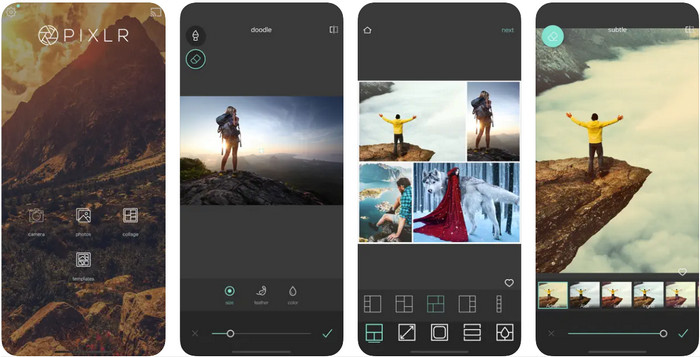
Pixlr는 사진 해상도를 높여 흐릿한 이미지를 최고의 화질로 바꿔 주는 앱입니다. 안드로이드와 iOS에서 무료로 다운로드할 수 있으며, 유료 프리미엄 버전을 구매하면 추가 기능도 사용할 수 있습니다. 이 이미지 편집기를 통해 창의력을 마음껏 발휘하고, 이미지를 놀랍도록 인상적인 작품으로 변신시킬 수 있습니다. 게다가 이 앱은 다양한 형식을 폭넓게 지원하므로 사진을 업로드할 때 큰 불편이 없습니다. 앱이 많은 사람들의 첫 번째 선택처럼 보이지만, 예고 없이 튀어나오는 광고 때문에 사용자 만족도가 떨어지기도 합니다. 광고가 싫다면, 사용 중 광고를 없애기 위해서는 유료 결제가 필요합니다.
장점
- Android 및 iOS에서 이 이미지 편집기를 사용하는 데 문제가 없을 것입니다.
- 대부분의 이미지 형식의 해상도를 쉽게 향상시킬 수 있습니다.
- 자유롭게 사용할 수 있는 추가 편집 기능을 지원합니다.
단점
- 광고가 이 앱을 죽이고 있습니다.
- 프리미엄 버전을 구매하지 않았을 때 제한이 있었습니다.
레미니
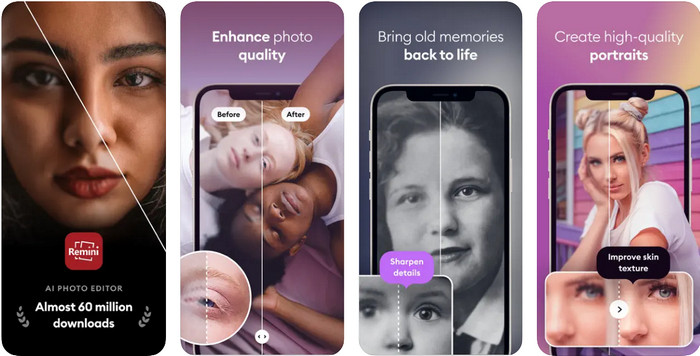
Remini는 iOS에서 사진 해상도를 높여 주는 앱이지만, 안드로이드에서도 다운로드해 사용할 수 있습니다. 이 앱은 입력한 사진을 즉시 향상시켜 HD로 만들어 주는 독특한 기능들을 제공합니다. 사진을 더 좋게 만들고 싶다면, 인공지능(AI)을 활용하는 이 앱을 선택해도 후회하지 않을 것입니다. 오래되고 흐릿하며 픽셀이 깨진 사진도 이곳에서 즉시 복원할 수 있습니다. 다만 AI를 지원하는 앱임에도 불구하고, 많은 사용자들이 잦은 광고 노출 등 여러 문제를 겪고 있습니다. 무료 앱들은 대체로 무료 버전에서 광고를 줄여 주지 않는데, 여기서 소개하는 Remini 역시 그런 앱 중 하나입니다.
장점
- 이미지 편집을 위한 정기적인 업데이트를 받습니다.
- 그것은 당신을 도울 수있는 고급 AI 기술을 가지고 있습니다. 화질을 개선하다.
- 기능이 향상되었지만 여전히 사용하기 쉽습니다.
단점
- 광고가 전혀 최소화되지 않습니다.
- 최근 업데이트에서 많은 충돌이 발생합니다.
픽플러스
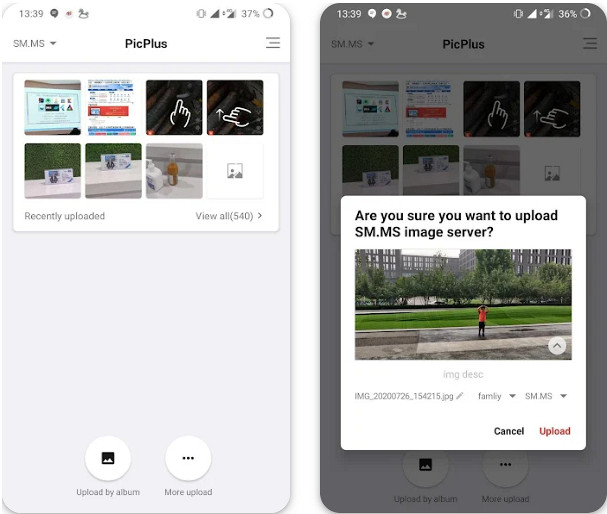
사진 해상도를 높여 주는 앱이 있을까 고민하고 있다면, 더 이상 그럴 필요가 없습니다. Picplus가 있으니까요. 이 앱은 해상도 향상은 물론, 리터칭, 필터, 이중 노출 등 다양한 기능으로 사진을 개선하는 데 적합한 이미지 편집 앱입니다. 이미지 편집에 능숙하지 않더라도 이 앱을 다운로드해 사용하면 손쉽게 사진을 보정할 수 있고, 여러 장의 사진을 하나로 모아 콜라주를 만드는 것도 가능합니다. 하지만 앞서 소개한 다른 앱들과 마찬가지로, 이 앱 역시 사용 중에 갑작스럽게 등장하는 광고를 제대로 제어하지 못한다는 단점이 있습니다.
장점
- 여기에서 추가 편집 기능을 사용하여 이미지를 가장 잘 보이게 할 수 있습니다.
- 이 앱으로 이미지에 트렌디한 3D 효과를 추가할 수 있습니다.
- 이 앱을 사용하는 경우 숙련된 이미지 편집기가 필요하지 않습니다.
단점
- 무료 버전을 사용하면 광고가 표시됩니다.
- 해상도를 높이는 것은 아니지만 이미지를 향상시킬 수 있습니다.
스냅시드
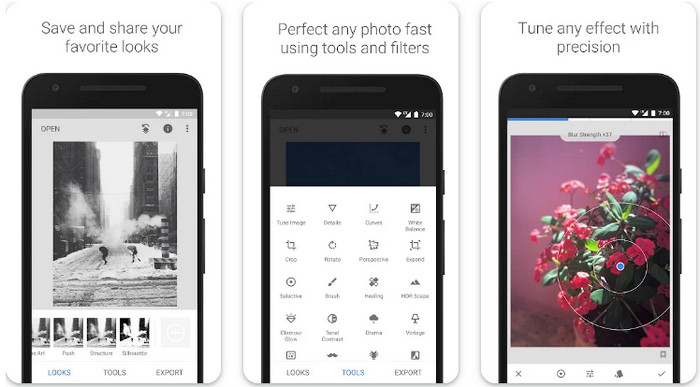
Snapseed는 이 목록 중에서뿐 아니라 전 세계적으로도 가장 인기 있는 사진 해상도 개선 앱입니다. 모바일에서 사진 편집을 하는 많은 사용자들은 이 앱이 제공하는 다양한 편집 옵션 덕분에 Snapseed를 즐겨 사용하며, 이 옵션들로 사진을 최상의 모습으로 연출할 수 있습니다. 안드로이드와 iOS에서 다운로드할 수 있는 다른 앱들과 달리, Snapseed는 별도의 구매 없이 모든 기능과 도구를 무료로 사용할 수 있습니다. 다만 모바일에서 무료로 제공되는 만큼, 고급 기능이 많아 오히려 편집 과정이 어렵게 느껴질 수 있습니다. 그럼에도 이 앱 사용법을 익히는 데 시간을 들일 가치는 충분하며, 이를 통해 사진을 시선을 사로잡는 최고의 이미지로 만들 수 있습니다.
장점
- 그것은 당신의 이미지에 많은 편집을 쉽게 할 수 있습니다.
- 치유 기능으로 흠집이나 흉터를 제거할 수 있습니다.
- 휴대전화에 앱을 무료로 다운로드하세요.
단점
- 기능이 너무 많아 가끔 무엇을 사용해야 할지 찾기가 어려웠습니다.
Tingo: AI 얼굴 편집기 수정
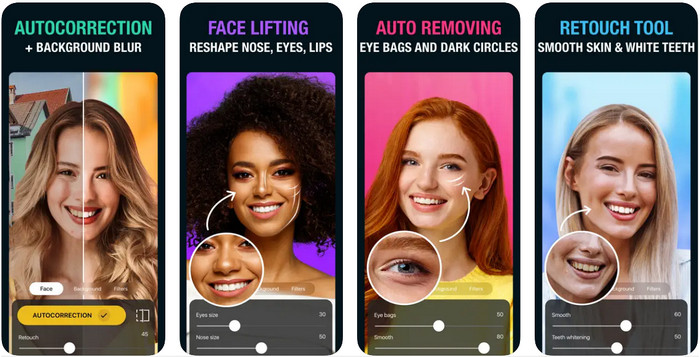
마지막으로 소개할 앱은 Tingo입니다. 이 앱은 AI 기반의 무료 사진 해상도 향상 앱으로, 스마트폰에 다운로드해 사용할 수 있습니다. 자동 보정, 피부 보정, 치아 미백 등 다양한 기능 덕분에 이 앱은 많은 사용자에게 유용한 도구가 되었습니다. 셀피 사진을 보정하고 싶다면, 이 앱을 선택해 편집해도 전혀 문제 없습니다. 다만 이 셀피 편집 앱은 iOS에서만 사용할 수 있으며, 안드로이드 버전은 제공되지 않습니다. 또한 구독 플랜에 가입하지 않으면 앱의 모든 기능을 온전히 사용할 수 없습니다.
장점
- AI 기술을 활용하여 이미지를 개선할 수 있습니다.
- 기능으로 인해 셀카 이미지를 위한 완벽한 편집기입니다.
- iPad, iPhone 등 iOS 기기에서 무료로 다운로드할 수 있습니다.
단점
- 안드로이드 버전은 지원하지 않습니다.
- 이미지를 개선하기 위해 프리미엄 기능을 사용하려면 구독해야 합니다.
- 셀카가 아닌 이미지에는 사용할 가능성이 적습니다.
2부. 보너스: 광고 없이 사진 해상도를 높이는 온라인 솔루션
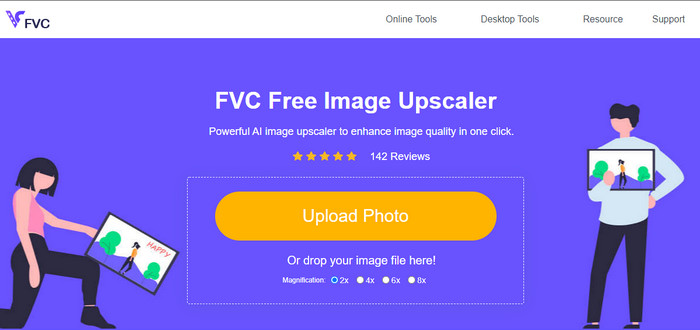
계속해서 튀어나오는 광고에 지치셨나요? 그렇다면, 모바일 기기에 앱을 설치하지 않고도 사진 해상도를 높일 수 있는 방법이 있습니다. 바로 FVC Free Image Upscaler입니다. 이 온라인 소프트웨어는 사용자가 직접 세밀하게 조정하지 않아도 이미지를 더 보기 좋게 개선해 줍니다. 개선이 필요한 부분은 AI가 이해할 수 있는 알고리즘으로 자동 감지해 보정합니다. 따라서 1080p, 4K 혹은 그 이상의 높은 해상도로 이미지를 업스케일링하고 싶다면, 이 도구를 활용해 보시기 바랍니다.
3부. 사진 해상도를 높이는 앱에 대한 FAQ
내 이미지가 흐릿해지는 이유는 무엇입니까?
렌즈 불량, 선택 품질 불량 등 이미지가 흐릿해지는 데는 여러 가지 이유가 있습니다. 이 앱에 포함된 도구를 사용하여 사진을 편집하면 사진의 품질을 향상시킬 수 있습니다.
이미지를 HD로 바꿀 수 있습니까?
물론 이미지를 고화질, 즉 HD로 변환할 수 있습니다. 그 방법을 배울 준비가 되었다면, 이 링크를 눌러 제공된 튜토리얼을 순서대로 따라 해 보세요.
사진 품질을 향상시켜야 합니까?
예, 이미지의 색상을 돋보이게 하려면 이미지를 고품질로 만들어야 합니다. 이를 수행하기 전에 모바일 장치에 다운로드할 수 있는 앱과 같은 도구가 필요합니다.
결론
모바일 장치에서 사진 해상도를 높이는 상위 5개 앱을 이미 공유했습니다. 튜토리얼을 추가하지 않았지만 Android 및 iOS용 직관적인 인터페이스 덕분에 이미지의 해상도를 쉽게 높일 수 있습니다. 이 기사를 읽은 경험에 따라 이 기사를 별 1개에서 5개까지 평가하십시오.
-
 이미지의 해상도를 높이는 방법 [5가지 개선 방법]
 이미지의 해상도가 낮아 문제가 있습니까? 더 이상 걱정하지 마십시오! 여기에서는 이미지의 해상도를 높이는 방법을 알려 드리겠습니다.
-
 Top Enhancers로 iPhone 사진 해상도 향상
 iPhone 사진 해상도를 개선하고 싶으십니까? 이 기사에서는 사용할 수 있는 최고의 도구와 알아야 할 기타 트릭을 다룹니다!
-
 오래된 사진 복원 온라인 및 오프라인 [쉬운 단계]
 오래된 사진을 복원하고 싶으십니까? 이 도구를 사용하면 오래된 사진 복원 프로세스를 알 수 있습니다. 가장 간단한 방법을 배우려면 이 게시물을 읽으십시오.
