Bermula
FVC Free MTS Converter membantu menukar fail MTS anda dengan pantas dan mudah. Anda boleh menukar format MTS yang dihasilkan oleh camcorder HD seperti Sony, Panasonic, Cannon dan lebih banyak lagi ke fail video dan audio yang popular, termasuk MP4, AVI, WMV, MOV, VOB, DivX, XviD, M4V, MP3, AAC, dll.
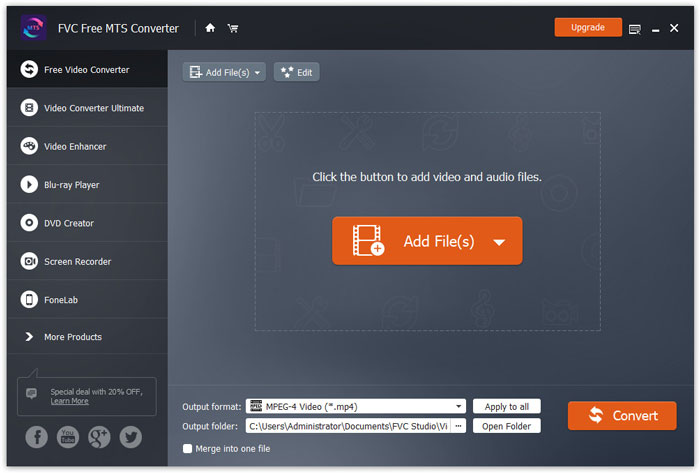
Muat turun & Pasang
Langkah 1. Buka Halaman Utama pada komputer anda dan klik butang Muat Turun Percuma.
Langkah 2. Dwiklik pakej pemasangan untuk mula memasang. Ikut arahan untuk memasang FVC Free MTS Converter pada komputer anda.
Keutamaan
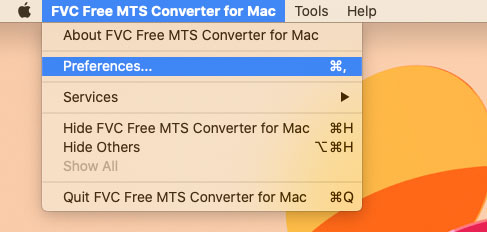
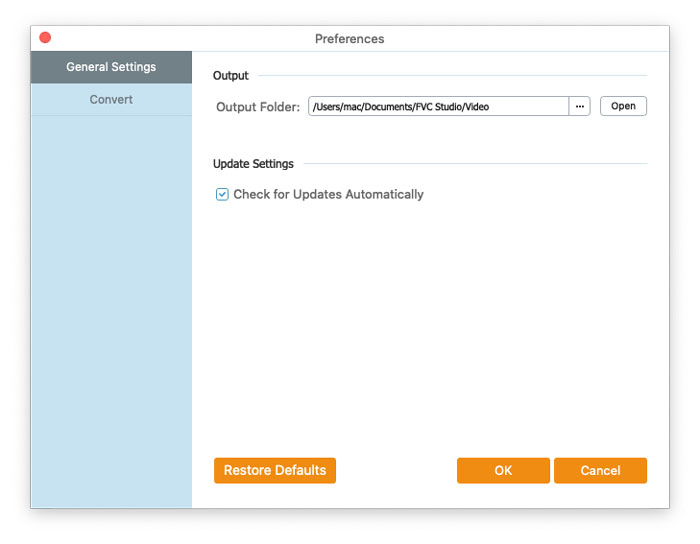
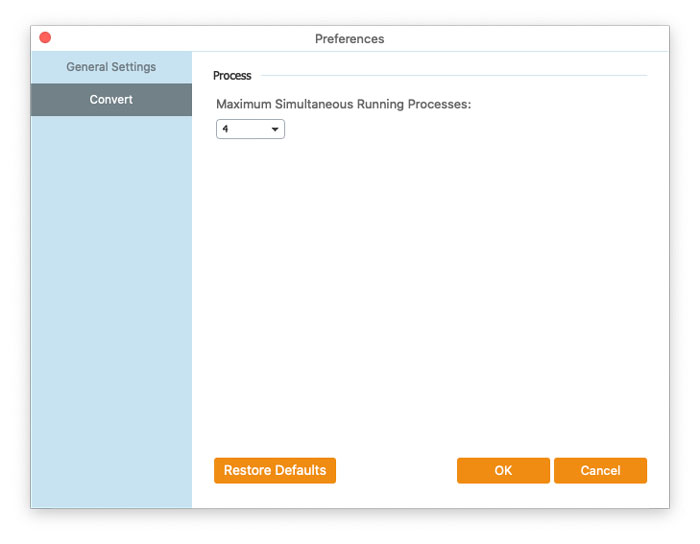
Anda boleh melaraskan keutamaan pada Free MTS Converter dan menggunakannya mengikut keselesaan anda. Untuk mengedit keutamaan, anda boleh lancarkan perisian, pergi ke menu Menu dan pilih Preferences... Ia menyediakan 2 bahagian di mana anda boleh memilih keutamaan anda.
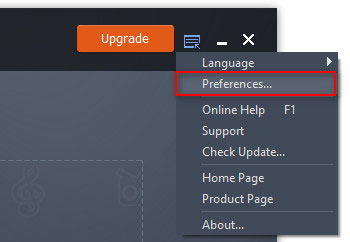
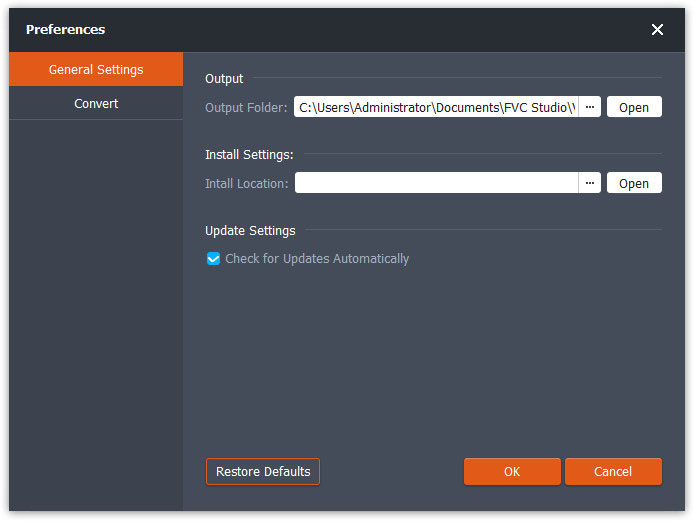
Tetapan Umum: Anda boleh melaraskan folder keluaran, tetapan pemasangan dan tetapan kemas kini.
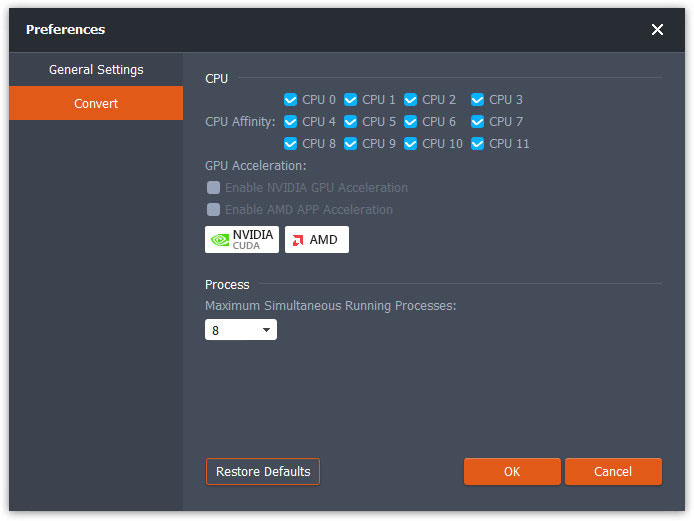
Tukar: Pemecutan GPU boleh mempercepatkan proses penukaran. Anda boleh memilih pertalian CPU, dan menetapkan bilangan maksimum proses yang dijalankan serentak.
Tukar Fail MTS
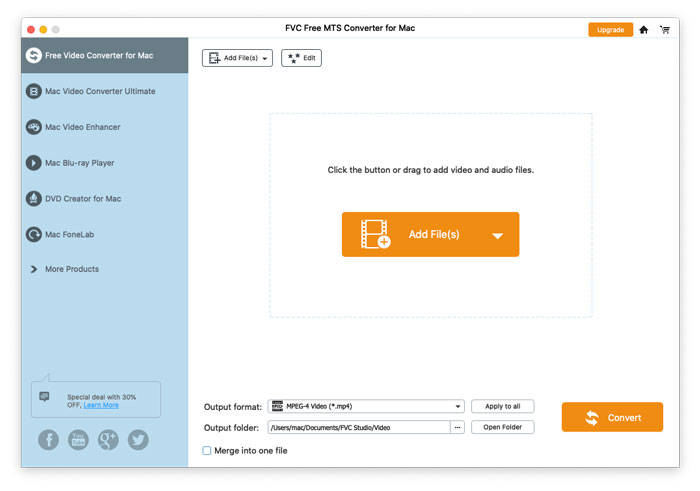
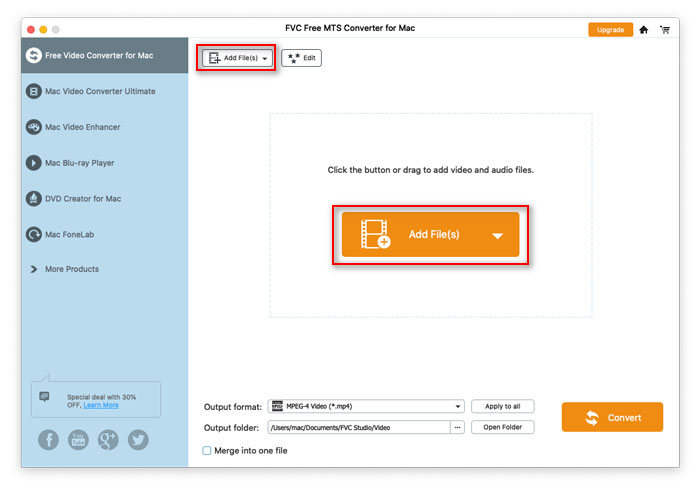
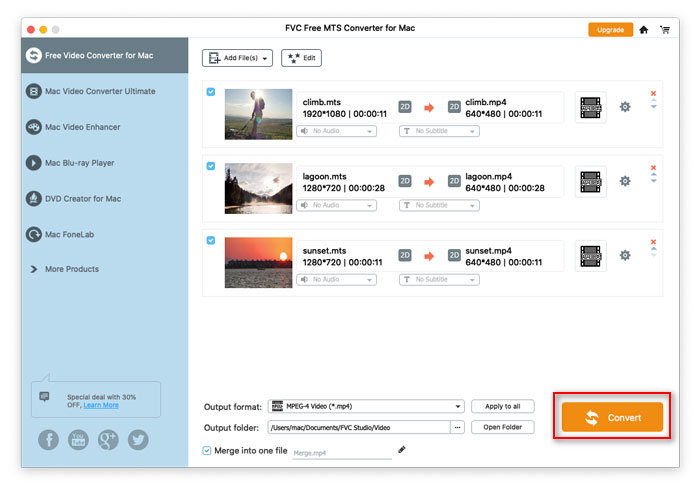
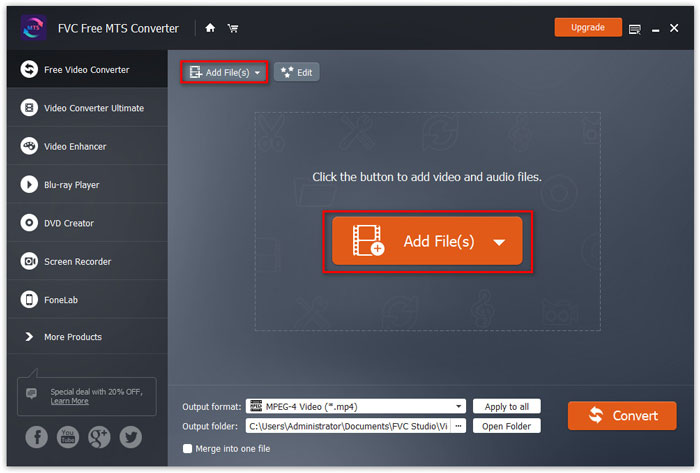
Langkah 1. Lancarkan Free MTS Converter pada komputer anda. Anda boleh menambah fail MTS ke dalam program melalui 3 cara.
1. Klik butang Add File(s) di bahagian kiri atas untuk memilih pilihan Add File(s) atau Add Folder.
2. Klik butang Add File(s) di tengah antara muka untuk mengimport satu atau lebih fail MTS.
3. Seret dan lepaskan fail video ke kawasan segi empat tepat di tengah antara muka.
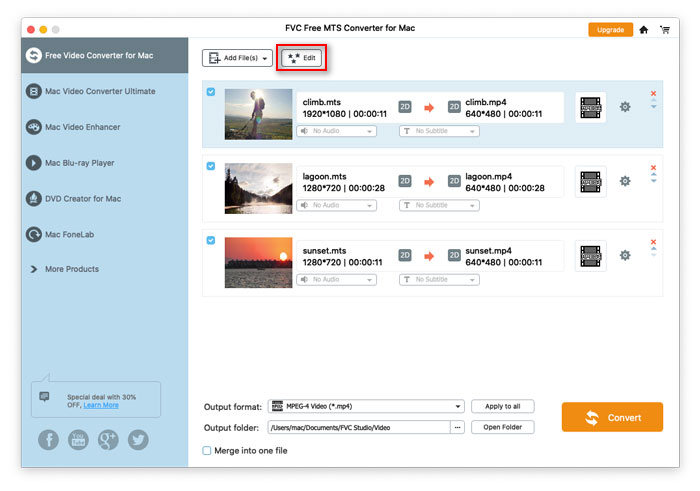
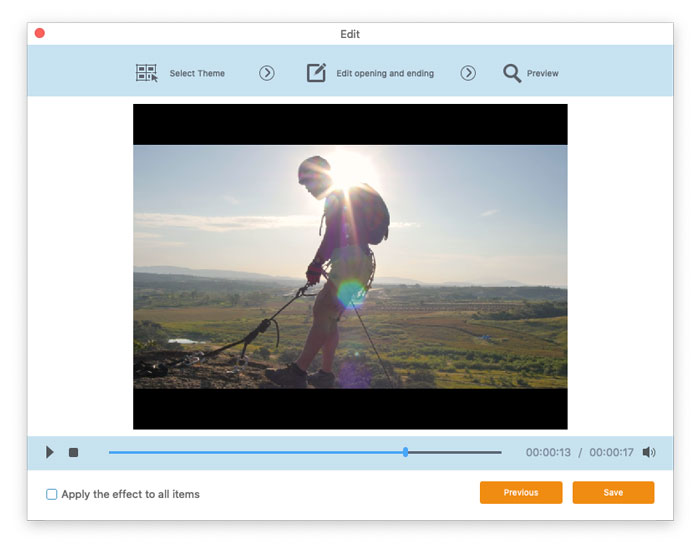
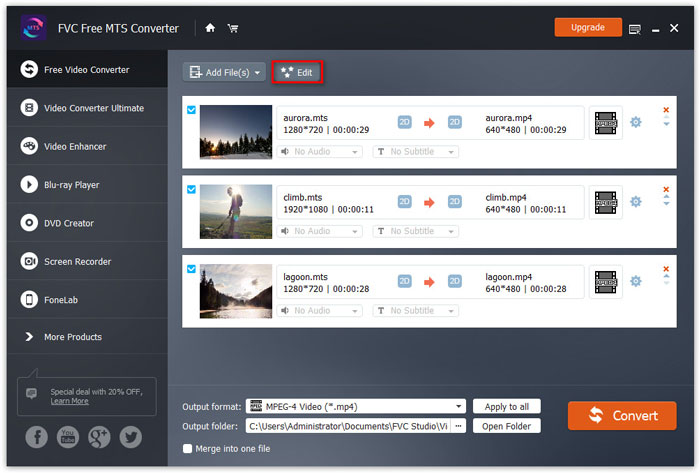
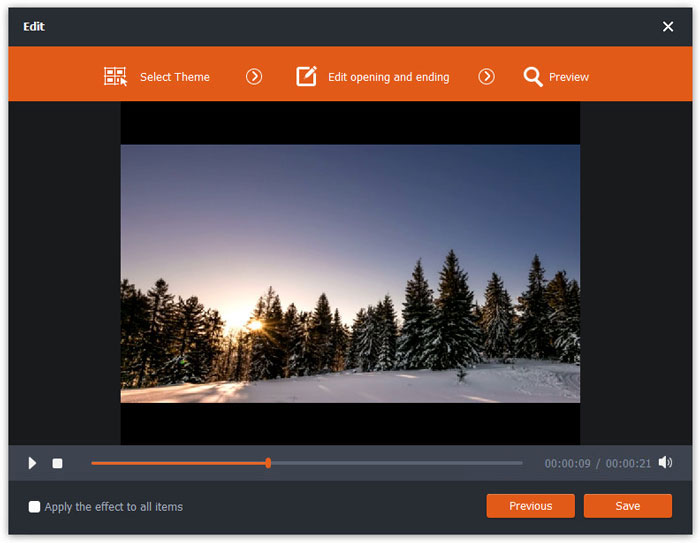
Langkah 2. Pilih fail MTS yang anda ingin edit dan klik butang Edit di bahagian atas untuk memasuki antara muka penyuntingan.
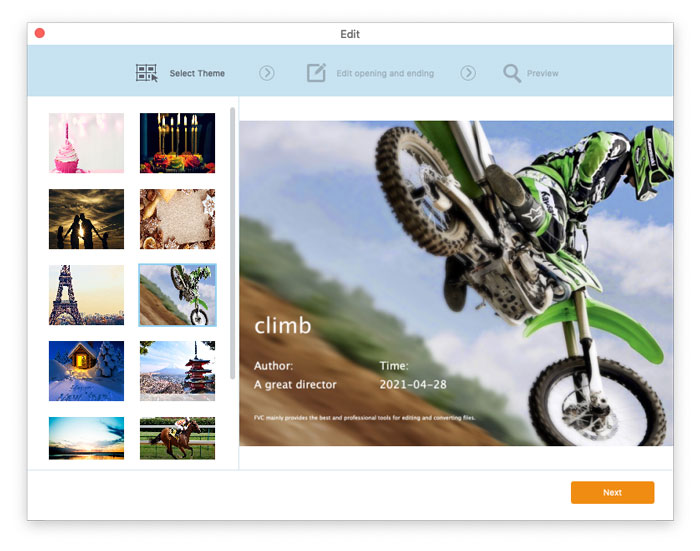
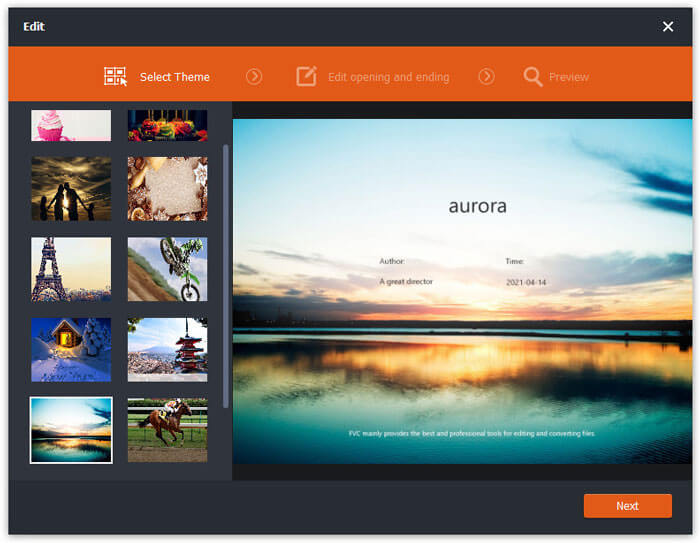
Dalam antara muka penyuntingan, anda boleh memilih tema dalam tab Select Theme untuk menyesuaikan fail MTS anda terlebih dahulu. Klik butang Next untuk meneruskan.
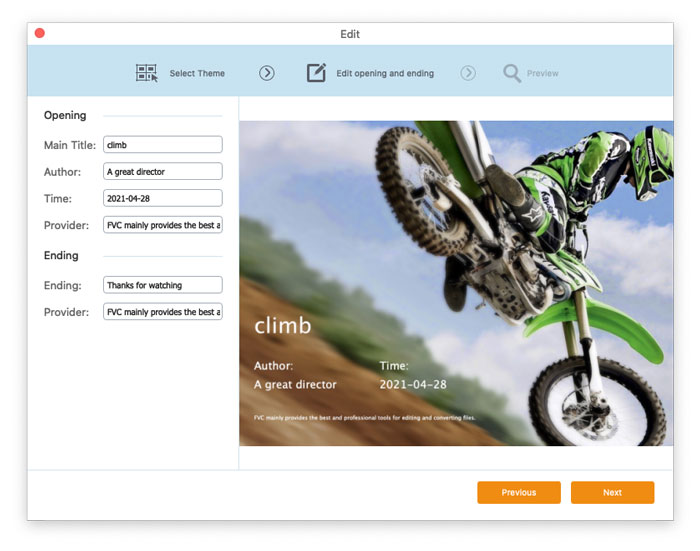
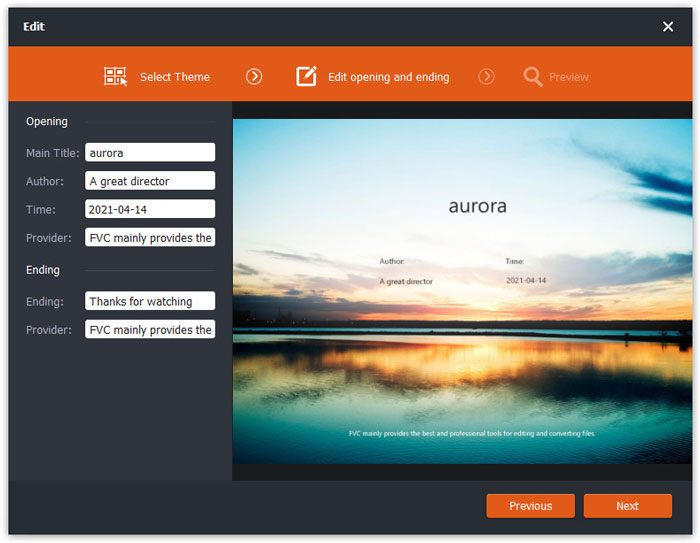
Dalam tab Edit opening and ending, anda boleh melaraskan maklumat pada bahagian pembukaan dan penutup, seperti tajuk utama, pengarang, masa, pembekal dan lain-lain. Klik butang Next untuk pergi ke langkah seterusnya.
Kemudian anda akan dibawa ke tetingkap Preview. Di sini anda boleh pratonton kesan video terlebih dahulu. Jika anda tidak berpuas hati dengannya, klik Previous untuk melaraskan semula tetapan.
Akhir sekali, klik butang Save untuk menyimpan pelarasan kesan video. Jika anda mahu menggunakan kesan yang sama pada semua klip video, cuma tanda pilihan Apply the effect to all items.
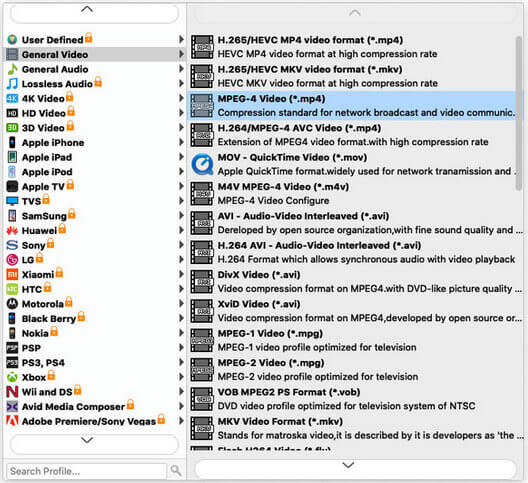
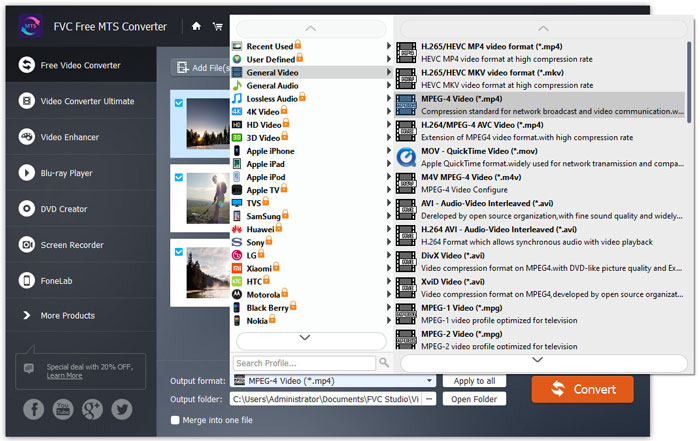
Langkah 3. Pergi ke medan Output format dan pilih kategori General Video, kemudian pilih satu format keluaran yang anda ingin eksport.
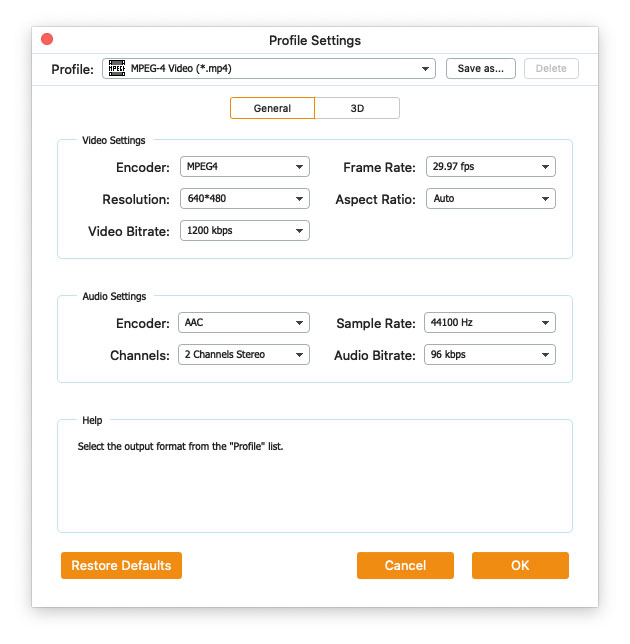
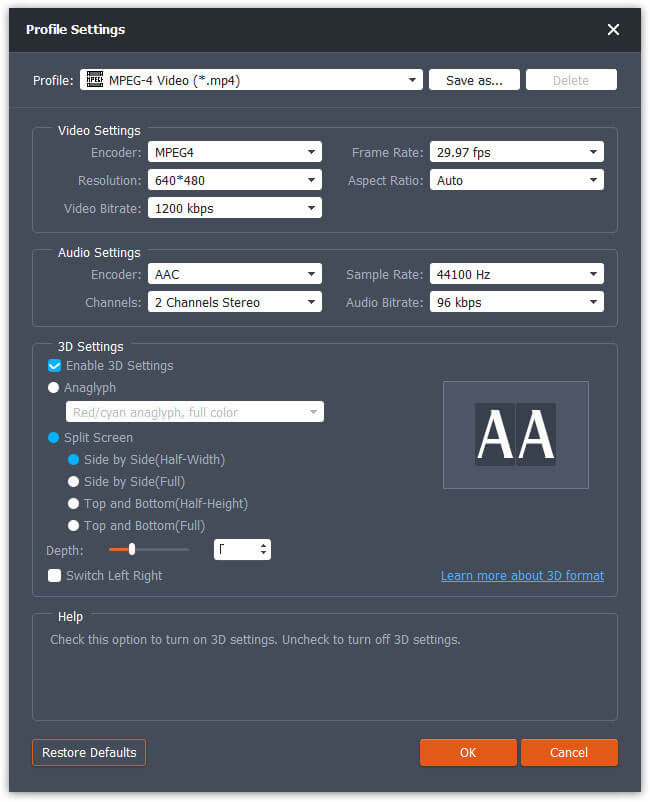
Untuk menyesuaikan pratetap dengan lebih lanjut, anda boleh klik ikon gear di sebelah kanan video. Anda boleh melaraskan tetapan seperti pengekod, kadar sampel, resolusi, nisbah aspek, kadar bit. Jika anda mahu menambah kesan 3D pada fail MTS anda, anda boleh tanda pilihan Enable 3D Settings, dan pilih Anaglyph 3D, Side by Side 3D atau Top and Bottom 3D.
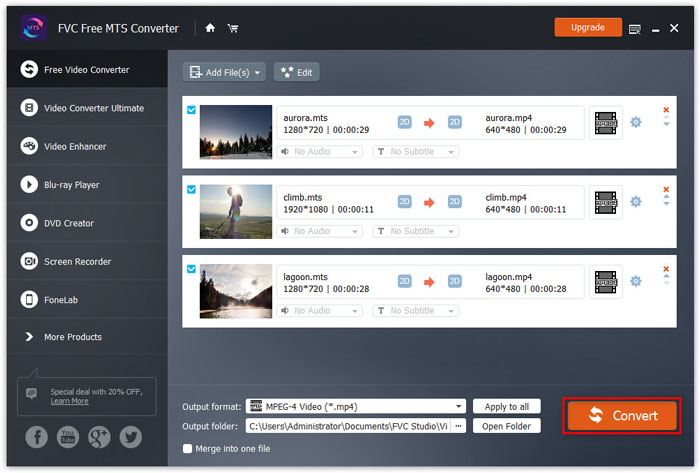
Langkah 4. Pergi ke medan Output folder dan pilih destinasi keluaran di mana fail yang ditukar akan disimpan. Kemudian klik butang Convert untuk mula menukar fail video MTS.


 Video Converter Ultimate
 Perakam Skrin
 Pembaikan Video