


 Video Converter Ultimate
 Perakam Skrin
 Pembaikan Video
Dapatkan Penukar GIF Anda Di Sini: Tukar GIF Anda kepada MP4 dengan Butiran dan Langkah Berguna Ini
GIF ialah format paling biasa yang kita gunakan untuk berkongsi emosi keterlaluan yang kita mahu, seperti meme. Ia mengandungi imej statik dan juga animasi tetapi tidak semua platform menyokong format GIF. Dalam sesetengah keadaan, anda mahu berkongsi GIF kerana anda rasa ia kelakar tetapi tidak boleh kerana ia tidak disokong. Walaupun masalah ini mungkin sukar untuk diselesaikan, anda mesti menukar GIF kepada MP4 jika anda mahu berkongsi di platform tersebut. Kenapa MP4? Kerana ia ialah bekas pelbagai guna yang digunakan untuk menyimpan fail audio atau video, ia digunakan di semua platform. Jadi, untuk menukar GIF anda mesti pilih penukar yang terbaik dan juga selamat. Tentukan alat mana yang anda mungkin suka gunakan di bawah, bandingkan dan bezakan, kemudian pilih yang paling sesuai.

Bahagian 1. Selesaikan Masalah dengan Bantuan Penukar GIF ke MP4 Dalam Talian
Dalam bahagian ini kita akan bercakap tentang apakah alat dalam talian yang mungkin untuk menukar GIF kepada video MP4 dalam talian dan menyelesaikan masalah ini. Jika anda mahu tahu dengan lebih lanjut, teruskan membaca dan jangan ke mana-mana.
1. Ezgif
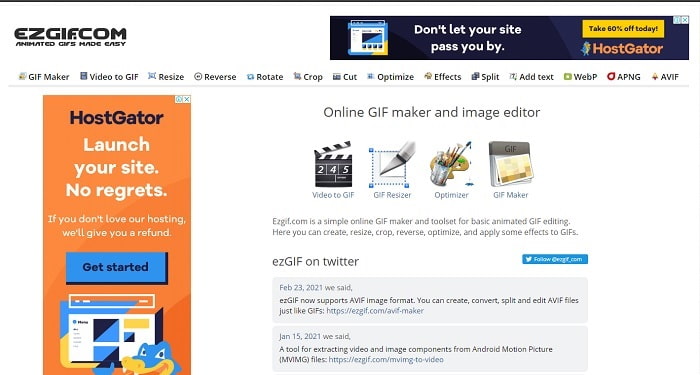
Pertama dalam senarai ialah Ezgif, ini ialah penukar yang paling biasa digunakan. Ia juga mempunyai ciri penyuntingan asas seperti memotong, mengapung (cropping), mengundur (reverse) dan banyak lagi. Selain itu, menukar video dengan Ezgif adalah mudah dilakukan. Walaupun ia kelihatan seperti alat yang sempurna yang boleh membantu anda, sejujurnya ada juga beberapa kekurangan. Contohnya, jika anda menukar fail video di sini ada kemungkinan fail itu akan hilang sedikit kualiti apabila anda memuat turunnya. Tetapi ini boleh diatasi jika anda menggunakan alat yang betul seperti FVC Video Converter Ultimate.
2. CloudConvert
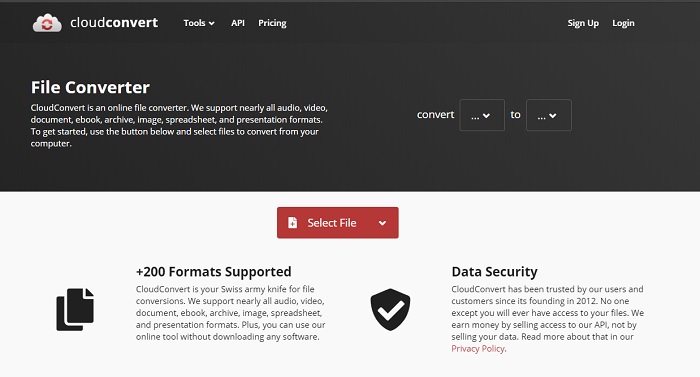
Tukar secara dalam talian melalui CloudConvert. Sama seperti alat pertama, anda juga boleh menggunakannya untuk menukar sebarang video, audio, dokumen, PDF dan banyak lagi kepada format mudah alih. Selain itu, jika anda mahu belajar cara menukar GIF kepada MP4 dengan alat ini maka ia mudah dilakukan. Namun begitu, proses penukaran di sini sedikit lebih perlahan berbanding penukar lain dalam talian. Jadi, jangkakan untuk menunggu dan bersabar jika anda menggunakan penukar ini terutamanya bagi mereka yang menukar fail bersaiz besar. Selain itu, ciri penyuntingan tidak disediakan di sini.
3. Convertio
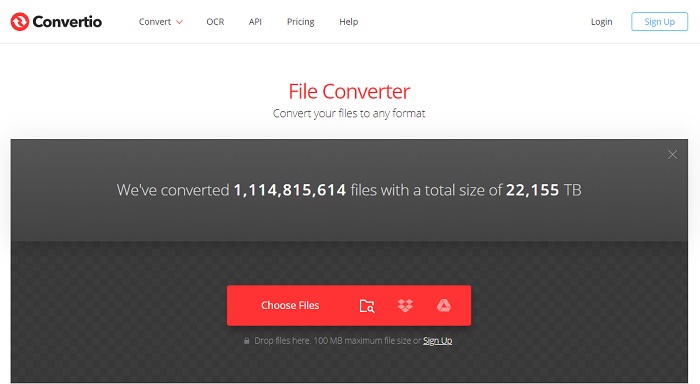
Menukar fail tidak pernah menjadi mudah terutamanya jika anda menggunakan alat yang salah. Jadi, untuk membantu anda mengurangkan kesukaran mencari, gunakan Convertio untuk mendapatkan penukaran yang anda mahu. Mungkin anda sudah pernah menggunakan alat ini untuk menukar GIF kepada MP4 tanpa kehilangan kualiti dan ramai pengguna berpuas hati dengan hasilnya. Tetapi kita tidak boleh menafikan hakikat bahawa terdapat beberapa ralat jika anda cuba menukar fail dengan alat ini. Terutamanya apabila anda menukar fail dan sambungan internet terganggu, maka ada kemungkinan kehilangan data. Walau bagaimanapun, anda masih boleh mengakses alat ini secara percuma selagi anda mempunyai sambungan internet.
Bahagian 2. Penukar Luar Talian Terbaik untuk Menukar GIF Animasi kepada Format MP4
1. FVC Video Converter Ultimate
Alami penukaran yang terbaik dengan mendapatkan penukar GIF ke MP4 luar talian yang unik, iaitu FVC Ultimate Video Converter. Seperti janji FVC untuk memenuhi impian anda melakukan penukaran yang sempurna dan juga merasai tahap penukaran yang baharu. Alat ini menerima banyak pujian daripada pelanggannya. Bukan itu sahaja, jika anda menggunakan alat ini, anda boleh mengagumkan orang lain dengan menggunakan ciri penyuntingan terbina dalamnya. Jadi, mari tamatkan pencarian di sini kerana alat ini menonjolkan keindahan penukaran yang mungkin anda suka lakukan. Perhatikan betapa hebatnya alat ini dan pelajari cara menukar dengan bantuan penukar terbaik dalam pasaran dengan mengikuti langkah-langkah di bawah.
Langkah 1. Pertama sekali, anda mesti klik butang muat turun dan pilih sama ada untuk PC atau Mac. Pasang dan ubah suai tetapan alat dan klik selesai untuk melancarkan alat tersebut.
Muat Turun PercumaUntuk Windows 7 atau lebih baharuMuat Turun Selamat
Muat Turun PercumaUntuk MacOS 10.7 atau lebih baharuMuat Turun Selamat
Langkah 2. Selepas proses pemasangan, klik tanda tambah atau Add Files dan pilih fail GIF yang anda mahu tukarkan.
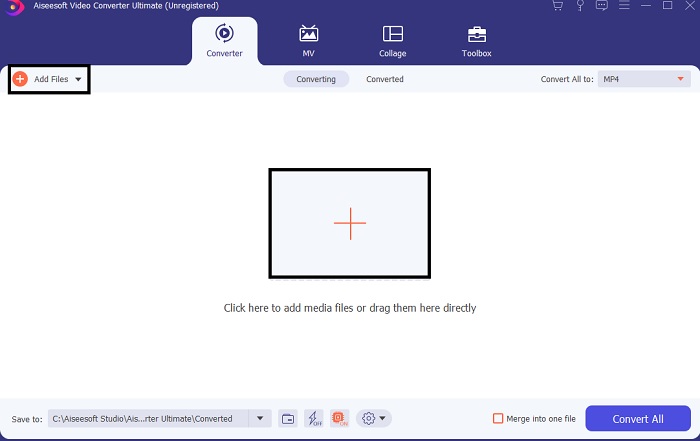
Langkah 3. Selepas memasukkan fail ke dalam antara muka, klik menu drop-down. Pilih format yang anda mahukan.
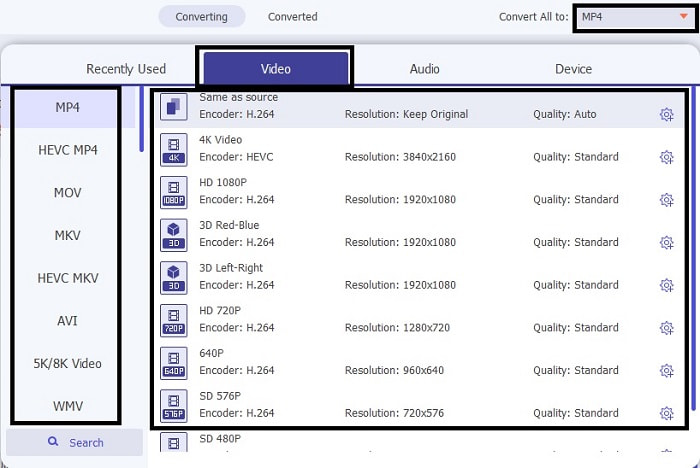
Langkah 4. Untuk memulakan proses menukar GIF animasi kepada MP4, klik Convert All. Kemudian tunggu beberapa saat kerana output akan siap dalam masa yang singkat.

Langkah 5. Jika penukaran telah selesai, pergi semak fail MP4 dalam folder yang terpapar pada skrin anda.
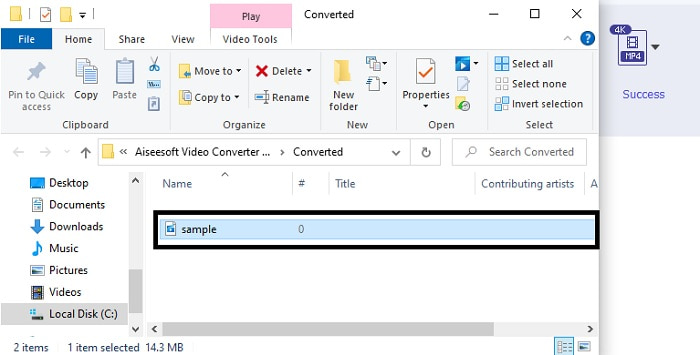
Ciri Alat Tambahan oleh FVC Ultimate Video Converter
Ia adalah salah satu ciri terbaik yang boleh diberikan oleh penukar ini kepada anda. Jika anda membeli alat tersebut, anda boleh menggunakan ciri ini tanpa sebarang caj tambahan. Mungkin anda sedang memikirkan tentang apakah alat ini, maka mari kami terangkan. Dalam sesetengah kes, selepas proses penukaran yang anda buat, video akan menjadi agak kabur. Tetapi untuk menyelesaikannya, izinkan kami menyampaikan kepada anda Penambah Video yang terbaharu dan terkini. Ikuti langkah di bawah untuk mengetahui cara menggunakannya.
Langkah 1. Pergi ke Toolbar penukar dan cari Video Enhancer kemudian klik padanya.
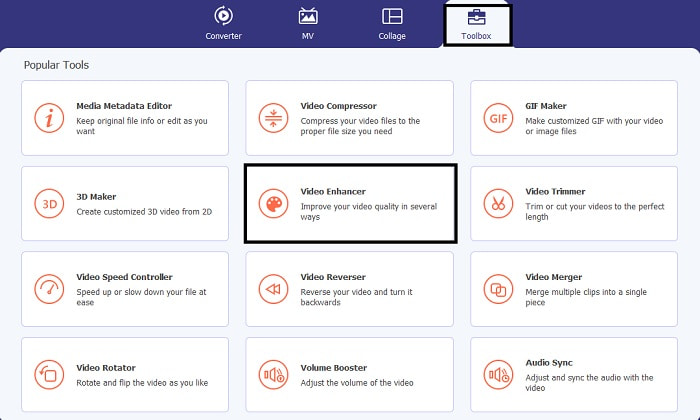
Langkah 2. Pilih fail yang anda mahu tukar GIF kepada MP4 tadi dan tingkatkannya dengan mengklik tanda tambah. Selepas memilih fail anda perlu memasukkannya untuk melancarkan alat dengan mengklik open.
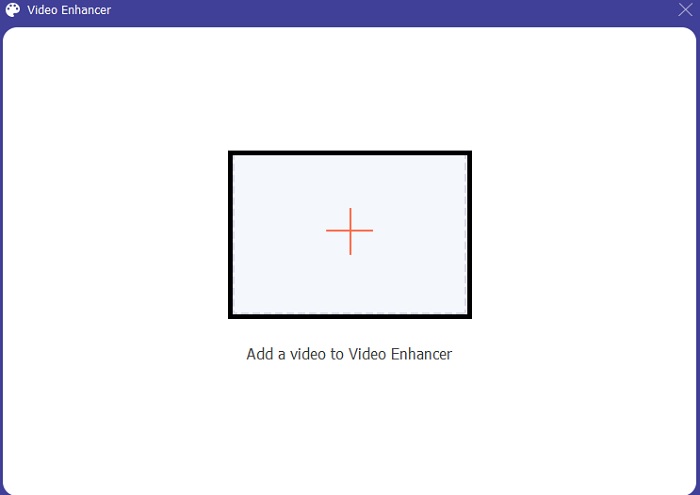
Langkah 3. Enhancer akan dilancarkan dalam antara muka baharu. Kemudian naik taraf atau tingkatkan video dengan menanda kotak-kotak yang disediakan. Jika suntingan anda telah siap, klik butang Enhance.
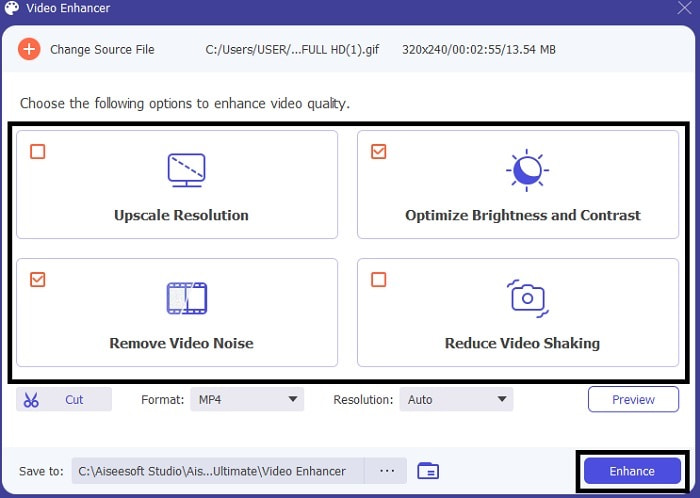
Langkah 4. Untuk menonton semula video yang telah dipertingkat, klik fail video pertama yang akan muncul pada antara muka anda.
2. Photoshop
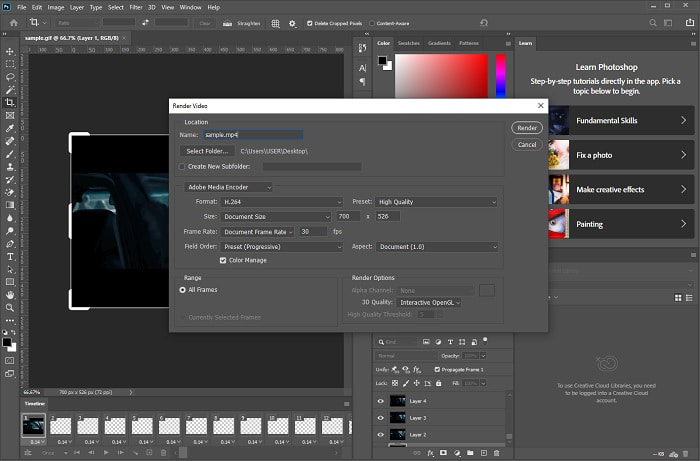
Ramai antara anda mengenali Photoshop sebagai alat peningkatan dan penyuntingan imej tetapi satu lagi fungsinya ialah penukar. Alat ini boleh bertindak sebagai penukar, jadi anda boleh menukar GIF kepada MP4 pada Photoshop jika anda mahu mencubanya. Tetapi ia tidak sesuai untuk dijadikan penukar utama kerana format yang terhad dan juga sukar digunakan. Jika anda baru dalam penukaran maka ini patut menjadi pilihan terakhir anda. Namun jika anda sudah mempunyai pengalaman menukar dengan alat yang mempunyai tahap kesukaran yang sama seperti ini, maka cadangan kami ialah cuba alat ini tetapi jangan meletakkan harapan terlalu tinggi padanya untuk menukar. Walau bagaimanapun, ia tidak pernah gagal mengagumkan kita, terutamanya dalam penyuntingan foto.
3. Video Percuma FVC kepada Pembuat GIF
Pelajari cara menyimpan GIF sebagai MP4 dengan menggunakan FVC Free Video to GIF Maker. Jika penukaran menjadi masalah anda, ini mungkin penyelesaiannya. Selain itu, alat ini ialah versi percuma bagi penukar utama di bahagian atas tadi. Jadi, jangkakan banyak perkara daripada alat ini tetapi ciri penyuntingan tidak disokong di sini kerana ia hanya tersedia dalam versi berbayar. Walaupun begitu, jika penukaran ringkas sahaja yang anda perlukan, maka ini jauh lebih baik digunakan berbanding Photoshop. Jika anda mahu belajar cara membetulkan fail GIF maka ikut langkah-langkah di bawah.
Langkah 1. Untuk menukar GIF kepada MP4 anda mesti memuat turun alat ini ke pemacu anda dan membuat tetapan.
Muat Turun PercumaUntuk Windows 7 atau lebih baharuMuat Turun Selamat
Muat Turun PercumaUntuk MacOS 10.7 atau lebih baharuMuat Turun Selamat
Langkah 2. Lancarkan penukar dengan mengklik ikon pada skrin anda. Kemudian seret fail GIF ke antara muka yang anda mahu tukarkan.
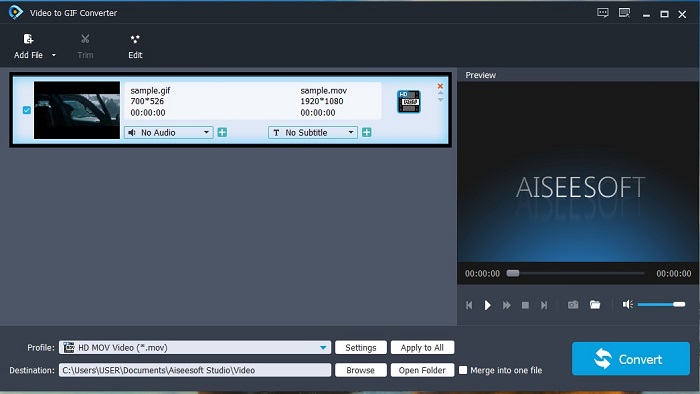
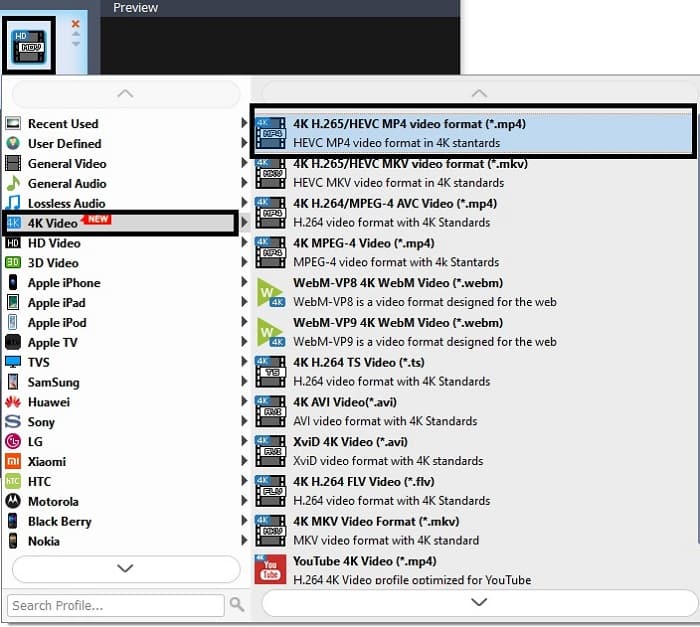
Langkah 3. Tukar format kepada MP4 di sini pada submenu penukar.
Langkah 4. Klik Convert untuk memulakan proses penukaran.
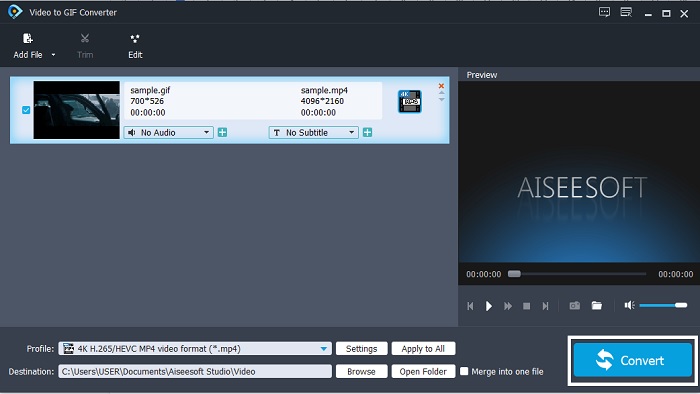
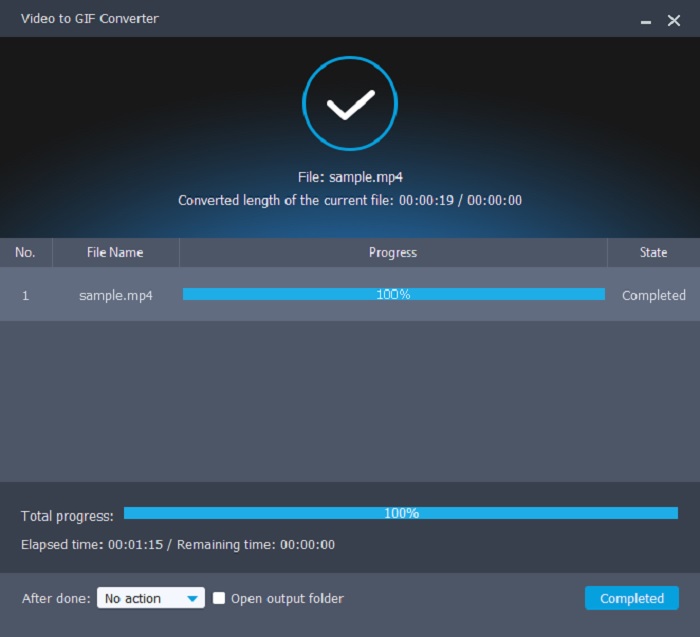
Langkah 5. Selepas semuanya siap, pergi ke pengurus fail dan cari fail tersebut kemudian tonton dan kongsi selepas itu.
4. QuickTime
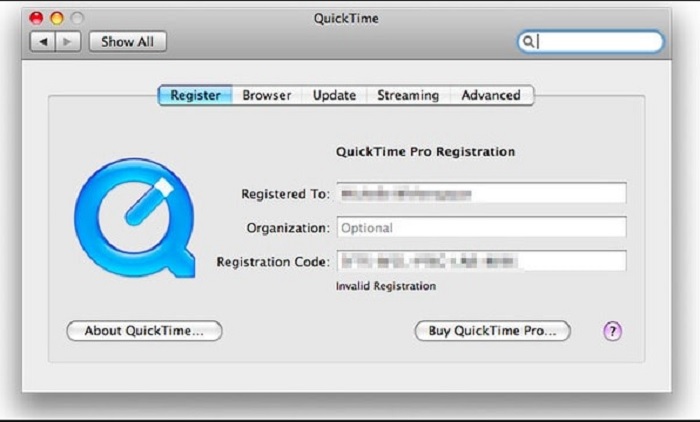
QuickTime menyokong hampir semua format untuk dimainkan di sini tetapi sama seperti Photoshop ia juga mempunyai fungsi penukaran. Jadi, anda boleh menukar GIF kepada MP4 pada QuickTime tetapi sama seperti Photoshop alat ini hanya ditujukan untuk satu tujuan sahaja. Iaitu untuk memainkan video dan bukannya untuk menukar; jika anda cuba menggunakannya sebagai penukar, bersedialah menghadapi kesukaran menukar audio kerana anda perlu melalui mungkin 10 hingga 12 langkah sebelum boleh menukar.
Berkaitan:
Cara Menukar QuickTime kepada MP4
Bahagian 3. 3 Penyelesaian Terbaik untuk Menukar GIF kepada MP4 pada iOS dan Android
1. GIF Cracker - GIF ke Video
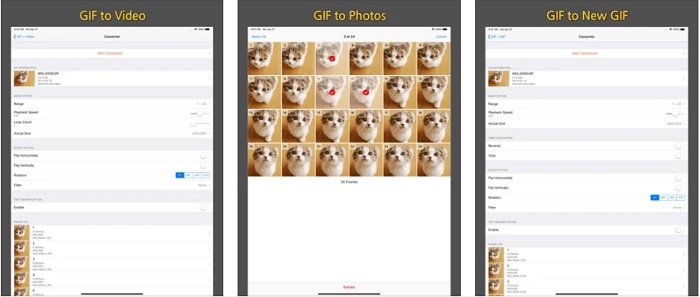
Aplikasi ini boleh diakses pada Android dan iOS tetapi antara muka penggunanya tidak sama. Kualiti GIF Cracker - GIF to Video yang dimaksudkan juga tidak sama pada kedua-dua platform. Alat ini lebih baik pada iOS selepas menerima 4.3 bintang dan hanya 2.7 bintang pada Android. Jadi, jika anda mempunyai iOS, lebih baik anda cuba gunakan alat ini tetapi jika anda pengguna Android anda masih boleh menggunakannya. Namun, jangan meletakkan terlalu banyak harapan kerana ia akan mengecewakan anda memandangkan versi lama alat ini yang disediakan di sini.
2. GIF kepada MP4
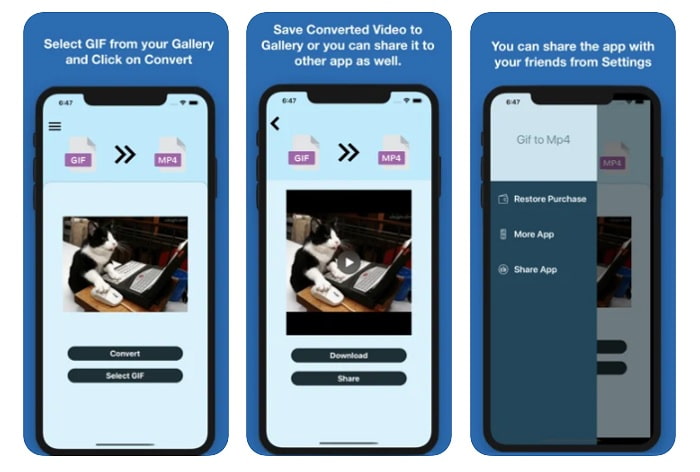
Tukar GIF kepada MP4 pada iPhone dengan bantuan aplikasi GIF to MP4. Jika anda mahu merasai penukaran yang hebat maka cuba gunakan aplikasi ini pada iOS. Setakat ini, rating dan ulasan yang diterima oleh alat ini adalah baik dan ia memperoleh 4.7 bintang. Walaupun begitu, jika anda memuat turun alat ini, ia hanya boleh melakukan proses sehala, yang bermaksud anda tidak boleh menyunting di sini, hanya menukar sahaja. Tetapi itulah tujuan anda di sini, anda sedang mencari penukar terbaik yang boleh digunakan. Dalam sesetengah kes, apabila penukaran telah selesai, anda tidak dapat mencari fail yang baru sahaja ditukar sebentar tadi. Ia juga tidak mempunyai pustaka terbina dalam yang mengumpulkan semua fail yang telah anda tukar.
3. Penukar Gif ke MP4 | Gabungkan Gif ke dalam Video
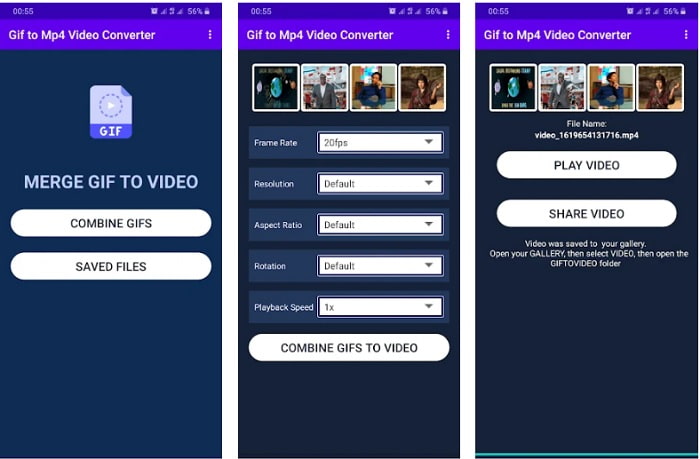
Alat ini hanya boleh diakses pada peranti Android sahaja. Gif to Mp4 Converter | Combine Gifs into Video mempunyai ciri penyuntingan tidak seperti dua alat pertama yang dibentangkan untuk digunakan pada telefon anda. Walaupun ia mempunyai ciri penyuntingan, kebanyakan pengguna tidak suka menggunakan alat ini kerana terdapat beberapa pepijat yang belum diperbaiki. Namun, sebahagian pengguna masih menggunakan ini sebagai penukar mereka kerana ia mudah digunakan dan serba guna ketika anda menukar GIF kepada MP4 dengan latar belakang lutsinar.
Bahagian 4. Soalan Lazim tentang GIF ke MP4
Adakah format GIF mengerikan?
Sejujurnya, GIF masih boleh digunakan tetapi semasa kita mengembangkan diri dan teknologi setiap hari. Sesetengah teknologi lain menjadi kurang menarik apabila kita pergi ke hadapan. Sebagai contoh, GIF hanya mempunyai 256 kombinasi warna dengan 8-bit. Dalam kes ini, ia sudah lapuk, dan terdapat format baharu yang menyokong lebih banyak warna dengan kadar bit yang lebih tinggi tetapi kurang pada storan. Seperti APNG, WebP, AVIF dan banyak lagi.
Bolehkah saya mencipta GIF? Apakah alat yang harus saya gunakan?
Ya, anda boleh mencipta GIF anda sendiri dengan bantuan FVC Video Converter Ultimate. Salah satu cirinya ialah pembuat GIF jadi apa tunggu lagi untuk mencipta GIF yang paling menarik, kelakar dan hebat. Klik di sini untuk mendapatkan lebih banyak pembuat GIF dalam talian.
Bolehkah saya menambah bunyi pada GIF saya?
Walaupun GIF ialah imej dan animasi yang dipertingkatkan digital tulen, format ini tidak boleh dan tidak akan menyimpan bunyi.
Kesimpulannya
Secara keseluruhannya, kini jelas bagi kita bahawa menukar GIF adalah mudah dilakukan walaupun pada desktop, komputer riba atau telefon. Tetapi anda boleh melakukannya dengan lebih berkesan jika anda memilih FVC Video Converter Ultimate. Jadi, jangan bazirkan masa dengan alat yang murah dan tidak produktif jika anda boleh menambah sentuhan peribadi dengan alat ini. Tukar sebanyak mana yang anda mahu sekali gus dengan FVC Video Converter Ultimate dan kemudian tingkatkan serta editnya. Anda layak mendapat alat terbaik yang menghasilkan output berkualiti tinggi dan itu hanya boleh dicapai dengan alat ini.
-
 Pilih GIF Cropper Terbaik Dalam Talian dan Luar Talian untuk Memangkas GIF [2025]
 Memilih alat pemangkasan terbaik adalah suatu keharusan dan sebilangan pembuat GIF tidak menyediakan ciri ini. Tetapi apakah alat penanaman GIF terbaik untuk digunakan dan bagaimana menggunakannya?
-
 5 Pilihan Terbaik untuk Merakam Format GIF dengan Perakam GIF untuk PC & Mac
 Apakah perakam GIF terbaik yang harus anda gunakan untuk merakam GIF? Senarai di bawah memberikan bukti yang mana yang terbaik adalah perakam skrin terbaik.
-
 Cara Menukar MPG ke Format GIF [Dalam Talian & Luar Talian]
 Ingin menyatakan emosi yang jauh lebih baik? Oleh itu, anda mesti menggunakan GIF. Tulisan ini akan mengajar anda cara menukar fail MPG ke GIF untuk menyatakan perasaan anda dengan lebih baik.
