


 Video Converter Ultimate
 Perakam Skrin
 Pembaikan Video
 Muat Turun Selamat
Ketahui Cara Mengalih Keluar Tera Air B612 daripada Imej Anda
B612 atau Kamera B612 ialah aplikasi suntingan foto atau video yang banyak digunakan oleh golongan milenial. Ia merupakan aplikasi kamera yang terkenal kerana menawarkan banyak ciri. Selain itu, ia juga dikenali sebagai salah satu aplikasi kamera swafoto paling popular yang tersedia di PlayStore. Aplikasi ini juga mudah digunakan; anda boleh mencari penapis yang anda mahu gunakan dan terus menangkap gambar dengan mudah. Namun begitu, setiap kali anda mengambil swafoto atau merakam video menggunakan kamera B612, ia akan meninggalkan tera air pada foto atau video anda. Jadi, jika anda mahu membuang tera air yang menjengkelkan itu daripada foto anda, kami mempunyai penyelesaian terbaik untuk anda. Di bawah ini, anda akan belajar cara membuang tera air B612 daripada imej anda.

Bahagian 1. 5 Kaedah Cara Menghapus Tera Air B612 daripada Imej
B612 meninggalkan tera air pada imej anda kerana mereka ingin mempromosikan apl mereka kepada orang lain. Ia juga menghalang pengguna daripada menyalin atau memiliki imej yang dihasilkan oleh B612. Walau bagaimanapun, ramai orang ingin mengalih keluar tera air pada swafoto atau video mereka. Oleh itu, baca bahagian ini dengan teliti jika anda ingin mengetahui cara membuang tera air B612.
Penghapus Tera Air Percuma FVC
FVC Free Watermark Remover ialah salah satu penanggal tera air atas talian yang terkenal dan boleh anda akses pada semua pelayar web, seperti Google, Firefox, dan Safari. Dengan antara muka pengguna yang ringkas, ramai pengguna baharu lebih gemar menggunakan alat ini. Selain itu, ia menyokong banyak format imej, seperti PNG, JPG, JPEG, BMP, dan lain-lain. Anda juga tidak perlu risau tentang keselamatan data kerana ia menjamin keselamatan privasi anda. Tambahan pula, ia 100% percuma untuk digunakan. Anda juga boleh menggunakan alat pemilihan (polygonal, lasso, dan berus) untuk membuang tera air pada imej anda. Jadi, jika anda mahu imej B612 tanpa tera air, ikut langkah di bawah.
Bagaimana untuk mengalih keluar tera air B612 daripada imej anda:
Langkah 1. Buka pelayar anda dan taip FVC Free Watermark Remover pada kotak carian. Anda juga boleh pergi terus ke halaman mereka dengan mengklik pautan yang disediakan.
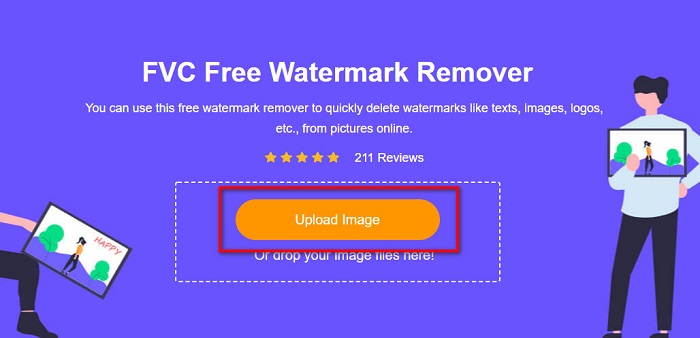
Langkah 2. Pada antara muka utama perisian, klik butang Upload Image. Folder peranti anda akan muncul dan anda boleh memilih imej B612 anda.
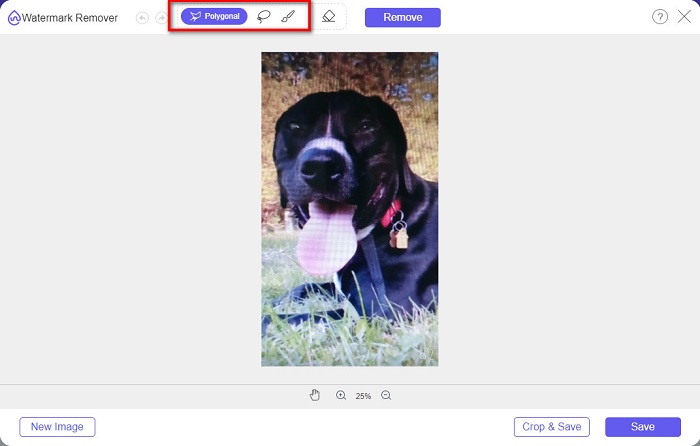
Langkah 3. Selepas memuat naik imej anda, pilih alat pemilihan yang anda mahu gunakan untuk membuang tera air pada imej B612 anda. Anda boleh memilih antara alat Polygonal, Lasso, atau Brush.
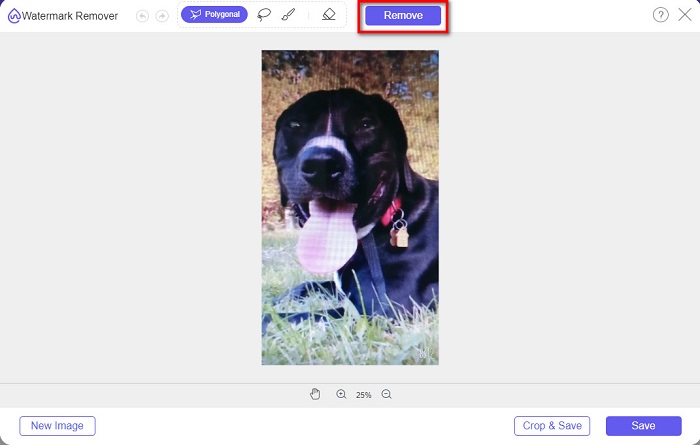
Langkah 4. Seterusnya, jejaki tera air pada imej anda. Biasanya, tera air B612 diletakkan di sudut kanan bawah imej anda. Kemudian, klik butang Remove.
Langkah 5. Klik butang Save untuk menyimpan imej output pada peranti anda. Itu sahaja! Anda akan lihat bahawa imej anda sudah tiada tera air B612.
Penanggal Tera Air
Watermark Remover juga merupakan penanggal tera air atas talian yang membolehkan anda membuang tera air B612 pada foto anda dengan mudah. Dengan antara muka yang mudah digunakan, alat ini sangat senang dikendalikan. Selain itu, ia turut mempunyai pilihan untuk membuang tera air pada video anda. Alat ini juga berkesan untuk membuang objek yang tidak diingini daripada foto anda. Dan anda boleh menggunakannya sebagai penanggal tera air Fiverr. Namun, ia mengandungi iklan yang mungkin mengganggu anda.
Langkah 1. Cari Watermark Remover pada pelayar anda, dan pergi ke halaman utama mereka. Kemudian, pada antara muka utama, pilih pilihan Photo Watermark Remover.
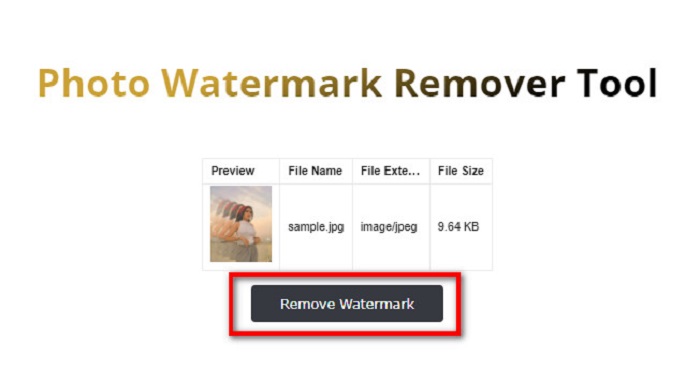
Langkah 2. Kemudian, klik ikon muat naik untuk mengimport imej B612 anda. Tunggu sehingga imej anda dimuat naik, kemudian klik butang Remove Watermark.
Langkah 3. Satu tab captcha akan muncul dan meminta anda memasang satu aplikasi. Selepas itu, anda akan lihat bahawa tera air pada imej anda telah dibuang.
FotoLucu
Satu lagi penanggal tera air atas talian yang patut anda cuba ialah penanggal tera air PhotoFunny. PhotoFunny ialah alat dalam talian yang popular yang mudah membuang sebarang tera air pada imej anda, termasuk tera air B612. Ia juga menyokong format imej yang paling dikenali, seperti PNG, JPEG dan JPG. Kekurangannya ialah apabila sambungan internet anda perlahan, proses muat naiknya juga menjadi perlahan dan mengambil terlalu banyak masa anda. Walau bagaimanapun, ramai orang masih menggunakan alat ini untuk membuang tera air pada imej.
Cara mengalih keluar tera air B612 menggunakan penanggal tera air PhotoFunny:
Langkah 1. Cari penanggal tera air PhotoFunny pada pelayar, kemudian pergi ke halaman utama mereka.
Langkah 2. Pada antara muka utama, klik butang Upload Photo. Kemudian, anda akan dibawa ke antara muka baharu.
Langkah 3. Seterusnya, tandakan butang Select Image untuk memuat naik imej B612 yang anda mahu buang tera airnya.
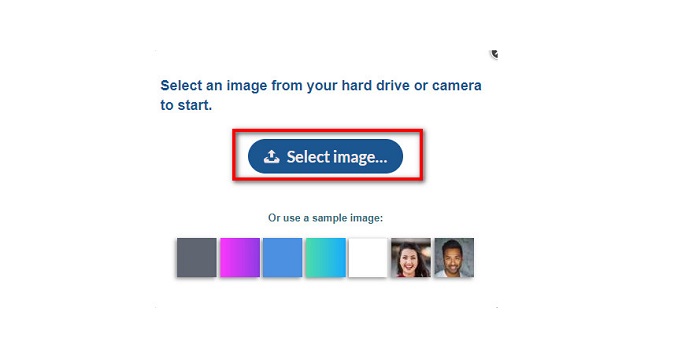
Langkah 4. Selepas memuat naik imej anda, klik butang Next untuk membuang tera air pada imej anda.
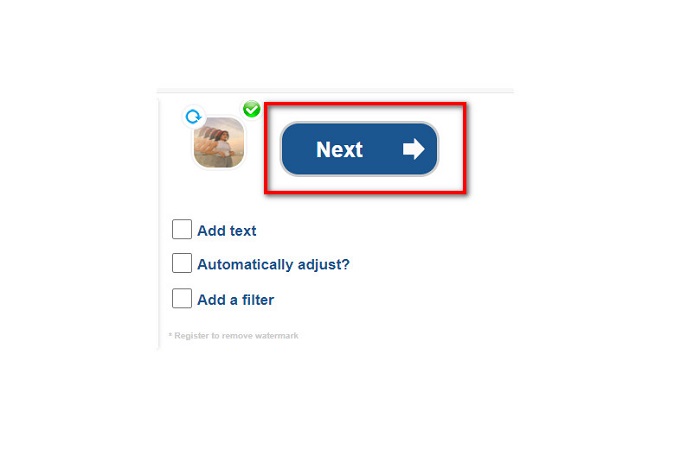
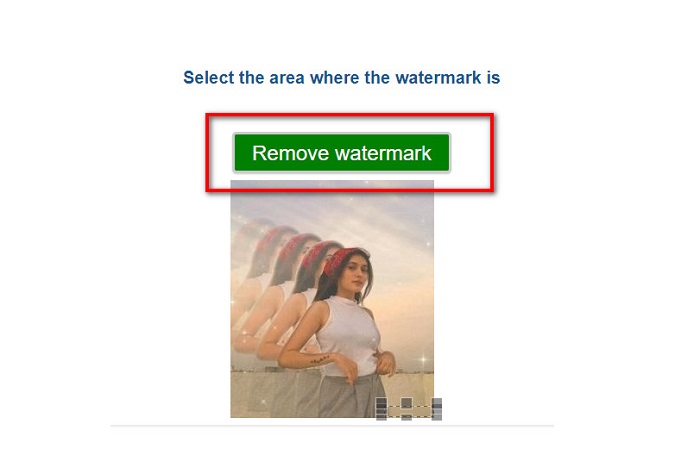
Langkah 5. Pada antara muka perisian seterusnya, anda akan melihat pratonton imej anda dan kemudian klik butang Next Step. Kemudian letakkan kawasan penanggal pada tera air B612. Klik Remove Watermark untuk menamatkan proses.
Watermark Remover.io
Watermark Remover.io ialah satu lagi alat atas talian yang patut anda cuba. Penanggal tera air atas talian ini mempunyai antara muka yang mudah digunakan, menjadikannya alat yang mesra pengguna. Ia juga menyokong format imej piawai seperti PNG, JPEG, JPG dan WEBP. Selain itu, anda boleh mengaksesnya pada hampir semua pelayar web, termasuk Google dan Firefox. Salah satu kelebihan alat dalam talian ini ialah proses ramalan kawasannya. Jadi, sebaik sahaja anda memuat naik imej, ia akan secara automatik membuang tera air pada imej anda. Namun, kadangkala ia tidak mengesan tera air yang terlalu kecil.
Bagaimana untuk membuang tera air B612 menggunakan Watermark Remover.io:
Langkah 1. Cari Watermark Remover.io pada pelayar anda. Kemudian pada halaman hasil carian, pergi ke halaman utama mereka. Seterusnya, pada antara muka utama, klik butang Upload Image.
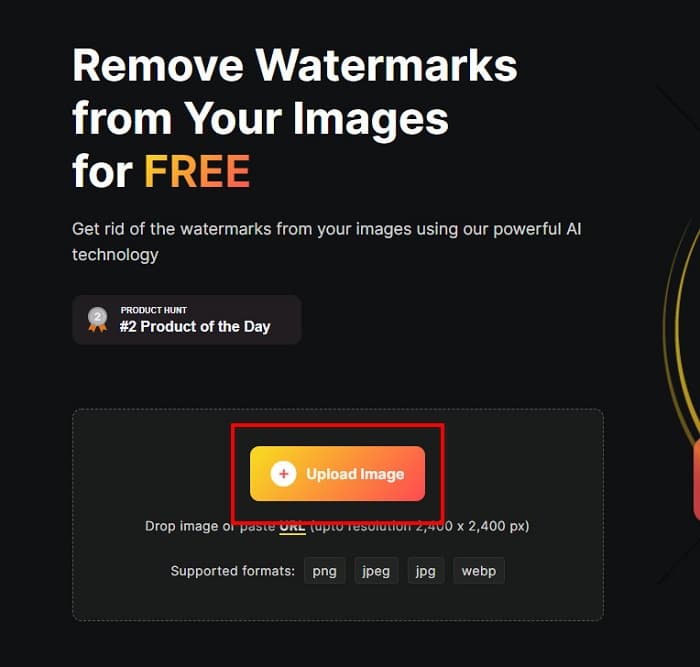
Langkah 2. Satu tab baharu akan dipaparkan pada skrin anda, di mana anda akan memilih imej B612 yang mahu dimuat naik dan kemudian klik Open.
Langkah 3. Selepas itu, Watermark Remover.io akan secara automatik membuang tera air pada imej anda. Klik butang Download Image untuk menyimpan imej output pada peranti anda.
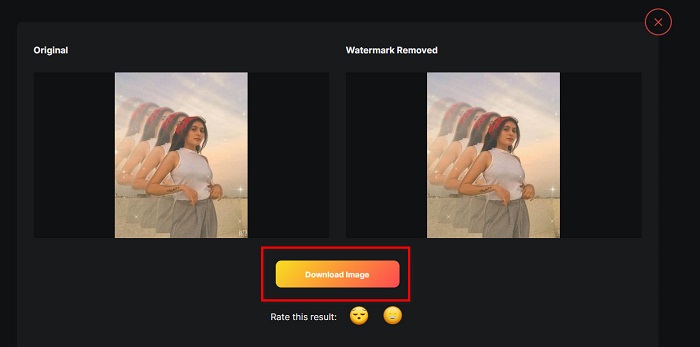
Itu sahaja! Dengan menggunakan penanggal tera air yang hebat di atas, anda boleh membuang tera air B612 daripada imej anda dengan mudah. Klik di sini untuk belajar cara membuang tera air Coub.
Bahagian 2. Soalan Lazim tentang Mengalih Keluar Tera Air B612
Bolehkah anda mengalih keluar tera air B612 pada video B612?
Ya. Anda boleh membuang tera air B612 pada video anda. Terdapat beberapa aplikasi yang membolehkan anda membuang tera air pada video dengan mudah, seperti FVC Video Converter Ultimate, yang digunakan oleh ramai profesional.
Bagaimanakah anda menyimpan gambar pada B612?
B612 tidak menyimpan gambar secara automatik dalam galeri anda. Tekan ikon muat turun untuk menyimpan imej anda dalam galeri. Proses ini juga membantu menjimatkan ruang pada peranti anda.
Bolehkah saya mengalih keluar logo dalam talian?
Nasib baik, alatan dalam talian membolehkan anda mengalih keluar sebarang tera air (logo, teks, imej) pada foto anda. Salah satu alat yang paling disyorkan ialah FVC Free Watermark Remover.
Kesimpulannya
Kaedah yang dibentangkan di atas akan membantu anda membuang tera air B612 dengan cepat. Jadi, terpulang kepada anda untuk memilih mana yang berbaloi untuk digunakan. Tetapi jika anda mahukan alat atas talian yang paling disyorkan dan mudah digunakan, gunakan FVC Free Watermark Remover.
-
 Cara Mudah Buang Tera Air Dari Gambar Graduasi
 Ingin tahu cara terbaik untuk membuang tera air daripada gambar tamat pengajian? Dengan membaca artikel ini, anda akan dapat mengetahui cara membuang tera air pada gambar grad dengan mudah.
-
 Cara Menghilangkan Tera Air Lomotif Menggunakan Alat Hebat ini
 Adakah anda ingin mengetahui cara membuang tera air Lomotif daripada video anda? Baca artikel ini untuk mengetahui kaedah paling cemerlang untuk mengalih keluarnya dalam talian dan luar talian.
-
 Cara Mengalih Keluar Pelancong daripada Foto Menggunakan Penanggal Tera Air
 Bagaimana untuk mengalih keluar pelancong daripada foto? Jika anda ingin mengetahui cara mengalih keluar perkara yang tidak diingini daripada foto anda, alatan ini akan membantu anda. Baca artikel ini untuk mengetahui lebih lanjut.
