


 Video Converter Ultimate
 Scherm opnemer
 Videoreparatie
4 eenvoudigste manieren om F4V-bestanden naar AVI-mediabestandsindeling te converteren
Macromedia introduceerde F4V en later ontwikkelde Adobe het om te concurreren met de moderne, hoogwaardige video-opslag. Het is ook gemaakt als een vervangend formaat voor FLV, omdat FLV een beperking heeft. Verdere uitleg is dat het F4V-bestand het ISO-basismediabestandsformaat gebruikt met een H.264-codec om de bestandsgrootte te verkleinen. Hoewel het formaat uitvoer van hoge kwaliteit bevat, is de F4V minder compatibel dan het andere formaat. En niet alleen dat, maar dit formaat is ook uitgefaseerd omdat Adobe Flash Player al met pensioen is gegaan.
Dus als je hetzelfde probleem hebt als anderen omdat hun .f4v-bestanden niet op hun mediaspeler kunnen worden afgespeeld, lees dan verder hieronder. We hebben verschillende tools verzameld die je helpen om een niet-afspeelbare .f4v af te spelen door het formaat naar AVI te converteren. Laten we nu verdergaan en bekijken hoe je het F4V-formaat naar AVI kunt converteren met de beschikbare online en offline tools.
Deel 1. Leer hoe u F4V naar AVI converteert met de fenomenale F4V naar AVI-converter
Als je op zoek bent naar de beste converter die je bij dit probleem kan helpen, dan is FVC Video Converter Ultimate precies wat je nodig hebt. We hebben de tool zelf getest en enkele reacties gelezen; “ultimate” is niet alleen een naam, maar ook de prestaties en functies van de software zijn ultiem. Eén van de meest indrukwekkende functies die deze tool biedt, is bovendien de snelle conversie en hardwareversnelling, zodat gebruikers niet lang hoeven te wachten.
Als je ook GIF’s wilt maken, video’s wilt versnellen of vertragen, omkeren, het geluid wilt versterken, enzovoort: omdat deze tool geavanceerde functies biedt, moet je ervoor betalen voordat je hem kunt gebruiken. Maak je echter geen zorgen, want je geeft er geen honderd dollar aan uit. Als je dus nog in de beslissingsfase zit om deze tool te kopen, lees dan de onderstaande stappen en converteer het F4V-bestand naar AVI door de volgende stappen te volgen.
Stap 1. Voordat je deze krachtige tool kunt gebruiken, moet je hem eerst downloaden op je desktop. Installeer hem vervolgens en doorloop de installatie heel snel; klik op Start Now om het programma te openen.
Gratis downloadVoor Windows 7 of nieuwerVeilige download
Gratis downloadVoor MacOS 10.7 of nieuwerVeilige download
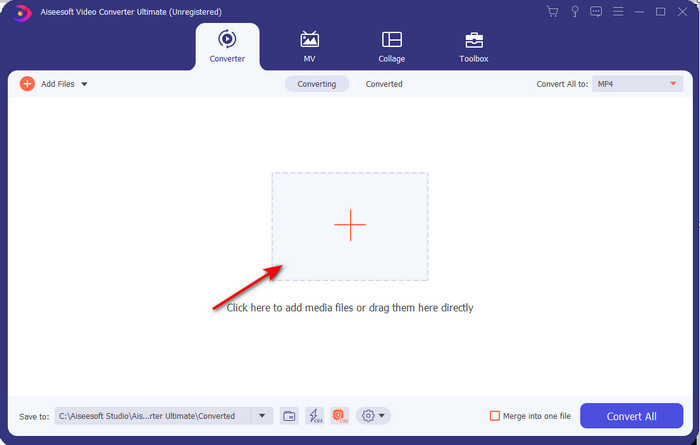
Stap 2. Als de tool al geopend is, ga dan naar Add Files of klik op de +-knop, waarna er een map verschijnt. Zoek de .f4v-bestandsextensie en klik op Open.
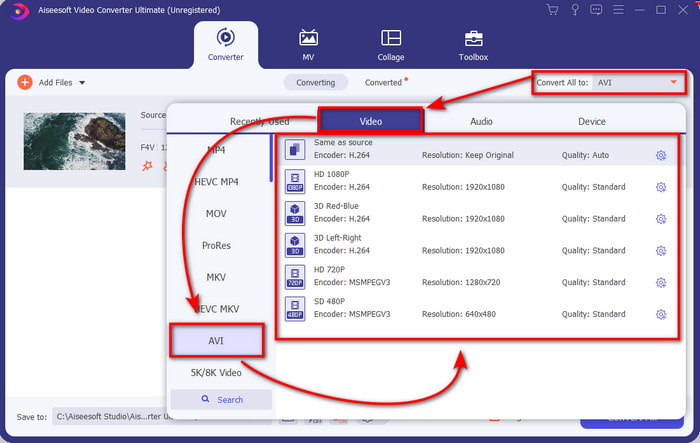
Stap 3. Nadat je het bestand hebt toegevoegd, klik je rechtsboven in de interface op Convert All to en kies je het AVI-formaat.
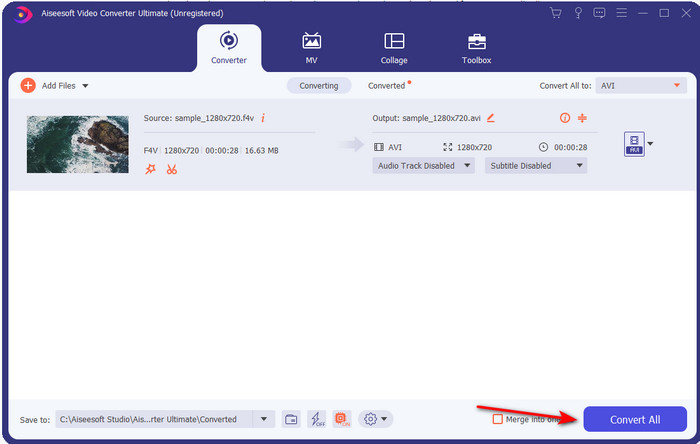
Stap 4. Klik nu op Convert All om het conversieproces te starten. Wacht enkele minuten om je F4V naar AVI om te zetten.
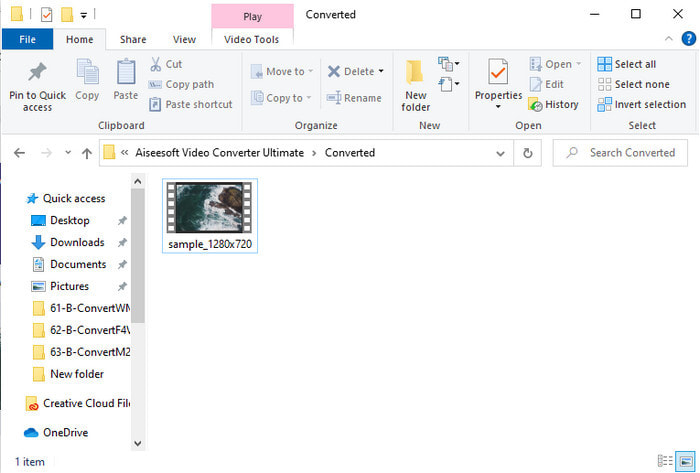
Stap 5. Er wordt automatisch een bestandsmap op je desktop geopend met het geconverteerde .f4v-bestand dat je hier hebt gemaakt. Klik op het videobestand om de video, die eerder niet afspeelbaar was, nu op je desktop te bekijken, of zet hem over naar je telefoon als je dat wilt.
Deel 2. Leer hoe u F4V online naar AVI converteert met de 3 beschikbare webconverter
1. FVC gratis video-omzetter online
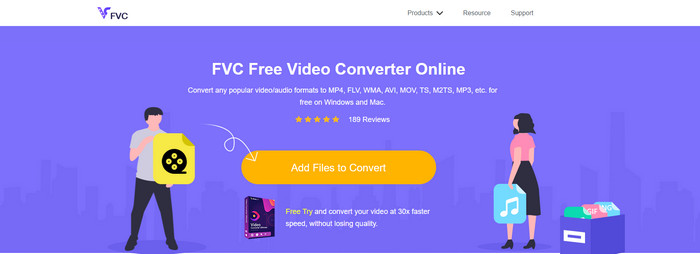
Als je wilt weten welke webconverter het beste is, dan is FVC Free Video Converter Online misschien wel de juiste. Alle functies die je graag wilt gebruiken, zijn hier beschikbaar: je kunt bijvoorbeeld de bitrate en fps van de video aanpassen om de kwaliteit te verhogen voordat je converteert. Miljoenen internetgebruikers hebben de algehele prestaties van deze webtool al geprezen. Ook ondersteunt deze webtool een middelgroot aantal formaten waaruit je kunt kiezen en die je kunt uploaden. Je kunt je video echter niet zo spectaculair bewerken als met de Ultimate-tool. Wil je desondanks proberen om het F4V-formaat naar AVI te converteren, volg dan de onderstaande stappen.
Stap 1. Klik op deze link om naar de FVC Free Video Converter Online te gaan.
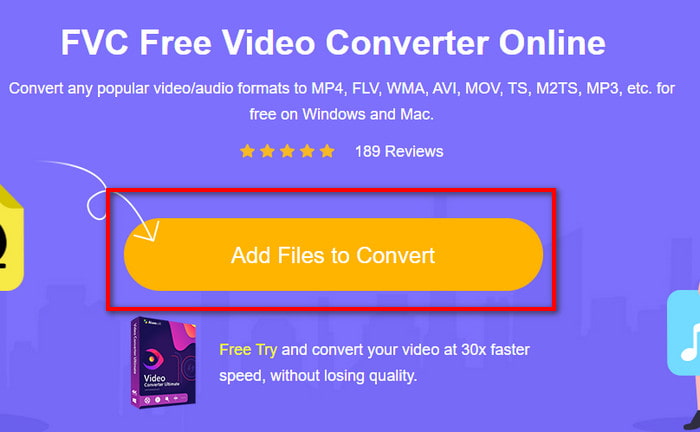
Stap 2. Klik vervolgens op Add Files to Convert om de tool te starten en selecteer in de map het bestand dat je naar een nieuw formaat wilt converteren door op Open te klikken.
Stap 3. Zodra het bestand is geladen, kies je onderaan het formaatlijstje het formaat AVI of een ander formaat waarin je het wilt omzetten.
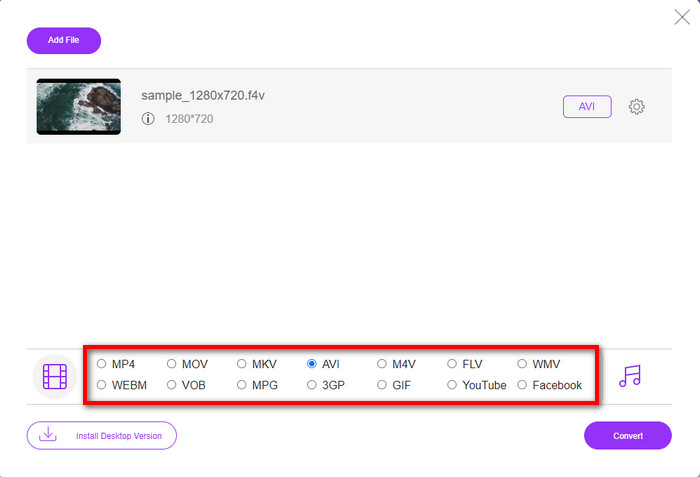
Stap 4. Nadat je het AVI-formaat hebt geselecteerd, is het tijd om te converteren door op de knop Convert te klikken.
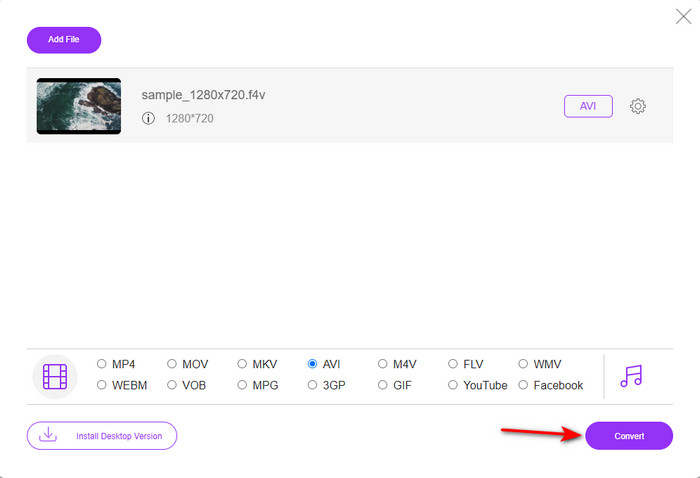
Stap 5. Wacht enkele minuten tot het bestand is gedownload; daarna verschijnt er een map met het geconverteerde bestand.
2. Zamzar
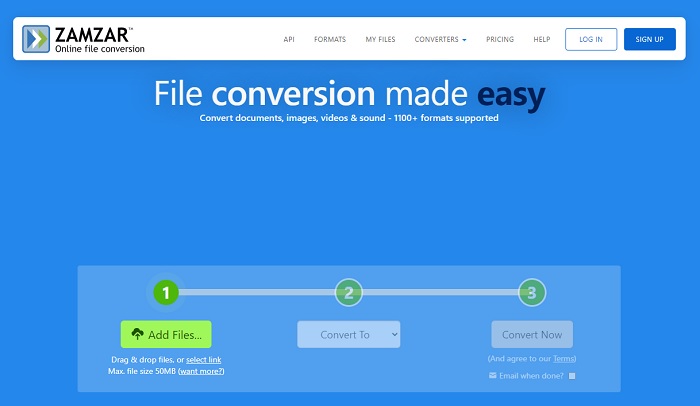
Een andere converter die je online kunt gebruiken is Zamzar. Net als elke andere converter heeft deze tool een internetverbinding nodig om te kunnen worden gebruikt of benaderd. Alle webtools die hier worden besproken, hebben internet nodig om de conversie uit te voeren. Omdat veel gebruikers deze dienst gebruiken, is Zamzar populair geworden, mede omdat het veel verschillende formaten ondersteunt waaruit je kunt kiezen. Bovendien is het gratis te gebruiken, al is er wel een beperking in de bestandsgrootte die deze tool kan converteren. Als je .f4v-bestand groter is dan 50 MB, kun je het hier niet converteren, zoals hieronder wordt aangegeven. Is je bestand kleiner dan dat, dan kun je deze tool gebruiken om F4V online naar AVI te converteren door de onderstaande procedure te volgen.
Stap 1. Open je webbrowser en zoek op Zamzar.
Stap 2. Klik op Add Files en zoek het bestand dat je wilt converteren. Kies daarna bij Convert to het AVI-formaat en klik vervolgens op Convert.
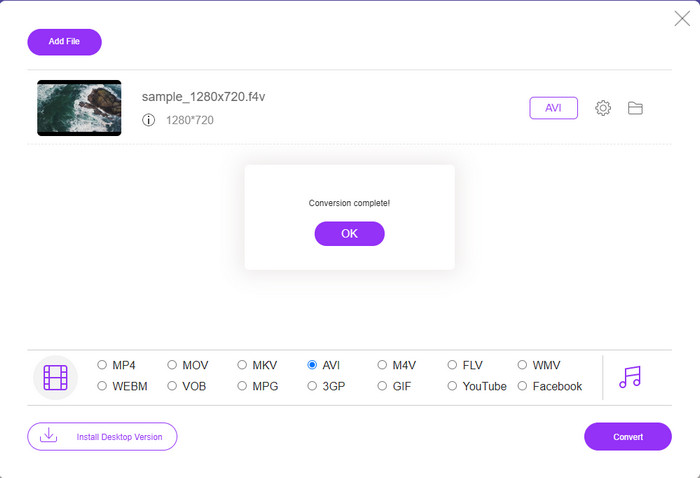
Stap 3. Wacht op het proces; er verschijnt dan een nieuw venster en klik op Download om het bestand op te slaan.
3. Bestanden converteren
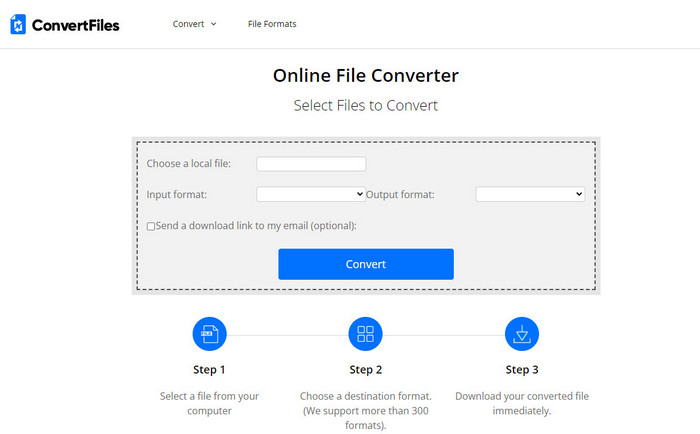
Als je een eenvoudiger conversieproces wilt dat slechts enkele minuten duurt, probeer dan ConvertFiles te gebruiken. De tool presteert goed tijdens én na de conversie. De advertenties verpesten deze tool echter enigszins, omdat er veel op de interface van de webtool staan. Ook duurt het proces langer dan bij andere online en offline converters. De bestandsgrootte die je hier kunt uploaden, is wel veel groter dan bij Zamzar. Als je deze tool dus wilt gebruiken om een F4V-bestand naar AVI te converteren, volg dan deze stappen.
Stap 1. Ga naar je webbrowser, zoek op ConvertFiles en open de site.
Stap 2. Klik op Choose a Local File om de map te openen en het bestand te zoeken, en kies onder Output Format voor AVI. Klik vervolgens op Convert om de conversie te starten.
Stap 3. Klik na de conversie op de blauw gemarkeerde URL die je naar een nieuwe webpagina brengt. Klik op deze link om het geconverteerde formaat te downloaden.
Deel 3. Welk formaat is beter; F4V versus AVI
Nou, F4V en AVI doen hun werk op zijn best als een container. Er zijn echter veel van deze indelingen gemeen, en hun doel is niet hetzelfde. Als u bijvoorbeeld een video van hoge kwaliteit met een kleine bestandsgrootte wilt opslaan en de DRM MPEG-4-videogegevens wilt bewaren en beschermen, is F4V de beste keuze. Maar stel dat u een video van hoge kwaliteit wilt opslaan die gesynchroniseerd afspelen van media ondersteunt. In dat geval moet je het AVI-formaat kiezen omdat het een andere container heeft voor zowel audio als video. Desondanks is de AVI-bestandsgrootte te groot om door veel apparaten en zelfs desktops te verwerken, omdat het niet gecomprimeerd is.
Deel 4. Veelgestelde vragen over F4V naar AVI-conversie
Verlaagt het converteren van F4V de resolutie na het converteren?
De resolutie van de video moet zijn oorspronkelijke kwaliteit behouden, zelfs nadat u deze naar een nieuw formaat hebt geconverteerd. In sommige gevallen ervaren veel gebruikers dat de kwaliteit van hun F4V lager is geworden. Een van de redenen moet zijn dat de kwaliteit die je instelt laag is, of dat de tool die je gebruikt geen 1080- of 4k-video's ondersteunt.
Waarom kan F4V niet worden afgespeeld op mijn mediaspeler?
Dit formaat kan in verschillende mediaspelers worden afgespeeld, maar niet alle mediaspelers ondersteunen dit formaat. Als je deze video toch wilt bekijken, is het dus de beste keuze om hem naar een ander formaat te converteren of een nieuwe externe mediaspeler te zoeken om je F4V-video’s af te spelen.
Moet ik F4V comprimeren om het kleiner te maken?
De bestandsgrootte van F4V is niet zo groot in vergelijking met het AVI-formaat. Als je deze container toch probeert te comprimeren, is er een kans dat de videokwaliteit achteruitgaat. Hier kun je leren hoe je je F4V-video’s kunt comprimeren.
Gevolgtrekking
Aan het einde van dit artikel hebben we nu inzicht in wat F4V is en waarom je het moet converteren. Alle online en offline software die in dit artikel wordt genoemd, werken goed. Hoewel alle tools geweldig zijn, onderscheidt de FVC Video Converter Ultimate zich nog steeds van de rest. Omdat deze software het zelfs goed doet, heb je geen internetverbinding en kan deze tool het conversieproces in een oogwenk voltooien. Dus nu, als je de fenomenale conversie wilt ervaren waar we het over hebben, download het dan nu.
-
 Hoe TS naar AVI / MKV / MOV / WMV online en gratis te converteren op Win / Mac
 Wilt u TS-bestanden snel naar AVI / MKV / MOV / WMV converteren? Dit artikel toont online en offline videoconverters met een complete gids. Misschien kun je hier de beste gratis TS-converter krijgen.
-
 [Gratis en online] 7 manieren om MTS naar AVI te converteren op Mac/Windows-computer
 Hoe MTS gemakkelijk naar AVI te converteren? In deze gids vindt u 7 gratis en eenvoudige manieren om MTS-bestanden naar AVI op Windows of Mac te converteren zonder kwaliteitsverlies.
-
 Tutorial om MP4 naar AVI-bestanden te converteren met 7 gratis video-converters
 Wil je alle gratis manieren krijgen om AVI naar MP4-video te converteren? Dit artikel mag je niet missen. Hier zijn 7 manieren om AVI-bestanden gratis naar MP4 te converteren op Windows, Mac, iPhone, Android en online.
