


 Video Converter Ultimate
 Scherm opnemer
 Videoreparatie
Hoe MTV naar FLV te converteren in 2 onvergelijkbare benaderingen

Deel 1. Hoe MTV offline naar FLV te converteren?
Video Converter Ultimate is een van de beste converters om MTV naar FLV te converteren. Je kunt je videoformaat met slechts een paar klikken van MTV naar FLV wijzigen. Met deze software kun je MTV‑video’s ook bewerken en comprimeren. Deze MTV-naar-FLV-converter is beschikbaar voor zowel Windows- als Mac-computers en is volledig gratis. Je kunt MTV-bestanden eenvoudig naar FLV-formaat converteren door de converter-app te downloaden en te installeren en vervolgens de video's te importeren die je wilt omzetten. Voor een uitgebreidere uitleg kun je de onderstaande handleiding raadplegen.
Stap 1: Klik op de knop Gratis downloaden onder deze stap om de software te downloaden. Nadat je erop hebt geklikt, kun je je voorbereiden om het programma even later te installeren.
Gratis downloadVoor Windows 7 of nieuwerVeilige download
Gratis downloadVoor MacOS 10.7 of nieuwerVeilige download
Stap 2: Nadat je de software op je computer hebt geïnstalleerd, start je het programma en verschijnt er een venster op je scherm. De software toont de Converter-interface op je scherm, klaar om een bestand te importeren.
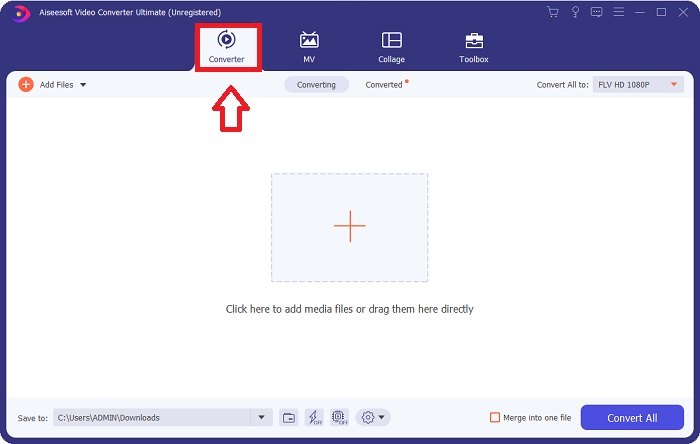
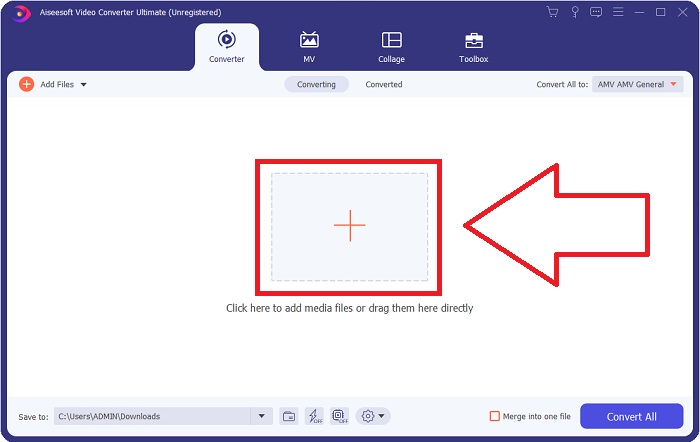
Stap 3: Om een bestand in de software te importeren, moet je op de +‑knop in het midden van het programmavenster klikken, of je kunt eenvoudig videobestanden erin slepen.
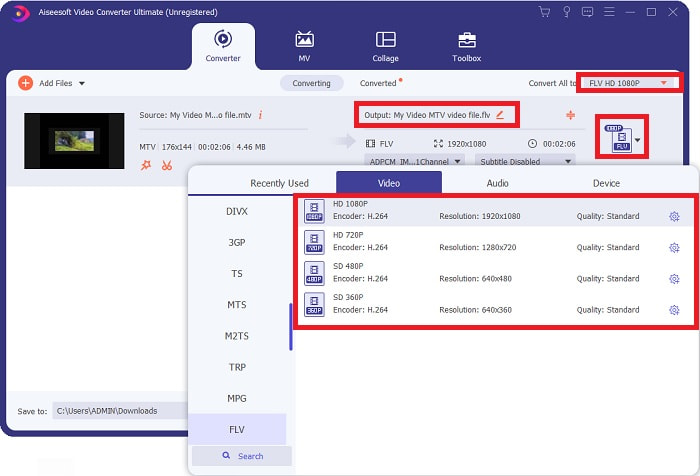
Stap 4: Nu is het tijd om het videoformaat FLV te kiezen, dat zich in de rechterbovenhoek van het venster bij de video-uitvoer bevindt. Klik erop, zoek het videoformaat FLV op en bepaal welke kwaliteit je verkiest.
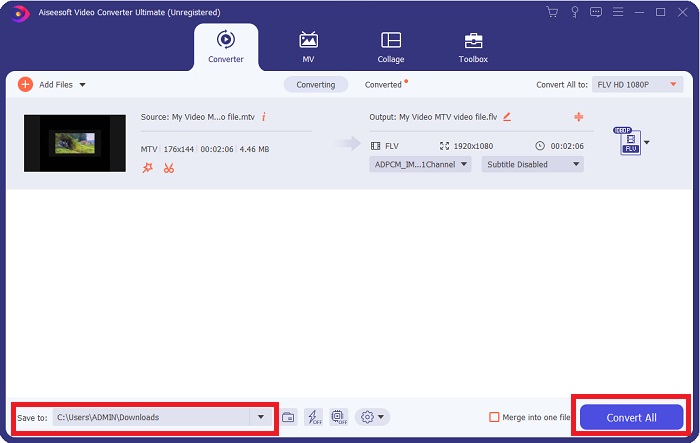
Stap 5: Je kunt je bestand nu converteren door op de knop Alles converteren te klikken, rechtsonder in het venster. Kies vervolgens de locatie waar je het geconverteerde bestand wilt opslaan door op de vervolgkeuzeknop naast Opslaan in te klikken.
Deel 2. Hoe MTV online naar FLV te converteren?
Hier is een gratis online tool waarmee je MTV naar FLV kunt converteren. De Free Video Converter Online kan video- en audioformaten zoals MP4, WMV en ASF naar verschillende formaten converteren. Je kunt je HD‑video’s met slechts een paar klikken naar populaire bestandstypen omzetten, terwijl de oorspronkelijke beeldkwaliteit behouden blijft. Het tegelijk converteren van meerdere video‑ of audiobestanden gaat niet ten koste van de kwaliteit. Dit zijn de stappen die je moet volgen:
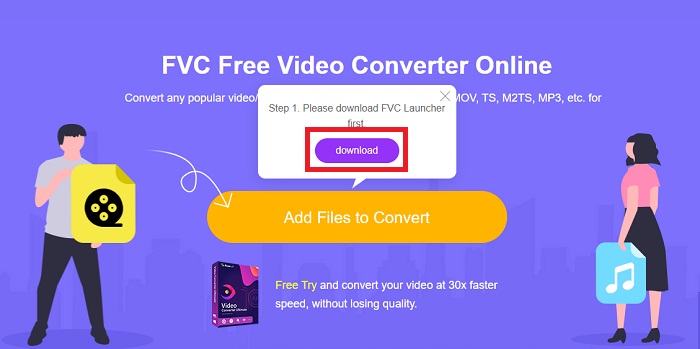
Stap 1: Ga naar de hoofdpagina van Free Video Converter Online door op deze link te klikken. Daarna moet je op de knop Bestanden toevoegen om te converteren klikken die op het hoofdscherm wordt weergegeven, om de launcher te downloaden waarmee je deze online tool kunt gebruiken. Nadat je deze hebt gedownload, klik je er opnieuw op om bestanden van je computer te importeren.
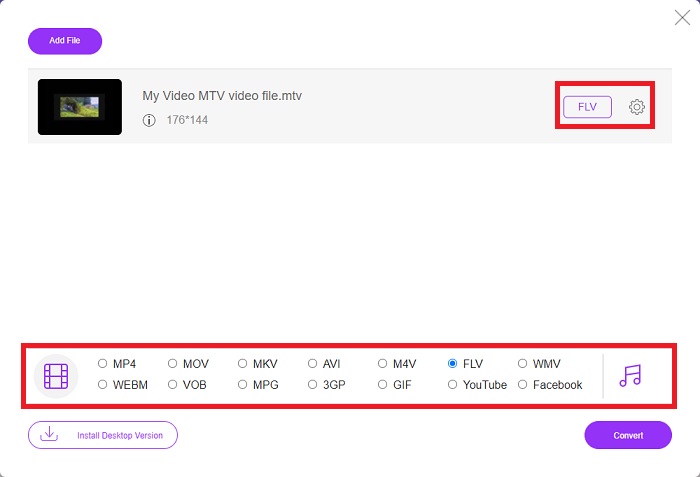
Stap 2: Kies het videoformaat FLV uit de selectie met videoformaten onderaan het venster. Wil je alle specificaties van de uitvoervideo weten, klik dan op het tandwielpictogram. Pas alles aan naar je voorkeur en klik op OK zodra je klaar bent met aanpassen.
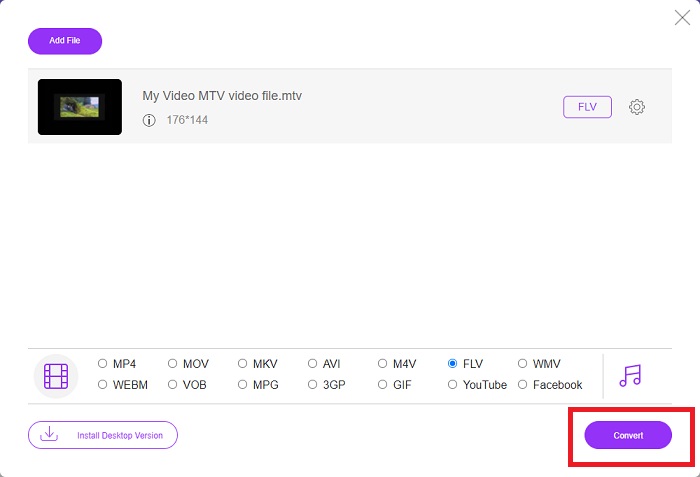
Stap 3: Nu je tevreden bent met alle instellingen, kun je je MTV‑videoformaat naar FLV converteren door op de knop Converteren te klikken.
Gerelateerd:
Deel 3. Uitgebreide kennis over MTV en FLV
Sommige Chinese draagbare MP4-videospelers gebruiken enorme kennis over MTV- en FLV-videobestanden in het MTV-formaat om video's op te slaan. Met een snelheid van 12 frames per seconde combineert het MP3-audio met een hele reeks afbeeldingen. Er zijn enkele overeenkomsten tussen MTV-bestanden en AMV-bestanden, maar de opmaak is iets anders. Verschillende goedkope Chinese draagbare MP4-spelers kunnen geen MP4-video's opslaan of afspelen. MTV-video's daarentegen worden getoond. Video's met een lage resolutie (128x128 pixel) en video's in klein formaat zijn de normen op MTV (een minuut video is ongeveer 24 MB aan gegevens). Mediaspelers hebben niet veel opslagruimte of verwerkingskracht nodig. om veel MTV-video's op te slaan en af te spelen. Hoewel het MTV-formaat lijkt op het AMV-formaat, dat ook door Chinese draagbare mediaspelers wordt gebruikt, verschillen de formaten voldoende zodat niet elk AMV-compatibel apparaat of elke mediaspeler MTV-bestanden kan afspelen.
Het Flash-videoformaat van Adobe Systems kan echter worden gebruikt voor online video's op YouTube, Hulu, Vevo en vele andere streaming-videoservices. Met uitzondering van iOS kan bijna elk besturingssysteem FLV-bestanden lezen en bekijken met Adobe Flash Player (inclusief browserplug-ins) en software van derden. FLV kan spelen op iPhone- en Android-apparaten via open-sourcesoftware en specifieke browsers. Flash veroorzaakt nog steeds problemen op iOS. Gebruikers van de Android-versie Jellybean kunnen FLV-bestanden gebruiken. Alleen FLV-spelerprogramma's kunnen bestanden met de FLV-extensie bekijken. FLV-videoschermopname is mogelijk met behulp van software voor het vastleggen en opnemen van schermen.
| Bestandsextensie | MTV | FLV |
| Bestandstype | Chinese MP4/MTV-speler | Flash-videobestand |
| Ontwikkeld door | Robert W. Pittman | Adobe-systemen |
| Voordelen | Een van de belangrijkste voordelen van het MTV-formaat is dat het op de meeste computers over de hele wereld kan worden afgespeeld. | Het FLV-formaat is gangbaar op internet. Duizenden websites gebruiken het; het biedt aanzienlijk meer functies dan andere videobestandsextensies en produceert aanzienlijk kleinere bestanden dan de meeste andere videoformaten. FLV-video's zijn goed voor het weergeven van behoorlijke kwaliteit en voor het snel laden. |
| Nadelen | Vanwege de slechte mogelijkheden voor geluidsverbetering, heeft het een beperkte beeldresolutie en kan het geen full-screen en full-motion video weergeven. | Het is noodzakelijk om flash-plug-ins te hebben geïnstalleerd om flash-bestandsbestanden online af te spelen. |
| Programma's die ondersteunen/openen | ◆VLC-mediaspeler ◆AVS-mediaspeler | ◆VLC-mediaspeler ◆Adobe Flash Player |
Deel 4. Veelgestelde vragen over het converteren van MTV naar FLV
Hoe converteer ik MTV naar FLV op Mac?
U kunt gebruik maken van de bovengenoemde Video Converter Ultimate om uw MTV-bestanden naar FLV te converteren. Eerst moet u de software op uw Mac downloaden en deze na de installatie starten. Voeg vervolgens uw bestanden toe aan het programma en kies het gewenste FLV-formaat. Klik ten slotte op de knop Alles converteren om de conversie van MTV naar FLV te starten.
Hoe open ik een MTV-bestand?
Sommige MTV-bestanden kunnen mogelijk niet worden afgespeeld in de platformonafhankelijke VideoLAN- of VLC-mediaspeler of de alleen Windows Online Media Technologies AVS-mediaspeler. Het audiogedeelte van sommige MTV-bestanden kan bijvoorbeeld alleen worden afgespeeld met VLC. MTV-video's kunnen worden geconverteerd naar AVI of MP4 met behulp van FFmpeg, AnyMP4 Video Converter of AVS Video Converter van Online Media Technologies, allemaal platformonafhankelijke toepassingen (Windows).
Kan VLC video's converteren naar FLV?
Speel een video af met de VLC Media Player. Selecteer de optie Converteren/Opslaan in het vervolgkeuzemenu op het tabblad Media. .flv-videobestanden van het systeem kunnen worden toegevoegd door op de knop 'Toevoegen' op de pagina Media openen te klikken.
Gevolgtrekking
Gelet op alles wat in dit hele artikel is besproken, zijn er twee aanbevolen converters die je zou moeten overwegen: de Free Video Converter Online en de Video Converter Ultimate. Zoals hierboven aangegeven, hebben deze twee hun volledige potentieel laten zien en zijn ze beter dan andere converters die online beschikbaar zijn.
-
 [Online en gratis] 3 methoden om MTV probleemloos naar AVI te converteren
 Heb je ooit gehoord van een videoformaat als MTV? Aangezien je niet alles weet over dit formaat en je een MTV-video naar AVI wilt converteren, lees je dit artikel aandachtig om meer over dit probleem te weten te komen.
-
 Concrete gids om u te helpen gratis AVI naar FLV te converteren
 Om AVI naar FLV te converteren, heb je een krachtige video-omzetter nodig. Gelukkig kun je er twee en hun stapsgewijze handleiding uit dit ene artikel leren.
-
 2 eenvoudigste manieren om WMV-bestanden naar FLV op pc/Mac te converteren
 Hoe kunt u WMV naar FLV converteren? Allereerst moet u onze aanbeveling lezen en uw favoriete methode vinden, en vervolgens onze gids volgen om het werk snel te doen.
