


 Video Converter Ultimate
 Scherm opnemer
 Videoreparatie
Ontdek de 4 beste offline en online SWF naar FLV-converter op Windows en Mac
Ik ben momenteel op zoek naar een oplossing om mijn SWF-bestanden te uploaden naar sites voor het delen van video's zoals YouTube, Facebook, MySpace en meer. Kunt u mij helpen de snelste manier te vinden om dit probleem op te lossen?
Dit probleem komt vaak voor, vooral als je video de bestandsextensie .swf heeft. Dit formaat is wel gebruikelijk op het web, maar het delen van het bestand op een videodeelplatform werkt niet. Bovendien, als je je SWF‑bestanden wilt delen, moet je het formaat omzetten naar een veel breder ondersteund formaat zoals FLV. Laten we daarom de vier verborgen parels onder de offline en online SWF‑naar‑FLV‑converters ontdekken die je kunt gebruiken door dit artikel te lezen.

Deel 1. Converteer SWF gratis naar FLV online met de FVC Free Video Converter Online
FVC Free Video Converter Online is de onovertroffen videoconverter die je kunt gebruiken om SWF gratis online naar FLV te converteren. Deze webtool is gespecialiseerd in het omzetten van bestanden naar een nieuw formaat zonder dat je het programma op je desktop hoeft te downloaden. Naast zijn omzetcapaciteit kun je ook de video‑ en audiospecificaties aanpassen aan jouw wensen. Wil je weten hoe je deze lichtgewicht webconverter gebruikt? Kopieer dan de onderstaande stappen.
Stap 1. Klik op deze link om een nieuw tabblad te openen dat je naar de officiële webpagina van FVC Free Video Converter Online brengt.
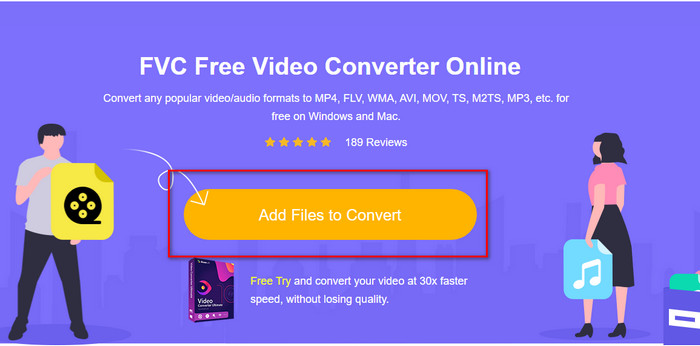
Stap 2. Klik op de website op Add Files to Convert, daarna verschijnt er een computermap; selecteer het .swf‑bestand en druk op Open.
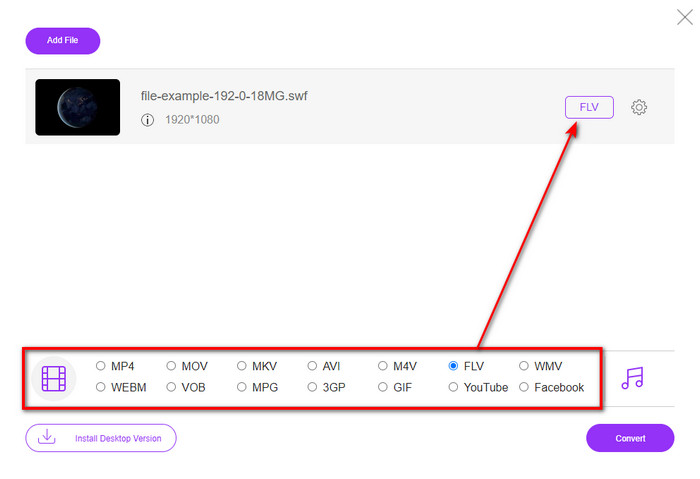
Stap 3. Nadat je het bestand hebt ingevoegd, kies je in de lijst het FLV‑formaat.
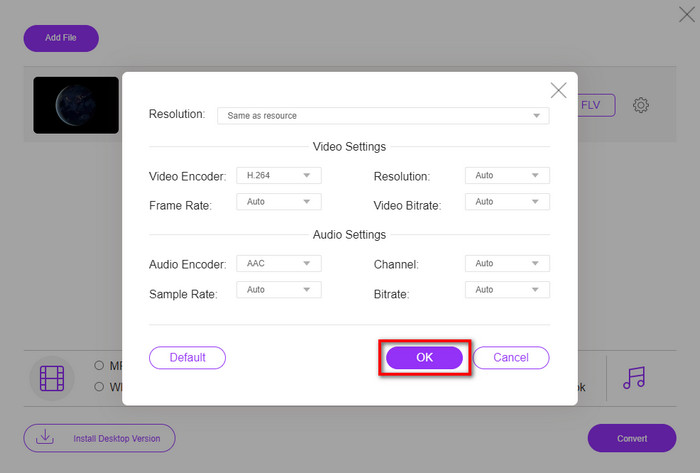
Om de video‑ en audiospecificaties te wijzigen, klik je op de tandwiel‑knop.
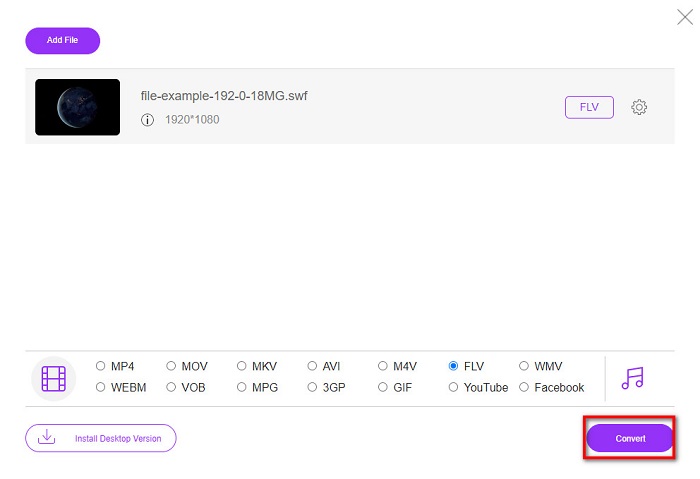
Stap 4. Klik op de Convert‑knop om het conversieproces te starten.
Deel 2. Converteer SWF naar FLV met FFmpeg
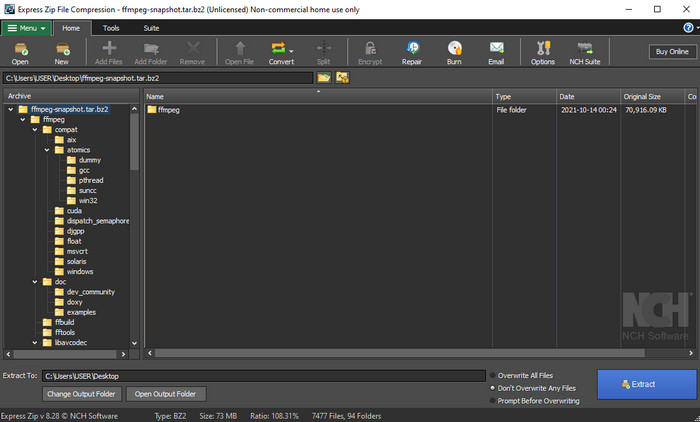
FFmpeg heeft een unieke interface en commando’s om SWF gratis naar FLV te converteren. Als je deze converter kent, weet je al hoe je hem moet gebruiken; maar lang niet iedereen kent dit programma. Kort uitgelegd: deze converter is niet je typische videoconverter die je via het web gebruikt of downloadt met knoppen om te bedienen. In plaats van knoppen te gebruiken, heb je opdrachtregels nodig om deze converter aan te sturen.
Stap 1. Download de FFmpeg‑converter op je schijf en open deze.
Stap 2. Open de opdrachtprompt (command prompt) op je computer.
Stap 3. Navigeer in CMD naar de map waar je SWF‑bestand staat en voeg het in. Kopieer dit commando en plak het in de opdrachtprompt: ffmpeg -i input.swf -vn -ar 44100 -ac 2 -b:a 192k output.flv en druk op Enter om het proces te starten.
Deel 3. Converteer SWF naar FLV in Flash
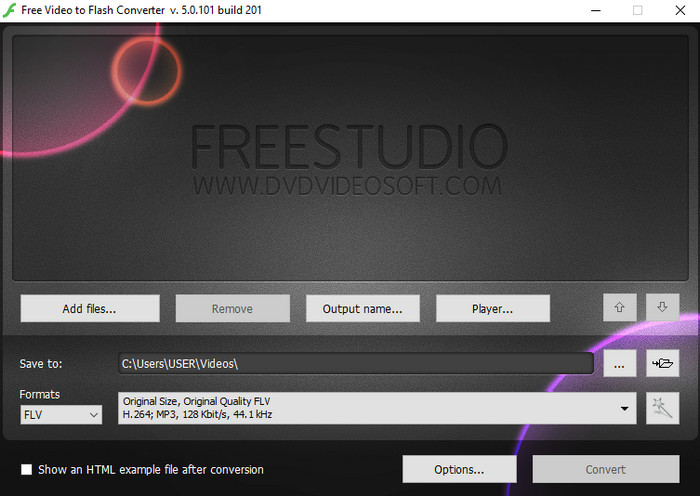
Free Video to Flash Converter is een gratis te downloaden converter voor Windows. Deze converter biedt twee formaten waaruit je kunt kiezen. Hij is specifiek bedoeld om bestanden alleen naar FLV‑ of SWF‑formaat om te zetten. Dus als je je SWF‑bestanden naar AVI, MP4, MOV, MKV en meer wilt converteren, kun je dat hier niet doen. Laten we zonder verdere vertraging leren hoe je SWF naar FLV converteert in Flash.
Stap 1. Download de officiële software van de Flash Converter op je Windows‑systeem en start de applicatie.
Stap 2. Klik op Add Files om het bestand in de converter te laden. Druk vervolgens op Formats, zoek naar FLV, en je kunt daarbij ook de kwaliteit kiezen.
Stap 3. Start de conversie door op de Convert‑knop rechtsonder in de interface te klikken.
Deel 4. Hoe SWF naar FLV te converteren met behulp van de beste SWF-converter op Windows en Mac
Nog steeds niet tevreden met de eerste drie online en offline SWF‑naar‑FLV‑converters hierboven? Probeer dan de FVC Video Converter Ultimate. Deze converter overtreft de verwachtingen van elke gebruiker, vooral door de snelheid waarmee dit gereedschap bestanden converteert. Naast de fenomenale conversie heeft het ook geavanceerde bewerkingsfuncties om je video te verbeteren en een Toolbox voor andere doeleinden. Bovendien garanderen de onderstaande stappen 101% succes bij het converteren van je bestand.
Stap 1. Voordat je het gereedschap gebruikt, moet je het downloaden op je Windows‑ of Mac‑schijf, de installatieprocedure volgen en het programma starten.
Gratis downloadVoor Windows 7 of nieuwerVeilige download
Gratis downloadVoor MacOS 10.7 of nieuwerVeilige download
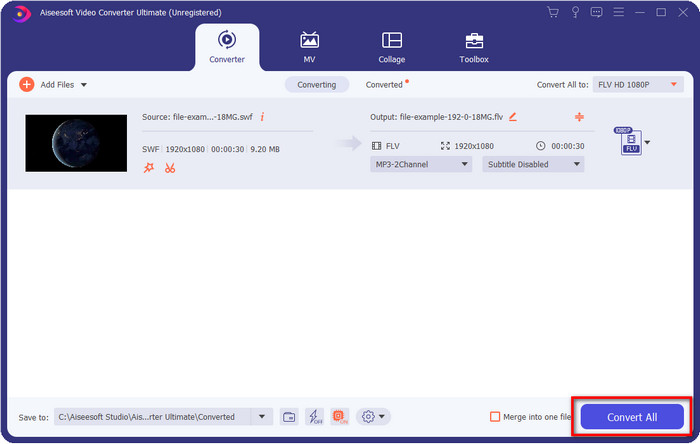
Stap 2. Zodra het op je systeem draait, klik je op Add Files om de SWF‑bestanden te uploaden die je wilt converteren.
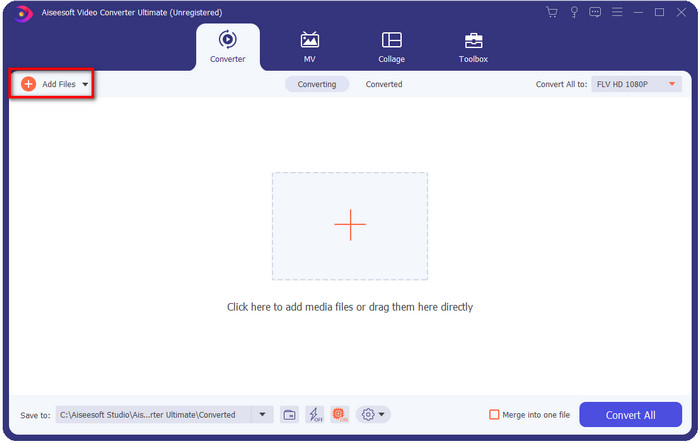
Stap 3. Klik op de optie Convert All to en kies het FLV‑formaat. Je kunt ook de kwaliteit selecteren voor hoge definitie of de originele versie behouden.

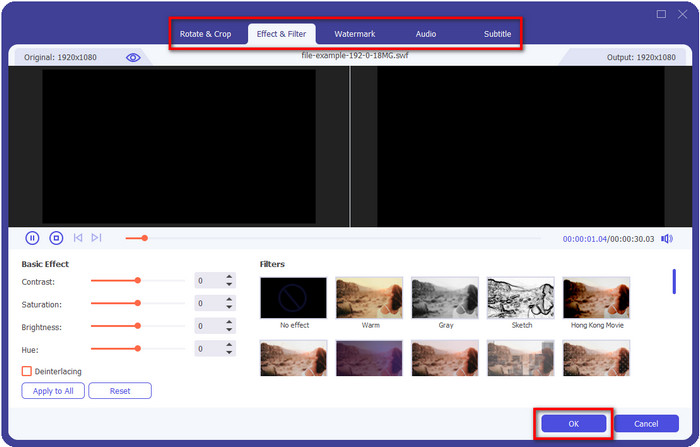
Als je je video‑output nog beter wilt maken, klik je op de tovenaarstok‑knop. Dit brengt je naar de verschillende bewerkingen die je kunt doen, zoals Crop, Rotate, Add Effects, Subtitle, Audio en Watermark. Om de aangebrachte wijzigingen op te slaan, klik je op OK.
Stap 4. Klik op Convert All en het proces begint. Het kost maar weinig tijd om SWF naar FLV te converteren; na de conversie verschijnt er een map op je scherm met het FLV‑bestand.
Deel 5. Uitgebreide kennis van SWF en FLV
ShockWave File of SWF is een Adobe-formaat, maar Macromedia heeft het gemaakt. Het staat bekend om het bewaren van op vectoren gebaseerde animaties en geluiden die op internet worden gebruikt. Bovendien, omdat het een vectorbasis is, kun je de grafische schaal eenvoudig aanpassen om te passen of in te zoomen. Afgezien van de vectoranimatie, is de bestandsgrootte zo klein dat de video sneller wordt geladen, ook al heb je een trage internetverbinding. Maar het formaat wordt niet ondersteund als u ze wilt delen op de platforms voor het delen van video's.
Hoewel FLV ook onder Adobe valt, is dit formaat beter dan SWF. FLV of FlashVideo Format is het standaard videoformaat op de meeste websites. Dit formaat kan twee verschillende codecs bevatten die bedoeld zijn voor video en audio. En net als het SWF-bestand is dit formaat klein om het bestand sneller op internet te laden; zodra je het FLV-bestand op je schijf hebt gedownload, kun je het op je mediaspeler afspelen, zelfs als het nog niet compleet is.
Het zou helpen als u de SWF naar FLV converteerde, omdat de SWF veel onvolkomenheden heeft die u in het FLV-formaat kunt vinden. Vooral als het videobestand lang is, aangezien .swf maar een beperkt frame per seconde kan bevatten, bestaat de kans dat je het niet kunt gebruiken. Maar FLV kan met gemak lange video's bevatten. Als u zich bovendien op kwaliteit wilt concentreren, heeft FLV een betere kwaliteit dan SWF.
Deel 6. Veelgestelde vragen over conversie van SWF naar FLV
Ondersteunt het SWF-bestand transparantie?
Net als PNG en GIF ondersteunt dit formaat ook grijstinten met echte kleuren of wijst u één kleur toe om het transparant te maken.
Waar kan ik SWF-video's bekijken?
Op dit moment kun je SWF‑bestanden niet bekijken met je standaard mediaspeler, omdat dit formaat niet wordt ondersteund. Je kunt echter op deze link klikken om meer te weten te komen over de Top 4 SWF‑mediaspelers voor Windows en Mac.
Kan ik de .swf van mijn telefoon opslaan?
SWF-bestanden opslaan op uw telefoon is mogelijk, maar afspelen op uw lokale mediaspeler niet. Omdat dit formaat niet voor telefooncompatibiliteit is, maar voor internet. Dus als je een bestand download onder deze extensie, verwacht dan dat je het niet kunt gebruiken; u kunt het echter op uw telefoon converteren naar een afspeelbaar formaat zoals MP4.
Gevolgtrekking
Dit artikel onthult de verborgen converter‑parels die je kunt gebruiken om SWF naar FLV om te zetten zonder de kwaliteit van de SWF te verminderen. Tijdens het verzamelen van al deze converters ontdekten we dat FVC Video Converter Ultimate de verborgen parel is waar je naar op zoek bent voor dit probleem. Het levert de meest fenomenale output en het snelste conversieproces vergeleken met alle genoemde tools. Nu is het aan jou om de schat te kiezen die je voor je conversieprobleem wilt gebruiken, door de tool te downloaden of er via het web toegang toe te krijgen.
-
 Handige DV naar FLV-converters om DV naar FLV te converteren [2022]
 Als u op zoek bent naar de beste en gemakkelijke tools om DV naar FLV te converteren, dan is hier het beste artikel dat u kunt lezen. Heb een uitstekend inzicht door alle informatie van dit artikel door te spitten.
-
 Hoe MPG naar FLV te converteren zonder kwaliteitsverlies [Bewezen]
 U moet uw favoriete film bekijken op deze mediaspeler, maar deze ondersteunt geen MPG. Probeer uw MPG-bestand naar FLV te converteren met behulp van deze converters die in dit artikel worden geïntroduceerd.
-
 Converteer TRP naar FLV met de eenvoudigste offline en online methoden
 Wilt u snel en probleemloos uw TRP-videobestand naar FLV converteren? Lees dit artikel om je te voorzien van de beste software en online service die het beste bij de situatie past.
