


 Video Converter Ultimate
 Scherm opnemer
 Videoreparatie
 Beveiligde download
Leer hoe u het B612-watermerk van uw afbeeldingen kunt verwijderen
B612 of Camera B612 is een foto- of videobewerkingsapp die veel millennials gebruiken. Het is een bekende camera-app omdat hij veel functies biedt. Daarnaast staat hij bekend als een van de populairste selfiecamera‑apps die beschikbaar zijn in de PlayStore. De app is ook eenvoudig te gebruiken; je kunt naar het gewenste filter zoeken en gemakkelijk een foto maken. Maar telkens wanneer je een selfie maakt of een video opneemt met de B612‑camera, komt er een watermerk op je foto of video te staan. Als je dat vervelende watermerk van je foto’s wilt verwijderen, hebben wij de beste oplossingen voor je. Hieronder lees je hoe je B612‑watermerken kunt verwijderen uit je afbeeldingen.

Deel 1. 5 Methoden voor het verwijderen van het B612-watermerk van afbeeldingen
B612 laat een watermerk achter op je afbeelding omdat ze hun app willen promoten bij andere mensen. Het voorkomt ook dat gebruikers de afbeelding die B612 produceert kopiëren of bezitten. Veel mensen willen echter het watermerk op hun selfies of video's verwijderen. Lees dit deel daarom goed door als u wilt leren hoe u het B612-watermerk verwijdert.
FVC gratis watermerkverwijderaar
FVC Free Watermark Remover is een van de bekende online watermark removers die je in alle webbrowsers kunt gebruiken, zoals Google, Firefox en Safari. Door de overzichtelijke gebruikersinterface kiezen veel beginners voor deze tool. Daarnaast ondersteunt het veel afbeeldingsformaten, zoals PNG, JPG, JPEG, BMP en meer. Je hoeft je ook geen zorgen te maken over de veiligheid van je gegevens, want het waarborgt je privacy. Bovendien is het 100% gratis te gebruiken. Ook kun je selectietools (veelhoek, lasso en penseel) gebruiken om het watermerk op je afbeeldingen te verwijderen. Als je dus een B612‑afbeelding zonder watermerk wilt hebben, volg je de onderstaande stappen.
Zo verwijdert u het B612-watermerk van uw afbeelding:
Stap 1. Open je browser en typ FVC Free Watermark Remover in het zoekveld. Je kunt ook rechtstreeks naar hun pagina gaan door op de meegeleverde link te klikken.
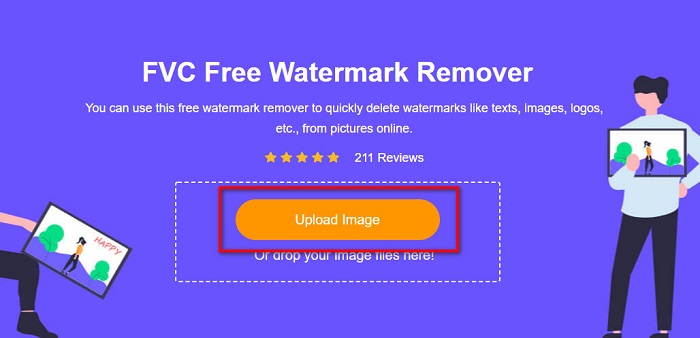
Stap 2. Klik in de hoofdinterface van de software op de knop Upload Image. Er worden mappen van je apparaat weergegeven waarin je je B612‑afbeelding selecteert.
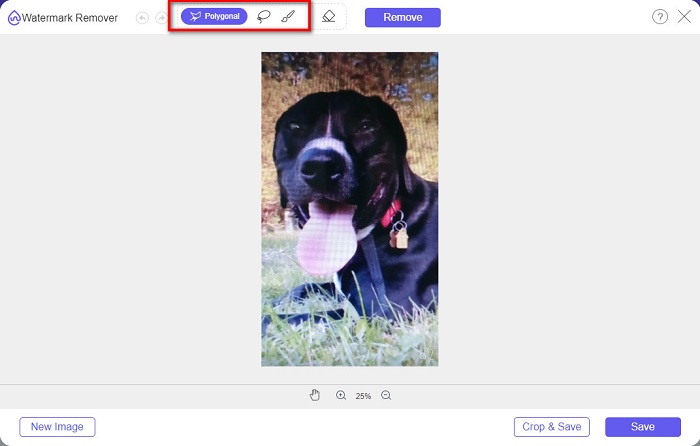
Stap 3. Nadat je je afbeelding hebt geüpload, selecteer je de selection tool die je wilt gebruiken om het watermerk op je B612‑afbeelding te verwijderen. Je kunt kiezen uit een veelhoek‑tool, lasso of penseel.
Stap 4. Teken vervolgens het watermerk op je afbeelding na. Meestal staat het B612‑watermerk rechtsonder in je afbeelding. Klik daarna op de knop Remove.
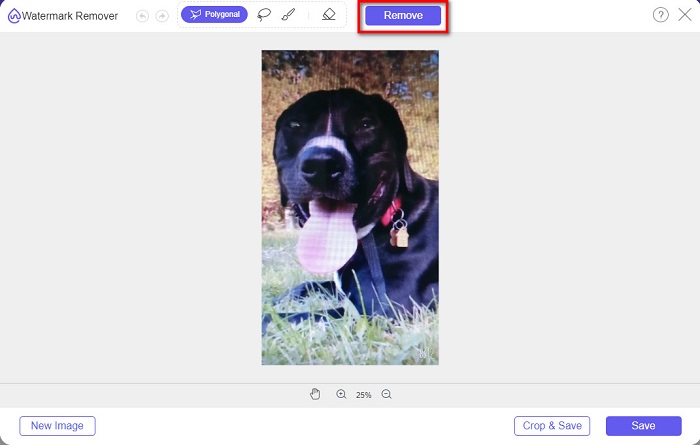
Stap 5. Klik op de knop Save om de uiteindelijke afbeelding op je apparaat op te slaan. En dat is alles! Je zult zien dat je afbeelding geen B612‑watermerk meer heeft.
Watermerkverwijderaar
Watermark Remover is ook een online watermark remover waarmee je het B612‑watermerk eenvoudig van je foto kunt verwijderen. Dankzij de gebruiksvriendelijke interface is deze tool gemakkelijk te bedienen. Bovendien heeft hij ook een optie om watermerken uit je video’s te verwijderen. Deze tool is eveneens effectief voor het weghalen van ongewenste objecten uit je foto. En je kunt hem gebruiken als een Fiverr‑watermark remover. Er worden echter advertenties getoond die je kunnen afleiden.
Stap 1. Zoek Watermark Remover in je browser en ga naar hun hoofdpagina. Selecteer vervolgens in de hoofdinterface de optie Photo Watermark Remover.
Stap 2. Klik daarna op het upload‑icoon om je B612‑afbeelding te importeren. Wacht tot je afbeelding is geüpload en klik dan op de knop Remove Watermark.
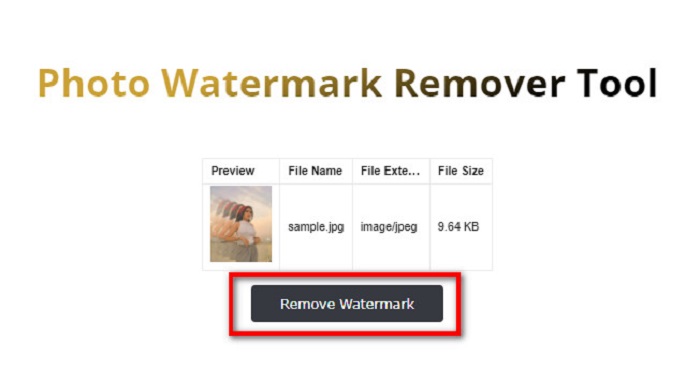
Stap 3. Er verschijnt een captcha‑venster waarin je wordt gevraagd één app te installeren. Daarna zie je dat het watermerk op je afbeelding is verwijderd.
FotoGrappig
Een andere online watermark remover die je beslist moet proberen, is de PhotoFunny watermark remover. PhotoFunny is een populaire online tool die gemakkelijk elk watermerk van je afbeeldingen verwijdert, waaronder het B612‑watermerk. Het ondersteunt ook de meest bekende afbeeldingsformaten, zoals PNG, JPEG en JPG. Het nadeel is dat wanneer je internetverbinding traag is, het uploaden ook langzaam verloopt, wat veel tijd kan kosten. Desondanks gebruiken veel mensen deze tool nog steeds om watermerken van afbeeldingen te verwijderen.
Hoe het B612-watermerk te verwijderen met behulp van de PhotoFunny-watermerkverwijderaar:
Stap 1. Zoek in de browser naar de PhotoFunny watermark remover en ga naar hun hoofdpagina.
Stap 2. Klik in de hoofdinterface op de knop Upload Photo. Vervolgens kom je in een nieuwe interface terecht.
Stap 3. Vink daarna de knop Select Image aan om de B612‑afbeelding te uploaden waarvan je het watermerk wilt verwijderen.
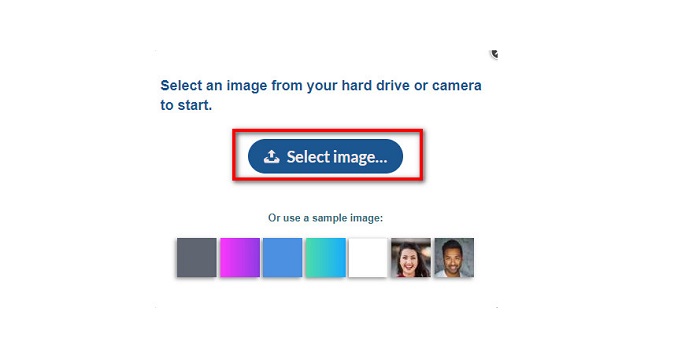
Stap 4. Klik na het uploaden van je afbeelding op de knop Next om het watermerk van je afbeelding te verwijderen.
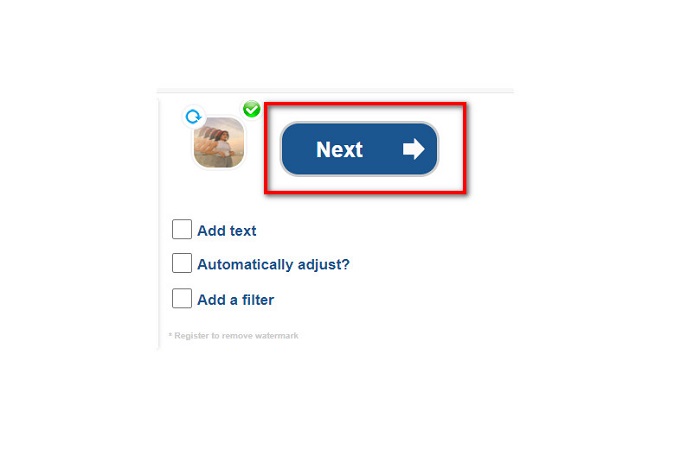
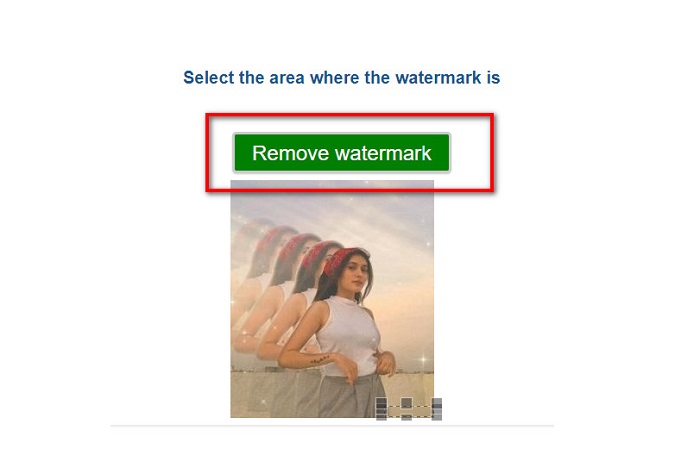
Stap 5. In de volgende interface van de software zie je een voorbeeld van je afbeelding; klik dan op de knop Next Step. Plaats vervolgens het verwijdergebied op het B612‑watermerk. Klik op Remove Watermark om het proces af te ronden.
Watermerk Remover.io
Watermark Remover.io is nog een online tool die je moet proberen. Deze online watermark remover heeft een gebruiksvriendelijke interface, waardoor het een toegankelijk hulpmiddel is. Het ondersteunt ook de meest gangbare afbeeldingsformaten, zoals PNG, JPEG, JPG en WEBP. Verder kun je het in bijna alle webbrowsers gebruiken, waaronder Google en Firefox. Een van de voordelen van deze online tool is het gebiedsvoorspellingsproces. Zodra je de afbeelding uploadt, verwijdert het automatisch het watermerk op je afbeelding. Soms herkent het echter geen watermerken die te klein zijn.
Hoe het B612-watermerk te verwijderen met behulp van de Watermark Remover.io:
Stap 1. Zoek Watermark Remover.io in je browser. Ga vervolgens op de resultatenpagina naar hun hoofdpagina. Klik daarna in de hoofdinterface op de knop Upload Image.
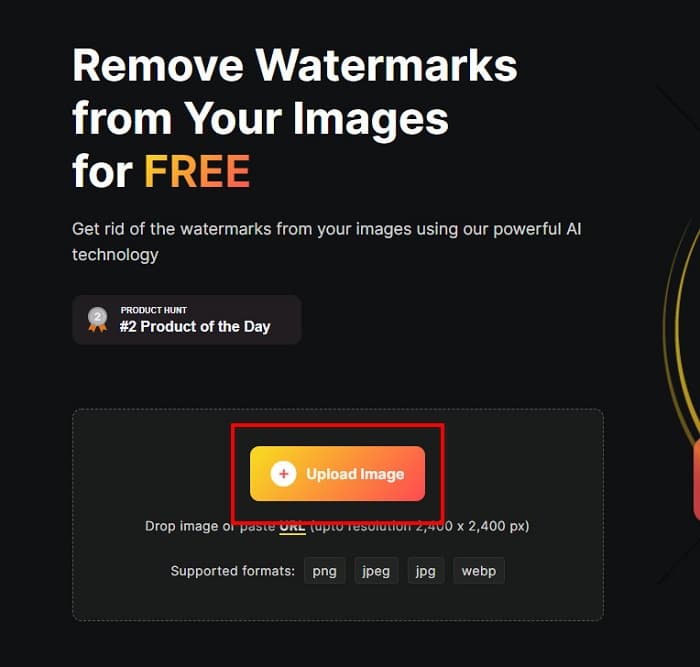
Stap 2. Er verschijnt een nieuw tabblad op je scherm, waar je de B612‑afbeelding selecteert die je wilt uploaden en vervolgens op Open klikt.
Stap 3. Vervolgens zal Watermark Remover.io automatisch het watermerk van je afbeelding verwijderen. Klik op de knop Download Image om de uiteindelijke afbeelding op je apparaat op te slaan.
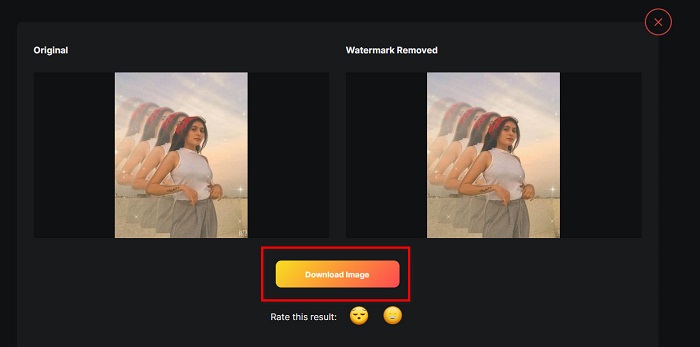
En dat is alles! Met de geweldige watermark removers hierboven kun je moeiteloos het B612‑watermerk van je afbeelding verwijderen. Klik hier om te leren hoe je Coub‑watermerken verwijdert.
Deel 2. Veelgestelde vragen over het verwijderen van het B612-watermerk
Kun je de B612-watermerken op de B612-video's verwijderen?
Ja. Je kunt de B612‑watermerken op je video’s verwijderen. Sommige applicaties stellen je in staat eenvoudig watermerken uit video’s te weghalen, zoals FVC Video Converter Ultimate, die door veel professionals wordt gebruikt.
Hoe sla je een foto op B612 op?
B612 slaat foto’s niet automatisch op in je galerij. Druk op het download‑icoon om je afbeelding in je galerij op te slaan. Deze werkwijze helpt je ook om opslagruimte op je apparaat te besparen.
Kan ik logo's online verwijderen?
Gelukkig kun je met online tools elk watermerk (logo, tekst, afbeelding) op je foto verwijderen. Een van de meest aanbevolen tools is FVC Free Watermark Remover.
Gevolgtrekking
De bovenstaande methoden helpen je om B612‑watermerken te verwijderen in korte tijd. Het is dus aan jou om te kiezen welke daarvan de moeite waard is om te gebruiken. Maar als je de meest aanbevolen en makkelijk te gebruiken online tool wilt, gebruik dan FVC Free Watermark Remover.
-
 Gemakkelijke manieren om watermerk uit afstudeerfoto's te verwijderen
 Wilt u weten hoe u het beste watermerken van afstudeerfoto's kunt verwijderen? Door dit artikel te lezen, weet u hoe u gemakkelijk watermerken op grad-foto's kunt verwijderen.
-
 Hoe Lomotif-watermerk te verwijderen met deze geweldige tools
 Wil je leren hoe je het Lomotif-watermerk uit je video kunt verwijderen? Lees dit artikel om de meest opvallende methoden te kennen om het online en offline te verwijderen.
-
 Hoe toeristen van foto's te verwijderen met behulp van watermerkverwijderaars
 Hoe toeristen van foto's verwijderen? Als je wilt leren hoe je ongewenste dingen van je foto kunt verwijderen, kunnen deze tools je helpen. Lees dit artikel om meer te weten.
