


 Video Converter Ultimate
 Scherm opnemer
 Videoreparatie
 Beveiligde download
Opmerkelijke procedures voor het converteren van JPG naar ICO
Wil je het pictogram van je computer aanpassen, maar heb je geen idee welke methoden je kunt proberen? Dan vind je in dit artikel de beste oplossing. Als je tot de gebruikers behoort die hun mapicoon uniek willen maken, hebben wij een antwoord voor je. Je kunt het mapicoon wijzigen door je JPG‑afbeeldingen naar het ICO‑formaat te converteren. Op die manier verandert je gewenste afbeelding direct in een pictogram. Als je dus geïnteresseerd bent, geven we je de beste stappen om JPG naar ICO te converteren met offline en online methoden. Lees dit bericht om het conversieproces te zien dat je kunt proberen.

Deel 1. JPG versus. ICO
| Bestandsformaat | JPG/JPEG | ICO |
| Bestandsnaam Extensie | .jpg / .jpeg | .ico |
| Voor-en achternaam | Joint Photographic Experts Group | Icoon |
| Ontwikkeld door | Joint Photographic Experts Group | Microsoft |
| Beschrijving | De afbeeldingsbestanden hebben de JPG verlenging. Veel bitmaps worden opgeslagen als.jpg-bestanden om ze kleiner te maken, waardoor het eenvoudiger wordt om deze afbeeldingen via internet te verzenden en te downloaden. Hoe hoger het compressieniveau dat wordt gebruikt om het JPG-bestand te maken, dat een 24-bits kleurenpalet gebruikt, hoe groter het decompressie-effect op de beeldkwaliteit. | Kleine afbeeldingspictogrammen met verschillende afmetingen (16×16, 32×32 en 64×64 pixels) en kleurdiepten zijn te vinden in ICO bestanden (16 kleuren, 32, 64, 128, 256, 16-bits, enzovoort). gebruikt door grafische gebruikersinterface (GUI) besturingssystemen om bestanden en mappen weer te geven. |
| Compressie | Lossy | Lossless |
| Bijbehorende programma's / browsers | Paint Adobe Photoshop Microsoft Foto's GIMP Google Chrome Mozilla Firefox Internet Explorer | CorelDRAW Microsoft Foto's Microsoft Pain Google Chrome Microsoft Edge Safari Internet Explorer |
Deel 2. Converteer JPG effectief naar ICO op het web
Free Convert is een van de gerenommeerde online beeldconverters die je kunt gebruiken om JPG naar ICO te converteren. Het kan je afbeeldingsbestand moeiteloos naar het JPG‑formaat converteren. Gebruikers kunnen Free Convert ervaren als een eenvoudige manier om afbeeldingsbestanden om te zetten. Bovendien zijn de lay‑outs van deze online fotoconverter gemakkelijk te begrijpen. Ook is Free Convert beschikbaar op verschillende platforms. , onder andere opties, onder andere opties, onder andere opties, onder andere opties, onder andere opties, onder andere opties, onder andere opties. Toch, hoewel het veel biedt, zijn er nog steeds nadelen aan het gebruik van deze online tool. Je kunt slechts tot 1 GB per bestand uploaden. Er verschijnen ook advertenties op het scherm, wat vervelend en storend is tijdens het converteren van afbeeldingsbestanden. Je moet een abonnement aanschaffen om van meer geweldige functies van deze online tool te profiteren.
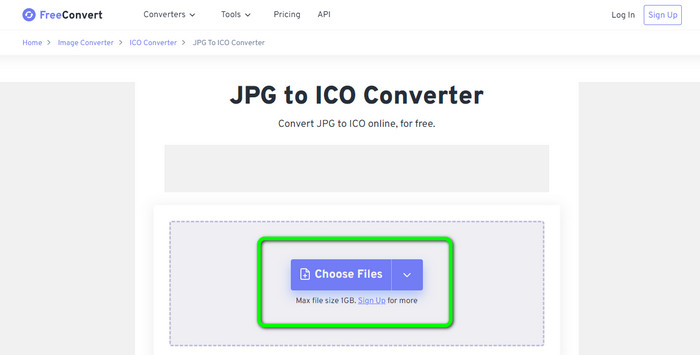
Stap 1. Ga naar de website van Free Convert. Klik vervolgens in het midden van het scherm op de optie Choose Files om de JPG‑afbeelding te uploaden. Je kunt het afbeeldingsbestand ook rechtstreeks naar het vak slepen.
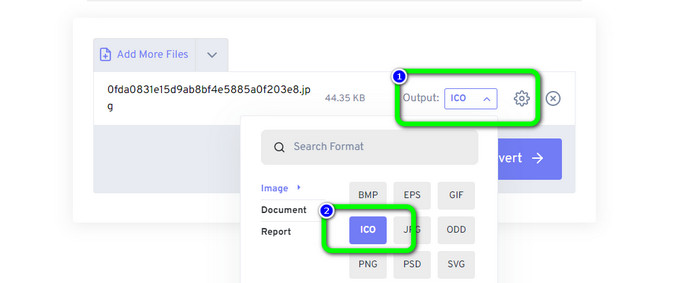
Stap 2. Selecteer het ICO‑formaat in de formaatoptie. Dit wordt je uitvoerformaat.
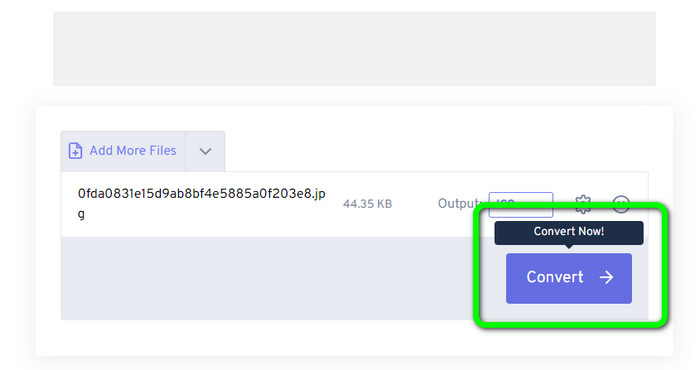
Stap 3. Klik vervolgens op de optie Convert. Wanneer het conversieproces is voltooid, klik je op de knop Download om de geconverteerde afbeelding op je computer op te slaan.
Deel 3. Hoe JPG naar ICO te converteren op Windows en Mac
Converteer JPG naar ICO op Windows
Gebruik Converticon Desktop om JPG naar ICO te converteren. Dit offline programma is gratis te downloaden. Je kunt je JPG naar ICO converteren zonder problemen te ondervinden. Daarnaast is ConvertIcon Desktop eenvoudig te gebruiken. Zowel ervaren als professionele gebruikers kunnen deze offline converter goed benutten. Ook ondersteunt het verschillende afbeeldingsformaten, waaronder PNG, JPG, SVG en meer. De offline converter is echter alleen beschikbaar op Windows. Als je een Mac‑gebruiker bent, is het onmogelijk om deze tool te gebruiken voor het converteren van afbeeldingsformaten.
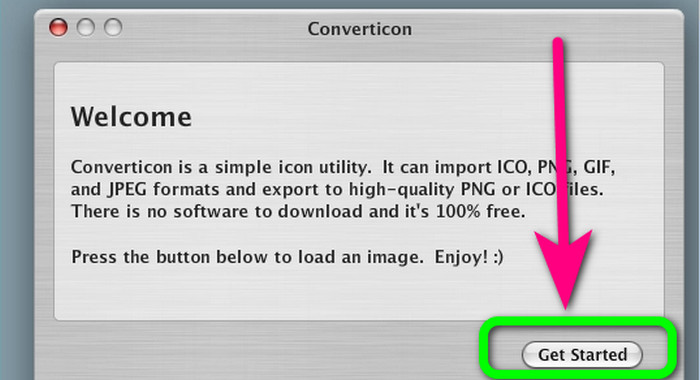
Stap 1. Download ConvertIcon Desktop op je Windows‑computer. Start vervolgens het programma. Klik daarna op de optie Get started.
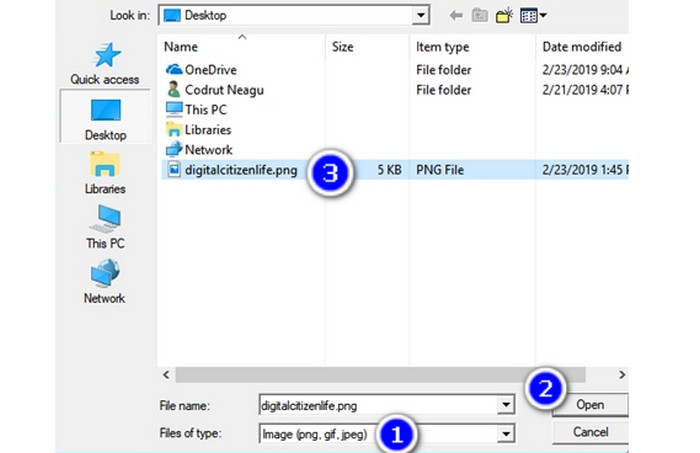
Stap 2. Kies onder de lijst Files of type in het dialoogvenster Choose file to upload via localhost de optie Image (png, gif, jpg). Navigeer vervolgens op je pc naar het afbeeldingsbestand dat je naar het ICO‑bestandsformaat wilt converteren en open het.
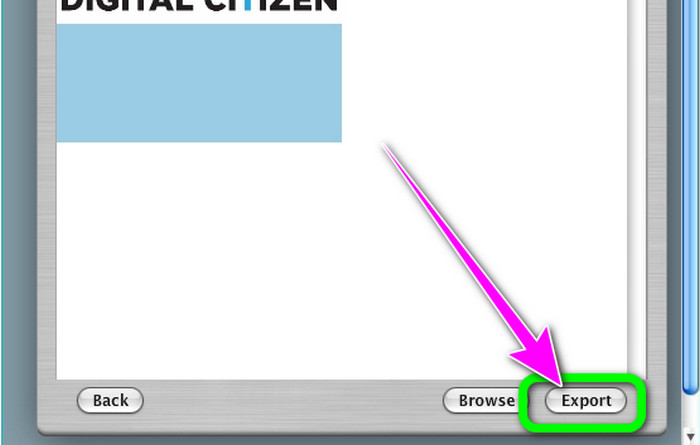
Stap 3. Daarna toont het programma de geselecteerde afbeelding. Klik op de optie Export in de rechterbenedenhoek van de interface.
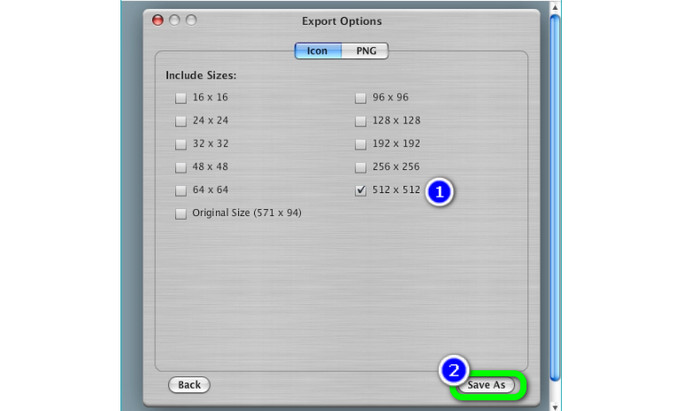
Stap 4. Kies in het vak Export Options de resoluties die je in het uiteindelijke ICO‑bestand wilt opnemen. De resolutie 512 × 512 moet je zeker opnemen, vooral als je Windows 11/10 gebruikt. Klik, wanneer je klaar bent, op Save as en kies een locatie op je Windows‑pc om het ICO‑bestand van deze beeldconverter op te slaan.
Converteer JPG naar ICO op Mac
Je kunt de app Voorvertoning (Preview) gebruiken als de standaardmethode om JPG naar ICO op de Mac te converteren. Op die manier hoef je geen offline programma op je apparaat te downloaden. Ook kun je afbeeldingsformaten effectief converteren. Het converteren van de bestanden kost echter veel tijd. Het neemt behoorlijk wat tijd in beslag om afbeeldingen te converteren. Bovendien is het proces verwarrend, waardoor het lastig is voor gebruikers, vooral voor beginners.
Stap 1. Open je Mac en gebruik Finder om naar het JPG‑afbeeldingsbestand te navigeren dat je wilt converteren.
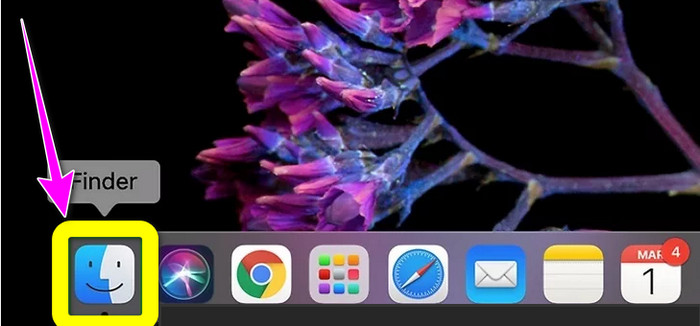
Stap 2. Op een Mac heet de standaard afbeeldingsviewer Voorvertoning (Preview). In het algemeen wordt een afbeelding in Voorvertoning geopend als je dubbel op het bestand klikt.
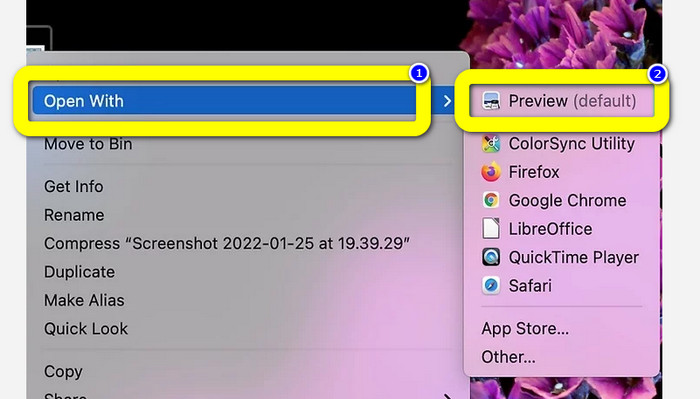
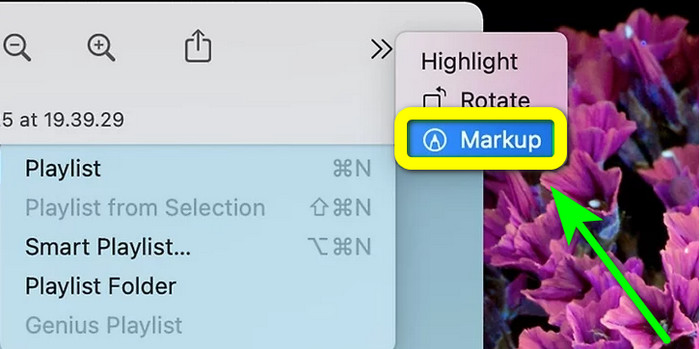
Stap 3. Het pictogram Markup staat bovenaan en ziet eruit als een cirkel met een markeerstiftpunt. Selecteer de knop Resize, in de vorm van een vierkant met twee pijlen naar de hoeken. Voer de afbeeldingsresolutie in de vakjes naast Height and Width in, kies in het keuzemenu van het venster Image Dimensions de eenheid Pixels en klik op Ok.
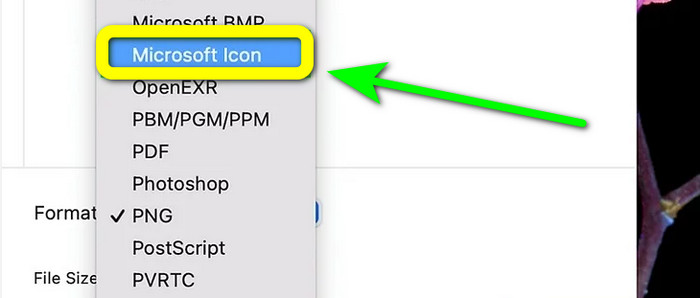
Stap 4. Ga naar het menu File. Kies in de opties Export. Typ vervolgens een bestandsnaam. Klik op het vervolgmenu Format terwijl je de Option‑toets ingedrukt houdt. Selecteer Microsoft Icon in de formaatopties en klik op Save. Klik hier om te leren hoe je ICO naar PNG converteert.
Deel 4. Bonus: gratis de beste JPG-converter
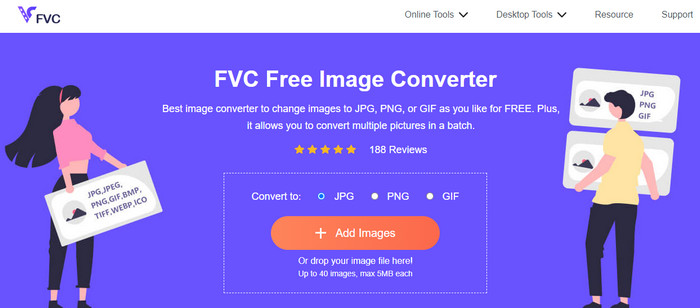
Als het om het converteren van afbeeldingen gaat, is de ultieme converter die je kunt gebruiken de FVC Free Image Converter. Deze online tool ondersteunt diverse afbeeldingsformaten, wat het voor alle gebruikers handig maakt. Bovendien is het conversieproces eenvoudig. Je kunt je afbeeldingsformaten in een paar simpele stappen converteren. De interface van deze online tool is ook gemakkelijk te begrijpen. Dus gebruikers, vooral beginners, kunnen het eenvoudig en snel bedienen. Bovendien biedt het een functie voor batchconversie. Je kunt tot 40 afbeeldingen in één keer uploaden. FVC Free Image Converter is toegankelijk in alle browsers. Je kunt deze online converter gebruiken in Chrome, Edge, Mozilla en meer. Ook plaatst het na het conversieproces geen watermerken op je foto’s.
Deel 5. Veelgestelde vragen over het converteren van JPG naar ICO
1. Wat is het verschil tussen ICO en ICNS?
Ze verschillen in verschillende formaten, kleurondersteuning en resoluties om aan de behoeften van het scherm te voldoen. ICO-bestanden en ICNS-bestandstypen hebben vergelijkbare functies op MacOS.
2. Wat is de ideale grootte voor een ICO-bestand?
16 bij 16 pixels is een perfect formaat. U kunt afbeeldingen van 16 x 16, 32 x 32, 48 x 48 en 64 x 64 in één enkel.ico-bestand aanbieden en het systeem kiest de beste om weer te geven. .ico-bestanden kunnen veel afbeeldingen met verschillende kleurdiepten bevatten.
3. Wat zijn de voordelen van het gebruik van een JPEG-bestand?
Het belangrijkste voordeel van JPG-bestanden is dat ze veel kleiner zijn dan oudere afbeeldingsbestandsindelingen. Ze maken opslagruimte vrij op uw computer, waardoor ze perfect zijn voor het opslaan en delen van digitale afbeeldingen.
Gevolgtrekking
Hoe JPG naar ICO te converteren? Dan is het nuttig om alle meest effectieve methoden te bekijken die hierboven zijn genoemd. Op deze manier kun je je afbeeldingsbestanden eenvoudig en direct converteren. Ben je op zoek naar de beste beeldconverter, dan raden we je ten zeerste aan om FVC Free Image Converter te gebruiken. Deze beeldconverter heeft een goed te begrijpen procedure en is daardoor perfect voor alle gebruikers.
-
 Toonaangevende manieren om JPG naar SVG te converteren [opgelost]
 In dit bericht krijgt u de gegevens die u niet mag missen over de beste manieren om JPG naar SVG te converteren. Lees het bericht om JPG naar SVG-converters te gebruiken.
-
 Volledige manieren om JPG naar PNG online en offline te converteren
 Op zoek naar handige methoden om JPG naar PNG-bestandsindeling te converteren? Deze wegwijzer heeft het antwoord dat je nodig hebt. Lees het artikel om deze methoden te ontdekken.
-
 Methoden voor het online en offline converteren van afbeeldingen naar JPG
 Wilt u het bestand om de een of andere reden naar JPG-indeling converteren? Dan is dit artikel iets voor jou. We leren je de beste methode om je afbeelding naar JPG te converteren
