


 Scherm opnemer
 Videoreparatie
 Beveiligde download
Achtergrond uit GIF's verwijderen met behulp van effectieve programma's
GIF is de afkorting van Graphics Interchange Format en wordt veel gebruikt in online communicatie, zoals bij het versturen van berichten of zelfs bij het reageren op een bericht. De achtergrond van GIF’s of afbeeldingen verwijderen kan lastig zijn, tenzij je software gebruikt die speciaal voor dit soort taken is gemaakt. Door de populariteit ervan zijn steeds meer gebruikers benieuwd hoe ze hun eigen GIF’s kunnen bewerken en maken. Gelukkig hebben wij betrouwbare en gebruiksvriendelijke online programma’s verzameld die gebruikers kunnen helpen om de achtergrond uit GIF’s te verwijderen.
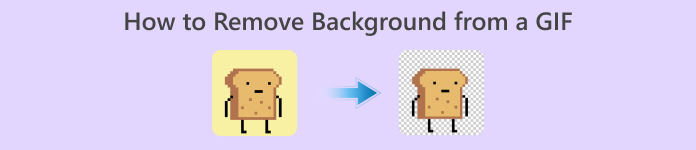
Aanbevolen: FVC Gratis Achtergrondverwijderaar
FVC Free Background Remover is een handig hulpmiddel voor het verwijderen van de achtergrond uit je foto’s. Het gebruikt AI om de persoon op de foto te traceren en te herkennen. Bovendien is de tool beschikbaar voor Windows en Mac. Al met al is het een gebruiksvriendelijke en betrouwbare tool die je altijd en overal kunt gebruiken.
Stap 1. Afbeelding/GIF uploaden
De eerste stap is om de browser op je computer te openen. Wanneer je het online programma opent, krijg je de optie om je afbeelding te uploaden. Klik op Upload Image om de GIF toe te voegen waarvan je de achtergrond wilt verwijderen.
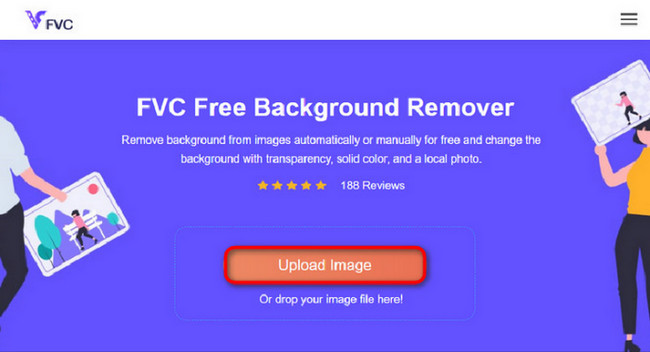
Stap 2. Afbeelding bewerken
Na het uploaden kunt u nu eventuele onnauwkeurige highlights uit de AI-herkenning verwijderen. Klik en sleep gewoon met de muis en doe het naar wens.
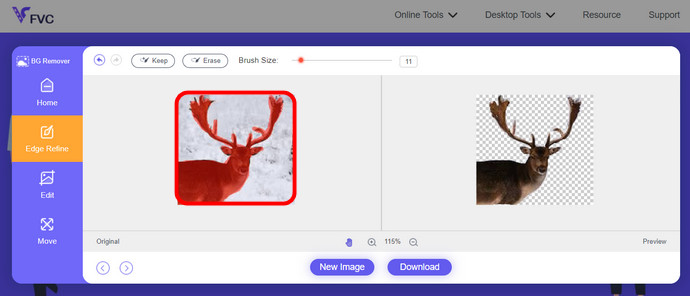
Stap 3. Bewerkt beeld downloaden
Klik tot slot op de knop Download. Je hebt nu met succes de achtergrond van je afbeelding verwijderd.
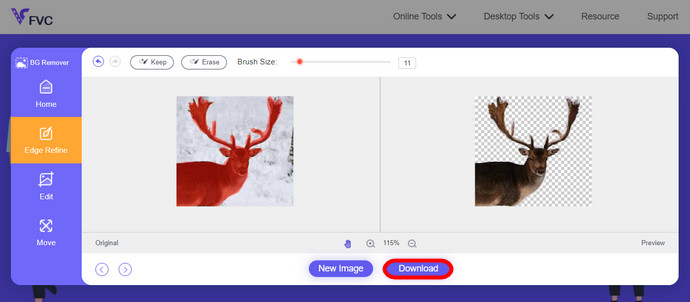
Deel 1. Verwijder GIF-achtergrond met EZGIF.com
Deze online software is software voor het bewerken en converteren van foto's/gifs. Het kan GIF-, PNG-, WEBP-, IMG- en nog veel meer formaten bewerken en converteren. Hier kunt u uw GIF bewerken met de bewerkingssoftware die bij de software wordt geleverd.
Stap 1. Website openen
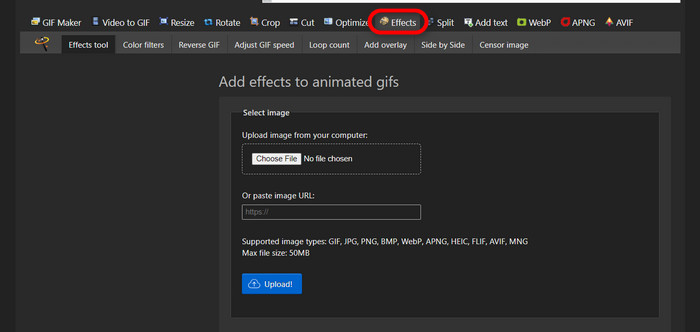
Om deze online tool te gebruiken, open je je browser en voer je de link in. Je krijgt direct verschillende opties aangeboden, afhankelijk van je behoeften. Met deze site kun je de achtergrond van je GIF verwijderen. Klik op Effects om te beginnen.
Stap 2. Een afbeelding/GIF kiezen en uploaden
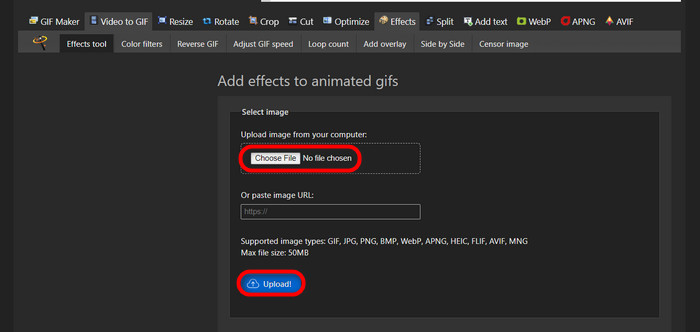
Kies nu het gewenste bestand om te uploaden. Klik op Choose Files, zoek het in de door jou aangewezen map en klik op Upload om je gekozen bestand te uploaden.
Stap 3. Afbeelding bewerken
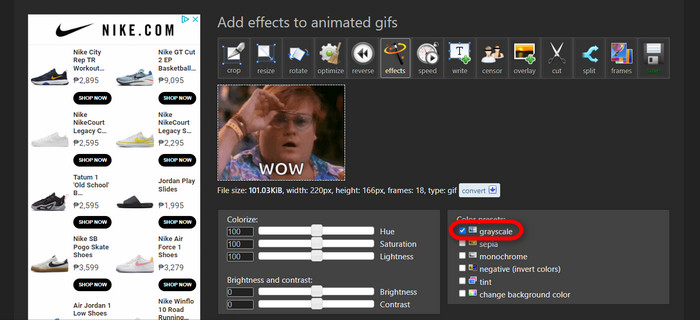
Na het uploaden ben je bijna klaar met het verwijderen van de achtergrond van je GIF of het zwart maken van de achtergrond van je GIF. Klik nu op grayscale om je achtergrond donker te maken.
Stap 4. Afbeelding/GIF bekijken en converteren
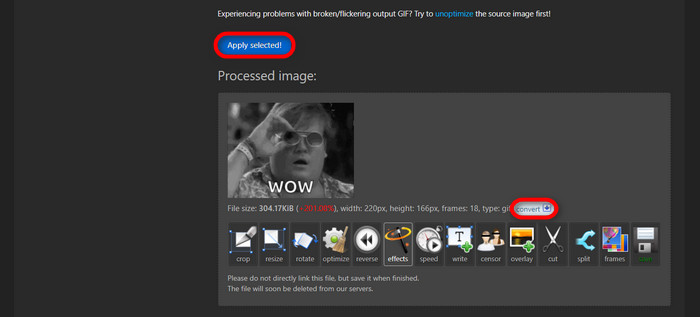
Nadat je effecten hebt toegevoegd, het formaat hebt aangepast en je nieuwe GIF hebt bijgesneden, klik je op Apply Selected. Je krijgt dan een voorbeeld van je bewerkte GIF te zien. Klik daarna op de knop convert om je bestand te downloaden.
Deel 2. Maak een GIF zonder achtergrond in Remove.bg
Deze site is ook ontworpen om elke achtergrond van elke foto te verwijderen. Hier krijgt u de mogelijkheid om uw automatisch verwijderde achtergrondfoto nog steeds te bewerken. Het wordt aangedreven door een bekwame AI die het hoofdonderwerp kan herkennen en de achtergrond feilloos kan verwijderen.
Stap 1. Afbeelding/GIF uploaden
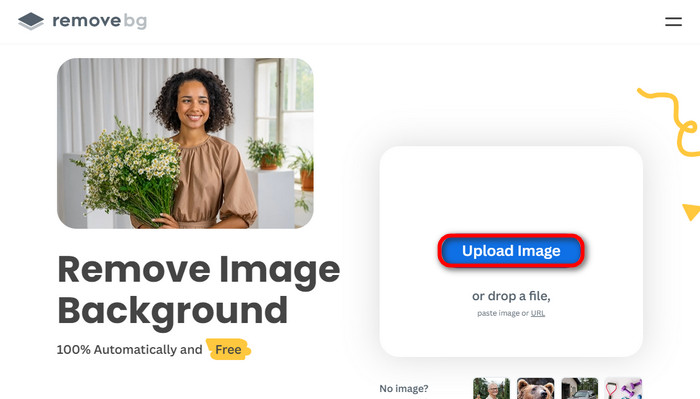
We beginnen met het uploaden van onze afbeelding. Open de online software in je browser zodra je op de pagina bent. Klik vervolgens op Upload Image.
Stap 2. Afbeelding controleren en bewerken
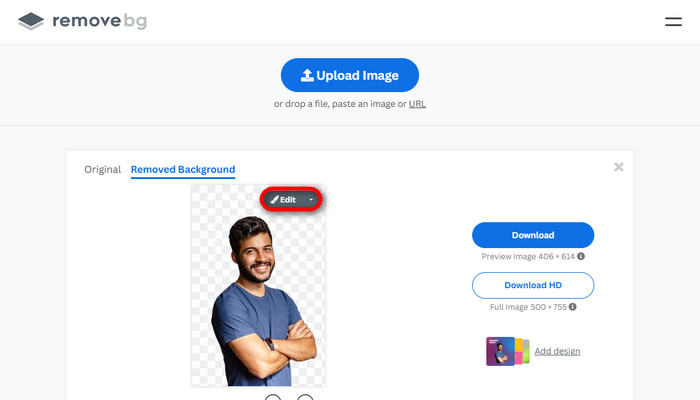
Zodra je afbeelding is geüpload, zou de achtergrond automatisch al verwijderd moeten zijn, maar je kunt je foto nog verder bewerken. Je kunt de originele foto bekijken door op de knop Original te klikken naast de knop Removed Background. Gebruikers kunnen met deze software naadloos een zwarte achtergrond aan hun afbeelding toevoegen.
Stap 3. Bewerkt beeld downloaden
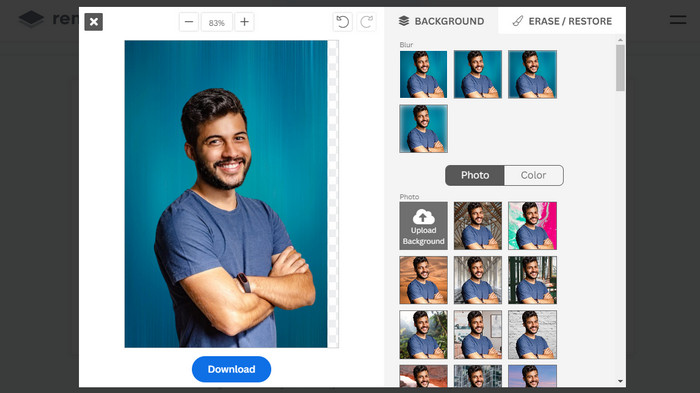
In dit deel ben je klaar met bewerken en kun je je afbeelding downloaden. Klik simpelweg op de knop Download onder je foto.
Deel 3. Gebruik GIFMagic bij het verwijderen van GIF-achtergronden
In GIFMagic, speciale effecten, tekst toevoegen, animeren en nog veel meer! Het is allemaal mogelijk via dit online programma. GIF's zijn gemakkelijk om mee te werken als het gaat om bewerken in deze software!
Stap 1. Afbeelding/GIF uploaden
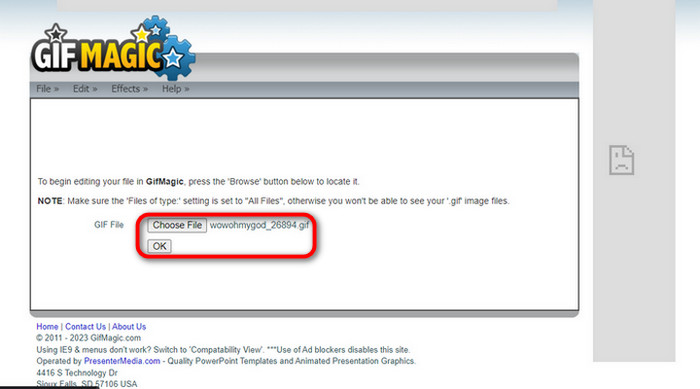
Na het inloggen laat de site je het gekozen bestand naar de software uploaden. Je kunt .gif- of .img-bestanden uploaden, wat handig is voor andere gebruikers. Om je bestand te kiezen, klik je op Upload, en nadat je je bestand hebt gekozen, klik je op de knop OK.
Stap 2. Afbeelding bewerken
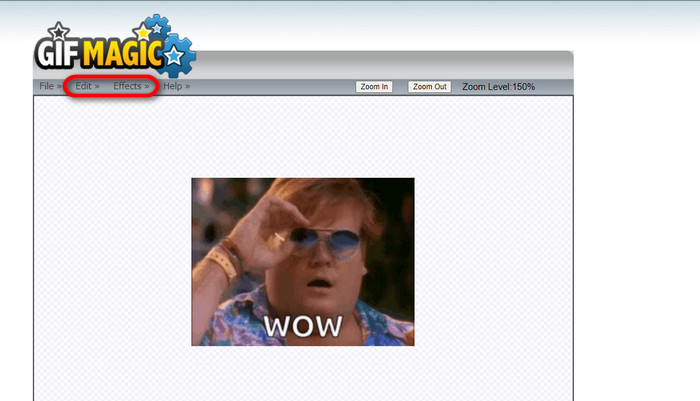
Zodra je op de pagina bent, zie je de knoppen Edit en Effects naast de knop File. Je bestand kan in dit gedeelte worden bewerkt, dus leef je uit en veel plezier met bewerken.
Stap 3. Bewerkt GIF-bestand downloaden
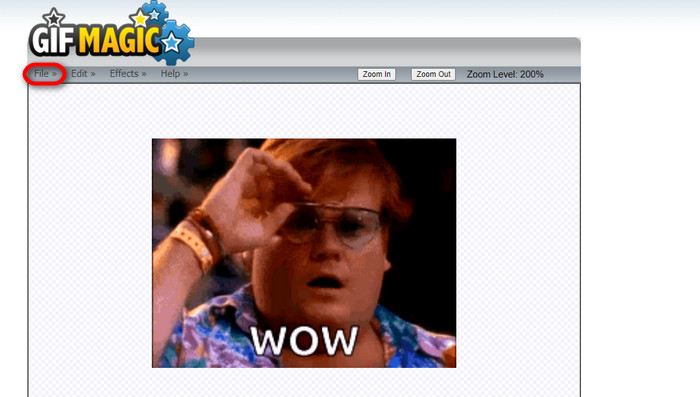
Nadat je je GIF een transparante achtergrond hebt gegeven, klik je gewoon op de knop File en daarna op Save. Voilà! Klaar en gedownload.
Deel 4. Maak GIF-achtergrond transparant met LunaPic
LunaPic is een gratis online tool waarmee achtergrond-GIF's online kunnen worden verwijderd. Het kan PNG, GIF, JPG, JPEG en nog veel meer soorten afbeeldingen beoordelen en bewerken. Het is een goed gefundeerde software die op veel platforms wordt gebruikt voor het bewerken.
Stap 1. Afbeelding/GIF uploaden
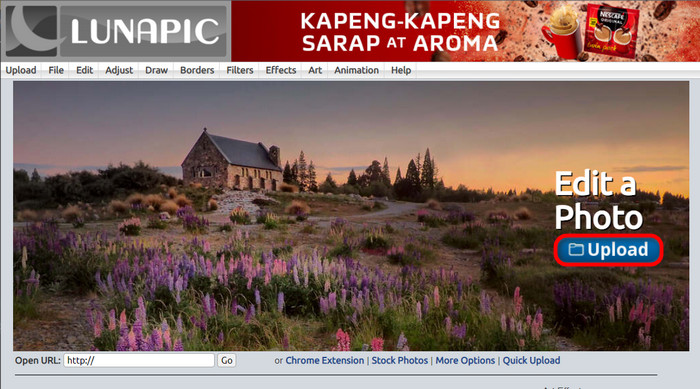
Nadat je de site hebt geopend in je standaardbrowser of een andere browser naar keuze, upload je je .img- of .gif-bestand naar de site. Klik gewoon op de knop Upload.
Stap 2. Afbeelding/GIF bewerken
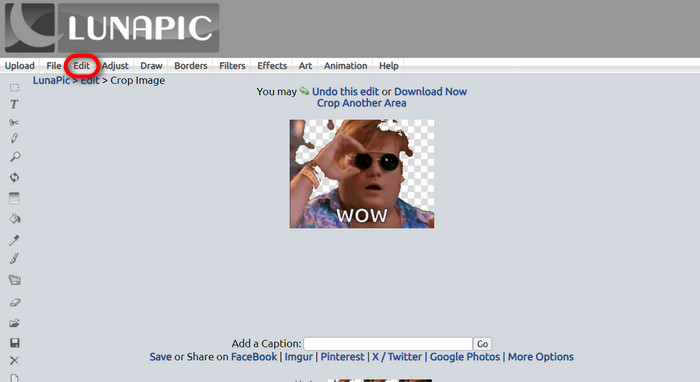
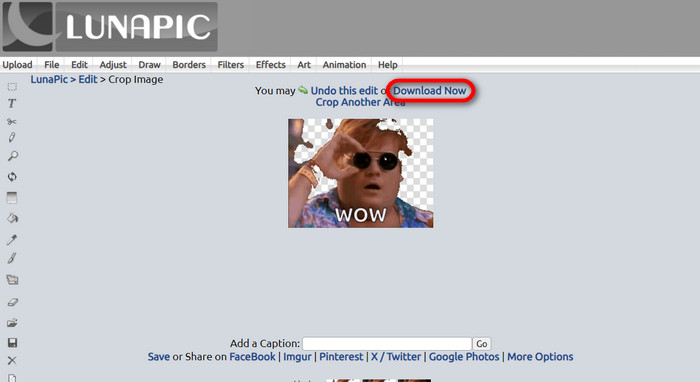
Vervolgens kun je je bestand bewerken en de GIF-achtergrond transparant maken door op Edit en daarna op de tool Crop Image te klikken. Begin met het uitsnijden van de achtergrondafbeelding.
Stap 3. Bewerkt GIF-bestand downloaden
Nadat je de achtergrond hebt bijgesneden, of als je hebt geprobeerd een GIF met witte achtergrond te maken, kun je nu op de knop Download now! klikken om je bewerkte bestand op te slaan.
Verder lezen:
4 beste manieren om het watermerk uit een GIF te verwijderen [Online & Offline]
De beste tools voor desktop, online en mobiel onthuld

Video Converter Ultimate
345+ downloads- Geniet van het bekijken van uw video's zonder die vervelende watermerken die uw inhoud blokkeren.
- Produceer video's van goede kwaliteit met hoge resoluties voor een betere weergave.
- Hiermee kun je elk watermerk uit elk type video verwijderen.
- Bied u talloze formaten om uw bestand naar te converteren.
Gratis DownloadVoor Windows 7 of hogerBeveiligde download
Gratis downloadenVoor macOS 10.7 of laterVeilige download
Deel 5. Veelgestelde vragen over het verwijderen van de achtergrond
Kan ik een geanimeerde PNG naar een GIF converteren?
Ja, het is mogelijk om PNG naar GIF te converteren. Er zijn echter verschillende soorten gegevens die naar verschillende formaten kunnen worden geconverteerd, zolang u maar over het juiste programma beschikt.
Kan ik de kleur van mijn GIF-achtergrond wijzigen nadat ik deze heb verwijderd?
Zeker, er zijn veel programma’s die dit soort werk aanbieden. Probeer FVC Background Remover voor het eenvoudig verwijderen van achtergronden.
Kan ik een GIF-achtergrond transparant maken in verf?
Nee, verf heeft dat soort mogelijkheden niet. Maar je kunt op zoek gaan naar andere programma's die dat soort werk bieden.
Wat is een geanimeerde GIF met transparantie?
Een geanimeerde GIF met transparantie is een afbeelding die pas een bepaald deel van de afbeelding weergeeft zodra deze op een bepaalde website is geplaatst. Er kunnen meerdere afbeeldingen worden weergegeven als deze op een andere website worden geplaatst.
Staat GIF transparantie toe?
Ja, maar niet volledig transparant. Het ondersteunt alleen 1-bit transparantie.
Gevolgtrekking
Er is nu een grote behoefte en vraag naar programma’s die GIF’s kunnen bewerken, zoals de bovengenoemde. Bijsnijden, bewerken, lagen toevoegen en verwijderen zijn tegenwoordig allemaal mogelijk met slechts een paar klikken. Gebruikers zijn nu aan het vernieuwen en bedenken dingen die nog nooit eerder zijn gedaan, zoals het maken van een GIF met witte achtergrond. Dit soort gebruikers is de reden dat krachtige programma’s als deze zijn ontwikkeld, zoals FVC Background Remover.
-
 Kies de beste GIF Cropper online en offline om GIF's bij te snijden [2023]
 Het kiezen van de beste bijsnijdtool is een must zolang deze functie op GIF-makers beschikbaar is. Dus wat is uw beste keuze om bestanden bij te snijden en hoe u deze kunt gebruiken?
-
 Leer 4 manieren om GIF's van afbeeldingen te maken [Online & Offline]
 Wil je weten hoe je GIF's kunt maken op basis van een compilatie van je afbeeldingen? Klik dan op deze link en lees de volgende voorbeelden
-
 Loop GIF met de beste geanimeerde GIF Looper op Windows en Mac
 Wil je het geheim kennen van de beste loop-GIF en er een maken? Als dat zo is, bent u op de juiste plek. Leer hoe u een lus maakt met de beste beschikbare looper.
