


 Video Converter Ultimate
 Scherm opnemer
 Videoreparatie
 Beveiligde download
Top 5 gratis dvd-spelers voor Windows 10
Wordt Windows 10 geleverd met een dvd‑speler?
Als Windows‑pc‑gebruiker heb je je systeem misschien al bijgewerkt naar het nieuwste Windows 10. Microsoft heeft Windows Media Player in Windows 10 echter uitgekleed. Daardoor kan hij geen dvd’s meer voor je afspelen. Je moet de app Windows DVD Player aanschaffen om dvd’s in Windows 10 te kunnen afspelen.

Waarschijnlijk wil je liever gratis dvd’s afspelen op je Windows 10‑pc. Bestaat er dus een gratis dvd‑speler voor Windows 10? In dit artikel hebben we een lijst samengesteld met de 5 beste gratis dvd‑spelers voor Windows 10‑pc’s. Gebruik je Windows 8, Windows 7 of een eerdere versie, dan kun je ze nog steeds gebruiken om dvd’s te bekijken.
Deel 1. Gratis dvd-speler voor Windows 10/8/7 pc en Mac
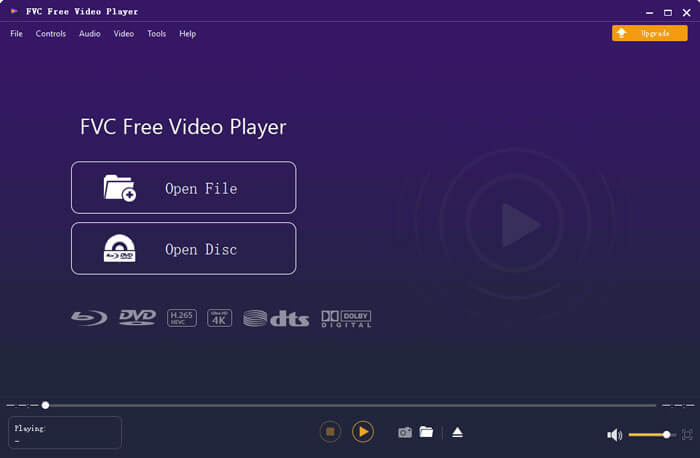
FVC Free DVD Player is een volledig gratis en online dvd‑afspeeltool waarmee je dvd‑schijven, dvd‑mappen en dvd‑ISO‑imagebestanden in hoge kwaliteit kunt bekijken. Je hoeft geen grote mediaspeler op je computer te installeren voor het afspelen van dvd’s. In plaats daarvan kun je je dvd rechtstreeks in een webbrowser afspelen.
Deze regiovrije dvd-speler is compatibel met Windows 10, Windows 8, Windows 7 en macOS. Het is dus niet alleen een gratis dvd-speler voor Windows 10. U kunt uw browser openen en op elke computer gebruiken.

Deze gratis dvd-spelersoftware is ontworpen met de geavanceerde videocoderingstechnologie. Voor het afspelen van audio ondersteunt het zowel DTS-HD als Dolby TrueHD. Hiermee kunt u genieten van elke dvd-film met een hoge beeldkwaliteit en een verliesvrij geluidseffect.
Als gratis dvd‑speler voor Windows 10 biedt hij alle dvd‑afspeelfuncties die je nodig hebt. Bovendien kun je er schermafbeeldingen mee maken en ondertitels en audiotracks kiezen en aanpassen. Wanneer je een dvd‑schijf wilt afspelen, ga je naar deze Free DVD Player‑pagina en klik je op de knop Play Now. Volg de instructies om snel een klein startprogramma voor het dvd‑afspelen te installeren. Daarna kun je eenvoudig dvd‑films en gewone video’s ermee bekijken.
Deel 2. Open-source dvd-speler voor Windows 10 en Mac - VLC Media Player
VLC media player is een van de populairste programma’s voor het afspelen van video en audio. Deze cross‑platform mediaspeler is compatibel met Windows 10/8/7, macOS en Linux. Als open‑source en volledig uitgeruste speler kan VLC ook fungeren als een gratis dvd‑speler voor Windows. Hij kan dvd’s, vcd’s en audio‑cd’s afspelen.
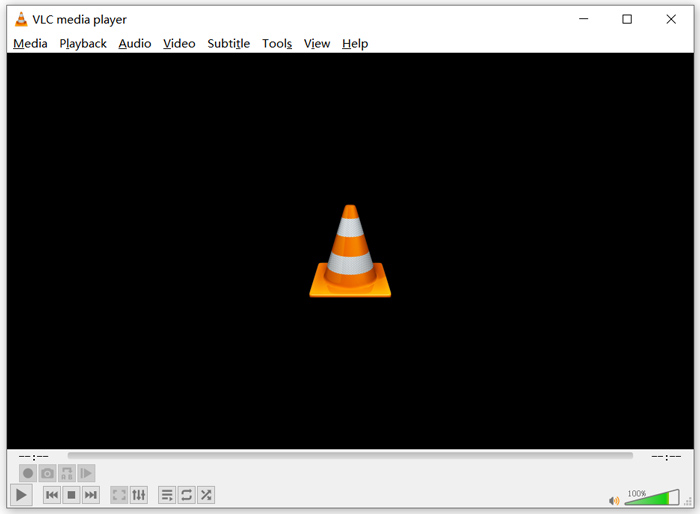
Als gratis dvd‑speler kan VLC toegang krijgen tot dvd‑menu’s, hoofdstukken en andere gerelateerde inhoud. Dankzij hardware‑decodering kun je dvd‑films vloeiend bekijken. Daarnaast krijg je geavanceerde bedieningsmogelijkheden voor de dvd‑weergave. Je kunt schermafbeeldingen maken tijdens het afspelen van de dvd. Naast dvd‑films ondersteunt VLC ook Blu‑ray‑schijven.
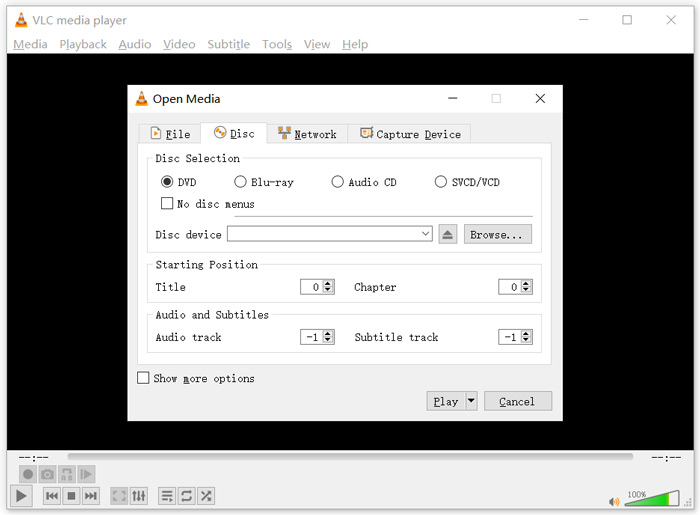
Om een dvd met VLC media player af te spelen, plaats je de dvd‑schijf in het schijfstation van je computer, start je VLC en kies je vervolgens Media in de menubalk bovenaan. Kies de optie Open Disc, vervolgens DVD en daarna op de knop Browse om je dvd‑bestand te selecteren. Klik daarna op de knop Play om je dvd te bekijken.
Deel 3. Regiovrije dvd-speler voor Windows 10 - PotPlayer
PotPlayer is een veelzijdige mediaspeler met een dvd‑afspeelfunctie. Hij kan dienen als regiovrije dvd‑speler voor je Windows 10/8/7‑pc. De speler is voorzien van alle functies die je nodig hebt voor het afspelen van dvd’s, Blu‑ray en gewone mediabestanden. Bovendien ondersteunt hij OpenCodec, zodat je eenvoudig alle gewenste codecs kunt toevoegen.
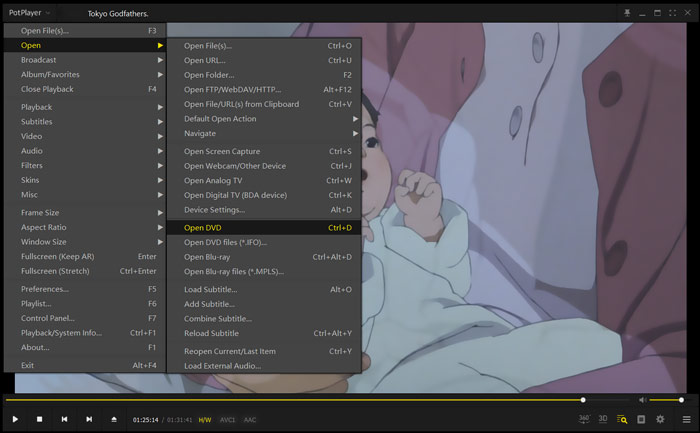
Om dvd‑films met PotPlayer af te spelen, open je het programma en klik je vervolgens met de rechtermuisknop op PotPlayer linksboven. Kies in de vervolgkeuzelijst Open, vervolgens Open DVD en selecteer daarna het dvd‑bestand dat je wilt afspelen. Je kunt de afspeelsnelheid, video‑effecten, ondertitel‑ en audiotrackinstellingen en andere opties eenvoudig naar wens aanpassen.
Deel 4. Gratis dvd-spelersoftware voor Windows 10/8/7 en Mac - KMPlayer
KMPlayer is een populaire videospeler waarmee je dvd’s kunt afspelen op een Windows 10/8/7‑pc en Mac. Hij ondersteunt vrijwel alle gangbare video‑ en audioformaten, waaronder MP4, MKV, FLV, MOV, MPG, VOB, MP3, AAC, WAV en meer. KMPlayer beschikt ook over een dvd‑afspeelfunctie.
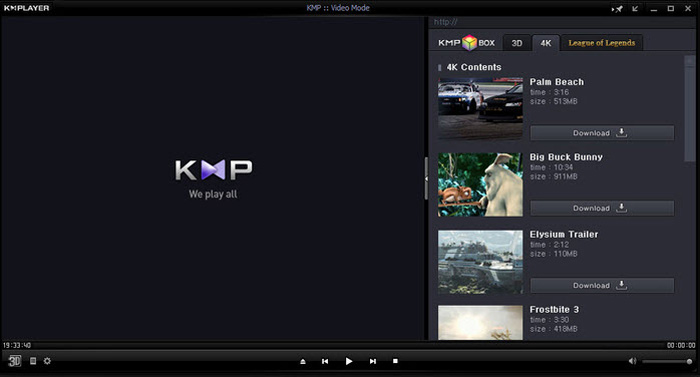
Voor het afspelen van dvd’s geeft KMPlayer je volledige controle over dvd‑selectie, dvd‑menu’s, audiotracks en ondertitels, evenals beeldinstellingen zoals helderheid, contrast en meer. Wanneer je een dvd‑film wilt bekijken, open je KMPlayer, klik je met de rechtermuisknop op een lege plek in het venster en kies je in het menu Open en vervolgens Open Folder om de dvd te bekijken.
Deel 5. Gratis dvd-speler voor Windows 10/8/7 pc en Mac - 5KPlayer
5KPlayer is de laatste aanbeveling in deze lijst met de 5 beste gratis dvd‑spelers. Het is een krachtige mediaspeler met een dvd‑afspeelfunctie. Het is niet alleen een gratis dvd‑speler voor Windows 10, maar ondersteunt ook andere Windows‑versies en macOS. Naast het afspelen van dvd’s en gewone video’s kun je met 5KPlayer ook video’s draadloos afspelen via het AirPlay‑protocol en DLNA.
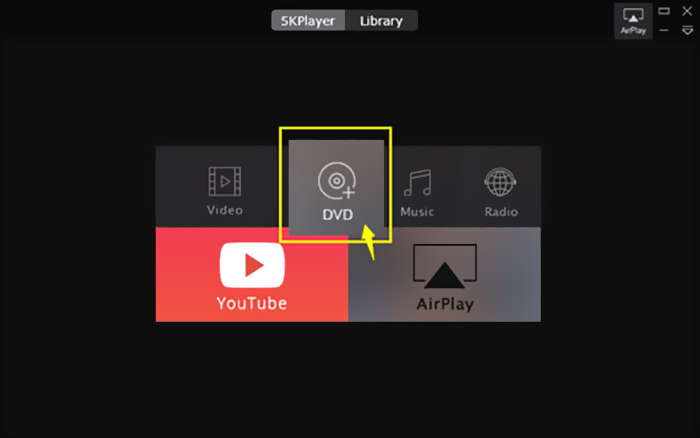
Deze gratis dvd‑speler heeft een ingebouwde AirPlay‑functie waarmee je dvd met je tv kunt verbinden. Zo kun je dvd‑films rechtstreeks in hoge kwaliteit op je tv bekijken. Om dvd’s met 5KPlayer af te spelen, open je het programma en kies je de optie DVD.
Deel 6. Veelgestelde vragen over gratis dvd-speler voor Windows 10
Vraag 1. Hoe speel ik dvd-bestanden af in Windows Media Player?
U kunt de gekopieerde dvd-bestanden afspelen met Windows Media Player. In veel gevallen moet u het AC3-filter en de plug-in, een zogenaamde MPEG-2-decoder, installeren voor het afspelen van dvd's.
Vraag 2. Waarom kan ik geen dvd's afspelen op Windows 10?
Zoals hierboven vermeld, heeft Microsoft de ingebouwde ondersteuning voor het afspelen van dvd's in Windows 10 verwijderd. Het afspelen van dvd's is dus moeilijker op een pc met Windows 10. U moet een dvd-speler van derden aanschaffen of $14.99 betalen voor de Windows dvd-speler.
Vraag 3. Hoe kan ik een dvd naar MP4 rippen?
Om verschillende redenen wil je wellicht dvd naar digitale video zoals MP4, MOV of AVI rippen. Je kunt een dvd‑converter downloaden om dvd zonder kwaliteitsverlies naar MP4 te rippen.
Vraag 4. Welke videoformaten kunnen worden ondersteund door een dvd-speler?
Over het algemeen kunnen de meeste dvd-spelers op de markt video's afspelen in MPEG-4, MPEG-2, MOV, DivX en andere veelgebruikte bestandsindelingen.
Gevolgtrekking
Zoek je een gratis dvd‑speler voor Windows 10? Na het lezen van deze pagina beschik je over 5 van de beste gratis dvd‑spelers voor zowel Windows 10/8/7‑pc’s als Mac. Je kunt de belangrijkste functies van elke dvd‑spelersoftware leren kennen en vervolgens je keuze maken. Laat een bericht achter als je nog vragen hebt over het afspelen van dvd’s.
-
 VOB Player - 5 beste VOB-spelers voor Windows 10/8/7 pc en Mac 2025
 Hoe speel ik VOB-bestanden af op Windows 10? Wat is de beste VOB-speler? Dit bericht geeft een overzicht van de 5 beste VOB-spelers voor Windows 10-computer en Mac.
-
 Hoe video _TS-bestand op dvd te branden op Mac / Windows 10
 Hoe converteer en brand ik TS-bestanden naar een dvd-schijf? Deze stapsgewijze handleiding laat u zien hoe u TS-bestanden en mappen naar dvd kopieert op Windows / Mac, zodat u TS-bestanden op dvd-speler of tv kunt bekijken.
-
 10 gratis manieren om TS-bestanden naar MP3, AIFF, ALAC, FLAC en meer te converteren
 Hoe TS-bestand gratis naar MP3 te converteren? In deze gids vindt u 11 eenvoudige manieren om audio uit TS-bestanden te extraheren met TS naar freeware voor audio en online conversietools.
