


 Video Converter Ultimate
 Scherm opnemer
 Videoreparatie
 Beveiligde download
FLV naar WMA-converter - Hoe gratis WMA-audio uit FLV-video te extraheren
Wanneer u Flash-videobestanden van de YouTube-website hebt gedownload, kunt u de FLV converteren naar WMA lossless audio. WMA (Windows Media Audio) is een reeks audiocodecs en bijbehorende audiocoderingsformaten ontwikkeld door Microsoft. WMA-audio ondersteunt audio met meerdere kanalen en hoge resolutie. In dit artikel leert u 2 methoden om de FLV-video's naar WMA-audio op Windows en Mac te converteren.

Deel 1. Beste manier om gratis WMA-audio uit FLV te extraheren
FVC Free FLV Converter is een gratis, eenvoudige en snelle FLV-naar-WMA-converter die batchconversie van FLV-bestanden naar WMA op zowel Windows als Mac ondersteunt. Ondertussen kun je FLV-video’s ook converteren naar andere video- en audioformaten zoals HD MP4, AVI, WMV, MKV, 3GP, MP3, AAC, AC3, enzovoort. Met de ingebouwde bewerkingsfunctie kun je gratis de metagegevens in WMA bewerken.

FVC Gratis FLV-converter
145000+ downloads- Converteer FLV naar WMA op Windows 10/8/7/Vista/XP en Mac OS X.
- Comprimeer, voeg samen, voeg thema's toe en bewerk metadata van het WMA-bestand.
- Voeg speciale thema's toe aan uw FLV-bestanden, zoals vakantie, familie, verjaardag.
- Batch converteren FLV naar WMA, MP3, AAC, FLAC, M4R, OGG, WAV.
Gratis downloadenVoor Windows 7 of hogerVeilige download
Gratis downloadenVoor macOS 10.7 of hogerVeilige download
Stap 1. FLV-bestand toevoegen
Na het gratis downloaden van FVC Free FLV Converter kun je het programma op je computer installeren en uitvoeren. Klik op de knop Add File(s) om het Flash‑videobestand te importeren. Je kunt ook meerdere FLV‑bestanden tegelijk naar het programma slepen en neerzetten.

Stap 2. Bewerk FLV-bestand
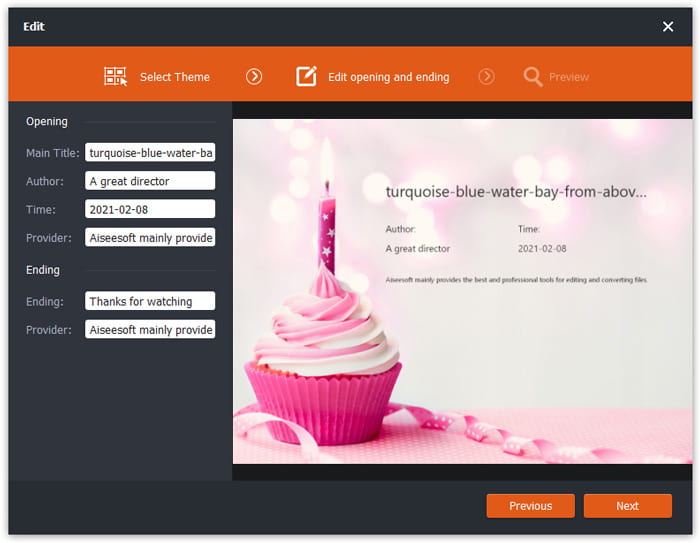
Klik op de knop Edit om je FLV-bestand te gaan bewerken. Je kunt een bepaald thema kiezen en gegevens zoals titel, auteur en tijd bij het begin en einde bewerken.
Stap 3. Stel WMA in als uitvoer
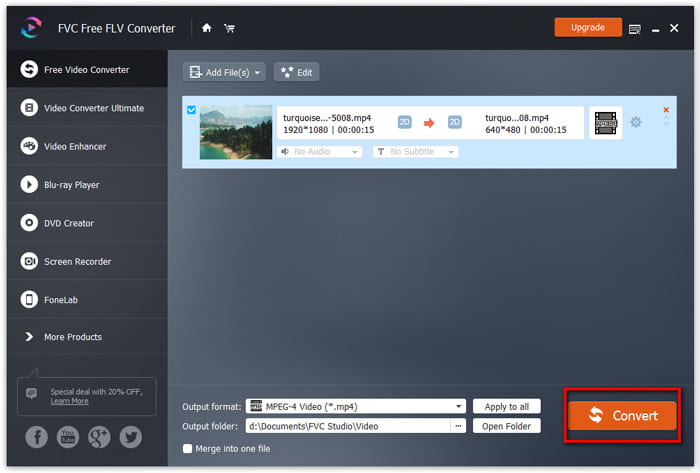
Ga vervolgens naar het gedeelte Output format en typ WMA in het zoekvak. Hier kun je WMA - Windows Media Audio (*.wma) als uitvoerformaat selecteren.

Stap 4. Converteer FLV naar WMA
Ga naar het gedeelte Output folder en kies de locatie waar het WMA-bestand wordt opgeslagen. Je kunt op de knop Convert klikken om gratis te beginnen met het converteren van FLV naar een WMA-audiobestand.
Deel 2. Hoe u FLV gratis online naar WMA kunt converteren
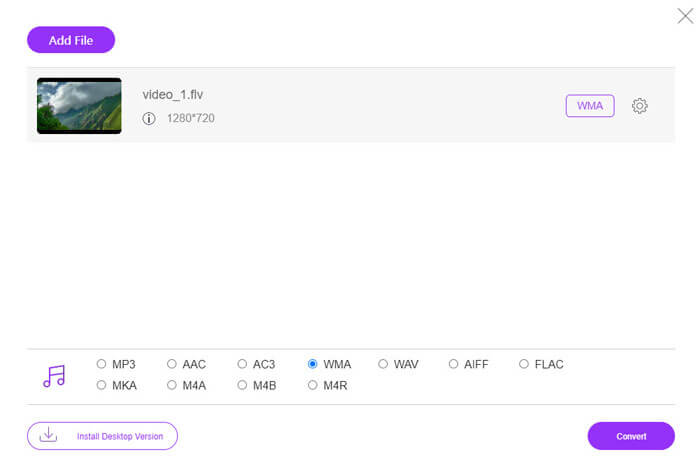
Als je het zat bent om softwarepakketten te downloaden, kun je FVC Free Audio Converter proberen. Dit is een krachtige webgebaseerde FLV-naar-WMA-converter die helpt om elk populair video-/audiobestand te converteren naar WMA, MP3, AAC, FLAC, WAV, enzovoort. Je kunt in detail leren hoe je FLV naar WMA converteert met FVC Free Audio Converter.
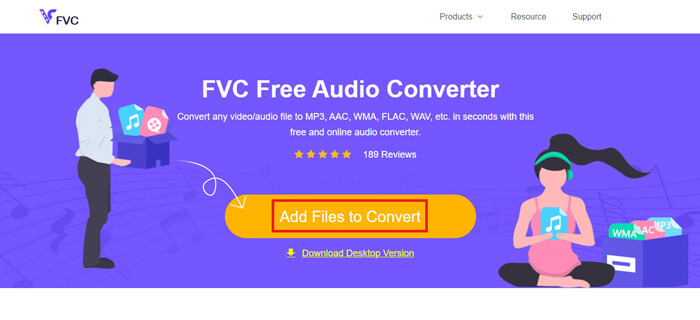
Stap 1. Bezoek de officiële website van FVC Free Audio Converter (https://www.free-videoconverter.net/free-audio-converter/). Klik op de knop Add Files to Convert om de launcher te downloaden en te installeren. Je kunt de FLV-bestanden uploaden vanaf je lokale computer.
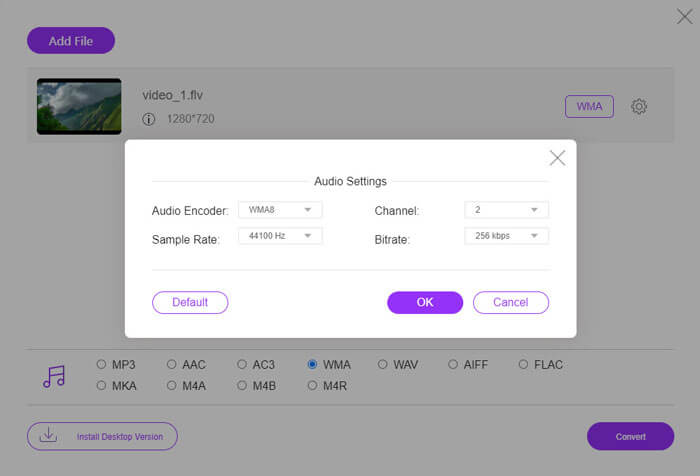
Stap 2. Vink WMA onderaan aan en stel dit in als het uitvoerformaat. Als je meer instellingen wilt aanpassen, kun je op het tandwielpictogram klikken om audio-encoder, kanaal, samplefrequentie en bitsnelheid in te stellen. Klik op de knop OK om de wijzigingen op te slaan.
Stap 3. Klik tot slot op de knop Convert om gratis online te beginnen met het converteren van je FLV naar een WMA-bestand.
Deel 3. Veelgestelde vragen over het converteren van FLV naar WMA
Wat is een FLV-bestand en hoe kan ik het afspelen?
FLV is het flash-videobestandsformaat dat is ontwikkeld door Adobe. Het kan video, audio, tekst, subscript en meer opslaan. Zowel Windows Media Player als QuickTime ondersteunen FLV niet, dus u moet een mediaspeler van derden gebruiken om FLV te openen, zoals VLC.
Waar wordt het WMA-formaat voor gebruikt?
WMA is een lossy audioformaat gemaakt door Microsoft om te concurreren met MP3. WMA wordt voornamelijk gebruikt voor het streamen van online muziek. Een WMA-bestand met de extensie .wma is Windows Media Audio. Het kan perfect worden ondersteund door Windows Media Player.
Is er een WMA-muziekspeler?
Ja. Er zijn verschillende WMA-muziekspelers waaruit je kunt kiezen, zoals FVC Free Video Player, KMPlayer, Elmedia Video Player, Macgo Free Mac Media Player, VOX Music Player, VLC Media Player, GOM Media Player, foobar2000, AIMP, Samsung Music, enzovoort.
Gevolgtrekking
In dit artikel hebben we het vooral gehad over 2 gratis manieren om FLV-video naar WMA te converteren op Windows 10 pc en Mac. Ik hoop dat al deze oplossingen u helpen uw probleem op te lossen. De volgende keer dat u flash-video's van de website downloadt, kunt u FVC Free FLV Converter proberen om de FLV-video te converteren naar WMA, MP3, AAC, MP4, AVI, VOB, enz.
-
 FLV naar WAV - Converteer FLV naar WAV online gratis en op Mac / pc
 Hoe converteer ik een FLV-bestand? Kan VLC YouTube FLV naar WAV converteren? Dit bericht vertelt 3 gratis manieren om FLV naar WAV te converteren zonder kwaliteitsverlies.
-
 2 eenvoudige manieren om MOV-bestanden naar FLV te converteren op Windows/Mac
 Hoe MOV gratis naar FLV te converteren? Hier zijn de beste videoconverters op desktop en online om uw MOV-bestand binnen enkele seconden naar FLV te converteren zonder een cent te betalen.
-
 Hoe WMA naar MP3 te converteren op Mac / Windows / online
 Is het mogelijk om WMA naar MP3 te converteren met Windows Media Player? Hoe WMA gratis naar MP3 te converteren? Dit bericht deelt 4 eenvoudige methoden om u te helpen bij het maken van de audioconversie van WMA naar MP3 op Mac, Windows-pc en online.
