


 Video Converter Ultimate
 Scherm opnemer
 Videoreparatie
Top 3 ideale converters om VOB-bestanden naar GIF-indeling te converteren
VOB-bestanden zijn bestanden die het meest worden gezien op de dvd's, die bijna alle gegevens kunnen bevatten, zoals navigatie, menu, ondertiteling, video, audio enz. Ook kan dit formaat gemakkelijk afspeelprogramma's opslaan en toch is het moeilijk om op te slaan op uw bureaublad. Om enkele van de video-highlights op het formaat van VOB eenvoudig en effectief te delen met de andere sociale mediaplatforms. Het beste formaat dat je kunt gebruiken is het GIF-formaat, hoewel dit formaat geen audiobestand ondersteunt, is het toch het beste formaat om wereldwijd te delen. Dus, om meer idee te hebben waar we het over hebben, laten we doorgaan met de tool die je kunt gebruiken om een VOB-bestand naar GIF te converteren, zodat je het kunt bekijken en delen met de wereld.

Deel 1. 3 verschillende methoden om een VOB-bestand in GIF te veranderen
Methode 1. Gebruik desktopsoftware - FVC Free Video Converter
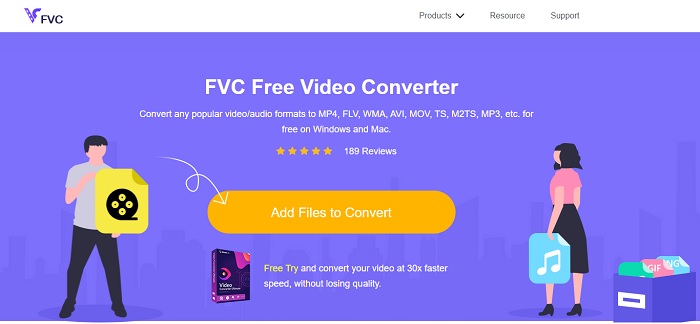
De beste online converter die is ontwikkeld om een VOB‑bestand naar GIF te converteren door FVC, is de FVC Free Video Converter. Hoewel deze tool gratis is, ontbreken er nog een paar formaten, maar de basisformaten zijn hier wel beschikbaar. Bovendien kun je in deze webtool de bitrate, fps en resolutie van het videobestand aanpassen. Maar belangrijke bewerkingsfuncties zoals het verbeteren van video en audio, het maken van GIF’s of het versterken van het geluid zijn hier niet beschikbaar. De conversie gaat echter veel sneller dan bij fConvert en de webpagina van deze tool bevat geen vervelende advertenties. Volg de onderstaande stappen om te zien hoe deze tool werkt en leer hoe je de beste online tool gratis kunt gebruiken.
Stappen voor het gebruik van FVC Free Video Converter om online te converteren
Stap 1. Klik op de hyperlink hierboven die naar de hoofdwebsite van de FVC Free Video Converter verwijst.
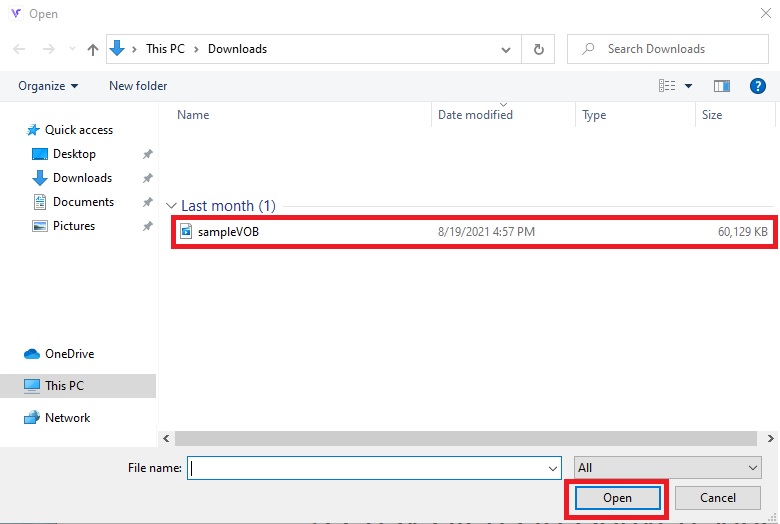
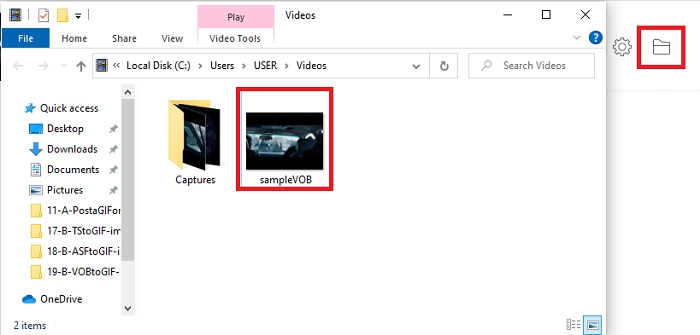
Stap 2. Klik op Add Files to Convert, zoek het VOB‑bestand en klik op open.
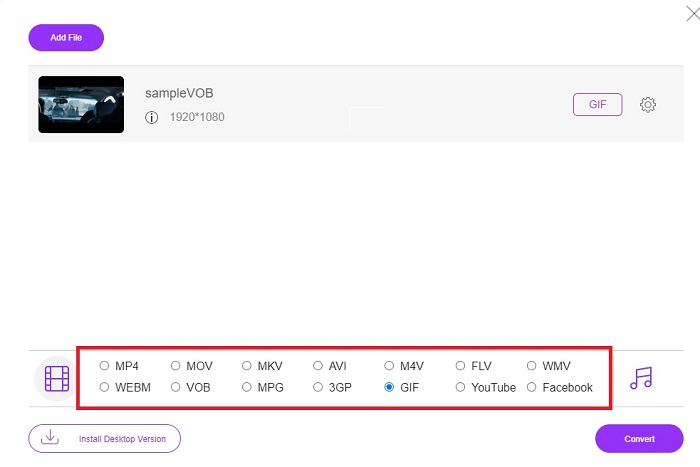
Stap 3. Kies het formaat waarin je het uiteindelijke resultaat wilt hebben in het onderste gedeelte en klik erop.
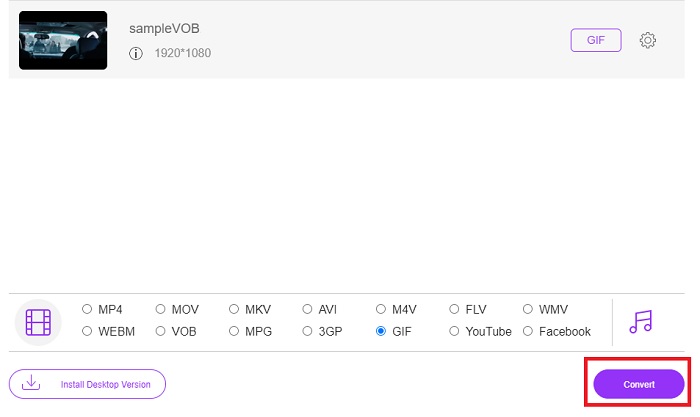
Stap 4. Klik op Convert om de conversie te starten.
Stap 5. Om het geconverteerde VOB‑bestand dat je zojuist hebt gemaakt terug te vinden, klik je op de mapachtige knop om de map te openen waarin het geconverteerde bestand staat.
Methode 2. Gebruik Freeware – FVC Free Video to GIF Maker
Als je de online tool al geweldig vindt, leer dan hoe je een .vob‑bestand naar GIF converteert met behulp van de FVC Free Video to GIF Maker. Als converteren je probleem is, lossen we het op met deze gratis downloadbare tool. Hij ondersteunt meer formaten dan de gratis online tool en biedt ook basisbewerkingsfuncties. Deze tool heeft echter niet de uitgebreide bewerkingsfuncties zoals de ultieme converter die FVC je kan bieden. Naast de ultieme converter kun je deze alsnog gebruiken, omdat het een van de beste tools is geworden om veilig en efficiënt te converteren. Ook is hij veel sneller dan welke webgebaseerde tool dan ook die je online kunt gebruiken. Wil je dus een snellere en efficiënte conversie, volg dan de onderstaande stappen.
Stappen voor het gebruik van de FVC Free Video to GIF Maker om offline te converteren
Stap 1. Download de FVC Free Video to GIF Maker op de schijf van je pc of Mac. Pas vervolgens de installatie‑instellingen aan en klik op Finish na de installatie om de wijzigingen op te slaan.
Gratis downloadenVoor Windows 7 of hogerVeilige download
Gratis downloadenVoor MacOS 10.7 of hogerVeilige download
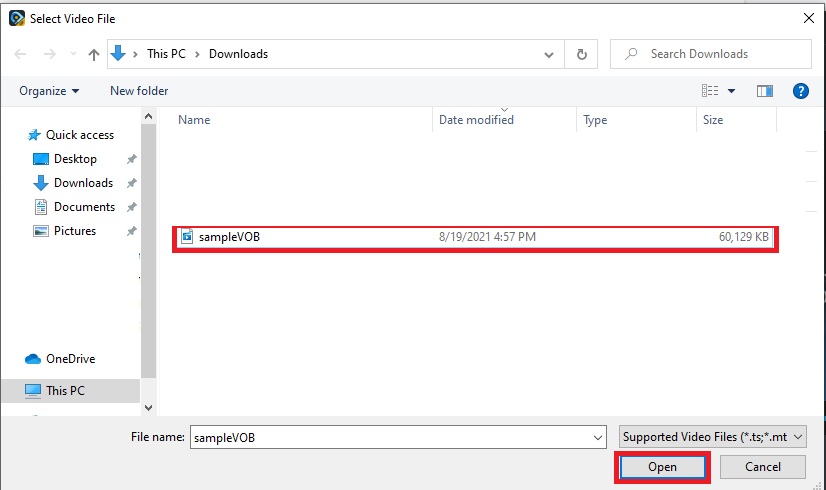
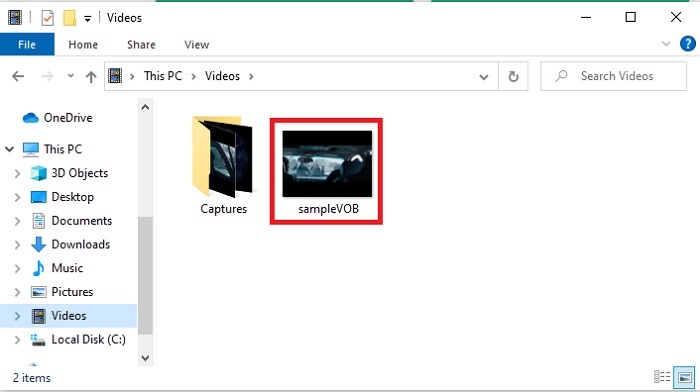
Stap 2. Om bestanden in de interface te laden, klik je op de knop Add File linksboven in de interface. Klik daarna op open om het VOB‑bestand in de hoofdinterface te plaatsen.
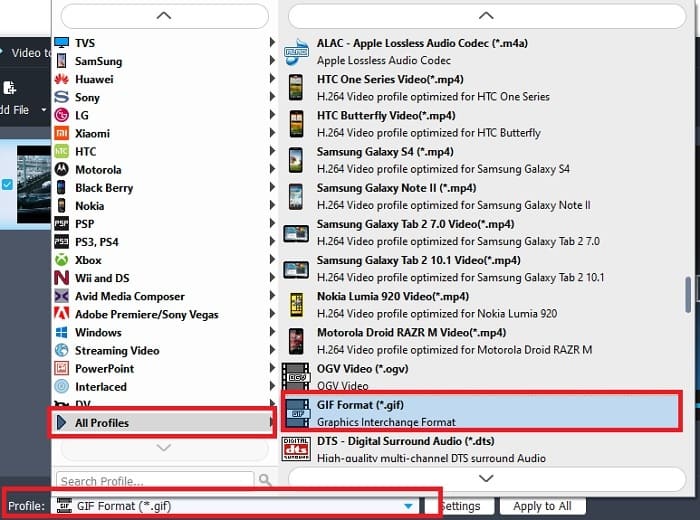
Stap 3. Verander het formaat door op Profile te klikken en bepaal wat je wilt als eindresultaat.
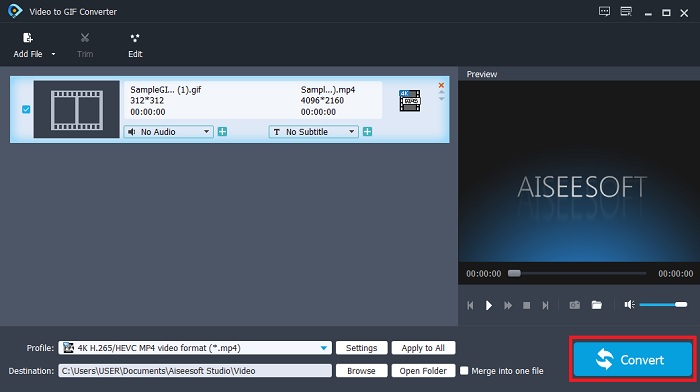
Stap 4. Start het omzetten van VOB‑bestanden door op de knop Convert te drukken.
Stap 5. Zoek het bestand op in je bestandsbeheer en bekijk het geconverteerde VOB‑bestand dat je eerder hebt gemaakt.
Methode 3. Gebruik een online tool - fConvert
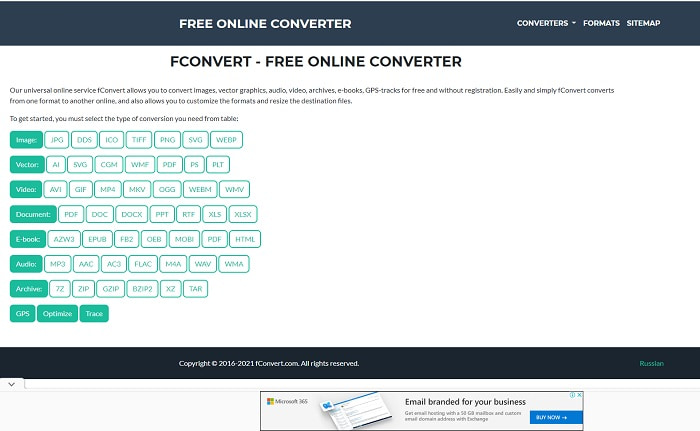
Een andere online tool die je kunt gebruiken om VOB‑bestanden te converteren is fConvert. Met deze webtool kan de gebruiker elk mediabestandsformaat naar een nieuwere versie converteren om te kunnen gebruiken. De website bevat echter vervelende advertenties. Hoewel de advertenties nog wel te hanteren zijn, zijn de advertenties op de hoofdpagina storend. Hoewel fConvert bijna alle conversies ondersteunt die je wilt uitvoeren, is het aantal formaten toch kleiner dan bij de FVC Free Video Converter. Daarnaast, zodra je de converter start, verschijnen er nog meer advertenties dan op de website zelf, dus wees voorzichtig dat je niet wordt doorgestuurd naar een andere site.
Stap 1. Open je zoekmachine en zoek naar de hoofdwebsite van de tool.
Stap 2. Kies het conversieproces dat je wilt laten uitvoeren.
Stap 3. Voeg vervolgens het bestand toe dat moet worden geconverteerd en wacht tot het klaar is.
Deel 2. Veelgestelde vragen over VOB naar GIF-conversie
Wat is een VOB-bestand?
VOB kan multiplex-streamgegevens naar dvd's bevatten en meestal is dit formaat ook gecodeerd. Dat gezegd hebbende, kunnen VOB-bestanden niet gemakkelijk naar de dvd's worden geript vanwege de beperking die dit formaat biedt. Als je het .vob-bestand forceert om te rippen, is de kans groot dat er veel gegevens verloren gaan of als je geluk hebt, is de kans dat het correct wordt geript erg klein. Maar u kunt VOB-bestanden downloaden via internet, maar u kunt ze niet afspelen op uw telefoons of desktops als u niet over het juiste bestand beschikt. De kans bestaat dat een melding als dit bestand niet wordt ondersteund of dat dit bestand versleuteld op uw scherm wordt getoond.
Waar kan ik mijn VOB-bestand afspelen zonder het te converteren?
Converteren is een ideale oplossing om dit probleem op te lossen. Maar als je je niet met converteren wilt bezighouden, kun je het hier ook gewoon afspelen. Deze mediaspeler wordt eveneens door FVC aangeboden om alle niet‑afspeelbare formaten die je al bent tegengekomen toch af te spelen. Blu-ray Player is een van de oplossingen om het niet‑afspeelbare VOB‑bestand af te spelen zonder andere software te gebruiken. Klik op de onderstaande link om deze tool te downloaden. Blu-ray Player downloaden voor pc Blu-ray Player downloaden voor Mac
Wat is beter: VOB of MP4?
Als we het bestand op dvd's of cd's zouden opslaan, is het ideaal om VOB-bestanden te gebruiken dan MP4. Omdat dit bestand veel kleiner is, kunt u meer opslaan zonder kwaliteitsverlies. Maar als je het op je telefoon of desktop wilt opslaan, dan is MP4 veel beter dan een VOB-bestand. Om MP4 naar VOB te converteren, of omgekeerd, kunt u profiteren van de videoconversietool, zoals FVC Free Video Converter, om de formaatconversie te bereiken.
Gaat de kwaliteit ervan verloren na het converteren van VOB?
Dit is alleen mogelijk als je de verkeerde converter gebruikt. Hoewel converteren er eenvoudig uitziet, is het kiezen van de juiste converter moeilijker dan je denkt. Als je een fenomenale conversie wilt ervaren, moet je de FVC Video Converter Ultimate downloaden en het zelf uitproberen. FVC Video Converter Ultimate downloaden voor pc FVC Video Converter Ultimate downloaden voor Mac
Gevolgtrekking
Om de discussie te beëindigen, als u de niet-afspeelbare VOB-bestanden opnieuw ervaart, moet u overwegen deze naar een afspeelbaar formaat te converteren. Hoewel de FVC Video Converter Ultimate hier niet wordt genoemd, is het conversieproces dat deze tool biedt snel, gemakkelijk, efficiënt en effectief in tegenstelling tot andere. Om de tool te verkennen, moet u deze nu naar uw pc of Mac downloaden.
-
 [2 Oplossingen] Hoe u SWF-bestanden gemakkelijk en gratis kunt converteren naar GIF
 Als u de GIF-indeling niet kunt exporteren via Flash-software, kunt u proberen de bestanden eerst in SWF-indeling op te slaan. Dan kunt u in dit artikel 2 eenvoudige manieren leren om SWF naar GIF-bestanden te converteren.
-
 [2 Oplossingen] Hoe WMV-video's gratis naar GIF-bestanden te converteren
 Als je de prachtige delen van de WMV-video's wilt knippen en er GIF's van wilt maken, kun je in dit artikel 2 eenvoudige methoden leren om WMV-video's naar GIF's over te zetten
-
 MOV naar GIF - MOV converteren naar geanimeerde GIF op Mac, pc en online gratis
 Wat is een GIF? Hoe video naar GIF converteren? Hoe verander je MOV online in geanimeerde GIF? Dit bericht vertelt 3 manieren om MOV online naar GIF te converteren, op Mac/PC.
