


 Video Converter Ultimate
 Scherm opnemer
 Videoreparatie
 Beveiligde download
Hoe u de resolutie van de afbeelding op het bureaublad gratis en betaald kunt verhogen
Do you have an interest in capturing high-quality images? Well, you must know that you will need a high PPI or pixels per inch to have fine detail on the image you capture. It can be frustrating if you find that the image you capture doesn't have a high PPI, which could lead to a poor quality image when you print or share on the web. Luckily, there are ways you can do to make the image have a higher PPI. The tools we include here prove that they can increase the pixels of your image to turn them into a high-quality output. Keep on reading this post as we introduce and show a tutorial on how to increase the resolution of images to achieve the best image output.

Deel 1. Hoe u de resolutie van afbeeldingen gratis online kunt verhogen [Toegankelijk op elke webbrowser]
FVC gratis afbeelding upscaler
FVC Free Image Upscaler can be the one you'll need to know how to increase the photo resolution easily and for free. This online tool doesn't upscale your image thru the resampling method. Still, it uses an automatic enhancer to detect the blurred parts of your images. If the image you upload lost pixels, this tool could aid the problem by producing new pixels for the image to make them high quality. After upscaling the image, you can see the difference between the before and after. So, if you want to know how to aid this problem with this tool, you can copy the easy steps we add to upscale the image.
How to Upscale an Image with the FVC Free Image Upscaler:
Step 1. You can tick this link to open the main website of the FVC, where you can start upscaling the image.
Step 2. On the main website, click the Upload Image to import the image you want to increase the resolution.
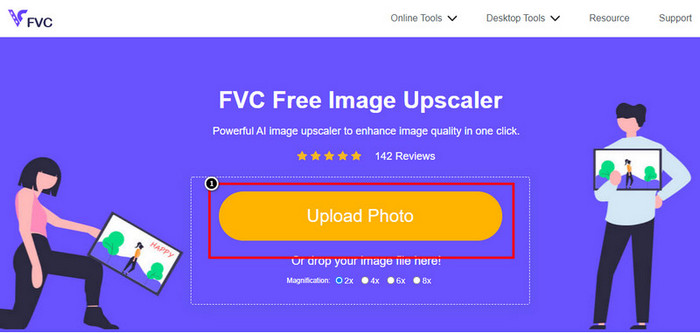
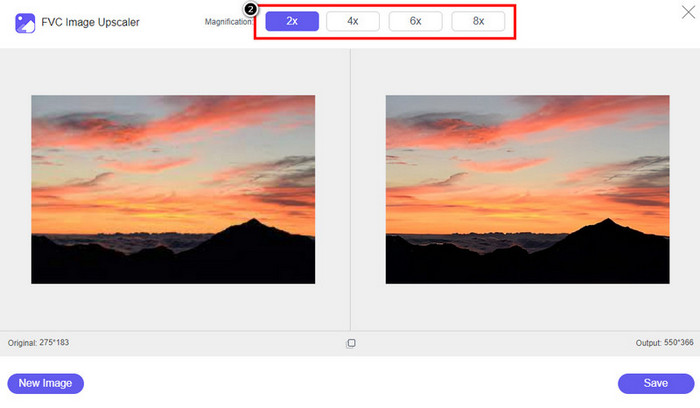
Step 3. After uploading, two columns will show on your screen: the original image and the upscaled version. Choose what Magnification you want to apply to the image to upscale it.
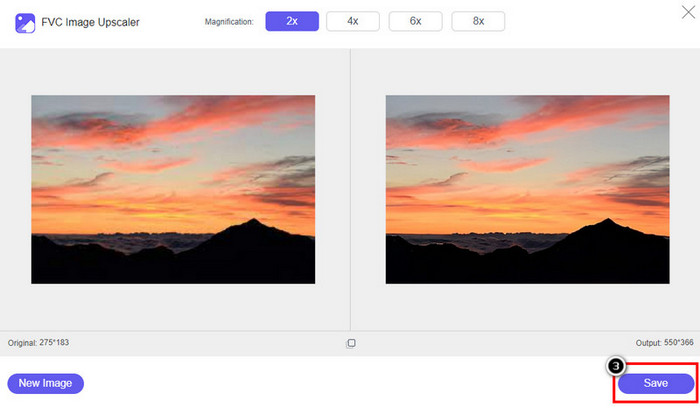
Step 4. Press Save to download the final output on your local drive; as easy as that, you have finished upscaling the image.
Afbeeldingsvergroter
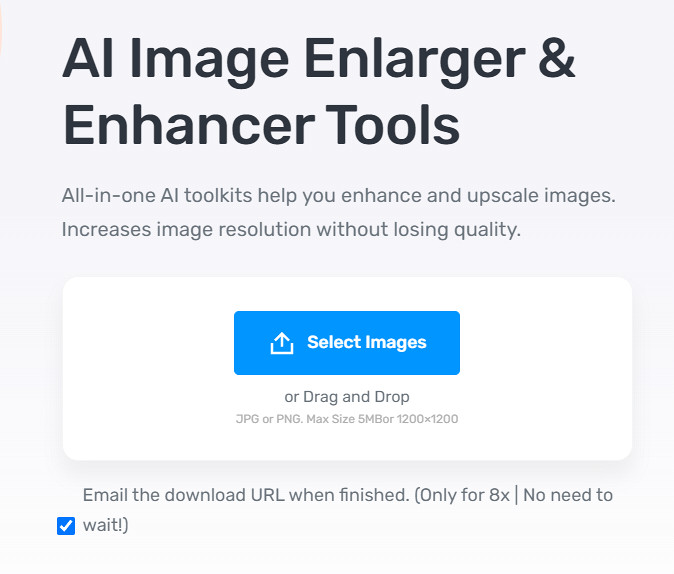
Image Enlarger can lead you on how to increase the resolution of an image on the web. This tool still uses the traditional resampling method, which works well for multiple images. Here, you can upload images in JPG, PNG, GIF, and BMP format with a max dimension of 4100 x 4100 with a 5 MB file size or lesser. However, there is no preview here to see the image's appearance after you increase the resolution. Though it could be a problem for many because we wonder what the image would look like. Nevertheless, this online tool has already proven itself to other users. Now is the right time to prove that it can be a good choice for upscaling by following the included steps.
How to Enhance a Photo with the Image Enlarger:
Step 1. Open the official website of this image enhancer on your browser.
Step 2. Click Choose File to upload the image you want to upscale; you can also enter the URL here to upload the image if you want.
Step 3. Change the target width and height number according to your preference to upscale the image. Add the correct measurement you want to achieve to get the perfect dimension for the image.
Step 4. Press the Start button to upscale the image you upload earlier.
Picverse
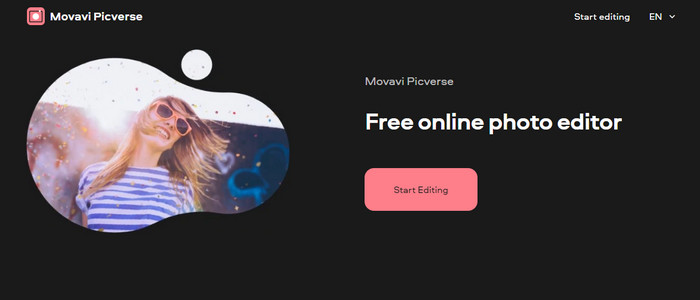
Picverse is a Movavi-supported tool you can use to increase photo resolution online for free. This tool uses an essential image editing feature that can correct the color of the images to make them look better. However, this tool doesn't reproduce new pixels to increase the resolution of the image you upload here. But the impact you can make to your image if you edit it here is excellent compared to other image editors you can use on the web. Overall, you can experience a mini-professional editor if you try to use this software. Want to know how to do it? You can follow the steps we add with this tool.
How to Make High-Resolution Images with the Picverse:
Step 1. Visit the official website, and click the Upload Image to load up the image you want to enhance the quality.
Step 2. Now that the images you want to improve are here, you can start improving the image by adjusting these settings.
Additional: If you want to apply an effect to your image, you can select the effects option and choose the effect you want that is available here. Also, you can adjust the strength of each effect according to your preference.
Step 3. To apply all the changes to the image, click the Save button.
Deel 2. Afbeeldingen met hoge resolutie maken op Windows en macOS Offline [Betaalde en gratis versie]
Adobe Photoshop
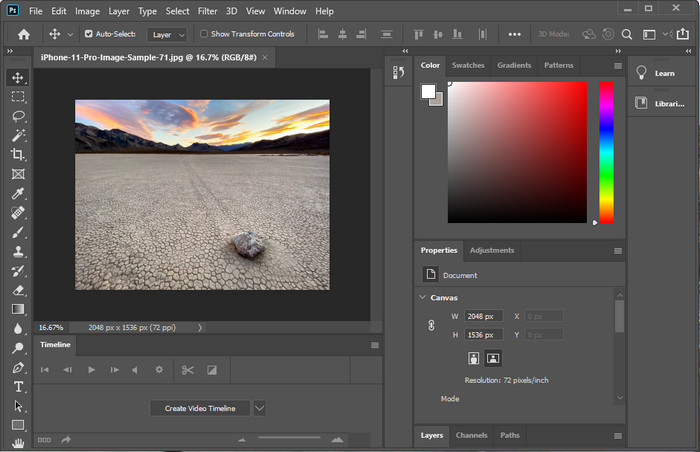
We mogen Adobe Photo niet vergeten, want het is een professionele tool; je moet weten hoe je een foto met een hogere resolutie maakt. Het is niet nieuw voor ons dat deze software pixels aan de afbeelding kan toevoegen, zodat de resolutie de beste wordt. Met zijn geautomatiseerde functies kunt u meer pixels aan uw afbeelding toevoegen zodra u deze verbetert. Ook al verander je het formaat van de afbeelding hier, het heeft een functie waarmee je afbeeldingen kunt vergroten zonder ze uit te rekken. Maar voordat u deze professionele tool gebruikt, moet u deze op de officiële Adobe-website kopen. Stel je hebt geen geld om het te kopen. In dat geval kunt u de gratis proefversie proberen om te ervaren hoe professioneel deze tool is. Als je deze software op je desktop hebt gedownload, kun je de stappen volgen die we hieronder hebben toegevoegd om de afbeelding hier op te schalen.
How to Make a Picture Higher Resolution with the Adobe Photoshop:
Step 1. Upload the image you want to increase the resolution here by clicking the File.
Step 2. On the upper toolbar, click Image and press Image Size to increase your image's resolution.
Step 3. In the dialog box, input the measurement you want to achieve and press OK to apply it.
Step 4. Open the File and click Save. Another dialog box will show where you can manipulate the image quality and save it.
GIMP
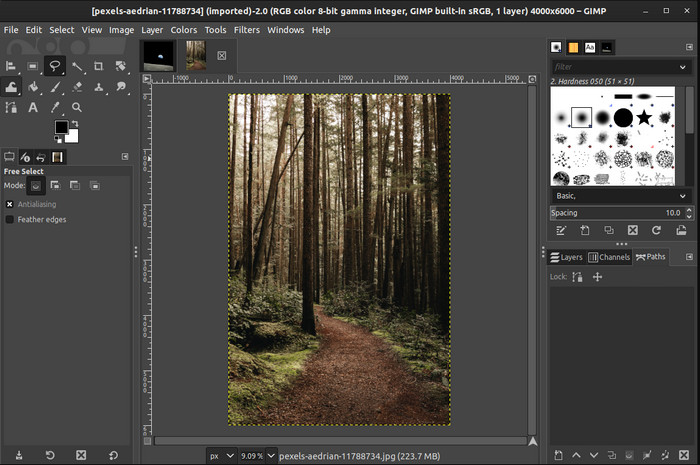
GIMP is an alternative to Photoshop you can download and help you convert low-resolution photos to high. It became a known alternative to Photoshop because of how good this editor does to the image you have, but Photoshop has more tools. With it, you can easily handle increasing the resolution of the image on Windows or Mac by downloading it. As we said, the tool is similar to the Adobe image editor; its complexity is far beyond what a newbie can handle. But if you follow the guideline we add here; you can use the software and then adjust the image you have with GIMP.
How to Increase Resolution of a Photo with GIMP:
Step 1. Download the software on your device, follow the installation process, and launch it if everything is settled.
Step 2. Go to File and click Open to upload the image you want to increase the resolution.
Step 3. Open the Image menu and select Scale Image to start scaling the image with the GIMP.
Step 4. After clicking the Scale Image, a set of options will show where you can manipulate the image resolution. Adjust the value of each to increase the image’s resolution.
Step 5. Press the Scale button to save the value you add on each.
Deel 3. Veelgestelde vragen over het verhogen van de beeldresolutie
Wat is beter, GIMP of Photoshop, om de beeldresolutie te verhogen?
GIMP en Adobe Photoshop zijn eersteklas software en ze hebben bijna genivelleerde afbeeldingseditors die u op uw apparaat kunt downloaden. Photoshop is echter veel beter als het gaat om het verhogen van de beeldresolutie.
Is het downloaden van de software nodig om de beeldresolutie te verbeteren?
Het downloaden van software kan handig zijn als je geen internet hebt en de resolutie wilt verbeteren, maar we raden je ten zeerste aan om een webtool te gebruiken als je fatsoenlijk internet hebt. Net als de FVC Free Image Upscaler is deze tool een betrouwbare image-upscaler die u op internet kunt openen zonder bestanden te downloaden.
Is het een uitdaging om een afbeelding op te schalen?
Sommige mensen vinden deze uitdaging lastig vanwege hun tool, maar hier maken we alles voor je handiger. Nadat je dit artikel hebt gelezen, heb je nu een enorme kennis van hoe je dit probleem eenvoudiger kunt aanpakken.
Gevolgtrekking
Dus, welke software denk je dat je gaat gebruiken vanwege de voordelen? Om de fotoresolutie online of offline te verhogen, heb je software nodig en een tutorial over het gebruik ervan; dit is wat we aan dit artikel toevoegen. U kunt kiezen welke u denkt dat het beste bij u past en de stappen volgen die we toevoegen om dit probleem gemakkelijk op te lossen.
-
 Hoe het Animaker-watermerk te verwijderen zonder kosten [bewezen manieren]
 Hoe het Animaker-watermerk te verwijderen? Met de beste tools die we in deze blog gebruiken, kun je ze gebruiken om van het watermerk af te komen.
-
 Zelfstudie over het verwijderen van het watermerk uit de oorspronkelijke grafiek [100% werkt]
 Om het watermerk uit Origin Graph te verwijderen, heb je hulp nodig. De hulp die u nodig heeft is opgenomen in dit artikel, u kunt dit lezen om dit te weten.
-
 Het watermerk in SmartDraw met gemak verwijderen [2 bewezen manieren]
 Hoe het watermerk in Smart Draw te verwijderen? Als je dezelfde vraag hebt, kun je vertrouwen op dit artikel, want we hebben je gedekt!
