


 Video Converter Ultimate
 Scherm opnemer
 Videoreparatie
Welke is de beste converter om te gebruiken bij het converteren van MP3 naar WAV?
MP3 is wereldwijd het bekende audioformaat. Het is zelfs het standaardformaat voor het opslaan en opnemen van audiobestanden. Hoewel dit formaat door veel mensen wordt gebruikt, zijn er toch nog veel andere formaten die een hogere geluidskwaliteit leveren dan MP3, zoals WAV. Dus als je wilt weten hoe je MP3 naar WAV kunt converteren om met nog meer plezier naar muziek of je opnames te luisteren, dan moet je goed opletten, want het kan een lange rit worden – zonder verder oponthoud, laten we van start gaan.

Deel 1. Hoe MP3 naar WAV te converteren op Windows en Mac met gedetailleerde stappen
1. FVC Video Converter Ultimate
Wil je weten hoe je MP3 naar WAV op Mac en pc kunt converteren met behoud van hoge geluidskwaliteit? Dan is FVC Video Converter Ultimate precies wat je nodig hebt. Bovendien is het net zo snel in converteren als een SSC Tuatara en ook nog eens veilig. Converteer zoveel bestanden tegelijk als je wilt, want er is geen limiet aan het aantal mediabestanden dat je hier kunt omzetten. Daarnaast kun je deze tool ook gebruiken om MV’s, collages en andere projecten te maken. Als je wilt weten hoe je het gebruikt, volg dan de onderstaande stappen en laten we het conversieproces starten.
Stap 1. Kies tussen pc of Mac en klik vervolgens op de downloadknop. Installeer de tool, volg de installatie-instructies en klik tot slot op ‘Finish’ om de wijzigingen op te slaan.
Gratis downloadVoor Windows 7 of nieuwerVeilige download
Gratis downloadVoor MacOS 10.7 of nieuwerVeilige download
Stap 2. Klik na de installatie op Add Files om de MP3-audio toe te voegen die je wilt converteren. Als je meer dan twee audiobestanden hebt, kun je ze het beste naar de interface slepen.
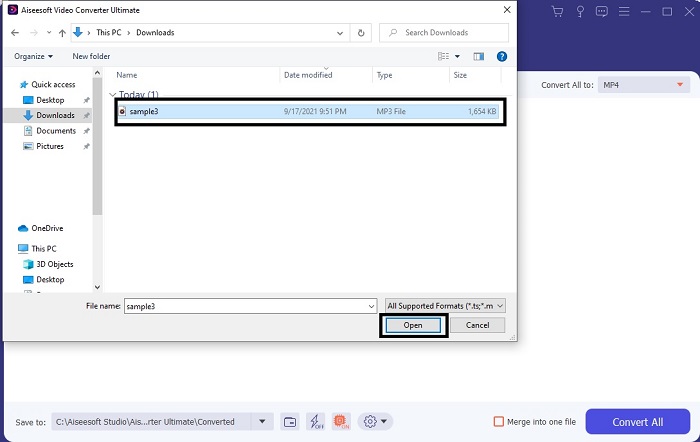
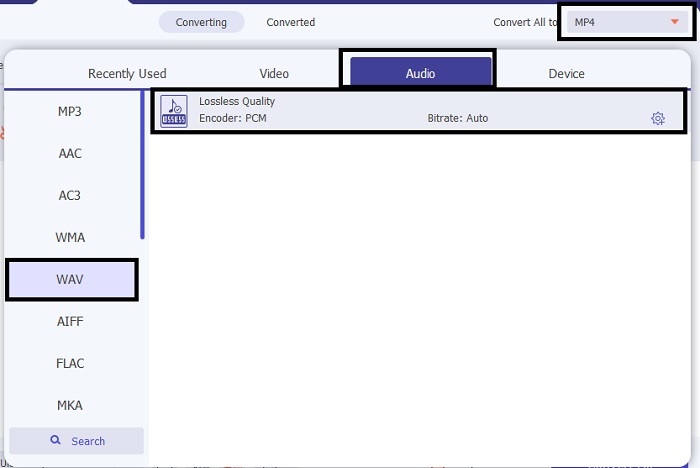
Stap 3. Verander MP3 in WAV of in een ander gewenst audioformaat in het submenu.
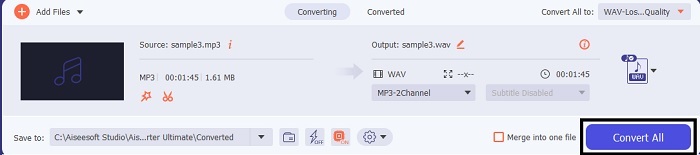
Stap 4. Als alles is ingesteld, klik je op Convert All om de conversie te starten.
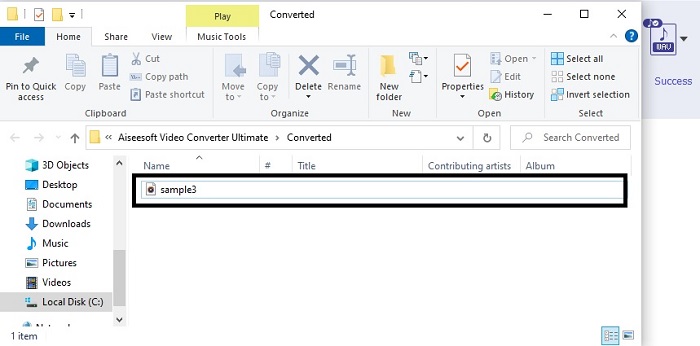
Stap 5. Zodra de conversie is voltooid, wordt er automatisch een bestandsbeheerder geopend op je scherm. Klik op het geconverteerde audiobestand en geniet van het nieuwe versie ervan. Als het geluid voor jou nog wat te zacht is, ga dan naar de Toolbar en zoek Audio Booster op om een helderder en beter geluid te krijgen.
2. iTunes
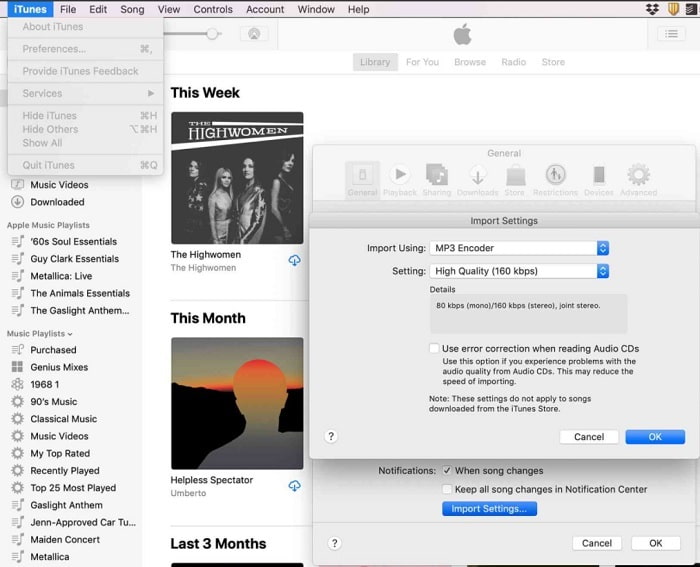
iTunes wordt veel gebruikt om muziek op Mac- en iOS-apparaten af te spelen. Maar wist je dat je hiermee ook MP3 naar WAV in iTunes kunt converteren? Het antwoord is ja. Afspelen en converteren in één tool, maar het is niet beschikbaar op Android en Windows, omdat het de standaard mediaspeler is voor Apple-producten. Heb je geen Apple-apparaat, dan kun je de conversie alsnog uitvoeren met behulp van FVC Video Converter Ultimate. Heb je er wel één, dan is het de moeite waard om iTunes te gebruiken en de volgende stappen te volgen.
Stap 1. Open de software op je apparaat.
Stap 2. Selecteer de MP3-audio die je wilt converteren.
Stap 3. Klik daarna op Convert en wacht tot het proces is voltooid.
Deel 2. Top 5 beste gratis online MP3- naar WAV-converters op internet
1. FVC gratis audio-omzetter
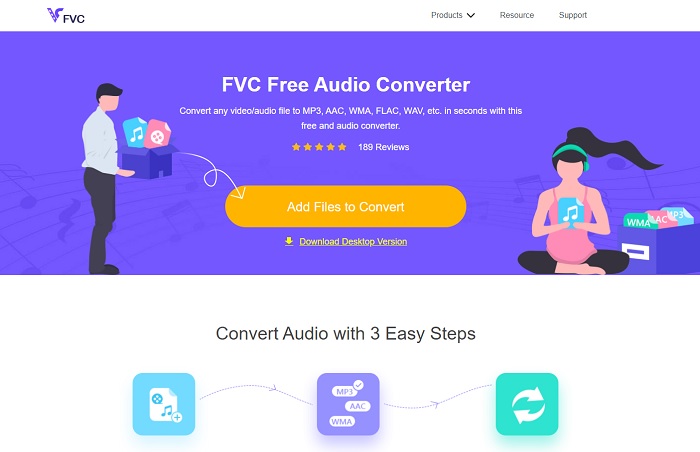
FVC Free Audio Converter is de beste online MP3-naar-WAV-converter. Want het heeft dezelfde kleine functies als die van FVC Video Converter Ultimate. Verwacht dus niets minder bij het gebruik van deze tool, hoewel de belangrijkste premiumfuncties hier niet aanwezig zijn omdat het gratis is. Als je het wilt uitproberen, kun je op de hyperlink klikken die speciaal voor jou is voorzien. Laten we, voor we verder gaan, eerst bekijken hoe je deze webgebaseerde converter gebruikt.
Stap 1. Om de tool te openen, moet je op deze link klikken.
Stap 2. Klik op Add Files to Convert om de tool te starten.
Download de desktopversie om bestanden in batches te converteren.
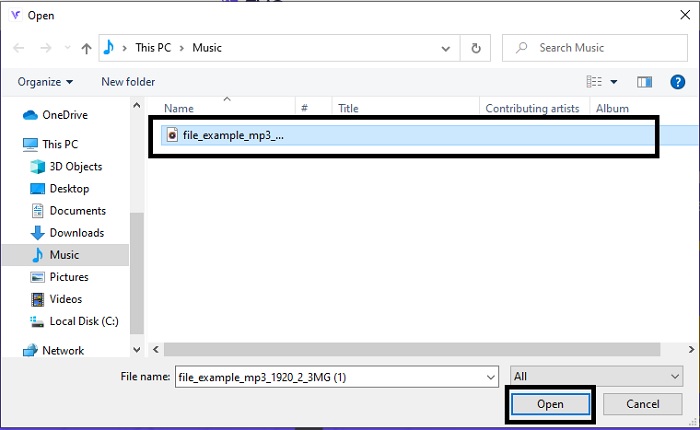
Stap 3. Selecteer na het opstarten van de tool het MP3-bestand dat je wilt converteren en klik op Open.
Stap 4. Selecteer het formaat onderaan en klik daarna op Convert om het proces te starten.
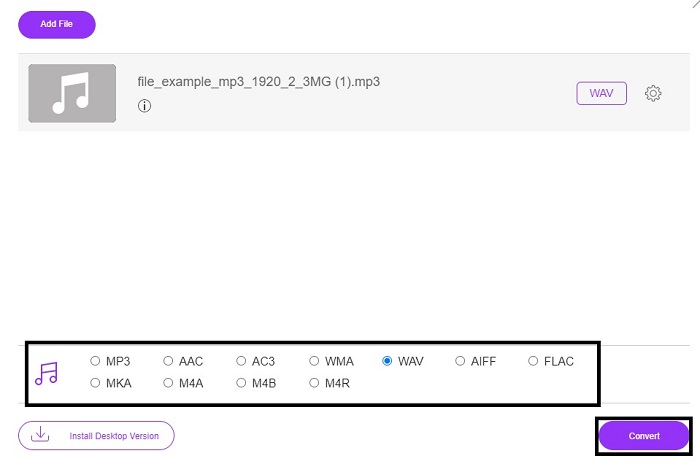
Stap 5. Het duurt slechts een paar minuten en zodra de conversie is voltooid, klik je op de folder om het bestand dat je zojuist hebt geconverteerd te vinden.
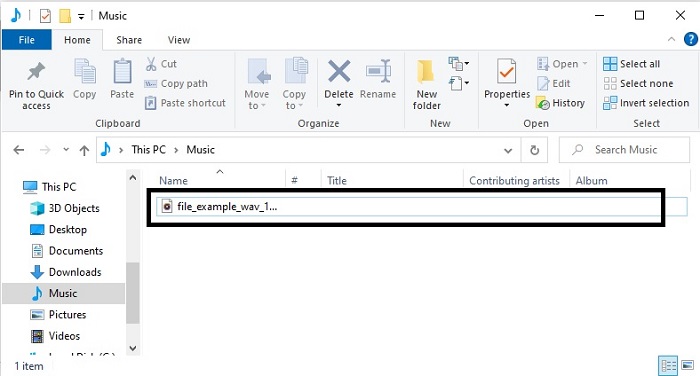
2. Cloudconversie
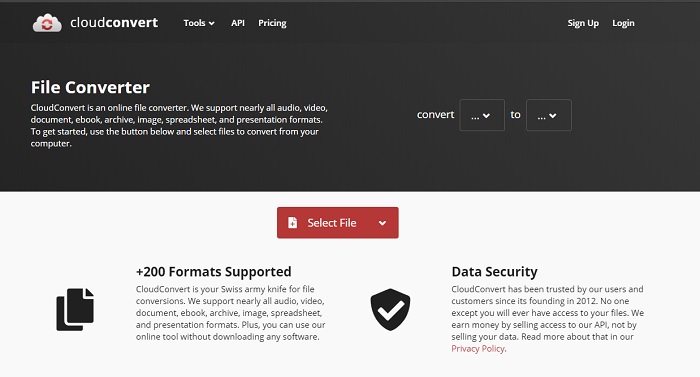
Een andere tool die je online kunt gebruiken om naar een nieuw formaat te converteren is Cloud Convert. Het is een van de beste op de markt als het om conversie gaat, maar je kunt er de bitrate, fps en codecs niet mee aanpassen. Wil je echter tekstbestanden naar een nieuw formaat omzetten, dan is deze tool zeker het proberen waard.
3. Convertio
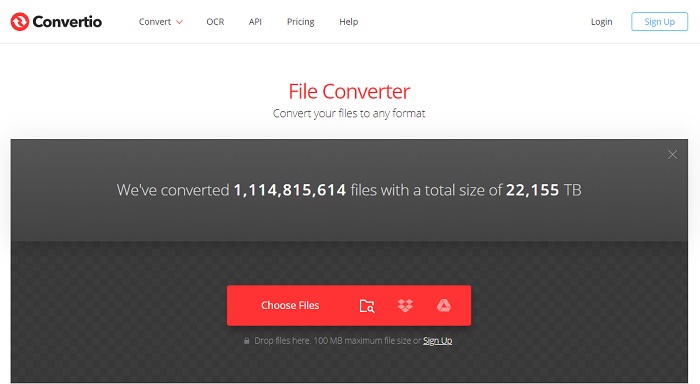
Net als Cloud Convert is Convertio ook gratis te gebruiken. Wat converteren betreft, biedt het krachtige compressie en conversie. Deze tool wordt door veel gebruikers ingezet vanwege de duidelijke instructies en de eenvoudige bediening. Hoewel je de tool via het web kunt gebruiken, bevat de hoofdwebsite veel advertenties in de webinterface, wat behoorlijk storend kan zijn – zeker als je tijdens het converteren niet afgeleid wilt worden.
4. Online-converteren
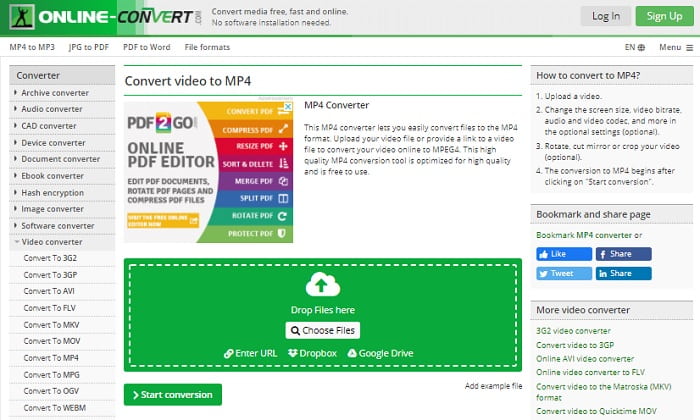
Deze tool heeft ook veel te bieden op het gebied van conversie en is bovendien erg informatief. Online-Convert biedt geavanceerde functies waarmee je de bitrate, resolutie en kanalen kunt aanpassen. Als je nieuw bent met converteren kan deze tool in het begin wat overweldigend zijn. Daarnaast moet je, nadat je een bestand in de webinterface hebt gezet, wachten tot het volledig is verwerkt. Ook is er een limiet: je kunt slechts tot 100 MB gratis converteren. Wil je meer en grotere bestanden omzetten en geen advertenties meer zien, dan moet je de premiumversie aanschaffen.
5. 123 Apps- Audio Converter
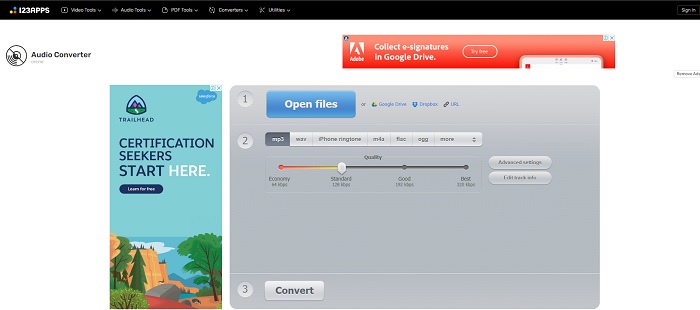
Met deze webtool kun je effectief en efficiënt converteren. Hoewel er maar drie audioformaten worden ondersteund, is 123 Apps - Audio Converter een van de eenvoudigste tools. Je hoeft de tool alleen maar te openen, het bestand toe te voegen, het formaat te kiezen en te converteren – zo simpel is het. De keerzijde is dat er meldingen zijn dat na de conversie de audiokwaliteit soms lager wordt.
Deel 3. Vergelijkingstabel van de converters op de lijst
Leer de verschillen van elke tool en laten we ze dienovereenkomstig vergelijken.
| Kenmerken | FVC Video Converter Ultimate | iTunes | FVC gratis audio-omzetter | Cloudconversie | Convertio | Online-converteren | 123 Apps- Audio Converter |
| Audio-omzetter |  | | | | | | |
| Functies bewerken | |  | | | | | |
| Bitrate, Fps, resolutie of iets dergelijks wijzigen | | | | | | | |
| Programma ondersteund: | Desktop-gebaseerde tool | Standaard desktop-gebaseerde tool | Webgebaseerde tool | Webgebaseerde tool | Webgebaseerde tool | Webgebaseerde tool | Webgebaseerde tool |
| Ondersteund besturingssysteem | Beschikbaar in alle besturingssystemen | Alleen door Apple ondersteunde producten | Beschikbaar in alle besturingssystemen | Beschikbaar in alle besturingssystemen | Beschikbaar in alle besturingssystemen | Beschikbaar in alle besturingssystemen | Beschikbaar in alle besturingssystemen |
| Prijsbereik | Voor 1 maand: $25.00 Voor een jaar: $31.20 Voor levenslange licentie: $55.20 | Advertenties verwijderen: $10 per maand $15 per maand voor een gezin van zes $5 per maand voor studenten | Gratis | Gratis | Gratis | Voor de extra 8 GB: Maandelijks abonnement $70 USD maandelijks gefactureerd Jaarabonnement $672 USD | Gratis |
MP3 versus WAV
Het MP3-formaat werd in 1993 uitgebracht door Moving Picture Experts Group (MPEG). Het was de standaard voor het opslaan van muziek omdat het audio tot een veel kleiner formaat kon comprimeren dan andere niet-gecomprimeerde formaten. Het wordt tegenwoordig nog steeds veel gebruikt, vooral voor het online distribueren van audio.
WAV, ook wel het WAVE-formaat genoemd, is gebaseerd op het Resource Interchange File Format (RIFF). Het is begin jaren negentig samen ontwikkeld door Microsoft en IBM. Het is een optie voor het opslaan van onbewerkte, ongecomprimeerde audio in Microsoft Windows. Zo worden WAV-bestanden vaker afgespeeld op Windows-computers.
Deel 4. Veelgestelde vragen over MP3 naar WAV
Wat is de betekenis van WAV?
WAV betekent Waveform Audio Files; het is een niet-gecomprimeerd verliesvrij formaat.
Welke is groter in bestandsgrootte? MP3 of WAV?
Hoewel beide formaten audiobestanden opslaan, is WAV veel groter dan MP3. In sommige gevallen kan het tot wel 15 keer groter zijn dan MP3, omdat het ongecomprimeerd is. Je kunt hier klikken om te leren hoe je WAV naar MP3 converteert.
Waar kan ik WAV opnemen?
Om op te nemen moet je de beste tool op het web gebruiken. Zeker omdat dit formaat ongecomprimeerd is, moet je er goed op letten dat je tijdens het opnemen geen gegevens verliest. En daarmee is FVC Screen Recorder de onovertroffen WAV-recorder. Hij kan zowel opnemen als bewerken, zodat je resultaat er beter uitziet én beter klinkt. Wil je meer weten, dan moet je de software downloaden naar je computer.
Gevolgtrekking
Nu de race ten einde loopt, is het duidelijk dat er één winnaar is. Alleen al door deze tool te gebruiken, voel je je de koning van de wereld op het gebied van opnemen. FVC Video Converter Ultimate doet het meeste werk dat andere recorders niet aankunnen. Heb je problemen met het opnemen van video, audio of gameplay, dan krijg je de overhand als je de juiste keuze maakt. Zet alles in op FVC Video Converter Ultimate en je pakt moeiteloos de winst.
Gratis downloadVoor Windows 7 of nieuwerVeilige download
Gratis downloadVoor MacOS 10.7 of nieuwerVeilige download
-
 Hoe MP4 gratis naar WAV te converteren op desktop of online [2021]
 Probeer je MP4 naar WAV te converteren? Weet je niet welke converter je daar perfect bij kan helpen zonder een cent te betalen? Lees dit bericht en al je vragen worden beantwoord.
-
 WAV Player - Top 5 WAV Player-apps voor Android, iPhone, pc en Mac
 Hoe speel ik WAV-bestanden af op een Android-telefoon? Welke speler kan WAV spelen? Dit bericht deelt 5 beste gratis WAV-spelers voor Android, iPhone, Mac en pc.
-
 FLV naar WAV - Converteer FLV naar WAV online gratis en op Mac / pc
 Hoe converteer ik een FLV-bestand? Kan VLC YouTube FLV naar WAV converteren? Dit bericht vertelt 3 gratis manieren om FLV naar WAV te converteren zonder kwaliteitsverlies.

