


 Video Converter Ultimate
 Scherm opnemer
 Videoreparatie
Leer wat de 2 beste converters zijn om RMVB gratis naar AVI te converteren
Als je op zoek bent naar efficiëntere compressie, gebruik dan het RMVB‑formaat, omdat dit formaat variabele bitsnelheden gebruikt voor het coderen van geluid en video. Dit formaat is de beste container om streamingmedia op te slaan die met een constante bitsnelheid is gecodeerd. Hoewel het formaat de beste keuze is voor online streaming, heb je nog steeds een mediaspeler of mediacodec nodig om de video met de bestandsextensie .rmvb te bekijken. Dus als dat het geval is, laten we het je makkelijker maken door uit te zoeken welke RMVB‑naar‑AVI‑converter je kunt gebruiken om je RMVB‑bestanden te converteren.
Deel 1. Beste offline RMVB naar AVI-converter voor Windows en Mac [snelste en meest effectieve manier]
Als eerste op deze lijst staat de fenomenale converter waar je van zult houden; FVC Video Converter Ultimate biedt de snelste en veiligste manier om RMVB gratis naar AVI te converteren. Alle functies die deze tool biedt zijn onmisbaar voor iedereen die vaak van bestandsformaat wisselt. Als je bovendien je video wilt bewerken, je audio wilt versterken, een unieke GIF wilt maken en meer wilt doen, dan is deze tool een uitstekende keuze voor iedereen. Hoewel je hier je formaat gratis kunt converteren, is deze tool dat zelf niet. Je gaat echter geen honderden euro’s uitgeven om deze converter te downloaden, te gebruiken en de volledige mogelijkheden ervan te ervaren. Stel dat je deze tool koopt en downloadt, dan is dit het juiste moment om je verbeelding te gebruiken om met behulp van deze tool het beste resultaat te bereiken. En nu volgen hieronder de stappen om je RMVB‑bestanden naar een nieuw formaat te converteren.
Stappen om RMVB naar AVI te converteren met FVC Video Converter Ultimate:
Stap 1. Download deze RMVB‑naar‑AVI‑converter op je pc of Mac, installeer hem, voer de eerste configuratie uit en klik op Start Now.
Gratis downloadVoor Windows 7 of nieuwerVeilige download
Gratis downloadVoor MacOS 10.7 of nieuwerVeilige download
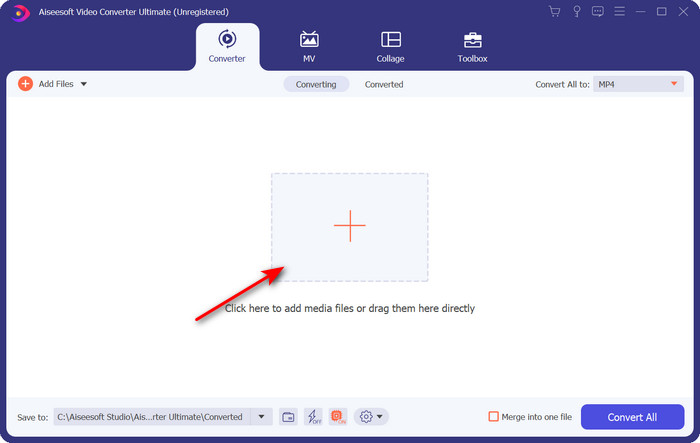
Stap 2. Start het programma en upload het .rmvb‑bestand naar de interface door op de +-knop in het midden te klikken. Zoek het bestand in de map op en klik op Open.
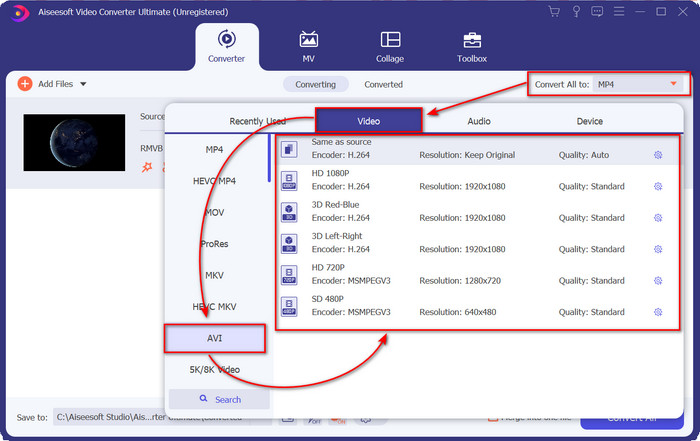
Stap 3. Ga naar Convert All to: en zoek het AVI‑formaat, klik er vervolgens op.
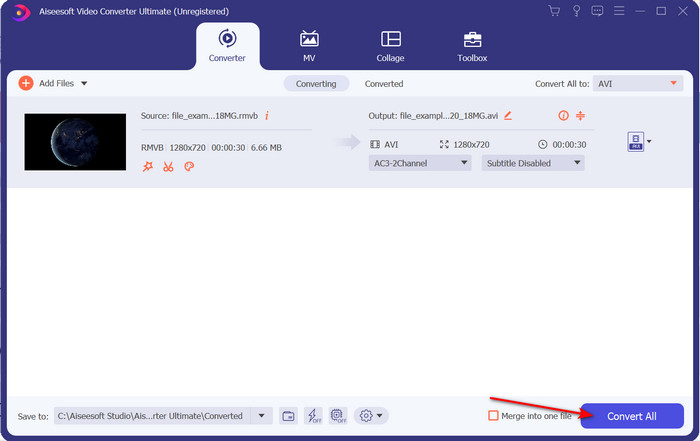
Stap 4. Nadat je het formaat hebt gekozen, kunnen we beginnen met het converteren van het bestand door op Convert All te klikken.
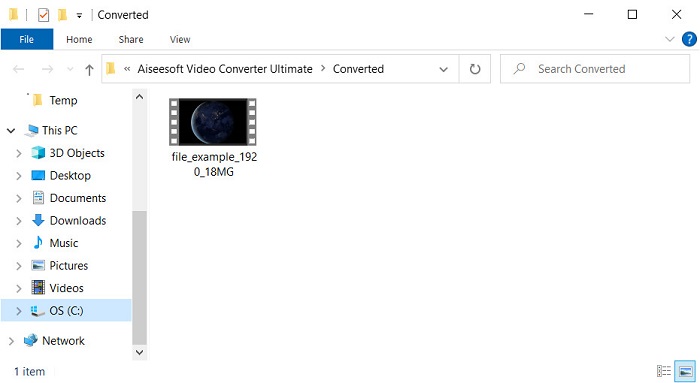
Stap 5. Een map met het nieuwe .rmvb‑bestand verschijnt op je scherm; klik op het bestand om de video te bekijken en ervan te genieten.
Voordelen
- De toolbox biedt meerdere populaire hulpprogramma's die u zullen helpen met verschillende problemen die u tegenkomt.
- Het biedt 30x snellere conversie van het bestand in vergelijking met de andere online en offline converters.
- Het is onfeilbaar dat iedereen met of zonder ervaring met converteren gemakkelijk kan converteren.
- Batchconversie is snel gedaan met verschillende formaten.
Nadelen
- Om toegang te krijgen tot de tool, moet je ervoor betalen, maar het is niet meer dan honderd dollar.
- Downloaden is nodig op uw pc of Mac.
Deel 2. Beste online RMVB naar AVI-converter voor webbrowser [gratis]
Ben je op zoek naar een RMVB‑naar‑AVI‑converter online? Dan is FVC Free Video Converter Online een van de opties. Met deze webtool kun je converteren zonder de software te downloaden. Hij is toegankelijk voor iedereen met een internetverbinding. Bovendien is hij gratis, veilig en er verschijnen geen advertenties op de website tijdens het converteren. Daarnaast kun je hier zonder limiet bestanden converteren. Je kunt kiezen uit verschillende beschikbare formaten. Deze webtool heeft echter niet dezelfde geavanceerde functies als de FVC Video Converter Ultimate biedt. Bovendien heb je, net als bij andere webtools, geen toegang tot deze tool als je geen internetverbinding hebt. Dus als je nu zonder geld uit te geven wilt proberen te converteren, volg dan de stappen hieronder.
Stappen om RMVB online naar AVI te converteren met FVC Free Video Converter Online:
Stap 1. Om toegang te krijgen tot deze RMVB‑naar‑AVI‑converter online, moet je op deze link klikken.
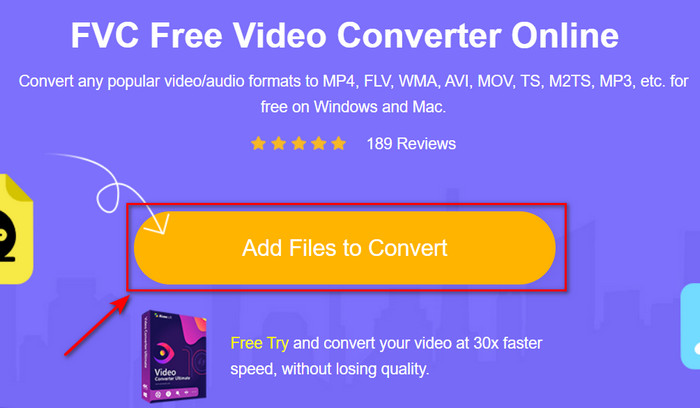
Stap 2. Druk op Add Files to Convert, en als het de eerste keer is dat je deze tool gebruikt, wordt er automatisch een launcher gedownload; klik daarna opnieuw op Add Files to Convert en er verschijnt een map. Zoek het .rmvb‑bestand in de map en klik op Open.
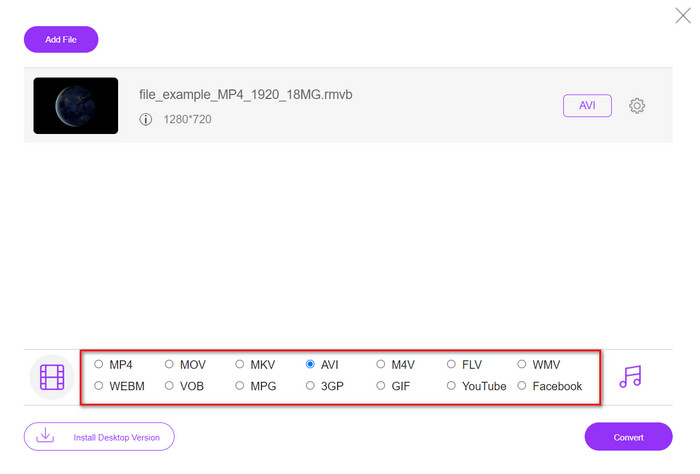
Stap 3. Zodra het bestand in de webinterface staat, klik je op AVI onder de beschikbare opties hieronder.
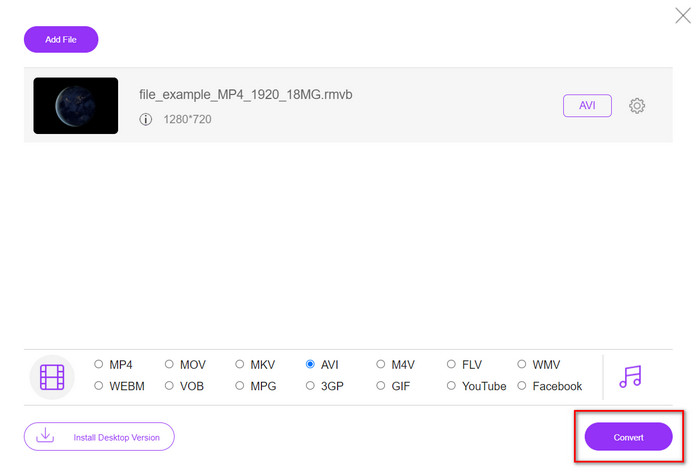
Stap 4. Nadat je AVI hebt geselecteerd, starten we de conversie door op Convert te drukken.
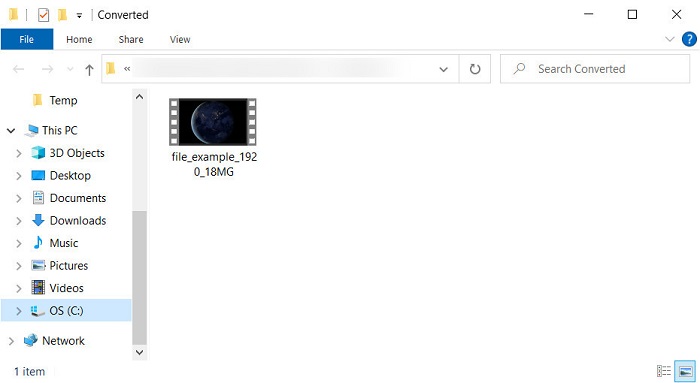
Stap 5. Wanneer het converteren van het bestand voltooid is, verschijnt er een map met het bestand op je scherm, en als je het bestand wilt bekijken, klik je erop.
Voordelen
- Er is geen download nodig om er toegang toe te krijgen, behalve het installatieprogramma.
- Gratis, en het heeft geen advertenties op de webinterface.
- Open de webtool in een andere browser omdat deze in alles beschikbaar is.
Nadelen
- Internet-afhankelijk, wat betekent dat als je geen internet hebt, je het ook niet kunt gebruiken.
- Het heeft geen bewerkingsfuncties zoals de FVC Video Converter Ultimate.
Deel 3. Veelgestelde vragen over RMVB en AVI
Kan ik het RMVB-bestand afspelen op Quicktime?
Quicktime kan verschillende formaten afspelen en deze mediaspeler ondersteunt diverse codecs die in je video- of audiotrack zijn gecodeerd. .rmvb is echter niet een van de ondersteunde formaten, dus om het .rmvb‑bestand in Quicktime af te spelen, moet je het converteren naar een ondersteund formaat zoals MOV, MPEG‑4, AVI en andere ondersteunde formaten. Maar je kunt ook gebruikmaken van RMVB‑spelers om optimaal van je RMVB‑video’s te genieten.
Waarom kan ik geen .rmvb-bestanden openen in Windows Media Player?
Omdat de codec van je .rmvb-bestanden niet wordt ondersteund in deze mediaspeler, stel dat je een video wilt bekijken met de bestandsextensie .rmvb. In dat geval is het een must om een videocodec op uw computer te installeren voordat u deze afspeelt. Maar om dit probleem te voorkomen, probeer het formaat te converteren naar een aannemelijk formaat dat deze mediaspeler ondersteunt.
Kan ik een video opslaan in RMVB-formaat op mijn telefoon?
Ja, u kunt het opslaan, maar u kunt het niet afspelen op uw standaard videospeler en om het bestand af te spelen, moet u een externe videospeler downloaden die dit formaat ondersteunt.
Gevolgtrekking
Kortom, we begrijpen nu wat het RMVB‑formaat is en welk type codering dit formaat ondersteunt. Hoewel het formaat uitstekend is voor het online verzenden van bestanden, ondersteunen sommige mediaspelers dit formaat nog steeds niet vanwege de complexe structuur. Daarom introduceren we nu twee oplossingen waaruit je kunt kiezen en waarmee je leert hoe je RMVB‑bestanden naar AVI converteert: de ene tool is online toegankelijk zonder gebruikskosten, en de andere is de fenomenale converter die alle taken in een oogwenk uitvoert. Stel dat je FVC Free Video Converter Online kiest, dan kun je rekenen op de beste online conversie. Als je echter besluit een veel betere versie te downloaden, dan kun je rekenen op ultieme prestaties.
-
 Gids voor het converteren van RMVB naar MP4 op Windows / Mac (3 gratis manieren)
 Wilt u RMVB naar MP4 converteren voor eenvoudig afspelen op uw computer of mobiele telefoon? In deze handleiding vindt u eenvoudige manieren om uw RMVB-bestanden naar MP4 te converteren.
-
 Top 4 gratis RMVB naar FLV Converter-apps op desktop of online
 Dit artikel vertelt je de beste RMVB naar FLV-conversiesoftware en web-apps die RMVB-bestanden (RealMedia Variable Bitrate) naar FLV-video kunnen converteren.
-
 Beste methode om te gebruiken bij het converteren van AMV naar AVI [Goedgekeurd]
 Heeft u moeite om uw videobestand in AMV-formaat naar AVI te converteren? Hier zijn enkele tips die u alleen in dit artikel kunt vinden.
