


 Video Converter Ultimate
 Scherm opnemer
 Videoreparatie
Wat is het beste iMovie-alternatief voor Windows dat u op internet kunt vinden?
iMovie is a well-known free video editor on Mac because it is their default editor and even if you are between beginner and professional you can easily manage to use it. Although this tool is great at editing, it is not yet available to be accessed on Windows. So, here below are the list of the best video editor like iMovie for Windows and their definition also. For easier to decide which tool provides the best editing features and output as well.

Deel 1. Beste iMovie-alternatieven voor pc met vergelijkingstabel
| Editorfunctie/s | Video Converter Ultimate | VSDC gratis video-editor | Davinci oplossen | Hit Film Express | Windows film bewerker |
| Bewerkingsfunctie/s |  | | | | |
| Gebruikersvriendelijk | |  | | | |
| Algehele ervaring | Het biedt een all-out vooruitgang en professionele output en is toch gemakkelijk te gebruiken. | Beste tool om te gebruiken bij het bewerken voor meer gedetailleerde video met professionele ervaring. | De tool is gebouwd om te worden gebruikt bij zware bewerkingen | Biedt veel bewerkingsfuncties dan de VSDC Free Video Editor. | Het beschikt over basisbewerkingen en niets meer. |
| Bestandsgrootte | 2,4 mb | 99,2 mb | 1,5 GB | 1,2 GB of meer | 15,1 mb |
| Prijsbereik | Voor 1 maand: $25.00 Voor een jaar: $31.20 Voor levenslange licentie: $55.20 | $19.99 voor de Pro-editie | $357.01 per kenmerken | $299 (zonder abonnementskosten) | Gratis te downloaden |
| Systeemvereisten: ondersteunde platforms, processors en RAM | Ondersteunde besturingssystemen: Windows 10, Windows 8, Windows 7, Windows Vista, Windows XP (SP2 of hoger) macOS 10.7 of hoger Processor: 1 GHz Intel / AMD CPU of hoger RAM: 1G RAM of meer | Microsoft Windows 2000/XP/2003/Vista/Win7/Win8 Processor: Intel of AMD of compatibele processors met minimaal 800 MHz Display graphics minimale resolutie van 800x600x16-bits kleur RAM: 128 megabyte (MB) Microsoft DirectX 8.1b | Windows 10 Creators Update of Blackmagic Design Desktop Video 10.4.1 of hoger Processor: NVIDIA/AMD/Intel GPU-stuurprogrammaversie RAM: minimaal 2 GB VRAM | Windows: Microsoft Windows 10 (64-bits) Processor: 4e generatie Intel® Core™-processors of AMD-equivalent. RAM: 4 GB (8 GB aanbevolen) | Microsoft Windows XP (SP2 of hoger), Windows Vista, Windows 7, Windows 8, Windows 8.1, Windows 10 Processor: 1GHz Intel/AMD-processor of hoger RAM: 256 MB RAM (512 MB of hoger aanbevolen) |
1. Video Converter Ultimate
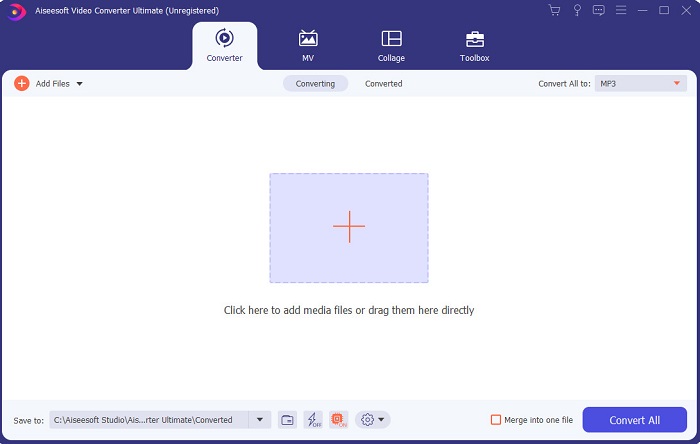
If editing is your problem, then Video Converter Ultimate makes up for it. As it showcases a lot of features than iMovie in editing or the other tool in this list. And also, this is the best iMovie alternative for Windows and on Mac. As it allows its user to experience a high-quality editing experience with less learning needed to do. Which means even if you are a beginner or newbie to editing a video, you can still manage to do the best editing by using this software for easier ways of editing with the touch of a pro. Also, it only presented easy to understand instructions to help its user to do their desired editing they want to do. Although the tool interface is great yet it still needs to be upgraded into a much better. As they say there is always room for improvement.
Gratis downloadVoor Windows 7 of nieuwerVeilige download
Gratis downloadVoor MacOS 10.7 of nieuwerVeilige download
2. VSDC gratis video-editor
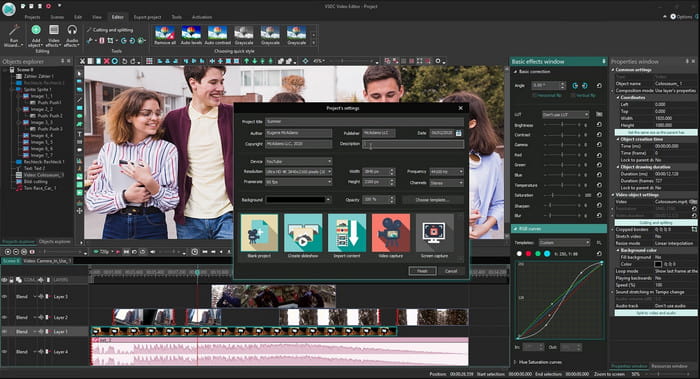
VSDC Free Video Editor is one of the admirable editors you can use for free on Windows. The software user interface became better and better every time the developer upgraded it. But they still need to enhance it to become better than ever. Also, some of this iMovie for Windows 10 editing features are hidden on the submenu of the tool. And because of that it will give you a hard time searching for the editing you want to do. But the price of its pro version is very cheap compared to the other tool presented. However, editing features seems to be fair because of the price. Also we encounter some bugs and crashes when we try this tool.
3. Davinci oplossen
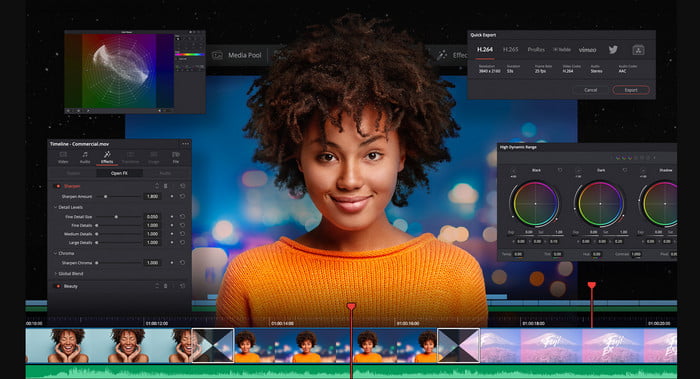
Davinci Resolve presents a lot of editing features you will need to improve your video. It is said that the combination of Adobe Premier and Apple Final Cut editing feature is presented in this tool. Because of that combination, expect a lot of advanced features you can use to make your video even better than ever. However, learning how to use this tool is burdensome to all the beginners and some pro who doesn't have experience in editing. Moreover, this iMovie for PC is the best alternative that has a lot of advanced features but it is not budget friendly. Because it will cost you more than $300 which is the most expensive editor tool in this list.
4. HitFilm Express
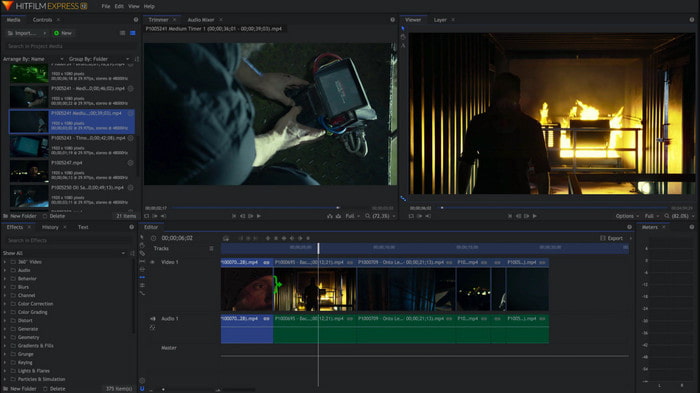
HitFilm Express is greatly appreciated by many users because of its performance. Although some tutorials are presented here, still it is not enough to explain how to use the editor. Also, it lacks some animated transition features that you will need to make your video extraordinary. However, if you want to only do simple editing then try to use this because it is like iMovie available on PC. Also, expect some minor and major bug issues while using this and beware of unexpected crashes.
5. Windows Movie Maker
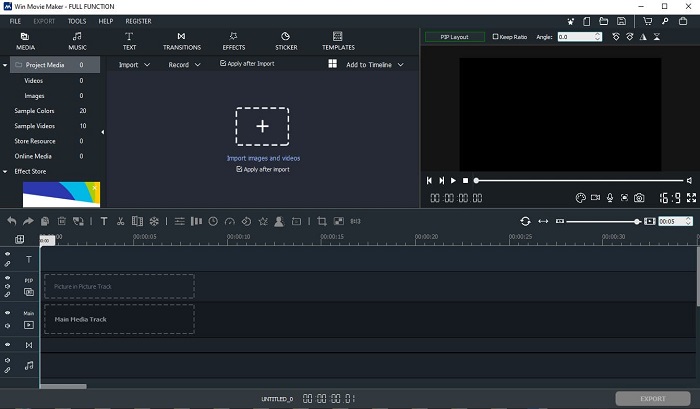
Windows Movie Maker became very popular in late 2016 because it has some advanced features you can use. Although it is now deleted as native media player for Windows still it is one of the alternative iMovie to download for PC. Additionally, be careful where you download this tool, because a lot of users try to download this tool on the web and get viruses from their computers from unknown sources. It also showcases basic editing that you will need. So, if you want to have a phenomenal output then you will not need to download this tool. But if you want to have simple editing then try to download and use this tool.
Deel 2. Veelgestelde vragen over iMovie voor Windows
Wat is de beste tool om GIF's te bewerken?
As GIF became a trend today, many of the users love to create their own GIFs. Also, GIFs are a lot smaller in size than another video format. So now, if you click this link a new website will be open about what is the best GIF editor for PC, Mac, iOS, and Android.
Hoe voeg je achtergrondmuziek toe aan een video?
Editing video is great but did you know that adding background music is also part of the editing stage? So, to know more on how to add music on video click this link to proceed.
Waarom bewerken we de video's?
Omdat het deel uitmaakt van de postproductie, zal dit je video oppoetsen door samen te voegen, onnodige video's te knippen, achtergrondmuziek toe te voegen en meer. Dankzij deze bewerkingssoftware zijn we in staat om onszelf zo uit te drukken door alleen de bewerking uit te voeren.
Gevolgtrekking
In conclusion, editing video is a very important stage that we need to take seriously. Although, if you don't have the complete set of an editor, you can still manage to do the editing. With the help of the 5 tools listed here, they have almost common concepts and features like iMovie. Moreover, the Video Converter Ultimate is the phenomenal editor you will need to make an impressive video that no one will expect you to do. So, what are you waiting for? If you want to experience all-out advanced editing features with a very cheap price and easy to do. Then download the ultimate converter on your PC.
-
 Hoe MPEG-4-bestanden online te comprimeren - Geen download, geen watermerk
 Heeft u niet genoeg bestandsopslag om al uw MPEG-4-bestanden te bewaren? Hier zijn enkele oplossingen die u kunnen helpen uw videobestanden kleiner te maken.
-
 Hoe VOB-bestanden online en gratis te comprimeren [Geen download]
 Bent u op zoek naar methoden om VOB-bestanden te comprimeren? Lees in dit artikel hoe u VOB-bestanden het beste kleiner kunt maken.
-
 Hoe een OGV-bestand te comprimeren zonder kwaliteitsverlies
 Kunt u geen grote OGV-bestanden naar anderen verzenden? Welnu, dit artikel introduceert 2 eenvoudige manieren om u te helpen OGV-bestanden eenvoudig te comprimeren.
