


 Video Converter Ultimate
 Nagrywarka ekranu
 Naprawa wideo
Szczegóły, które musisz oświecić podczas konwersji MPG do AVI
Generally speaking, an MPG file is a typical video file that uses a digital video format that has been standardized by the Moving Picture Experts Group (MPEG). It stores video, audio, and metadata in a single file that is interleaved. It is common practice to employ MPG files to create movies that are delivered over the Internet. This kind of video format is not easy to convert if you don't have any knowledge or background in any converter that supports or converts MPG to AVI. Continue reading this article to be enlightened about the details and choices you should consider to achieve the converting process you want.

Część 1. MPG i AVI — przegląd
MPEG is a video file format developed by the Moving Picture Experts Group, the same people who brought you such formats as MP3 and MP4. Depending on how it will be used, MPEG will use either MPEG-1 or MPEG-2 file compression.
To compress VHS-level raw video and CD music down to 1.5 megabits per second without sacrificing too much quality, MPEG-1 was created. As a result, it has become one of the most popular and widely compatible video/audio formats on the planet. Video data for MPEG-1 is typically transmitted at 30 frames per second (frames per second), with a resolution of around 352240 pixels (frames per second).
However, Windows computers use AVI as the default video format. In a multimedia container format, such as DivX or XviD, audio and video can be stored using several codecs. Many alternative video formats, such as MPEG and MOV, use less compression and more storage space than an AVI file. Compression-free AVI files are also possible to produce. This results in massively bigger file sizes — around 2-3 GB each minute of video — because the files are now lossless. Regardless of how many times you open or save the file, a lossless file retains its quality. Additional advantages include playback with no codecs required.
Część 2. Najbardziej efektywne oprogramowanie do konwersji MPG na AVI
If you ever wondered how to convert an MPG video file to AVI for free, this new and best software is what this article recommends you to use. Video Converter Ultimate is a free-to-download software available in Windows and Mac that can convert your MPG file to AVI as fast as possible than converting files online. Other than these two video files, this software also supports various formats for you to choose from. The best because of the quality output you will have if you use this software. Now that you have the preview of what this software can do, buckle up and let's find out how this software operates:
Step 1. To get started, simply click on the Free Download button provided below. Once the download is complete, you can choose to download the software on either Windows or Mac. Once the software is installed on your computer's desktop, you can begin using it by clicking the Start Now button.
Bezpłatne pobieranieDla Windows 7 lub nowszegoBezpieczne pobieranie
Bezpłatne pobieranieDla MacOS 10.7 lub nowszegoBezpieczne pobieranie
Step 2. Open the software you've just downloaded. You'll see a window with the Converter interface when you initially open the software. You'll begin the process of transcoding your video here.
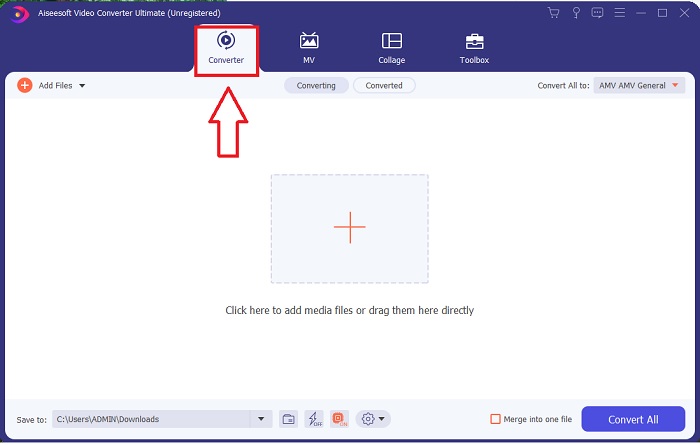
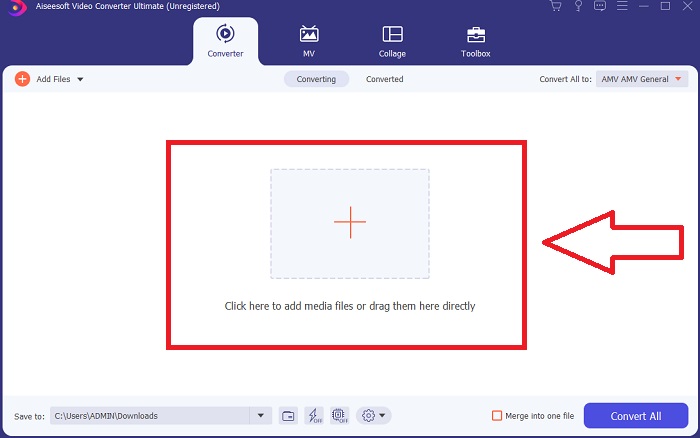
Step 3. You can begin the converting process by importing your files into the software. Converting a video is as simple as dragging it onto the Plus symbol.
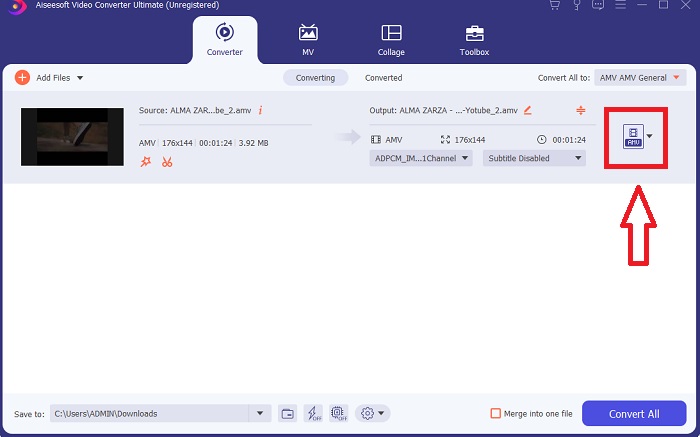
Step 4. Right-click on a video format and choose Save to or Save to external storage. Search for, and then select, an AVI file type from the drop-down option. Video quality settings are numerous once you've chosen an AVI video file type. You can alter the quality settings if your desired video output isn't mentioned. The gear icon allows you to change the display's resolution, frame rate, and audio quality. To save your edits, click the Create New button.
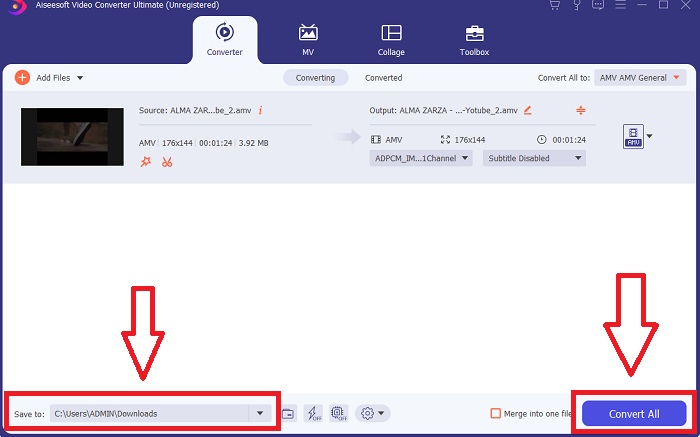
Step 5. Click Convert All when you've edited the video chosen, and it is ready to be transferred to your computer.
Część 3. Szybkie porady: inne skuteczne narzędzia, które należy wziąć pod uwagę
Metoda 1. Użyj CloudConvert
CloudConvert to internetowy konwerter wideo. Ten konwerter online obsługuje między innymi MP4, WEBM i AVI. Możesz wybrać jakość, rozdzielczość i rozmiar pliku wideo. Jeśli zastanawiasz się, jak przekonwertować MPG do AVI w tym narzędziu online, oto procedura, jak z niego korzystać:
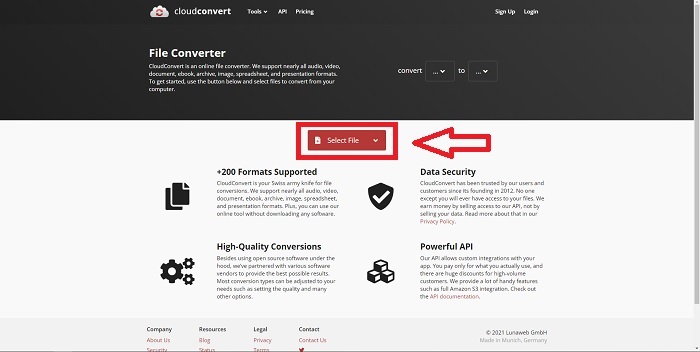
Step 1. Upload a file from your computer by clicking the Select the File.
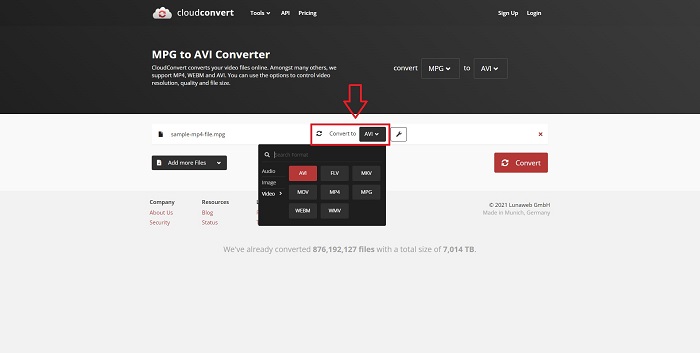
Step 2. Then, proceed with choosing where your file will be converted to by clicking the format section beside the wrench icon. You also have the option to add more files to convert.
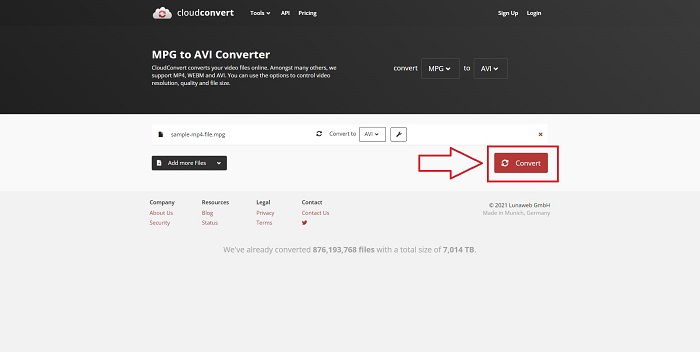
Step 3. Click Convert to convert all the files you uploaded.
Metoda 2. Użyj Zamzar
Zamzar to internetowe narzędzie do konwersji plików. Konwersje mogą być wykonywane w różnych formatach bez konieczności pobierania oprogramowania. Zamzar może przekonwertować plik z jednego formatu na inny, taki jak Adobe PDF na dokument Microsoft Word, wpisując adres URL lub przesyłając jeden lub więcej plików (o ile wszystkie są w tym samym formacie). Aby zdobyć wiedzę na temat tego narzędzia online, oto następujące kroki:
Step 1. Search for Zamzar on any search engine. After you click the website, you can now upload a file in its interface by clicking the Add Files.
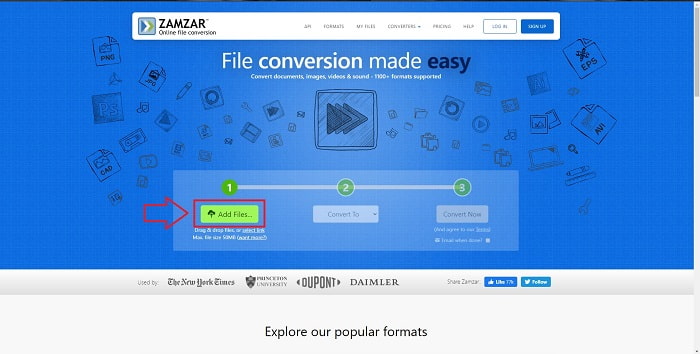
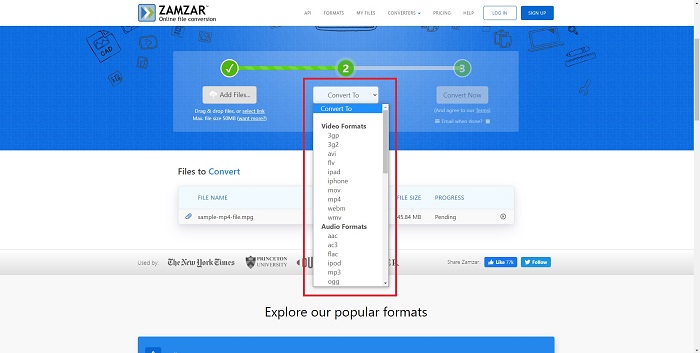
Step 2. Next, you can now convert the file by choosing the file you want. Click Convert To to see all the supported formats this online tool holds.
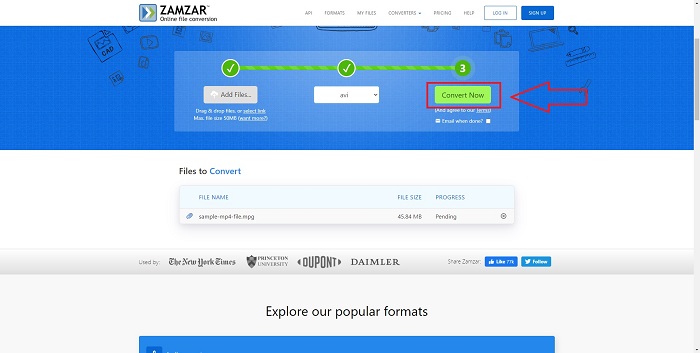
Step 3. To convert the file, click Convert Now.
Część 4. Często zadawane pytania dotyczące MPG i AVI
Czy AVI czy MPG są lepsze?
Przechowywanie jest możliwe w przypadku plików AVI, podczas gdy nagrywanie wideo odbywa się w plikach MPEG. AVI jest nieco lepszy od MPEG; jeśli jednak formatem używanym jest MPEG, chcesz nagrywać filmy DVD. Microsoft Windows opracował format pliku AVI w odpowiedzi na format pliku MOV firmy Apple, podczas gdy grupa Moving Picture Group opracowała format MPG.
Jakie są zalety i wady AVI?
W porównaniu z innymi formatami plików, pliki AVI mogą być bardzo duże, jeśli nie są skompresowane. Musisz chcieć poświęcić trochę miejsca na dysku w zamian za korzyści płynące z pliku AVI, ponieważ nie będziesz w stanie przechowywać tylu plików, ile byś inaczej. Jeśli skompresujesz plik AVI online poza pewien punkt, jakość wideo zostanie w rezultacie obniżona.
Jaki jest mniejszy rozmiar AVI lub MPG?
When it comes to the internet, larger files take longer to download. It makes sense to encode films in smaller file sizes, even if it results in a bit of loss of quality. When it comes to playback, AVI is still preferred over MPG because more set-top players can play AVI files than MPG files. Want to play your MPG files on your computer, click here to learn more.
Wniosek
To conclude everything we have discussed, Video Converter Ultimate is the best converter you should consider using over all the online MPG to AVI converters enlisted above. This software is free, and it has the fastest conversion process than the online converter tool. It also supports a lot of formats and gives you quality in video output. Other than that, there is no reason you shouldn't use this software.
-
 Jak konwertować pliki MPEG na MP4 za darmo w systemie Windows, Mac, online
 Przeczytaj i uzyskaj 3 bezpłatne sposoby konwertowania plików MPEG na MP4 na komputerze. Możesz użyć konwerterów wideo online i stacjonarnych, aby z łatwością zmienić format MPEG na MP4.
-
 [2025] Najlepsze narzędzia i łatwe sposoby konwersji MPEG na MP3
 Ten artykuł mówi głównie o tym, jak konwertować filmy MPEG na MP3 za pomocą najbardziej niezawodnych narzędzi z listy.
-
 4 skuteczne sposoby konwersji MOV do AVI na PC i Mac [2025]
 Czy chcesz wiedzieć, jaki jest najlepszy konwerter MOV do AVI w sieci? I dlaczego FVC Ultimate Video Converter może być dla Ciebie.
