


 Video Converter Ultimate
 Nagrywarka ekranu
 Naprawa wideo
Konwertuj MPEG do AVI za pomocą 5 dostępnych konwerterów wideo MPEG do AVI
MPEG is one of the best formats you might already encounter as it stores files for videos and audio. Also, it is not just a container, but as well it uses MPEG 1 and MPEG 2 compression. However, MPEG 1 and 2 are the old formats that used to be stored on Blu-rays. So now, we will explain how to improve it by converting the format to an AVI. In the list below, we present different tools you can use to convert MPEG to AVI and deeper details about the MPEG and AVI.
Część 1. Krótkie wyjaśnienie dotyczące formatu plików MPEG i AVI
MPEG i AVI to jedne z najlepszych formatów, których można używać do przechowywania plików multimedialnych. Chociaż są świetne, nadal istnieją powody, dla których musisz użyć konwertera wideo MPEG do AVI. Ale na razie wyjaśnimy wiele szczegółów na temat tych dwóch formatów i będziemy mieli pomysł na MPEG i AVI.
Jak wspomniano wcześniej, MPEG to nie tylko kontener, ale także wbudowany kompresor. Zasadniczo jest to format pliku podwójnego przeznaczenia. Ponadto ten format jest najczęściej używanym formatem na Blu-ray ze względu na jakość i kompresję, jaką zapewnia. Co więcej, format MPEG jest sklasyfikowany na 6, ale omówimy dwa powszechnie używane, a mianowicie MPEG-1 i MPEG-2. Ponadto MPEG-1 jest pierwszą generacją plików MPEG. Ten format przechowuje standardową rozdzielczość, ale w porównaniu z rozdzielczością innego formatu MPEG-1 jest znacznie mniejszy. Chociaż MPEG-2 oferuje znacznie lepszą jakość niż MPEG-1, najlepiej sprawdza się na płytach Blu-ray i DVD. Ponadto ten format jest najczęściej używany przez stację telewizyjną do przesyłania i odtwarzania wideo.
But AVI is far different from MPEGs because it is uncompressed. Also, the quality this format provides is high because it doesn't compress the file it contains. Although the format is huge in size still it gains a lot of support on all platforms compared to MPEG files.
Część 2. 2 najlepszego konwertera używanego do konwersji MPEG do formatu AVI w trybie offline
1. Konwerter wideo FVC Ultimate
If you are looking for a multi-purpose MPEG to AVI converter and download then FVC Video Converter Ultimate must be the tool for it. This tool already receives a higher position in this article because of the features and simplicity this tool provides. Although it is easy to use, you can achieve the phenomenal output you always want to have. Also, unlike any other converter, this software sets the standard into a high level one. So, if you want to achieve 100% success before, during, and after your conversion then it is a must to use this tool. And now, let's proceed to the step-by-step tutorial on how to use the FVC Video Converter Ultimate.
Step 1. So, to download the tool on your desktop click the button presented below. Install it after the process of downloading is finished, do the quick set-up and click Start Now.
Bezpłatne pobieranieDla Windows 7 lub nowszegoBezpieczne pobieranie
Bezpłatne pobieranieDla MacOS 10.7 lub nowszegoBezpieczne pobieranie
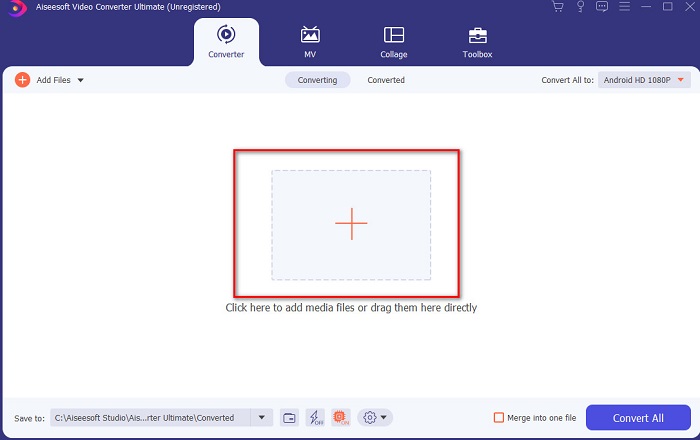
Step 2. The interface of the tool should look like this then click + sign in the middle part. A folder will show next on your display then select the MPEG video file you want to be converted and click Open.
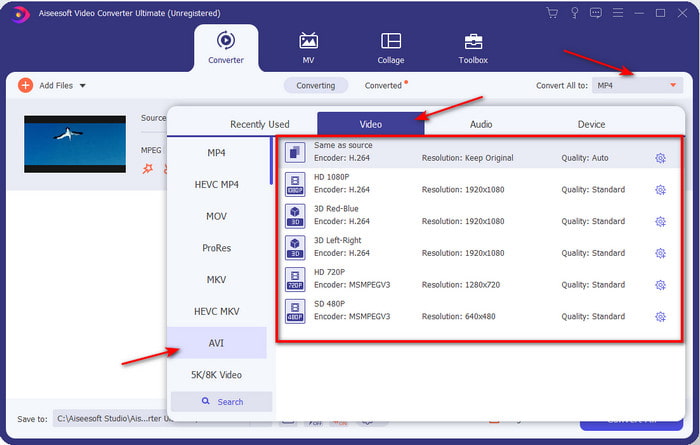
Step 3. If the file is already on your interface, click the Convert All to: and find the AVI format.
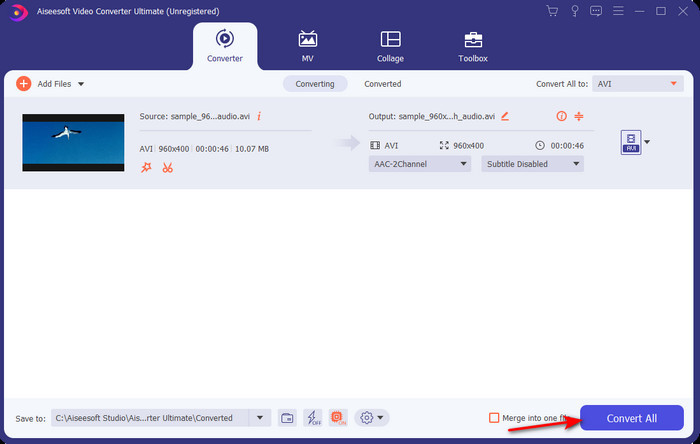
Step 4. And now to start the conversion of MPEG 4 movies to AVI format press Convert All.
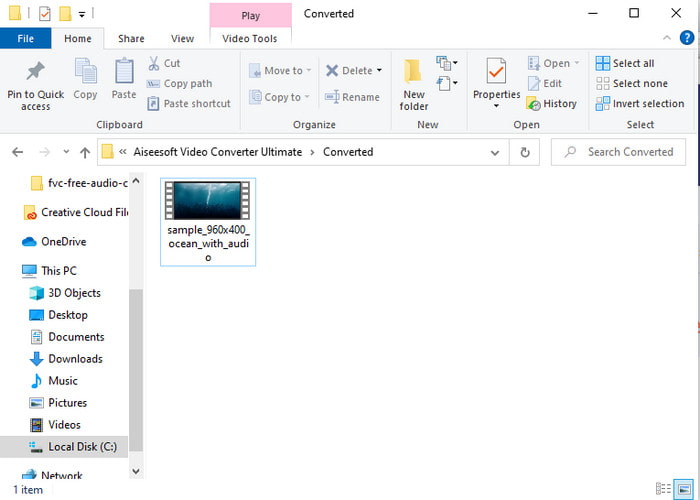
Step 5. Downloading the file will only take a few minutes and if it is done a folder will show next with the converted format. So now, click the file to watch the newly converted format of your MPEG.
2. FFmpeg
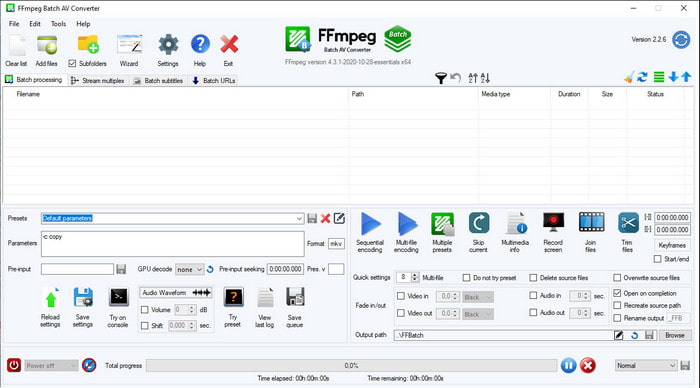
Another software available in this list is FFmpeg. If you're looking for open-source software, this is one of the choices you can find on the web. Also, the interface of this tool is tough to understand, especially for beginners and pros. The converting process here is generally excellent and produces a high output like any converters. So, if you want to convert using FFmpeg MPEG to AVI, then follow these steps accordingly as we make it simple to understand.
Step 1. Download the FFmpeg on your desktop and create a new folder then inside of it unzip the file.
Step 2. Search the CDM on your Window and open it.
Step 3. Find the file using command prompt, then insert this code ffmpeg -i input.mpeg -vn -ar 44100 -ac 2 -b:a 192k output.avi and hit Enter on your keyboard to start the process.
Część 3. 3 najlepszego konwertera używanego do konwersji MPEG do formatu AVI online
3. Darmowy konwerter wideo FVC
If you are looking for the best free MPEG to AVI converter online the FVC Free Video Converter is the online converter that will suit your taste. Because of the simplicity of the interface of the web tool it provides. Also, the great thing about this online tool is that you can easily access it with your favorite browser. Moreover, converting with this tool has no limitation which means you can convert any format any time. However, you can't do the batch conversion here unlike on the FVC Video Converter Ultimate. And now if you want to try and use this online tool then follow the steps provided below.
Step 1. To go to the main website of the FVC converter you must click this link first.
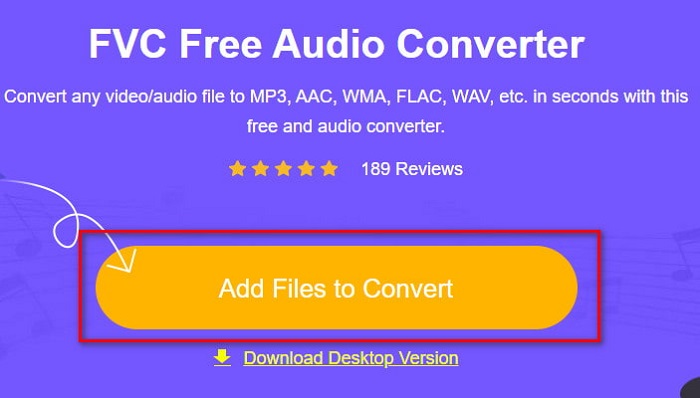
Step 2. Click Add Files to Convert then the web tool will launch and a folder will show. Locate the file and click Open.
Step 3. After the web tool is already launched, choose the format that is presented in this section.
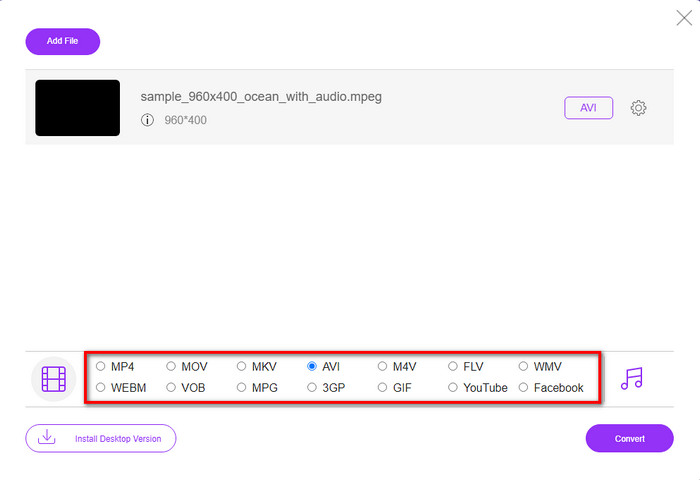
Step 4. If you already select the format, it is now the time to convert the format by clicking the Convert button.
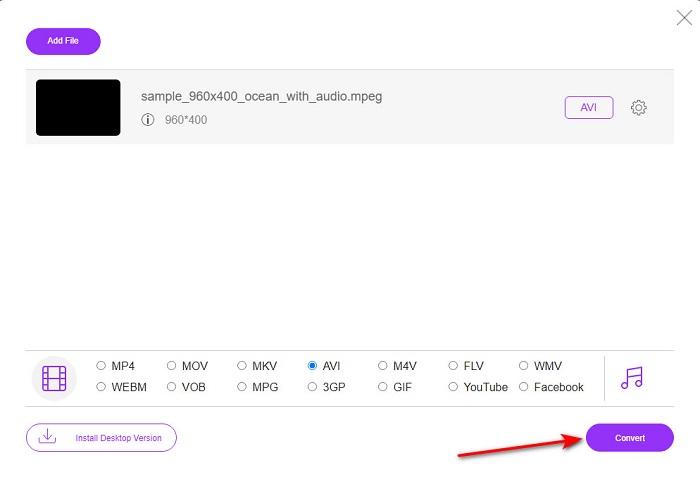
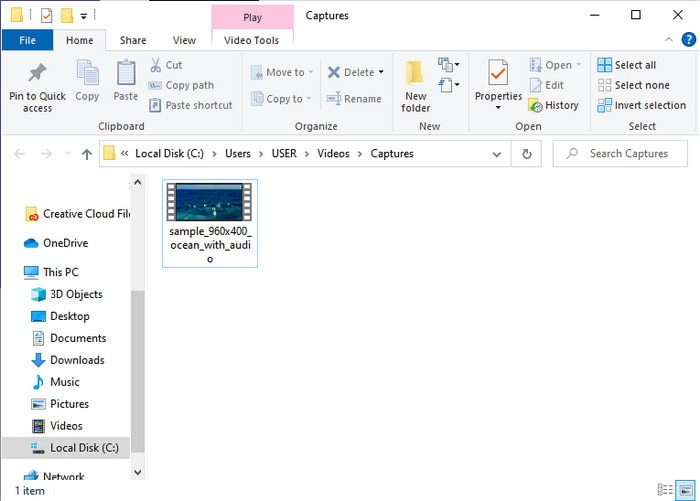
Step 5. Wait for an ample minute for the process to begin shortly. If the process is done, a folder will show with the converted file you've made earlier.
4. Freeconvert.com
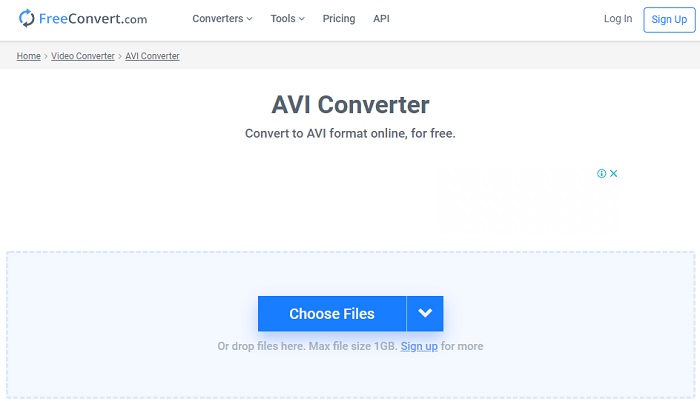
Just like the online tool mentioned above, this is another online tool you can use, Freeconvert.com. This web tool has already gained popularity among the users on the web. Also, many users praise this tool because of how easy it is to use and its other functionality. However, if you choose this web tool, there is a major drawback: the format the web tool supports is limited. Another is that the process of converting here is a bit slower than expected. So now, if you want to know how to use this online converter, then follow the steps.
Step 1. Search the website freeconvert.com on your web. Then click AVI under the Video Converters.
Step 2. Press the Choose File and locate the MPEG file on the folder that will show next. After the selection of the file made, click Convert To AVI.
Step 3. Wait for the uploading process to finish, then click Download AVI to save the file.
Część 4. Często zadawane pytania dotyczące konwersji MPEG do AVI
Czy konwertowanie MPEG traci jakość?
Cóż, to zależy od tego, w jaki format go zamienisz. Tak więc, jeśli zmienisz swój MPEG na GIF, spodziewaj się drastycznej zmiany, ponieważ obsługuje on mniej kombinacji kolorów niż inny format. Jeśli jednak użyjesz innego formatu niż GIF, nie oczekuj żadnych strat.
Czy MPEG jest stratny czy bezstratny?
MPEG obsługuje kompresję stratną, więc jeśli używasz tego formatu, spodziewaj się mniejszego rozmiaru pliku, nawet jeśli masz długi obraz i dźwięk.
Czy MPEG to dobry format?
Wcześniej był to jeden z najlepszych formatów, których można używać do przechowywania danych na płytach DVD. Jednak w dzisiejszych czasach MPEG nie jest najlepszym wyborem do przechowywania danych. Ale jeśli chcesz go przechowywać na płytach DVD, CD lub Blu-ray i przesyłać je znacznie szybciej, to musi być wybór.
Wniosek
Podsumowując, całe prezentowane tutaj oprogramowanie online i offline świetnie nadaje się do konwersji formatu. Jest jednak jedno narzędzie, które udowadnia, że dzięki FVC Video Converter Ultimate można łatwo osiągnąć fenomenalną konwersję. W rzeczywistości możemy to wyjaśnić w 3 słowach i jest to łatwe w użyciu, skuteczne i bezpieczne. Jeśli więc chcesz osiągnąć wielkość, pobierz to narzędzie już teraz i wypróbuj je.
-
 Jak konwertować pliki MPEG na MP4 za darmo w systemie Windows, Mac, online
 Przeczytaj i uzyskaj 3 bezpłatne sposoby konwertowania plików MPEG na MP4 na komputerze. Możesz użyć konwerterów wideo online i stacjonarnych, aby z łatwością zmienić format MPEG na MP4.
-
 [2021] Najlepsze narzędzia i proste sposoby konwersji MPEG na MP3
 Ten artykuł mówi głównie o tym, jak konwertować filmy MPEG na MP3 za pomocą najbardziej niezawodnych narzędzi z listy.
-
 Samouczek do konwersji plików MP4 na AVI z 7 darmowymi konwerterami wideo
 Chcesz uzyskać wszystkie bezpłatne sposoby konwersji wideo AVI na MP4? Nie możesz przegapić tego artykułu. Oto sposoby 7 na konwersję plików AVI do MP4 za darmo na Windows, Mac, iPhone, Android i online.
