


 Video Converter Ultimate
 Nagrywarka ekranu
 Naprawa wideo
4 najłatwiejsze sposoby konwersji pliku F4V do formatu AVI Media File Format
Firma Macromedia wprowadziła F4V, a później Adobe opracowała go, aby konkurować z nowoczesną, wysokiej jakości pamięcią wideo. Jest również tworzony jako format zastępczy dla FLV, ponieważ FLV ma ograniczenia. Dalsze wyjaśnienie jest takie, że plik F4V używa podstawowego formatu plików multimedialnych ISO z kodekiem H.264 w celu zmniejszenia rozmiaru pliku. Chociaż format zawiera wysokiej jakości dane wyjściowe, F4V ma mniejszą kompatybilność niż inny format. I nie tylko to, ale ten format również został wycofany, ponieważ Adobe Flash Player już się wycofał.
So if you have the same problem with others because their .f4v can't play on their media player, continue reading below. We gather different tools that will help you play the unplayable .f4v by converting the format into AVI. And now, let's proceed and know how to convert F4V into AVI format with the online and offline tools available.

Część 1. Naucz się konwertować F4V na AVI za pomocą fenomenalnego konwertera F4V na AVI
If you're looking for the best converter that will be an aid on your problem, then FVC Video Converter Ultimate must be the aid. We tested the tool ourselves and read some of the comments; the ultimate is not just a name, but the software's performance and features are ultimate as well. Also, one of the most impressive features this tool offers is the fast conversion and hardware acceleration so that the customers who use this software will not need to wait.
Also, if you want to create GIFs, speed-up videos, or slow them down, reverse, boost the audio, etc. As this tool provides advanced features, you will still need to pay for it before you can use it, and no need to worry because you will not spend more than a hundred dollars. So now, if you are still in the stage of deciding to buy this tool, then try to read the provided steps below and convert the F4V file to AVI by following these steps below.
Step 1. Before you can use this powerful tool, you must download it now on your desktop. Then install it and do the set-up very quickly; click Start Now to open the device.
Bezpłatne pobieranieDla Windows 7 lub nowszegoBezpieczne pobieranie
Bezpłatne pobieranieDla MacOS 10.7 lub nowszegoBezpieczne pobieranie
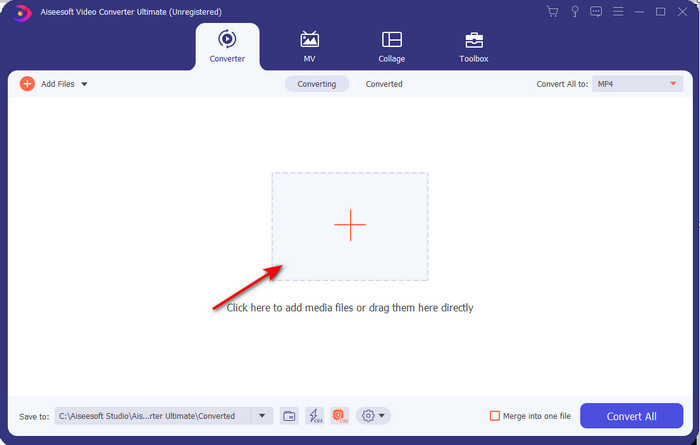
Step 2. If the tool is already open, go to the Add Files or click the + button, then a folder will show and search for the .f4v file extension and click Open.
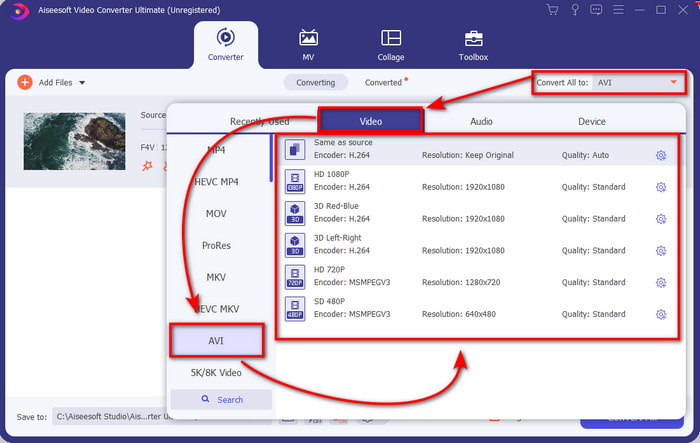
Step 3. After inserting the file, click Convert All to the top-right part of the interface and choose the AVI format.
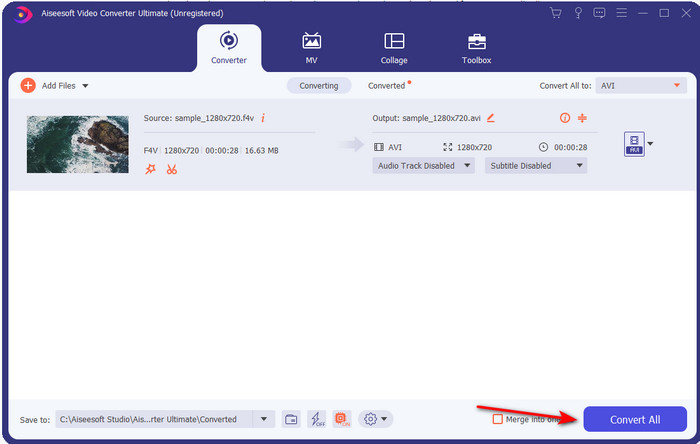
Step 4. And now, to start the conversion process, click the Convert All. Wait for several minutes to turn your F4V to AVI.
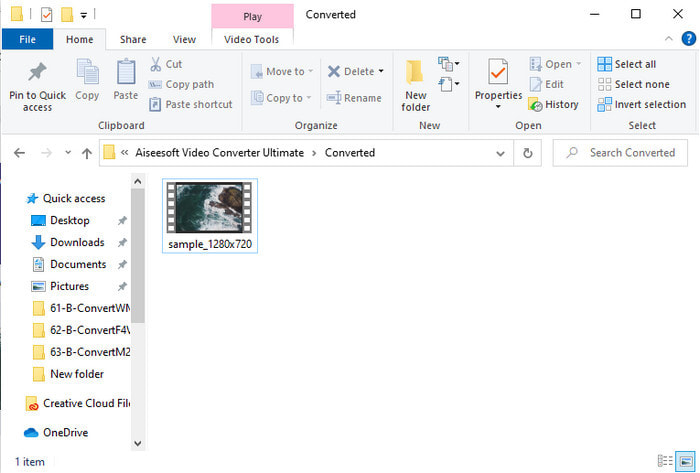
Step 5. A file folder will automatically open on your desktop with the converted .f4v format you've made here. Click the video file to watch the unplayable before on your desktop, or transfer it on your phone if you want.
Część 2. Dowiedz się, jak przekonwertować F4V do AVI Online za pomocą 3 dostępnych konwerterów internetowych
1. Darmowy konwerter wideo FVC online
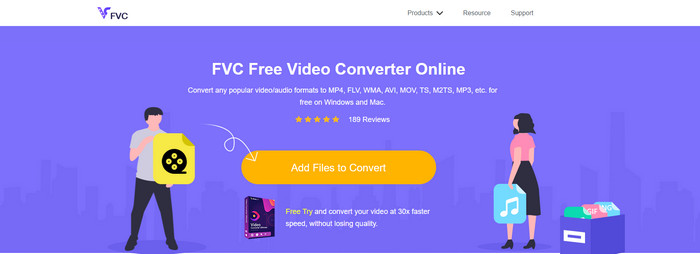
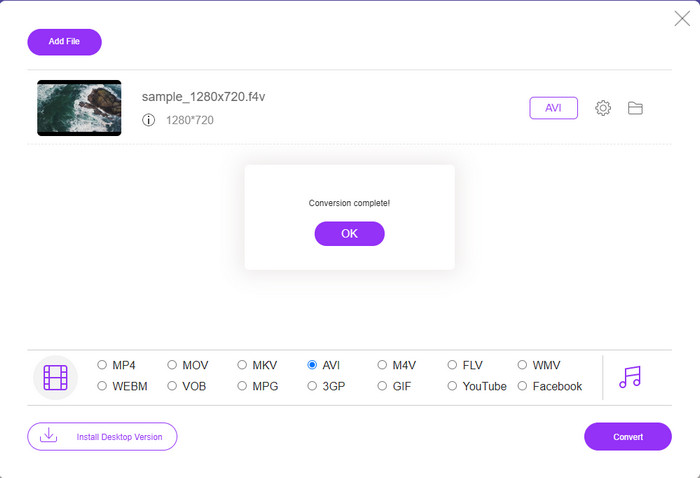
If you want to know which web converter is the best, FVC Free Video Converter Online might be it. All of the features you would love to use are available here, as you can change the bitrate and fps of the video to make it high in quality before you convert it. Millions of internet users have already praised the overall performance of this web tool. Also, this web tool supports a medium range of formats you can choose from and upload. However, you are not allowed to make your video look fantastic like the ultimate tool provides. Nevertheless, if you want to try and convert F4V to AVI format, follow these steps below.
Step 1. Click this link to go to the FVC Free Video Converter Online.
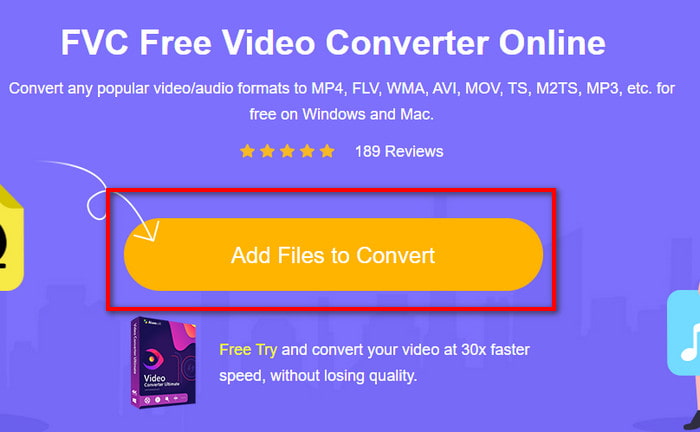
Step 2. Then press Add Files to Convert to launch the tool and select the file you want to convert into a new format on the folder by clicking Open.
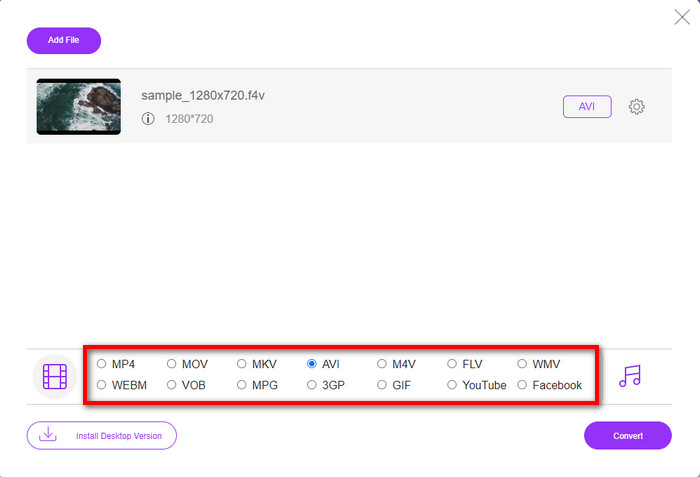
Step 3. Once the file is in, choose the AVI format at the lower part of any format you want it to turn.
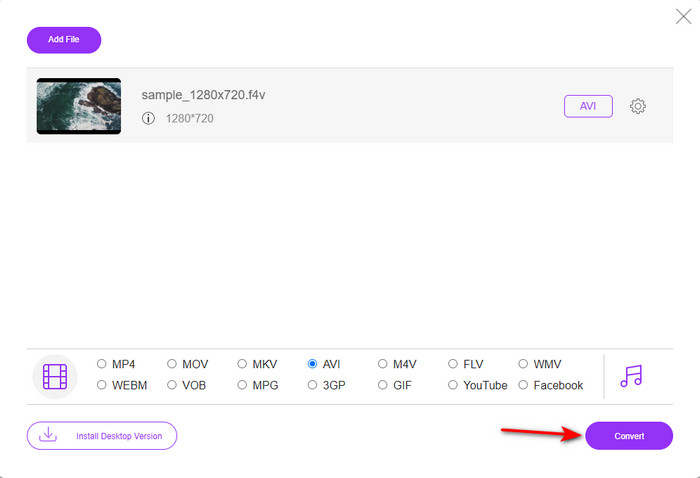
Step 4. After selecting the AVI format, it is now the right time to convert it by clicking the Convert button.
Step 5. Wait for several minutes for the file to be downloaded, and then a file folder will show with the converted file.
2. Zamzar
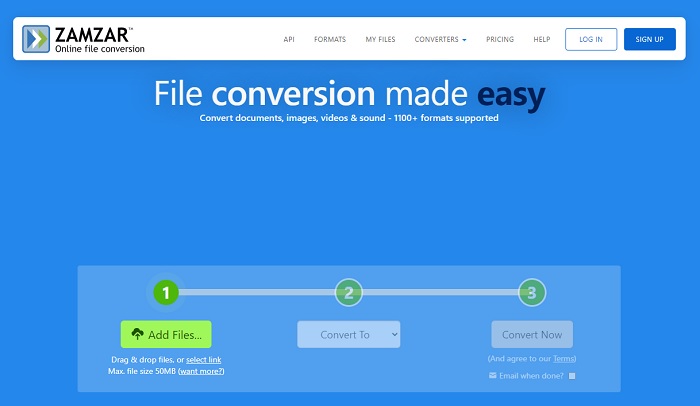
Another converter alternative you can use online is the Zamzar. Just like any converter, this tool needs an internet connection to be used or accessed. All of this on the web tool presented here does need the internet to fuel the conversion. As many users use this, Zamzar became popular because it supports many formats you can use and choose. Also, it is free of charge to use however there is a limitation on the file size this tool can convert. So, if your .f4v file is more than 50MB, you can't convert it in here as it specifies below. And if your file is less than that, you can try to use this to convert F4V to AVI online by following the procedure below.
Step 1. Open your web browser and search Zamzar.
Step 2. Press Add Files and locate the file you want to convert. Then, choose the AVI format press Convert to; after that, click Convert.
Step 3. Wait for the process; then a new interface will show, and click the Download to save the file.
3. Konwertuj pliki
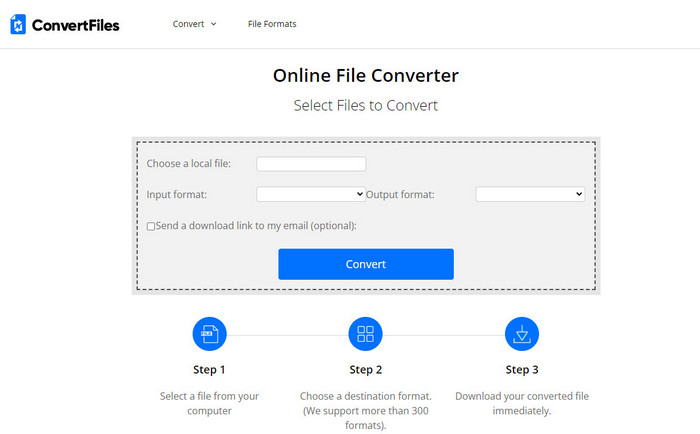
If you want a more straightforward conversion process that takes only a few minutes, try to use ConvertFiles. The tool performs great during the conversion and after conversion as well. But the ads are killing this tool because there is a lot on the interface of the web tool. Also, the process takes a lot of time compared to the other converters online and offline. The file size you can insert here is much larger than the Zamzar. So now, if you want to use this tool to convert the F4V file to AVI, then follow these steps.
Step 1. Go to your web browser and search the Convert Files, then open it.
Step 2. Click Choose a Local File to open the folder and locate the file under the Output Format; click the AVI. Then click Convert to start the conversion.
Step 3. After the conversion, click the blue highlighted URL that will transfer into a new web. Click this link to download the converted format.
Część 3. Który format jest lepszy; F4V kontra AVI
Cóż, F4V i AVI w najlepszym razie wykonują swoją pracę jako kontener. Istnieje jednak wiele wspólnych formatów i ich przeznaczenie nie jest takie samo. Na przykład, jeśli chcesz przechowywać wysokiej jakości wideo w małym pliku oraz przechowywać i chronić dane wideo DRM MPEG-4, F4V jest najlepszym wyborem. Załóżmy jednak, że chcesz przechowywać wysokiej jakości wideo, które obsługuje zsynchronizowane odtwarzanie multimediów. W takim przypadku musisz wybrać format AVI, ponieważ ma on inny kontener zarówno dla audio, jak i wideo. Mimo to rozmiar pliku AVI jest zbyt duży, aby poradzić sobie z wieloma urządzeniami, a nawet komputerami stacjonarnymi, ponieważ jest nieskompresowany.
Część 4. Często zadawane pytania dotyczące konwersji F4V na AVI
Czy konwersja F4V obniża rozdzielczość po konwersji?
Rozdzielczość wideo musi zachować oryginalną jakość nawet po przekonwertowaniu go na nowy format. W niektórych przypadkach wielu użytkowników doświadcza, że jakość ich F4V spadła. Jednym z powodów musi być to, że ustawiona jakość jest niska lub używane narzędzie nie obsługuje filmów 1080 lub 4K.
Dlaczego nie można odtwarzać F4V na moim odtwarzaczu multimedialnym?
This format can play in several media players, but not all of the media players support this format. So, if you want to watch the video in this format, it is the best choice to convert it into a new format or find a new third-party media player to watch your F4V videos.
Czy muszę skompresować F4V, aby zmniejszyć rozmiar?
The file size of the F4V is not that big compared to the AVI format. After all, if you try to compress this file container, there will be a chance that the quality of the video will lessen. Here you can learn how to compress your F4V videos.
Wniosek
Gdy kończymy ten artykuł, mamy teraz wgląd w to, czym jest F4V i dlaczego należy go przekonwertować. Całe oprogramowanie online i offline wymienione w tym artykule działa dobrze. Chociaż wszystkie narzędzia są świetne, FVC Video Converter Ultimate nadal wyróżnia się spośród innych. Ponieważ to oprogramowanie działa dobrze nawet, nie masz połączenia z Internetem, a to narzędzie może zakończyć proces konwersji w mgnieniu oka. Więc teraz, jeśli chcesz doświadczyć fenomenalnej konwersji, o której mówimy, pobierz ją teraz.
-
 Jak przekonwertować TS na AVI / MKV / MOV / WMV online i bezpłatnie na Win / Mac
 Chcesz szybko przekonwertować pliki TS na AVI / MKV / MOV / WMV? W tym artykule przedstawiono konwertery wideo online i offline z pełnym przewodnikiem. Może tutaj znajdziesz najlepszy darmowy konwerter TS.
-
 [Bezpłatne i online] 7 sposobów na konwersję MTS do AVI na komputerze Mac/Windows
 Jak z łatwością przekonwertować MTS na AVI? W tym przewodniku znajdziesz 7 darmowych i łatwych sposobów konwertowania plików MTS na AVI w systemie Windows lub Mac bez utraty jakości.
-
 Samouczek do konwersji plików MP4 na AVI z 7 darmowymi konwerterami wideo
 Chcesz uzyskać wszystkie bezpłatne sposoby konwersji wideo AVI na MP4? Nie możesz przegapić tego artykułu. Oto sposoby 7 na konwersję plików AVI do MP4 za darmo na Windows, Mac, iPhone, Android i online.
