


 Video Converter Ultimate
 Nagrywarka ekranu
 Naprawa wideo
Dowiedz się, jak przekonwertować AMV na MOV bez obniżania jakości
AMV to zastrzeżony format wideo używany do przechowywania nagrań wideo na przenośnych odtwarzaczach multimedialnych S1 MP3 i MP4. Rozszerzenie pliku .amv oznacza niską rozdzielczość i silną kompresję, aby zmieścić plik na takim przenośnym urządzeniu. Chociaż format ten wciąż istnieje, trudno znaleźć odtwarzacz multimedialny na telefon, który go obsługuje, ponieważ jest już przestarzały. Zamiast szukać zgodnego odtwarzacza, lepiej przekonwertować pliki AMV na nowszy format, który cieszy się szerokim wsparciem, taki jak MOV. Jeśli więc chcesz poznać najlepszy sposób, aby przekonwertować AMV na MOV, zacznijmy analizę.

Część 1. Krótkie wprowadzenie do AMV i MOV
Ideą Action Media Video lub AMV jest zastąpienie MP4 jako formatu uniwersalnego, ponieważ ten format jest lepszy i znacznie bardziej skompresowany. Ponadto ten format jest lepszą wersją formatu AVI. Ale format został zignorowany w tej nowej erze, ponieważ nie otrzymuje żadnej aktualizacji, aby poprawić jakość rozdzielczości. A teraz, jeśli zapiszesz ten format na naszych urządzeniach mobilnych i odtworzysz go, spodziewaj się, że nie możesz go odtworzyć, ponieważ format nie jest obsługiwany. Jeśli więc chcesz odtworzyć wideo w tym formacie, musisz pobrać odtwarzacz multimedialny innej firmy dla AMV. Chociaż MOV, ten format zyskuje wiele wsparcia, ponieważ jest to natywny format plików rozwijany przez QuickTime.
Część 2. Konwertuj AMV na MOV za pomocą oprogramowania Ultimate Desktop
FVC Video Converter Ultimate
Przekonwertuj AMV na MOV z pomocą profesjonalnego konwertera wideo, który zapewnia fenomenalną jakość wyjściową, nie do pobicia przez konkurencję – FVC Video Converter Ultimate. Ten konwerter jest dostępny na PC i Mac i na obu platformach oferuje te same zaawansowane funkcje. Co więcej, szybka konwersja i akceleracja sprzętowa dostępne na PC są także dostępne na Macu. Wielu użytkowników wybrało już to oprogramowanie jako swój pierwszy wybór do rozwiązywania problemów z konwersją. Zanim jednak skorzystasz z tego narzędzia, musisz je kupić od FVC. Choć jest płatne, nie wydasz setek dolarów, a cena będzie adekwatna do możliwości. Bez zbędnych wstępów sprawdźmy, czy to narzędzie rzeczywiście zapewnia „ultimate” konwersję, jak obiecuje nazwa.
Kroki, jak przekonwertować AMV na MOV za pomocą FVC Video Converter Ultimate:
Krok 1. Pobierz FVC Video Converter Ultimate na komputer, klikając przycisk poniżej, a po zakończeniu pobierania zainstaluj program.
Bezpłatne pobieranieDla Windows 7 lub nowszegoBezpieczne pobieranie
Bezpłatne pobieranieDla MacOS 10.7 lub nowszegoBezpieczne pobieranie
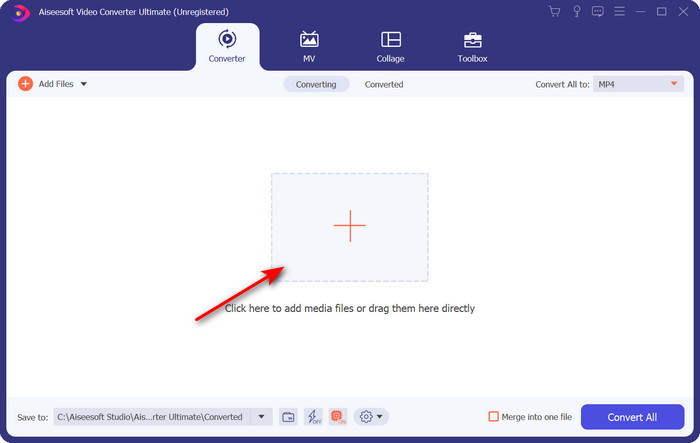
Krok 2. Otwórz program, aby z niego skorzystać, a następnie, aby wczytać plik .amv, kliknij znak +. Wyszukaj plik w folderze i naciśnij Open, aby go dodać.
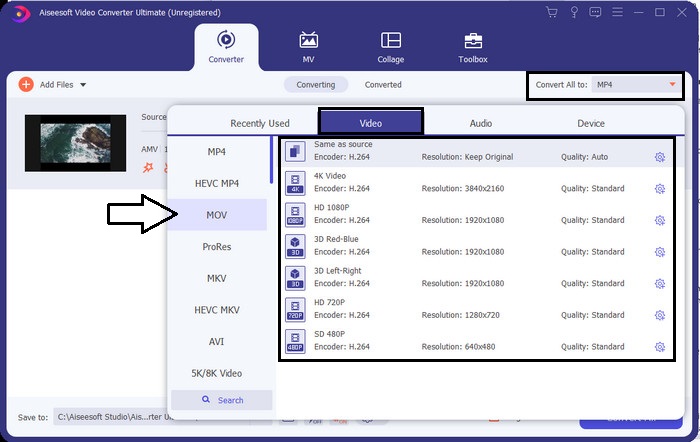
Krok 3. Aby zmienić format na MOV, kliknij Convert All to: i wybierz MOV lub inny format, który cię interesuje.
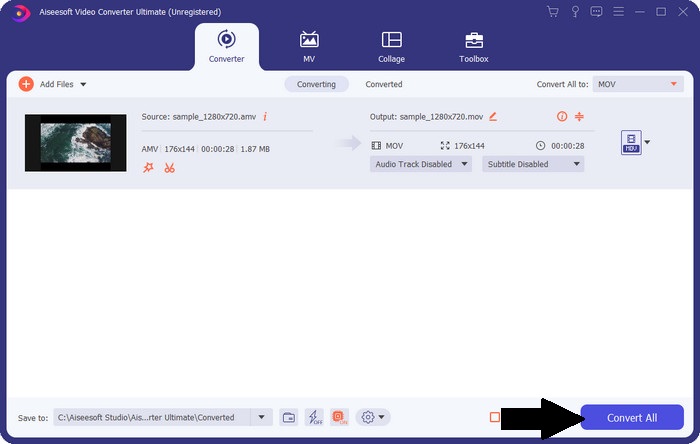
Krok 4. Aby zamienić plik AMV na MOV, kliknij Convert All, aby rozpocząć proces konwersji.
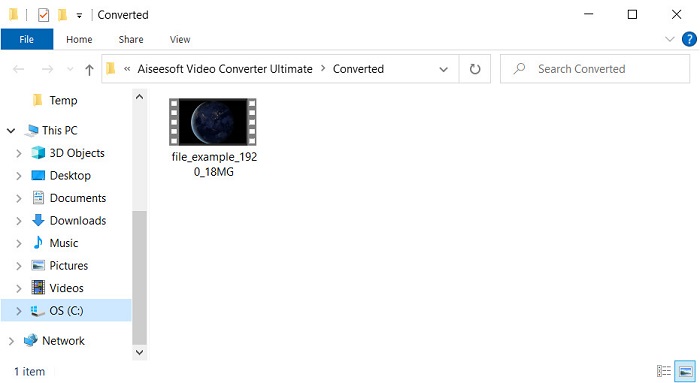
Krok 5. Konwersja pliku zajmie tylko krótką chwilę. Następnie poczekaj, aż otworzy się folder z utworzonym wcześniej plikiem .mov; kliknij plik, aby odtworzyć go w domyślnym odtwarzaczu multimedialnym.
Część 3. Konwertuj AMV na MOV za pomocą dostępnego 2 konwertera usług online
1. Konwertuj pliki
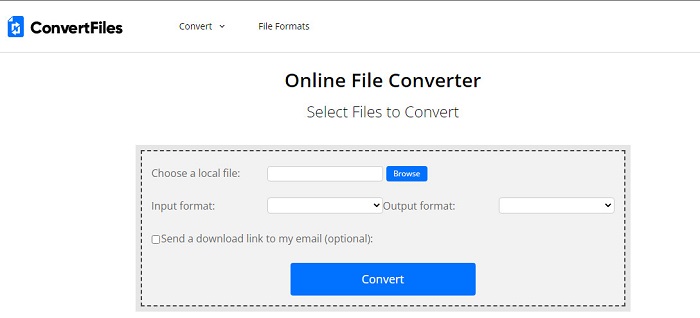
Jednym z najlepszych konwerterów online, do których masz dostęp w swojej ulubionej przeglądarce, jest ConvertFiles. To narzędzie online może bez problemu przekonwertować twój format na inny. Obsługuje jednak jedynie niewielki zestaw formatów do wyboru. Pobieranie przekonwertowanego pliku zajmuje tu sporo czasu, ponieważ narzędzie nie oferuje szybkiej konwersji. Kolejnym minusem są reklamy – w interfejsie jest ich naprawdę dużo. Mimo problemów z czasem pobierania i reklamami narzędzie to sprawdza się całkiem dobrze jako darmowy konwerter online.
Kroki, jak przekonwertować AMV na MOV za pomocą ConvertFiles:
Krok 1. Otwórz ulubioną przeglądarkę i wyszukaj ConvertFiles.
Krok 2. Gdy strona się załaduje, kliknij Browse, aby zlokalizować plik w folderze; w Output Format znajdź MOV i kliknij Convert.
Krok 3. Po zakończeniu konwersji kliknij niebiesko podświetlony link, aby pobrać plik na komputer.
2. MKonwerter
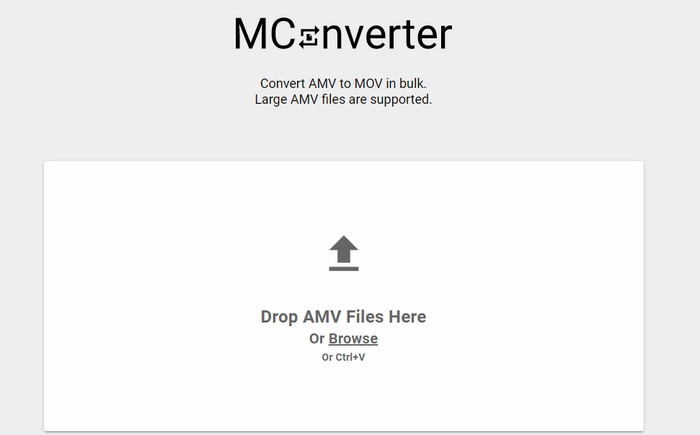
Nie chcesz widzieć reklam w interfejsie i chcesz spokojnie przekonwertować AMV na MOV? Wypróbuj więc MConverter, dostępny w przeglądarce. Narzędzie to obsługuje również konwersję wsadową, aby proces był tak wydajny jak w FVC Video Converter Ultimate. Minusem tego rozwiązania online jest jednak ograniczenie rozmiaru pliku do 200 MB. Jeśli więc chcesz przekonwertować długie wideo i jego rozmiar przekracza dopuszczalny limit, nie będzie to dobry wybór. Jeśli jednak zależy ci na lepszym doświadczeniu niż w ConvertFile, wykonaj poniższe kroki.
Kroki, jak przekonwertować AMV na MOV w MConverter:
Krok 1. Wyszukaj MConverter w wyszukiwarce i otwórz stronę.
Krok 2. Kliknij przycisk Upload, aby dodać plik, poczekaj chwilę, aż narzędzie się załaduje, wyszukaj format MOV i kliknij go. Konwersja pliku rozpocznie się po wybraniu formatu MOV.
Krok 3. Naciśnij Download All, aby zapisać plik.
Część 4. Często zadawane pytania dotyczące AMV i MOV
Czy mogę zmienić mój MP4 na AMV?
Możesz przekonwertować MP4 na AMV, aby szybciej przesłać plik online. Zwłaszcza jeśli wideo trwa godzinę – zalecamy konwersję plików .mp4 na .amv, ponieważ w porównaniu z tymi dwoma formatami AMV zajmuje znacznie mniej miejsca.
Czy VLC obsługuje AMV?
Na szczęście możesz użyć VLC Media Player, aby odtwarzać pliki .amv, mimo że format jest przestarzały. Czy wiesz jednak, że istnieją odtwarzacze, które przewyższają VLC? Jeśli chcesz poznać te programy, kliknij ten link i poznaj 5 alternatywnych odtwarzaczy multimedialnych dla VLC.
Jak zmienić mój plik AMV na AVI?
AMV jest ulepszoną wersją AVI, jednak jeśli chodzi o jakość, AVI oferuje znacznie lepsze rezultaty niż ten stary format. Ponadto AVI jest bardzo kompatybilny ze wszystkimi platformami. Jeśli więc chcesz oglądać swoje AMV w lepszej wersji i na wszystkich urządzeniach, musisz się dowiedzieć, jak przekonwertować AMV na AVI.
Wniosek
Tutaj dyskusja musi się zakończyć; chociaż chcemy przechowywać plik AMV na naszym dysku, problem ze zgodnością jest jednym z powodów, dla których musimy go przekonwertować. W końcu mówi się, że AMV był wcześniej popularny ze względu na sposób, w jaki ten kontener kompresuje plik. Jednak dzisiaj musisz rozważyć przekonwertowanie go na nowy format, aby nadal go używać. Co więcej, dostarczone tutaj rozwiązania skutecznie konwertują. Mimo to FVC Video Converter Ultimate działa fenomenalnie w porównaniu z pozostałymi dwoma narzędziami. Tak więc, jeśli chcesz doświadczyć najlepszego narzędzia, musisz pobrać je na swój komputer i skopiować powyższe kroki.
-
 Najlepsze metody 4 do łatwej konwersji MOV do MP3 na Windows i Mac
 Jeśli chcesz wyodrębnić pliki audio MP3 z plików MOV, możesz dowiedzieć się więcej o 4 najbardziej wydajnych konwerterach MOV na MP3, aby uzyskać żądane pliki z artykułu.
-
 MKV do MOV - Jak przekonwertować MKV na MOV
 Jak przekonwertować MKV na MOV na Macu? Czy iMovie może czytać MKV? Co oznacza format MOV? Ten post przedstawia 2 proste sposoby, które pomogą Ci przekonwertować MKV na MOV za pomocą bezpłatnych internetowych i profesjonalnych konwerterów wideo.
-
 FLV do MOV - Jak przekonwertować FLV na MOV na Mac / PC / Online za darmo
 Jak przekonwertować FLV na MOV? Jak przekonwertować FLV na MOV na Macu? Czy jest jakiś darmowy sposób na konwersję YouTube FLV na MOV online? Ten post udostępnia 3 konwertery FLV na MOV do zmiany plików FLV na MOV.
