


 Video Converter Ultimate
 Nagrywarka ekranu
 Naprawa wideo
8 najlepszych kamer internetowych dla systemów Windows i Mac
Nagrywarki z kamery internetowej to świetne narzędzie do rejestrowania Twoich filmów wraz z mimiką twarzy. Chociaż wiele laptopów ma obecnie wbudowaną kamerę, urządzenia te nie oferują wielu funkcji, które mogłyby ulepszyć nagrywanie wideo. Z tego powodu wiele osób szuka najlepszej nagrywarki z kamery internetowej z rozbudowanymi funkcjami edycji. Jeśli więc chcesz się dowiedzieć, jakie są najlepsze nagrywarki z kamery internetowej, przeczytaj ten artykuł.

Część 1. 5 najlepszych rejestratorów kamer internetowych dla systemu Windows
Możesz znaleźć wiele narzędzi, które pomogą Ci nagrać kamerę internetową. Jednak nie wszystkie narzędzia mają świetne funkcje i mogą tworzyć wysokiej jakości wideo. Po przeczytaniu tej części poznasz pięć najlepszych kamer internetowych, które możesz pobrać na swoje urządzenie z systemem Windows.
Aiseesoft Screen Recorder
Cena: 47,20 USD (licencja dożywotnia)
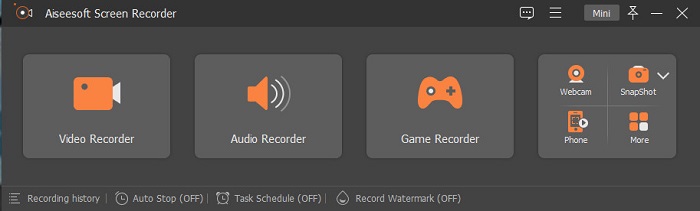
Aiseesoft Recorder to narzędzie do nagrywania wideo z kamery internetowej, które możesz pobrać na Windows. Ten rejestrator ekranu pozwala w prostych krokach nagrywać obraz z kamery. Dodatkowo ma intuicyjny interfejs użytkownika i jest darmowy. Jeśli szukasz rejestratora ekranu, który umożliwia przechwytywanie tylko wybranych fragmentów ekranu, to właśnie to narzędzie ma taką funkcję. Co więcej, posiada zaawansowane funkcje, dzięki którym możesz nagrywać swoje najlepsze momenty w grach, korzystając z wbudowanego rejestratora gier. Ten rejestrator ekranu ma także harmonogram zadań, dzięki któremu ustawisz czas nagrywania, gdy jesteś z dala od komputera. Wielu użytkowników korzysta z tego programu, ponieważ posiada również rejestrator wideo i audio.
Plusy
- Posiada łatwy w obsłudze interfejs oprogramowania.
- Pozwala nagrywać ekran, dźwięk i grę.
- Umożliwia nagrywanie znaków wodnych i tworzenie harmonogramu nagrywania.
- Dostępne do pobrania na wszystkie platformy multimedialne, w tym Windows i Mac.
Cons
- Musisz kupić aplikację przed użyciem jej unikalnych funkcji.
Bandicam
Cena: 39,95 USD
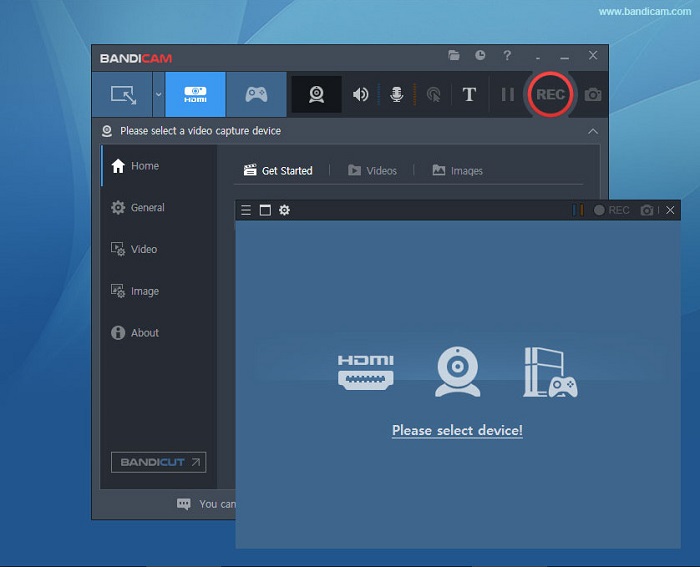
Bandicam to oprogramowanie do nagrywania z kamery internetowej, z którego korzysta wielu profesjonalistów. Bandicam pozwala nagrywać obraz z kamery oraz dźwięk z urządzenia. Możesz także łączyć dwa pliki wideo i wybierać konkretne części ekranu do nagrywania. Ponadto tworzy wysokiej jakości filmy zapisywane w formatach .avi i .mp4. Jeśli szukasz rejestratora ekranu z mikserem dźwięku, Bandicam będzie najlepszym narzędziem. Nie jest ono jednak przyjazne dla początkujących, ponieważ jego interfejs jest dość trudny w obsłudze. Mimo to warto poświęcić czas na naukę, ponieważ potrafi generować nagrania o profesjonalnej jakości.
Plusy
- Pliki rejestratora mają znacznie mniejszy rozmiar niż inne oprogramowanie.
- Pozwala nagrywać filmy 2D i 3D w wysokiej jakości.
- Posiada wbudowaną kamerę internetową i rejestrator dźwięku.
Cons
- Posiada trudny w obsłudze interfejs programowy.
- Nie może działać w przypadku transmisji wideo na żywo.
Schoologia
Cena: 7,5–10 USD
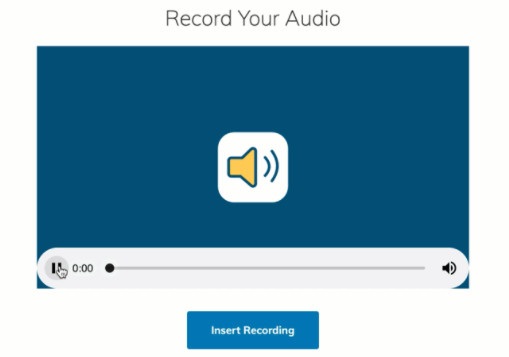
Schoology to nagrywarka z kamery internetowej oparta na HTML5, co oznacza, że możesz nagrywać filmy HTML5. To narzędzie jest najczęściej używane do wykładów, prezentacji i materiałów edukacyjnych. Dodatkowo pozwala nagrywać zarówno dźwięk, jak i obraz z urządzenia. Co jeszcze bardziej imponujące, Schoology pełni także funkcję centrum komunikacji – jest platformą online, na której uczniowie mogą się ze sobą komunikować. Ma również prosty interfejs, dzięki czemu jest narzędziem przyjaznym dla użytkownika.
Plusy
- Możesz pobrać swoje dane wyjściowe nawet bez dostępu do Internetu.
- Posiada prosty graficzny interfejs użytkownika.
- To centrum komunikacji dla uczniów i nauczycieli.
Cons
- Ma ograniczone funkcje edycji do użycia.
ManyCam
Cena: 99 USD (wersja Premium)
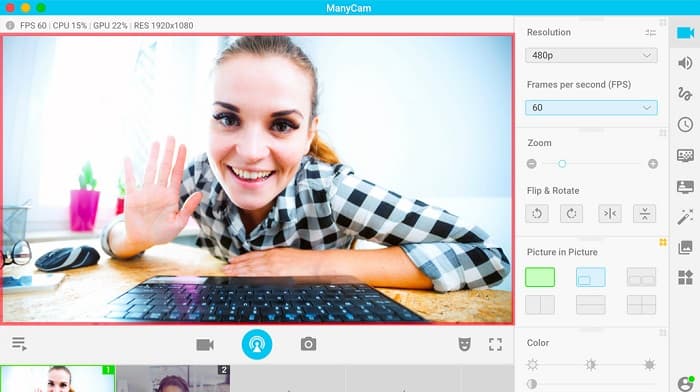
ManyCam to rejestrator ekranu i kamery internetowej dla Windows 10. Umożliwia łatwe nagrywanie płynnych i dobrej jakości filmów. To narzędzie jest przyjazne dla użytkownika, ponieważ ma prosty interfejs. Nagrywarki z kamery internetowej są używane do transmisji na żywo, lekcji i wykładów. Ponadto ManyCam może strumieniować filmy w 4K i oferuje funkcję screencastingu. Jeśli szukasz narzędzia z ustawieniami kamery w czasie rzeczywistym, ten program ma taką funkcję. Trzeba jednak pamiętać, że dostępne funkcje wymagają ręcznej obsługi.
Plusy
- Pozwala przesyłać strumieniowo filmy 4K i nagrywać ich wysoką jakość.
- Nie zawiera znaku wodnego nawet podczas korzystania z bezpłatnej wersji próbnej.
- Jest to łatwe w użyciu narzędzie.
Cons
- Musisz kupić aplikację przed uzyskaniem dostępu do jej specjalnych funkcji.
YAWCAM
Cena: Darmowe
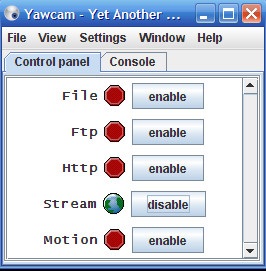
Ostatnią nagrywarką z kamery internetowej, o której musisz wiedzieć, jest YAWCAM. To narzędzie potrafi strumieniować i nagrywać filmy do prywatnego użytku oraz obsługuje najpopularniejsze formaty plików, w tym PNG, JPG, GIF i MJPEG. Program ten słynie z jednego z najprostszych interfejsów wśród nagrywarek z kamery internetowej. Jeśli więc jesteś początkującym użytkownikiem i chcesz mieć jak najłatwiejszą w obsłudze aplikację, koniecznie wypróbuj ten program.
Plusy
- Obsługuje najpopularniejsze formaty plików, takie jak PNG, JPG, GIF i MJPEG.
- Posiada prosty graficzny interfejs użytkownika.
- Nie generuje żadnych znaków wodnych.
Cons
- Ma kilka funkcji edycji i efektów przejścia.
Część 2. 3 Najlepsze rejestratory kamer internetowych dla komputerów Mac
W ciągu ostatnich kilku lat oprogramowanie do edycji wideo dla komputerów Mac nie zmieniło się tak bardzo. Jednak Mac nie ma wbudowanej kamery internetowej. Ale w tej części poznasz najlepsze rejestratory kamer internetowych dla użytkowników komputerów Mac.
iMovie
Cena: Darmowe (Mac)
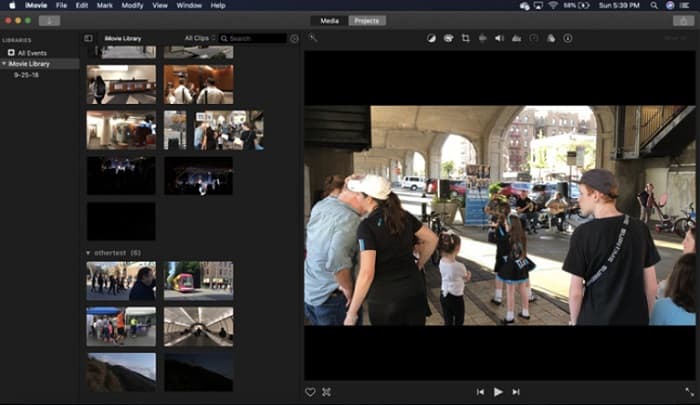
iMovie to wbudowane w system macOS oprogramowanie do edycji wideo. Ta aplikacja jest najpopularniejszym programem do montażu wideo wśród użytkowników Maca, ponieważ oferuje wiele znakomitych funkcji. Jeśli szukasz sposobu na nagrywanie z kamery internetowej na Macu, iMovie będzie odpowiednim rozwiązaniem. Ma przejrzysty interfejs, dzięki czemu obsługa aplikacji jest łatwa. Ponadto oferuje liczne funkcje, takie jak dodawanie ścieżek dźwiękowych, przycinanie lub kadrowanie wideo/audio, nakładanie tekstu itp.
Plusy
- Posiada intuicyjny interfejs użytkownika.
- Posiada wiele funkcji edycji, w tym dzielenie, przycinanie, przycinanie itp.
- Obsługuje filmy HD i 4k.
Cons
- Obsługuje mniej wyjść wideo i ma problem z kompatybilnością MP4.
- Kompatybilny tylko na Macu.
Kamera internetowa CamWiz
Cena: 9,99 USD (wersja Pro)
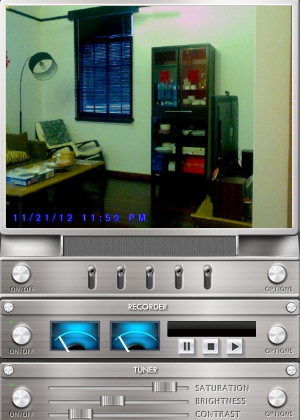
CamWiz Webcam Recorder to rejestrator wideo z kamery internetowej, który możesz pobrać na Maca. To narzędzie pozwala również nagrywać dźwięk z systemu. Dodatkowo możesz za jego pomocą podglądać, nagrywać i odtwarzać nagrania z kamery. Jeśli potrzebujesz narzędzia z możliwością wyboru jakości wyjściowego materiału, ten program spełni Twoje oczekiwania. Co więcej, jeśli nagrywasz w ciemnym pomieszczeniu lub w nocy, to oprogramowanie oferuje tryb noktowizji, który pomoże Ci zobaczyć nagranie z kamery nawet w słabym oświetleniu.
Plusy
- Posiada wbudowany moduł tunera do regulacji kontrastu i jasności wideo.
- Posiada tryb noktowizyjny.
- Posiada łatwy w obsłudze interfejs oprogramowania.
Cons
- Ma ograniczone funkcje edycji do użycia.
- Ma problemy z błędami.
Studio OBS
Cena: Darmowe
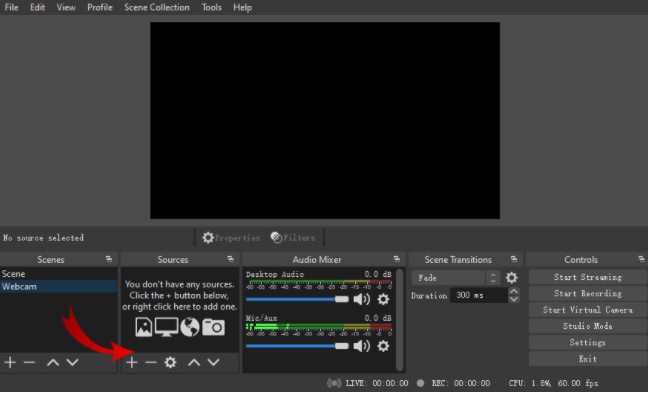
Kolejnym rejestratorem ekranu i kamery internetowej, z którego możesz skorzystać, jest OBS Studio. Ten otwartoźródłowy rejestrator kamery jest popularnym programem na Maca. Wiele osób korzysta z tego narzędzia, ponieważ jest całkowicie darmowe. Ponadto pozwala nagrywać wybrany obszar ekranu. Wielu profesjonalistów używa tego rejestratora do tworzenia materiałów wideo o standardzie branżowym.
Plusy
- Posiada zaawansowane funkcje edycji do użycia.
- Posiada intuicyjny interfejs użytkownika.
Cons
- Ponieważ jest to aplikacja typu open source, jest podatna na awarie.
Powiązane:
Nagraj Blu-ray w OBS
Napraw opóźnienie dźwięku w OBS
Część 3. Tabela porównawcza kamer internetowych
Nadal nie możesz się zdecydować, której kamery internetowej użyjesz? Pomożemy Ci zdecydować, której aplikacji użyć. W tej części poznasz bardziej szczegółowe cechy i funkcje, które posiada każde narzędzie. Przeczytaj wyczerpująco i mamy nadzieję, że na koniec zdecydujesz, które narzędzie będzie najlepsze.
| funkcje | Aiseesoft Screen Recorder | Bandicam | Schoologia | ManyCam | YAWCAM | iMovie | Kamera internetowa CamWiz | Studio OBS |
| Pozwala na nagrywanie systemu audio |  | | | | | | | |
| Łatwy w użyciu interfejs oprogramowania | |  | | | | | | |
| Obsługiwany system | Dostępne na wszystkich platformach multimedialnych, w tym Windows, Mac i Linux | Dostępne w systemie Windows | Dostępne na Windows i Mac | Dostępne w systemie Windows | Dostępne na Windows i Mac | Dostępne na Macu | Dostępne w systemach Windows i Mac | Dostępne w systemach Windows, Mac i Linux |
| Posiada funkcje edycji | | | | | Ograniczony | | Ograniczony | |
| Twórz wydruki wysokiej jakości | | | | | | | | |
Część 4. Często zadawane pytania dotyczące najlepszych kamer internetowych
Jeśli nagrywasz kamerą internetową, czy nagrywa ona system audio?
TAk. Jeśli robisz nagranie z kamery internetowej, jest ono odtwarzane z dźwiękiem z kamery internetowej. Jeśli jednak robisz nagrywanie ekranu, niektóre narzędzia nie rejestrują dźwięku jednocześnie.
Jaki format jest powszechnie używany do nagrywania kamerą internetową?
Większość rejestratorów kamer internetowych tworzy nagranie z kamery internetowej w formacie wyjściowym MP4.
Jak daleko może sięgnąć kamera internetowa w laptopie?
Na najwyższym ustawieniu kamery internetowej laptopa, która wynosi 10 megapikseli, widzi zasięg 10-15 stóp.
Wniosek
Jak widać, istnieje wiele rejestratorów kamer internetowych, których można użyć do nagrania kamery internetowej. Jednak nie wszystkie kamery internetowe mają te same funkcje i cenę. Tak więc, jeśli szukasz rejestratora kamery internetowej wartego swojej ceny i ma najlepsze funkcje do użycia, pobierz Aiseesoft Screen Recorder i doświadcz doskonałej jakości, jaką oferuje to narzędzie.
-
 7 wspaniałych dyktafonów dostępnych na wszystkich platformach
 Chcesz nauczyć się nagrywać dźwięk? Następnie przejdź do tego artykułu, ponieważ mówimy o najlepszym rejestratorze dźwięku, który może pasować do Twoich potrzeb.
-
 4 najnowsze oprogramowanie do nagrywania dźwięku dostępne na Windows i Mac
 Potrzebujesz oprogramowania do nagrywania dźwięku na swoim komputerze? W takim razie ten artykuł jest pełen pomysłów na to, co najlepsze i nie tylko. Więc jeśli potrzebujesz przeczytaj ten artykuł.
-
 5 najczęściej wybieranych aplikacji do nagrywania dźwięku na Androida i iOS [Aktualizacja 2022]
 Nie wiesz, jakiej aplikacji do nagrywania dźwięku powinieneś użyć? Jeśli tak, ten artykuł pomoże Ci wybrać aplikację, która pomoże Ci w zadaniu nagrywania dźwięku.
