


 Video Converter Ultimate
 Nagrywarka ekranu
 Naprawa wideo
Najlepsza aplikacja do ulepszania kolorów zdjęć, którą musisz pobrać na swoje urządzenia mobilne [bezpłatny]
Podczas przetwarzania obrazu kolor ma kluczowe znaczenie dla tego, aby był atrakcyjny dla odbiorców i wszystkich, którzy oglądają dany motyw. W każdym pikselu zapisane są odpowiadające mu dane o kolorze. Niezależnie od tego, jak dobre zdjęcie zrobisz, czasami musisz je dalej obrobić, aby zaprezentować publiczności naprawdę imponujące efekty wizualne. Na szczęście możesz dokonywać takich korekt także na Androidzie i iOS, a w tym artykule przedstawiamy najlepsze aplikacje z różnych sklepów, które możesz pobrać. Jeśli chcesz uzyskać bardziej dopracowane detale na zrobionych zdjęciach, przeczytaj ten tekst i pobierz już teraz aplikację do poprawy kolorów zdjęć!

Część 1. 4 najlepsze wzmacniacze kolorów zdjęć, które możesz pobrać w Playstore i Appstore
EnhanceFox - AI Photo Enhancer 12+
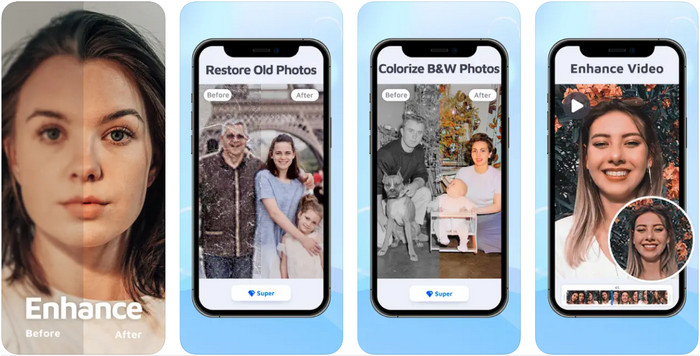
Możesz pobrać tę aplikację do poprawy kolorów zdjęć na iOS, aby dopracowywać projekty graficzne. EnhanceFox daje użytkownikom możliwość wyraźnego ulepszenia wykonanych zdjęć w porównaniu z ich pierwotnym wyglądem. Nawet jeśli dopiero zaczynasz przygodę z edycją obrazów, z łatwością opanujesz tę aplikację i sprawisz, że twoje zdjęcia będą piękniejsze niż kiedykolwiek. Dodatkowo może ona zamienić rozmazane fotografie w obrazy o wysokiej rozdzielczości dzięki wykorzystaniu sztucznej inteligencji. Choć dostępna jest darmowa wersja aplikacji, aby korzystać z pełni funkcji, trzeba wykupić wersję pro.
Plusy
- Możesz pobrać aplikację na swój iOS za darmo.
- Naprawia i przekształca obrazy w lepszy wygląd.
- Ta aplikacja jest obsługiwana przez sztuczną inteligencję.
Cons
- Niektóre funkcje nie są dostępne w darmowej wersji.
- Do przetworzenia obrazu potrzebne będzie połączenie z Internetem.
Remini - AI Photo Enhancer 4+
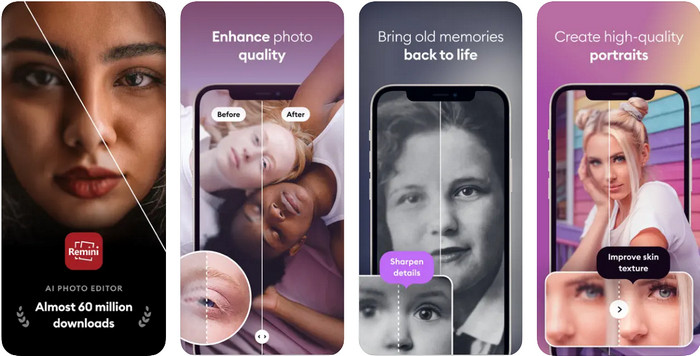
Remini to jedna z najpopularniejszych aplikacji do wzmacniania kolorów zdjęć, które możesz pobrać na iOS i Androida. Jej możliwości poprawiania jakości obrazu przyciągnęły uwagę wielu użytkowników na obu platformach. Dzięki zestawowi narzędzi edycyjnych możesz odświeżyć stare, zabytkowe fotografie w mniej niż sekundę z pomocą technologii AI. Co więcej, możesz również upiększyć swoje selfie, zanim ich użyjesz. Aplikacja jest płatna, ale możesz wybrać rodzaj subskrypcji: tygodniową, miesięczną lub roczną.
Plusy
- Zamień swoje zdjęcie twarzy w gładki i jedwabisty obraz.
- Napraw utracone kolory na swoich obrazach dzięki technologii AI.
- Upiększ swój obraz, zmieniając ustawienia w tej aplikacji.
Cons
- Cena każdej funkcji tej aplikacji ma dodatkowe płatności.
- Automatycznie odnawia opłatę abonamentową po zakończeniu subskrypcji.
Pokolorowane — pokoloruj stare zdjęcia
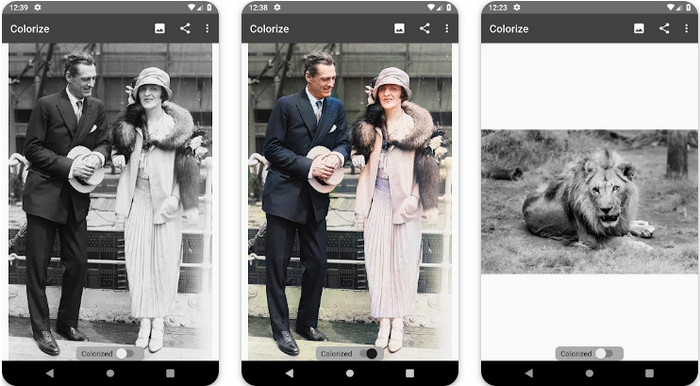
Colorize to inteligentna aplikacja skanująca, którą możesz pobrać na urządzenia z Androidem, aby przywrócić utracone kolory na zdjęciach i wykonywać renowację starych fotografii. Możesz w niej nauczyć się, jak poprawić kolor oczu na zdjęciach, korzystając z funkcji edycyjnych, których inne aplikacje nie oferują. Program potrafi zmienić twoje czarno-białe zdjęcia w wersje kolorowe dzięki technologii Photomyne. Aplikacja jest dobrze zaprojektowana i niezwykle prosta w obsłudze, nawet jeśli edytujesz obraz po raz pierwszy. Podobnie jak inne wspomniane programy, wymaga zakupu w aplikacji, zanim będzie można w pełni korzystać z jej funkcji.
Plusy
- Automatycznie dodaje kolory do czarno-białych zdjęć za pomocą Photomyne.
- Profesjonaliści lub nie mogą z łatwością korzystać z tego oprogramowania ze względu na jego budowę.
- Ustawienia kolorowania tej aplikacji są znacznie lepsze niż w innych aplikacjach do kolorowania obrazu.
Cons
- Brakuje niektórych miejsc po dodaniu koloru do obrazu.
- Automatycznie przycina obraz podczas jego przetwarzania.
- Aby uniknąć ograniczeń, musisz kupić aplikację.
Edytor zdjęć Photoshop Express
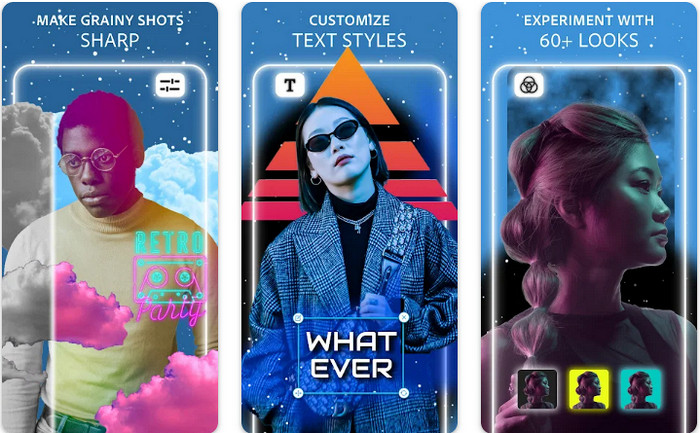
Photoshop Express Photo Editor to miniwersja profesjonalnego programu, z którego korzystają miliony specjalistów i edytorów, aby zamieniać swoje zdjęcia w obrazy HD. Tę wersję Photoshopa do poprawy kolorów zdjęć możesz zainstalować zarówno na Androidzie, jak i iOS. Czy rozwiązuje problemy z obrazem? Tak – i robi to bez wysiłku. Jak wspomnieliśmy wcześniej, aplikacja jest podobna do Photoshopa nie pod względem interfejsu, lecz możliwości edycyjnych. Zapewnia użytkownikom bardzo szczegółowy efekt końcowy, m.in. poprzez dodawanie lub korektę PPI każdego zrobionego zdjęcia. Trzeba jednak pamiętać, że program jest dość trudny w obsłudze i może wymagać poświęcenia czasu na poznanie instrukcji. Mimo to jest to kompletny pakiet oprogramowania, którego możesz potrzebować.
Plusy
- Oprogramowanie możesz pobrać nie tylko na komputer stacjonarny, ale także na urządzenia mobilne.
- Obsługuje profesjonalne funkcje edycji, które możesz zastosować do swoich zdjęć.
- Ma podobieństwa z Photoshopem, ponieważ oba zapewniają profesjonalne wyniki.
- Możesz tutaj wykonać wiele rodzajów edycji, których nie oferuje inna aplikacja.
Cons
- Aplikacja może być droga w porównaniu z innymi zakupami w aplikacji.
- Musi poprawić inne drobne problemy.
Część 2. Najlepiej polecany program poprawiający jakość zdjęć, którego nie trzeba pobierać [Usługa internetowa]
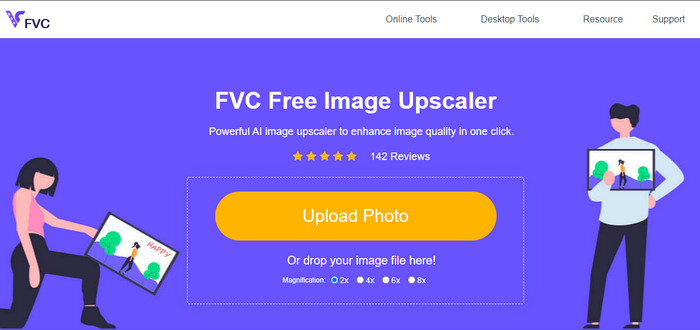
FVC Free Image Upscaler może rozwiązać twój problem bez żadnych opłat. Ten ulepszacz jakości zdjęć jest dostępny w przeglądarce, więc nie musisz niczego pobierać, aby z niego korzystać. Co więcej, możesz skorzystać z jego zaawansowanych funkcji edycji opartych na sztucznej inteligencji, która analizuje, co jest nie tak z twoim obrazem, i natychmiast to naprawia. W porównaniu z pozostałymi wymienionymi aplikacjami jest to jak dotąd najszybszy, 'jedno kliknięcie' sposób na poprawę zdjęcia. Wystarczy przesłać fotografię, zmienić powiększenie i otrzymasz ulepszoną wersję obrazu. Korzystając z tego narzędzia, nie musisz już nic ręcznie korygować ani dopasowywać. Chcesz spróbować? Kliknij link, który przeniesie cię bezpośrednio na stronę tego narzędzia.
Część 3. Często zadawane pytania dotyczące Photo Color Enhancer
Czy muszę zostać profesjonalistą, aby używać wzmacniacza koloru fotograficznego?
Jeśli używasz dobrze opracowanego oprogramowania, będziesz musiał mieć pomysł, a nie profesjonalista, na temat jego funkcji i ich funkcji dla obrazu. Istnieje jednak uproszczone oprogramowanie, co oznacza, że sztuczna inteligencja jest obsługiwana; czasami nie trzeba byłoby poprawiać, a czasem trzeba. Początkujący muszą korzystać z łatwego w obsłudze oprogramowania, zanim przejdą na wyższy poziom profesjonalnej gry.
Co się dzieje z obrazem Poprawiam kolor?
Obrazy z dobrze rozwiniętymi kolorami będą bardziej szczegółowe i ostre w porównaniu do obrazów, które obsługują mniej kolorów. Ich piksel nie jest widoczny w porównaniu ze zdjęciami, które mają obsługiwaną niską jakość.
Jaki format obrazu obsługuje najlepszą kombinację kolorów obrazu?
JPEG i PNG obsługują 16 milionów kolorów i są jednymi z najlepszych formatów obrazów, których można używać do różnych celów. Ale HEIC obsługuje zaawansowane bity w porównaniu z dwoma formatami obrazów.
Wniosek
Jaki wzmacniacz kolorów zdjęć wybrałbyś spośród ocenianej przez nas aplikacji? Cóż, dzięki wszystkim dodawanym informacjom możesz szybko dowiedzieć się, którą aplikację powinieneś pobrać na swoje urządzenie. Chociaż mają różne zalety i wady, nadal mogą szybko poprawić kolory zdjęć.
-
 Top 7 Pixels Enhancer dla wszystkich przeglądarek internetowych, których musisz użyć
 Jeśli chcesz poznać najlepsze wzmacniacze pikseli, lepiej sprawdź ten post. W tym artykule wymieniono siedem najlepszych wzmacniaczy pikseli zdjęć dla wszystkich przeglądarek internetowych.
-
 Najlepsza aplikacja do zmiany rozmiaru zdjęć online, offline, Android i iPhone
 Jakie są najlepsze aplikacje do zmiany rozmiaru zdjęć? Kliknij stronę, aby poznać pięć najpotężniejszych aplikacji do zmiany rozmiaru zdjęć, których możesz użyć do ulepszenia lub zmiany rozmiaru pliku.
-
 Top 7 najlepszych powiększalników zdjęć online i offline
 Chcesz poznać najskuteczniejsze powiększalniki zdjęć na urządzenia z systemem Windows lub Mac? Przeczytaj ten post, aby poznać najlepsze powiększalniki zdjęć, które warto wypróbować.
