


 Video Converter Ultimate
 Nagrywarka ekranu
 Naprawa wideo
Co oznacza AVI i jak grać na komputerach stacjonarnych i urządzeniach mobilnych?
Jednym z dobrze znanych nieskompresowanych formatów jest AVI. Najczęściej używa się go do zsynchronizowanego odtwarzania wideo i audio. Jeśli chcesz dowiedzieć się więcej o AVI, koniecznie czytaj dalej. Celem tego artykułu jest wyjaśnienie, czym jest AVI oraz wskazanie, jaki odtwarzacz multimedialny obsługuje ten typ pliku. Kontynuuj lekturę, aby poznać więcej informacji o tym formacie i dostępnych odtwarzaczach.

Część 1. Co to jest plik AVI
Format AVI został wprowadzony na rynek pod koniec 1992 roku przez firmę Microsoft. Rozwinięcie skrótu AVI to Audio Video Interleave. Jest to jeden z najpopularniejszych kontenerów plików ze względu na swoją prostotę i kompatybilność z różnymi platformami. Jeśli więc chcesz nagrać lub pobrać wideo czy audio w formacie AVI, musisz liczyć się z tym, że plik będzie duży, ponieważ nie jest skompresowany. Aby lepiej to zrozumieć, poniżej przedstawiamy kilka zalet i wad tego formatu.
Plusy
- Jest to wielofunkcyjny kontener plików, który może zawierać dowolny plik.
- Szeroko stosowany format do wszelkich filmów krótkometrażowych, promocyjnych i reklamowych. Ze względu na jakość, jaką zapewnia.
- Wysokiej jakości sklepy AVI są wyjątkowe.
- Nie będziesz potrzebować konkretnego sprzętu ani oprogramowania tylko do odtwarzania plików AVI, ponieważ jest to nieograniczone.
- Łatwo kompresuj pliki AVI, ponieważ obsługuje różne kodeki, takie jak DivX, XviD, MPEG-1, MPEG-4 i inne.
Cons
- Jeśli skompresujesz plik AVI poza limit, istnieje szansa, że twój plik 4k, HD lub 1080 pogorszy jakość.
- Pliki AVI nie są skompresowane, więc jeśli używasz tego typu formatu, spodziewaj się dużego rozmiaru pliku.
- Jeśli używasz kodeków online do kompresji AVI, pamiętaj, że te same kodeki muszą być zainstalowane na twoim dysku. Instalowanie kodeków jest bardzo proste, ale wybór kodeka jest trochę przerażający, ponieważ niektóre z nich są zawodne i niebezpieczne. Więc bądź ostrożny, jeśli je pobierzesz.
Skoro wiesz już, na czym polega ten format, czas dowiedzieć się, jak odtwarzać pliki AVI na komputerze. Wszystkie narzędzia wymienione poniżej to najlepsze odtwarzacze multimedialne, z jakimi mogłeś (lub jeszcze nie) mieć do czynienia podczas szukania w internecie. Każdy odtwarzacz AVI ma podany opis i instrukcję, więc czytaj uważnie, aby zdecydować, który z nich będzie dla ciebie najlepszy.
Część 2. Jak odtwarzać pliki AVI na komputerach Mac i Windows Media Player
1. Darmowy odtwarzacz wideo FVC
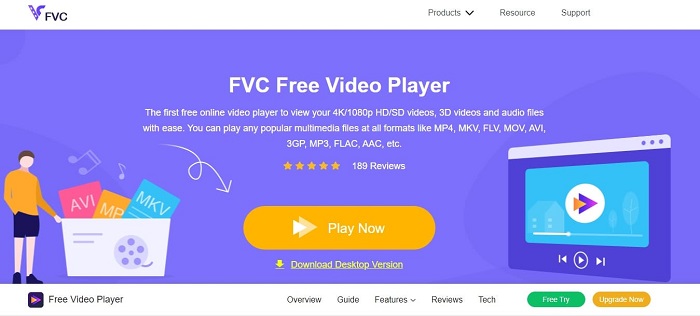
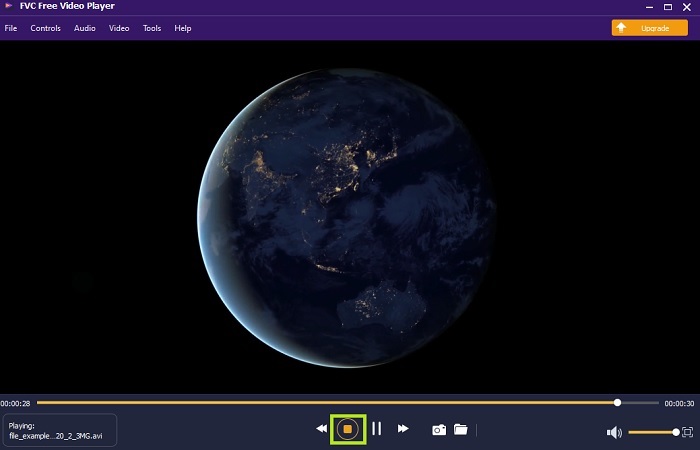
Użyj FVC Free Video Player, aby oglądać dowolny format wideo przez internet. W przeciwieństwie do innych odtwarzaczy wymienionych poniżej, to narzędzie nie wymaga żadnych dodatkowych plików, aby działać. Jeśli więc masz połączenie z internetem, możesz oglądać filmy zawsze i wszędzie. Dodatkowo zapewnia wysoką jakość i nie ma problemów z błędami przy odtwarzaniu plików AVI. Pamiętaj jednak, że jeśli połączenie z internetem zostanie przerwane, narzędzie może się wczytywać lub wstrzymać odtwarzanie na chwilę. Jest to zupełnie normalne, ponieważ jest uzależnione od internetu. Możesz tu także odtwarzać płyty DVD, jeśli masz taką potrzebę. Koniec z zastanawianiem się, jak otworzyć plik AVI, aby go obejrzeć. Wystarczy, że wykonasz poniższe kroki przygotowane specjalnie dla ciebie.
Krok 1. Kliknij ten hiperlink, aby przejść do głównej strony internetowej odtwarzacza wideo AVI.
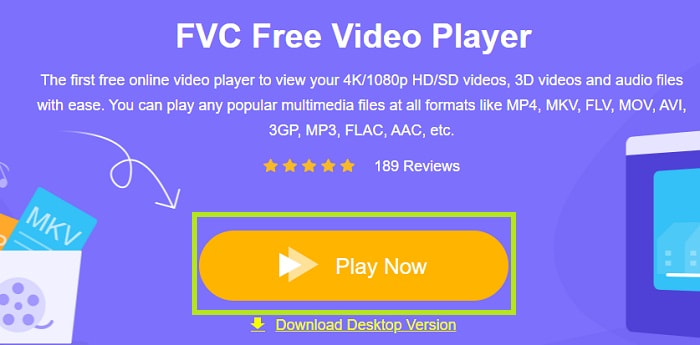
Krok 2. Kliknij przycisk Play Now, aby uruchomić internetowy odtwarzacz AVI.
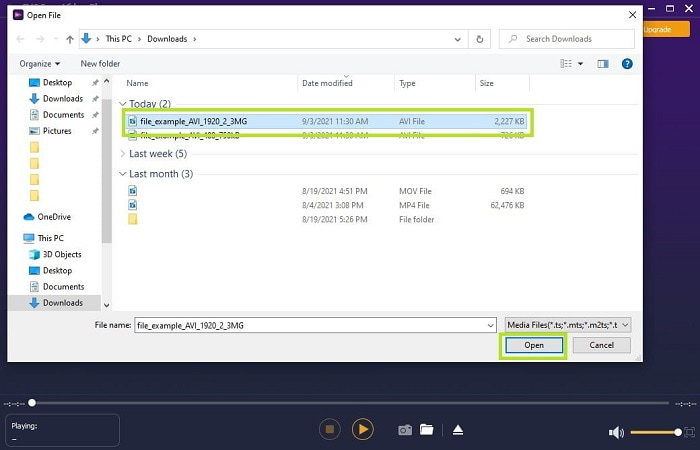
Krok 3. Następnie kliknij przycisk Open File i wybierz plik AVI, który chcesz obejrzeć. Gdy już go zaznaczysz, kliknij Open.
Krok 4. Odczekaj chwilę, aż wideo AVI zacznie się odtwarzać – i gotowe, film już leci. W interfejsie możesz także za darmo wykonywać zrzuty ekranu podczas oglądania, jeśli chcesz.
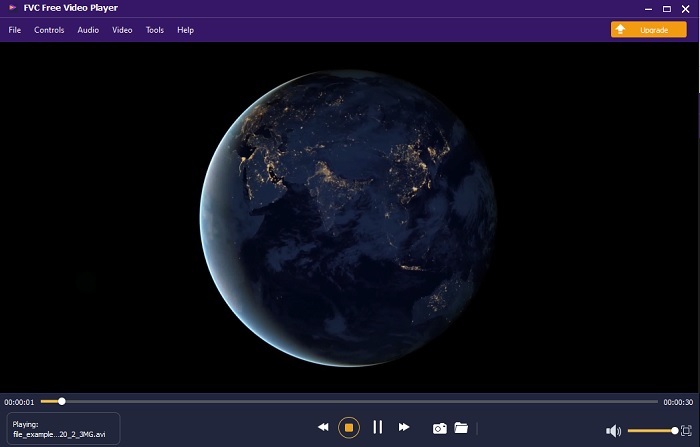
Krok 5. Jeśli chcesz zakończyć odtwarzanie, po prostu kliknij przycisk w kształcie kwadratu, aby zatrzymać film. Powtórz te same kroki, jeśli chcesz odtworzyć inny plik AVI lub materiał w innym formacie.
Plusy
- Do uruchomienia narzędzia nie jest potrzebny dodatkowy plik.
- Jest bardziej wydajny niż inne narzędzia poniżej.
- Zapewnia wibracje 3D, jeśli oglądasz wideo 4K.
Cons
- Zależne od Internetu, więc jeśli nie masz Internetu, nie masz do niego dostępu.
- Niektóre główne funkcje premium nie są tutaj widoczne.
2. Windows Media Player
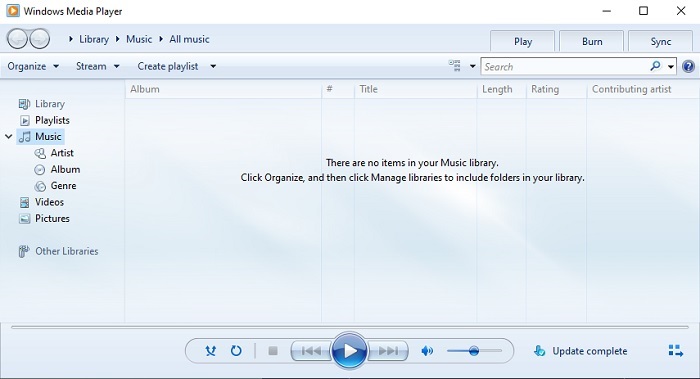
Jeśli chcesz wiedzieć, jak odtwarzać pliki AVI w systemie Windows 10, możesz skorzystać z domyślnego odtwarzacza multimedialnego stworzonego przez Microsoft dla użytkowników Windows. Zdarza się jednak, że konieczne będzie pobranie dodatkowego kodeka, aby odtworzyć AVI w tym odtwarzaczu. Jest to trochę uciążliwe, a czasem wręcz irytujące, ponieważ znalezienie odpowiedniego kodeka bywa trudne. Musisz się więc liczyć z metodą prób i błędów oraz możliwością pobrania niewłaściwych kodeków. Nie ma jednak powodu do obaw – pobranie kodeków na komputer jest dość proste.
Plusy
- Wbudowany odtwarzacz multimedialny dla systemu Windows.
- Obsługuje prawie wszystkie formaty.
- Łatwy w użyciu.
Cons
- W niektórych przypadkach konieczne będzie pobranie dodatkowego kodeka, którego to narzędzie nie obsługuje.
- Nie zapewnia przesyłania strumieniowego przez wolne połączenia DSL.
3. VLC Media Player
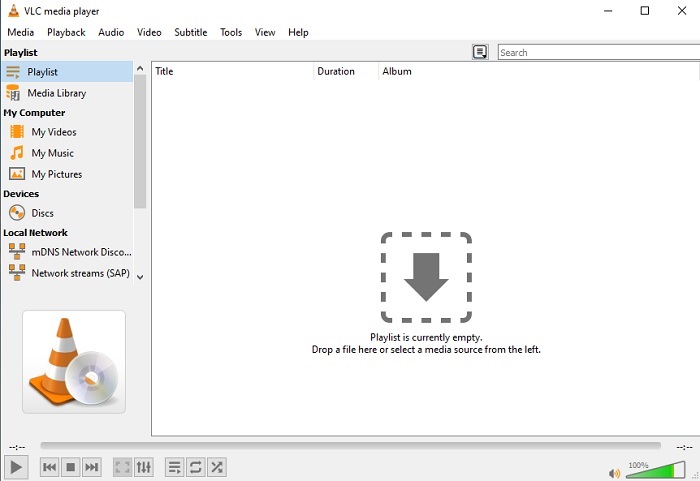
Ten odtwarzacz multimedialny nie wymaga pobierania dodatkowych kodeków, aby odtwarzać pliki AVI. Jeśli zastanawiasz się, jak bezproblemowo uruchomić plik AVI, odpowiedzią może być VLC Media Player. Ten odtwarzacz pomaga milionom użytkowników na całym świecie w prosty sposób odtwarzać pliki multimedialne – wystarczy je otworzyć i uruchomić w programie. Mimo ogromnego zaufania użytkowników, w tym narzędziu zdarzają się jednak pewne błędy i niektóre pliki nie są przez nie obsługiwane. Możesz więc napotkać błędy, ale zdarza się to bardzo rzadko.
Plusy
- Jeden z najlepszych odtwarzaczy multimedialnych na wszystkie platformy.
- Może odtwarzać wideo, nawet jeśli nie jest jeszcze gotowe do pobrania. Ale nie cały film.
- Elastyczny we wszystkich formatach.
Cons
- W większości przypadków występują drobne błędy, które możesz napotkać podczas korzystania z VLC.
- Ma również trudności z odtwarzaniem niektórych formatów wideo z powodu kodeków.
Część 3. Jak oglądać pliki AVI na iPhonie
Odtwarzaczy opisanych powyżej nie da się używać bezpośrednio na urządzeniach mobilnych. Istnieje jednak sposób, aby odtwarzać AVI na iPhonie lub iPodzie. Co więcej, wiemy, że pliki AVI są duże. Jeśli więc przeniesiesz je na telefon, z pewnością zajmą sporą część pamięci urządzenia. Zamiast kopiować surowy plik AVI, lepiej przekonwertować go na nowy format, który będzie odtwarzalny, a jednocześnie nie straci na jakości. Przekonwertuj AVI do odpowiedniego formatu z pomocą programu Video Converter Ultimate. Aby poznać szczegóły procesu konwersji, przejdź do tego linku.
Część 4. Często zadawane pytania dotyczące AVI
Co jest lepsze, AVI czy MP4?
AVI zapewnia lepszą jakość, ale jest nieskompresowany, natomiast pliki MP4 zajmują mniej miejsca, a mimo to oferują dobrą jakość. Jeśli chcesz dowiedzieć się więcej o różnicach między tymi formatami i sprawdzić, który z nich jest lepszy, kliknij AVI vs MP4.
Jak przekonwertować AVI na MP4?
Konwersja to najlepszy sposób na zmniejszenie rozmiaru pliku i zmianę go na inny format. Najlepsze metody, jak konwertować AVI do MP4, zostały opisane w tym artykule. Znajdziesz w nim instrukcje krok po kroku oraz omówienie różnych narzędzi, których możesz użyć do konwersji.
Czy QuickTime może odtwarzać AVI?
Chociaż odtwarzacz multimedialny QuickTime obsługuje różne formaty, występują pewne problemy z odtwarzaniem AVI na domyślnym odtwarzaczu Mac. Z powodu własności firmy Microsoft. Tak więc, aby wiedzieć, jaka jest najlepsza alternatywa dla QuickTime, musisz przeczytać ten artykuł i wybrać najlepszą alternatywę.
Co się stanie, jeśli plik AVI się nie otwiera?
Istnieje kilka powodów, dla których pliki AVI się nie otwierają. Pierwsza jest taka, że plik jest niekompletny, z wyjątkiem tego, że jest nieskompresowany, że jakiś plik może zostać utracony. Po drugie, format AVI nie jest obsługiwany przez lokalny lub zewnętrzny odtwarzacz multimedialny. Po trzecie, uznaj to za martwe, zwłaszcza jeśli skompresujesz go zbyt mocno, aby mógł stać się nie do zagrania. Wreszcie kodek jest zły, więc jeśli skompresujesz AVI z różnymi kodekami w tym samym czasie, ten problem jest powszechny.
Wniosek
Podsumowując, format AVI jest używany przez wielu użytkowników w całym internecie. Ponieważ sam plik jest nieskompresowany, powinieneś przygotować się na to, że będzie potrzebna duża ilość miejsca na dysku, jeśli nagrywasz, pobierasz lub przenosisz pliki AVI. Teraz nie musisz już pytać, co to jest format AVI, dzięki informacjom podanym powyżej oraz wskazówkom, gdzie można go odtwarzać. Śmiało korzystaj z FVC Free Video Player, ponieważ jest to rozwiązanie typu open source, dostępne dla każdego z dostępem do internetu. Możesz też wybrać wersję premium tego narzędzia, która obsługuje więcej formatów niż wersja bezpłatna i oferuje znacznie więcej funkcji. Jeśli chcesz ją wypróbować, kliknij przycisk pobierania, aby zainstalować ją na swoim komputerze.
-
 Top 5 najlepszych alternatyw dla Windows Media Player dla telefonów z systemem Android
 Ponieważ nie możesz pobrać Windows Media Player na Androida, powinieneś przeczytać ten artykuł i poznać 5 najlepszych alternatyw dla Windows Media Player.
-
 5 najlepszych odtwarzaczy wideo na iPhone'a, których nie możesz przegapić w 2025 r.
 Aby odtwarzać filmy we wszystkich formatach i mieć lepsze wrażenia podczas oglądania na iPhonie, przeczytaj ten artykuł i poznaj 5 najlepszych odtwarzaczy wideo dla iPhone'a 12/11/X/8/7/6.
-
 Wyjątkowy przewodnik dotyczący odtwarzania plików MOV na urządzeniach mobilnych z systemem Android
 Masz problem, dlaczego pliki MOV nie są odtwarzane na odtwarzaczu multimedialnym z Androidem? Następnie przeczytaj ten artykuł, który zapewni 2 różne metody naprawy plików MOV i umożliwienia ich odtwarzania.
