


 Video Converter Ultimate
 Nagrywarka ekranu
 Naprawa wideo
Znajdź 4 najlepszy konwerter SWF offline i online na FLV na Windows i Mac
Obecnie szukam rozwiązania umożliwiającego przesyłanie plików SWF do witryn do udostępniania wideo, takich jak Youtube, Facebook, MySpace i innych. Czy możesz mi pomóc znaleźć najszybszy sposób rozwiązania tego problemu?
Ten problem jest powszechny, zwłaszcza jeśli Twój film ma rozszerzenie pliku .swf. Ten format jest co prawda często używany w sieci, ale udostępnianie pliku na platformach wideo zwykle nie działa. Jeśli więc chcesz udostępniać swoje pliki SWF, musisz przekonwertować je na format szerzej obsługiwany, taki jak FLV. W związku z tym poznaj cztery ukryte perełki – offline’owe i online’owe konwertery SWF na FLV, z których możesz skorzystać, czytając ten artykuł.

Część 1. Konwertuj SWF na FLV Online za darmo za pomocą darmowego konwertera wideo FVC online
FVC Free Video Converter Online to bezkonkurencyjny konwerter wideo, którego możesz użyć, aby bezpłatnie online przekonwertować SWF na FLV. To narzędzie internetowe specjalizuje się w konwersji plików do nowego formatu bez konieczności pobierania programu na komputer. Poza samą konwersją możesz również zmienić parametry wideo i audio zgodnie z własnymi potrzebami. Chcesz wiedzieć, jak korzystać z tego lekkiego konwertera online? Skopiuj więc kroki podane poniżej.
Krok 1. Kliknij ten link, aby otworzyć nową kartę z oficjalną stroną FVC Free Video Converter Online.
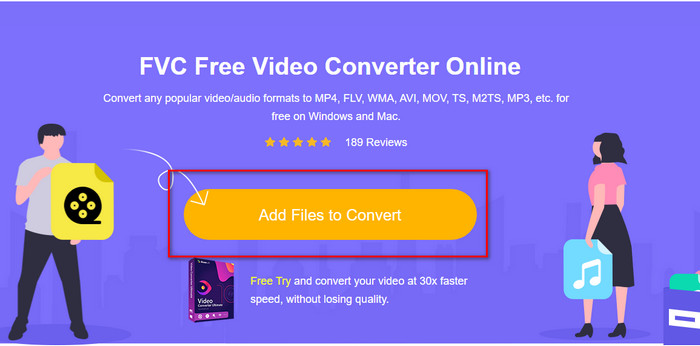
Krok 2. Na stronie kliknij Add Files to Convert, po czym otworzy się okno z folderami na komputerze; wybierz plik .swf i naciśnij Open.
Krok 3. Po wczytaniu pliku w rozwijanej liście formatów wybierz FLV.
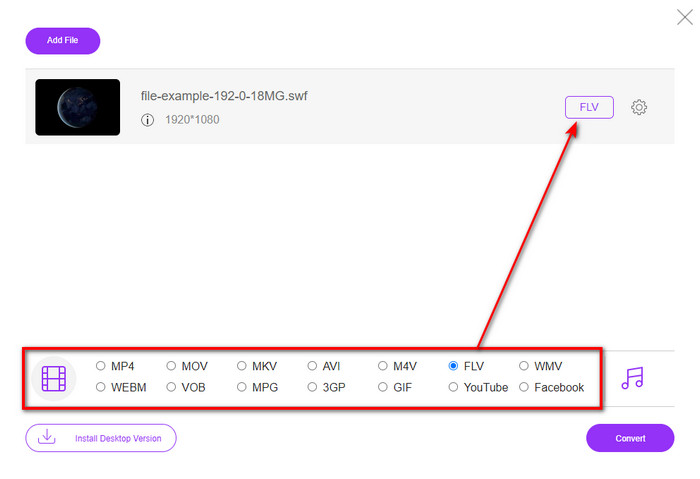
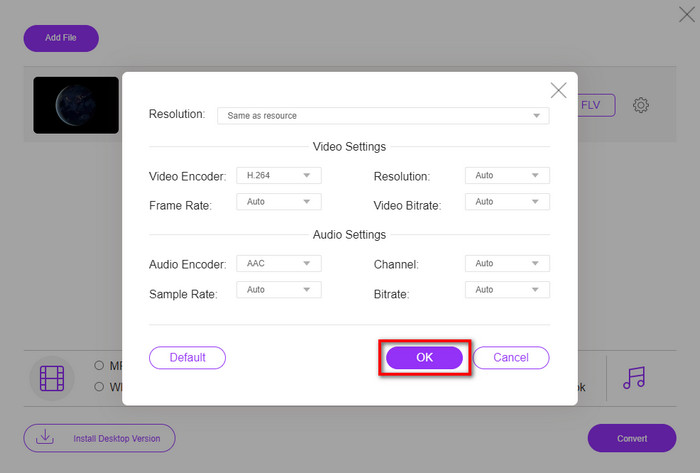
Aby zmienić parametry wideo i audio, kliknij przycisk z ikoną zębatki.
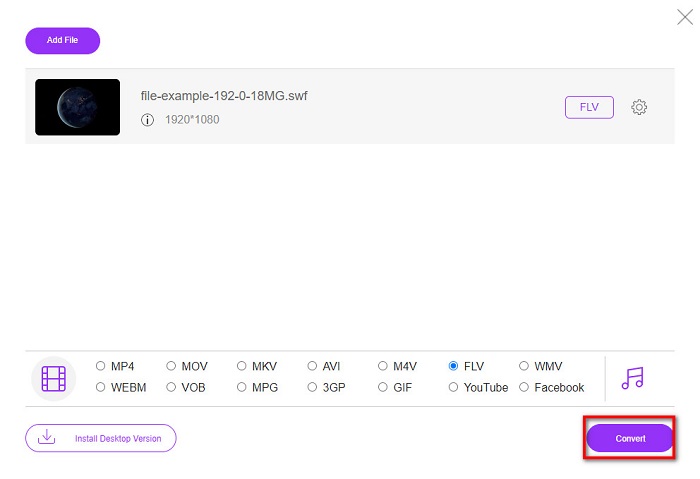
Krok 4. Aby rozpocząć proces konwersji, kliknij przycisk Convert.
Część 2. Konwertuj SWF na FLV za pomocą FFmpeg
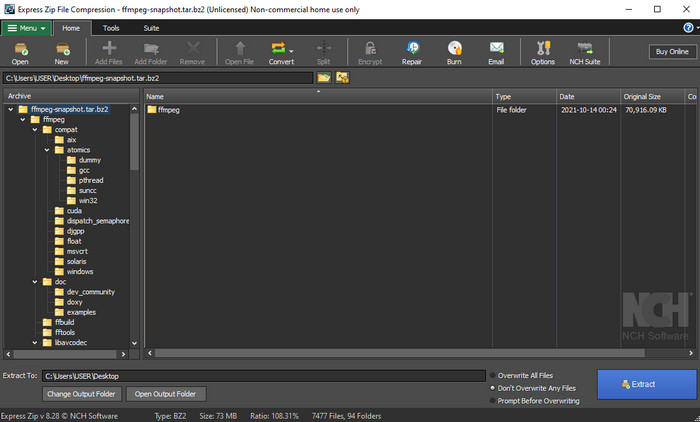
FFmpeg ma nietypowy interfejs i komendy pozwalające bezpłatnie konwertować SWF na FLV. Jeśli znasz ten program, zapewne wiesz już, jak go używać, jednak nie wszyscy go znają. Krótkie wyjaśnienie: ten konwerter nie jest typowym konwerterem wideo używanym w przeglądarce lub po prostu pobieranym i obsługiwanym przyciskami. Zamiast przycisków używasz komend wpisywanych w wierszu poleceń, aby nim sterować.
Krok 1. Pobierz konwerter FFmpeg na swój dysk, a następnie go otwórz.
Krok 2. Na komputerze otwórz wiersz poleceń (Command Prompt).
Krok 3. W CMD przejdź do folderu z plikiem SWF, a następnie go wprowadź. Skopiuj tę komendę i wklej ją w wierszu poleceń: ffmpeg -i input.swf -vn -ar 44100 -ac 2 -b:a 192k output.flv, po czym naciśnij Enter, aby rozpocząć proces.
Część 3. Konwertuj SWF na FLV we Flashu
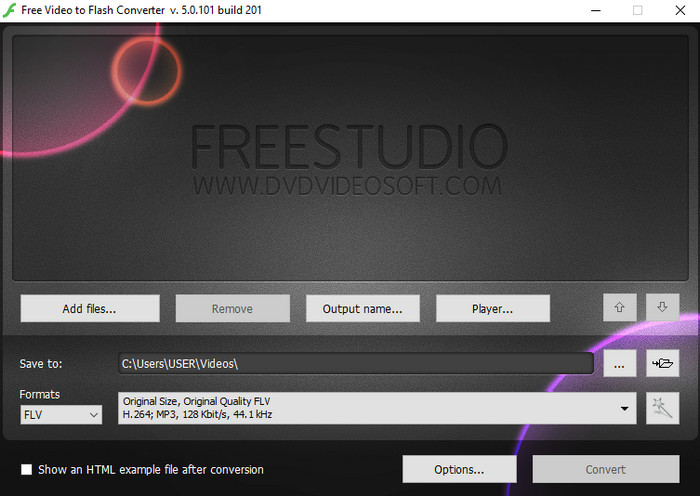
Free Video to Flash Converter to darmowy konwerter do pobrania na Windows. Program obsługuje dwa formaty, pomiędzy którymi możesz wybierać. Służy wyłącznie do konwersji plików na format FLV lub SWF. Jeśli więc chcesz konwertować swoje pliki SWF do AVI, MP4, MOV, MKV i innych formatów, tutaj nie będzie to możliwe. Bez dalszej zwłoki sprawdźmy, jak przekonwertować SWF na FLV we Flashu.
Krok 1. Pobierz oficjalną wersję oprogramowania Flash Converter na Windows i uruchom aplikację.
Krok 2. Kliknij Add Files, aby wczytać plik do konwertera. Następnie naciśnij Formats, znajdź FLV i wybierz również jakość.
Krok 3. Rozpocznij konwersję, klikając przycisk Convert w prawym dolnym rogu interfejsu.
Część 4. Jak przekonwertować SWF na FLV za pomocą najlepszego konwertera SWF na Windows i Mac
Nadal nie jesteś zadowolony z trzech powyższych konwerterów SWF na FLV działających online i offline? W takim razie wypróbuj FVC Video Converter Ultimate. Ten konwerter przewyższa oczekiwania użytkowników, zwłaszcza jeśli chodzi o szybkość procesu konwersji. Oprócz znakomitej konwersji oferuje także zaawansowane funkcje edycji, aby poprawić jakość wideo, oraz Toolbox do innych zadań. Co więcej, kroki podane poniżej gwarantują 101% powodzenie w konwersji Twojego pliku.
Krok 1. Zanim skorzystasz z narzędzia, musisz je pobrać na dysk w systemie Windows lub Mac, przejść przez proces instalacji, a następnie uruchomić program.
Bezpłatne pobieranieDla Windows 7 lub nowszegoBezpieczne pobieranie
Bezpłatne pobieranieDla MacOS 10.7 lub nowszegoBezpieczne pobieranie
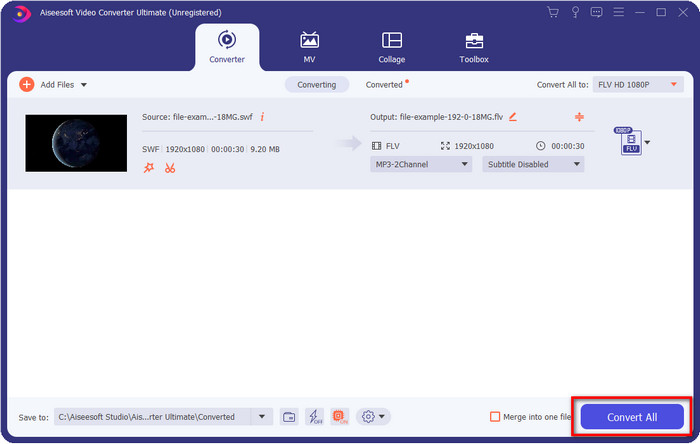
Krok 2. Gdy program będzie już działał w Twoim systemie, kliknij Add Files, aby wczytać pliki SWF, które chcesz przekonwertować.
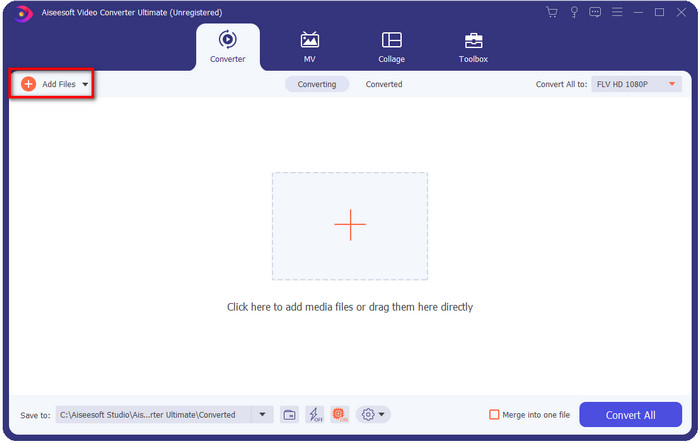
Krok 3. Kliknij opcję Convert All to i wybierz format FLV. Możesz też wybrać jakość – w wysokiej rozdzielczości lub zachować wersję oryginalną.

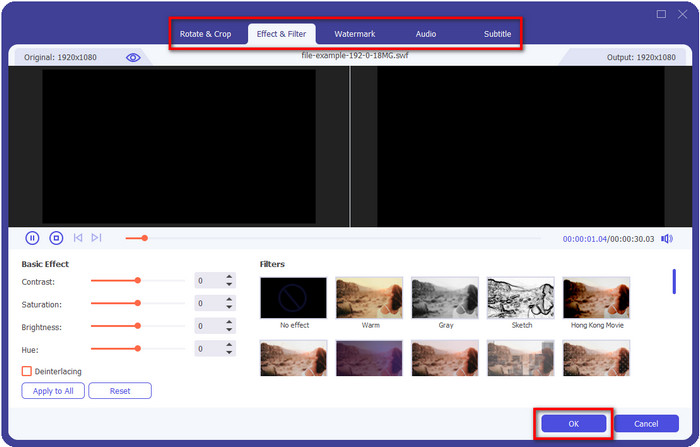
Jeśli chcesz jeszcze bardziej poprawić jakość filmu wynikowego, kliknij przycisk z ikoną różdżki. Przeniesie Cię on do różnych opcji edycji, takich jak Przytnij (Crop), Obróć (Rotate), Dodaj efekty (Add Effects), Napisy (Subtitle), Dźwięk (Audio) oraz Znak wodny (Watermark). Aby zapisać wprowadzone zmiany, kliknij OK.
Krok 4. Kliknij Convert All, a proces się rozpocznie. Konwersja SWF na FLV zajmie tylko chwilę; po jej zakończeniu na ekranie pojawi się folder z plikiem FLV.
Część 5. Rozszerzona wiedza na temat SWF i FLV
ShockWave File lub SWF to format Adobe, ale firma Macromedia go stworzyła. Jest znany z utrzymywania opartych na wektorach animacji i dźwięków używanych w sieci. Co więcej, ponieważ jest to baza wektorowa, możesz łatwo dostosować skalowanie grafiki, aby dopasować lub powiększyć. Poza animacją wektorową rozmiar pliku jest tak mały, że wideo ładuje się szybciej, nawet jeśli masz wolne połączenie internetowe. Ale format nie jest obsługiwany, jeśli chcesz udostępnić je na platformach do udostępniania wideo.
Chociaż FLV jest również pod Adobe, ten format jest lepszy niż SWF. FLV lub FlashVideo Format to standardowy format wideo na większości stron internetowych. Ten format może zawierać dwa różne kodeki przeznaczone do obsługi wideo i audio. I podobnie jak plik SWF, ten format jest mały, aby szybciej ładować plik w Internecie; po pobraniu pliku FLV na dysk można go odtworzyć na odtwarzaczu multimedialnym, nawet jeśli nie jest jeszcze gotowy.
Pomogłoby, gdybyś przekonwertował SWF na FLV, ponieważ SWF ma wiele niedoskonałości, które można znaleźć w formacie FLV. Zwłaszcza jeśli plik wideo jest długi, ponieważ .swf może zawierać tylko ograniczoną liczbę klatek na sekundę, istnieje szansa, że nie będziesz mógł go użyć. Ale FLV może z łatwością przechowywać długie filmy. Co więcej, jeśli chcesz skupić się na jakości, FLV ma lepszą jakość niż SWF.
Część 6. Często zadawane pytania dotyczące konwersji SWF do FLV
Czy plik SWF obsługuje przezroczystość?
Podobnie jak PNG i GIF, ten format obsługuje również skalę szarości z prawdziwymi kolorami lub przypisuje jeden kolor, aby był przezroczysty.
Gdzie mogę oglądać filmy SWF?
Obecnie nie możesz odtwarzać plików SWF w domyślnym odtwarzaczu multimedialnym, ponieważ format ten nie jest obsługiwany. Możesz jednak kliknąć ten link i dowiedzieć się więcej o 4 najlepszych odtwarzaczach SWF na Windows i Mac.
Czy mogę zapisać plik .swf mojego telefonu?
Zapisywanie plików SWF w telefonie jest możliwe, ale odtwarzanie ich na lokalnym odtwarzaczu multimedialnym nie. Ponieważ ten format nie jest przeznaczony do kompatybilności z telefonami, ale do Internetu. Tak więc, jeśli pobierzesz plik z tym rozszerzeniem, spodziewaj się, że nie możesz go użyć; możesz jednak przekonwertować go na odtwarzany format, taki jak MP4 w telefonie.
Wniosek
Ten artykuł prezentuje konwertery–perełki, których możesz użyć do konwersji SWF na FLV bez pogorszenia jakości plików SWF. Podczas zbierania tych narzędzi odkryliśmy, że FVC Video Converter Ultimate jest ukrytym skarbem, którego szukasz w obliczu tego problemu. Zapewnia najbardziej znakomity efekt końcowy i najszybszy proces konwersji spośród wszystkich wymienionych narzędzi. Teraz pozostaje Ci wybrać „skarb”, z którego chcesz skorzystać przy konwersji – pobierając program lub używając go bezpośrednio w przeglądarce.
-
 Pomocne konwertery DV na FLV do konwersji DV na FLV [2022]
 Jeśli szukasz najlepszych i łatwych narzędzi do konwersji DV na FLV, oto najlepszy artykuł do przeczytania. Miej doskonały wgląd, przekopując się przez wszystkie informacje zawarte w tym artykule.
-
 Jak przekonwertować MPG na FLV bez utraty jakości [Sprawdzone]
 Musisz obejrzeć swój ulubiony film na tym odtwarzaczu multimedialnym, ale nie obsługuje on MPG. Spróbuj przekonwertować plik MPG na FLV za pomocą konwerterów przedstawionych w tym artykule.
-
 Konwertuj TRP na FLV za pomocą najłatwiejszych metod offline i online
 Czy chcesz szybko i bezproblemowo przekonwertować plik wideo TRP na FLV? Przeczytaj ten artykuł, aby zapewnić najlepsze oprogramowanie i usługę online, które najlepiej pasują do sytuacji.
