


 Video Converter Ultimate
 Nagrywarka ekranu
 Naprawa wideo
123rf Środki do usuwania znaków wodnych — recenzje, zalety i wady oraz alternatywa
123RF to bezpłatna witryna licencyjna na zbiory obrazów, materiałów filmowych i audio online. Oferuje wiele niedrogich zdjęć stockowych bez tantiem, które kupuje wiele osób. 123RF to firma, która ma od tysięcy do milionów zdjęć stockowych do pobrania.
123RF to firma działająca na rynku od ponad 15 lat. Ma także aplikację mobilną dostępną na większości popularnych telefonów. Aplikacja umożliwia przeszukiwanie biblioteki, tworzenie lightboksów oraz korzystanie z zaawansowanych narzędzi technologicznych. 123RF oferuje wiele niesamowitych, wysokiej jakości obrazów do pobrania. Jednak pobrane zdjęcia z 123RF zawierają irytujący znak wodny. Jeśli więc chcesz usunąć znaki wodne 123RF ze swojego zdjęcia, przeczytaj ten artykuł. Na końcu poznasz najlepszy program do usuwania znaków wodnych 123RF.

Część 1. Recenzje najlepszych urządzeń do usuwania znaków wodnych 123rf
Wiele narzędzi do usuwania znaków wodnych można pobrać na urządzenie lub użyć online. Ale nie wszystkie są łatwe w użyciu i mają niesamowite funkcje edycji. Jeśli więc chcesz wiedzieć, który jest najlepszy do usuwania znaków wodnych, przeczytaj tę część szeroko.
Usuwanie znaków wodnych.io
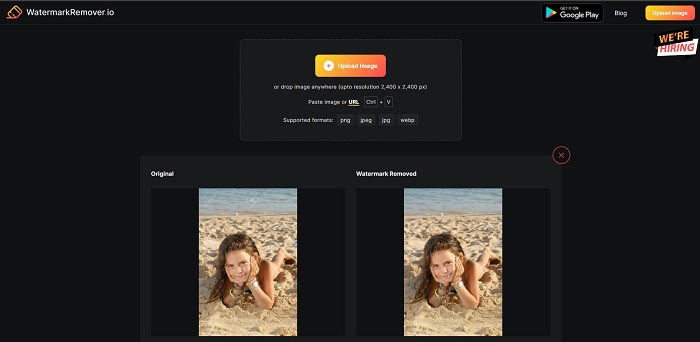
Watermark Remover.io to internetowy program do usuwania znaków wodnych 123RF, popularny w sieci. Wiele osób korzysta z tego narzędzia, ponieważ jest wygodne w użyciu. Ponadto obsługuje najpopularniejsze formaty obrazów, w tym PNG, JPEG, JPG, WEBP i inne. Może również obsługiwać obrazy o rozdzielczości do 2400 x 2400 px. Nie musisz się też martwić o bezpieczeństwo swoich danych, ponieważ to narzędzie online jest w 100% bezpieczne w użyciu. Co więcej, po przesłaniu wybranego obrazu 123RF automatycznie usunie wszystkie znaki wodne osadzone na Twoim zdjęciu.
Plusy
- Posiada intuicyjny interfejs użytkownika.
- Jest darmowy.
- Nie zawiera brzydkich reklam.
- Szybki interfejs przetwarzania.
Cons
- Jest zależny od Internetu.
Watermark Remover.net
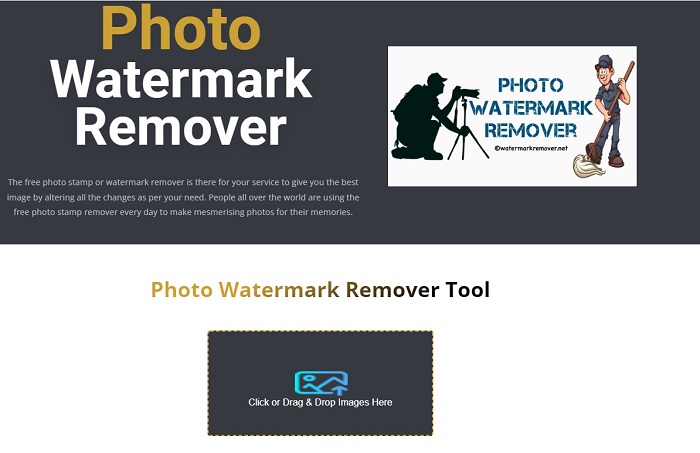
Watermark Remover.net to kolejne internetowe narzędzie do usuwania znaków wodnych, do którego możesz uzyskać dostęp za darmo. Ma prosty w obsłudze interfejs, podobny do opisanego wyżej narzędzia, dzięki czemu jest przyjazne dla początkujących. To skuteczne rozwiązanie do usuwania znaków wodnych 123RF z Twoich obrazów 123RF. Dodatkowo pozwala usuwać każdy rodzaj znaku wodnego (tekst, logo, obraz) z grafiki. Co jeszcze bardziej imponujące, to narzędzie online umożliwia wsadowe usuwanie znaków wodnych z wielu obrazów jednocześnie. Co więcej, generuje obrazy w wysokiej jakości nawet po usunięciu znaku wodnego.
Plusy
- Jest to narzędzie przyjazne dla użytkownika.
- Przywraca zdjęcie z oryginalnego formatu.
- Dostępne we wszystkich przeglądarkach internetowych, takich jak Google, Firefox i Safari.
Cons
- Zawiera niepokojące reklamy.
- Ma powolny proces przesyłania.
Bitwarowy ekspert w dziedzinie znaków wodnych
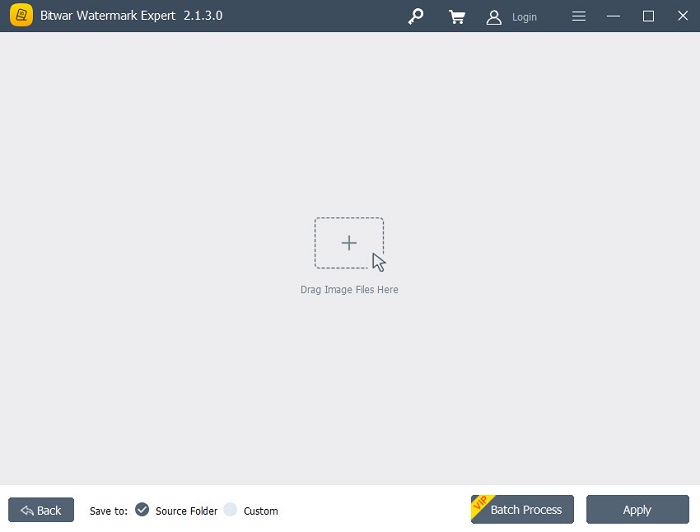
Bitwar Watermark Expert to offline’owy program do usuwania znaków wodnych, który wiele osób wybiera w pierwszej kolejności. Nie tylko usuwa znaki wodne z obrazów. Możesz także dodawać znaki wodne oraz usuwać je z filmów. Nie będziesz mieć problemów z pobraniem tej aplikacji, ponieważ jest darmowa i łatwa do zainstalowania. Ponadto możesz usuwać wszelkie niepożądane obiekty ze swoich zdjęć, takie jak datowniki, logo czy obrazy. Ma również znakomitą funkcję retuszu starych fotografii, pozwalającą usuwać z nich zarysowania i wady. Wypróbuj więc ten znakomity program do usuwania znaków wodnych, jeśli chcesz mieć obrazy 123RF bez znaku wodnego.
Plusy
- Posiada prosty interfejs użytkownika.
- Oferuje przetwarzanie wsadowe w celu usunięcia znaków wodnych.
- Obsługuje najbardziej znane formaty obrazów i wideo.
- Jest do ściągnięcia za darmo.
Cons
- Jest dostępny tylko w systemie Windows.
iMyFone Mark Go
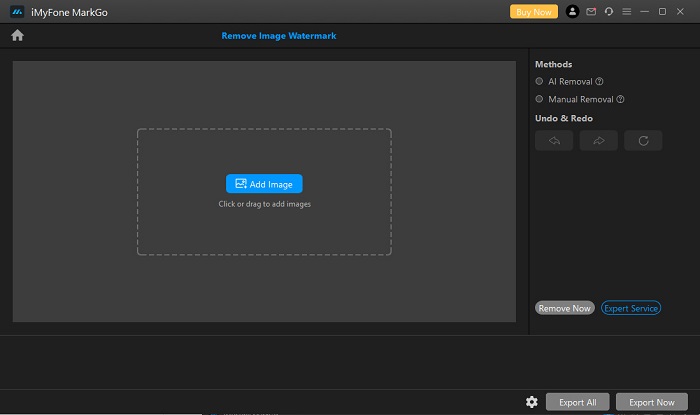
iMyFone Mark Go to aplikacja do pobrania, która potrafi usuwać logo i tekstowe znaki wodne z obrazów 123RF. Wykorzystuje proces usuwania oparty na sztucznej inteligencji, aby wykrywać znaki wodne na zdjęciu i automatycznie je usuwać. Ma też tryb ręcznego usuwania, który pozwala samodzielnie wymazać dowolne znaki wodne. Dodatkowo oferuje wiele funkcji, takich jak narzędzie do usuwania tła, usuwanie znaków wodnych z wideo czy dodawanie znaków wodnych do filmów lub obrazów. Można ją pobrać w wersji na Windows i Mac.
Plusy
- Posiada przejrzysty i intuicyjny interfejs użytkownika.
- Może automatycznie wykryć znak wodny i je usunąć.
- Posiada funkcję przetwarzania wsadowego.
- Tworzy wydruki wysokiej jakości.
Cons
- Kup aplikację, zanim uzyskasz dostęp do jej funkcji.
Część 2. Najlepsze narzędzie do usuwania znaków wodnych 123rf online
Korzystanie z procesu usuwania AI czasami pozostawia rozmyty ślad na obrazie, więc bardziej wydajne jest ręczne usuwanie znaków wodnych z obrazu. I załóżmy, że nie jesteś zadowolony z funkcji i możliwości powyższych narzędzi do usuwania znaków wodnych. W takim przypadku mamy inne narzędzie, którego wielu profesjonalistów używa do usuwania wszelkiego rodzaju znaków wodnych. Czytaj dalej, aby poznać to doskonałe narzędzie i dowiedzieć się, jak uzyskać obraz 123rf bez znaku wodnego.
FVC Free Watermark Remover to internetowy program do usuwania znaków wodnych, popularny wśród osób szukających takiego narzędzia. Ten serwis online z łatwością usuwa znak wodny 123RF z Twojego obrazu. Jest też bardzo prosty w obsłudze, dlatego uchodzi za przyjazny dla użytkownika. Ponadto obsługuje najpopularniejsze formaty obrazów, w tym PNG, JPG, JPEG, BMP, WEBP i inne. Nie musisz martwić się o format wyjściowy, ponieważ zapisuje obraz w tym samym formacie, w jakim został przesłany. W odróżnieniu od innych narzędzi do usuwania znaków wodnych, ten program pozwala narysować wielokątny obrys lub użyć „lasso” myszką, aby zaznaczyć obszar znaku wodnego na obrazie.
Plusy
- Posiada prosty interfejs użytkownika.
- Nie wymaga logowania.
- Jest bezpieczny i darmowy
- Nie zawiera niepokojących reklam.
- Dostępne we wszystkich przeglądarkach internetowych, takich jak Google, Mozilla Firefox i Safari.
Cons
- Jest zależny od Internetu.
Jak usunąć znak wodny 123rf na FVC Free Watermark Remover:
Krok 1. W używanej przeglądarce wpisz FVC Free Watermark Remover.
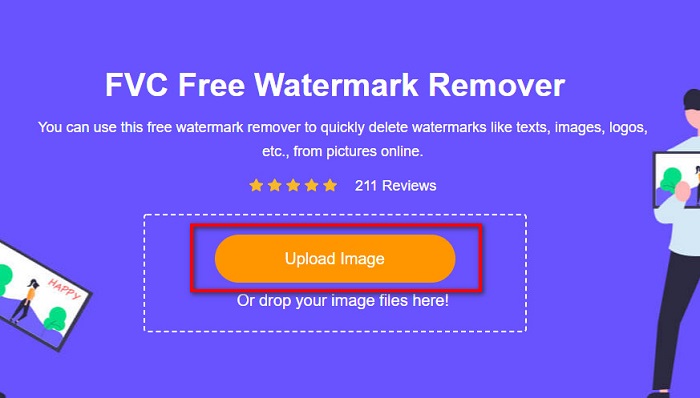
Krok 2. Kliknij przycisk Upload Image na głównym ekranie, aby przesłać swój obraz 123RF.
Krok 3. Następnie wybierz narzędzie do usuwania, którego chcesz użyć do usunięcia znaku wodnego. Możesz wybrać między Polygonal, Lasso lub Brush.
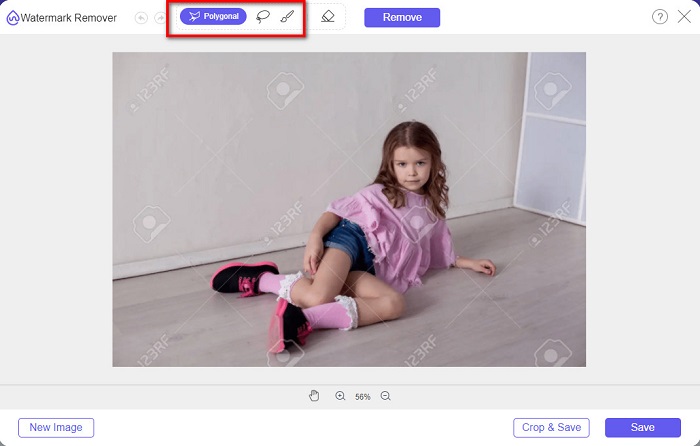
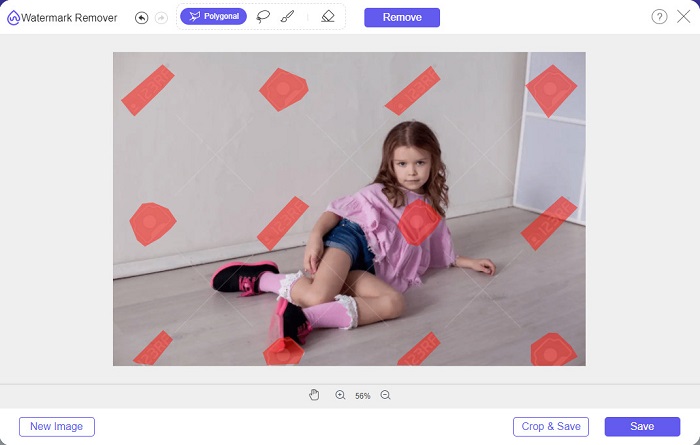
Krok 4. Kolejno obrysuj znaki wodne na swoim obrazie.
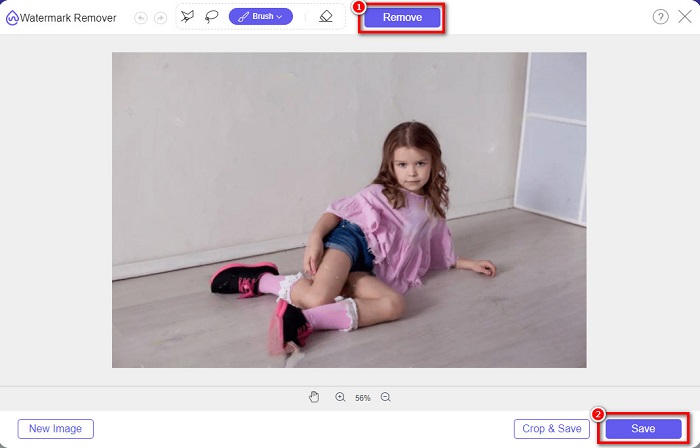
Krok 5. Na koniec kliknij przycisk Remove, aby usunąć zaznaczone znaki wodne z obrazu. Zobaczysz, że znaki wodne zostały usunięte, a następnie kliknij przycisk Save, aby zapisać obraz.
Związany z:
Znakomity Photobucket Watermark Remover online i offline
Czym jest znak wodny na wideo i jak go dodać lub usunąć
Część 3. Często zadawane pytania dotyczące usuwania znaków wodnych 123rf
Czy można usunąć znaki wodne bez ich rozmycia?
Tak. Możesz użyć narzędzia FVC Free Watermark Remover, aby usuwać dowolne znaki wodne bez pozostawiania rozmazanych śladów na obrazie.
Czy możemy usunąć znaki wodne z filmów?
Oczywiście. Istnieje mnóstwo aplikacji, których możesz użyć do usunięcia znaków wodnych (tekstu, logo i obrazów) ze swoich filmów. Istnieje popularna aplikacja o nazwie FVC Video Converter Ultimate, która umożliwia łatwe usuwanie znaków wodnych z filmów.
Czy Adobe Photoshop usuwa znaki wodne 123rf?
TAk. Adobe Photoshop może profesjonalnie usunąć wszelkie znaki wodne z obrazu lub wideo.
Wniosek
Powyższe programy do usuwania znaków wodnych 123RF to świetne narzędzia do usuwania znaków wodnych 123RF z Twoich obrazów. Niezależnie od tego, które z nich wybierzesz, z łatwością pozbędziesz się znaku wodnego 123RF. Jeśli jednak chcesz darmowy konwerter, do którego łatwo uzyskać dostęp, skorzystaj z FVC Free Watermark Remover.
-
 Przewodnik po tym, co to jest znak wodny na zdjęciu [Aktualizacja 2022]
 Czym jest znak wodny na zdjęciu? Czy musimy go dodać? Jak możemy to usunąć? Wszystkie rzeczy, których będziesz potrzebować, są tutaj, więc czytaj dalej tego bloga.
-
 Jak usunąć znak wodny z Wondershare DVD Creator z łatwością?
 Ten artykuł zawiera informacje o tym, jak usunąć znak wodny z Wondershare DVD Creator. Aby uzyskać wszystkie potrzebne informacje, należy to przeczytać.
-
 Łatwe usuwanie znaku wodnego z pliku PDF za pomocą prostych kroków
 Usuń znak wodny z pliku PDF, wykonując te proste czynności. Dowiedz się, jak łatwo usunąć znaki wodne z pliku PDF za pomocą tych niesamowitych narzędzi.
