


 Video Converter Ultimate
 Nagrywarka ekranu
 Naprawa wideo
2 szybkie i łatwe sposoby konwersji M2TS do AVI z dostarczonymi krokami
W miarę jak wchodzimy coraz głębiej w przyszłość, wiele formatów nie jest już szeroko wspieranych, jak na przykład M2TS. Ten format wciąż korzysta ze starego kontenera Blu-ray Audio Video, który używa strumienia MPEG‑2 do przesyłania danych. Nie można odtwarzać tego formatu na niektórych urządzeniach, takich jak iPhone, iPod, a nawet Android, ponieważ nie potrafią one odczytać jego struktury. Jeśli jednak wciąż masz pliki z takim rozszerzeniem i chcesz je obejrzeć, zalecamy konwersję tego formatu do AVI. Przyjrzyjmy się więc teraz, który sposób będzie lepszy, aby pomóc ci w zadaniu konwersji plików M2TS. Co więcej, jeśli będziesz czytać ten artykuł do końca, nauczysz się, jak konwertować M2TS na AVI online lub offline.

Część 1. M2TS kontra AVI
Jak wyjaśniliśmy wcześniej, pliki M2TS były kiedyś kontenerem na Blu-ray, który obsługuje różne filmy, dźwięk i inny strumień w jednym kontenerze. Ponadto, jeśli rozszerzenie pliku na Blu-ray lub AVCHD jest w tym formacie, spodziewaj się, że jego jakość jest doskonała. Chociaż ten format pliku działa dobrze, wsparcie, jakie zyskuje w niektórych odtwarzaczach multimedialnych, jest nadal skromne. Innym jest to, że jeśli chcesz odtwarzać tego typu rozszerzenie pliku, będziesz potrzebować wtyczki, kodeka i niektórych komponentów do oglądania wideo w tym formacie. W przeciwieństwie do rozszerzenia pliku .avi. Ten format zyskuje fanów w całej sieci ze względu na to, jak dobrą jakość wideo może zawierać ten format. Jednak rozmiar pliku jest dużym problemem, ponieważ nie ma odpowiedniego kodeka, który zmniejszałby rozmiar pliku. Ale jeśli porównamy M2TS i AVI, oba są doskonałe. Mimo to podpory są różne, a elastyczność formatu AVI może ci przynieść.
Część 2. Pierwszym sposobem jest konwersja M2TS do AVI Online za pomocą najłatwiejszego narzędzia internetowego
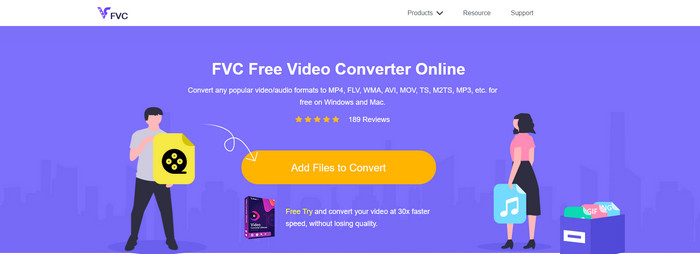
Jeśli zastanawiasz się, czy możesz za darmo przekonwertować M2TS na AVI, to właśnie dla ciebie przedstawiamy FVC Free Video Converter. To narzędzie internetowe jest jednym z najlepszych konwerterów online, jakie można znaleźć w sieci. Ponadto, jeśli masz problem z konwersją formatu, to również będzie rozwiązanie: możesz zmienić bitrate, rozdzielczość i liczbę klatek na sekundę. Mimo że narzędzie obsługuje średnią liczbę różnych formatów, wciąż nie oferuje zaawansowanych funkcji, które pozwoliłyby uzyskać tak znakomity efekt końcowy, jak w przypadku FVC Video Converter Ultimate. Jeśli jednak nie chcesz płacić i masz dostęp do internetu, to właśnie to narzędzie powinno być twoim wyborem do konwersji plików na nowy format.
Plusy
- Do pobrania nie jest potrzebne żadne oprogramowanie, ponieważ można uzyskać do niego dostęp w Internecie.
- Obsługuje średnie odmiany formatu, który możesz wybrać.
- Bezpłatnie i bez reklam w interfejsie serwisu.
Cons
- Potrzebuje połączenia z Internetem, aby móc uzyskać do niego dostęp.
- Niektóre formaty nie są tutaj obsługiwane i ma ograniczoną obsługę formatów.
Kroki korzystania z konwertera online w przeglądarce
Krok 1. Kliknij ten link, aby otworzyć stronę główną konwertera online — nie musisz się martwić, link jest bezpieczny, sami go sprawdziliśmy.
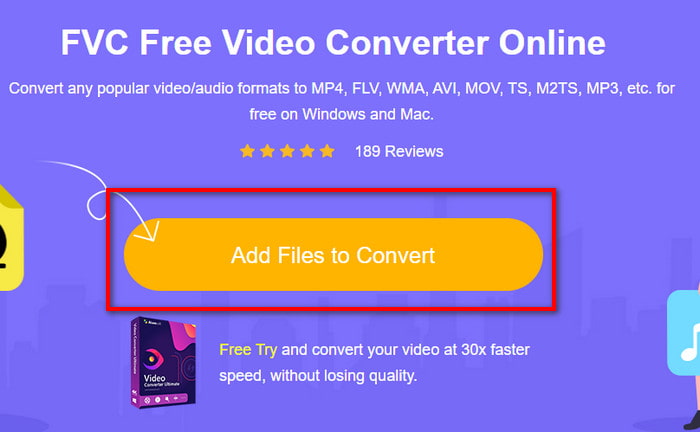
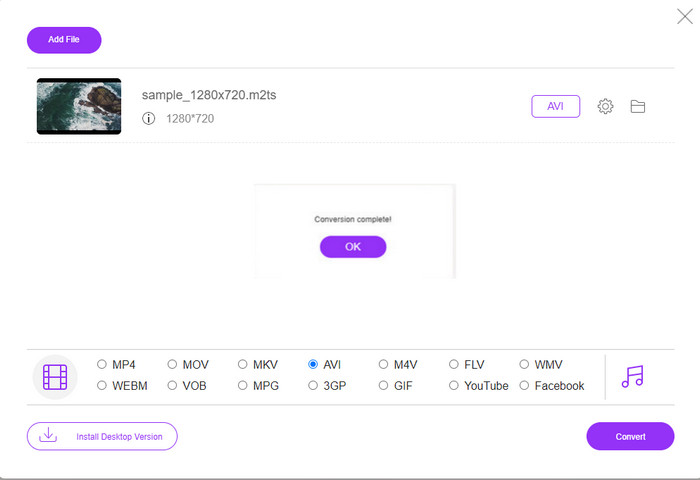
Krok 2. Następnie kliknij Add Files to Convert, na ekranie pojawi się okno folderu, wybierz plik z rozszerzeniem .m2ts i kliknij Open.
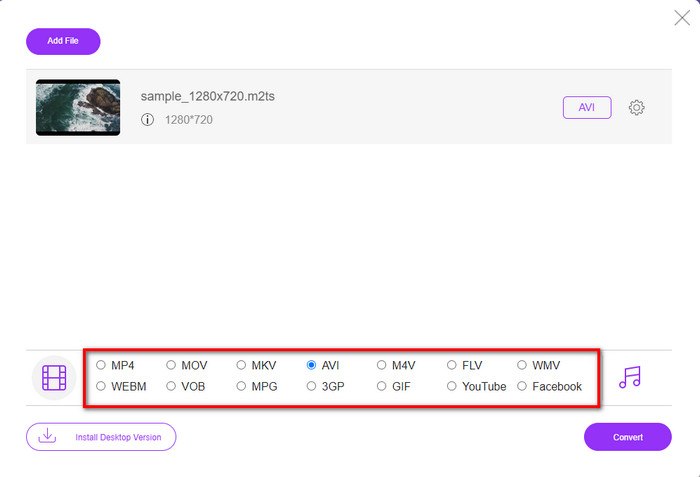
Krok 3. Po wstawieniu pliku na ekranie zobaczysz interfejs z dostępnymi poniżej opcjami formatów; z listy wybierz format AVI.
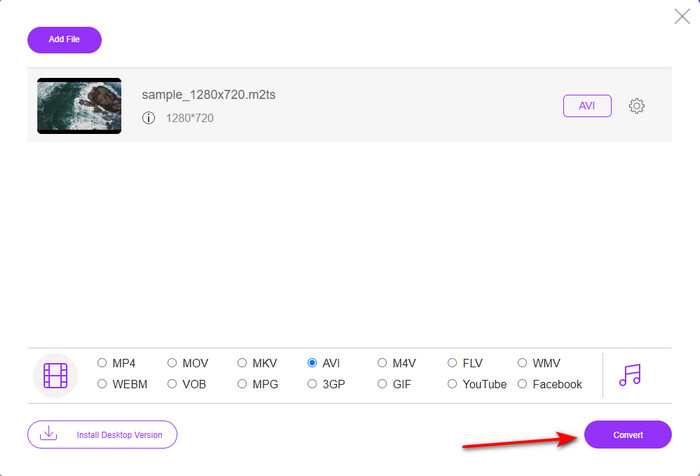
Krok 4. Gdy już wybierzesz format, kliknij Convert, aby rozpocząć zmianę formatu na AVI.
Krok 5. Konwersja formatu zajmie około minuty; następnie pojawi się okno folderu z przekonwertowanym przed chwilą plikiem.
Część 3. Drugim sposobem jest użycie najlepszego narzędzia do konwersji M2TS na AVI w trybie offline
Jeśli potrzebujesz narzędzia, które działa zdecydowanie lepiej niż dostępne konwertery online lub offline, FVC Video Converter Ultimate będzie dla ciebie idealnym rozwiązaniem. Program doskonale sprawdza się przy różnych zadaniach: edycji, tworzeniu GIF‑ów, zmianie formatu, wzmacnianiu głośności i wielu innych. Do tego oprogramowania dodano już wiele zaawansowanych, a jednocześnie uproszczonych funkcji, aby zapewnić użytkownikom jak najlepszy efekt końcowy. Tak, to prawda – aby korzystać z tego „ultimate” narzędzia, musisz stać się jego klientem. Nie ma jednak powodu do zmartwień, ponieważ cena nie jest wygórowana, a program działa dużo lepiej niż inne konwertery. Co więcej, narzędzie obsługuje wszystkie popularne formaty, a więc także formaty, które są zgodne z twoimi urządzeniami lub komputerem. Jeśli chcesz doświadczyć najlepszego procesu konwersji, postępuj zgodnie z poniższą instrukcją krok po kroku, jak używać tego konwertera M2TS na AVI.
Plusy
- Obsługuje o wiele bardziej zaawansowane funkcje, z których chciałbyś korzystać.
- Potrafi przekonwertować plik w ciągu kilku sekund ze względu na przyspieszenie sprzętowe i szybką konwersję zapewnianą przez to narzędzie.
- Dostępny na wszystkich platformach i obsługuje wszystkie formaty.
Cons
- Aby uzyskać dostęp do narzędzia, musisz zapłacić.
- Należy go najpierw pobrać na dysk komputera.
Kroki konwersji formatu wideo M2TS na format AVI w trybie offline
Krok 1. Pobierz oprogramowanie na swój system, klikając przycisk pobierania poniżej. Następnie zainstaluj je, wykonaj konfigurację i uruchom program.
Bezpłatne pobieranieDla Windows 7 lub nowszegoBezpieczne pobieranie
Bezpłatne pobieranieDla MacOS 10.7 lub nowszegoBezpieczne pobieranie
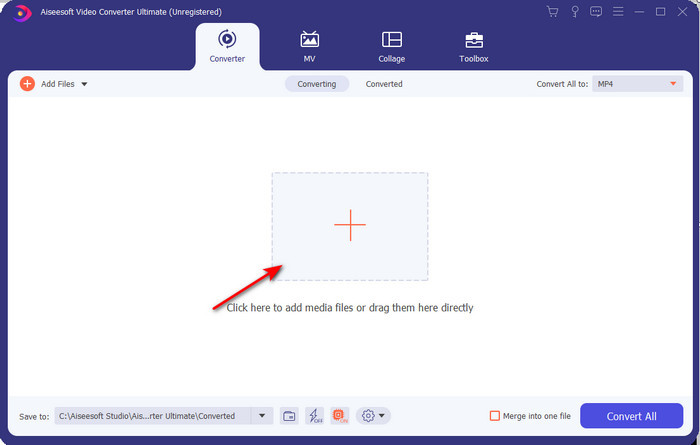
Krok 2. Uruchom oprogramowanie, kliknij przycisk +, aby dodać plik .m2ts z folderu, a następnie kliknij Open.
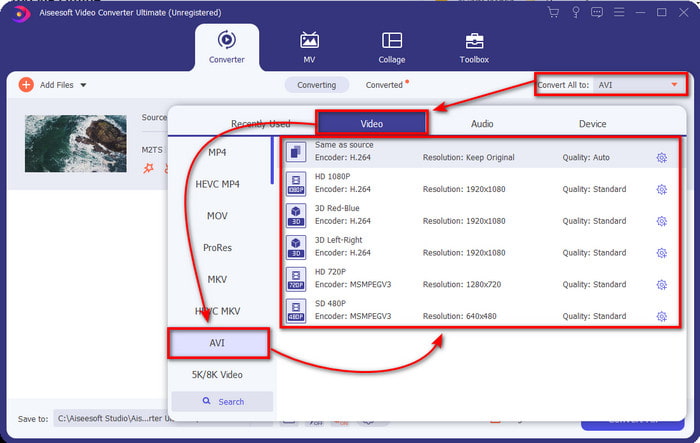
Krok 3. Teraz w prawej górnej części interfejsu zobaczysz menu Convert All to – kliknij je. Po kliknięciu pojawi się podmenu, w którym na liście znajdź format AVI.
Krok 4. Po wybraniu formatu rozpocznij konwersję, klikając Convert All.
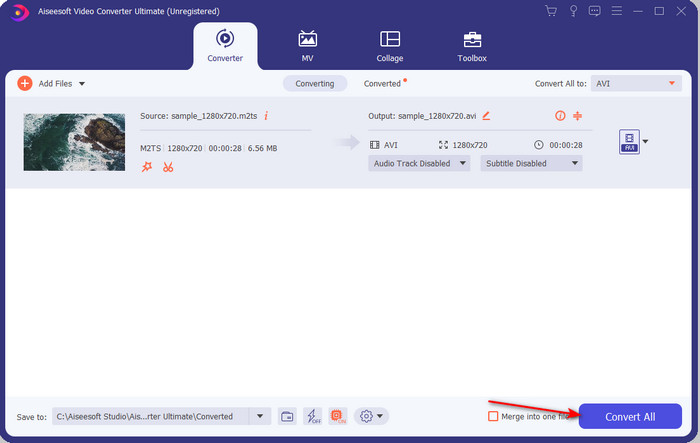
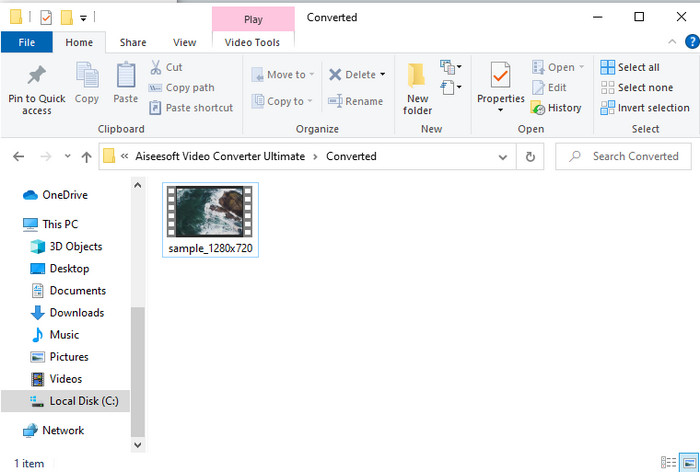
Krok 5. Gdy konwersja zostanie zakończona, na ekranie pojawi się okno folderu; kliknij plik, aby odtworzyć przekonwertowany plik .m2ts.
Część 4. Często zadawane pytania dotyczące M2TS i AVI
Czy po konwersji M2TS do AVI jakość pozostaje?
Po konwersji M2TS do AVI jakość wideo powinna zostać zachowana. Istnieje jednak szansa, że jakość zmieni się, jeśli ustawisz jakość wyjściową na średnią lub niską. Można tego uniknąć, jeśli ustawisz go na 1080 lub 4k, ale rozmiar pliku będzie większy w porównaniu z plikami o niskiej jakości.
Dlaczego nie mogę grać w M2TS na moim Windows Media Playerze?
Istnieje jeden główny powód, dla którego nie możesz odtworzyć pliku z rozszerzeniem .m2ts. Powodem tym jest brak jego obsługi. Jeśli więc nadal chcesz obejrzeć swój plik .m2ts, konieczna jest jego konwersja lub znalezienie innego zewnętrznego odtwarzacza multimedialnego, który potrafi odtwarzać pliki M2TS.
Czy MTS i M2TS są różne?
Jeżeli mielibyśmy porównać te dwa formaty, nie należy się spodziewać dużych różnic. Oba korzystają z formatu wideo AVCHD, który przechowuje obraz w możliwie najwyższej jakości. Aby uzyskać więcej informacji o plikach MTS i M2TS, przeczytaj artykuł What Is Difference Between MTS and M2TS.
Wniosek
Razem znaleźliśmy teraz różne techniki konwersji pliku M2TS na AVI. Po zbadaniu każdego narzędzia z osobna stwierdziliśmy, że FVC Video Converter Ultimate dobrze radzi sobie z konwersją plików. Na koniec sugerujemy pobranie fenomenalnego konwertera, aby ułatwić konwersję i doświadczyć najszybszego procesu konwersji w historii.
-
 Jak przekonwertować M2TS na MKV bezpłatnie i online
 Chcesz przekonwertować M2TS na MKV, zachowując oryginalną jakość? Ten post przedstawia bezpłatne i internetowe metody bezstratnej zmiany M2TS na MKV.
-
 [2021] Najlepsze darmowe i internetowe sposoby 6 na konwersję M2TS na MP3
 Czy plik M2TS można przekonwertować na MP3? W tym poście wymieniliśmy 6 najlepszych bezpłatnych i online sposobów, które pomogą Ci przekonwertować M2TS na MP3, AAC, AIFF i inne formaty audio.
-
 Jak przekonwertować M2TS na MOV za darmo [Online i offline]
 Chcesz przekonwertować M2TS na MOV, aby odtwarzać pliki wideo na wielu odtwarzaczach i platformach? Ten artykuł pomoże Ci znaleźć najlepszą metodę online / offline do konwersji M2TS na MOV na Windows / Mac.
