


 Video Converter Ultimate
 Nagrywarka ekranu
 Naprawa wideo
Najprostsze sposoby konwertowania MPG na DivX na pulpicie
Czy chcesz szybko przekonwertować plik MPG na DivX? W takim razie możesz skorzystać z aplikacji, które umożliwiają konwersję różnych formatów plików. Obecnie, jak zauważamy, różne filmy mają rozmaite formaty plików. Zdarzają się jednak sytuacje, w których niektóre formaty nie są kompatybilne z innymi urządzeniami. W takim przypadku musisz poszukać konwertera, który potrafi przekonwertować dany plik na inny format. Dzięki temu masz pewność, że wideo będzie można odtworzyć na Twoim urządzeniu, ponieważ stanie się z nim w pełni kompatybilne. Aby przekonwertować plik MPG na plik DivX, przeczytaj uważnie ten artykuł, aby dowiedzieć się, jakiej aplikacji lub jakiego konwertera potrzebujesz użyć.

Część 1: Konwertuj MPG na DivX bez utraty jakości
Jeśli szukasz doskonałej i niezawodnej aplikacji do konwersji MPG na DivX, to Video Converter Ultimate jest programem, z którego możesz skorzystać. Ta aplikacja pozwala przekonwertować plik MPG na format DivX. Ale to nie wszystko. Nie jest ograniczona tylko do tych dwóch formatów. Może również konwertować wiele innych formatów, takich jak FLV, MP4, MKV, MOV, VOB, DIVX, OGV, XVID i wiele więcej. Co więcej, Video Converter Ultimate jest dostępny zarówno na Mac, jak i na Windows. Dodatkowo nie musisz się martwić o jakość wideo, ponieważ dzięki tej aplikacji możesz konwertować pliki bez utraty jakości. Ponadto jest to prosta i łatwa w obsłudze aplikacja, idealna dla początkujących, którzy chcą konwertować pliki. Jeśli chodzi o sam proces konwersji, program ten potrafi bardzo szybko przetwarzać pliki, więc nie musisz długo czekać. Możesz też użyć tego oprogramowania do seryjnej konwersji wielu plików jednocześnie. Co więcej, nie jest ono przydatne wyłącznie do konwersji różnych plików. Aplikacja oferuje też wiele narzędzi do edycji, takich jak wzmacniacz głośności, odwracanie wideo, kadrowanie, korekcja kolorów, łączenie wideo, usuwanie znaków wodnych, tworzenie GIF‑ów i wiele innych. Jeśli chcesz przekonwertować MPG na DivX w systemach Windows i Mac, postępuj według prostych kroków poniżej.
Krok 1: Wejdź na stronę internetową Video Converter Ultimate i pobierz aplikację. Następnie przeprowadź instalację i uruchom program.
Bezpłatne pobieranieDla Windows 7 lub nowszegoBezpieczne pobieranie
Bezpłatne pobieranieDla MacOS 10.7 lub nowszegoBezpieczne pobieranie
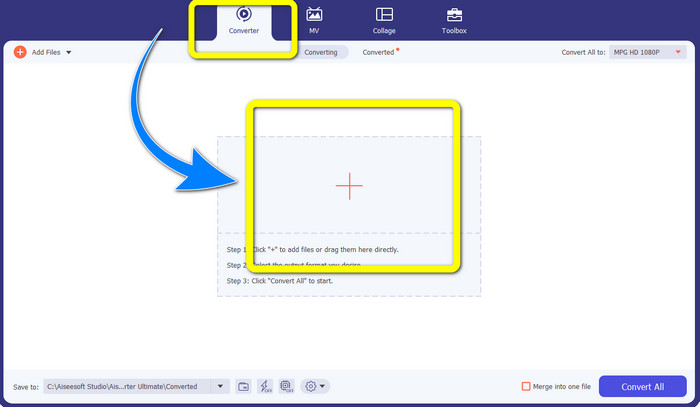
Krok 2: Po otwarciu programu Video Converter Ultimate przejdź do zakładki Converter. Następnie kliknij przycisk z ikoną plusa i dodaj plik MPG, który chcesz przekonwertować na plik DivX.
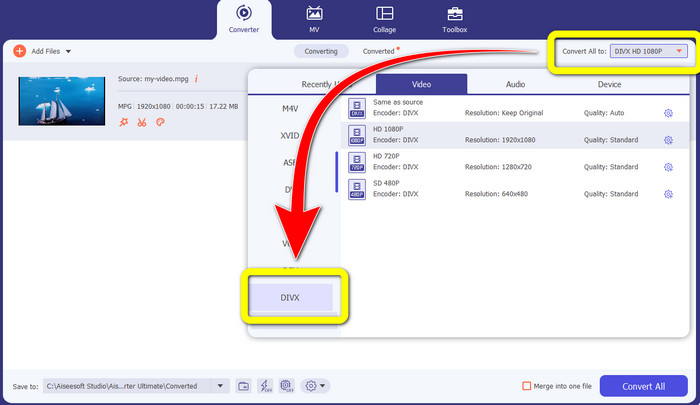
Krok 3: Po wczytaniu pliku MPG przejdź do przycisku Convert All to i wybierz plik DIVX wśród opcji formatu. Możesz także wybrać preferowaną jakość.
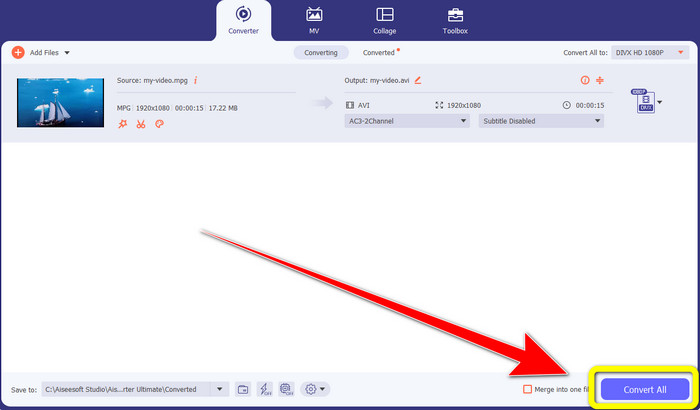
Krok 4: Gdy skończysz wybierać format DIVX, kliknij przycisk Convert All i zapisz wideo jako plik DIVX. To najprostszy sposób na konwersję pliku MPG na plik DIVX na komputerach Mac i Windows.
Część 2: Konwertuj MPG na DivX Online za darmo
Korzystanie z Media.io
Jeśli interesuje Cię wyszukiwanie darmowych internetowych konwerterów MPG na DIVX, jednym z narzędzi online, z którego możesz skorzystać, jest Media.io. To oprogramowanie potrafi konwertować różne rodzaje plików, takie jak wideo, audio, obrazy i inne. Obsługuje różne formaty wideo, w tym MP4, AVI, MKV, WMV, MPEG2, FLV, XVID, M4V itd. Możesz więc używać go także jako konwertera MPEG na DivX. Co więcej, Media.io nie tylko konwertuje różne formaty plików. Ma również wiele narzędzi do edycji wideo, takich jak usuwanie znaków wodnych, przycinanie, kadrowanie, łączenie wideo, zmiana prędkości odtwarzania, tworzenie pokazów slajdów i inne. Niestety darmowa wersja ma ograniczenia. Podczas konwersji różnych plików możesz przesłać materiały jedynie do maksymalnego rozmiaru 100 Mb, co nie jest korzystne, jeśli chcesz przetwarzać wiele plików. Aby konwertować więcej i korzystać z bardziej zaawansowanych funkcji aplikacji, musisz wykupić subskrypcję. Dodatkowo sam proces konwersji jest powolny i przetworzenie pliku zajmuje kilka minut, co nie jest wygodne dla osób, które chcą konwertować większą liczbę plików. Jeśli jednak chcesz przekonwertować MPG na DIVX online za darmo, wykonaj następujące proste kroki.
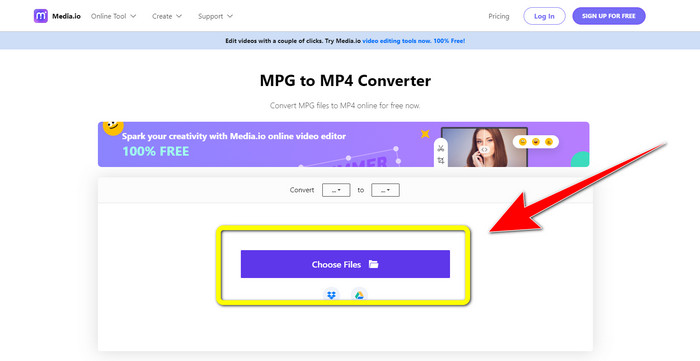
Krok 1: Odwiedź stronę Media.io. Następnie kliknij przycisk Choose Files, aby dodać wideo w formacie MPG.
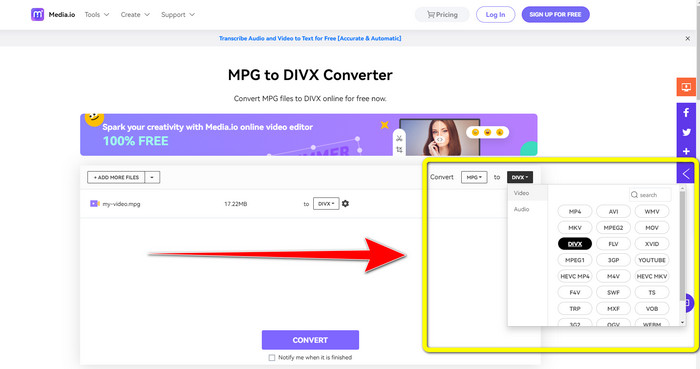
Krok 2: Po dodaniu pliku MPG przejdź do Convert, znajdź w opcjach formatu plik DIVX i wybierz go.
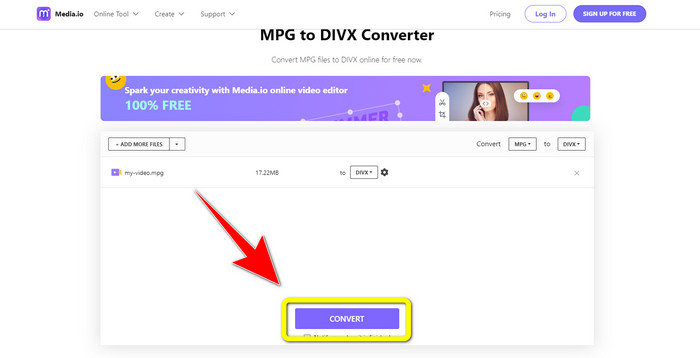
Krok 3: Gdy wybierzesz już plik DIVX dla swojego wideo, kliknij przycisk Convert i zapisz wynik końcowy.
Korzystanie z FileProInfo
Kolejna aplikacja, której możesz użyć do konwersji MPG na DIVX online, to FileProInfo. Ta aplikacja internetowa może pomóc Ci przekonwertować wideo w formacie MPG na plik DIVX. Obsługuje również różne formaty plików, takie jak 3GP, AAC, M4A, M4R, M4V, AVI, AMR, MP4, VOC, VOB i wiele innych formatów wideo. Możesz więc użyć jej także do konwersji 3GP na DivX. Dodatkowo możesz konwertować pliki za darmo. Narzędzie jest proste i łatwe w obsłudze podczas konwersji. Co więcej, FileProInfo to narzędzie, z którego możesz korzystać online, a aplikację można także pobrać na komputer. Ponadto w programie da się robić o wiele więcej, np. sprawdzać plagiat, przeglądać pliki, łączyć je, dzielić, edytować i nie tylko. FileProInfo jest odpowiednie dla początkujących, zwłaszcza do konwersji różnych formatów plików. Jednak pod względem edycji wideo to narzędzie online bywa zbyt skomplikowane. Ma niektóre funkcje zaawansowane i trudne do opanowania, co nie sprzyja osobom początkującym. Dodatkowo proces konwersji MPG na DivX jest bardzo czasochłonny. Jeśli chcesz przekonwertować swoje wideo w formacie MPG na plik DIVX online, postępuj według prostych kroków poniżej.
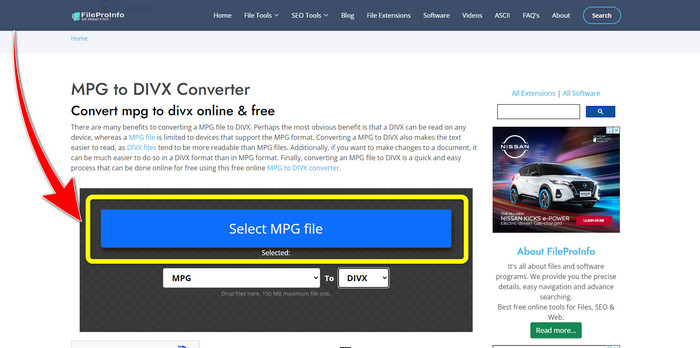
Krok 1: Odwiedź stronę internetową FileProInfo. Następnie kliknij przycisk Select MPG File, aby dodać wideo w formacie MPG.
Krok 2: Po dodaniu wideo MPG znajdź opcje formatu i kliknij plik DIVX.
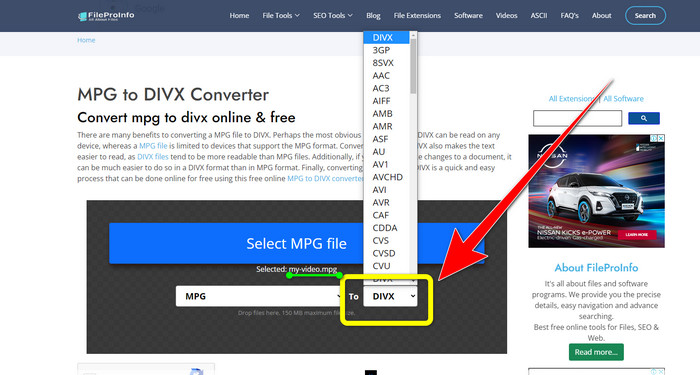
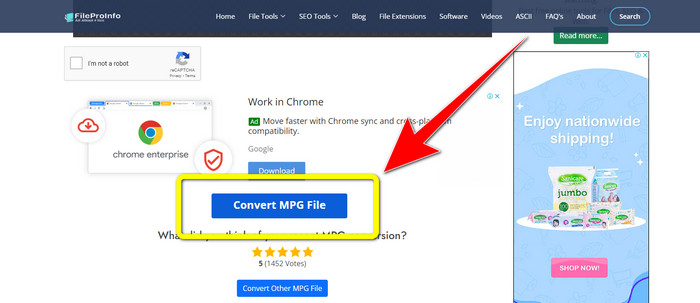
Krok 3: Gdy już klikniesz plik DIVX, przewiń stronę trochę w dół i kliknij przycisk Convert MPG File.
Część 3: Rozszerzona wiedza o MPG i DivX
Co to jest MPG?
Plik MPG to format wykorzystujący format pliku cyfrowego. Został również znormalizowany przez Moving Pictures Expert Group. Wreszcie, ten format pliku był powszechnie używany w filmach i rozpowszechniany w Internecie.
Co to jest DIVX?
DIVX to wysokiej jakości kodek wideo o wysokim poziomie kompresji, którego można używać jako kodeka cyfrowego. Ponadto został sklasyfikowany jako plik wideo. Nie nadaje się również do programów Windows. Ponadto kompresuje wideo do ułamka jego oryginalnego rozmiaru z niewielką utratą jakości.
Część 4: Często zadawane pytania dotyczące konwersji MPG na DivX
Jaka jest zaleta konwersji pliku MPG na plik DIVX?
Jedną z zalet konwersji pliku MPG do pliku DIVX jest to, że format DIVX jest szerzej akceptowany w programach niż plik MPG.
W jakiej przeglądarce mogę przekonwertować MPG na DIVX?
Nie musisz się kłopotać, ponieważ możesz teraz używać prawie wszystkich przeglądarek do konwersji MPG na pliki DIVX w Google Chrome, Firefox, Safari, Opera i innych.
Czy istnieje konwerter, który ma proces konwersji prędkości?
Tak jest! Jeśli szukasz aplikacji lub konwertera z szybkim procesem konwersji, możesz skorzystać z Video Converter Ultimate. Możesz konwertować pliki w ciągu zaledwie kilku sekund, w przeciwieństwie do innych aplikacji, których konwersja zajmuje zbyt dużo czasu.
Wnioski
Jak pokazano powyżej, możesz łatwo przekonwertować MPG na DivX za pomocą programów do pobrania lub narzędzi online. Konwersja plików do innych formatów jest konieczna, zwłaszcza gdy dany plik nie nadaje się do używanego programu lub urządzenia. Jeśli chcesz konwertować różne pliki, możesz skorzystać z aplikacji Video Converter Ultimate.
-
 Jak przekonwertować GIF do DivX w prosty i najłatwiejszy sposób?
 Czy chcesz przekonwertować plik GIF na format pliku Divx? Pokażemy doskonały konwerter, którego możesz użyć do konwersji GIF na DivX.
-
 Łatwe do nauczenia metody konwersji Xvid na DivX
 Szukasz najlepszego rozwiązania do darmowej konwersji Xvid na DivX? Ten artykuł pomoże Ci rozwiązać Twój problem. Więc czytaj post w sposób ciągły.
-
 Jak przekonwertować M4V na DivX za darmo na komputerze Mac [Najlepsze narzędzia&93;
 Szukasz sposobów na darmową konwersję M4V do DivX? Wymieniliśmy najlepsze konwertery do konwersji pliku M4V na DivX na Macu.
