


 Video Converter Ultimate
 Nagrywarka ekranu
 Naprawa wideo
3 najlepsze konwertery online i offline używane do konwersji plików XviD do formatu AVI
XviD is a well-known codec because it is the competitor of Divx. After all, this codec is open-source, and the GNU License supports it. This codec is used to compress and decompress the file that is in your format. Although this codec helps your video become smaller, still some media players can't process this codec. So if your media player doesn't support XviD codec, you must convert the file into AVI. Here below are some of the most pick converters that are used to convert XviD to AVI.
Część 1. XviD i AVI — przegląd
Dalsze wyjaśnienie dotyczące XviD jest takie, że ten kodek nie jest formatem ani kontenerem, takim jak AVI lub jakikolwiek inny kontener mediów. Z pomocą XviD plik wideo można skompresować do znacznie mniejszego rozmiaru bez utraty jakości. Ponadto XviD może kodować AVI, aby stał się mniejszy; jednak nie wszystkie formaty AVI używają XviD jako kodeka. Ponieważ format AVI jest dostępnym formatem, który jest nieskompresowany, jeśli masz plik pod nazwą .avi, spodziewaj się, że ten plik jest ogromny. Być może zastanawiasz się, dlaczego musisz przekonwertować XviD, po prostu dlatego, że nie wszystkie odtwarzacze multimedialne obsługują ten kodek. Spróbujmy więc teraz zamienić Twój nieodtwarzalny plik w grywalny, ucząc się konwertować XviD do formatu AVI.
Część 2. Pierwsze i drugie sposoby konwersji XviD na AVI w trybie offline
Pierwsza droga. Konwerter wideo FVC Ultimate
For converting an encoded file under .xvid, you must let the professional do the work of converting this file into a new one. FVC Video Converter Ultimate is not only good in converting the file or format into a new version. But you can also use this tool to edit videos, boost audio, make GIFs, speed up videos, and more. This software is the swiss-knife, an all-out tool that you would love to have. However, before you can use this tool, you must buy this to use the advanced features this software provides. Overall performance, this software can convert any format into a 200+ new format you can choose. So now, if you want to see how to convert XviD to AVI with this tool, then read the steps provided below.
Step 1. Hit the download button to download the software on your drive. Install it next, follow the set-up, and press Start Now to launch the tool.
Bezpłatne pobieranieDla Windows 7 lub nowszegoBezpieczne pobieranie
Bezpłatne pobieranieDla MacOS 10.7 lub nowszegoBezpieczne pobieranie
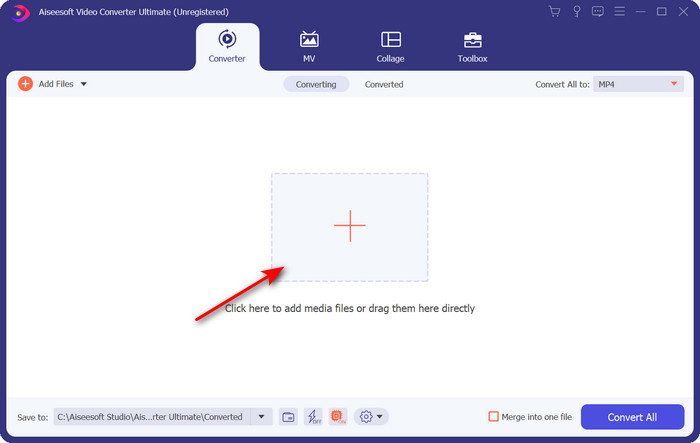
Step 2. The tool will be open after you click the Start Now; in the middle part, hit the + button to insert the file under .xvid and click Open.
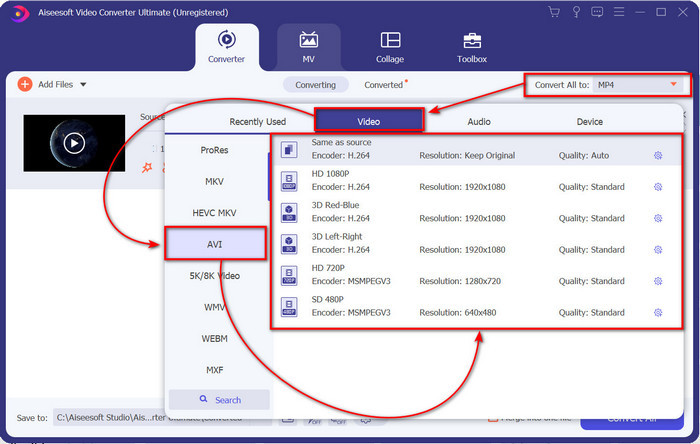
Step 3. To change the format to AVI, click Convert All to: and locate the AVI format; choose the resolution. Remember, the higher the resolution the better the quality, but the file size is more extensive.
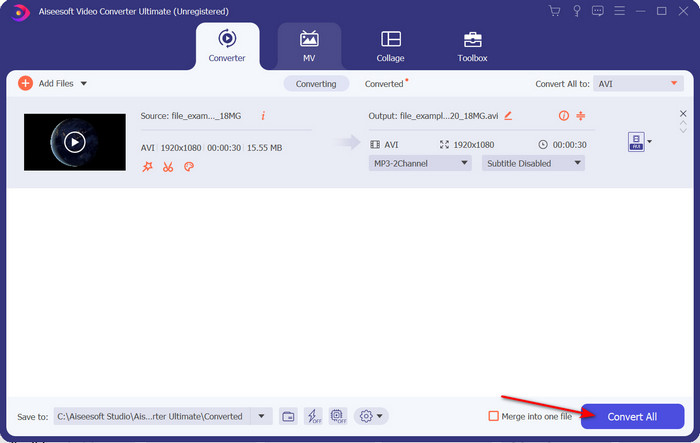
Step 4. Once you have already chosen a format, you can convert it by hitting the Convert All button.
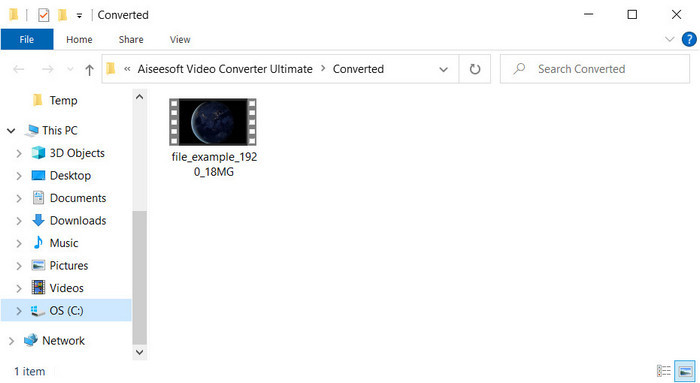
Step 5. Converting the file will take less than a minute; a folder will show after conversion with the AVI file. To watch the converted video click the file and enjoy watching it.
Druga droga. VLC
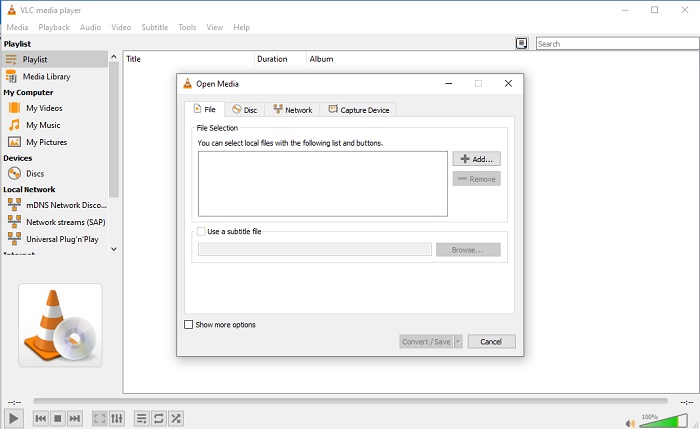
Jeśli szukasz darmowego konwertera XviD na AVI, spróbuj użyć VLC. To oprogramowanie o otwartym kodzie źródłowym służy nie tylko do odtwarzania filmów, ale możesz również użyć tego narzędzia do konwersji plików lub formatów. Chociaż narzędzie jest nadal bezpłatne, możesz wybrać tylko kilka formatów dla tego konwertera. Więc teraz, jeśli chcesz przekonwertować plik XviD do nowego formatu, takiego jak AVI, wykonaj poniższe czynności.
Step 1. Launch the VLC on your desktop and click Media; under it, click Convert/Save.
Step 2. Press Add, search the file on the folder, Open it, and click Convert/Save.
Step 3. Change the format by clicking the drop-down button, clicking Browse to locate the folder, and clicking Start.
Część 3. Trzeci najlepszy darmowy sposób na konwersję XviD do AVI
Trzecia droga. Darmowy konwerter wideo FVC online
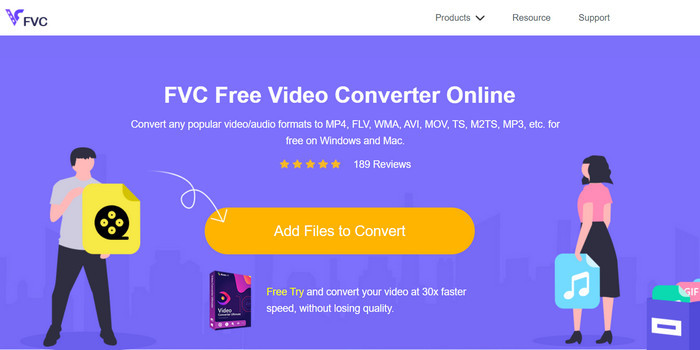
Are you looking for a web converter to convert XviD to AVI online and free of charge as well? FVC Free Video Converter Online is the best online converter you can use on your browser. This web tool already helps many users convert file problems, and maybe you are the next. One of the advantages of using this is that you wouldn't need to download the software on your desktop because you can access it thru your favorite browser anytime and anywhere. However, one of its disadvantages is that you can't use this if you don't have data or an internet connection in your area. Moreover, this web tool is a choice in regards to converting a format. So now, let's try to use this online software and follow the steps.
Step 1. To access this web tool, you must click this link.
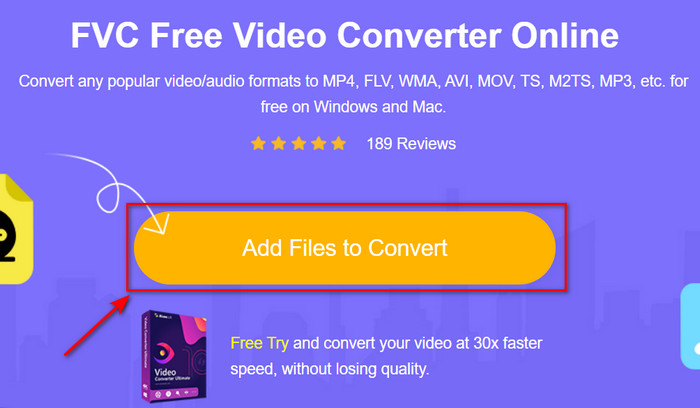
Step 2. Then click Add Files to Convert to open the web tool, and a folder will show after you click this, search the .xvid file on the folder, then click Open.
Step 3. After the file is uploaded, choose the AVI format under the submenu.
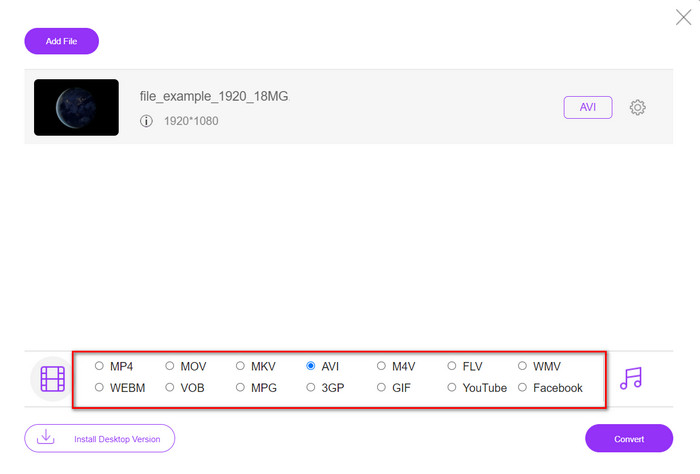
Step 4. Once you finish selecting the format, click Convert to start converting the format.

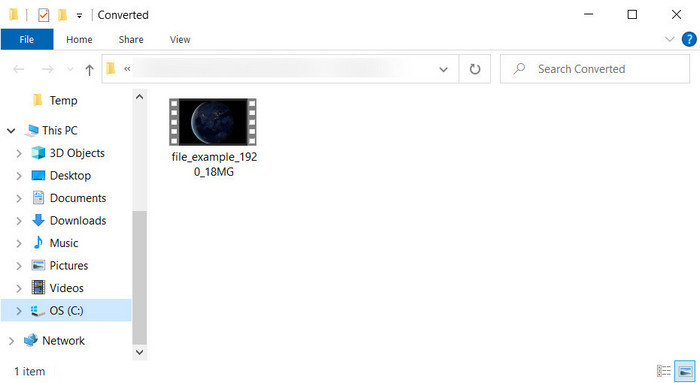
Step 5. A folder will be going to pop-up on your screen with the new .avi file.
Część 4. Często zadawane pytania Konwersja XviD do AVI
Czy po konwersji XviD do AVI jakość jest taka sama?
Cóż, oczywiście jakość pliku wideo XviD nie może się zmienić po konwersji. Jeśli jednak zmienisz jakość wyjścia i ustawisz ją na niską lub średnią, spodziewaj się zmiany jakości, zwłaszcza jeśli twój XviD ma 1080 lub 4k pikseli.
Czy rozmiar pliku XviD zmienia się po konwersji?
To zależy od tego, w jaki format go zamienisz; na przykład, gdy zmienisz plik .xvid w .avi, spodziewaj się niewielkiej zmiany w rozmiarze pliku wideo. Ale nie powinno być tak ogromne, aby różnić się od poprzedniego rozmiaru.
Gdzie mogę odtworzyć moje wideo Xvid?
Suppose you are looking for the best media player that supports the Xvid codec. Then try to click this link as we gather all of the top seven XviD players for Windows, Mac, iOS, and Android.
Wniosek
As we end, converting XviD can be quickly done if you use the tool available at the top. Moreover, the mentioned tool does perform excellently and will help you in solving the XviD problem. So now, it is in your hand to choose the perfect converter tool you can use. By downloading it or accessing it online, whatever choice you make expects to have an excellent output. But suppose you don't know what to choose. In that case, we suggest you download the FVC Video Converter Ultimate to achieve the phenomenal outcome. Also, if you download this you can do conversion and more of it if you tap the download button.
-
 Jak przekonwertować M2TS do AVI z najlepszymi konwerterami w sieci i na pulpicie?
 Chcesz przekonwertować plik M2TS do formatu AVI? Następnie przeczytaj tę treść, ponieważ określamy szczegółowe informacje o tym, jak konwertować i jakich dostępnych narzędzi możesz użyć.
-
 4 najwyższe konwertery MXF do konwersji MXF na AVI [bezpłatne i płatne]
 Co to jest plik MXF? Jak przekonwertować MXF do AVI? Oto kilka pytań, na które odpowiadamy. Jeśli więc masz to samo pytanie, przeczytaj ten artykuł.
-
 4 najskuteczniejsze sposoby konwersji 3GP do formatu AVI [2025]
 Czy mogę przekonwertować moje pliki 3GP do AVI? Cóż, możesz to łatwo przekonwertować, jeśli wypróbujesz te dostępne narzędzia, ponieważ zebraliśmy wszystkie możliwe rozwiązania Twojego problemu z konwersją 3GP do AVI.
