


 Video Converter Ultimate
 Nagrywarka ekranu
 Naprawa wideo
Ostateczny przegląd edytora AACMetadata, który powinieneś wypróbować
AAC is categorized as one of the standard digital audio formats containing music data, such as metadata. In some cases, the tags on AAC are incorrect; unfortunately, this happens a lot, yet it is not your fault. Although this format can contain a better quality sound than MP3, searching on the market can help you pick and edit the tags of the AAC files. If you are one of the searchers, you can say that the search is over because we hand-pick the tools you can use available on Windows, Mac, and Linux. These tools are tested to support AAC before we introduce them to you. Luckily, they can do the work. To finish the task like a breeze, keep reading this article to determine the AAC metadata editor you can use.

Część 1. 5 najlepszych edytorów tagów AAC w systemach Windows, Mac i Linux
FVC Video Converter Ultimate
Operating System Supported: Windows & Mac
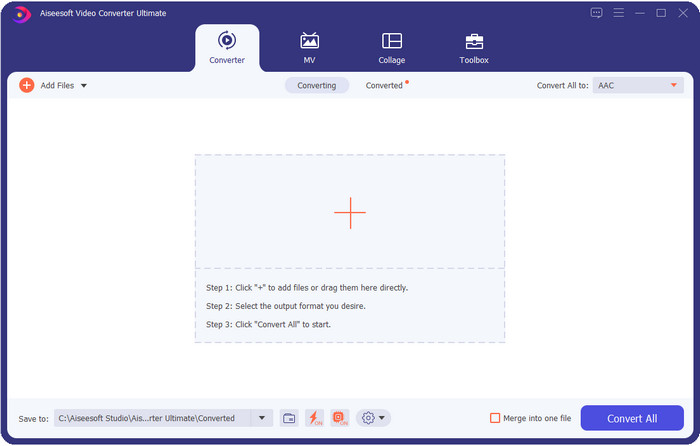
First on our list is the ultimate AAC metadata editor you can download on your desktop to finish the task smoothly as a breeze. FVC Video Converter Ultimate already proves that it is the great competitor of every editor or converter on the market because it is all in one. Unlike the tool that supports two or more operating systems, this tool doesn't have any bias, which means the features on Windows is available on Mac or vice versa; basically, it is fair to all. However, their interfaces are slightly different because of the system.
Oprócz tego unikalne funkcje, o których mówimy, nie są powszechnie spotykane w edytorze tagów na rynku. Na przykład nie możesz dokonać konwersji w edytorze tagów, ponieważ ta funkcja nie jest obsługiwana. Ale jeśli zdobędziesz to narzędzie, możesz konwertować, edytować metadane i robić więcej niesamowitych rzeczy, których nie możesz sobie wyobrazić. Jeśli chcesz poznać te funkcje, przeczytaj poniższe szczegóły, ponieważ przedstawiamy ostateczną funkcję, którą możesz mieć dzięki najlepszemu narzędziu.

FVC Video Converter Ultimate
5,689,200+ pobrań- Obsługuje różne formaty audio, takie jak AAC, MP3, WAV i inne.
- Jest to najlepszy wybór do wykonywania podstawowej, zaawansowanej edycji plików wideo i audio.
- Może jednocześnie obsługiwać wiele plików wideo i audio.
- Ma najlepsze i najpiękniejsze GUI, jakie kiedykolwiek widziałeś.
- Dostępne do pobrania zarówno w systemie Windows, jak i Mac.
Bezpłatne pobieranieDla Windows 7 lub nowszegoBezpieczne pobieranie
Bezpłatne pobieranieDla MacOS 10.7 lub nowszegoBezpieczne pobieranie
PuddleTag
Operating System Supported: Linux
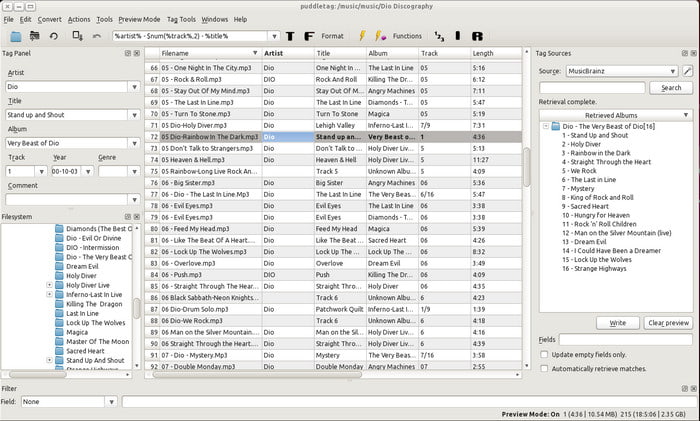
Similarly, with the MP3tag editor on Windows, PuddleTag is a Linux-based AAC tag editor. This tool is straightforward and can easily manipulate the tags because it is like a spreadsheet-style. Like the other tag editor, it supports basic editing on your metadata, extracting the tags, and renaming them. All of the things you are looking for in a meta editor on Linux are here.
Ponadto obsługuje wiele funkcji ułatwiających edycję, konwersję, automatyczne wyszukiwanie tagów za pomocą Amazon itp. Chociaż może oferować wiele z tych funkcji, prawie nie jest to trudne do obsługi za pomocą tego narzędzia, ponieważ używanie metaedytora jest rzadkością z graficznym interfejsem użytkownika podobnym do arkusza kalkulacyjnego. Ale ogólnie rzecz biorąc, świetnie jest mieć takie narzędzie do wykonania tej pracy.
MusicBrainz Picard
Operating System Supported: Windows and Mac
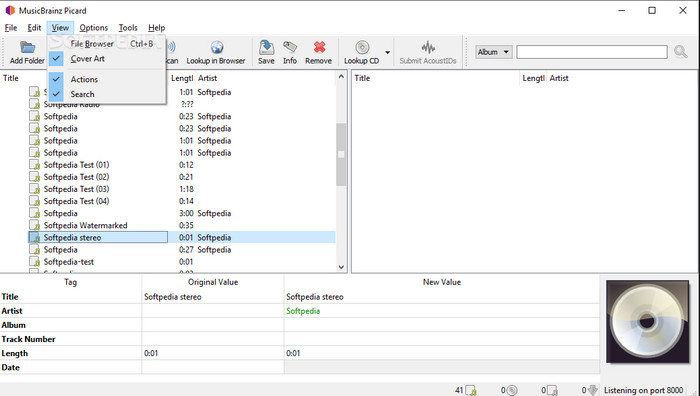
MusicBrainz Picard is your typical AAC metadata editor you can use on both Windows & Mac. Its interface and functions are ideal for editing your music file's tags. While using the tool, you can see the essential information on the file- you've opened using the tool.
Ponadto obsługuje wiele funkcji ułatwiających edycję, konwersję, automatyczne wyszukiwanie tagów za pomocą Amazon itp. Chociaż może oferować wiele z tych funkcji, prawie nie jest to trudne do obsługi za pomocą tego narzędzia, ponieważ używanie metaedytora jest rzadkością z graficznym interfejsem użytkownika podobnym do arkusza kalkulacyjnego. Ale ogólnie rzecz biorąc, świetnie jest mieć takie narzędzie do wykonania tej pracy.
Rozszczepienie: szybka i bezstratna edycja dźwięku
Operating System Supported: Only macOS
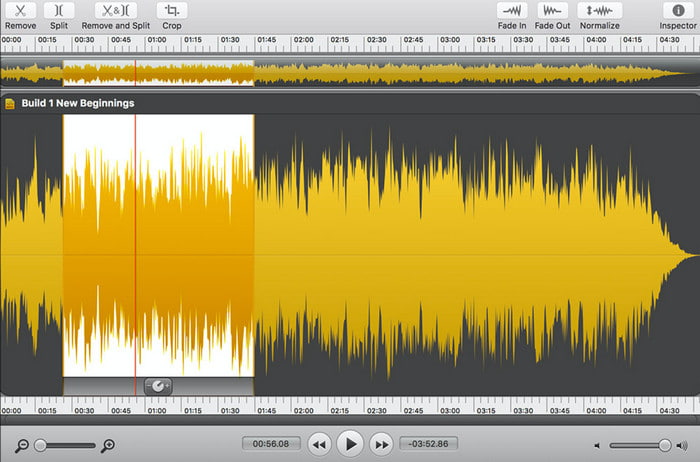
Fission is an audio editing software you can download on your macOS. With that being said, the software isn't available on Windows or Linux. Although the tool isn't a dedicated audio tag editor, it is still good to have this if you edit the audio. Although the tool offers you a set of functions and features, one thing is for sure all of these are only for the audio format.
Podobnie jak MusicBrainz Picard, nie ma wiele do powiedzenia na temat tego narzędzia, ale pod względem wydajności możemy powiedzieć, że jest świetny w użyciu na Macu. Więc jeśli jesteś użytkownikiem Maca i chcesz edytować lub zmieniać metadane AAC, może to być wybór, który chciałbyś wybrać.
AudioShell
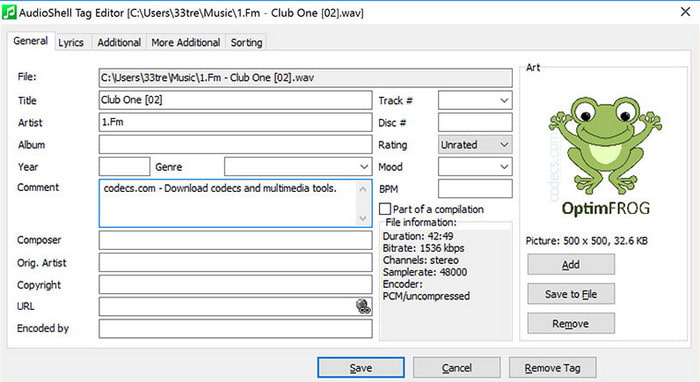
Operating System Supported: Only Windows
AudioShell is a tag extension editor on Windows Explorer, allowing you to edit the tags on the explorer. It can handle adding tags into your music files easily. Although the tool isn't sometimes effective, we can still say that this tool is the best choice for editing the metadata on your AAC file.
Jeśli nie masz wystarczającej ilości miejsca na dysku z systemem Windows, musisz użyć tego rozszerzenia. Nie musisz pobierać dużego pliku, ale nadal musisz pobrać narzędzie. Mimo że nie jest profesjonalistą w tym zadaniu, narzędzie nadal może szybko wykonać swoją pracę, jeśli dasz mu szansę.
Powiązane:
Część 2. Tabela porównawcza na temat edytora tagów 5 ACC na rynku
| Cechy | FVC Video Converter Ultimate | PuddleTag | MusicBrainz Picard | Rozszczepienie: szybka i bezstratna edycja dźwięku | AudioShell |
| Dobrze zaprojektowane oprogramowanie |  | | | | |
| Intuicyjny interfejs | |  | | | |
| Funkcje edycji, takie jak wycinanie, scalanie, przycinanie i inne. | | | | | |
| Najlepszy wybór użytkowników | | | | | |
Część 3. Często zadawane pytania dotyczące edytora tagów AAC
Czy AAC jest dostępny na Macu?
Współczesny system macOS obsługuje cyfrowy format audio AAC, ale najlepiej byłoby użyć kodeka iTunes, aby upewnić się, że plik otworzy się na komputerze Mac.
Czy mogę nagrać głos w formacie pliku AAC?
We knew that AAC files are the best format for storing high-quality audio. But how can you use it? Is it possible to record audio and use an AAC extension on it? If you want to know more about AAC and what recorder you can use to record high-quality AAC on Windows and Mac, click this link.
Czy AAC jest kompresją stratną czy bezstratną?
AAC wykorzystuje bezstratną kompresję danych, więc jeśli Twój dźwięk jest w kompresji bezstratnej, zmniejsza to niebezpieczeństwo utraty cyfrowej jakości dźwięku w przypadku przesłania go przez Internet.
Wniosek
The task is successfully finished; with the tools presented above, this task on your AAC metadata is more accessible than ever. We provided options for you to use; all of them are available on the three top-notch OS: Windows, Mac, and Linux. These are chosen according to the standard, and all of them pass that standard, especially the FVC Video Converter Ultimate. Besides its ability to edit tags, it can also convert your AAC into a new format within a split of seconds if the ultra-fast conversion is activated.
Chcieć więcej? Jeśli tak, pobierz narzędzie i poznaj je, zobacz, dokąd Cię zaprowadzi.
-
 5 najlepszych edytorów metadanych wideo na rok 2025 [bezstronna recenzja]
 Czy chcesz wyświetlić metadane swojego filmu? Jeśli tak, przeczytaj poniższe szczegóły, aby w pełni zrozumieć temat i dowiedzieć się, które narzędzie najlepiej do Ciebie pasuje.
-
 7 popularnych edytorów tagów muzycznych w systemach Windows, Mac i urządzeniach mobilnych
 Znaczniki muzyczne są często używane do porządkowania muzyki w bibliotece zgodnie z zawartymi w niej danymi. A jeśli chcesz to zmienić? Przeczytaj szczegóły poniżej, aby dowiedzieć się więcej.
-
 4 sugerowane edytory metadanych audiobooków w 2025 r.
 Jeśli nie masz pojęcia o edytorze tagów audiobooków, ten artykuł Ci pomoże. Poznaj go lepiej, czytając każdy szczegół poniżej i narzędzia, których możesz użyć.
