


 Video Converter Ultimate
 Nagrywarka ekranu
 Naprawa wideo
Usuń znak wodny Dreamstime za pomocą 4 sposobów, które musisz wiedzieć
Jeśli potrzebujesz gotowych do użycia obrazów do prezentacji lub projektu, nie możesz się pomylić wybierając Dreamstime. Ta aplikacja może udostępniać zdjęcia bez tantiem gotowe do użycia w dowolnym momencie. Już teraz pomaga użytkownikom poszukującym konkretnego obrazu o wysokiej jakości w niskiej cenie. Chociaż możesz pobrać 15 obrazów za darmo tutaj, ten produkt pozostawia znak wodny, aby promować aplikację, gdy używasz pobranego tutaj obrazu.
Nie da się zaprzeczyć, że jego użyteczność jest znakomita, a ceny obrazów niskie, ale nie każdy z nas może sobie pozwolić na zakup kredytów. Nie martw się! Mamy dla ciebie rozwiązanie – poniżej zebraliśmy informacje o sposobach, które możesz wykorzystać, aby usunąć znak wodny Dreamstime z końcowego obrazu.

Część 1. Jak usunąć znak wodny Dreamstime, kupując kredyty
Nie możemy pozostać w tyle za opcją zakupu, ponieważ jest to najskuteczniejsza opcja usuwania znaków wodnych Dreamstime, z której możesz skorzystać. Zanim przejdziemy dalej, musisz wiedzieć, że Dreamstime Cię potrzebuje, abyś mógł kupić obraz bez znaku wodnego. Kredyt na imię jest walutą Dreamstime; wykorzystuje prawdziwe pieniądze i zamienia je na cyfrowe, które akceptuje Dreamstime. Załóżmy, że nie masz kredytu w Dreamstime. W takim przypadku możesz wykonać poniższe czynności, aby zakupić kredyt do pobrania i pozostawić obraz bez logo produktów.
Krok 1. Otwórz oficjalną stronę Dreamstime, a następnie utwórz konto, zanim kupisz kredyty na Dreamstime. Jeśli masz już tu konto, najpierw się zaloguj, aby móc z niego poprawnie korzystać.
Krok 2. Gdy już zalogujesz się na swoje konto Dreamstime, kliknij Price and Download Plans, a następnie przejdź do Credit Package, aby zobaczyć dostępne pakiety i ich ceny.
Krok 3. Dokładnie uzupełnij wszystkie wymagane dane, a potem kliknij Complete Checkout, aby przetworzyć płatność w narzędziu. Tak prosto możesz teraz kupić kredyty jako walutę do zakupu obrazów na Dreamstime.
Część 2. Jak usunąć Dreamstime Watermark za darmo w Internecie?
Bezpłatne narzędzie do usuwania znaków wodnych FVC online
Jednym z najbardziej znanych narzędzi do usuwania znaków wodnych Dreamstime online, z których możesz korzystać, jest nic innego jak FVC Free Watermark Remover Online. Możesz skorzystać z tego narzędzia, aby usunąć znak wodny z obrazu, który masz. Pod względem wydajności to narzędzie online jest bardziej zdolne do tego, co myślisz, zwłaszcza do usuwania logo, znaku wodnego, pieczęci, dat, obiektu itp. Z obrazu. Czy nadal nie wątpisz w to narzędzie? W takim przypadku przeczytaj kroki, które dodaliśmy poniżej, i możesz je wykonać, aby usunąć znak wodny dodany przez Dreamstime.
Krok 1. Kliknięcie tego linku spowoduje otwarcie nowej karty w twojej przeglądarce.
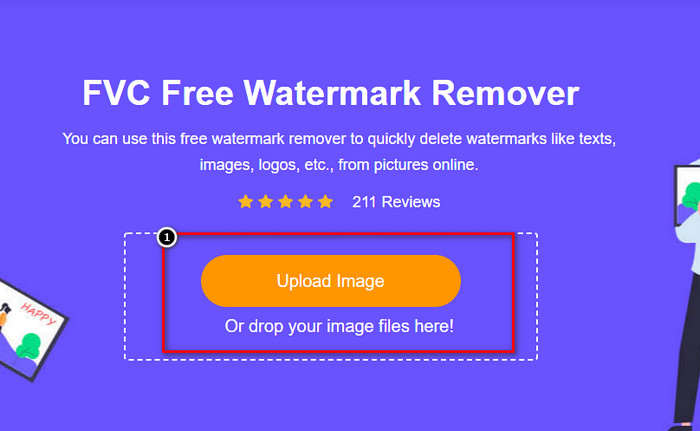
Krok 2. Kliknij Upload Image, aby zaimportować zdjęcia wyeksportowane z Dreamstime z nałożonym znakiem wodnym.
Krok 3. Możesz użyć dostępnych narzędzi do zaznaczenia znaku wodnego, wybierz jedno z nich, a następnie obrysuj nim znak wodny.

Krok 4. Kliknij najpierw ikonę Remove, zanim przejdziesz do eksportu obrazu.

Krok 5. Na koniec kliknij Download, aby zapisać obraz bez osadzonego znaku wodnego, który zaznaczyłeś.

Watermark Remover.IO

WatermarkRemover.io to narzędzie online do usuwania znaków wodnych ze zdjęć Dreamstime, z którego możesz skorzystać w tej sytuacji. To narzędzie jest darmowe, podobnie jak pierwsze opisane narzędzie online do usuwania znaków wodnych. Nie musisz się martwić o logowanie do tego narzędzia, ponieważ działa w każdej popularnej przeglądarce. Wykorzystuje również technologię AI do usuwania znaków wodnych z twoich obrazów. Aby ci w tym pomóc, czytaj dalej kolejne informacje poniżej.
Krok 1. Otwórz oficjalną stronę tego narzędzia do usuwania znaków wodnych, wyszukując ją w swojej przeglądarce.
Krok 2. Kliknij ikonę Upload Image, aby przesłać zdjęcie ze znakiem wodnym, który chcesz usunąć.
Krok 3. Gdy zakończysz przesyłanie obrazu ze znakiem wodnym, kliknij Download Image, ponieważ narzędzie automatycznie usunie znak wodny z twojego obrazu.
Część 3. Jak usunąć znak wodny Dreamstime z filmów przy użyciu najlepszego rozwiązania?
Możesz pobrać program do usuwania znaku wodnego Dreamstime z filmów, taki jak FVC Video Converter Ultimate. To wyjątkowo elastyczne narzędzie, zawsze gotowe do pracy i kończące zadania w każdej chwili. Program rozwiązuje problemy, które możesz napotkać przy swoich filmach, takie jak niska jakość dźwięku, rozdzielczość, nieobsługiwany format czy uciążliwy znak wodny. W porównaniu z innym oprogramowaniem do usuwania znaków wodnych, to narzędzie jest fenomenalne pod względem wydajności, szybkości przetwarzania i łatwości obsługi. Czytaj dalej, ponieważ pokażemy ci szczegółowe kroki usuwania znaku wodnego z twoich filmów.
Krok 1. Zanim zaczniesz, pobierz program na komputer, klikając przycisk pobierania poniżej. Wybierz właściwą wersję do instalacji, szybko przejdź przez proces instalacji i uruchom oprogramowanie.
Bezpłatne pobieranieDla Windows 7 lub nowszegoBezpieczne pobieranie
Bezpłatne pobieranieDla MacOS 10.7 lub nowszegoBezpieczne pobieranie
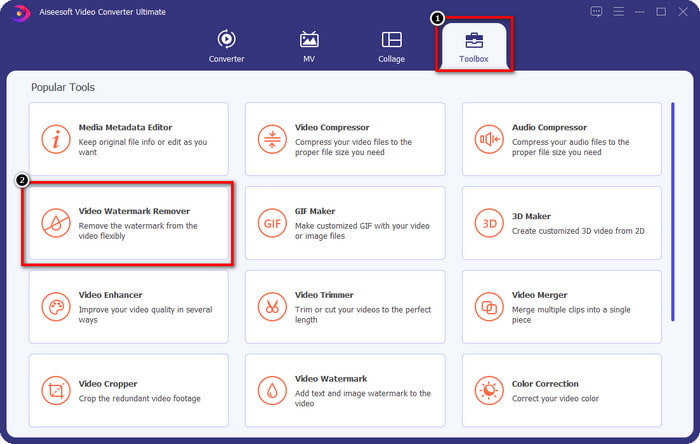
Krok 2. Otwórz wielofunkcyjne Toolbox dostępne w tym programie, a następnie wybierz Video Watermark Remover.
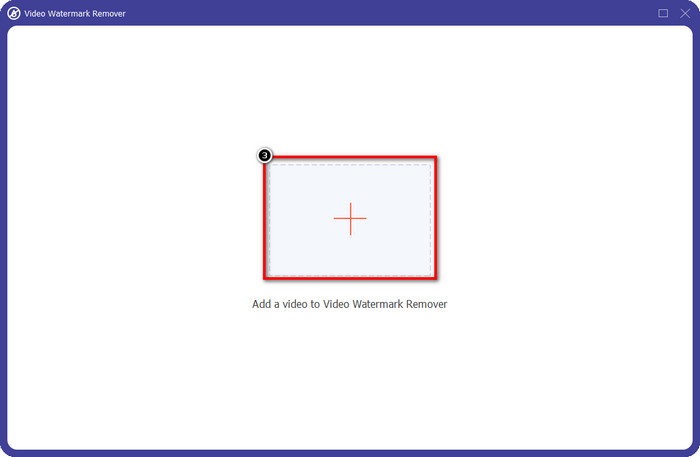
Krok 3. Następnie kliknij ikonę +, aby przesłać wideo, które pobrałeś, i rozpocząć usuwanie znaku wodnego Dreamstime.
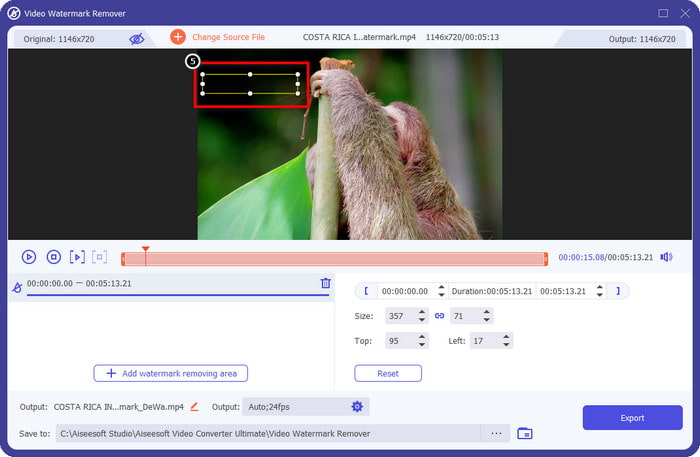
Krok 4. Następnie kliknij Add Watermark Removing Area, aby umieścić pole zaznaczenia na znaku wodnym.
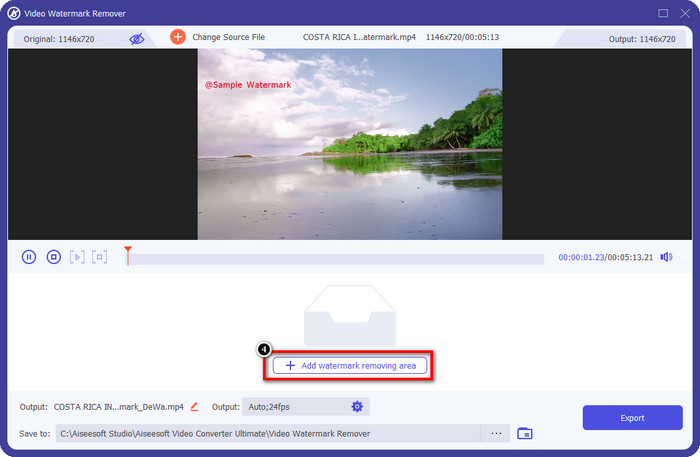
Krok 5. Po kliknięciu Add Watermark Removing Area na ekranie pojawi się prostokątny kształt – ustaw go na znak wodny, aby go usunąć.
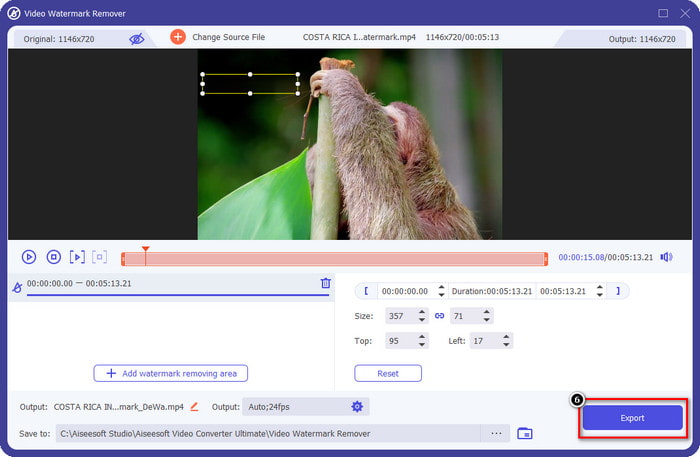
Krok 6. Kliknij przycisk Export, aby pobrać wideo bez znaku wodnego Dreamstime.
Powiązane:
Część 4. Często zadawane pytania dotyczące usuwania Dreamtime Watermark
Czy mogę bez ograniczeń usunąć znak wodny w Dreamtime po jego zakupie?
Nie możesz, jeśli kupiłeś kredyt, ale możesz przejść dalej i przewinąć nieco w dół, a zobaczysz, że istnieje nieograniczony dostęp do obrazów, z którego możesz skorzystać, jeśli regularnie korzystasz z tego. Jego cena nie jest taka sama w różnych regionach lub miejscach na całym świecie.
Jakie karty obsługuje Dreamstime?
Teraz, gdy zdecydowałeś się kupić tutaj kredyt lub opłatę abonamentową, możesz korzystać z karty Master Card, Visa, AMEX i innych głównych kart kredytowych; możesz to sprawdzić na oficjalnej stronie internetowej, aby poznać innych.
Czy mogę wykorzystać kredyty w Dreamstime do zakupu filmów bez znaku wodnego?
Możesz użyć kredytu, aby kupić film lub dowolny produkt, który ma ta platforma. Celem uznania jest nie tylko obrazy i filmy; możesz go również użyć do zakupu dźwięku tutaj.
Wniosek
Jak usunąć znak wodny Dreamstime? Cóż, już wiesz, jak radzić sobie ze znakiem wodnym na swoich obrazach za pomocą dwóch narzędzi, które zwerbowaliśmy, oraz wideo z najlepszym narzędziem do usuwania znaków wodnych, którego możesz użyć. Jeśli więc masz problem ze znakiem wodnym na filmach lub obrazach, możesz swobodnie korzystać z powyższego oprogramowania i postępować zgodnie z dodanym przez nas samouczkiem. Nie pożegnaj się z problemem, ponieważ został rozwiązany!
-
 2 sposoby na szybkie usunięcie znaku wodnego VSDC w systemach Windows i Mac
 Szukasz sposobu na usunięcie znaku wodnego VSDC ze swoich filmów? W tym artykule udostępniamy narzędzia, za pomocą których możesz pozbyć się znaku wodnego.
-
 Usuń znak wodny Animoto na filmach łatwo i skutecznie
 Jak usunąć znak wodny Animoto z filmu? Czytaj dalej ten artykuł, ponieważ zapewniliśmy kompletny samouczek, jak to zrobić.
-
 Jak usunąć znak wodny z wideo za pomocą Final Cut Pro [Kompletny przewodnik]
 Masz problem ze znakiem wodnym na filmach? Nie powiedział nic więcej, ponieważ udostępniliśmy samouczek dotyczący usuwania znaku wodnego z wideo za pomocą Final Cut Pro.
