


 Video Converter Ultimate
 Nagrywarka ekranu
 Naprawa wideo
Przyspiesz filmy na Androidzie dzięki pomocnym aplikacjom na Androida [2025]
W dzisiejszych czasach telefony są najbardziej wszechstronną technologią, z której korzystamy na co dzień. To urządzenie pomaga nam się komunikować, nagrywać, edytować – przycinać, kadrować, przyspieszać materiał i robić o wiele więcej, nawet jeśli nie mamy rozbudowanego sprzętu do nagrywania. Dlatego dziś dowiemy się, jak przyspieszyć wideo na Androidzie z pomocą zewnętrznej aplikacji, którą możesz pobrać. Dodatkowa informacja: Twój telefon z Androidem nie ma wbudowanej funkcji przyspieszania wideo, której można by użyć, aby oglądać film szybciej. Jeśli więc chcesz taką opcję mieć, czytaj dalej ten artykuł – zebraliśmy w nim różne aplikacje, na których możesz polegać.

Część 1. Jak przyspieszyć wideo na Androidzie
1. FilmoraGo
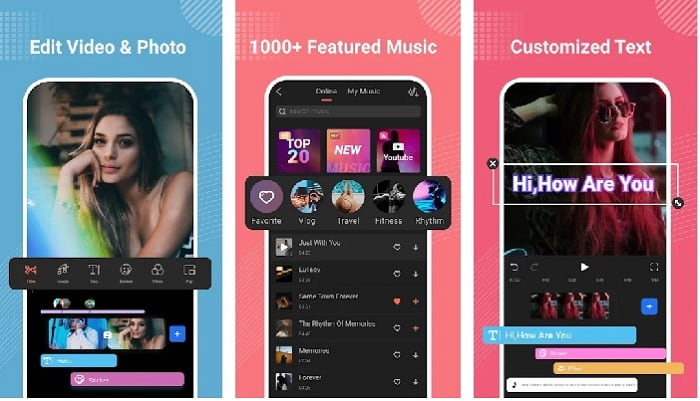
Filmora stworzyła aplikację, którą można pobrać na Androida, aby korzystać z prawie tych samych funkcji, jakie oferuje narzędzie na komputerach. Filmora Go to jeden z najlepszych darmowych edytorów wideo, których możesz użyć do stworzenia znakomitego filmu. Co więcej, to narzędzie ma pełen zestaw funkcji, z których prawdopodobnie skorzystasz, nawet jeśli nie masz doświadczenia w montażu. Jednak darmowa wersja udostępnia tylko wybrane funkcje. Na przykład funkcja przyspieszania wideo na Androidzie jest darmowa, ale ma swoje ograniczenia. Mimo że narzędzie wydaje się idealne, w recenzjach aplikacji użytkownicy zgłaszają pewne problemy, które chcieliby, aby zostały rozwiązane.
Plusy
- Jest to darmowy, ale potężny edytor wideo, którego można używać na urządzeniach z Androidem.
- Narzędzie otrzymuje jedną z najlepszych recenzji, jakie kiedykolwiek widzieliśmy i otrzymuje 4,6 gwiazdki.
- Narzędzie już buduje reputację jednego z najlepszych edytorów na komputery stacjonarne.
Cons
- Czasami zdarzają się tu gubienie plików.
- Czasami eksportowanie plików kończy się niepowodzeniem, nawet jeśli je edytujesz.
- W większości przypadków dźwięk i obraz nie są zsynchronizowane.
2. Hiper Timelapse
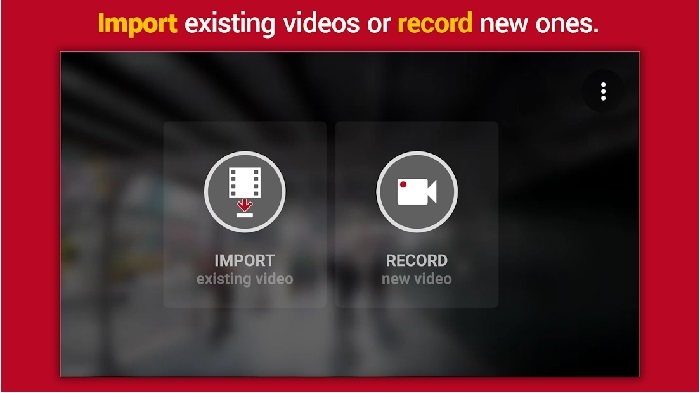
Hyper Timelapse to jedna z aplikacji do przyspieszania odtwarzania wideo na Androidzie, którą możesz pobrać za darmo. Aplikacja uzyskała już ocenę 4,1 gwiazdki, co jest bardzo dobrym wynikiem. Jednak recenzje są trudne do czytania, ponieważ zawierają wiele skarg. Gdy sami wypróbowaliśmy aplikację, okazało się, że interfejs nie jest zły, przyspieszenie działa świetnie, ale podczas eksportu aplikacja się zawiesza. Potem spróbowaliśmy użyć funkcji timelapse i rozmiar pliku wideo rósł z każdą minutą. W praktyce nie da się tutaj nagrać długiego filmu w trybie poklatkowym.
Plusy
- Aplikacja jest bardzo prosta w użyciu, nawet jeśli jesteś początkującym.
- Posiada wbudowany timelapse.
- Interfejs narzędzia nie jest w porządku.
Cons
- W tym narzędziu nadal występują awarie i błędy.
- Nie zapisuje ostatecznego wyniku, ponieważ za każdym razem, gdy to robisz, ulega awarii.
3. Przerwij to
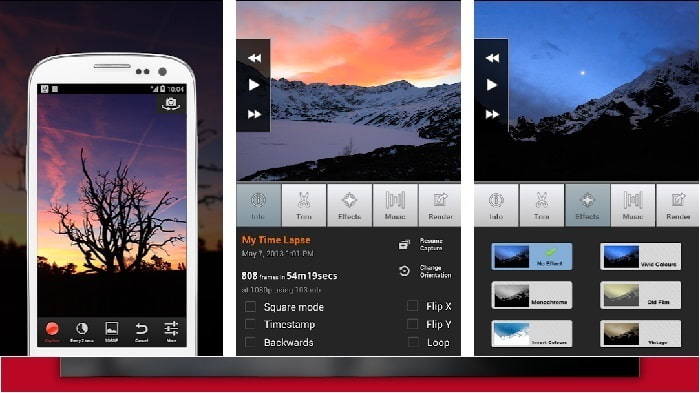
Jeśli szukasz aplikacji do przyspieszania wideo na Androidzie, wypróbuj Lapse It. To narzędzie łączy w sobie funkcje dwóch opisanych wyżej aplikacji, ponieważ umożliwia tworzenie ujęć poklatkowych (timelapse), animacji poklatkowej (stop motion) oraz oferuje opcje edycji. Choć w teorii narzędzie brzmi świetnie jak na Androida, w tym zestawieniu uzyskało najniższą ocenę. Aplikacja ma jedynie 3,5 gwiazdki, a wiele komentarzy w recenzjach twierdzi, że jest bezużyteczna. Z drugiej strony, niektórzy użytkownicy piszą, że kiedyś był to ich podstawowy program do tworzenia znakomitych filmów, ale obecnie dostępnych jest wiele lepszych aplikacji.
Plusy
- Ma unikalną i potężną funkcję, z której lubi korzystać wielu użytkowników.
- Ta aplikacja może mieć najlepsze renderowanie na Androidzie.
- Dostosowywanie wideo można łatwo wykonać za pomocą tej aplikacji na Androida.
Cons
- Narzędzie zostało zmienione z klasy S na D, ponieważ awarie i błędy nadal występują nawet po dokonaniu aktualizacji.
- Instrukcje nie są jasne, jak to wykonać.
- W każdym zakończeniu filmu zawsze pojawia się wyskakująca reklama.
Część 2. Chcesz bardziej profesjonalnego kontrolera prędkości? Wypróbuj Konwerter Wideo Ultimate!
Video Converter Ultimate to najbardziej wyjątkowe narzędzie, po które najprawdopodobniej sięgniesz, jeśli zależy ci na znakomitym efekcie końcowym. Przyspieszanie wideo można tu wykonać bardzo łatwo dzięki funkcjom tego programu. Ogólnie rzecz biorąc, jego możliwości są znacznie lepsze niż w przypadku narzędzi na Androida. Jednak tego oprogramowania nie da się używać na urządzeniach z Androidem, ponieważ nie jest obsługiwane. Choć można go używać na telefonie (przez komputer), nie napotkasz podczas pracy problemów z zacinaniem się, awariami czy błędami. Jeśli więc chcesz się nauczyć, jak przyspieszyć wideo na Androidzie, postępuj zgodnie z poniższymi krokami.
Krok 1. Najpierw pobierz program. Gdy pobieranie się zakończy, zainstaluj go, wykonaj szybą konfigurację i kliknij „Zakończ”, aby przejść dalej.
Bezpłatne pobieranieDla Windows 7 lub nowszegoBezpieczne pobieranie
Bezpłatne pobieranieDla MacOS 10.7 lub nowszegoBezpieczne pobieranie
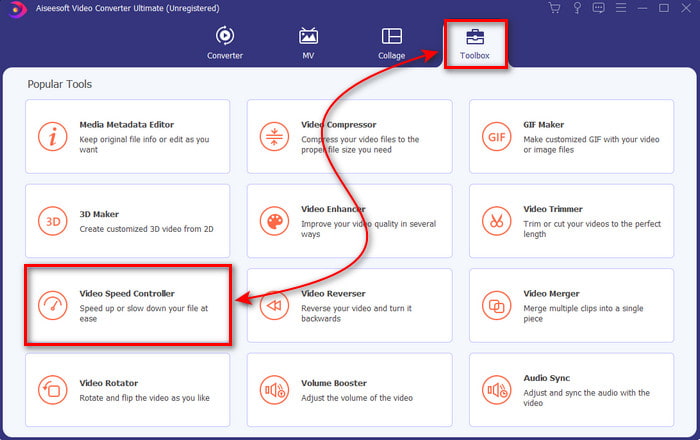
Krok 2. Następnie przejdź do zakładki Toolbox i znajdź funkcję Video Speed Controller, a potem kliknij ją, aby ją otworzyć.
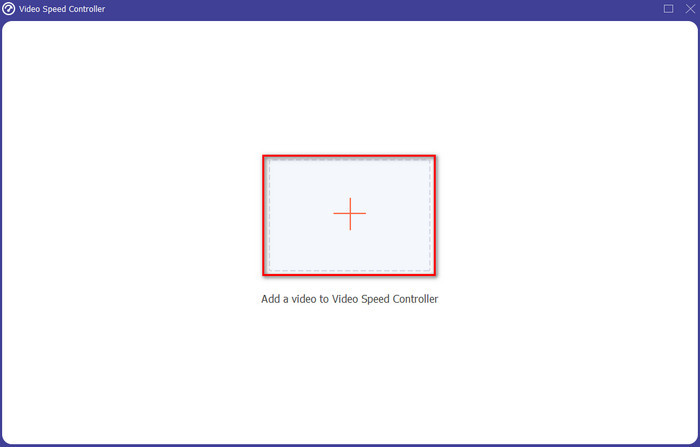
Krok 3. Pojawi się nowe okno – kliknij przycisk +, aby dodać plik. Po kliknięciu otworzy się folder; wybierz plik, który chcesz przyspieszyć, i kliknij Otwórz.
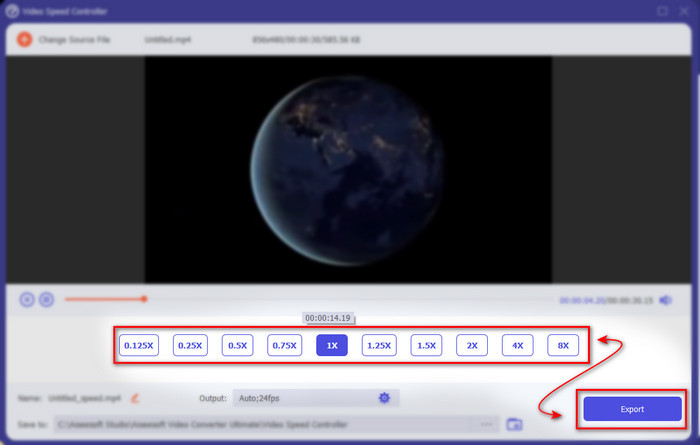
Krok 4. Ponownie pojawi się nowe okno; wybierz prędkość, której chcesz użyć, w tych małych polach. Gdy będziesz gotowy do wyeksportowania przyspieszonego pliku, kliknij Eksportuj.
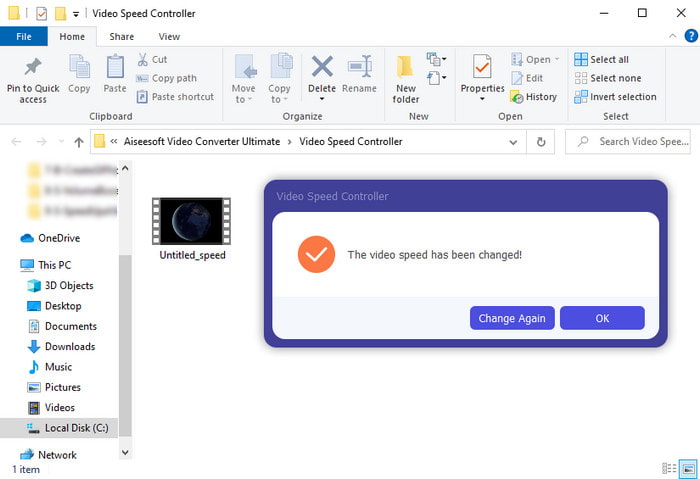
Krok 5. Odczekaj chwilę; gdy wideo będzie gotowe, pojawi się folder zawierający przygotowany przez ciebie przyspieszony plik. Kliknij plik wideo, aby obejrzeć jego przyspieszoną wersję.
Część 3. Często zadawane pytania dotyczące przyspieszenia wideo na Androidzie
Czy przyspieszenie mojego wideo niszczy jego jakość?
Jeśli masz zamiar przyspieszyć wideo, nie oczekuj zmiany jakości wideo. Jeśli jednak aplikacja, której używasz, nie obsługuje wysokiej jakości wyjścia wideo, spodziewaj się, że wyjście wideo zostanie automatycznie zmniejszone.
Czy mogę obejrzeć film w zwolnionym tempie?
Zdecydowanie tak! Dzięki 5 najlepszym odtwarzaczom wideo w zwolnionym tempie – kliknij ten link, aby przejść do nowego artykułu.
Dlaczego muszę przyspieszyć wideo?
Istnieje wiele powodów, dla których potrzebujesz odtwarzać wideo w prędkości 2x lub wyższej. Jeśli chcesz dowiedzieć się, jakie to powody, przeczytaj artykuł poświęcony temu, czym jest wideo 2x.
Wniosek
Podsumowując, wszystkie opisane tutaj narzędzia dobrze sprawdzą się, jeśli masz telefon z Androidem, jednak jedno z nich szczególnie się wyróżnia. Tym wyjątkowym programem jest Video Converter Ultimate, ponieważ korzystając z niego, nie doświadczysz błędów ani problemów z działaniem. Ten program nie jest jednak dostępny na telefony z Androidem, więc jeśli chcesz go wypróbować, pobierz go teraz na swój komputer. Dzięki temu będziesz mógł cieszyć się pełnią funkcji tego znakomitego oprogramowania.
-
 Jak odtwarzać pliki MKV na iPadzie 2025
 Jak odtwarzać pliki MKV na iPadzie 2? Czy mogę przekonwertować MKV na MP4 do gry na iPadzie Pro / Air / 2? Ten post przedstawia 2 proste sposoby gry w MKV na iPadzie.
-
 [Rozwiązany] VLC nie odtwarza DVD, jak to naprawić
 Czy VLC może odtwarzać DVD? Dlaczego' VLC nie odtwarza mojego DVD? Jak uzyskać VLC do odtwarzania DVD w systemie Windows 10? Ten post zawiera wskazówki 3, jak naprawić problem z odtwarzaniem DVD przez VLC.
-
 [Rozwiązany] Odtwarzanie plików MP4 na Chromebooku 2025
 Czy możesz odtwarzać filmy na Chromebooku? Jak odtwarzać pliki MP4 z USB na Chromebooku? Ten post przedstawia 3 sposoby odtwarzania MP4 na Chromebooku.
