


 Video Converter Ultimate
 Screen Recorder
 Reparație video
 Descărcare sigură
Top 5 jucători GIF pentru computer, Android și iPhone
GIF-urile animate pot transmite mai multe informații decât imaginile statice. Cauți un player GIF bun pentru a vizualiza toate tipurile de fișiere GIF pe iPhone, iPad, telefon Android sau computer?
Poți primi și trimite cu ușurință diverse GIF-uri amuzante în aplicațiile sociale. Totuși, după ce salvezi GIF-urile pe dispozitiv, unele dintre ele nu pot fi deschise direct cu playerul media implicit pe care îl folosești. Așa că poate te întrebi dacă ar trebui să instalezi un player GIF pentru redarea GIF-urilor.

Poți vizualiza direct fișiere GIF în aplicația socială. Însă, în unele cazuri, nu ți se permite să le deschizi din nou cu playerul de pe computerul tău sau de pe dispozitivul portabil Android/iOS. Ținând cont de această nevoie, am întocmit o listă cu 5 playere pentru GIF-uri animate dintre care să alegi. Indiferent dacă cauți un player GIF pentru Android, iPhone sau computer, poți găsi un player potrivit.
Partea 1. Cel mai bun player GIF pentru Mac și Windows - FVC Free Video Player
FVC Free Video Player este un instrument popular și gratuit pentru redarea fișierelor media, care te poate ajuta să redai orice fișier GIF atât pe PC-uri cu Windows 10/8/7/XP, cât și pe Mac. Acest player GIF gratuit este un fel de software online de redare, ce te ajută să deschizi toate tipurile de fișiere video și audio. Ți se cere să instalezi un mic fișier de lansare pentru redarea GIF-urilor la prima utilizare. Este compatibil cu multe browsere folosite frecvent, inclusiv Chrome, Safari, IE, Firefox și altele.
Descărcare gratuităPentru Windows 7 sau versiuni ulterioareDescărcare sigură
Descărcare gratuităPentru MacOS 10.7 sau versiuni ulterioareDescărcare sigură
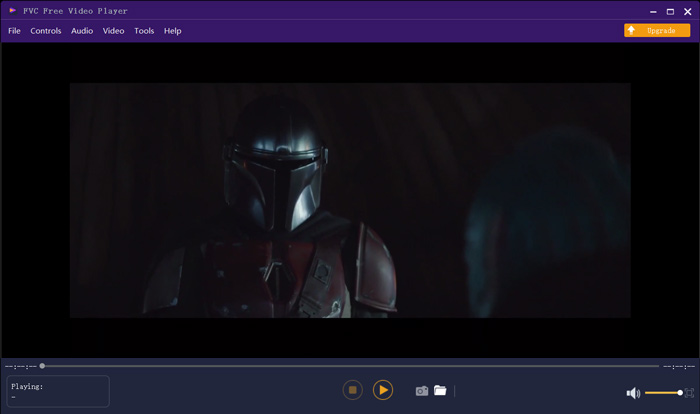
Mai mult decât un simplu player GIF gratuit, acesta acceptă orice format video și audio popular precum MP4, MOV, FLV, AVI, WMV, VOB, MP3, AAC, ALAC, M4A, WAV, FLAC și multe altele. Nu există o limită de dimensiune a fișierului pentru redarea GIF. Vă poate oferi o experiență vizuală extraordinară. Mai mult, acceptă tehnologia avansată de codare audio DTS-HD și Dolby TrueHD, care poate oferi un efect sonor excelent.
Partea 2. Aplicația GIF Player pentru Android - OmniGIF
OmniGIF este un instrument de redare GIF conceput în principal pentru utilizatorii de Android. Dacă vrei să deschizi GIF-uri pe un telefon Android, te poți baza pe el. Mai mult decât un simplu player GIF, OmniGIF funcționează și ca generator de GIF-uri sau editor GIF. Îți permite să îți gestionezi cu ușurință fișierele GIF, clipurile video și fotografiile. Pentru redarea GIF pe dispozitivul tău Android, poți accelera sau încetini redarea, poți reda înainte și înapoi, cadru cu cadru și poți face mai multe operațiuni în funcție de nevoile tale.
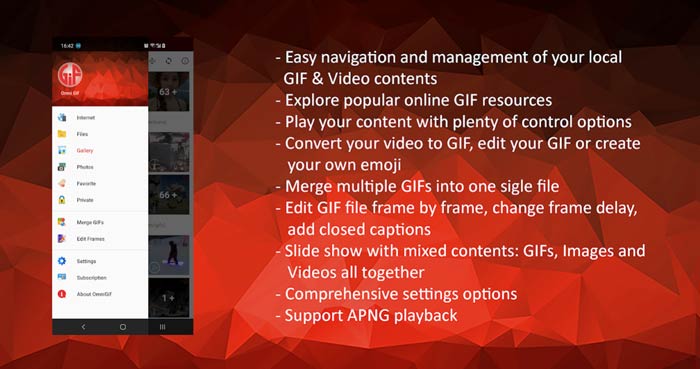
Această aplicație Android GIF player vă permite să ascundeți în secret unele fișiere private. De asemenea, vă oferă funcții puternice de editare și creare GIF. În plus, OmniGIF oferă o funcție excelentă de partajare pentru a partaja rapid fișierele dvs. GIF, videoclipurile sau fotografiile pe Facebook, Instagram, Twitter, Messenger, Line, WhatsApp, Gmail și multe altele.
Partea 3. Aplicația GIF Player pentru iPhone și iPad - Vizualizator GIF
GIF Viewer este o aplicație de redare GIF pentru utilizatorii de iOS. Poți instala gratuit această aplicație player GIF din App Store pe iPhone sau iPad. Ea poate reda, organiza și partaja cu ușurință fișierele GIF stocate în aplicația Photos. Această aplicație iOS pentru GIF îți permite, de asemenea, să adaugi și să vizualizezi animații GIF din alte surse.
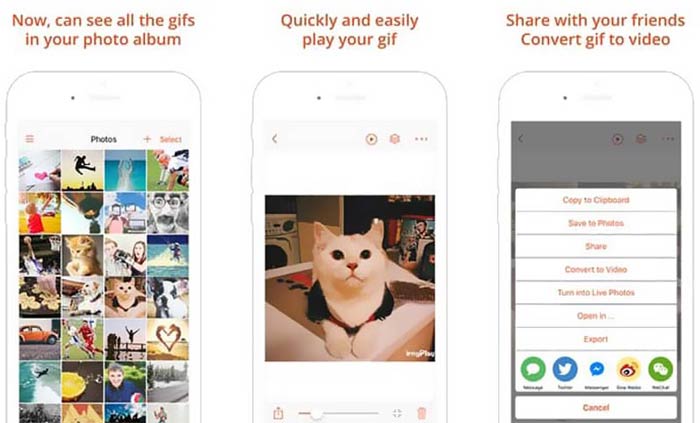
GIF Viewer are capacitatea de a reda toate tipurile de fișiere GIF din stocarea locală, clipboard, iCloud Drive, Dropbox și din linkuri copiate de pe Twitter. În plus, acest player GIF te poate ajuta să transformi GIF-urile în fișiere video pentru o redare mai bună pe dispozitivele tale.
Partea 4. GIF Player pentru Mac și Windows PC - QuickTime Player
QuickTime Player este playerul media implicit pentru Mac. Poate funcționa ca player GIF pentru a deschide și vizualiza fișiere GIF pe Mac. Dacă folosești un Mac, poți deschide direct un fișier GIF cu acest player media preinstalat. Are și o versiune pentru Windows, astfel încât să poți reda GIF-uri și pe un PC cu Windows.
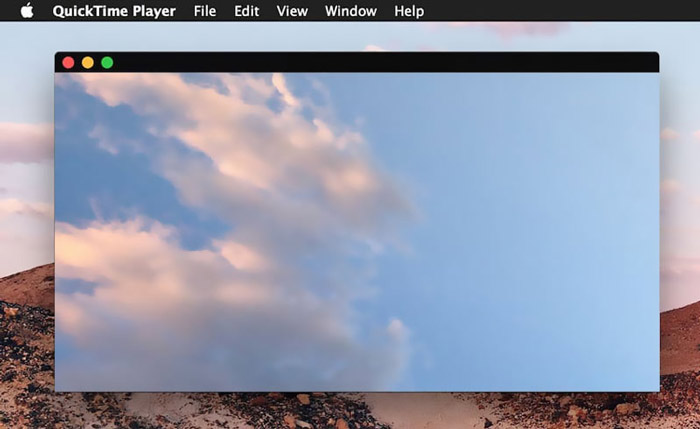
În calitate de player, QuickTime poate accepta doar unele formate video și audio utilizate frecvent, precum MP4, MOV, M4V, AAC, M4A, MP3 și multe altele. Este proiectat cu câteva funcții de editare și înregistrare de bază. Vă puteți baza pe acest player GIF pentru a vă captura ecranul și a edita fișierul.
Partea 5. Player GIF online gratuit - OnlineImageTools
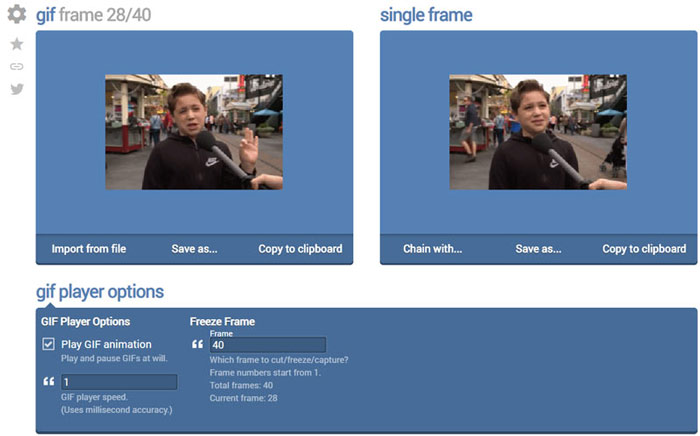
OnlineImageTools este un instrument online pentru redarea fișierelor GIF, care îți permite să vizualizezi GIF-uri atât pe Mac, cât și pe PC cu Windows. Nu este nevoie să instalezi pluginuri sau alte fișiere pentru redarea GIF. Acest player gratuit de animații GIF bazat pe browser îți permite să deschizi direct fișierul GIF online. Pentru redarea GIF, îți dă posibilitatea să rulezi fișierul GIF cadru cu cadru.
Partea 6. Întrebări frecvente despre GIF Player
Întrebarea 1. Cum se salvează GIF-uri pe iPhone?
Când doriți să salvați un fișier GIF pe iPhone, puteți apăsa și ține apăsat GIF până când apare solicitarea. Apoi puteți alege opțiunea Salvare imagine pentru a o salva în aplicația Fotografii.
Întrebarea 2. Cum se poate converti gratuit video în GIF?
Pentru a crea un fișier GIF dintr-un video, te poți baza pe popularul Free Online Video Converter. Acesta îți permite să convertești orice clip video în GIF cu ușurință.
Întrebarea 3. VLC poate reda GIF?
Nu. VLC media player poate deschide un fișier GIF doar ca imagine statică.
Concluzie
Indiferent dacă ești în căutarea unui player GIF pentru computer sau telefon mobil, poți găsi unul potrivit printre cele 5 instrumente de redare GIF recomandate mai sus. Lasă-ne un mesaj dacă mai ai întrebări despre playerul GIF sau redarea GIF-urilor.
-
 Tutorial pentru comprimarea GIF și reducerea dimensiunii fișierului cu calitate înaltă
 Iată 2 moduri simple de a comprima GIF pe computer sau pe telefonul mobil. Puteți utiliza compresorul video online FVC gratuit și Photoshop reduce dimensiunea fișierului GIF în diferite aspecte.
-
 Top 10 jucători FLV pentru Windows, Mac, iOS și Android în 2021
 FLV player vă ajută să accesați cu ușurință fișierele FLV de pe dispozitivul dvs. Windows, Mac, Android, iOS. Consultați cei mai buni jucători de fișiere FLV pe care îi puteți descărca chiar acum.
-
 Top 8 SWF File Player pentru a reda fișiere video Flash pe Windows și Mac
 Când doriți să vă bucurați de filme și jocuri SWF pe PC și Mac, puteți afla mai multe despre caracteristicile excelente ale celor mai bune 8 playere de fișiere SWF din articol.
