


 Video Converter Ultimate
 Screen Recorder
 Reparație video
Cel mai fiabil editor de metadate MP4 pentru a adăuga, edita și elimina cu ușurință metadate MP4
MP4 tags can help you organize and manage the files by sorting them according to the metadata. And for that reason, many users are looking for a perfect metadata editor to handle this task easily. Luckily, today we sifted out the best choice of tag editors you can use on your MP4 files on the market. With the help of deep research, let's see which MP4 metadata editor you should use to arrange the files accordingly.

Partea 1. Cele mai bune 4 editoare gratuite de etichete MP4 disponibile pe web și offline
VLC Media Player
Available on: Windows, Mac, and Linux
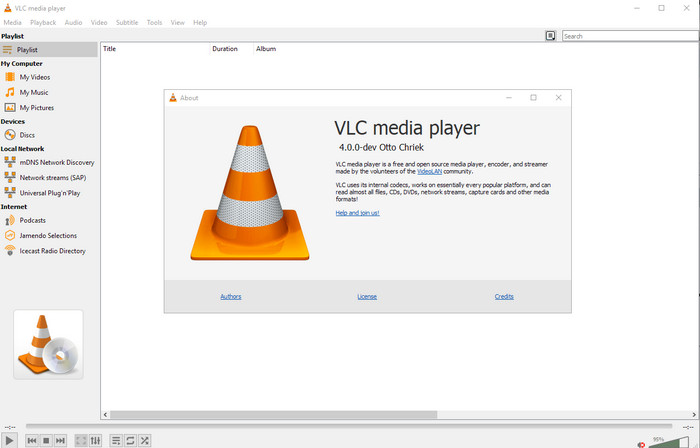
First on our list is the best video player, but if you want to have an mp4 metadata editor freeware, you might need this one. VLC Media Player gives you a free experience of editing or removing the tags bound into your MP4 files. With this tool, you can easily manipulate the metadata on the file like title, copyright, genre, artist, date, time, and more. Although many users said it is easy to edit the metadata here, some contradict this comment. They find it confusing and ineffective, unlike the other tag editor. Nonetheless, if you want a safe tool to download that has already proven a lot to the users, then try to use the tool.
Amvidia Tag Editor
Available on: Mac
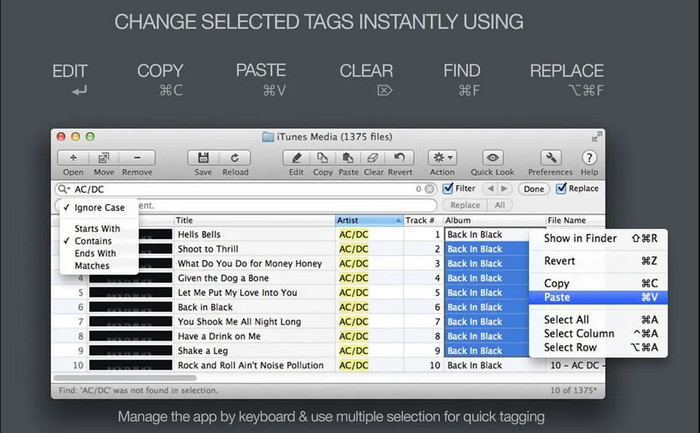
Another MP4 metadata editor on Mac is the Amvidia Tag Editor. If you need to add metadata, the image covers, tags on iTunes, or change the file's name, you can all do that here; if you need batch tagging, then this tool will help you. In addition to that, this free-to-download software supports a significant amount of media formats to upload on the tool, but you'll need to download it. Because of the in-detailed features it supports, beginners might take time to use the tools as you need to do many steps before adding the metadata. Also, the interface of it is outdated, like the VLC.
TigoTago
Available on: Windows
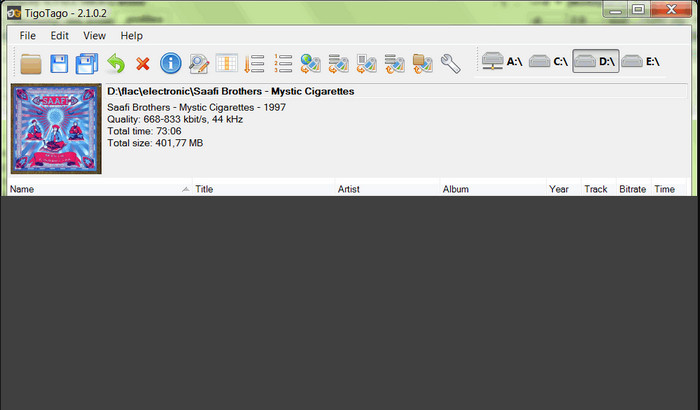
TigoTago is another MP4 metadata tagger you can use for free on Windows. So if you need to edit the specific data or tags of your MP4 file, download the tool and modify the MP4 tags easily one at a time. With this tool, you can fill the basic tags that a file has, such as a title, album, tracks, and artist, but you can also add some advanced tags like lyrics, comments, etc. If we compare this tool to VLC, we can say that this is much better because it prioritizes editing the tags. Although It offers better than the media player, it still needs improvement, including its GUI and other features.
InstantD3 - Editor online gratuit de etichete ID3
Available on: Web
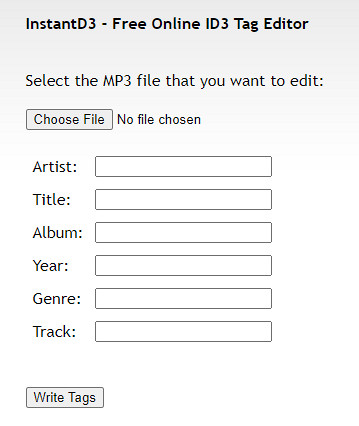
Dacă nu doriți să descărcați software, puteți accesa acest editor de etichete video MP4 online, InstantD3 - Editor de etichete ID3 online gratuit. Deși instrumentul este disponibil pe web, nu poate căuta metadatele online pentru a aplica automat etichetele de care aveți nevoie pe MP4. Instrumentul oferă o interfață intuitivă pentru a permite utilizatorilor să experimenteze o modalitate ușoară de a adăuga etichete la fișierele lor audio. Deoarece instrumentul este gratuit, anunțurile sunt pe site, dar trebuie să vă avertizăm că anunțurile de pe site-ul său sunt nepotrivite pentru vârsta de 18 ani de mai jos. De asemenea, accesați instrumentul pe propriul risc; odată ce ați accesat site-ul web al instrumentului, conexiunea dvs. la internet nu este securizată.
Partea 2. Cel mai bun editor video pentru a adăuga, edita și elimina metadate pe Windows și Mac
Available on: Windows, Mac & Linux
The MP4 metadata editors mentioned above are best, but the FVC Video Converter Ultimate is the powerful metadata editor you will need in editing or removing the metadata. This tool offers the best editing features you can easily use but has a professional output. Unlike the tools mentioned above, which support limited media formats, with this tool, you can upload MP4, MOV, MKV, FLV, AVI, and other 1000+ formats and quickly change the metadata of all of this. Isn't it amazing what this tool can do? If you see the amazing tool, you can easily follow the step-by-step tutorial we provide to edit, add, and remove the tags on your MP4 files.
Step 1. Press the download button first to download the MP4 tag editor on Mac or Windows. Follow the installation process after clicking the file, and open it.
Descărcare gratuită pentru Windows 7 sau o versiune ulterioară Descărcare securizată
Descărcare gratuită pentru MacOS 10.7 sau o versiune ulterioară Descărcare securizată
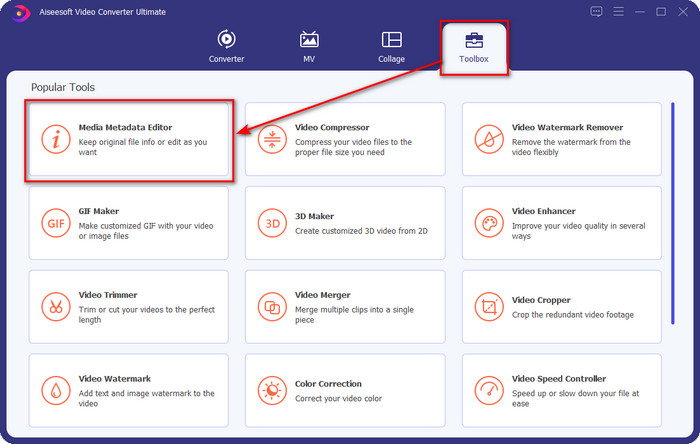
Step 2. Now that you've opened the editor choose the Toolbox at the three sections available; under it, click the Media Metadata Editor.
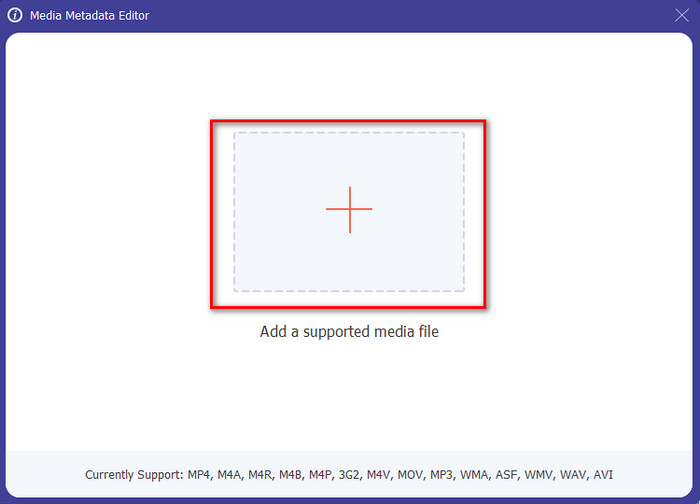
Step 3. To upload the MP4 file, click the + button, find the .mp4 on the folder that will show, and hit Open to insert it successfully.
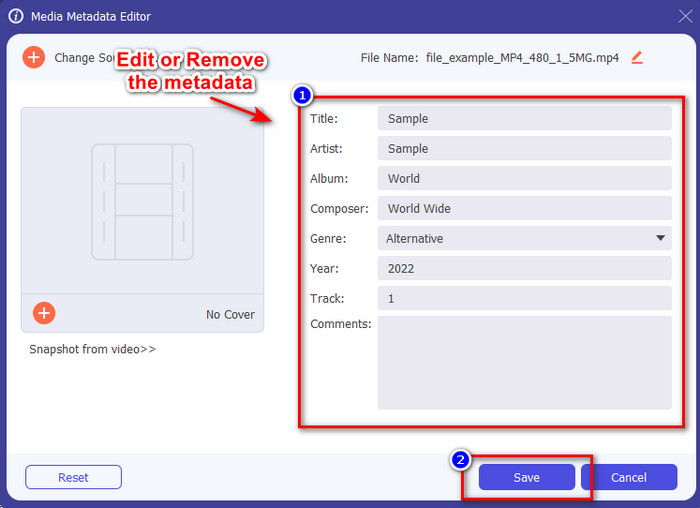
Step 4. Add, remove, and edit the information on the textbox that will show on your screen; fill them in according to your wants. And to save the changes you've made on the MP4 tag, click the Save button. You can easily say that it is an easy-peasy task if you choose the ultimate editor.
Articole similare:
Partea 3. Întrebări frecvente despre MP4 Tag Editor
Cum se verifică metadatele MP4 pe Windows?
Dacă doriți să verificați metadatele fișierului MP4, urmați acești pași. Mai întâi, găsiți fișierul .mp4, apăsați butonul dreapta al mouse-ului, accesați Proprietăți și, în sfârșit, faceți clic pe Detalii. Toate informațiile de care veți avea nevoie despre metadatele dvs. se află în această listă. Deci, dacă doriți să le editați în funcție de dorințele dvs., alegeți instrumentul pe care ar trebui să-l utilizați mai sus.
Unde pot viziona fișiere MP4?
Most media players support MP4 files because it is the standard video file format. But the question is, where can you watch high-resolution MP4 videos? In that case, you must click this link. All you need to know is in this article.
Cum să alegi cel mai bun editor de etichete MP4?
Va trebui să vă amintiți câteva lucruri înainte de a alege editorul de metadate MP4 pe care îl veți folosi; dacă nu știți care sunt acestea, puteți depinde de aceste standarde. În primul rând, asigurați-vă că editorul de metadate acceptă formatul pe care îl aveți; nu toți editorii acceptă o gamă largă de formate. Utilizarea unui editor de metadate care nu acceptă formatul dvs. ar fi inutilă. În al doilea rând, asigurați-vă că instrumentul este ușor de utilizat; dacă sunteți nou în editarea metadatelor, asigurați-vă că instrumentul pe care îl alegeți nu este prea rigid pentru a fi învățat. În cele din urmă, asigurați-vă că este sigur de utilizat; dacă este descărcabil sau online, va trebui să știți dacă este sigur de utilizat. Asigurați-vă că înainte de a utiliza editorul, va trebui să urmați toate aceste standarde simple pentru a avea doar ce este mai bun.
Concluzie
The MP4 metadata editors we added in this article can help you quickly edit, add, or remove the metadata on your MP4 files. With the relevant reviews we've written about the tools, we can now compare them and see which suits our needs regarding editing the MP4 tags. If you still haven't decided which you should use, we offer you the best on the list: the FVC Video Converter Ultimate. This fantastic tool will fit your needs; downloading the tool is the only way to have this. So, click the download button, follow the steps we provided for you, and enjoy editing the tags without breaking a sweat.
-
 Cele mai simple 5 moduri de a elimina metadatele din orice fișier media
 Cum să eliminați metadatele? Este greu să o faci? Trebuie să cumpăr sau să folosesc un instrument gratuit pentru a elimina etichetele? Toate aceste întrebări au răspunsuri în acest articol.
-
 Top 5 extractoare de metadate disponibile online și offline [2025]
 Puteți găsi mai multe extractoare de metadate pe piață, dar astăzi alegem doar cele cinci extractoare de etichete cele mai alese în funcție de public.
-
 Top 5 editori de metadate video pentru 2025 [Recenzie imparțială]
 Doriți să vedeți metadatele video? Dacă da, citiți detaliile de mai jos pentru a înțelege pe deplin subiectul și pentru a afla care instrument vi se potrivește cel mai bine.
