


 Видео конвертер Ultimate
 Устройство записи экрана
 Видео ремонт
 Безопасная загрузка
Учебник о том, как самым простым способом редактировать метаданные MKV на рабочем столе
MKV — это расширение, которое очень популярно для мультимедийных контейнеров формата Matroska. Что делает MKV более популярным по сравнению с другими форматами? Многие пользователи думают, что MKV — это видеокодек для сжатия аудио и видео, но это не так. Этот формат стал популярным благодаря своей гибкости в использовании различных кодеков для аудио, видео и субтитров при их хранении в одном файле. Благодаря таким возможностям формат стал «защищённым от устаревания», что означает, что формат файла никогда не станет неактуальным, в том числе и хранящиеся в нём метаданные. Поэтому, если вы хотите добавить, удалить или отредактировать метаданные в вашем файле MKV, продолжайте читать эту статью и узнайте, как редактировать метаданные MKV максимально быстро.

Часть 1. Как редактировать метаданные файла MKV с помощью 3 лучших программ на рабочем столе
FVC Video Converter Ultimate — самый мощный редактор тегов MKV для Windows и Mac
FVC Video Converter Ultimate — это лучший редактор метаданных MKV, который вы можете скачать для обеих операционных систем и выполнять работу на профессиональном уровне. Это мощное ПО легко обрабатывает файлы MKV и открывает их для изменения метаданных, если вы хотите их изменить. Благодаря широкой поддержке видео- и аудиоформатов загрузка любого медиаформата, в том числе MKV, перестаёт быть головной болью. Пользуясь программой, вы быстро разберётесь, как она работает, и сможете полностью освоить её логику. Хотите использовать этот инструмент, но у вас нет подходящей инструкции? К счастью, информация, которую мы привели ниже, поможет вам выполнять задачу как профессионал; прочитайте детали далее, чтобы узнать, как изменить название файла MKV менее чем за минуту.
Шаг 1. Сначала нажмите кнопку загрузки — это немедленно скачает программу на ваш компьютер; выберите версию, соответствующую вашей системе. Затем установите её на компьютер и запустите, чтобы добавить метаданные в ваши файлы MKV.
Бесплатная загрузкаДля Windows 7 или более поздних версийБезопасная загрузка
Бесплатная загрузкаДля MacOS 10.7 или более поздних версийБезопасная загрузка
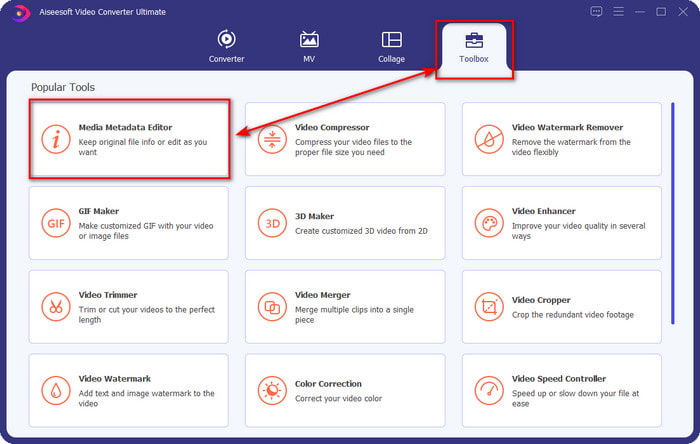
Шаг 2. Теперь, когда вы запустили инструмент, перейдите в раздел Toolbox и найдите пункт Media Metadata Editor в приведённом ниже списке.
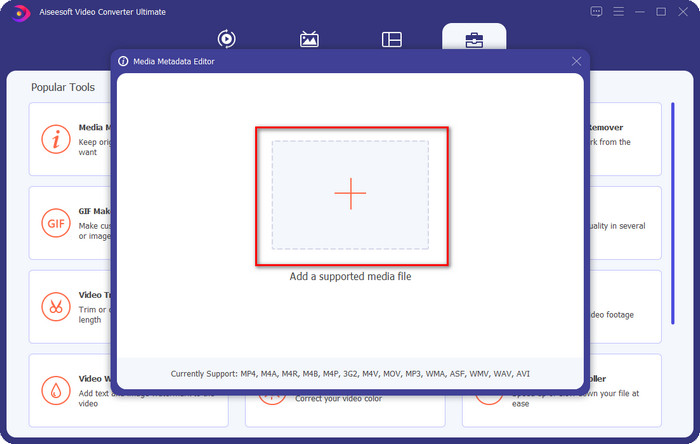
Шаг 3. Чтобы добавить файл MKV, нажмите кнопку +, которая отобразится на экране, найдите файл с расширением .mkv в папке и нажмите Open, чтобы перейти к следующему шагу.
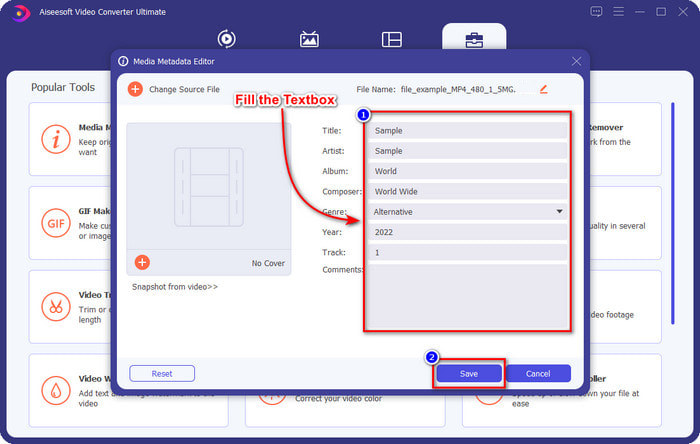
Шаг 4. На этом этапе вы можете добавить нужные метаданные в ваш MKV: заполните поля в соответствии с вашими предпочтениями и нажмите Save, когда всё будет готово и вы будете готовы применить изменения. Таким образом вы добавите теги к вашему файлу MKV, чтобы быстро понимать, что находится внутри файла.
VLC Media Player — бесплатный редактор метаданных MKV
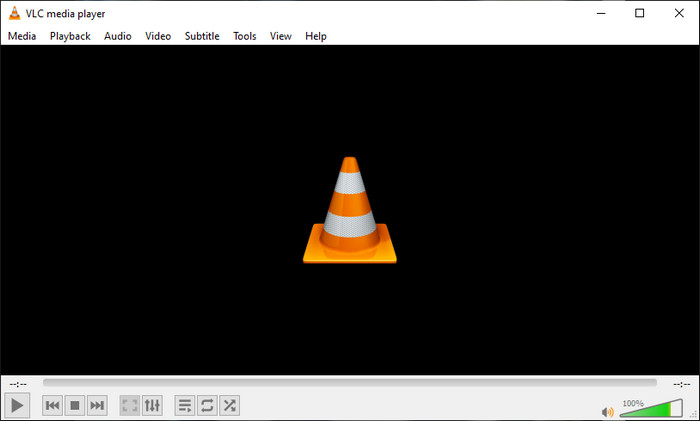
VLC Media Player легко воспроизводит файлы MKV и редактирует их теги. Этот инструмент является программой с открытым исходным кодом, поэтому вам не нужно беспокоиться о том, что вы скачиваете его на компьютер: вы можете пользоваться всеми возможностями программы бесплатно, хотя при желании можете сделать пожертвование. Хотя этот инструмент не так хорош, как другие редакторы метаданных из этого списка, он всё равно считается надёжным средством, которое вы можете использовать на своём устройстве. Кроме того, вы можете свободно добавлять основную информацию в файл MKV — имя автора, название, исполнителя, альбом и т. д. Следуйте шагам ниже и узнайте, как редактировать метаданные MKV, используя этот медиаплеер как редактор метаданных.
Шаг 1. Скачайте VLC, затем откройте его на своём компьютере.
Шаг 2. Перейдите в меню Tools и нажмите Media Information. Если хотите более быстрый способ, вместо этого можете воспользоваться горячей клавишей CTRL + I. Независимо от выбранного способа, функция будет одна и та же.
Шаг 3. Введите нужную вам информацию и нажмите Close, чтобы метаданные сохранились автоматически.
MKVToolNix GUI — специальный редактор тегов MKV
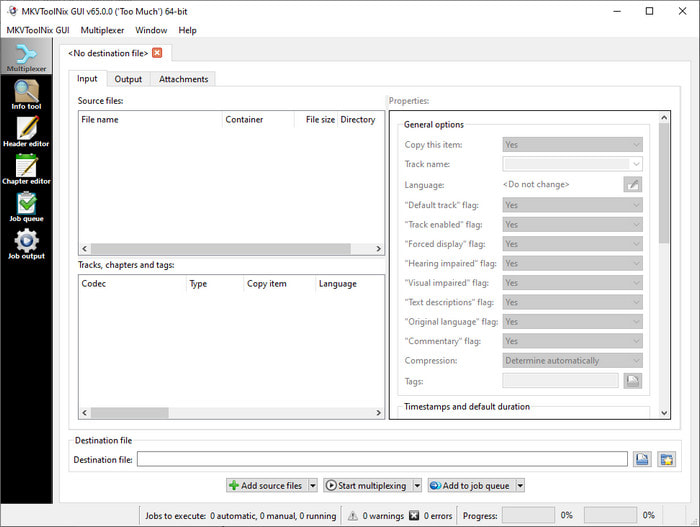
MKVToolNix GUI — это специализированное решение для работы с файлами MKV; хотя вы можете загружать и другие форматы, программа всё равно конвертирует их в MKV. Этот инструмент стал известен как универсальное решение для MKV, поскольку включает набор утилит, то есть вы получаете функции, выходящие за рамки простого редактирования метаданных. Благодаря простому графическому интерфейсу (GUI) здесь не так много, чему нужно учиться: по сути, вы сможете освоить программу за несколько минут. Несмотря на простоту, некоторые пользователи, которые уже привыкли к более продвинутым редакторам метаданных, сравнивали его интерфейс с другими и говорили, что он недостаточно интуитивен для них. Как бы то ни было, не вызывает сомнений, что с его помощью можно научиться менять название файла MKV.
Шаг 1. Скачайте программу на свой компьютер, откройте её, нажмите Add Source File и найдите файл MKV в папке.
Шаг 2. Нажмите Output и измените там метаданные.
Шаг 3. Когда всё будет готово, вы можете сохранить результат, нажав Start Multiplexing.
Часть 2. Часто задаваемые вопросы о редакторе метаданных MKV
Могу ли я конвертировать VOB в MKV?
Вы можете легко конвертировать VOB в MKV, нажав на эту ссылку; откроется новая вкладка, которая сразу поможет вам конвертировать VOB в MKV. Если вы хотите получить больше информации о форматах VOB и MKV, эта статья вам подойдёт.
Почему мои файлы MKV имеют больший размер?
Причина, по которой файлы MKV получаются большими, в том, что этот формат содержит не только видео и аудио. В нём также могут быть несколько дополнительных элементов, таких как субтитры, метаданные, переменный битрейт и многое другое. Что же делать, если вы хотите сжать файл MKV и сделать его меньше, не ухудшая качество? Надёжных видеосжатий не так много, и именно поэтому мы провели исследование, чтобы помочь вам сжать MKV без потери качества с максимальным удобством.
Каковы недостатки формата MKV?
Несмотря на то, что формат файла известен, некоторые медиаплееры и редакторы все еще могут обрабатывать этот формат из-за проблем с кодеком и элементами. Кроме того, формат имеет огромный размер, и не все программы поддерживают загрузку файлов большого размера, поскольку их импорт и экспорт занимают много времени. Размер файла также увеличится, поскольку он является частью файла, так же как и другой формат, в который вы добавили метаданные. Несмотря на свою слабость, он по-прежнему конкурентоспособен в отношении хранения медиафайлов и обеспечения их безопасности для будущих целей.
Заключение
Разве это не удивительно? Что эти три настольных программы могут предложить вам? Другой — медиаплеер, а другой — специальный редактор для MKV, но какой инструмент следует использовать? Если вы хотите лучшего, мы с радостью предоставим вам лучший инструмент. Обучение редактированию метаданных MKV с помощью FVC Video Converter Ultimate стало простым и эффективным. Так чего же ты ждешь? Держите инструмент под рукой и используйте его, чтобы исправить метаданные в ваших файлах MKV, как профессионал, всего за несколько кликов.
-
 2 лучших способа редактировать метаданные OGG, которые стоит попробовать бесплатно
 Нужно отредактировать метаданные OGG? Ну, вы можете легко справиться с редактированием тегов, используя правильное программное обеспечение. Если у вас его нет, прочтите эту статью.
-
 Полный обзор редактора метаданных Pentaho [обновлено в 2022 г.]
 Не можете найти надежную статью о редакторе метаданных Pentaho? К счастью, мы сами проверили инструмент, чтобы предоставить вам факты, которые вы будете знать об этом инструменте.
-
 Советы и рекомендации по редактору метаданных VLC, которые вы должны знать в 2022 году
 Вы хотите использовать VLC в качестве редактора метаданных? В этом случае вы можете прочитать эту статью, так как мы предоставляем непредвзятый обзор редактора метаданных VLC.
