


 Видео конвертер Ultimate
 Устройство записи экрана
 Видео ремонт
Как быстро конвертировать MTS в MKV бесплатно
Короче говоря, для системы MPEG Transport System файл MTS представляет собой стандартный формат файла, который поддерживает видео 720p и 1080i. Однако размер выходного файла в этом формате может быть очень большим. Поэтому его необходимо конвертировать в формат файла, который широко поддерживается и имеет меньший размер, например в формат MKV. В этой статье мы представим лучшие способы бесплатно конвертировать MTS в MKV.

Часть 1. 2 лучших бесплатных онлайн-инструмента для конвертации MTS в MKV
Бесплатный конвертер видео FVC онлайн
В наши дни люди предпочитают использовать онлайн‑конвертер вместо установки программ‑конвертеров. FVC Free Online Video Converter — это онлайн‑конвертер, который позволяет конвертировать такие файлы, как MTS в MKV, MP4, WMV, AVI, FLV и другие. Несмотря на то, что это бесплатный онлайн‑конвертер, он не ухудшает качество вашего файла в процессе конвертации. Кроме того, в нём есть функции для изменения разрешения, а также битрейта видео или аудио.
Вот шаги по конвертации файла MTS в MKV с помощью этого бесплатного онлайн-инструмента:
Шаг 1. Чтобы воспользоваться этим конвертером, нажмите эту ссылку, чтобы перейти на их веб‑страницу.
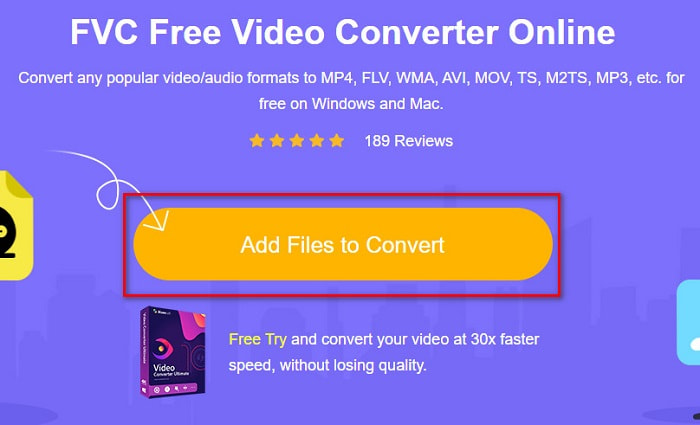
Шаг 2. Далее нажмите кнопку Add Files to Convert, чтобы скачать лаунчер. После загрузки лаунчера откроется проводник с файлами на вашем компьютере, затем выберите файл MTS для загрузки.
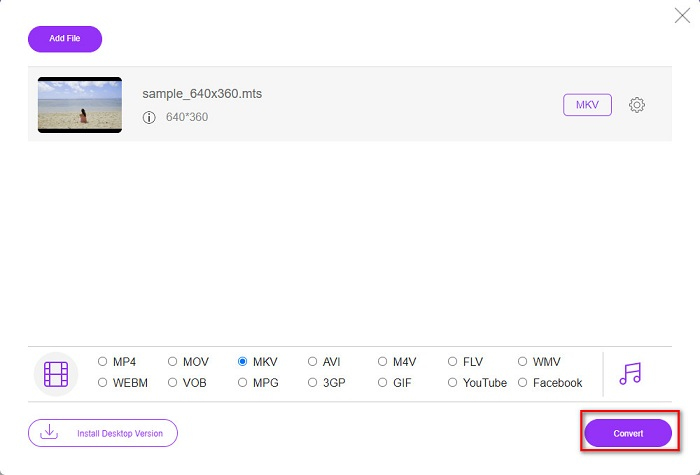
Шаг 3. После выбора файла MTS нажмите на формат MKV в нижней части интерфейса программного обеспечения.
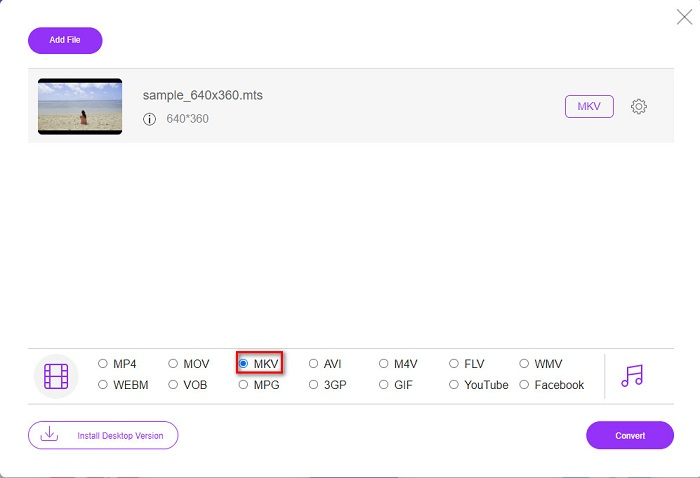
Шаг 4. Наконец, нажмите кнопку Convert, чтобы конвертировать ваш файл MTS в файл MKV. Затем дождитесь окончания конвертации.
Следуя этим простым шагам, вы можете конвертировать MTS в MKV бесплатно и онлайн.
AnyConv
Ещё один онлайн‑конвертер, которым вы можете воспользоваться для конвертации файлов без потери качества, — это AnyConv File Converter. Этот конвертер также поддерживает множество форматов, включая MTS в MKV, AVI, MP4, MOV, MPEG и т.д. Однако у него ограниченный функционал: вы не можете редактировать или изменять разрешение файла. Он также работает в браузере, поэтому вы можете столкнуться с медленной конвертацией. Тем не менее, им пользуется множество людей из‑за его удобства.
Шаги по использованию AnyConv File Converter:
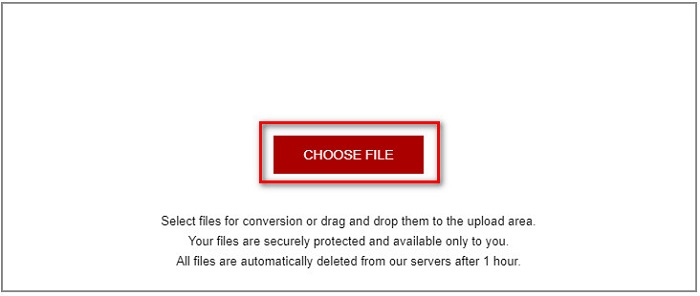
Шаг 1. Найдите AnyConv File Converter в своём браузере. Перейдя на их сайт, нажмите кнопку Choose Files, чтобы выбрать файл MTS в проводнике вашего компьютера.
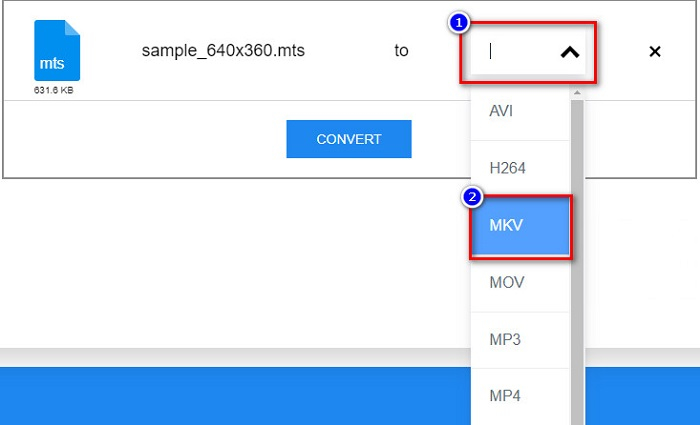
Шаг 2. После выбора файла MTS нажмите кнопку drop-down и выберите формат файла MKV.
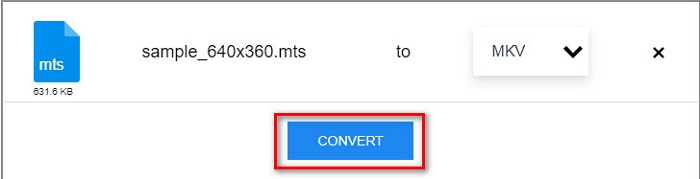
Шаг 3. Наконец, нажмите кнопку Convert, чтобы запустить конвертацию файла MTS в MKV.
Часть 2. Преобразование MTS в MKV в Windows 10/11 без потерь
Если вы ищете конвертер для Windows 10/11, FVC Video Converter Ultimate — лучший инструмент для вас. Он поддерживает различные форматы файлов и может конвертировать MTS в MKV, MP4, WebM, VOB, MPG, AVI и многие другие. Кроме того, этот конвертер имеет функцию, с помощью которой вы можете создавать GIF-файлы и даже создавать 3D-видео. Вы также можете быстро и легко конвертировать MTS в MKV без потери качества вашего файла.

FVC Видеоконвертер Ultimate
5 689 200+ загрузок- Вы можете конвертировать файлы в пакетном режиме с помощью этого конвертера.
- Позволяет конвертировать различные форматы файлов, такие как MTS, MKV, MP4, WMV и т. д.
- Имеет функцию, которая позволяет вам иметь сверхбыстрое преобразование.
Бесплатная загрузкаДля Windows 7 или более поздних версийБезопасная загрузка
Бесплатная загрузкаДля MacOS 10.7 или более поздних версийБезопасная загрузка
Вот как вы можете использовать FVC Video Converter Ultimate, выполнив следующие простые шаги:
Шаг 1. Сначала скачайте приложение, нажав кнопку Download ниже для Windows. Затем запустите программное обеспечение, чтобы перейти к следующему шагу.
Бесплатная загрузкаДля Windows 7 или более поздних версийБезопасная загрузка
Бесплатная загрузкаДля MacOS 10.7 или более поздних версийБезопасная загрузка
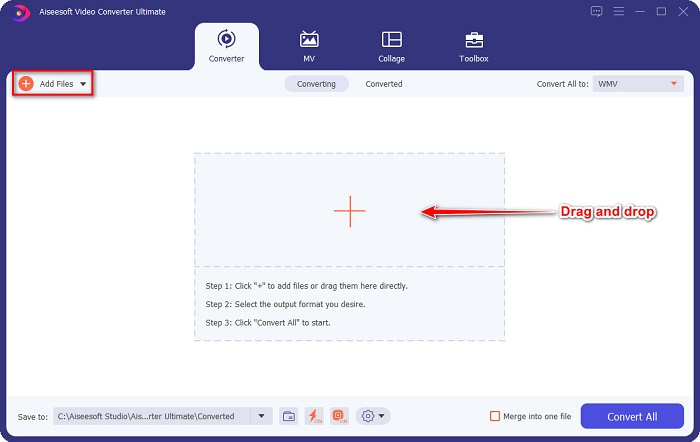
Шаг 2. После открытия конвертера нажмите кнопку Add Files или перетащите файл на кнопку с символом +, чтобы загрузить файл MTS. Затем ваш файл появится в списке.
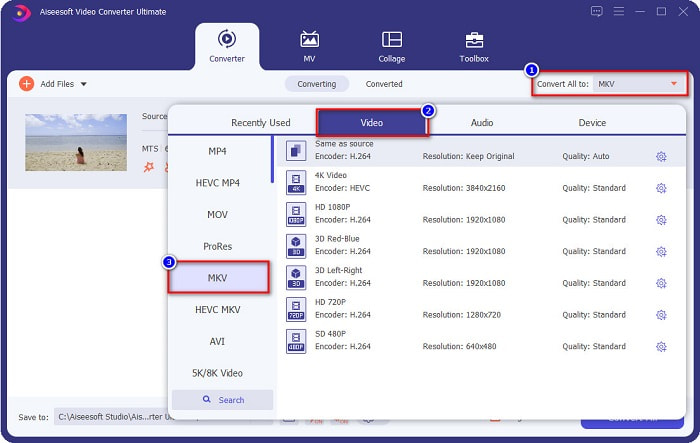
Шаг 3. Чтобы выбрать формат файла, в который вы хотите конвертировать свой MTS, нажмите кнопку Convert All to и выберите формат MKV.
Шаг 4. Для завершения нажмите кнопку Convert All, чтобы начать конвертацию файла MTS в MKV. И вуаля! Всего через несколько секунд ваш преобразованный файл будет готов.
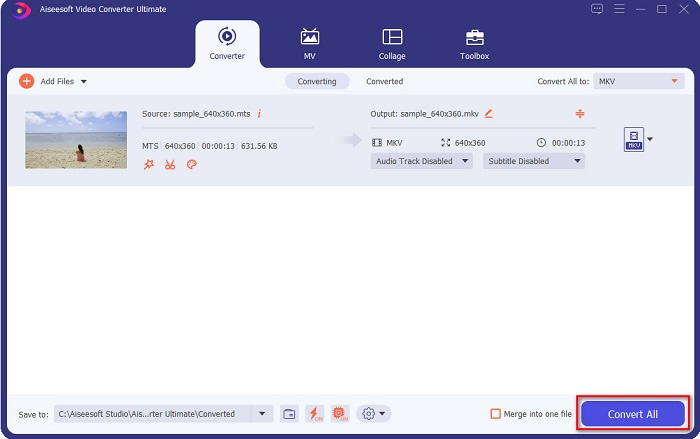
Следуя этим простым шагам, вы сможете конвертировать MTS в MKV за 1-2-3 секунды!
Часть 3. Зачем конвертировать файл MTS в формат файла MKV
Файл MTS, сокращенно MPEG Transport System, представляет собой стандартный формат файла, в основном используемый видеокамерами SONY и Panasonic HD. Это файл, в котором используется сжатие видео MPEG4/H.264. Кроме того, он поддерживает видео 720p и 1080i, которые не поддерживают другие форматы файлов. Поскольку Panasonic и Sony разработали этот файл, он использует файл расширенного кодирования звука, связанный с форматом файла AVCHD. С другой стороны, файл MKV или Matroska — это стандартный формат файла, который поддерживает множество аудио- и видеокодеков. Обычно он используется для хранения коротких видеоклипов и фильмов.
Кроме того, он также поддерживает дорожки субтитров. Вот почему многие фанаты используют этот формат файла. Так зачем конвертировать МТС в MKV? Просто потому, что размер файла MKV меньше, чем содержит формат файла MTS.
Часть 4. Сравнительная таблица онлайн- и офлайн-конвертеров
| ОСОБЕННОСТИ | Бесплатный онлайн-конвертер FVC | Конвертер файлов AnyConv | FVC Видеоконвертер Ultimate |
| Скорость конвертации | Обычный | Обычный | Очень быстро |
| Форматы файлов для преобразования | MKV, MP4, MTS, MPG, MOV, AVI, WMV, FLV и другие форматы файлов | МТС, MKV, AVI, MOV, MP4, MPEG и другие форматы | Поддерживает более 1000 форматов файлов |
| Функции редактирования | – | – |  |
| Пакетное преобразование | – | – | |
| Интернет-соединение | Необходимо | Необходимо | Не требуется |
Часть 5. Часто задаваемые вопросы о преобразовании MTS в MKV
Можете ли вы уменьшить размер файла MTS?
Да. Вы можете сжать размер файла MTS с помощью инструмента для сжатия, доступного онлайн и офлайн, например Free Video Compressor.
Где вы можете воспроизводить форматы файлов MKV?
Вы можете проигрывать файлы MKV в Windows Media Player, VLC Media Player, DivX Player, MX Player и других плеерах. Также вы можете использовать медиа‑кодеки для кодирования и декодирования медиафайлов. Или вы можете конвертировать свой файл MKV в формат MP4, который является широко используемым форматом.
Можно ли конвертировать MTS в MKV в Handbrake?
да. Этот конвертер также позволяет конвертировать файл MTS в формат файла MKV. Однако он не поддерживает несколько файлов и не может объединить их в один.
Заключение
Сейчас существует множество онлайн‑ и офлайн‑конвертеров, доступных на рынке. Конвертеры, которые мы перечислили выше, — одни из тех, которыми пользуются многие, и они доказали, что являются отличными инструментами для конвертации. Более того, эти конвертеры имеют разные функции и возможности по бесплатной онлайн‑конвертации MTS в MKV. Но если вы ищете удобный и эффективный конвертер, мы рекомендуем использовать FVC Video Converter Ultimate. Этот сверхбыстрый конвертер не разочарует ваши ожидания. Так что, если вы готовы конвертировать файлы, скачайте его прямо сейчас!
-
 [Бесплатно и онлайн] 6 способов конвертировать MTS в MP4 в высоком качестве
 Не знаете, как преобразовать файл MTS в MP4? В этом руководстве вы найдете 6 бесплатных и простых способов изменить формат MTS на MP4 в Windows или Mac без потери качества.
-
 Как конвертировать MTS в WMV без потери качества
 Вам трудно смотреть любимую передачу, потому что ваш медиаплеер не поддерживает формат видео МТС? Попробуйте преобразовать его в WMV с помощью этих новых и лучших конвертеров, представленных в этой статье.
-
 Как конвертировать MTS в MP3 без потери качества (AVCHD в MP3)
 У вас есть необходимость извлечь звук в формате MP3 из файла MTS, но вы не знаете, как это сделать? Какой лучший конвертер MTS в MP3? В этом посте рассказывается о двух простых способах конвертации MTS / M2TS в MP3 с высоким качеством звука.
