


 Видео конвертер Ultimate
 Устройство записи экрана
 Видео ремонт
 Безопасная загрузка
Получите окончательные процедуры о том, как конвертировать NEF в JPG
Запечатлевая моменты на фотографиях, мы всегда хотим сохранить самые памятные события нашей жизни в виде изображений наилучшего качества. Именно поэтому люди покупают отличные фотоаппараты, обеспечивающие прекрасный результат. Однако добиться максимально возможного качества можно, сохраняя изображение в «сырым» формате. Но это может вызывать множество проблем. NEF означает Nikon Electronic Format. Компания Nikon, один из самых популярных производителей камер, использует формат «сырых» изображений. Бывает, что такие файлы нельзя просмотреть на компьютере. Для этого требуется профессиональная программа, которая часто стоит дорого и сложна в использовании. В такой ситуации наилучшим решением будет конвертация файлов NEF в универсальный формат изображений, например JPG. Гибкость этого формата позволит просматривать фото почти на любом устройстве. При этом он помогает экономить место на накопителе. Если вы хотите конвертировать свои файлы в формат JPG, прочитайте это руководство и узнайте о лучших конвертерах NEF в JPG, которые вы можете использовать.

Часть 1. NEF против JPG
| Формат файла | НЭФ | JPG / JPEG |
| Расширение имени файла | .nef | .jpg / .jpeg |
| Полное имя | Электронный формат Nikon | Объединенная группа экспертов по фотографии |
| Разработано | Никон | Объединенная группа экспертов по фотографии |
| Описание | Файлы изображений Nikon Raw известны как НЭФ файлы. Как и другие файлы изображений RAW, файлы NEF сохраняют всю информацию, записанную камерой перед обработкой. Он включает метаданные, такие как модели камеры и объектива. Фотографии NEF обеспечивают невероятно высокое качество изображения. | Объединенная группа экспертов по фотографии создала JPG формат в конце 1980-х годов. Он также включает хранение изображений на цифровых камерах и других инструментах воспроизведения. Файлы JPEG используют метод сжатия с потерями для 24-битного цвета и большего объема памяти для хранения изображений. |
| Сжатие | Потерянный | Потерянный |
| Связанные программы/браузеры | Adobe Lightroom IrfanView Графический просмотрщик Adobe Photoshop ViewNX 2 Pics.io | IrfanView Графический просмотрщик фотографий Программа Paint Adobe Photoshop Google Chrome Internet Explorer Microsoft Edge Mozilla Firefox |
Часть 2. Как конвертировать NEF в JPG в Интернете
Как конвертировать NEF в JPG на Safeimageconverter
Используйте Safeimageconverter, чтобы быстро конвертировать изображения онлайн из JPF в NEF. С помощью этого простого онлайн‑инструмента вы легко можете изменить формат файла. Конвертер изображений бесплатный, работает в браузере и не требует установки, поэтому вы можете пользоваться им так часто, как хотите, не тратя денег. Вам нужно лишь загрузить исходный файл в этот инструмент, чтобы получить преобразованное изображение в формате NEF. Кроме того, инструмент очень удобен и позволяет существенно экономить время. Мы можем быстро и легко конвертировать файлы из JPG в NEF. Конвертацию можно выполнять прямо в браузере. Однако во время преобразования изображений на экране появляется множество навязчивых рекламных объявлений. Также иногда после завершения конвертации онлайн‑инструмент показывает ошибки. Для работы с этим онлайн‑сервисом также рекомендуется подключение к интернету.
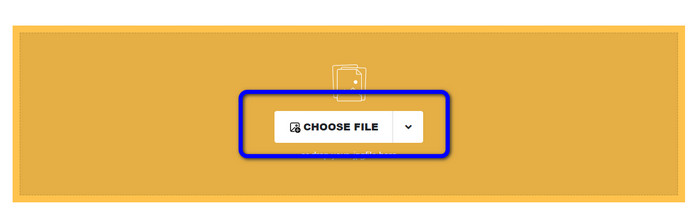
Шаг 1. Перейдите на сайт Safeimageconverter. Затем нажмите кнопку Choose File, чтобы загрузить файл NEF, который вы хотите конвертировать.
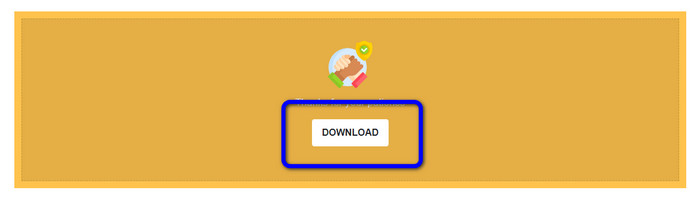
Шаг 2. После загрузки конвертер изображений автоматически преобразует файл. По завершении конвертации нажмите кнопку Download. Таким образом вы сможете сохранить преобразованное изображение на свой компьютер.
Часть 3. Практический метод преобразования NEF в JPG на Mac и Windows
Если вы предпочитаете конвертировать NEF в JPG на Windows или Mac, используйте Photoshop. Adobe Photoshop хорош не только для редактирования изображений. Он также надёжен при преобразовании различных файлов, включая NEF. Кроме того, в Photoshop можно массово конвертировать NEF в JPG. Программа обеспечивает быструю конвертацию, что делает её удобной для всех пользователей. Более того, офлайн‑приложение позволяет сохранить качество ваших изображений. Таким образом, после преобразования файлов вы можете быть уверены, что фотографии останутся достаточно качественными. Однако Adobe Photoshop не является полностью бесплатным. Чтобы пользоваться программой, нужно оформить подписку. Предоставляется только 7‑дневная пробная версия. Кроме того, процесс установки довольно сложен.
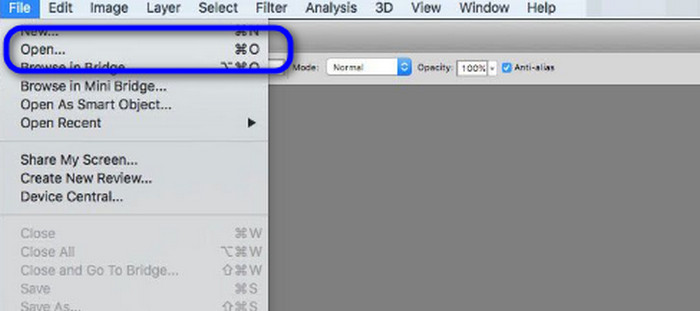
Шаг 1. Скачайте Adobe Photoshop на свой компьютер. Затем после установки программы запустите её, чтобы открыть интерфейс. После этого перейдите в меню File и выберите пункт Open, чтобы добавить файл изображения NEF.
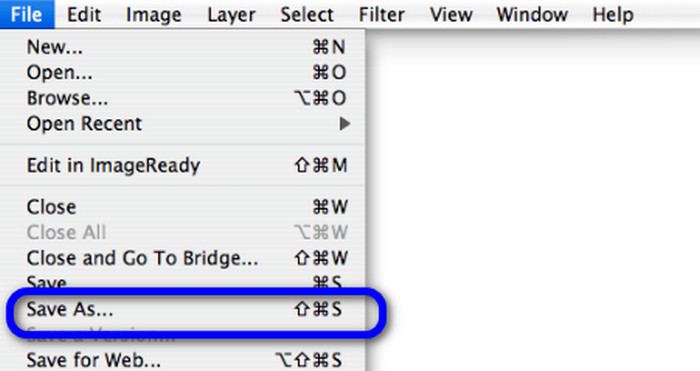
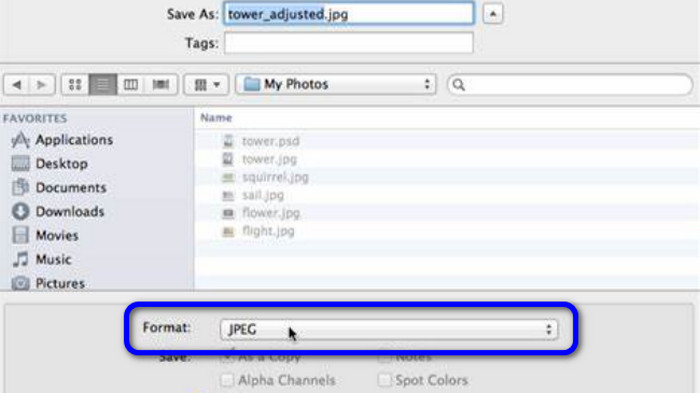
Шаг 2. После того как вы добавили изображение NEF в рабочую область, снова откройте меню File и выберите опцию Save as.
Шаг 3. Затем выберите JPG в списке форматов и нажмите Save.
Часть 4. Рекомендуемый конвертер изображений
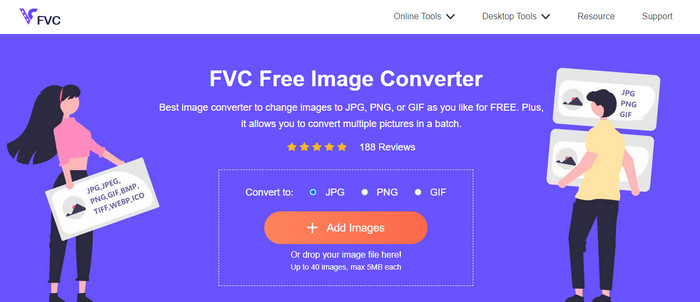
В этом разделе, если вы ищете ещё один конвертер изображений для онлайн‑преобразования других форматов, лучшим решением станет FVC Free Image Converter. Этот онлайн‑конвертер изображений легко конвертирует различные форматы. FVC Free Image Converter поддерживает JPG, PNG, GIF, BMP, TIFF и другие. Кроме того, получить доступ к конвертеру можно из разных браузеров, таких как Google, Explorer, Edge, Firefox и т. д. К тому же процесс конвертации занимает всего несколько секунд, что удобно для всех пользователей. Также вы можете загружать в этот онлайн‑инструмент несколько изображений. Благодаря функции пакетной конвертации вы можете загрузить до 40 изображений одновременно. Дополнительно, при загрузке уже преобразованных изображений их можно скачать одним щелчком.
Часть 5. Часто задаваемые вопросы о преобразовании NEF в JPG
1. Можно ли конвертировать JPG в NEF?
К сожалению, вы не можете преобразовать файл JPG в NEF. Это потому, что NEF — это реальный снимок, сделанный камерой Nikon. Формат NEF используется всякий раз, когда фотограф использует камеру Nikon и загружает цифровые файлы.
2. Как открыть файл NEF?
Вы можете легко открыть файл NEF, если у вас есть правильный кодек в Windows. Однако, если вы не можете открыть файл NEF, вам понадобится помощь загружаемых программ. Вы можете использовать Microsoft Camera Codec Pack, Adobe Photoshop, Irfan View, GIMP и многое другое.
3. Почему вы должны конвертировать из NEF в JPG?
Необходимо преобразовать NEF в JPG, поскольку некоторые программы и графические редакторы не поддерживают файлы NEF. Кроме того, NEF имеет большой размер файла, который занимает слишком много места на устройстве. Итак, лучший выбор — преобразовать файл NEF в JPG.
Заключение
Файлы NEF обеспечивают высокое качество изображений. Однако некоторые браузеры и программы не поддерживают этот формат, что вызывает раздражение. К счастью, в этой статье предложено отличное решение для конвертации NEF в JPG. Кроме того, здесь представлен ещё один онлайн‑конвертер изображений для преобразования других форматов — FVC Free Image Converter. Вы можете использовать этот онлайн‑конвертер для преобразования различных форматов изображений.
-
 4 надежных способа конвертировать JFIF в JPG с легкостью
 Этот путеводитель расскажет вам все о преобразовании JFIF в JPG онлайн и офлайн. Если вы хотите узнать самые эффективные методы, немедленно прочитайте этот пост!
-
 Как конвертировать GIF в JPG без потери качества
 Прочтите и получите самые эффективные методы профессионального преобразования GIF в JPG. Вы научитесь конвертировать файлы изображений с помощью руководства по совершенным конвертерам изображений.
-
 Простые процедуры для преобразования изображений в вектор
 Вот несколько замечательных способов векторизации изображения. Кроме того, вы получите достаточно знаний о конвертере изображений, который вы можете использовать.
