


 Видео конвертер Ultimate
 Устройство записи экрана
 Видео ремонт
Новейшее онлайн- и офлайн-программное обеспечение, которое вы можете использовать для легкого переворачивания видео MP4
Чаще всего, когда мы пытаемся проиграть наше видео в обратном направлении, получаются забавные эффекты, из‑за которых нам кажется, что на записи — совсем другой человек. При обратном воспроизведении создаётся новый, непривычный для глаз результат. Поэтому, если вы хотите узнать эффективные способы, как перевернуть MP4‑видео (воспроизвести его задом наперёд), обязательно прочитайте эту статью. В ней представлены различные онлайн‑ и офлайн‑программы, с помощью которых вы сможете очень просто создавать множество «реверс‑видео». Итак, без лишних задержек давайте представим их по очереди.

Часть 1. Как перевернуть видео MP4 (в автономном режиме)
Выдающийся инструмент во всей сети — это Video Converter Ultimate. Этот софт уже помог миллионам пользователей, которым было трудно перемотать MP4 в обратном направлении. В отличие от других средств из этого списка, вы можете пользоваться этой программой даже без подключения к интернету. Более того, она очень быстро импортирует и экспортирует файлы — вы и моргнуть не успеете, как видео уже будет проигрываться в обратную сторону. Кроме того, этот инструмент обладает полным набором продвинутых функций, которые могут вам пригодиться. А теперь перейдём к шагам, как эффективно сделать видео «реверсом».
Шаги по инвертированию видео на Video Converter Ultimate
Шаг 1. Сначала скачайте программу на компьютер. Затем установите её и выполните шаги мастера настройки.
Бесплатная загрузкаДля Windows 7 или более поздних версийБезопасная загрузка
Бесплатная загрузкаДля MacOS 10.7 или более поздних версийБезопасная загрузка
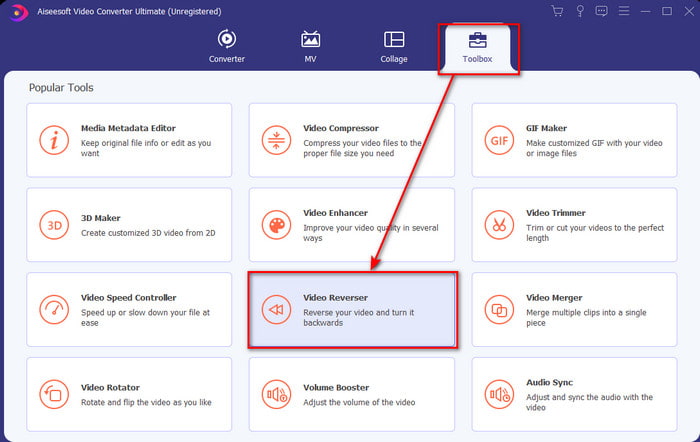
Шаг 2. Запустите программу, нажмите вкладку Toolbox (Инструментарий) и выберите Video Reverser (Реверс видео).
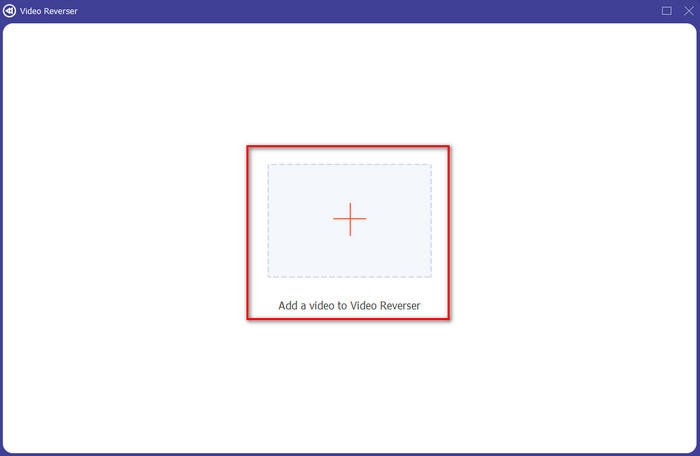
Шаг 3. Добавьте MP4‑файл, нажав на значок «+» и выбрав его в папке на компьютере. Затем нажмите Open (Открыть), чтобы загрузить .mp4 в интерфейс.
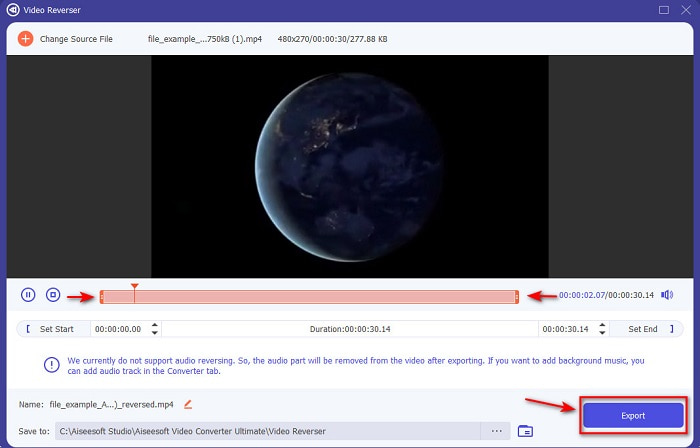
Шаг 4. Теперь отрегулируйте параметры playback in and out (точки начала и конца воспроизведения), чтобы изменить длительность ролика. Нажмите Export (Экспорт), чтобы продолжить.
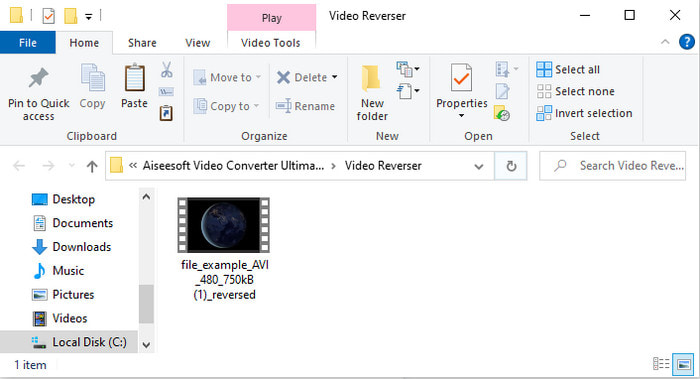
Шаг 5. После завершения экспорта откройте файл в папке, чтобы проиграть уже перевёрнутый ролик и посмотреть, где он сохранён.
Часть 2. Как перевернуть видео MP4 (онлайн)
1. FileConverto
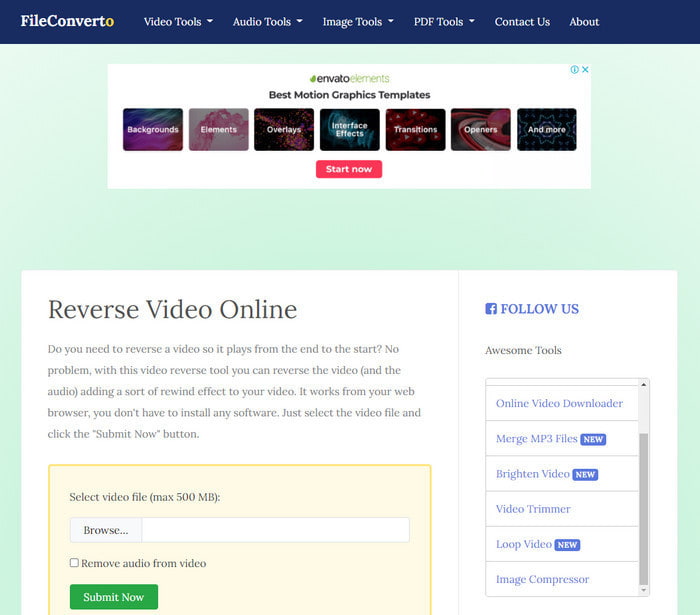
Онлайн‑сервис для реверса MP4‑видео FileConverto предлагает множество веб‑инструментов, которые помогут сделать ваш ролик более необычным. Этот онлайн‑инструмент особенно подойдёт тем, кто не хочет устанавливать дополнительное программное обеспечение. Однако веб‑интерфейс выглядит немного скучно, загрузка файлов может занять много времени, и поддерживаются не все видеоформаты. Кроме того, при попытке сделать реверс вы можете столкнуться с ошибками и всплывающими окнами. Несмотря на все известные недостатки, сервис всё же довольно удобен в использовании.
Плюсы
- Программное обеспечение легко доступно, и в нем есть множество основных функций редактирования, которые вам понадобятся.
- Очень удобно, что даже пользователь, не имеющий опыта реверсирования, может сделать это здесь.
- Это ограничивает вашу конверсию до 500 МБ, что отлично.
Минусы
- Импорт файлов сюда и экспорт происходит намного медленнее, чем ожидалось.
- В веб-инструменте много рекламы, только которая может вас раздражать. И после того, как вы нажмете на функцию веб-инструмента, появится объявление, что вам нужно будет повторно щелкнуть его еще раз.
- Он поддерживает не все видеоформаты.
2. PickFrom
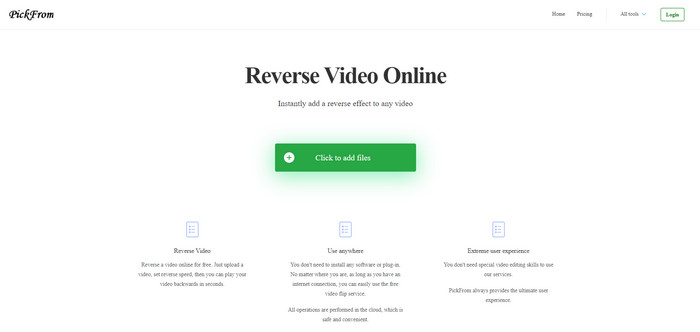
Если сравнивать, у PickFrom интерфейс лучше, чем у FileConverto. Он выполнен в минималистичном стиле, а сочетание белого и бирюзового цветов выглядит очень привлекательно. Но шрифт здесь довольно тонкий, из‑за чего текст не всегда удобно читать. По сути, если у вас не идеальное зрение, работать с этим инструментом может быть сложновато. Кроме того, когда вы хотите сделать здесь реверс MP4‑видео, параметры отображаются в упрощённом китайском письме. Поэтому разобраться немного труднее, хотя импорт файлов здесь происходит быстрее, чем в FileConverto.
Плюсы
- У него гораздо лучший веб-интерфейс по сравнению с FileConverto.
- В верхней части сайта нет рекламы, но если вы прокрутите вниз, появится куча надоедливой рекламы.
- Поддерживает множество основных функций редактирования.
Минусы
- Настройки инструмента написаны на китайском языке, что трудно понять, если вы не знаете, как говорить по-китайски.
- После нажатия кнопки «Пуск» инструмент перестает отвечать, и процесс экспорта занимает много времени.
- Это снижает качество экспортируемого видео.
3. Media.io
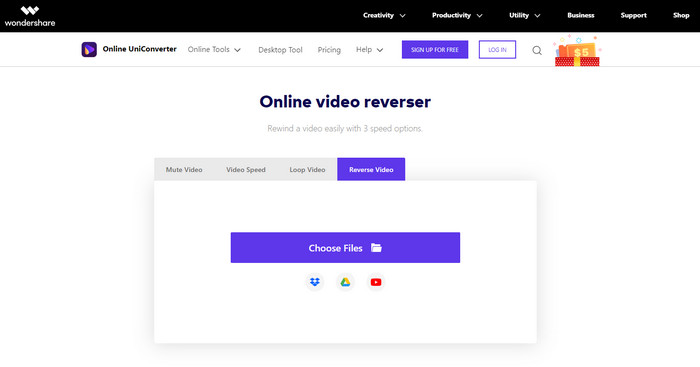
Media.io предлагает 3 варианта скорости реверса: x0.5, x1, x2. По сути, вы можете перевернуть ролик и проигрывать MP4 в обратном направлении с помощью этой функции реверса. Хотя инструмент выглядит современно, при работе с Media.io всё же возникают некоторые неудобства. Например, перед экспортом готового файла система попросит вас сначала войти в учётную запись. Кроме того, бесплатно здесь можно сделать только 10 реверс‑видео с ограниченным размером файла.
Плюсы
- Интерфейс инструмента отличный и привлекательный.
- Вы можете изменить окончательный формат вывода обратного видео, если хотите, или сохранить исходный формат.
- Вы можете отключить или включить звук для видео.
Минусы
- Веб-сайт попросит вас зарегистрироваться, прежде чем вы сможете экспортировать, что означает, что вы разрешите им отправлять уведомления по электронной почте.
- Реверс x2 менее медленный, чем x2 других инструментов.
- Инструмент ограничивает доступность веб-инструмента. Например, вы не можете отменить более 10 файлов в день, и у него есть максимальный предел размера файла.
Часть 3. Часто задаваемые вопросы об обращении MP4
После реверса видео качество понижается?
Обращение видео с помощью инструмента не должно снижать качество видео, которое вы хотите перевернуть. Однако есть много программ, которые снижают качество видео. Но бывают случаи, когда вы устанавливаете низкое или не высокое качество.
Как добавить звук в обратный файл?
Большинство программ, перечисленных здесь, не поддерживают реверс звука, однако вы можете перейти по этой ссылке и узнать, как добавить аудио к видео.
Как я могу объединить обратное видео на iPhone?
Существует множество способов эффективно склеить видео на iPhone. Просто прочитав эту статью, вы узнаете 4 разных способа, как объединять видео на iPhone.
Заключение
Подводя итог, теперь, когда мы знаем, как перевернуть MP4‑файл с помощью нескольких различных инструментов, вы можете выбрать подходящий вариант. Однако не все средства, упомянутые в статье, дают по‑настоящему впечатляющий итоговый результат, как это делает Video Converter Ultimate. Поэтому, если вы хотите по‑настоящему удивиться возможностям этого инструмента, обязательно скачайте его. Вам не придётся читать толстое руководство, чтобы понять, как он работает целиком.
Бесплатная загрузкаДля Windows 7 или более поздних версийБезопасная загрузка
Бесплатная загрузкаДля MacOS 10.7 или более поздних версийБезопасная загрузка
-
 [Обновлено 2021 год] 9 лучших редакторов GIF для ПК, Mac, iOS и Android
 Хотите добавить индивидуальности в свой GIF-файл, чтобы он стал более выразительным? Продолжайте читать эту статью, чтобы узнать, как редактировать и выбрать лучший инструмент для работы.
-
 Руководство по ремонту видео, которые не воспроизводятся на телефонах Android
 Хотите знать, по каким причинам нельзя воспроизводить видео на вашем устройстве Android? И если да, то есть ли способы решить проблему самостоятельно? Продолжайте читать, чтобы узнать больше.
-
 Подробное руководство по воспроизведению файлов MKV на PS4 [обновлено в 2021 году]
 Прочитав эту статью, вы узнаете, как воспроизводить MKV на PS4 и как конвертировать видеофайл, если видео не & #039; играть.
