


 Video Converter Ultimate
 Skärminspelare
 Video reparation
 Säker nedladdning
Vilka är de bästa QuickTime-ersättningarna som finns tillgängliga i alla programvaror (gratis och betalda)
QuickTime Player är den lokala mediaspelaren i Mac‑systemet. Det är faktiskt den bästa kostnadsfria mediaspelaren från Apple, men den här mediaspelaren finns inte tillgänglig i andra operativsystem, som Windows och liknande. Därför har Mac‑användare svårt att välja vilken som är den bästa ersättaren för QuickTime Player som de bör använda. Utan vidare omsvep kommer den här artikeln att ge dig tillräckligt med underlag om själva verktygen och vilka andra alternativ du kan använda för att titta, på ett lika effektivt sätt som QuickTime erbjuder. Fortsätt läsa den här artikeln för att få veta mer om dessa mediaspelare.

Del 1. Den bästa QuickTime-ersättningen online
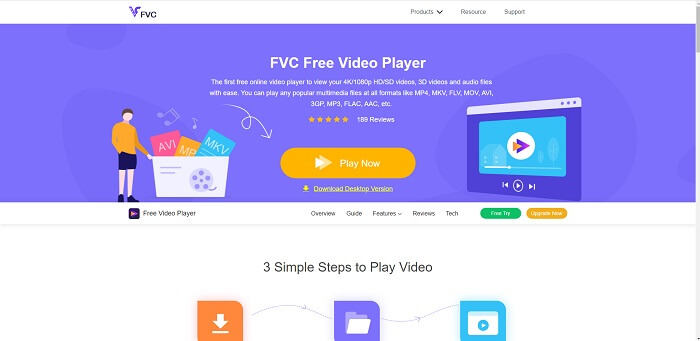
Om du letar efter det bästa alternativet till QuickTime Player online är detta något för dig. Du behöver inte registrera dig, logga in eller betala. En fantastisk funktion är dessutom att du kan komma åt den när som helst och var som helst med hjälp av en internetanslutning, utan att bli ombedd att bekräfta att du inte är en robot eller att klicka på brandposter, bilar, bussar, övergångsställen med mera. FVC Free Video Player är här för att förändra ditt sätt att titta på dina favoritvideor och lyssna på ljud online. Det är som en QuickTime Player, fast på nätet. Ingen nedladdning behövs och du behöver inte oroa dig – den är fri från skadlig kod.
Fördelar
- Ett QuickTime-ersättningsverktyg online som du kan komma åt via webben.
- Bästa valet inspelare över webben. Dessutom behöver du inte ladda ner verktyget. Bara starta den, placera den och titta på den.
- Säkert med skadlig programvara, inga annonser på webben och medan du spelar.
Nackdelar
- Internetberoende.
- Om internet är instabilt kan du inte njuta av att titta på filen.
Del 2. Prime Elite QuickTime Player-alternativet för Mac och Windows 10
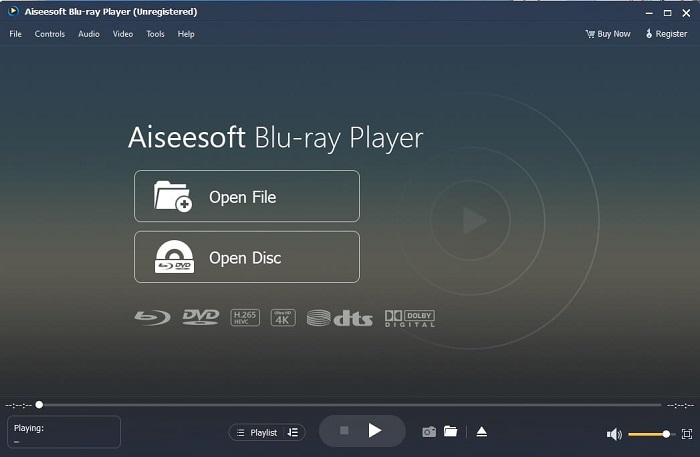
Om det kostnadsfria onlineverktyget redan ger dig bra kvalitet när du tittar på eller lyssnar på dina favoritvideor och -ljud, kommer det här verktyget att ta allt ett steg längre. Om du letar efter en skatt som varit gömd länge, är det nu dags att tala om att sökandet är över, för från och med i dag har du hittat den. Det här verktyget är det bästa QuickTime‑alternativet för Windows 10 och Mac, eftersom det presterar betydligt bättre och stöder fler filformat. Blu-ray Player är den förlorade skatten. Om du letar efter en mediaspelare som ger dig fantastisk prestanda när du tittar på eller lyssnar på din favoritvideo eller favoritlåt, är detta rätt val. Man brukar säga att varje skatt har sitt pris, och den vanliga uppfattningen är att något som är bättre än QuickTime måste vara dyrt. Men så är det inte. Ärligt talat är det här verktyget långt överlägset andra mediaspelare du hittar i den här artikeln eller på webben. Det är en mediaspelare du verkligen bör prova om du är ute efter bästa möjliga upplevelse – som att titta på bio hemma.
Gratis nedladdningFör Windows 7 eller senareSäker nedladdning
Gratis nedladdningFör MacOS 10.7 eller senareSäker nedladdning
Fördelar
- S-klass mediaspelare.
- Det fungerar bra utan internetuppkoppling.
- Den stöder alla plattformar du känner till och inte känner till. Med mer kvalitet i video och ljud.
Nackdelar
- Den måste laddas ner till din PC eller Mac.
- Det kommer att kosta dig $36.00.
Del 3. Övrigt 4 Användbara QuickTime Player-alternativ
Listan nedan är de exempel som du kan vilja använda eller stöta på via webben om du letar efter en ersättning för QuickTime. Eftersom det sa tidigare att QuickTime är standardmediaspelaren för Mac OS. Läs de andra alternativen till QuickTime Player för Mac och Windows som du förmodligen kan använda för att titta på video om QuickTime inte stöds på din plattform.
1. VLC Media Player
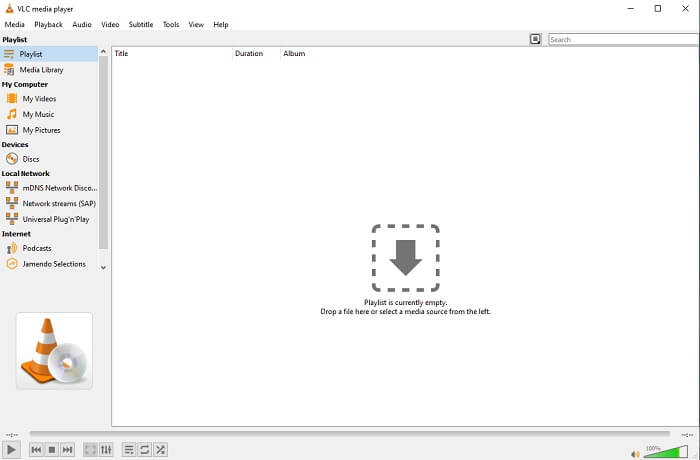
Detta verktyg bygger sitt namn som den bästa mediaspelaren på hela webben. På grund av dess tillgänglighet använder de flesta användare detta som sitt första val. Den kan också spela DVD-skivor, VCD-skivor, CD-skivor och mer utan att lägga till fler codecs. För att göra det enkelt är det en snabb och A-klass spelare.
Fördelar
- En av de bästa mediespelarna.
- Enkelt gränssnitt.
- Offlineverktyg måste laddas ner.
Nackdelar
- Vissa format är inte spelbara.
- Du kommer att stöta på några buggar som inte är åtgärdade än.
2. KM-spelare

En QuickTime‑ersättning för Windows och Mac som låter dig spela upp olika filformat i hög kvalitet. Till skillnad från VLC Media Player kan WMV‑uppspelning lätt hanteras med KM Player. Den kan också spela upp 3D‑video och utföra vissa redigeringsfunktioner.
Fördelar
- Den mest använda mediaspelaren.
- Känd för sin hårdvaruacceleration.
- 3D-videouppspelning.
Nackdelar
- Det är ett spionprogram/adware.
- Det kan göra ditt system långsamt på grund av den oundvikliga installationen det kommer att göra. så var försiktig om du vill ladda ner den här programvaran.
3. MPlayer
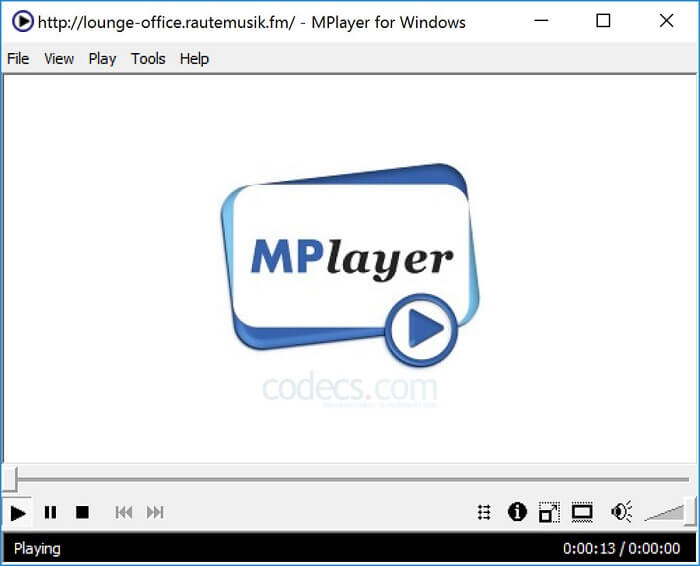
Det här verktyget låter användaren arbeta med två separata fönster. Till exempel kan videofönstret vara separerat från huvudgränssnittet. MPlayer kan spela upp olika format. Dessutom har den särskilt stöd för filer som har spelats in via FFmpeg.
Fördelar
- Spot-on verktyg.
- ingen extra codec behövs.
- Genvägsknappar.
Nackdelar
- I vissa fall är filerna du spelar till den andra mediaspelaren spelbara men om du använder detta finns det en möjlighet att det inte kommer att spelas. Det är fortfarande av okänd anledning.
- Brist på kataloguppspelning.
4. Perian
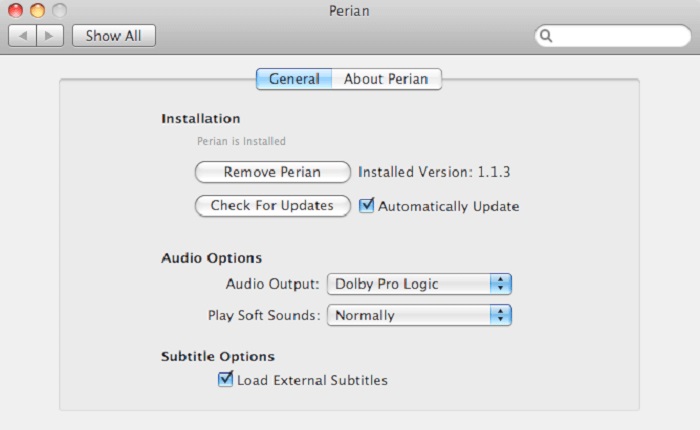
Om du har en föråldrad version av QuickTime och ändå vill veta vilka andra alternativ som finns, är detta något för dig. Perian är känd som den schweiziska armékniven du kan använda i macOS. Om den gamla versionen av QuickTime inte kan spela upp det format du vill ha, kan du använda detta, eftersom det låter dig spela upp fler filformat i QuickTime Player.
Fördelar
- Fungerar fortfarande även på föråldrad QuickTime.
- Stöder mer uppspelning för äldre versioner av QuickTime.
- SSA och SRT undertextformat från QuickTime stöds fortfarande.
Nackdelar
- Det kommer inte att fungera på den moderna versionen av QuickTime 10.
- Om du använder en version av QuickTime från 2012 behöver du inte använda den här. Eftersom QuickTime kan ge vad detta verktyg kan ge ännu mer.
Del 4. Vanliga frågor om QuickTime Player
Vad kan jag göra annat än att spela upp video på QuickTime?
QuickTime har också andra funktioner som inspelning, redigering och trimning, omarrangering och rotering, och du kan även dela videor och bilder.
Har QuickTime en proversion av det?
Ja, den har också en proversion av den. Som vanligt ger proversionen fler funktioner än gratisversionen.
Finns det ett ospelbart filformat om du använder QuickTime?
I vissa fall kan MOV- och MP4‑filer inte spelas upp eftersom de innehåller komplexa codecs. Detta är också vanligast om du använder en äldre version av QuickTime. Så den bästa lösningen är att konvertera MOV till MP4.
Slutsats
Nu när du vet vilka verktyg du kan använda om du vill ha en mediaspelare lik QuickTime, är det dags att sammanfatta. Som nämnts tidigare har dessa olika verktyg sina egna specialiteter, gemensamma drag och det som skiljer dem från andra mediaspelare. Men det står allt tydligare att den bästa ersättaren för QuickTime Player, eller mer specifikt det verktyg som kan slå QuickTime, är Blu-ray Player. Den överträffar QuickTime Player på alla områden, särskilt när det gäller tillgänglighet och mycket mer. Men du kanske fortfarande undrar varför du behöver köpa just det här verktyget. Den enda anledningen är att det är långt överlägset andra verktyg du kan hitta på nätet eller i andra artiklar. Så vad väntar du på? Titta som en chef genom att använda detta som din personliga mediaspelare.
-
 Bästa 1080p HD-videospelare för Windows/Mac/iOS/Android 2025 Kommentarsflöde
 Om du letar efter en videospelare för att titta på 1080p HD-videor på din dator, kolla våra val av bästa 1080p HD-videospelare för Mac, Windows PC, iOS och Android.
-
 5 fungerande metoder för att fixa QuickTime Kan inte öppna MOV-filer Kommentarsflöde
 MOV -format skapas huvudsakligen för uppspelning i QuickTime Player. Men ibland kan du upptäcka att de inte spelar i den. Lär dig hur du fixar QuickTime spelar inte MOV -filer från det här inlägget.
-
 Hur man konverterar MKV-filer för att spela på PS3 smidigt
 Vill du spela MKV -videor på din PS3? PS3 kan dock inte spela MKV -filer direkt. Den här artikeln visar hur du konverterar MKV -videor till PS3 -videoformat som stöds för att spela på PS3 utan krångel.
