


 Video Converter Ultimate
 Skärminspelare
 Video reparation
Djup förståelse om de 5 tillgängliga videoredigerarna i slow motion
Tycker du om att titta på höghastighetssporter med mycket slag och action, som racing, boxning, baseboll, volleyboll och mycket mer? Alla dessa sporter behöver en höghastighetskamera bara för att kunna göra en rörelseanalys. Om du vill analysera varje rörelse hos varje idrottare, läs då om den bästa slow motion‑videomakaren du kan använda. Med hjälp av verktygen nedan behöver du dessutom ingen extra utrustning utöver din dator, internetuppkoppling eller telefon. Läs noggrant om verktygen nedan och välj sedan vilket som passar dig bäst.

Del 1. 3 Bästa Slow-Motion Video Maker för Windows PC, Mac och Online
1. Video Converter Ultimate
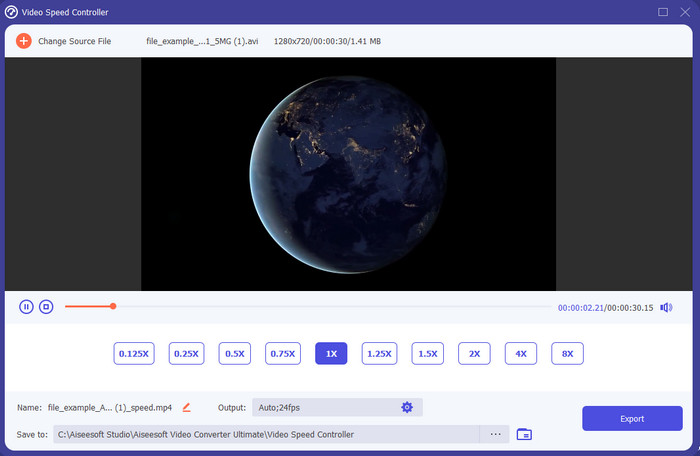
Vill du veta vilket av slow motion‑videoredigeringsprogrammen som är bäst för att göra din uppspelning i slow motion? Prova då Video Converter Ultimate, för det här verktyget är inte bara bra – det är enastående. Programmet har redan en mängd avancerade funktioner som du kommer att vilja använda även om du inte är proffs på redigering. Och även om du är proffs är den här programvaran det bästa valet oavsett vilken nivå dina redigeringskunskaper ligger på. Dessutom kan du snabbt lägga till slow motion‑effekter i din video utan att läsa en manual eller titta på instruktionsvideor. Verktyget ger nämligen mycket enklare instruktioner än programmet nedan. Även om du måste betala för att få full åtkomst är priset ändå inte särskilt högt. Om du vill veta mer om det här verktyget, läs nyckelfunktionerna nedan.
Nyckelfunktioner hos Video Converter Ultimate:
◆ Avancerad slow motion‑videomakarapp med grundläggande instruktioner.
◆ Användarvänligt verktygsgränssnitt.
◆ Justera hastigheten på videon enkelt med Video Speed Controller.
◆ Stöder mer än 200+ video- och ljudformat.
◆ Den kan laddas ner och nås på PC och Mac operativsystem.
Gratis nedladdningFör Windows 7 eller senareSäker nedladdning
Gratis nedladdningFör MacOS 10.7 eller senareSäker nedladdning
2. Boris Continuum Time Unit
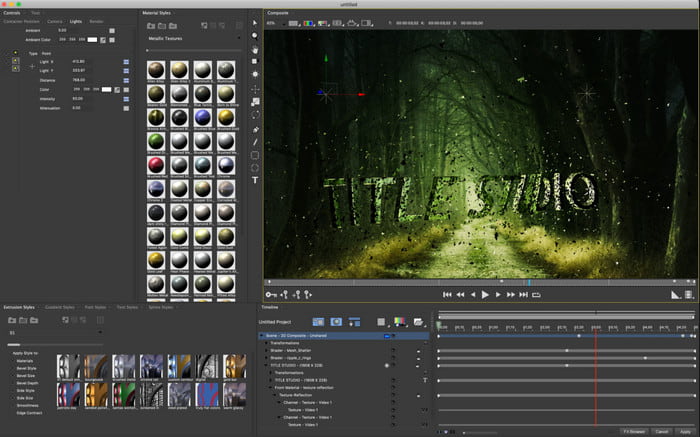
Boris Continuum Time Unit är det bästa valet om du vill ha en kraftfull slow motion‑videomakarapp. Det finns inget annat verktyg som kan åstadkomma samma typ av professionellt resultat. Dessutom har det här programmet mycket detaljerade redigeringsfunktioner som du kommer att vilja testa. Även om det är bättre än de andra verktygen är det bokstavligen väldigt dyrt. Om du vill använda det behöver du också en kraftfull stationär dator, eftersom du inte kan köra det på äldre datorer.
Fördelar
- Bästa verktyget att använda för att göra tung redigering.
- Den är kompatibel med alla plattformar.
- Verktygets gränssnitt ser mer ut som ett proffsverktyg.
Nackdelar
- Denna programvara är den dyraste i denna uppskrivning.
- Behövde en högklassig systemenhet.
- Inte det bästa valet för en nybörjare som inte har en bakgrund inom redigering.
3. VEED.IO
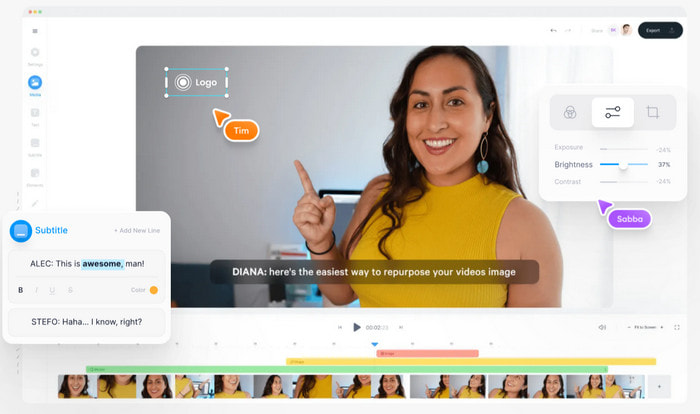
Om du inte vill spendera en krona och har internetuppkoppling kan du prova att använda VEED.IO. Det här är den bästa programvaran för att göra slow motion‑video online, eftersom den är enkel och lätt att komma åt. Hela gränssnittet är mycket prydligt med tydliga instruktioner, så det är väldigt användarvänligt. Du kan dock bara ladda upp filer som är mindre än 50 MB, och om du vill lägga till större filer krävs en uppgradering. Om du inte köper tjänsten kommer dessutom den slutliga videon att ha en vattenstämpel.
Fördelar
- Kan lätt nås av alla med internetuppkoppling.
- Inga irriterande annonser på webbplatsen.
- Lätt att hantera av nybörjare på redigering.
Nackdelar
- Verktygets funktioner är mycket begränsade på den kostnadsfria versionen av verktyget.
- Internetberoende. Så om ditt internet är långsamt, förvänta dig en långsam uppladdning, nedladdning och redigering. Dessutom kan du inte komma åt det här verktyget om du inte har en internetanslutning.
Del 2. 2 av Bästa Slow Motion Video-appen på Android och iOS
1 SloPro
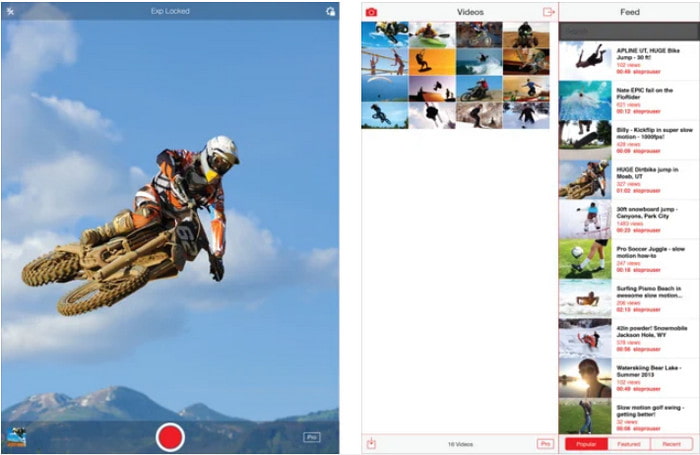
SloPro är den bästa slow motion‑videoappen du kan ladda ner gratis på iOS. Appen kan spela upp video i slow motion upp till 500–1000 fps. Du kan också lätt växla videon från snabb till slow motion‑uppspelning eller tvärtom. Även om appen kan vara ett bra alternativ finns det fortfarande en del nackdelar. Till exempel sparas den färdiga videon i appens eget galleri och inte i din kamerarulle. Dessutom blir videon enligt användare som har testat appen buggig om du försöker använda 1000 fps. Ändå är det här verktyget riktigt bra eftersom det är gratis och det är mycket enkelt att sakta ner videor med det.
Fördelar
- Bästa slowmotion-uppspelning du kan använda på iOS gratis.
- Den får redan ett rättvist betyg och en 3,3 stjärna.
- Enkel och lätt att använda.
Nackdelar
- Slutresultatet sparas inte direkt i galleriet.
- Alla videor som sparats i SloPro-galleriet är slumpmässiga och inte korrekt kategoriserade.
- Om du använder 1000 fps kan du förvänta dig en buggy videoutgång.
2. Slow Motion Video Maker
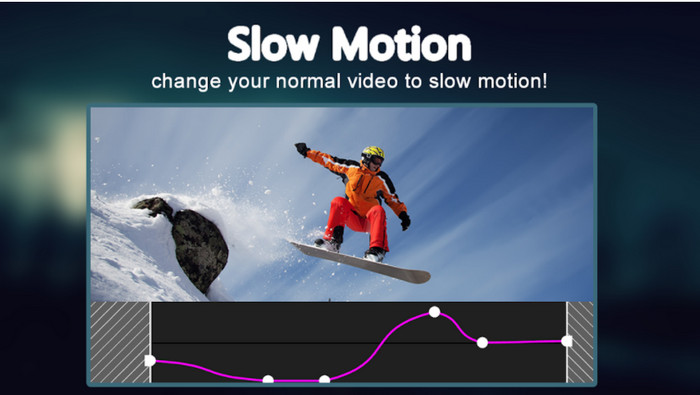
En av de bästa slow motion‑videomakarna du kan ladda ner gratis till din Android‑telefon är Slow Motion Video Maker. Med hjälp av den här appen kan du enkelt göra snabbspolning och slow motion‑uppspelning på dina videor. Appen har dock många irriterande annonser som dyker upp överallt. Dessutom kan du bara göra slow motion med faktorn 0,5. Sammantaget är den bra för att sakta ner videor på Android, men annonserna försämrar upplevelsen rejält.
Fördelar
- Appen är gratis att ladda ner i Play Store.
- Det är bra att användas för att sakta ner videon smidigt.
- Appen är lätt att hantera.
Nackdelar
- Den har många irriterande annonser som dyker upp från ingenstans.
- Att ladda ner videon kan ta mycket tid eftersom den inte har någon snabbare bearbetning.
Del 3. Vanliga frågor om Slow Motion Video Maker
Vilken roll har FPS?
Den används för att beräkna de på varandra följande bildrutor som visas på din displaypanel. Detta ses oftast i varje motion capture som i videospel, kameror, filmer, och även vårt öga kan se 30 till 60 fps.
Vilken är den bästa FPS-hastigheten på slow motion?
Den idealiska FPS du kan använda för att titta på video i slow motion-uppspelning är mellan 120 och 240 fps. Så om du vill ha en mer detaljerad uppspelning i slow motion, gör FPS högre.
Hur spelar man upp en video i snabb uppspelning?
För att få en idé om hur man spelar upp en video i snabbspolning kan du klicka på den här länken. Lär dig vilka 5 bästa verktygen du kan använda för att snabba upp en video.
Slutsats
Sammanfattningsvis är alla verktyg som presenteras här de bästa slow motion‑makarna du kan hitta på nätet. Den här artikeln har dessutom redan hjälpt dig och gjort ditt sökande enklare än någonsin. Det finns dock ett särskilt verktyg du kanske vill använda för att göra din video ännu bättre, nämligen Video Converter Ultimate. Alla avancerade funktioner du får här är fantastiska och ändå enkla att använda. Om du fortfarande tvivlar, ladda ner verktyget först och prova själv.
-
 Bästa Android -applikation för att spela MOV -filer på dina mobiltelefoner
 Har du svårt för att din MOV-inspelning inte kunde spelas upp i din Android? Så i det här fallet letar du efter vad som är den bästa MOV-spelaren för Android.
-
 5 kraftfulla AVI-spelare att titta på och spela AVI-filer [Web & Desktop]
 Lär dig vilka AVI-spelare du kan använda för att spela och titta på .avi-filer. Fortsätt läsa nedan och välj vilken som är den bättre mediaspelaren än den andra.
-
 Effektiva sätt att MKV -filer på Xbox One S 2021
 Upptäck sätt som kan hjälpa dig att spela MKV-filer på din Xbox One S med några av de bästa omvandlarna.
