


 Video Converter Ultimate
 Skärminspelare
 Video reparation
I detaljerade recensioner om de 5 bästa tillgängliga ljudförstärkarapparna
Alla människor i hela universum älskar musik, oavsett om det är pop, metal, rock, jazz och så vidare. Men alla högtalare ger inte ett så bra ljud att vi får rysningar i hela kroppen. Dessutom kostar det ofta mer än hundra dollar att köpa förstärkare, eller i värsta fall mer än tusen. Visst är det dyrt? Men vi kan undvika att spendera så mycket pengar om vi i stället använder de bästa förstärkarna som finns tillgängliga på alla plattformar. Och nu, om du vill använda en ljudförstärkar‑app, kan du läsa listan nedan med appar som kostar mindre än beloppen ovan men ändå fungerar som utmärkta förstärkare.

Del 1. Fenomenal ljudförstärkare Tillgänglig på PC & Mac
Om du vill få till 8D‑ eller 16D‑ljud utan att lägga stora summor på ljudförstärkarutrustning kan du prova Video Converter Ultimate. Till skillnad från vanlig förstärkarutrustning kostar det här verktyget mindre, och du behöver varken göra någon komplicerad installation eller läsa en tjock manual för att förstå hur det fungerar. Dessutom är det här skrivbordsprogrammet utmärkt för att förbättra video, ljud, GIF:ar med mera. Även om verktyget är betalt är det ändå mycket lätt att använda, utan krångel, och erbjuder avancerade funktioner som du enkelt kan använda på dina video‑ och ljudfiler. Så om du vill veta hur du använder programmet måste du följa stegen nedan.
Steg för att använda volymhöjaren i Video Converter Ultimate:
Steg 1. Ladda först ner programmet till din PC‑ eller Mac‑disk. Installera det sedan på datorn och gör den enkla manuella konfigureringen.
Gratis nedladdningFör Windows 7 eller senareSäker nedladdning
Gratis nedladdningFör MacOS 10.7 eller senareSäker nedladdning
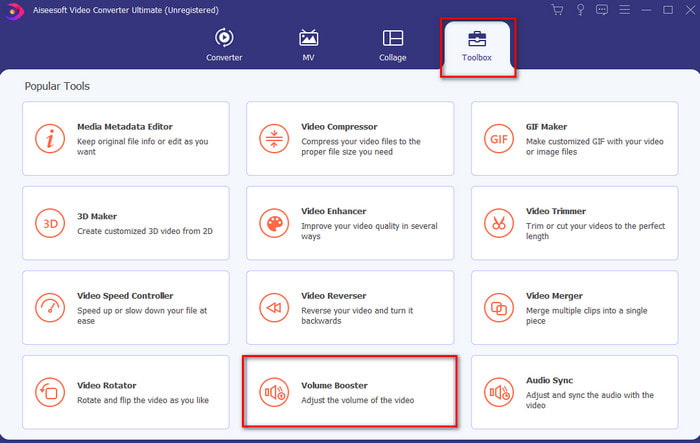
Steg 2. Klicka på Toolbox‑sektionen och välj Volume Booster.
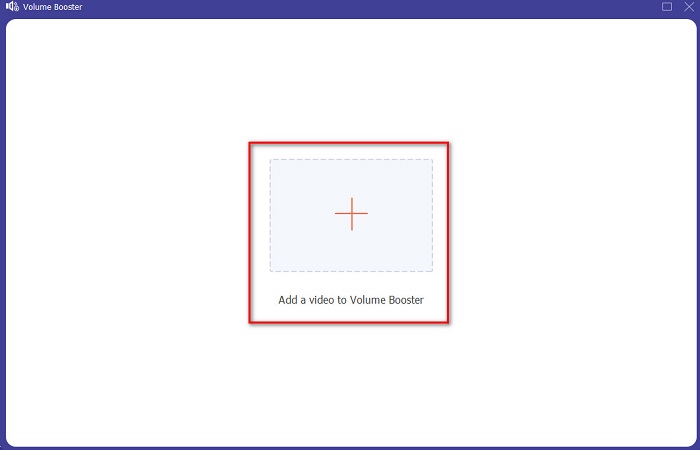
Steg 3. Klicka på +-knappen för att välja filen vars ljud du vill förstärka. Tryck sedan på Open för att fortsätta.
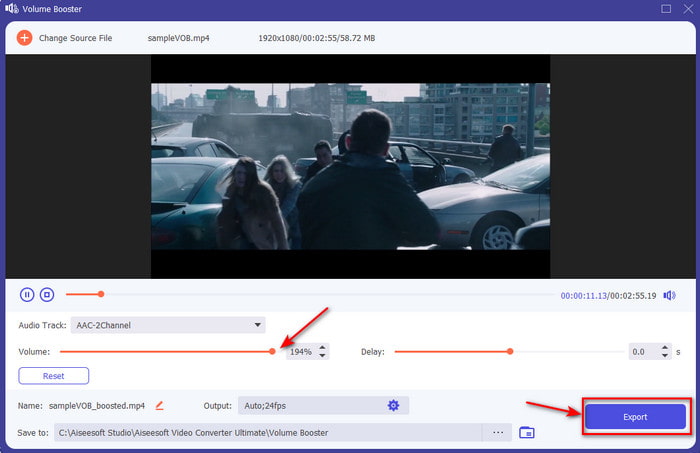
Steg 4. I gränssnittet kan du nu dra volymreglaget för att göra ljudet högre och tydligare. När du är klar med justeringen av ljudet klickar du på Export.
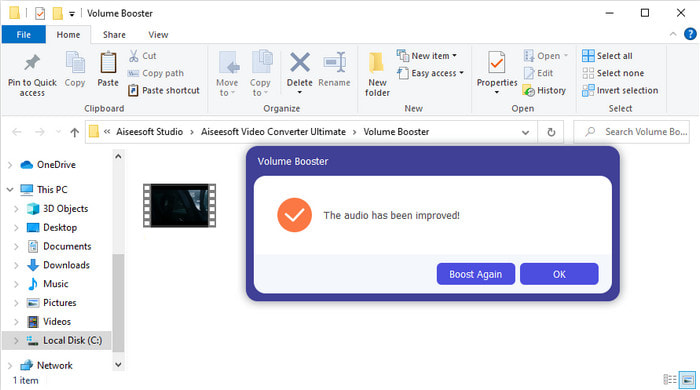
Steg 5. Vänta några sekunder tills processen är klar. När den är färdig visas ett fönster med filen du har förstärkt; klicka på filen för att lyssna på den.
Fördelar
- Denna programvara är lätt att använda och kan göra ditt ljud fenomenalt.
- Programvarans prestanda uppskattas mycket av dess kunder.
- Den är tillgänglig och lätt att ladda ner på PC och Mac.
Nackdelar
- Denna programvara stöder inte mobila enheter.
- Det här verktyget är betalt men det är inte så dyrt jämfört med de andra skrivbordsverktygen.
Relaterat:
Hur man höjer volymen på MP4‑video
Hur man åtgärdar ljudfördröjning i VLC
Del 2. 4 av den bästa ljudförstärkarappen som finns tillgänglig på iOS- och Android-mobiltelefoner
1. Volymförstärkning – Ljudförstärkare 4+ (iOS)
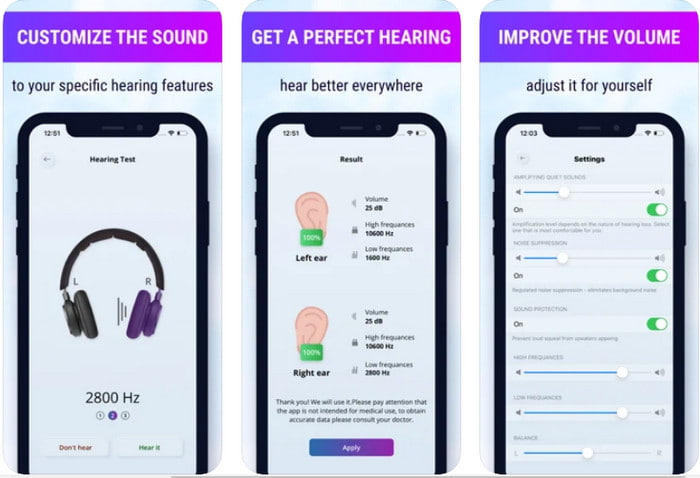
iOS‑användare kan enkelt ladda ner Volume Boost‑ Sound Amplifier 4+ gratis. Den här appen kan förstärka ljudet utan krångel med hjälp av automatisk justering, men du kan också ändra inställningarna manuellt. Dessutom fungerar appen bra som förstärkare, men den fungerar inte med Bluetooth‑högtalare och trådlösa öronsnäckor eller pods. Du kan också råka ut för många krascher och oundvikliga annonser när du öppnar appen. Även om appen kan laddas ner gratis finns det köp i appen för att ta bort annonserna och låsa upp fler funktioner.
Fördelar
- Gratis att ladda ner på alla iOS-enheter.
- Förstärk din högtalares ljud enkelt upp till 30db.
- Intuitivt gränssnitt och uppsättning.
Nackdelar
- Upplev många krascher, frysningar och buggar finns fortfarande på den här appen.
- Annonser är mycket att undvika.
2. Extra volymförstärkare - högtalare (Android)
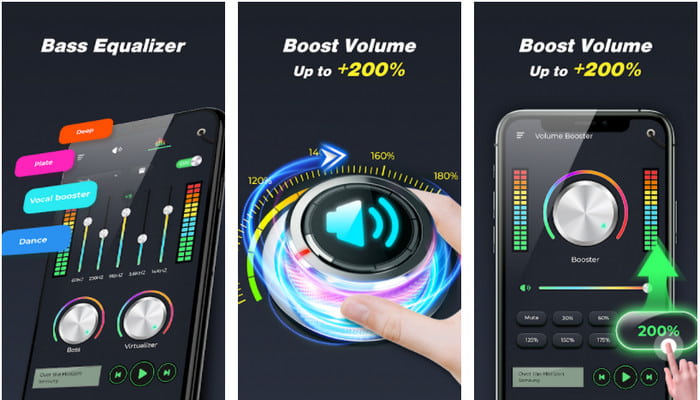
Om iOS‑användare har en ljudförstärkarapp i mobilen bör Android‑användare också ha något liknande, till exempel Extra Volume Booster. Många användare är redan mycket nöjda med appens prestanda eftersom den är bra på att förstärka och boosta ljudet. Men när du öppnar den här appen förstärks alla ljud som genereras av din telefon – ringsignal, alarm, aviseringar med mera. Det innebär att det inte finns några separata inställningar för dessa funktioner. Även om verktyget är gratis är det ändå på många sätt bättre än andra betalda appar på Android och till och med på iOS. Men om du drar upp volymen till 200% kan du räkna med att spräcka dina inbyggda högtalare eller Bluetooth‑högtalare som inte klarar ljud på 200%‑nivå.
Fördelar
- Förenklad version av förstärkaren kan du ladda ner på Android-enheter.
- Även om appens gränssnitt inte är mycket, är det bra.
- Olika förstärkning och förstärkning är tillgängliga i denna app.
Nackdelar
- Räkna med att stöta på otaliga annonser när du använder appen.
- När du använder verktyget finns det en chans att processorn eller telefonen blir varm.
3. Högtalarförstärkning: Volymförstärkare och ljudförstärkare 3D (Android)
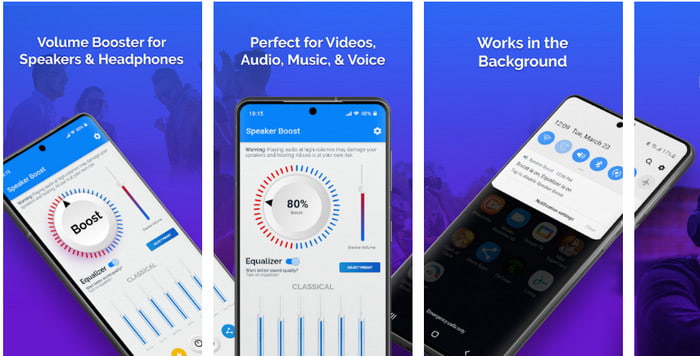
En annan Android‑app du kan använda som ger en utmärkt surround‑förstärkning är Speaker Boost. Precis som Extra Volume Booster är den här appen mycket träffsäker och ännu enklare att använda, även om du inte har någon tidigare erfarenhet. Du kan också ladda ner verktyget gratis, men det finns köp i appen som du kanske vill ha, till exempel för att ta bort irriterande annonser. Även om appen är helt okej att använda, är köp i appen här relativt dyra jämfört med de andra programmen på den här listan. Ett annat problem som oroar många användare är att appen fungerar trots annonsblockerare, och det finns en risk att den kan vara spionprogram.
Fördelar
- On-point för att enkelt öka ljudet och ändå är den kraftfull att använda.
- Ladda ner verktyget gratis utan krångel med att förstärka ljuden.
- Gör den manuella överstyrningen på equalizern.
Nackdelar
- Det här verktyget är ofullständigt vilket i princip betyder att det är under experiment.
- När du ökar ljudet finns det några förvrängningar du kommer att höra.
4. Bom: Bass Booster & Equalizer 4+ (iOS)
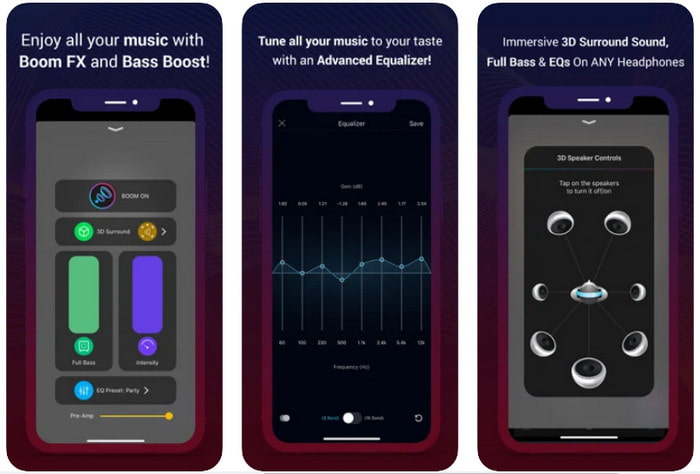
Om du letar efter en mer avancerad ljudförstärkarapp är Boom: Bass Booster ett bra val. Den här appen finns dock bara för iOS‑enheter och du kan inte hitta den på dina Android‑enheter. Hittills har verktyget fått mycket beröm från användare, men vissa format kan inte förstärkas. När du använder appen kan du dessutom räkna med vissa buggar och krascher. Dessutom kan appen upplevas som vilseledande för nya användare. Även om appens prestanda är helt okej behöver den fortfarande förbättras för att bli riktigt bra.
Fördelar
- Några av de avancerade funktionerna är tillgängliga här.
- Bärbara förstärkare som du enkelt kan använda.
- Appen får 4,1 stjärna av 5 stjärnor.
Nackdelar
- Inte det bästa valet för nybörjare på grund av den förvirrande gränssnittsstrukturen.
- De flesta ljudformaten stöds inte för att förstärkas med den här appen.
- Problem med buggar och förseningar händer fortfarande med appen.
Del 3. Vanliga frågor om ljudförstärkare
Vad är db?
Db betyder decibel och det här är måttenheten för att uttrycka ljudvågens styrka eller styrka. Med hjälp av decibel kan vi också enkelt avgöra vilket ljud vi är säkra att höra på länge. Och alla de 85 decibel nedan är mycket säkra att höra.
Vilka är nackdelarna med högt ljud?
Det är väldigt vanligt för oss att när vi utsätts för höga ljud kan hörseln skadas. Men visste du att detta kan resultera i illamående, huvudvärk, stress, trötthet med mera. Så om du är på väg att använda en förstärkare, använd den på rätt sätt och överanvänd den inte för att undvika de oundvikliga skadliga effekterna.
Varför hör jag några sprickor i mina högtalare?
Detta problem är mycket vanligt för högtalare med en mycket begränsad hertz kan hantera. Så om du ökar ljudet se till att högtalaren kan hantera det. Och om du hör något knäckande måste du sänka ljudet omedelbart. Men om du hör några sprickor även om du sänker ljudet så är det för sent.
Slutsats
Alla appar och program som presenteras här fungerar bra som förstärkare. Även om de program som nämnts ovan skiljer sig åt, har de liknande funktioner. Om du däremot letar efter den bästa ljudförstärkaren för PC och Mac är Video Converter Ultimate troligen det bästa valet. Den erbjuder nämligen fenomenala, avancerade funktioner som du enkelt kan använda. Så om du undrar om detta är det bästa valet, ladda först ner programmet till din hårddisk och följ sedan stegen ovan.
Gratis nedladdningFör Windows 7 eller senareSäker nedladdning
Gratis nedladdningFör MacOS 10.7 eller senareSäker nedladdning
-
 [Lätt] Hur man åtgärdar osynkroniserat ljud och video
 Anta att du'kommer att schemalägga din stream för imorgon, men när du kontrollerar din inställning är ljudet och videon osynkroniserade. Läs den här artikeln för att lära dig mer om detta problem.
-
 7 enkla steg för hur man åtgärdar OBS-ljudfördröjningsproblem [löst]
 Har du svårt att se ditt videoklipp efter inspelning på grund av ljudfördröjningen när du använder OBS Studio? Läs artikeln nedan för att lära dig hur du åtgärdar osynkroniserat ljud effektivt.
-
 Så här lägger du till ljud och musik till video gratis på din dator / telefon
 Den här artikeln visar 4 enkla sätt att lägga till ljud till video gratis. Oavsett vilket ljudspår du vill lägga till i din video kan du få tillfredsställande resultat här.
