


 Video Converter Ultimate
 Skärminspelare
 Video reparation
I detaljerade recensioner om de 3 webb- och skrivbordsomvandlarna som används för att konvertera WMV-filer till AVI
Det kommer att finnas tillfällen då du vill konvertera din fil till ett nytt format eftersom den inte går att spela upp. Ett utmärkt exempel i en sådan situation är WMV-formatet. Om du är Windows‑användare har du förmodligen redan hört talas om detta format. Det lagrar olika video- och ljudfiler i en och samma behållare. Detta format stöds dock inte av de flesta mediaspelare. Så det bästa sättet att titta på en videofil med filändelsen .wmv är att konvertera den. Om du ställer dig samma fråga som andra, kan du konvertera WMV till AVI? Försök då att gå vidare nedan, där vi samlar olika webbaserade verktyg du kan använda tillsammans med beskrivna steg.
Del 1. Topp 3 omvandlare till gratis Konvertera WMV till AVI Online
Topp 1. FVC Free Video Converter Online
Konvertering kan göras snabbt om du har internetåtkomst och använder den här FVC Free Video Converter Online. Denna programvara ger en mycket snabbare och bättre konvertering än andra webbaserade verktyg. Dessutom behöver du inte vänta på att filen ska laddas upp, eftersom verktyget är utformat för att du inte ska behöva vänta för länge. En annan bra sak med detta webbverktyg är det inbyggda biblioteket för konverterade videor som det erbjuder. Där kan du enkelt och effektivt komma åt de video- eller ljudfiler du har konverterat. Men om du inte har internetåtkomst kan du inte använda det, precis som med de andra webbaserade verktygen nedan. Om du vill prova det här verktyget följer här några steg du kan följa för att konvertera WMV till AVI gratis online.
Steg 1. Gå först till FVC:s huvudsida genom att klicka på den här länken.
Steg 2. Klicka sedan på Add Files to Convert för att installera webbverktygets startprogram. Du behöver inte oroa dig, det är bara några få byte och dessutom säkert. Om installationsfilen redan finns på din enhet klickar du på Add Files to Convert igen, väljer WMV-filen i mappen och klickar på Open.
Ladda ner Skrivbordsversionen för att konvertera filer i batch.
Steg 3. När WMV-filen ligger i gränssnittet ska du nu välja formatet AVI bland alternativen nedtill.
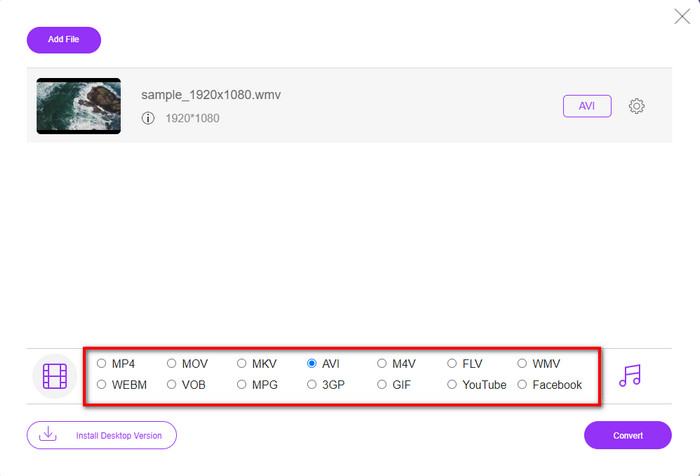
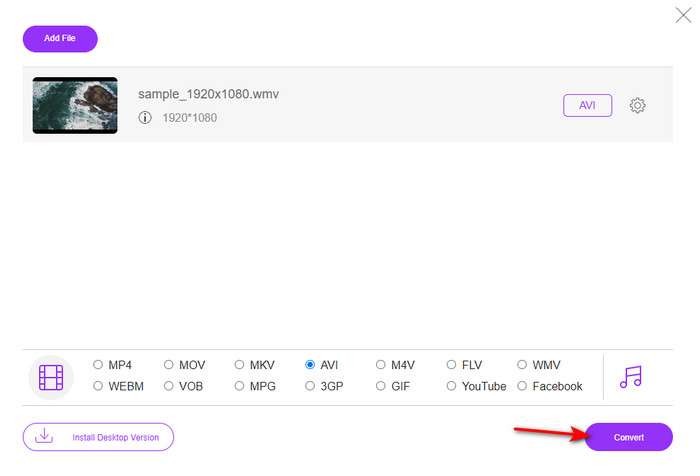
Steg 4. När du har valt format är det dags att konvertera genom att klicka på Convert.
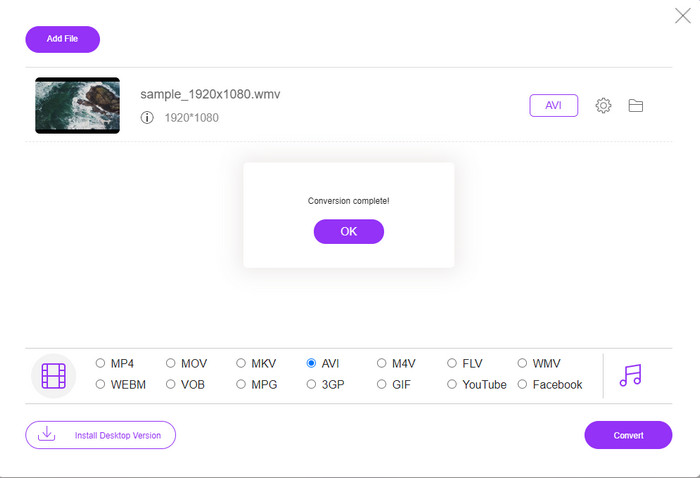
Steg 5. Vänta några minuter tills processen är klar; därefter visas en mapp med din konverterade fil på skärmen. Klicka på den för att titta på den nya WMV‑filen du har skapat med detta verktyg.
Topp 2. Convertio
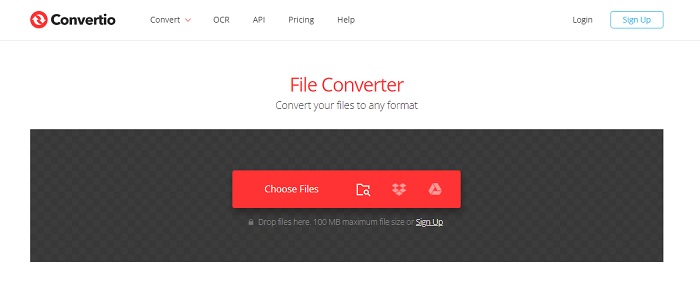
En annan onlinetjänst du kan använda för att konvertera WMV‑filer till AVI gratis är Convertio. Till skillnad från det första nämnda webbverktyget behöver du ingen startmodul för att använda det. Dessutom kan du konvertera PDF-filer, bilder, ljud och mycket mer med detta verktyg. Den stora nackdelen är dock att uppladdning och nedladdning av filer tar mycket tid. Det har inte heller något inbyggt bibliotek med alla filer du har konverterat. Om du vill använda detta som din konverterare följer du stegen nedan.
Steg 1. Öppna din favoritwebbläsare och sök efter Convertio.io.
Steg 2. Klicka på Choose File och leta upp WMV‑filen du vill konvertera i mappen. Klicka sedan på rullgardinsmenyn och välj AVI.
Steg 3. Uppladdningsprocessen kommer att ta en stund, och därefter klickar du på Download för att spara den konverterade filen.
Topp 3. CloudConvert
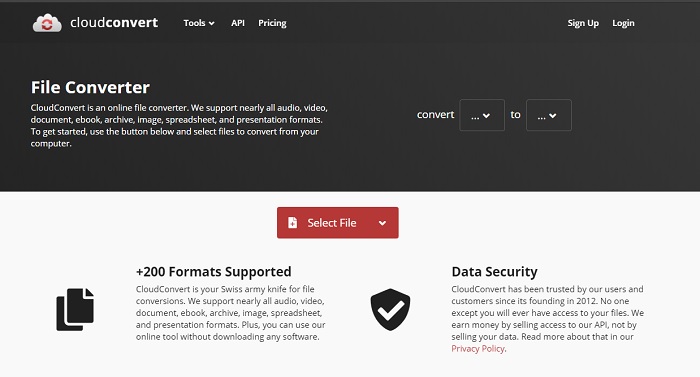
CloudConvert stöder ett mindre urval av format som du kan välja att konvertera mellan. Konverteringsprocessen här är också säker och sparar ingen historik över vad du har konverterat. Precis som Convertio har det här verktyget heller inget bibliotek. Och konverteringsprocessen är betydligt långsammare eftersom det inte stöder hårdvaruacceleration för att öka hastigheten. Vill du ändå prova att gratis konvertera WMV till AVI online följer du stegen nedan.
Steg 1. Öppna din webbläsare och sök efter CloudConvert.
Steg 2. Tryck på Select File och leta sedan upp WMV‑filen i mappen som visas på skärmen.
Steg 3. Klicka på Convert to, välj formatet AVI, klicka på knappen Convert och klicka sedan på Download efter konverteringen.
Del 2. Hur man ändrar WMV till AVI på Mac & PC med Lightning Speed Converter
De onlinetjänster som nämnts ovan kan inte mäta sig med vad FVC Video Converter Ultimate erbjuder sina användare. Om du letar efter ett multifunktionellt verktyg är detta det bästa valet. Du kan använda programmet som konverterare, redigerare, GIF‑skapare och mycket mer. Dessutom överträffar programmet förväntningarna både vad gäller funktioner och hastighet. Den övergripande prestandan imponerar, och om du också vill bli positivt överraskad kan du ladda ner denna fenomenala konverterare till din dator. Nu går vi vidare till hur du konverterar WMV till AVI på Mac och PC genom att följa den steg‑för‑steg‑guide vi har tagit fram nedan.
Steg 1. Innan du kan använda verktyget måste du först ladda ner det och välja den plattform du använder. Installera sedan programvaran på din dator; den snabba installationen tar mindre än en minut.
Gratis nedladdningFör Windows 7 eller senareSäker nedladdning
Gratis nedladdningFör MacOS 10.7 eller senareSäker nedladdning
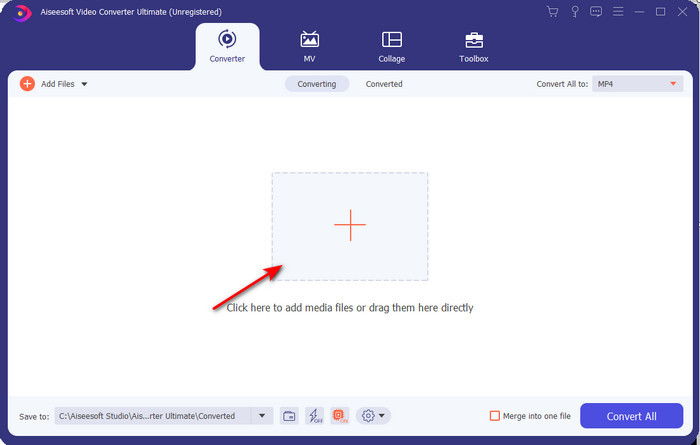
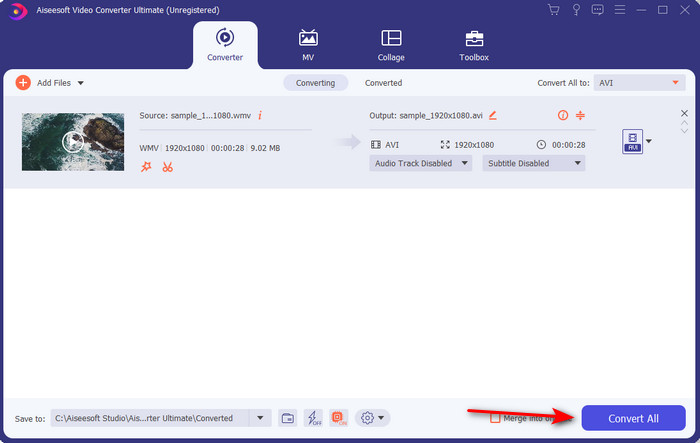
Steg 2. Öppna programmet för att gå vidare till nästa steg; efter start ser du ett +-tecken. Klicka på det för att lägga till filer och välj sedan Open.
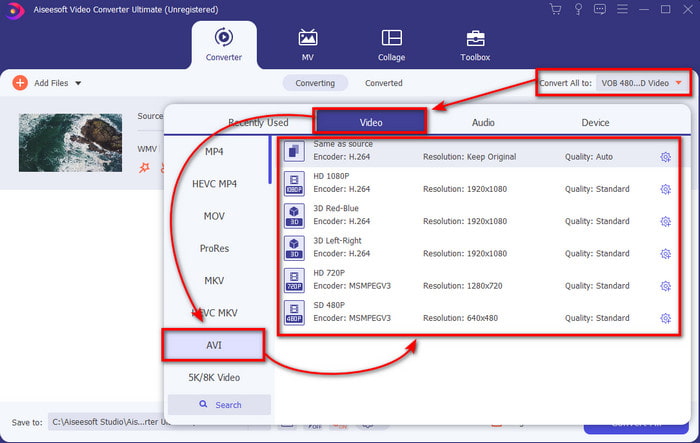
Steg 3. För att ändra format klickar du på rullgardinsmenyn för Convert All to och väljer AVI i undermenyn.
Steg 4. För att nu konvertera WMV‑filen till AVI med lyckat resultat klickar du på Convert All och väntar några sekunder tills processen är klar.
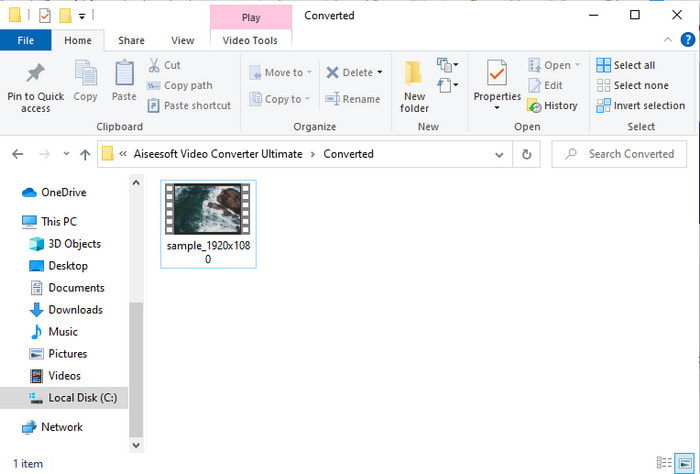
Steg 5. Efter konverteringen visas en mapp på skärmen med den konverterade filen du just skapade. Klicka på videofilen för att titta på den och njut av din konverterade WMV‑fil utan kvalitetsförlust.
Del 3. WMV VS AVI; Vilket format fungerar bäst
WMV och AVI är några av de förstklassiga videofilbehållare du skulle älska att använda. De två nämnda formaten kan innehålla högkvalitativ video och ljud, men låt oss nu avgöra skillnaderna genom att läsa den här jämförelsetabellen.
| WMV | AVI | |
| Också känd som | Windows Media Video | Audio Video Interlevans |
| Bäst användning för | Det brukade förvandla en stor fil till en mindre för välstrukturerad videoströmning online. | Används för att lagra video och ljud separat och spela upp dem samtidigt utan några förseningar. |
| Utvecklad av | Microsoft | Microsoft |
| Nackdelar med formatet | Det får mindre uppmärksamhet och stöd från mediaspelarna. | Den behöver en codec för att komprimera den här stora filen till en mycket mindre men inom en gräns. |
WMV kontra AVI
Producerat av Microsoft var WMV ett av de vanligaste videoformaten på 2000-talet. Den kan ses över webben och spelas upp av olika mediaspelare på Windows. Och det är också standardvideofilformatet för Windows Media Player. Men det har tagits över av andra format nyligen.
Baserat på Resource Interchange File Format (RIFF), introducerades AVI-formatet av Microsoft 1992. Det kan spara högkvalitativ video/ljud eftersom det använder mindre komprimering. Men det orsakar också den stora filstorleken på en AVI-fil, vilket kan vara ett problem när det finns begränsat utrymme.
Del 4. Vanliga frågor om WMV och AVI-format
Påverkar kvaliteten på omvandlingen av WMV till AVI?
Kvaliteten på WMV-filen när du gör om den till AVI får inte ändras. Anta dock att din WMV ändras och att kvaliteten sjunker. I så fall stöder omvandlaren du använder inte en högkvalitativ pixel av din video.
Ändras storleken på min WMV efter att jag konverterat?
Filstorleken på WMV kan vara lite annorlunda än den ursprungliga filstorleken. Det finns en anledning till att det förändras. En av anledningarna är att den komprimerade filen blir okomprimerad, så filstorleken ändras. Men ändringarna måste vara nära den ursprungliga filstorleken och bör inte vara så långt eller stora.
Kan jag använda WMV för att bifoga en video till ett e-postmeddelande?
Ja, det är idealiskt att använda WMV-format och bifoga videon till ett e-postmeddelande eftersom det stöder bättre och snabbare komprimering än MPEG-4, enligt Microsoft. Det är också känt som ett miniatyrformat på grund av hur liten filstorleken kan vara. Kvaliteten på videon kvarstår dock.
Slutsats
När vi avslutar är det lättare för oss att förstå att inte alla plattformar och programvara stöder WMV. Dessutom fungerar webbverktyget bra, men det finns ett verktyg som kan konvertera batchfiler mycket snabbare och enklare: FVC Video Converter Ultimate. Anta att du vill uppleva den fenomenala omvandlingen som denna programvara ger. I så fall måste du ladda ner detta nu på ditt skrivbord och använda det.
-
 Hur man konverterar WMV till MP4 gratis och online [löst]
 Hur konverterar jag WMV-filer till MP4? Här är de 4 enkla sätten att konvertera WMV till MP4 på Mac och Windows med enkla steg.
-
 WMV till MP3 – Hur man konverterar video till ljud gratis [ Desktop/Online ]
 När du tittar på en WMV-video finner du ljuddelen fascinerande. Därför vill du spela den på din MP3-spelare. Men uppenbarligen stöder din spelare inte WMV-format. Det får dig att undra om det finns ett sätt att konvertera WMV till MP3.
-
 2 enklaste sätten att konvertera WMV-filer till FLV på PC / Mac
 Hur kan du konvertera WMV till FLV? Först måste du läsa vår rekommendation och hitta din favoritmetod och sedan följa vår guide för att göra jobbet snabbt.

