


 Video Converter Ultimate
 Skärminspelare
 Video reparation
Praktiska verktyg du behöver veta som konverterar SWF till MOV [Löst]
Video- och vektorbaserade animationer finns i filer med ändelsen SWF, som skapas med Adobe Flash-programvara. ShockWave Format är ett annat namn för Small Web Format, vilket är den fullständiga förkortningen. SWF-filer används ofta för att sprida multimedieinnehåll över internet på ett effektivt sätt. Små webbapplikationer drar nytta av ActionScript, som kan lagras i detta format. Om du undrar om det finns en gratis SWF till MOV‑omvandlare eftersom du inte kan spela upp en fil med detta format, är den här artikeln perfekt för dig, eftersom den presenterar de bästa och mest effektiva verktygen du kan använda för att konvertera videofiler. Då sätter vi igång!
Del 1. Förord: SWF & MOV
SWF är en filtyp som används för att överföra text, video, vektorgrafik och ActionScript över internet. Adobe Flash Player krävs för att använda SWF-filer. SWF-filformatet är avsett att vara ett resurseffektivt överföringsformat som inte bara kan användas för att skicka grafik utan även för kantutjämning (anti‑aliasing) och visning på skärmen, med mera. Kantutjämning är avgörande för snabb rendering av bitmappsbilder och deras tillhörande egenskaper, såsom interaktiva knappar, skuggning och animation.
MOV-filer kodas däremot med Apple QuickTime Movies riktlinjer för kodning och datakomprimeringsstandarder, och videofiler som produceras i detta format har filändelsen .mov. Standarder och komprimeringskriterier för digitala filmer och andra videoklipp har utvecklats exklusivt av Apple. Eftersom dessa MOV-filer är kodade med stöd för kompatibilitet mellan plattformar kan de spelas upp både på Mac- och Windows-baserade digitala videospelare. Windows Media Player har också inbyggd uppspelningsfunktion för dessa MOV-filer, som kan öppnas och visas med Apple QuickTime Player eller VLC Media Player på både Mac- och Windows-plattformar.
| Filtillägg | SWF | MOV |
| Filtyp | ShockWave Flash-film | Apple QuickTime-film |
| Utvecklad av | Adobe Systems | Äpple |
| Fördelar | Webbanimering möjliggörs genom användning av ett fritt skriptbart visuellt format. Eftersom grafiken är vektorbaserad kan storleken ändras utan svårighet. laddas på kort tid; | Varje fil har högkvalitativa ljud- och videokomponenter som sparas på oberoende spår och kan redigeras för både tid och innehåll. Filerna kan ses av många olika gratis videospelare. |
| Nackdelar | Intensiv CPU-användning; en SWF-video kan inte spelas upp förrän Flash-plugin-programmet är installerat på datorn; det krävs dyr programvara för att göra bland annat; | QuickTime-miljö ger mer stabil prestanda; Ändå kan en specifik codec krävas för att öppna filen a.mov. |
Del 2. 3 effektiva verktyg för att konvertera SWF till MOV
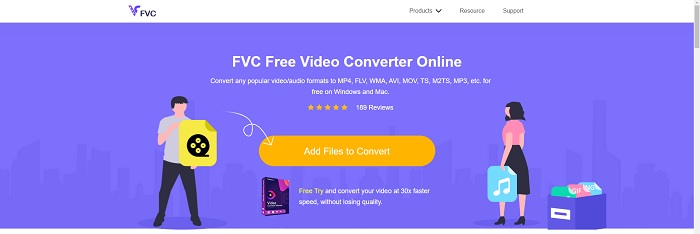
Alternativ 1. Gratis Video Converter Online
Det är möjligt att konvertera en mängd olika video- och ljudformat med FVC Free Video Converter Online. Högupplöst video kan enkelt konverteras till codecs som MP4, FLV och WMV utan att man förlorar kvalitet. Du behöver inte oroa dig för kvalitetsförlust när du konverterar många video- eller ljudfiler. Detta kostnadsfria videokonverteringsverktyg är välkänt för sina konverterings- och redigeringsfunktioner, som gör att användare kan anpassa sina videor precis som de vill.
Fördelar
- Den stöder många videofilformat.
- Konverterade utgångar är av hög kvalitet.
Nackdelar
- Eftersom det är ett webbverktyg online behöver det en snabbare anslutning för att konvertera video med stor filstorlek.
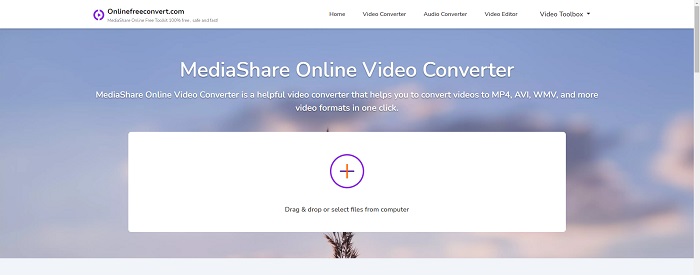
Alternativ 2. Online gratis konvertera
När du omkodar din video är denna gratis onlineapplikation det bästa alternativet. Denna applikation erbjuder två alternativ för att göra saker enkelt och lätt att använda: filtyp och upplösning. Följ instruktionerna på skärmen för att använda denna onlinekonverterare.
Fördelar
- Den har ett tillgängligt och användarvänligt gränssnitt.
- Den erbjuder andra verktyg som kan förbättra videokvaliteten.
Nackdelar
- Den har inte många videoformat den stöder.
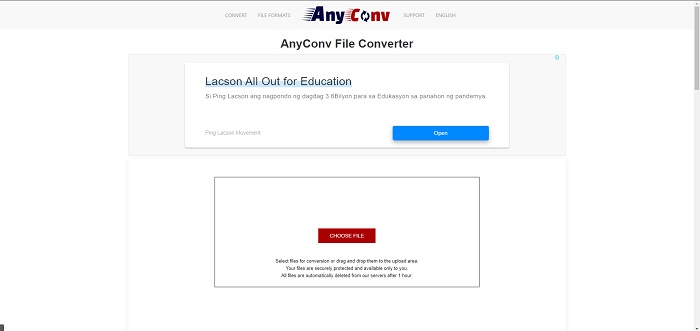
Alternativ 3. Alla konv
AnyConv är en onlinekonverterare med ett holländskt användargränssnitt. Även den kommersiella utgåvan av denna applikation är gratis. AnyConv inkluderar också en konverteringsbegränsning på 60 filer per timme. Med hjälp av onlinekonverteraren kan du konvertera filer upp till 50 MB i storlek och välja mellan över 300 olika utdataformat.
Fördelar
- Den har ett brett utbud av format; den stöder även icke-video- och ljudformat som dokument.
- Den ger anvisningar för hur du använder denna omvandlare.
Nackdelar
- Den visar annonser som inte hjälper eller passar konverteringsprocessen eller själva innehållet.
Del 3. Hur man konverterar SWF till MOV på Mac
Det här inlägget föreslår Video Converter Ultimate för Mac-användare som vill konvertera SWF till MOV. Både Windows- och Mac-versioner av denna programvara finns tillgängliga för gratis nedladdning. Ett brett spektrum av användare kan dra nytta av den eftersom den har ett lättanvänt verktyg och ett enkelt gränssnitt. Med detta program kan du konvertera filer från ett videoformat till ett annat på ungefär en minut, vilket särskiljer det från andra konverteringsprogram och internettjänster. Dessutom har denna programvara ett antal ytterligare funktioner som kan hjälpa dig att förbättra din video ännu mer. Om vi antar att du har läst igenom beskrivningen av programvaran, så kör vi igång:
Steg 1. För att påbörja nedladdningen högerklickar du helt enkelt på ikonen Free Download som finns nedan. Denna programvara är kompatibel med datorer som kör både Windows och Mac OS. När du har laddat ned programmet kan du installera det och börja använda det genom att välja knappen Start Now på programmets huvudsida.
Gratis nedladdningFör Windows 7 eller senareSäker nedladdning
Gratis nedladdningFör MacOS 10.7 eller senareSäker nedladdning
Steg 2. När du har laddat ned programmet ska du starta det. Denna information visas i ett fönster när programvaran öppnas för allra första gången.
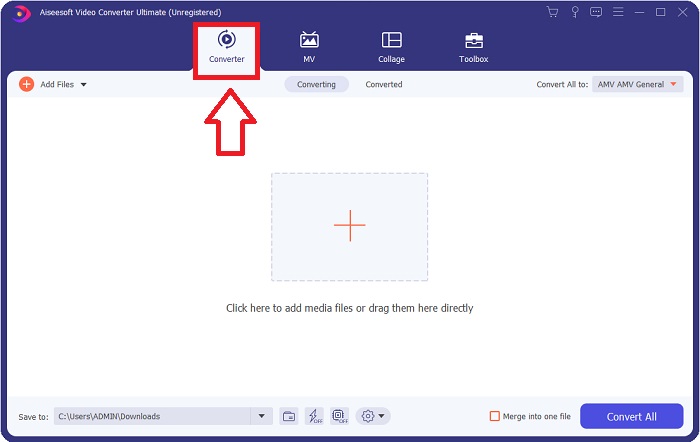
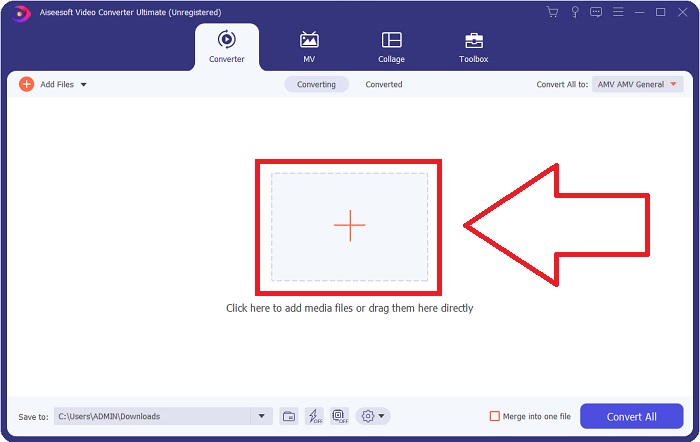
Steg 3. Själva konverteringsprocessen inleds med att du laddar in de filer du vill konvertera i omvandlaren. Dra och släpp videon du vill konvertera på +-tecknet för att starta konverteringsprocessen.
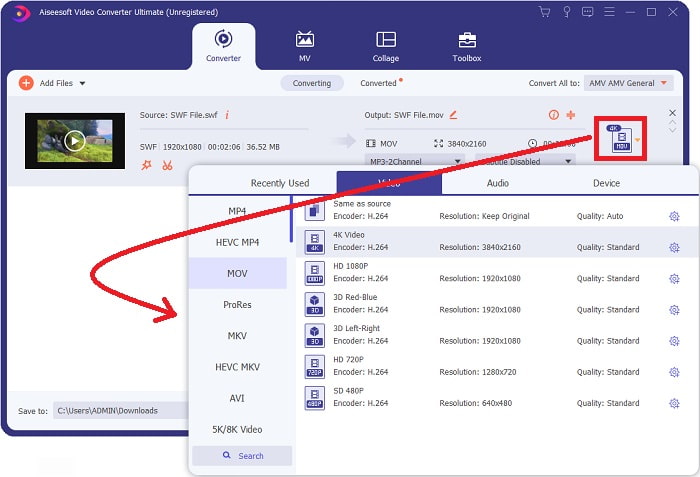
Steg 4. En meny med alternativ visas uppe till höger på skärmen, där du kan välja videoformat. Välj MOV som videoformat i rullgardinsmenyn som visas. Beroende på vilken MOV-fil du har valt kommer du att kunna välja mellan olika alternativ för videokvalitet. Om ditt önskade videoresultat inte finns tillgängligt kan du justera kvalitetsinställningarna i Windows. Du kan justera bildrutefrekvensen och ljudkvaliteten genom att klicka på kugghjulsikonen uppe till höger. Använd knappen Create New för att spara dina ändringar när du har gjort dem.
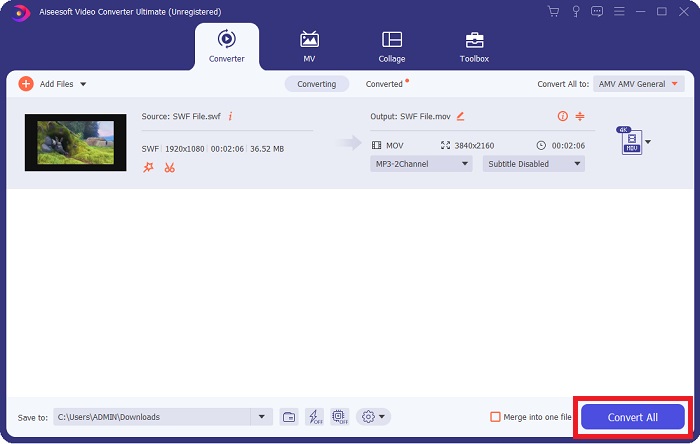
Steg 5. När du har redigerat videon klart och den är redo att konverteras klickar du på Convert All för att starta konverteringsprocessen.
Relaterat:
Del 4. Vanliga frågor om SWF till MOV-konvertering
Är SWF ett videoformat?
Video- och vektorbaserade animationer kan hittas i SWF-filer, som skapas med Adobe Flash-programvaran. Det är dock också känt som Shockwave Format, vilket är den fullständiga förkortningen av SWF. Det här filformatet utvecklades ursprungligen av Macromedia och ägs nu av Adobe.
Är SWF-filer säkra?
Specifikt är Flash utsatt för en mängd olika typer av sårbarheter. På grund av det faktum att SWF-filen laddas ner till klienter och körs på deras datorer är din server ingen fara. Men även om du försöker kontrollera SWF-filerna för skadlig programvara kommer du bara att få minimalt skydd.
Vilken webbläsare stöder fortfarande Flash 2021?
Adobe Flash kommer att fasas ut i Firefox 84, nästa stora version av webbläsaren. För att förbättra hastigheten och säkerheten kommer Firefox 85 (som planeras att släppas den 26 januari 2021) att ta bort stödet för Adobe Flash.
Slutsats
Avslutningsvis bör allt som har diskuterats i den här artikeln omsättas i praktiken genom att använda programvaran som nämnts ovan. Video Converter Ultimate gör det enkelt att konvertera videofiler och kan ge dig ett genomgående kvalitativt resultat. Till skillnad från andra verktyg eller program som finns på internet ger den här programvaran dig en lättillgänglig upplevelse med ett riktigt mästerverk.
-
 SWF till MP4: Gratis konvertera SWF till MP4 online och PC
 Hur öppnar jag SWF-fil utan Adobe Flash Player? Ta den gratis topp 3 SWF till MP4-omvandlaren för att gratis byta SWF till MP4 online och på PC / Mac inom tre steg.
-
 [2 lösningar] Hur man enkelt konverterar SWF till GIF -filer gratis
 När du inte exporterar GIF-format via Flash-programvara kan du först försöka spara filerna i SWF-format. Sedan kan du lära dig två enkla sätt att konvertera SWF till GIF-filer från den här artikeln.
-
 Bästa GIF-konverteraren för att konvertera animerad GIF till MOV-format [2021]
 Konvertera din GIF till MOV-format på ett enkelt sätt utan att påverka kvaliteten på videofilen. Med steg och olika verktyg också.
