


 Video Converter Ultimate
 Skärminspelare
 Video reparation
Hur man konverterar VOB till MOV med de mest skickliga verktygen [Gratis och enkelt]
In the case of a DVD, a VOB file is a movie data file that is typically kept in the VIDEO TS folder at the root of the DVD. It contains a large portion of the material recorded on a disc, which includes video and audio files and subtitles, DVD menus, and other navigational content. However, the QuickTime File Format (QTFF) is a multimedia container file format that can be used to save a MOV file. Media data, including video, audio, and text, can be stored on one or more tracks (subtitles). To save video files, MOV files are often utilized.If you have a second thought of his video format and need to know all the details about it or how to convert it to other video formats using different converters? This is the right article for you, presenting the best and easiest ways to convert VOB to MOV.

Del 1. Vad är VOB och MOV?
Majoriteten av data på en DVD finns i detta filformat, som inkluderar digital video, ljud, navigeringsinnehåll, DVD-menyer och undertexter. VOB-filer lagras i mappen VIDEO TS och är kärnan i alla DVD-videor. Detta är data för en film. MP2-, DTS-, AC3- och MPEG-2-videoströmmar härleds alla från denna plats. Filer som sparats i VOB-format kan ha krypterats. VOB är en typ av videofil som är mycket för WMV. VOB-filtillägget används för VOB-filer. Till exempel är VOB-formatet baserat på MPEG-programströmformatet, men det inkluderar ytterligare begränsningar och kriterier i den privata sektorn.
Nevertheless, In the QuickTime framework of Mac, the MOV file extension indicates the QuickTime video format, developed by Apple. The Windows platform also supports this multimedia container's capacity to store several tracks, each one containing a specific sort of data (audio, video, subtitles). Video editing programs can benefit significantly from separating media data from media offsets, abstract data references, and track edit lists. For sharing movies and videos on the internet, the MOV video container is a popular choice.
| Filtillägg | VOB | MOV |
| Filtyp | DVD-videoobjektfil | Apple QuickTime-film |
| Utvecklad av | N/A | Äpple |
| Fördelar | Hög kvalitet; DVD-skivor kan göras av den. | Utmärkt videokvalitet; lämplig för webbsändning; distinkt separation av huvudelementen |
| Nackdelar | 4,7 GB för 2 timmars film, vilket är mycket utrymme | Det här formatet har en större filstorlek än andra populära streamingformat. |
Del 2. Hur man konverterar VOB till MOV [Mac & Windows]
Starting with converting VOB to MOV offline, this best tool is the most reliable in restoring a wide range of formats. Video Converter Ultimate can convert VOB to MOV in the fastest way possible. Plus, you can change the quality output of the video before you upload the file. This converter also has different tools that can help you improve your video file to the next level. Since it supports a massive amount of video formats, you won't have to worry about converting unfamiliar video formats to your desired format. Now that you have learned about this best converter, you can now learn the procedures given below:
Steg 1. Börja med att klicka på knappen Free Download nedan för att starta nedladdningen. Du kan välja att ladda ned programvaran för Windows eller Mac, beroende på vad du föredrar, när nedladdningen är klar. Innan du bara kör programmet måste du installera det på datorns skrivbord och klicka på Start Now för att komma igång.
Gratis nedladdningFör Windows 7 eller senareSäker nedladdning
Gratis nedladdningFör MacOS 10.7 eller senareSäker nedladdning
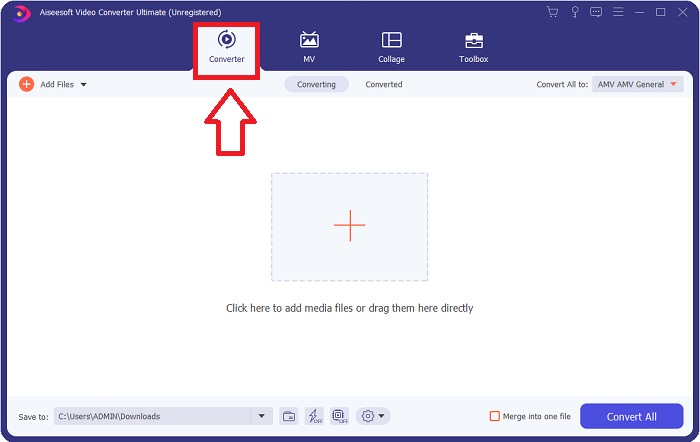
Steg 2. Starta det nedladdade programmet. När du startar programmet första gången öppnas ett fönster med gränssnittet Converter. Det är här du lägger in din videofil och börjar konverteringen.
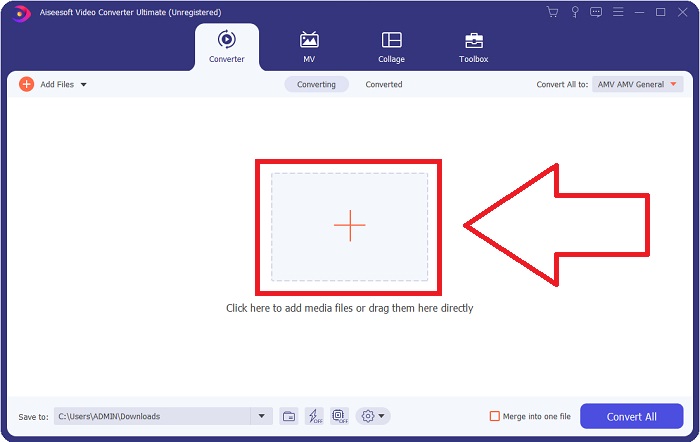
Step 3. Import your files into the converter to begin the conversion process. Drag and drop the video file you want to convert onto the + icon.
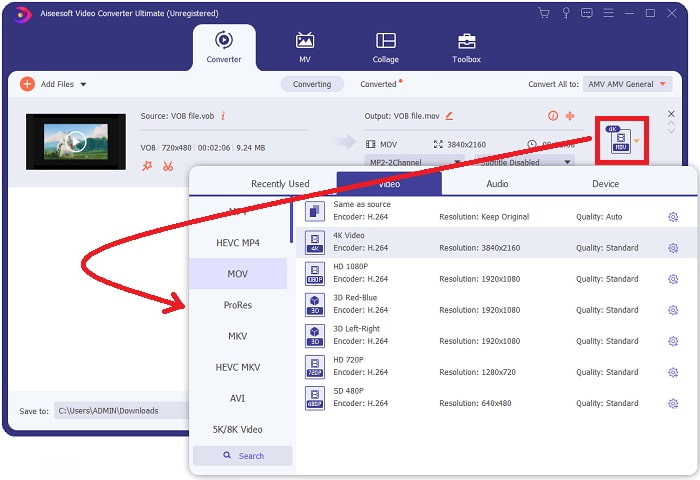
Step 4. Select a video format from the list in the upper-right corner of the screen. Locate and select the MOV file type from the drop-down menu. There are several video qualities options available once you've chosen an MOV format. However, if your preferred video output isn't listed, you can change the quality settings to suit your needs. You can alter the display's resolution, frame rate, and even audio quality by clicking the gear icon. To keep your changes, click the Create New button.
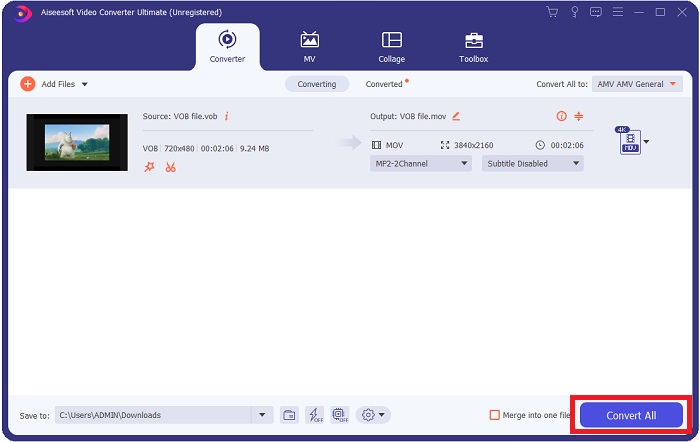
Steg 5. När du har redigerat klart videon och den är redo att konverteras, klicka på Convert All för att påbörja processen och spara den på din dator.
Del 3. Hur man konverterar VOB till MOV [Online]
If you don't have time to download the Video Converter Ultimate, you can also use this online version of the software. Free Video Converter Online is the best online web tool you can access on the internet that can convert many varieties of formats in a fast manner. Other than an online converter, this converter doesn't limit formats it can support. That's why it is recommended to use for some beginner users. To know more about this online web tool, here are the procedures given below.
Step 1. Navigate to the main website of this online converter by clicking on the link here.
Step 2. If this is your first time using it, click the Add Files to Convert button to download the launcher for your computer. It will automatically launch when it has been downloaded once more. Select the file from your folder and click Open after it has been downloaded once again.
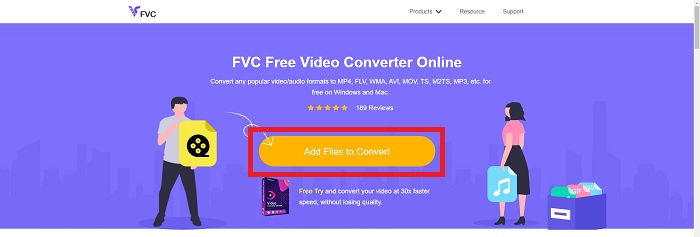
Step 3. Before the conversion process begins, select the MOV format from the category list of Video below by clicking on it.
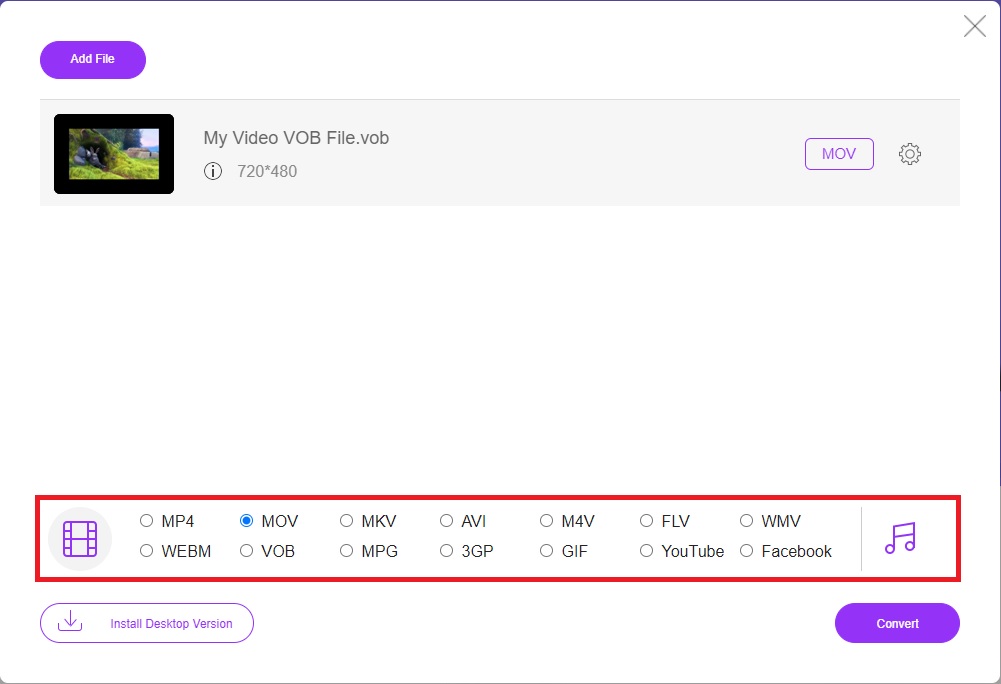
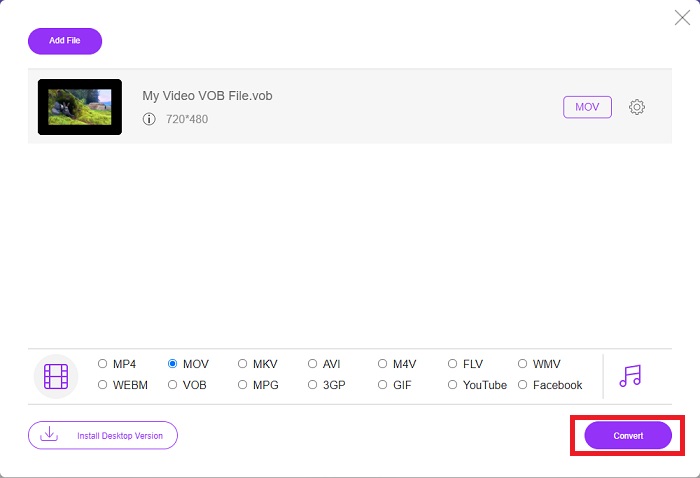
Steg 4. När du har valt format klickar du på Convert för att starta processen med att konvertera filen till ett annat format.
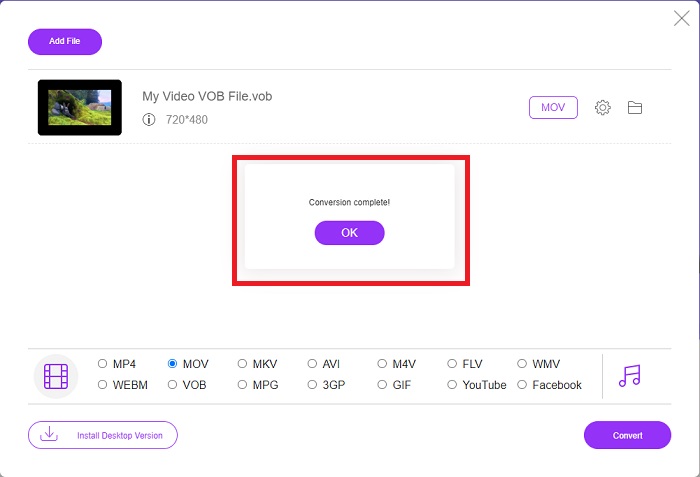
Steg 5. Efter några minuter visas en mapp med den konverterade filen; klicka bara på den för att börja titta på videon.
Del 4. Vanliga frågor om att konvertera VOB till MOV
Varför är VOB-filer så stora?
There is no reason for the big downloads other than the videos themselves (including audio). Because the video codecs use variable bit length encoding, they are diverse in length. It's, therefore, possible to encode the same number of images into a variety of various file sizes. Click here to learn how to compress large VOB files.
Är VOB detsamma som DVD?
För videoobjekt använder DVD-Video-media VOB (förkortning för videoobjekt). Undertexter, DVD-menyer och navigeringsinformation kan alla inkluderas i en VOB-fil, som är en fil i flera format. Kryptering är möjlig för VOB-filer.
Vad innehåller MOV-filen?
Det är möjligt att använda MOV-filer för att lagra och synkronisera flera former av media, inklusive video, ljud, tidskod och text. Det finns en mängd olika codecs som kan användas för att koda ett visst innehåll. När det kommer till komprimering använder MOV-filer vanligtvis MPEG-4-codec.
Slutsats
Overall, it is clear to state the differences between the software or online converter given above, and they always have flaws and good qualities in using them. But if you choose to use a very professional-wise and user-friendly converter, the software Video Converter Ultimate is the best recommended to use. As the article said about this video converter, they are nothing compared to another competitor in achieving the standard this software has brought. They can't get to the level of how excellent this software is.
-
 8 bästa MOV-spelare att spela QuickTime MOV-filer med originalkvalitet
 Lär dig bara mer om de 8 bästa MOV-spelarna som finns tillgängliga för både Windows och Mac. Du kan välja önskad och lämplig för att spela MOV-filer med originalkvaliteten.
-
 MKV till MOV - Hur konverterar man MKV till MOV
 Hur konverterar jag MKV till MOV på Mac? Kan iMovie läsa MKV? Vad betyder MOV-format? Det här inlägget berättar om två enkla sätt att hjälpa dig konvertera MKV till MOV med gratis online och professionella videokonverterare.
-
 FLV till MOV - Hur man konverterar FLV till MOV på Mac / PC / gratis online
 Hur konverterar man FLV till MOV? Hur konverterar jag FLV till MOV på Mac? Finns det något gratis sätt att konvertera YouTube FLV till MOV online? Detta inlägg delar 3 FLV till MOV-omvandlare för att ändra FLV-filer till MOV.
