


 Video Converter Ultimate
 Skärminspelare
 Video reparation
Ta reda på vilka 7 redigerare för populära musiketiketter som finns tillgängliga på räckhåll
En mediaspelare har en inbyggd meta‑redigerare för att redigera eller lägga till musiktaggar genom att fylla i artistens namn, titel och genre. Men de flesta begränsar vad de kan erbjuda för att hjälpa användarna att lägga till taggar eller metadata. Är inte det frustrerande? Som tur är är det bästa sättet att hantera redigering av metadata att använda en metadataredigerare på din telefon. Men frågan är: vilken app ska du använda? Vilken app passar dina behov när det gäller att redigera metadata? Om du ställer dig samma fråga behöver du inte oroa dig. För i dag går vi igenom de sex bästa apparna du kan använda för att redigera detta på dina enheter, så läs noggrant för att lära dig mer om appar för redigering av musikmetadata som du kan ladda ner och använda.

Del 1. Ultimate Music Tag Editor tillgänglig att använda på Windows och Mac
Om du har en Windows‑dator eller Mac för att redigera metadata, vilket verktyg ska du då använda? Då föreslår vi att du förlitar dig på FVC Video Converter Ultimate. Till skillnad från taggredigerare kompletterar det här verktyget alla behov du har eller vill lägga till i din metadata med några få klick. Föreställ dig detta: alla appar du kan erbjuda finns samlade i det här verktyget, förutom automatiska taggar. Viktigare är att du kan redigera, ta bort och uppdatera alla taggar i din ljudfil genom att följa stegen nedan. Så för att redigera musiktaggar på Windows 10/11 eller Mac hjälper handledningen nedan dig att göra det.
Steg 1. För att ladda ner metadataredigeraren på din Windows‑dator eller Mac trycker du på rätt knapp nedan. När nedladdningen är klar klickar du på filen för att installera appen, följer installationsprocessen och öppnar sedan verktyget.
Gratis nedladdningFör Windows 7 eller senareSäker nedladdning
Gratis nedladdningFör MacOS 10.7 eller senareSäker nedladdning
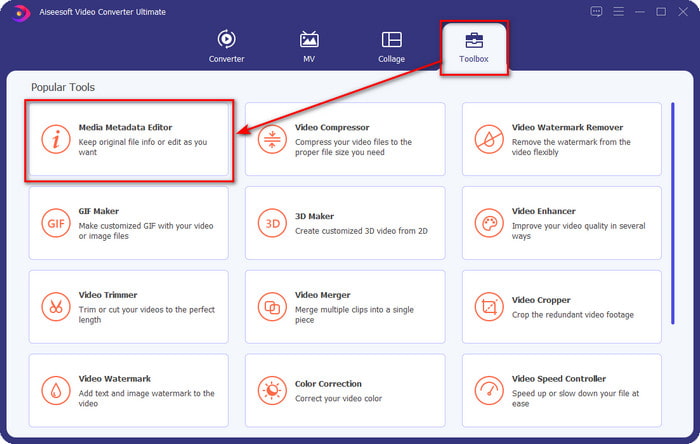
Steg 2. Gå till avsnittet Verktygslåda, leta upp och klicka på Media Metadata Editor i listan som visas.
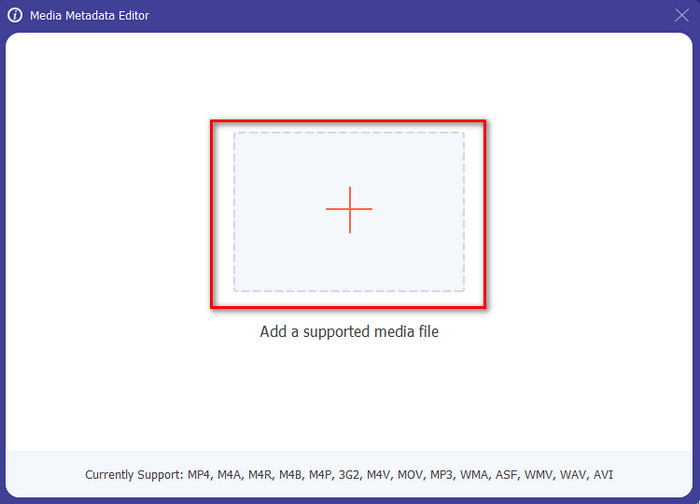
Steg 3. Genom att trycka på ikonen + visas en mapp på skärmen; hitta ljudfilen du vill redigera och tryck på Öppna för att gå vidare till nästa steg.
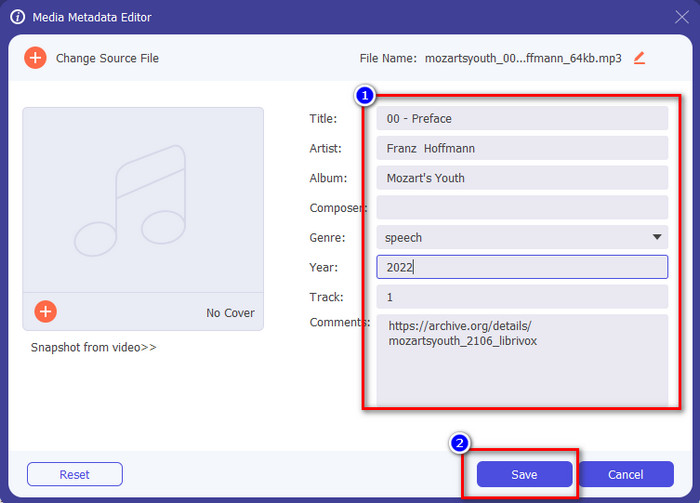
Steg 4. Uppdatera ljudfilens tagg genom att skriva in den i textrutan. Efter det måste du klicka på Spara, så uppdateras alla taggar du har ändrat. Även om du överför filen till din mobiltelefon är taggarna fortfarande intakta i ljudfilen.
Relaterat:
Del 2. 6 av de bästa Music Tag Editor-apparna på Android- och iOS-enheter
Automatisk Tag Editor
Enhet som stöds: Android
Betyg i Play Store: 4,4 stjärnor
Recensioner eller omdömen: 81 332 personer
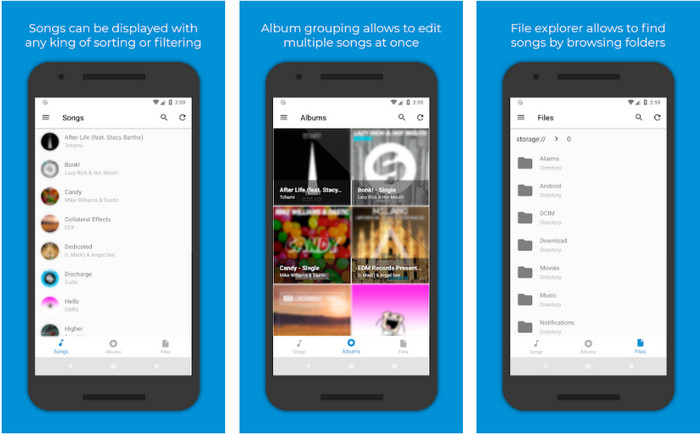
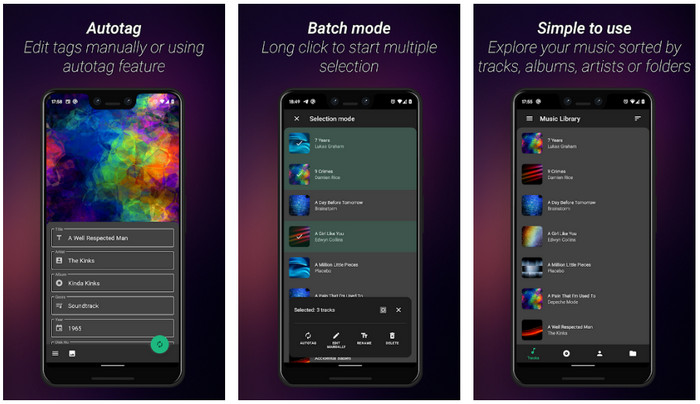
Du kan använda Automatic Tag Editor, den bästa redigeraren för musikmetadata, om du är Android‑användare. Den här appen är perfekt för att redigera taggar i dina ljudfiler på mindre än en minut. En annan bra sak med den här appen är att den har en automatisk metadataredigerare för att fylla i eller uppdatera data i dina filer, särskilt om du har köpt den digitala kopian. Den stöder flera olika taggar som den kan fylla i, såsom titel, genre, år och mycket mer, för att hjälpa dig att känna igen filen ännu bättre. I den senaste uppdateringen har många användare märkt att vissa fel och buggar uppstår när man använder appen på Android. Den stöder också vanliga musikformat som du kan ladda upp, som MP3, M4A, OGG, FLAC, WMA och WAV.
Star Music Tag Editor
Enhet som stöds: Android
Betyg i Play Store: 4,0 stjärnor
Recensioner eller omdömen: 293 598 personer
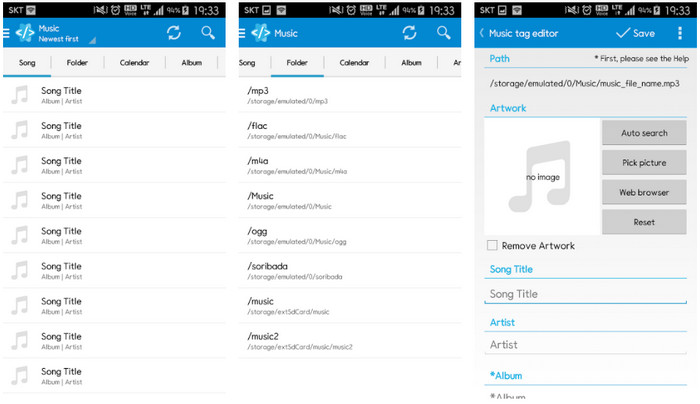
Star Music Tag Editor är ännu en musiktagg‑redigerare du kan ladda ner från Play Store. Den här appen är utmärkt eftersom den har ett enkelt gränssnitt (GUI) som gör den lättare att förstå än vad andra appar erbjuder. Precis som det första verktyget stöder den också autosökning som effektivt fyller i dina musiktaggar. Även om appen är lätt att använda och har mycket att erbjuda finns det fall där den inte är lika effektiv som vissa säger. När vi försökte redigera metadata i den här appen hände det ibland att ändringarna inte sparades. Dessutom, när du ska spara metadatan visas en popup‑text på skärmen som säger ”invalid audio frame exception” med den nya musiken, på grund av en skadad fil. Men vissa användare har inte det problemet när de använder appen, så om du vill använda den kan du ladda ner den från Play Store.
Music Tag Editor - Mp3 Tagger | Gratis musikredigerare
Enhet som stöds: Android
Betyg i Play Store: 3,8 stjärnor
Recensioner eller omdömen: 11 378 personer
Om du har problem med felaktiga taggar kan du använda Music Tag Editor - Mp3 Tagger | Free Music Editor för att snabbt fixa musikmetadata. Det här verktyget kan fylla i övriga uppgifter om du först matar in låtnamn och artistnamn för att söka fram rätt taggar. Med den här appen kan du enkelt lägga till taggar till flera olika ljudfiler samtidigt. Dock tar de automatiska taggsökningar som appen erbjuder lång tid på sig att samla in information, och ibland inkluderar de irrelevanta taggar. Dessutom, när du ska lägga till en bild på ljudspåret bifogas inte bilden till det spår du har redigerat.
Ever Tag: Music Tag Editor 4+
Enhet som stöds: iOS
Betyg i Play Store: 4,7 stjärnor
Recensioner eller omdömen: 1,1 tusen personer
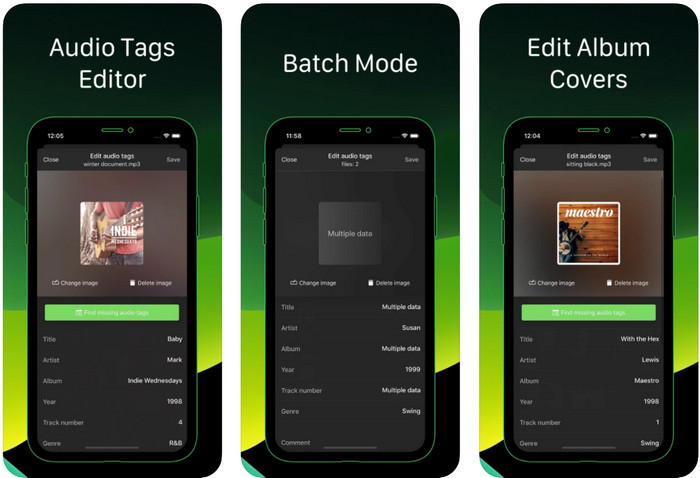
Lär dig hur du redigerar musiktaggar på iPhone med hjälp av Ever Tag: Music Tag Editor 4+. Den här appen på iOS stöder flera olika ljudformat, så det är enklare än någonsin att ladda upp metadata; samma sak gäller när du ska redigera uppgifterna. Dessutom erbjuder appen dig olika uppsättningar av metadatafält att lägga till i din ljudfil genom att fylla i dem ett och ett, från titel ända till betyg. Nackdelen med att använda appen är att den inte kan fylla i taggar automatiskt med autosökning, vilket andra Android‑appar kan erbjuda. Även om appen säger att den har batchbearbetning för att redigera metadata går det i praktiken inte att göra. Men om du vill prova och använda appen kan du ladda ner den från App Store nu.
Musiktagggenerator
Enhet som stöds: iOS
Betyg i Play Store: 4,5 stjärnor
Recensioner eller omdömen: 55 personer
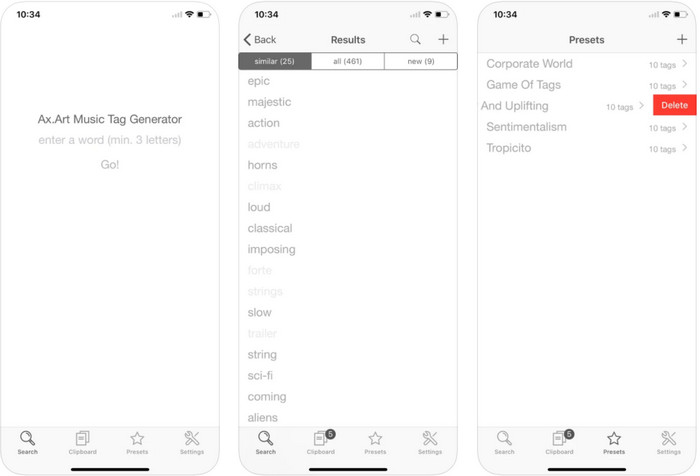
Även om Music Tag Generator inte är lika populär som de andra redigerarna kan du ändå se och redigera vad en tagg i musik är. Det här verktyget är din lilla hjälpapp för att hitta och ordna musikspår efter taggar. Förutom att ordna taggarna kan du också använda appen för att ändra metadata utifrån dina behov och organisera dem. Även om appen kan hjälpa dig att redigera är den fortfarande inte lika bra som de andra redigerarna i den här artikeln. Den har ett enkelt gränssnitt, men dess funktioner är inte så omfattande som du kanske förväntar dig.
iTunes
Enhet som stöds: iOS
Betyg i Play Store: 4,9 stjärnor
Recensioner eller omdömen: 1,4 tusen personer
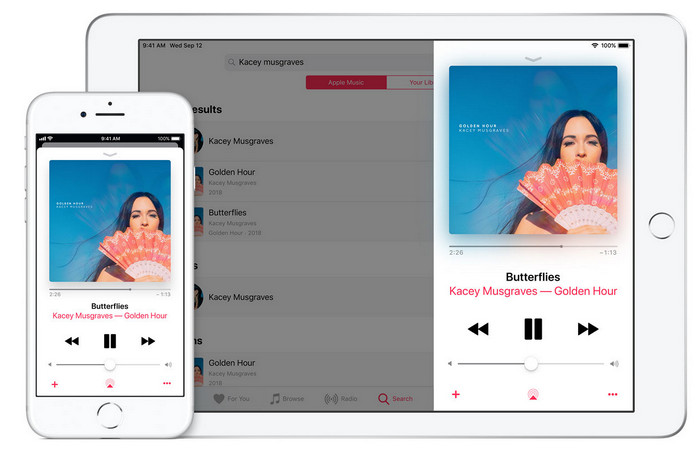
Den här appen har ett inbyggt musikbibliotek som du kan köpa, ladda ner och använda på. iTunes är inte din typiska metadataredigeringsapp som du kan använda på din iOS eftersom den här appen är känd för att lagra musik som vad Spotify kan erbjuda. Även om musiken du kan hitta i den här appen har metadata och taggar, kan du fortfarande ändra eller uppdatera taggarna enligt dina önskemål. Du kan dock inte enkelt redigera eller uppdatera taggarna med den här appen eftersom det finns ett krav du behöver innan du lär dig att tagga musik i iTunes.
De flesta av de nämnda apparna här har en auto-tagg, som kan hjälpa dig att automatiskt lägga till taggar eller metadata till ljudfilen du har. Den här funktionen har dock brister, till skillnad från att manuellt lägga till orelaterade taggar på din fil. Om du vill undvika dessa misstag, låt oss gå vidare till den bästa musiktaggredigeraren på PC genom att läsa del 2.
Del 3. Vanliga frågor om Music Tag Editor
Vad är ID3-taggen?
Du kan se dessa ID3-taggar ofta på musik eftersom de innehåller data om mediafilen, speciellt ljud. Genom att lägga till ID3-taggar till din ljudfil kan du ordna filen baserat på den mediaspelare du använder.
Har inspelning av ljud på telefoner taggar?
Ja, den har taggar och metadata. Taggarna är dock inte heltäckande som de andra mediefilerna har.
Varför blir min ljudfil skadad efter att ha lagt till metadata?
Anledningen till att ditt ljud är korrupt handlar inte om metadata du lägger till eller tar bort, utan det handlar om verktyget du använde för att redigera taggarna för din fil. Så om du vill undvika denna omständighet måste du välja det perfekta verktyget som hjälper dig att enkelt lägga till eller ta bort metadata. Och kom ihåg att om processen startar, se till att du inte avbryter processen med att redigera metadata,
Slutsats
Nu behöver du välja vilken app du vill använda för att redigera din musikmetadata. Se till att du väljer en app som finns på din plattform så att du enkelt kan ladda ner den från Play Store eller App Store. Men om du tycker att du behöver ett verktyg som presterar allra bäst ska du använda det ultimata verktyget på datorn. FVC Video Converter Ultimate ger det bästa sättet att enkelt lägga till taggar till din musik. Men innan du kan använda verktyget måste du ladda ner det först och följa instruktionerna vi presenterar i del 2. Läs noggrant för att få veta mer.
-
 5 enklaste sätten att ta bort metadata i alla mediefiler
 Hur tar man bort metadata? Är det svårt att göra det? Behöver jag köpa eller använda ett gratisverktyg för att ta bort taggar? Alla dessa frågor har svar i den här artikeln.
-
 Topp 5 metadataextraktorer tillgängliga online och offline [2022]
 Du kan hitta flera metadataextraktorer på marknaden, men idag väljer vi bara de fem mest utvalda taggextraktorerna enligt publiken.
-
 Topp 5 videometadataredigerare för 2022 [Opartisk granskning]
 Vill du se din videometadata? Om så är fallet, läs detaljerna nedan för att förstå ämnet till fullo och veta vilket verktyg som passar dig bäst.
