


 Video Converter Ultimate
 Skärminspelare
 Video reparation
 Säker nedladdning
Hur konverterar du MP4 till OGG Free & Online
MP4 är en digital multimedia-behållare som lagrar video, ljud och undertexter. OGG är ett gratis och öppet containerformat för effektiv streaming och filkomprimering. Ibland måste du konvertera MP4 till OGG-format för att spela på vissa ljudspelare. Detta inlägg delar 3 gratis MP4 till OGG-omvandlare för att konvertera MP4 till OGG utan krångel.

Del 1. Professionellt sätt att konvertera MP4 till OGG gratis
If you want to find the best MP4 to OGG converter, you can try FVC Free FLV to MP4 Converter. It is the free and easy-to-use video converting software for Windows and Mac. You can convert various videos like MP4, FLV, MOV, MKV, MTS, M2TS, etc. to OGG with ease. Moreover, it offers editing features to add themes, adjust author, time, provider at the beginning/ending part.

- Konvertera videor i MP4, MKV, AVI, MOV, MP3, AAC, AIFF, etc. till OGG.
- Exportera OGG-videor och förlustfri ljudfil från MP4-fil med ett klick.
- Låt användare redigera leverantör, titel, författare, tid och lägga till tema.
- Batchkonvertera MP4 till OGG för att spela på vissa bärbara ljudspelare.
Gratis nedladdningFör Windows 7 eller senareSäker nedladdning
Gratis nedladdningFör MacOS 10.7 eller senareSäker nedladdning
Step 1. After downloading, install and launch FVC Free FLV to MP4 Converter on your Windows or Mac. Click Add Files button to load the MP4 files from your computer. If you want to convert several MP4 files at one time, just upload them all.
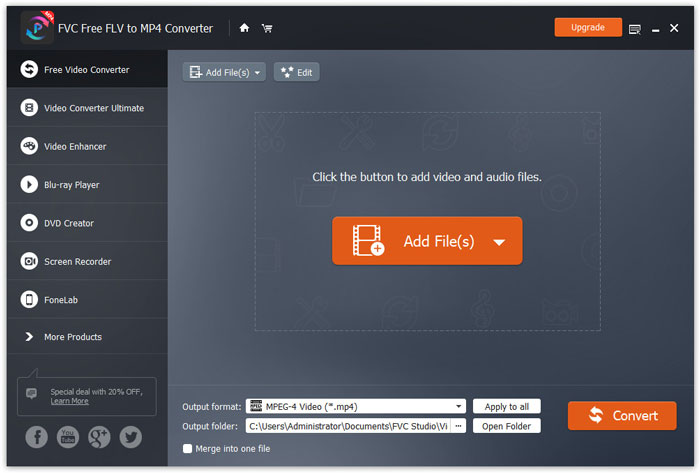
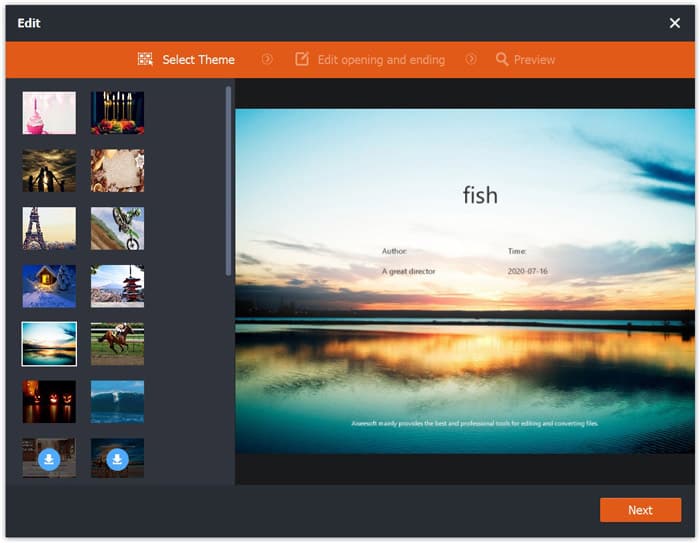
Step 2. Click on your MP4 file and click Edit button. You can add a theme to your MP4 file, and edit the opening and ending content. Then click Next to preview and save the changes.
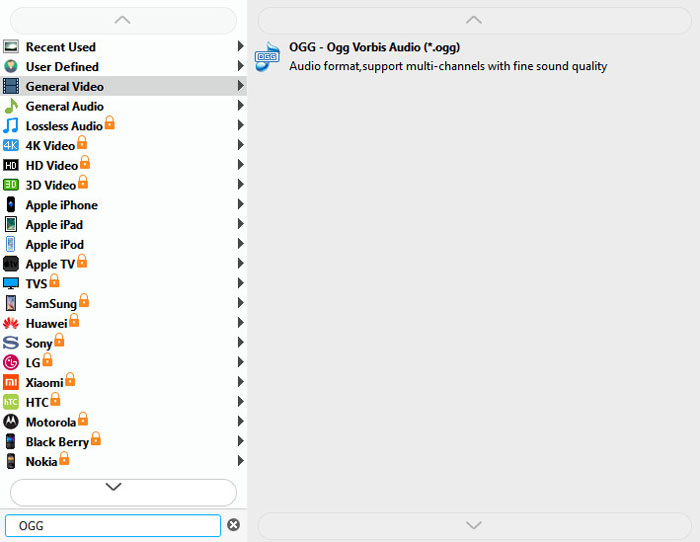
Step 3. Click the drop-down Output format button at the bottom, and search OGG format from the list. You can select OGG - Ogg Vorbis Audio (*.ogg) as the output format.
Step 4. Browse the output folder on your computer and click Convert button to start changing MP4 to OGG.
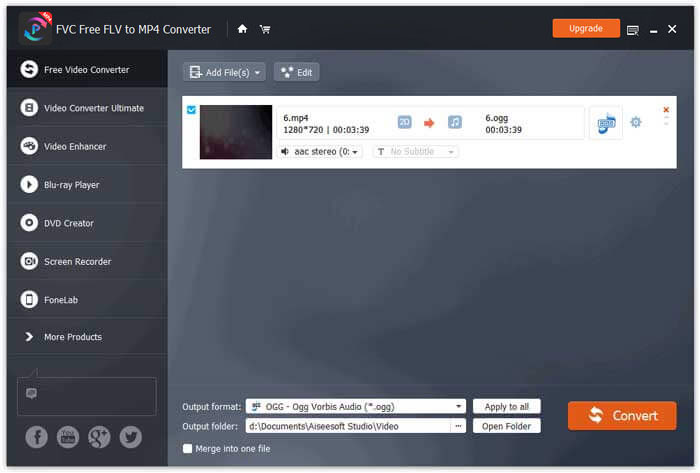
With FVC Free FLV to MP4 Converter, you can also combine several MP4 files into one.
Del 2. Så här ändrar du MP4 till OGG Online
Jämfört med en stationär omvandlare är det en tidsbesparande metod att använda en online-omvandlare för att konvertera MP4 till OGG. Det finns många online MP4 till OGG-omvandlare du kan välja. I den här delen kommer vi att dela 2 MP4 till OGG-omvandlare för att omvandla dina MP4-filer till OGG online gratis.
1. Zamzar
Zamzar är en multifunktionell online-plattform för videokonverterare, ljudkonverterare, bildkonverterare och eBook-omvandlare. Med Zamzar kan du enkelt konvertera MP4 till en mängd andra format som OGG. Här är enkla steg för att konvertera MP4 till OGG med Zamzar online.
Step 1. Go to www.zamzar.com/convert/mp4-to-ogg/, and click Add Files button to upload your MP4 files.
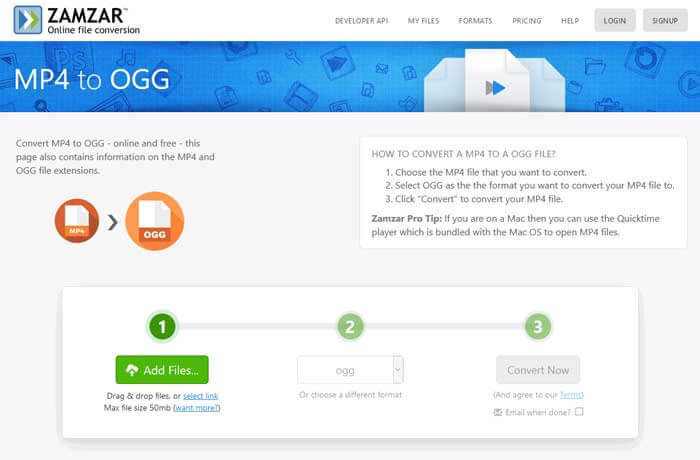
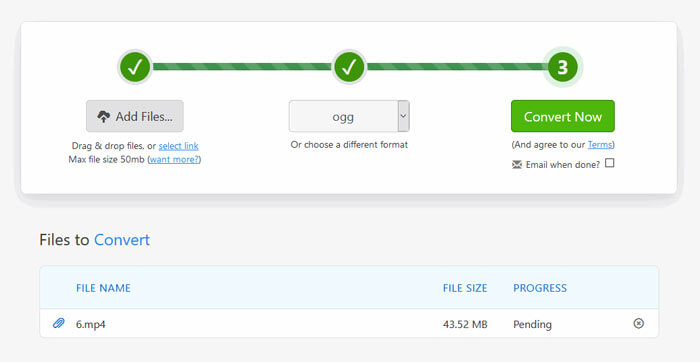
Step 2. The default output format has been set to ogg already. Click Convert Now button to start converting MP4 to OGG.
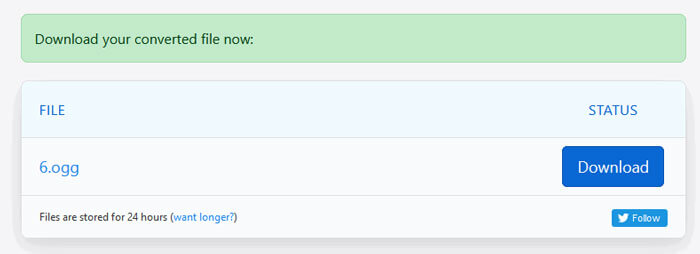
Step 3. Then it will jump to another page. You can click Download button to save the converted OGG file to your computer.
When you are converting a MP4 file in large size, the conversion may get stuck using Zamzar. You need to refresh the page and convert again. If you want a smooth conversion, FVC Free FLV to MP4 Converter can help you a lot. (See more MP4 players here)
2. Convertio
Convertio är ett enkelt verktyg för att konvertera dokument, bilder, kalkylark, e-bok, ljud- och videofiler. Med hjälp av Convertio kan MP4-filerna konverteras till MP3 med utmärkt noggrannhet. Följ stegen nedan för att exportera OGG från MP4 med Convertio.
Step 1. Go to Convertio MP4 to OGG Converter (convertio.co/mp4-ogg/). Click Choose Files button to upload your MP4 files. You can also add MP4 files from Dropbox, Google Drive, or copy the URL.
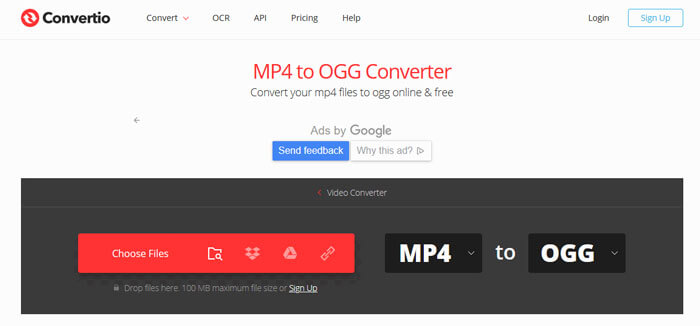
Step 2. Choose OGG from the drop-down icon, and then click the gear icon to set the codec, quality, audio channels, frequency, volume. You can cut the MP4 file to the wanted part.
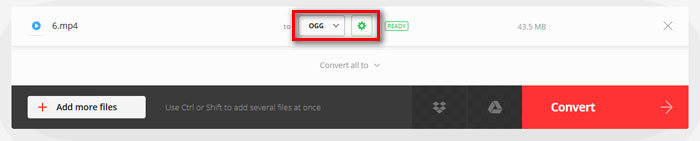
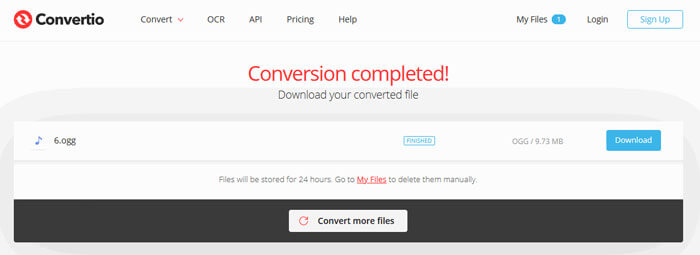
Step 3. After all is set, click the Convert button to convert MP4 to OGG. After conversion, click the Download button to save the converted OGG file to your computer.
Del 3. Vanliga frågor om konvertering av MP4 till OGG
1. Vad är OGG-videoformat?
OGG är ett gratis och öppet containerformat som kan innehålla musik, video, text som undertexter och metadata.
2. Vilken spelare kan spela OGG-fil?
Det finns många bärbara spelare som kan spela OGG-filer som VLC, Windows Media Player, Adobe Audition, Audials, MPlayer och mer.
3. Hur konverterar jag MP4 till MP3?
With the help of FVC Free Online Video Converter, you can easily convert MP4 to MP3 online. Go to this online site and click Add Files to Convert button to install the launcher. Then select the MP4 files from computer, and check MP3 as the output format. Click Convert button to convert MP4 to MP3.
Slutsats
Vi introducerade främst 3 MP4 till OGG-konverterare för att konvertera MP4 till OGG-filer online och offline. Med skrivbordet FVC Free FLV to MP4 Converter kan du enkelt exportera OGG-filen med öppen källkod från MP4. Tveka inte att lämna en kommentar om du har bättre lösningar.
-
 WebM till MP4 | Konvertera WebM till MP4 gratis
 Hur tittar jag på WebM-filer utan webbläsare? Du måste konvertera WebM till MP4. Här är topp 10 gratis WebM till MP4-omvandlare för att ändra WebM till MP4 online och på Mac och Windows-dator.
-
 MP4 till FLV | Topp 3 gratis omvandlare
 Det här inlägget är den detaljerade guiden till MP4 till FLV-konvertering. Du kan ta de tre bästa gratisomvandlarna för att enkelt byta MP4 till FLV online, på Windows eller Mac-dator.
-
 Topp 6 sätt att kombinera MP4-filer på Windows / Mac / Online
 Vill du slå samman dina råa MP4-filer till ditt projekt? Detta inlägg samlar de 6 bästa sätten att hjälpa dig att enkelt kombinera MP4-videor på Windows, Mac och online.
