


 Video Converter Ultimate
 Skärminspelare
 Video reparation
 Säker nedladdning
4 bästa MP4 till SWF-omvandlare för att konvertera MP4 till SWF med hög kvalitet
När du delar några MP4-videor till din webbplats eller sociala mediasidor måste du ha en attraktiv ögonblicksbild. Naturligtvis kan du också konvertera MP4 till SWF-filer, som kan spelas upp automatiskt. Lär dig mer information om de 4 gratis MP4 till SWF-omvandlarna och välj önskad enligt dina krav.

Del 1: 4 Bästa metoderna för att konvertera MP4 till SWF
Topp 1: Konvertera MP4 till SWF via FVC Free Online Video Converter
FVC Free Online Video Converter is a versatile MP4 to SWF converter to convert any popular video/audio format to SWF with ease. Moreover, it enables you to edit the video bitrate, sample, frame rate and resolution according to your need.
- 1. Enkelt användargränssnitt för att konvertera MP4-filer till SWF online med några få klick.
- 2. Justera videohastighet, samplingsfrekvens, bildhastighet, upplösning, volym och mer.
- 3. Stöd omvandling av de flesta vanliga videor med originalkvaliteten.
- 4. Konvertera MP4 till SWF utan storleksbegränsning, vattenstämpel eller registrering.
Step 1. Go to the MP4 to SWF converter online, you can click the Add Files to Convert button. If it is the first time you convert the MP4 files, you should download the video downloader launcher beforehand.

Step 2. After that, you can select the desired MP4 video you want to convert from your computer. Moreover, you can also click the Add File button to load more MP4 files for batch conversion.
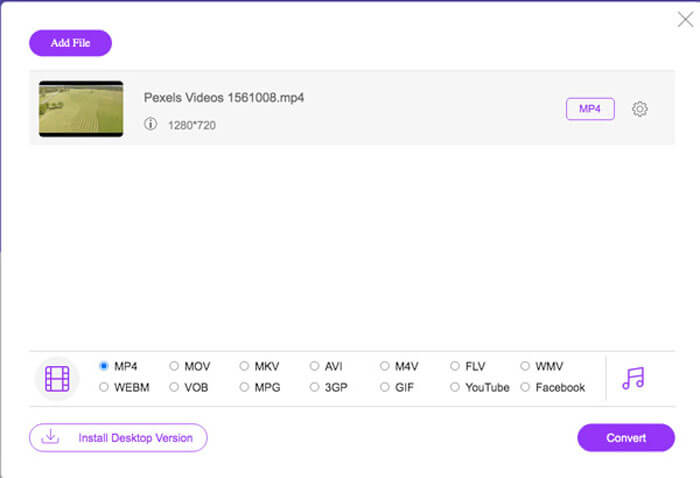
Step 3. Choose the SWF or FLV as the output format from the bottom. You can also click the Gear icon to adjust the video encoder, frame rate, video bitrate, sample rate and more settings.
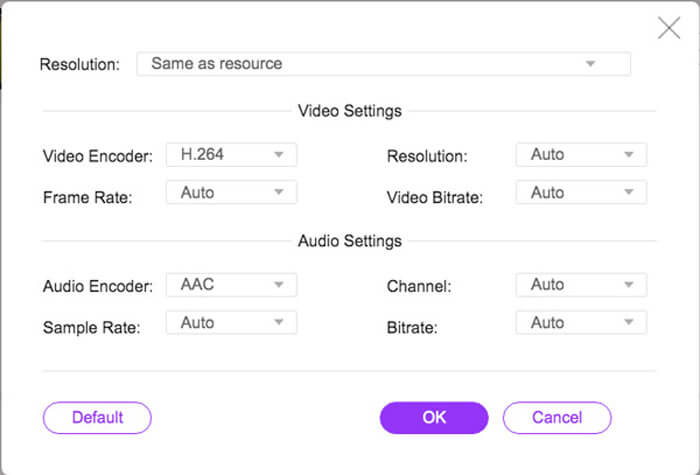
Step 4. After that, you can click the Convert button to convert MP4 to SWF on your computer. It enables you to convert multiple MP4 to the desired video format within a batch process. (See how to convert SWF to MP4)
Topp 2: Omkod MP4 till SWF med Convertio
Convertio är en annan online MP4 till SWF-omvandlare som stöder mer än 45 filformat. Det gör att du kan ladda MP4-filer från olika källor, till exempel hårddisk, Dropbox, Google Drive och mer andra. Du kan också justera inställningarna för utgångsvideorna.
1. Ge en mängd olika metoder för att lägga till MP4-filer, som hårddisk, moln, etc.
2. Stöd för mer än 200 format, inklusive MP4, SWF, ljud och mer.
3. Skicka e-postmeddelanden för att meddela dig när MP4 till SWF-konverteringen är klar.
4. Justera videokvaliteten, bildfrekvensen, CBR, ljudkod och mer.
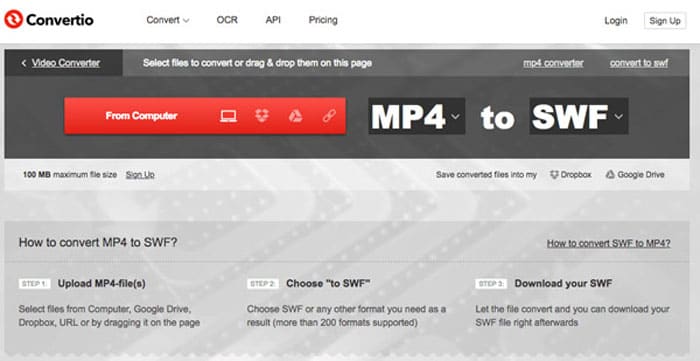
Step 1. Head to Convertio on any browser, you can choose the MP4 option as the input format and the SWF as the output format. Then you can choose the MP4 videos from your computer hard drive, Google Drive and Dropbox.
Step 2. If you need to adjust the video settings, you can click the Advanced option to tweak the frame rate, CBR, VBR, audio codec, audio volume and more other settings to convert MP4 into SWF as desired.
Step 3. After that, you can click the Convert button to turn the loaded video into SWF format. It takes a period of time for the conversion process. You can click the Download button to save the SWF file.
Topp 3: Byt MP4 till SWF via CloudConvert
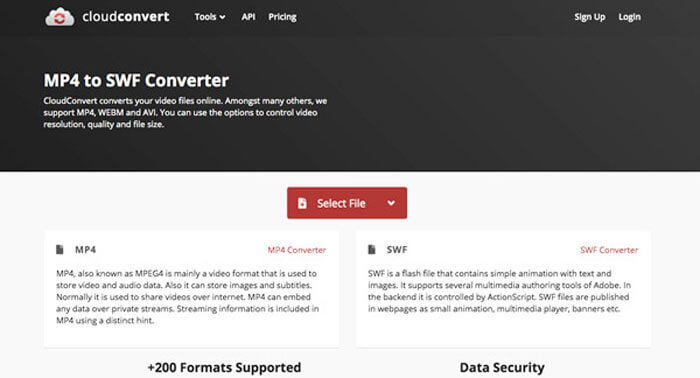
CloudConvert gör att du kan konvertera de flesta filformaten, till exempel MP4, SWF, WebM, AVI och fler andra. Dessutom kan du också använda alternativen för MP4 till SWF-omvandlare för att enkelt styra videoupplösning, videokvalitet och filstorlek.
1. Stöd för mer än 200 filformat, till exempel ljud, video, dokument etc.
2. Behöver inte oroa dig för datasäkerheten när du konverterar filerna.
3. Justerad inställning, videokvalitet och många andra alternativ efter dina behov.
4. Tillhandahålla avancerade API: er som tillåter anpassade integrationer med din app.
Step 1. Go to CloudConvert and choose the MP4 as the input format and SWF as the output format. Of course, you can also enter the following link to the browse https://cloudconvert.com/mp4-to-swf.
Step 2. Click the Select File button, you can choose the MP4 file from your computer, URL, Google Drive, Dropbox, and even OneDrive. You can click the Add more Files to load the videos.
Step 3. It also enables you to tweak the video and audio settings. After that, you can just click the Convert button to convert the MP4 files into SWF video as your requirement.
Topp 4: Vänd MP4 till SWF med XMedia Recode
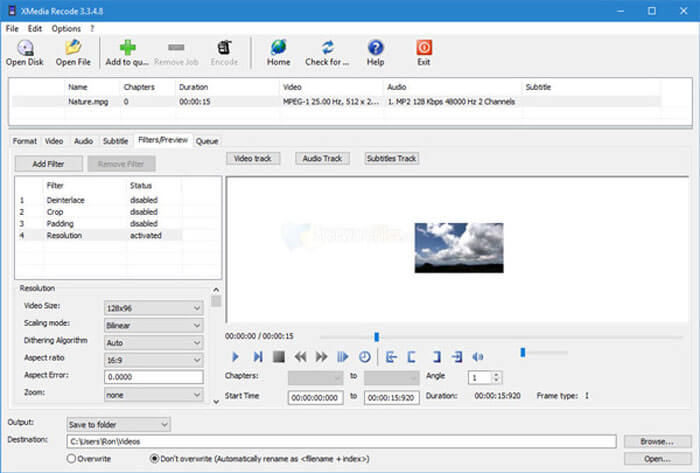
XMedia Recode är en gratis Windows MP4 till SWF-omvandlare för att konvertera flera MP4-videor till SWF-format med en batchprocess. Det gör det också möjligt för dig att redigera videor med flera avancerade funktioner, till exempel Box Blur, Color Curves, Denoise och mer.
1. Stöd många fler in- och utdataformat för konvertering.
2. Ge ett Bitrate Calculator-verktyg för att anpassa utdata SWF-filer.
3. Avancerade videoredigeringsfunktioner för att avbryta, vända, färgkorrigera etc.
4. Justera bildhastigheten, färgläge, bithastighet, GOP-längd och fler inställningar.
Step 1. Once you have launched the program, you can click the Open File button to add all MP4 videos that you want to convert to SWF. Then set output format to SWF from the Format tab.
Step 2. When you want to edit the videos, you can go to Filters and use various available editing options. To customize output SWF files, you can go to Video and Audio tab and setup respective configurations.
Step 3. After that, you can click the Encode button to start the MP4 to SWF conversion. It takes a short period of time to transcode the MP4 to the desired video format.
Del 2: Vanliga frågor om konvertering av MP4 till SWF
1. Vad är SWF-filformat?
SWF-filen är ett Adobe Flash-filformat utvecklat av Macromedia och Adobe-system. Det är också känt som ShockWave Flash, men ändrades senare som Small Web Format. När du konverterar MP4 till SWF direkt, kanske det inte innehåller animationer eller applets av interaktivitet och funktion.
2. SWF VS MP4, Vad är skillnaderna?
Både SWF och MP4 är de populära videoformaten för online-streamingwebbplatser. Men de mobila enheterna, som iPhone och iPad, stöder inte SWF-filer. Den enda fördelen med att konvertera MP4 till SWF är att videoformatet bättre kan interagera med din publik.
3. Är det möjligt att konvertera MP4 till SWF med VLC Media Player?
Nej. VLC Media Player är en mångsidig videokonverterare som gör att du kan konvertera SWF till MP4, men den stöder inte SWF som utdataformat. Naturligtvis kan du enkelt använda några plugins för att enkelt konvertera MP4 till SWF eller välja online-alternativet istället.
Slutsats
När du vill konvertera MP4 till SWF kan du lära dig mer om de 5 bästa gratis MP4 till SWF-omvandlarna från artikeln. Om du behöver konvertera flera MP4-filer online utan begränsning bör FVC Free Online Video Converter vara det första valet du måste ta hänsyn till.
-
 Hur konverterar du dina FLV-videofiler till MP4 utan att betala ett öre
 Den här guiden delar fyra gratis metoder för att konvertera dina FLV-videofiler till MP4-format på Windows 10/8/7 / XP och Mac OS X, så att du kan njuta av videorna på alla enheter.
- Från 50 MB till 5 MB - Hur komprimerar du MP4-fil på sekunder
Du kan hitta valfri gratis videokonverteringsprogramvara från FVC studio. Alla video- / ljudformat stöds, inklusive MP4, MOV, TS, AVI, WMV, FLAC, MP3, etc.
-
 Hur kan jag konvertera MP4 till WAV online gratis
 Försöker du hårt att konvertera MP4 till WAV? Vet du inte vilken omvandlare som kan hjälpa dig perfekt utan att betala ett öre? Läs det här inlägget och alla dina frågor kommer att besvaras.
