


 Video Converter Ultimate
 Skärminspelare
 Video reparation
 Säker nedladdning
Hur man tar bort bitande vattenstämpel från dina videor utan ansträngning
Om du letar efter bra och enkla sätt att ta bort Biteable‑vattenstämplar från dina videor behöver du inte oroa dig längre. Att titta på en video med vattenstämplar är ärligt talat irriterande och frustrerande. Man kan inte riktigt njuta av videon man tittar på. Dessutom är dessa vattenstämplar störande för tittarna. Det är förståeligt att vattenstämplar används för att skydda upphovspersonens material, men att lägga på en stor vattenstämpel är inte bra. Det ger bara en negativ upplevelse för personer som tycker om att se sina favoritvideor. Ett exempel är Biteable‑vattenstämplar. Dessa Biteable‑vattenstämplar kommer från Biteable‑applikationen, där en vattenstämpel automatiskt läggs till efter att du har skapat eller sparat en video. Lyckligtvis kan du använda olika program för att ta bort dessa vattenstämplar från dina videor. Då kan du se dina favoritklipp utan att känna dig irriterad eller frustrerad. Om du vill veta vilka bästa och mest pålitliga program du kan använda för att ta bort dessa vattenstämplar ska du läsa den här artikeln vidare.

Del 1: Bästa sättet att ta bort Biteable Watermark från videor
Video Converter Ultimate är det mest utmärkta programmet du kan använda för att ta bort Biteable‑vattenstämplar från dina videor. Dessutom kan denna utmärkta programvara ta bort andra irrelevanta och störande objekt, som logotyper, texter, signaturer osv. Själva borttagningen och sparprocessen går också mycket snabbt, så du behöver inte lägga ner mycket tid. Dessutom kan Video Converter Ultimate erbjuda två enkla metoder för att ta bort vattenstämplar från dina videor: videobeskärning och verktyget för att ta bort vattenstämplar. Det finns också fler redigeringsverktyg du kan använda, som videohastighetskontroll, videokonverterare, videokomprimering, färgkorrigering, kollagemakare, GIF‑skapare, videobeskärare, bildkonverterare och mycket mer. Det bästa med det här verktyget är att det är lätt att använda tack vare ett tydligt och enkelt gränssnitt som passar perfekt för nybörjare. Det stöder även många olika filformat, som MP4, MOV, FLV, MKV, OGV, DIVX och fler. Slutligen är Video Converter Ultimate tillgängligt både för Windows och Mac, vilket är mycket bekvämt för användarna. Om du vill ta bort en vattenstämpel från en video följer du de enkla stegen nedan.
Använda verktyget Video Watermark Remover
Steg 1: Gå till webbplatsen för Video Converter Ultimate och ladda ner programmet. Gå sedan vidare till installationsprocessen. När installationen är klar startar du programmet.
Gratis nedladdningFör Windows 7 eller senareSäker nedladdning
Gratis nedladdningFör MacOS 10.7 eller senareSäker nedladdning
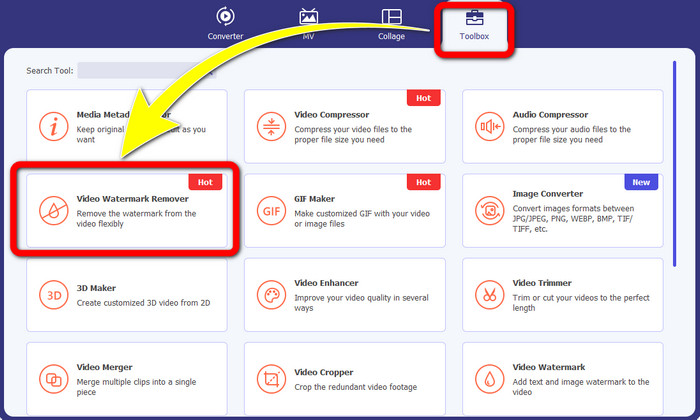
Steg 2: När du har öppnat Video Converter Ultimate klickar du på Toolbox > Video Watermark Remover. Därefter visas ett nytt fönster på skärmen.
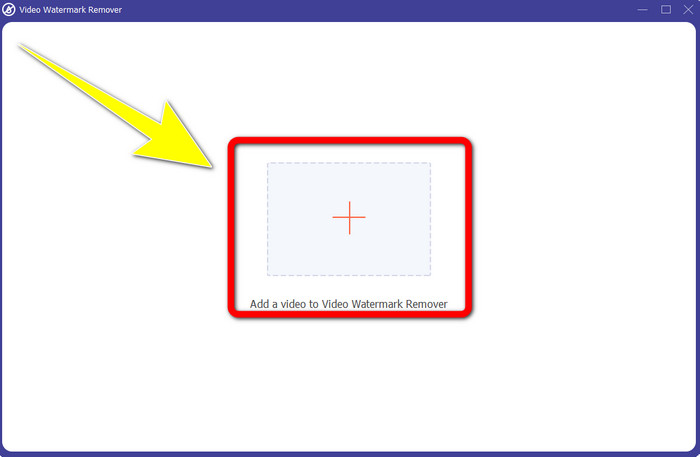
Steg 3: När det nya fönstret har dykt upp på din skärm klickar du på knappen med Plus-symbolen för att lägga till din video med Biteable‑vattenstämpel.
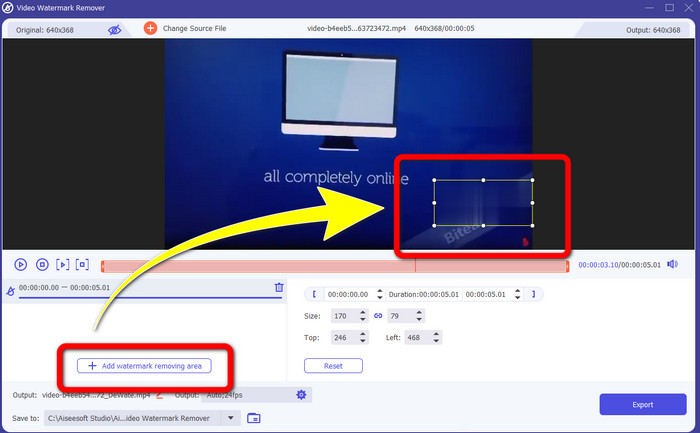
Steg 4: När du har lagt till din video klickar du på Add Watermark Removing Area. Då visas en liten ruta på videon. Dra rutan så att den täcker vattenstämpeln.
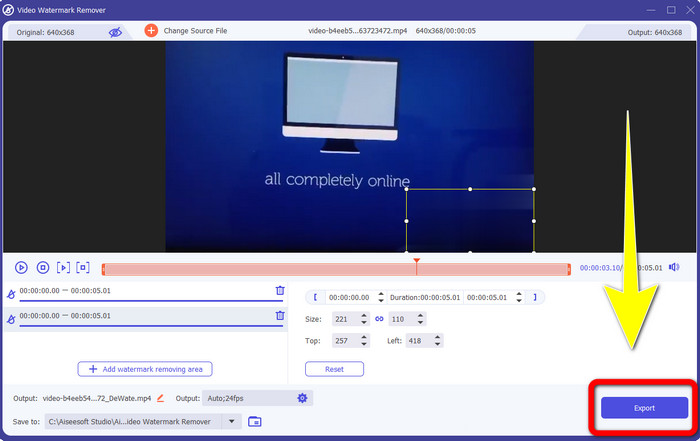
Steg 5: När du har tagit bort Biteable‑vattenstämpeln från videon klickar du på knappen Export för att spara ditt slutliga resultat.
Använda verktyget Video Cropper
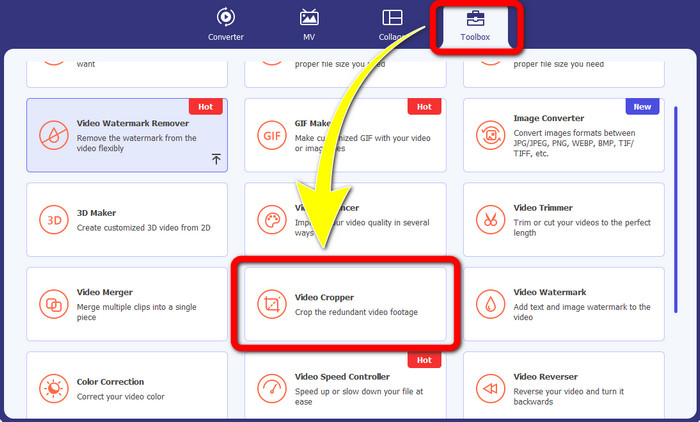
Steg 1: Starta Video Converter Ultimate. Klicka på Toolbox > Video Cropper.
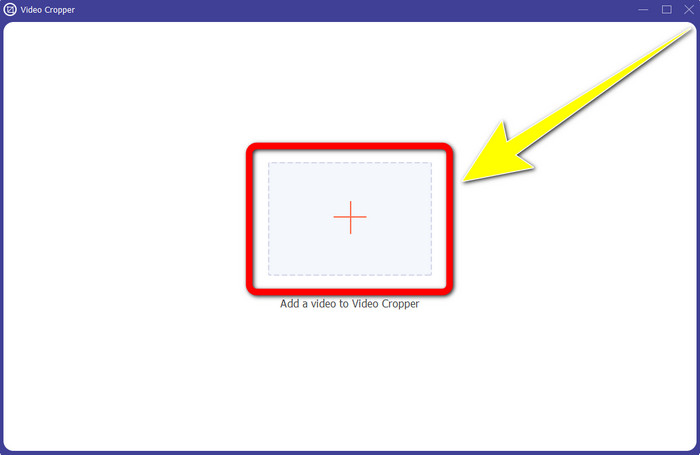
Steg 2: När du har klickat på Video Cropper visas ett nytt fönster på skärmen. Klicka på Plus-ikonen och lägg till din video med Biteable‑vattenstämpel.
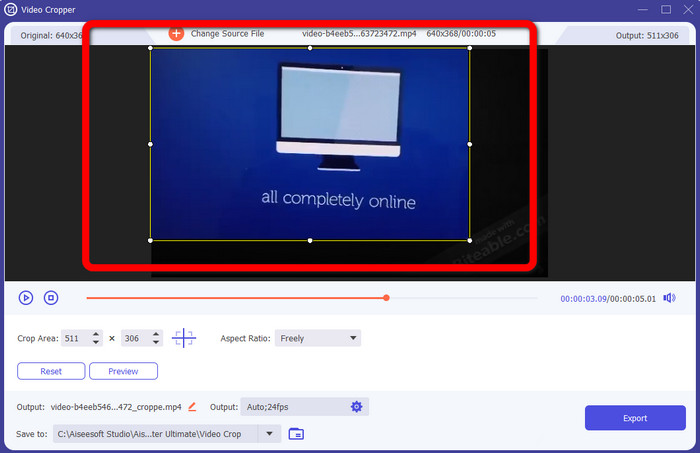
Steg 3: När du har lagt till din video kan du nu beskära (Crop) den för att ta bort vattenstämplarna.
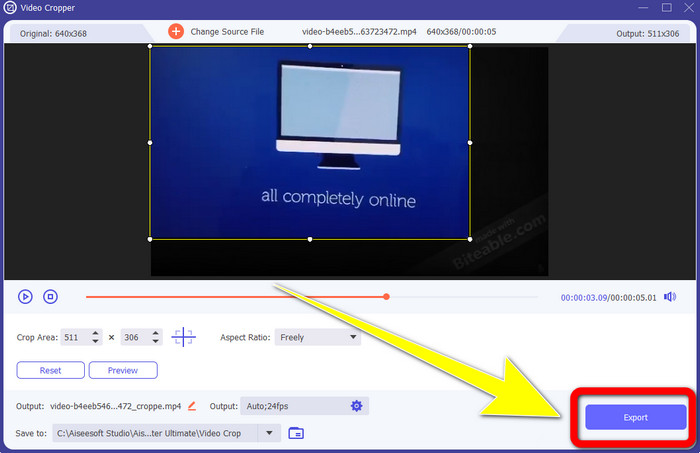
Steg 4: När du är klar med att beskära videon klickar du på Export-knappen och sparar din video utan Biteable‑vattenstämpel.
Del 2: Hur man tar bort Biteable Watermark från videor online
1. Använda BeeCut
Om du vill ta bort den bitbara vattenstämpeln gratis online, är BeeCut den bästa onlineapplikationen du kan använda. Det kan ta bort vattenstämplar från dina videor. Det är ett enkelt onlineverktyg som du kan använda, vilket är perfekt för nybörjare. Du kan ta bort bitbara vattenstämplar från fyra videor med bara några få steg.
Dessutom har BeeCut många redigeringsverktyg, som att trimma, klippa, dela och kombinera videor. Dessutom, om du vill göra en video, kan du lägga till undertexter till din video nedan, vilket är bekvämt för tittarna. Det går dock långsamt att ladda upp filer och spara processer med detta verktyg. Du kan inte heller använda det här verktyget om du inte har en internetanslutning. Om du vill ta bort bitbara vattenstämplar från din video med detta onlineverktyg, följ några steg nedan.
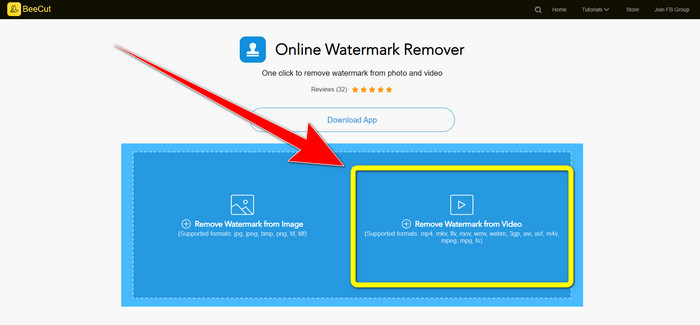
Steg 1: Gå till BeeCut-webbplatsen. Klicka sedan på knappen Remove Watermark from Video och lägg till din video med Biteable‑vattenstämpel.
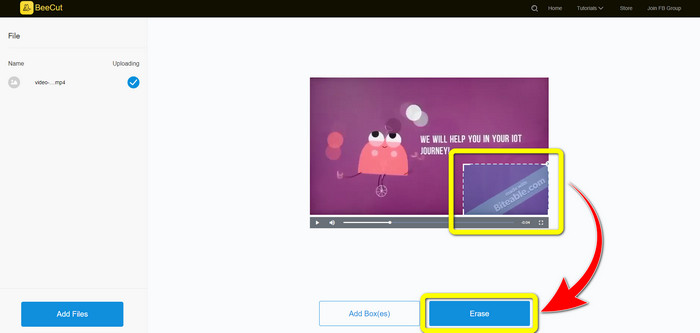
Steg 2: När du har lagt till din fil visas en liten ruta på videon. Dra den och täck Biteable‑vattenstämpeln. När du är klar med att täcka vattenstämplarna klickar du på knappen Erase.
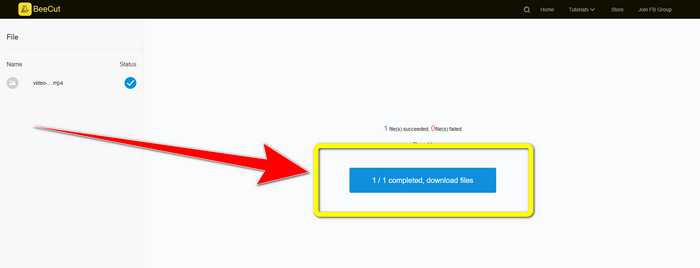
Steg 3: När du har klickat på knappen Erase väntar du på att borttagningen ska bli klar. Sedan kan du ladda ner filen och njuta av videon utan Biteable‑vattenstämpel.
2. Använda Blur Video Online
Om du fortfarande letar efter ett annat program som du kan använda för att ta bort den bitbara vattenstämpeln från din video online, är Blur Video Online ett bra verktyg för dig. Och Blur Video Online är tillgängligt för nästan alla enheter och webbläsare, som Google Chrome, Opera, IE, Mozilla Firefox och mer. Denna webbberoende applikation är dock för långsam när det gäller att importera videofiler, och processen att ta bort vattenstämplar är tidskrävande. Det är också ett internetberoende verktyg, vilket innebär att det bara fungerar om du har en internetanslutning. Följ de enkla stegen nedan för att ta bort/oskärpa en biteable vattenstämpel från din video.
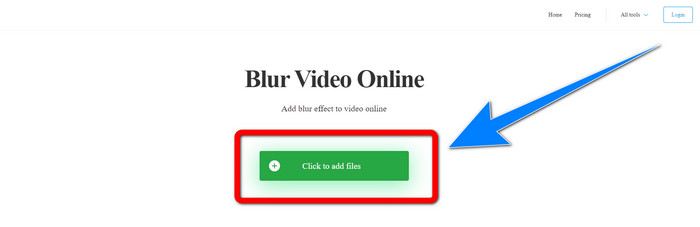
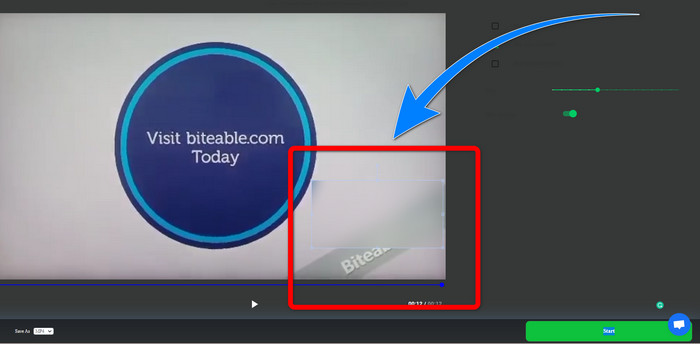
Steg 1: Gå till webbplatsen för Blur Video Online. Klicka sedan på knappen Click to Add File och lägg till din video med vattenstämpel.
Steg 2: När du har lagt in din video visas en ruta på videon. Dra den för att täcka vattenstämplarna och spara ditt slutliga resultat.
Relaterat till:
Bästa sättet att ta bort vattenstämpeln från Camtasia 9 i Windows
Hur du snabbt tar bort vattenstämpelbannern i AVS Video Editor
Del 3: Vanliga frågor om att ta bort bitbara vattenstämplar från videor
Kan jag ta bort en datumstämpel med Video Converter Ultimate?
Jo det kan du! Video Converter Ultimate kan hjälpa dig att eliminera störande föremål från dina videor, som datumstämplar, vattenstämplar, text, etc.
Är det tidskrävande att ta bort vattenstämplar från mina videor?
Det beror på vilka applikationer du använder. Vissa applikationer kan omedelbart ta bort vattenstämplar från dina videor, och vissa applikationer tar tid att ta bort vattenstämplar.
Finns det en vattenstämpelborttagare jag kan använda utan att förlora kvaliteten på mina videor?
Ja, det finns! Du kan använda Video Converter Ultimate. Det är inte bara bra på att ta bort vattenstämplar och redigera videor. Med det här programmet kan du ta bort vattenstämplar från dina videor utan att förlora kvalitet.
Slutsats
Att ta bort vattenstämpeln från dina videor är utmärkt, särskilt om du vill se dina favoritklipp utan onödiga objekt. Den här artikeln har presenterat praktiska program du kan använda för att ta bort Biteable‑vattenstämplar från dina videor. Slutligen är det bästa valet att använda Video Converter Ultimate om du letar efter den mest utmärkta och imponerande applikationen för att ta bort vattenstämplar från dina videor.
-
 Hur man tar bort Powtoon-vattenstämpeln med hjälp av 4 effektiva metoder
 Läs den här artikeln för att lära dig hur du tar bort vattenstämpeln Powtoon med de bästa verktygen vi inkluderade här och en handledning.
-
 Apowersoft Watermark Remover Review – Funktioner, för- och nackdelar och priser
 Apowersoft Watermark Remover är en av de bästa vattenstämplarnas borttagning som stöder online och offline, klicka här för att veta mer!
-
 3 av de senaste Shutterstock-vattenmärkesborttagningarna du någonsin kommer att behöva
 Gillar du inte Shutterstock-vattenstämpeln som är kopplad till exporterad video? Du kan använda en Shutterstock-vattenstämpelborttagare för att radera det effektivt.
